
Socket programming Goal learn how to build clientserver
Socket programming Goal: learn how to build client/server application that communicate using sockets Socket API r introduced in BSD 4. 1 UNIX, 1981 r Sockets are explicitly created, used, released by applications r client/server paradigm r two types of transport service via socket API: m unreliable datagram m reliable, byte streamoriented socket a host-local, applicationcreated/owned, OS-controlled interface (a “door”) into which application process can both send and receive messages to/from another (remote or local) application process 2: Application Layer 1
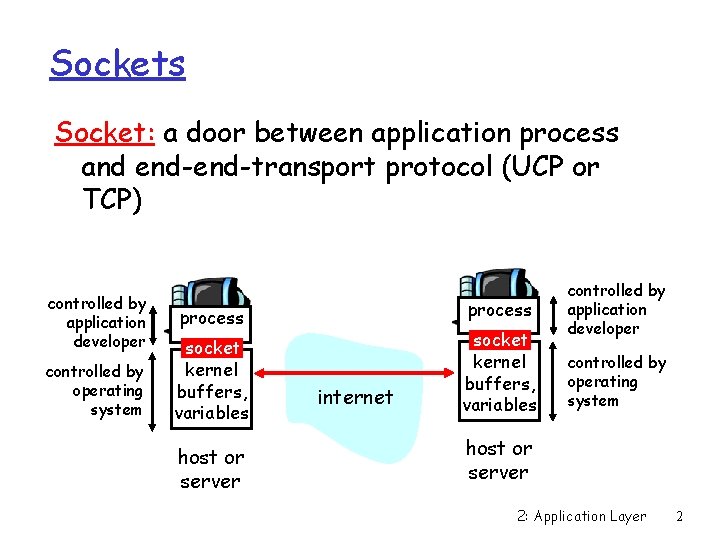
Sockets Socket: a door between application process and end-transport protocol (UCP or TCP) controlled by application developer controlled by operating system process socket kernel buffers, variables host or server internet socket kernel buffers, variables controlled by application developer controlled by operating system host or server 2: Application Layer 2
Languages and Platforms Socket API is available for many languages on many platforms: r C, Java, Perl, Python, … r *nix, Windows, … Socket Programs written in any language and running on any platform can communicate with each other! 2: Application Layer 3
Socket Programming is Easy r Create socket much like you open a file r Once open, you can read from it and write to it r Operating System hides most of the details 2: Application Layer 4
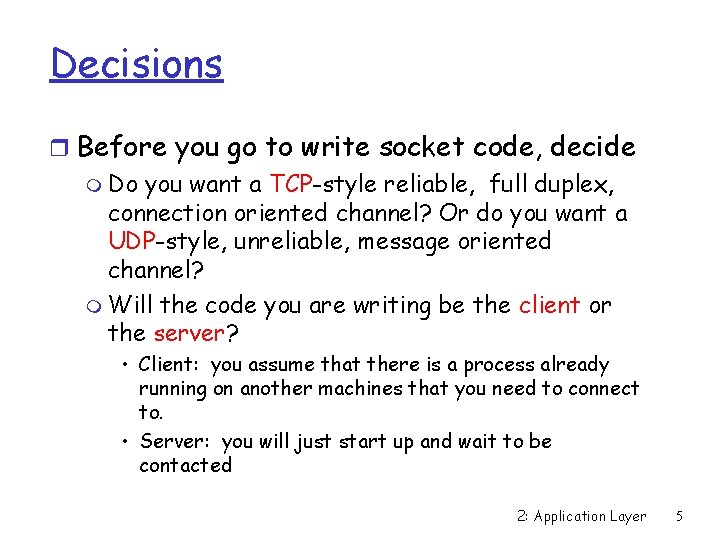
Decisions r Before you go to write socket code, decide m Do you want a TCP-style reliable, full duplex, connection oriented channel? Or do you want a UDP-style, unreliable, message oriented channel? m Will the code you are writing be the client or the server? • Client: you assume that there is a process already running on another machines that you need to connect to. • Server: you will just start up and wait to be contacted 2: Application Layer 5
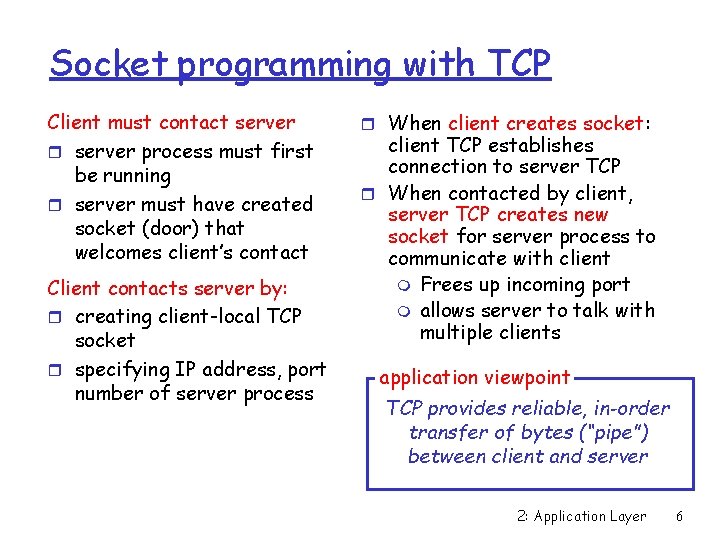
Socket programming with TCP Client must contact server r server process must first be running r server must have created socket (door) that welcomes client’s contact Client contacts server by: r creating client-local TCP socket r specifying IP address, port number of server process r When client creates socket: client TCP establishes connection to server TCP r When contacted by client, server TCP creates new socket for server process to communicate with client m Frees up incoming port m allows server to talk with multiple clients application viewpoint TCP provides reliable, in-order transfer of bytes (“pipe”) between client and server 2: Application Layer 6
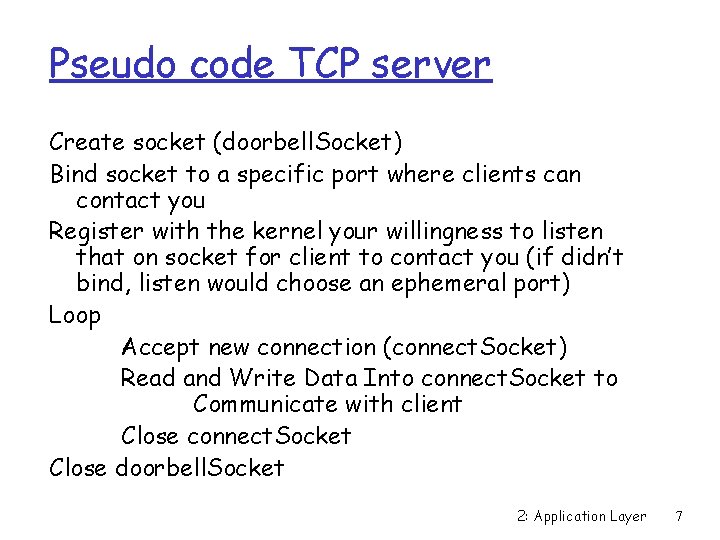
Pseudo code TCP server Create socket (doorbell. Socket) Bind socket to a specific port where clients can contact you Register with the kernel your willingness to listen that on socket for client to contact you (if didn’t bind, listen would choose an ephemeral port) Loop Accept new connection (connect. Socket) Read and Write Data Into connect. Socket to Communicate with client Close connect. Socket Close doorbell. Socket 2: Application Layer 7
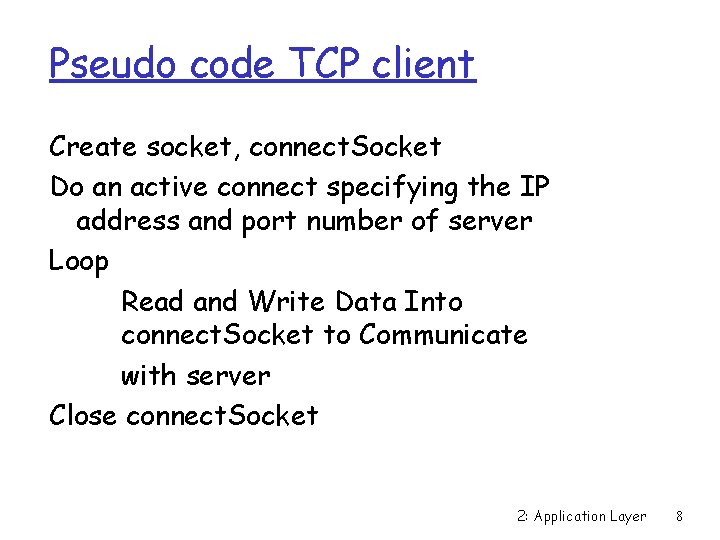
Pseudo code TCP client Create socket, connect. Socket Do an active connect specifying the IP address and port number of server Loop Read and Write Data Into connect. Socket to Communicate with server Close connect. Socket 2: Application Layer 8
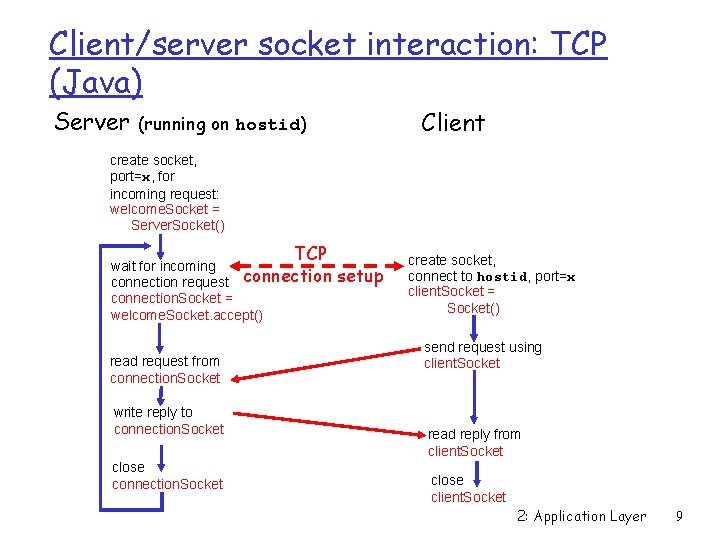
Client/server socket interaction: TCP (Java) Server Client (running on hostid) create socket, port=x, for incoming request: welcome. Socket = Server. Socket() TCP wait for incoming connection request connection. Socket = welcome. Socket. accept() read request from connection. Socket write reply to connection. Socket close connection. Socket setup create socket, connect to hostid, port=x client. Socket = Socket() send request using client. Socket read reply from client. Socket close client. Socket 2: Application Layer 9
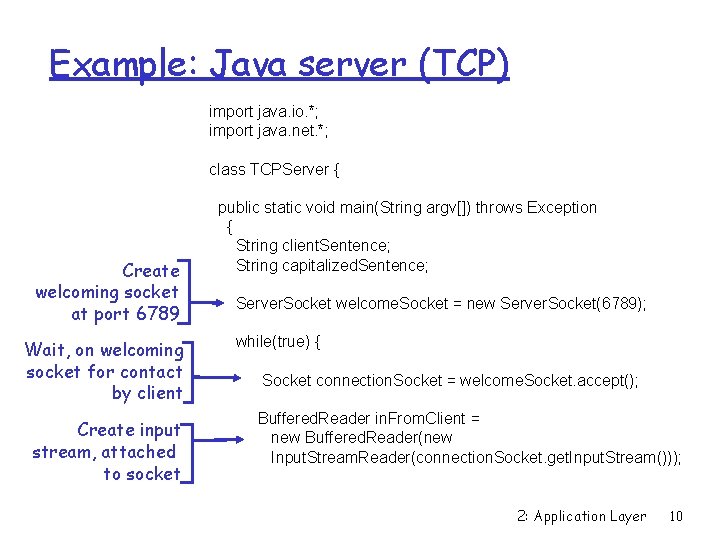
Example: Java server (TCP) import java. io. *; import java. net. *; class TCPServer { Create welcoming socket at port 6789 Wait, on welcoming socket for contact by client Create input stream, attached to socket public static void main(String argv[]) throws Exception { String client. Sentence; String capitalized. Sentence; Server. Socket welcome. Socket = new Server. Socket(6789); while(true) { Socket connection. Socket = welcome. Socket. accept(); Buffered. Reader in. From. Client = new Buffered. Reader(new Input. Stream. Reader(connection. Socket. get. Input. Stream())); 2: Application Layer 10
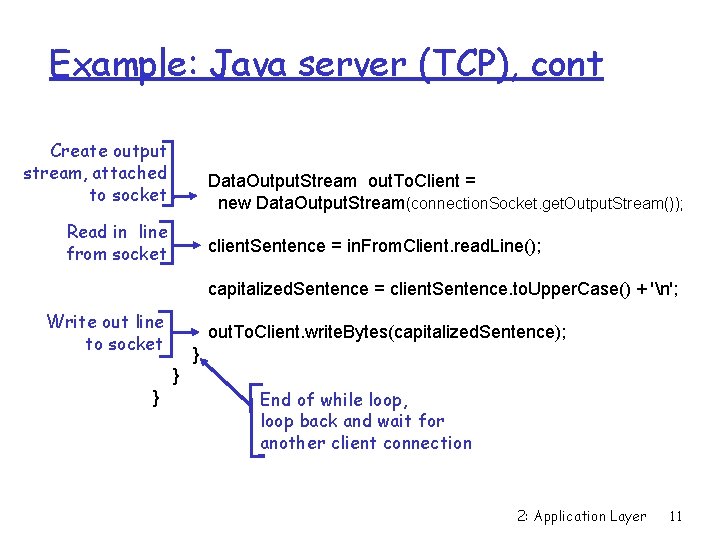
Example: Java server (TCP), cont Create output stream, attached to socket Data. Output. Stream out. To. Client = new Data. Output. Stream(connection. Socket. get. Output. Stream()); Read in line from socket client. Sentence = in. From. Client. read. Line(); capitalized. Sentence = client. Sentence. to. Upper. Case() + 'n'; Write out line to socket out. To. Client. write. Bytes(capitalized. Sentence); } } } End of while loop, loop back and wait for another client connection 2: Application Layer 11
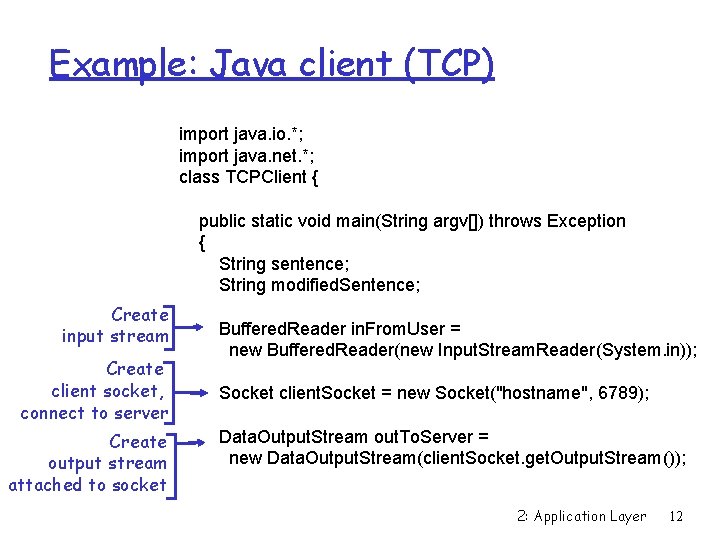
Example: Java client (TCP) import java. io. *; import java. net. *; class TCPClient { public static void main(String argv[]) throws Exception { String sentence; String modified. Sentence; Create input stream Create client socket, connect to server Create output stream attached to socket Buffered. Reader in. From. User = new Buffered. Reader(new Input. Stream. Reader(System. in)); Socket client. Socket = new Socket("hostname", 6789); Data. Output. Stream out. To. Server = new Data. Output. Stream(client. Socket. get. Output. Stream()); 2: Application Layer 12
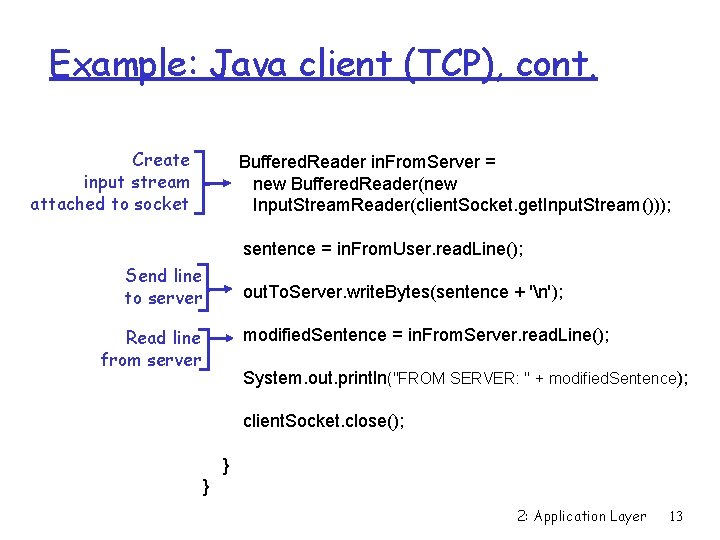
Example: Java client (TCP), cont. Create input stream attached to socket Buffered. Reader in. From. Server = new Buffered. Reader(new Input. Stream. Reader(client. Socket. get. Input. Stream())); sentence = in. From. User. read. Line(); Send line to server out. To. Server. write. Bytes(sentence + 'n'); Read line from server modified. Sentence = in. From. Server. read. Line(); System. out. println("FROM SERVER: " + modified. Sentence); client. Socket. close(); } } 2: Application Layer 13
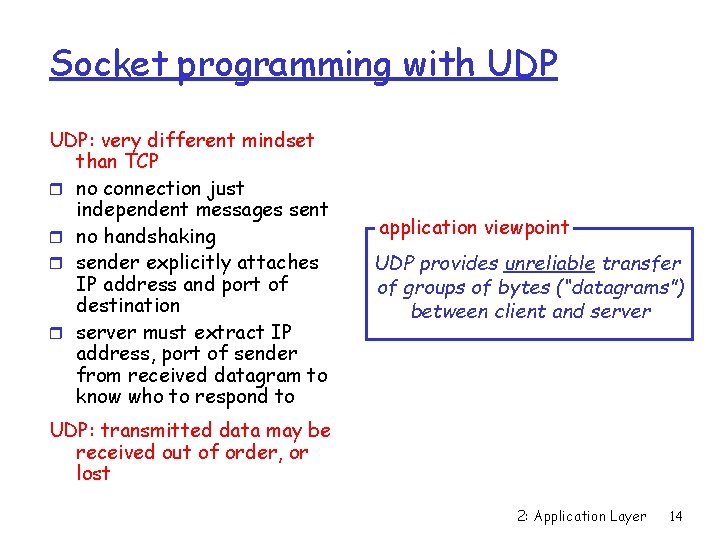
Socket programming with UDP: very different mindset than TCP r no connection just independent messages sent r no handshaking r sender explicitly attaches IP address and port of destination r server must extract IP address, port of sender from received datagram to know who to respond to application viewpoint UDP provides unreliable transfer of groups of bytes (“datagrams”) between client and server UDP: transmitted data may be received out of order, or lost 2: Application Layer 14
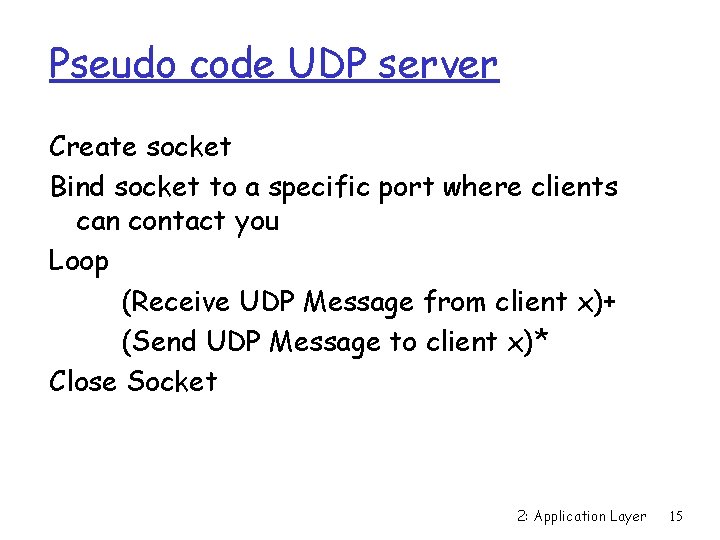
Pseudo code UDP server Create socket Bind socket to a specific port where clients can contact you Loop (Receive UDP Message from client x)+ (Send UDP Message to client x)* Close Socket 2: Application Layer 15
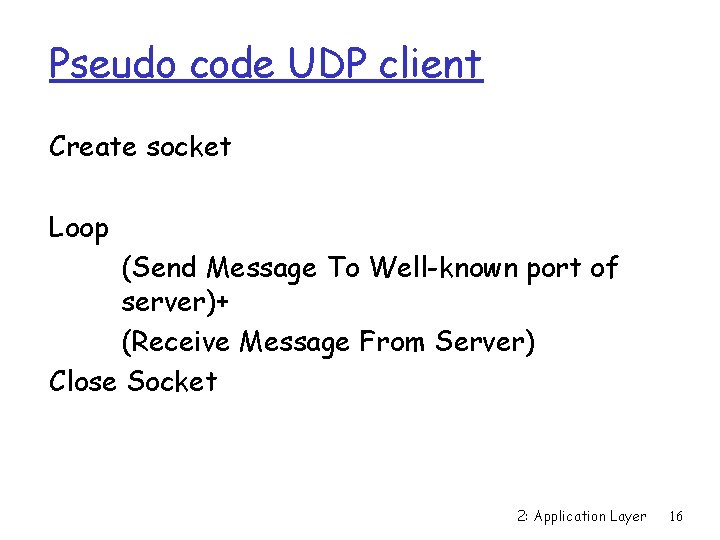
Pseudo code UDP client Create socket Loop (Send Message To Well-known port of server)+ (Receive Message From Server) Close Socket 2: Application Layer 16
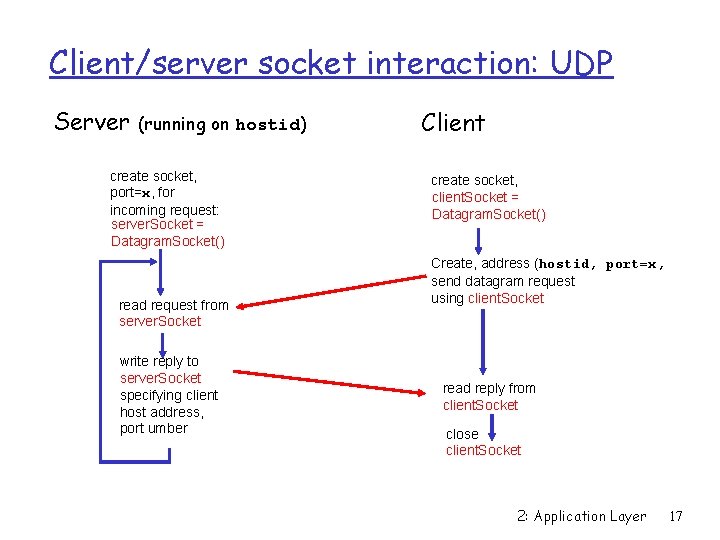
Client/server socket interaction: UDP Server (running on hostid) create socket, port=x, for incoming request: server. Socket = Datagram. Socket() read request from server. Socket write reply to server. Socket specifying client host address, port umber Client create socket, client. Socket = Datagram. Socket() Create, address (hostid, port=x, send datagram request using client. Socket read reply from client. Socket close client. Socket 2: Application Layer 17
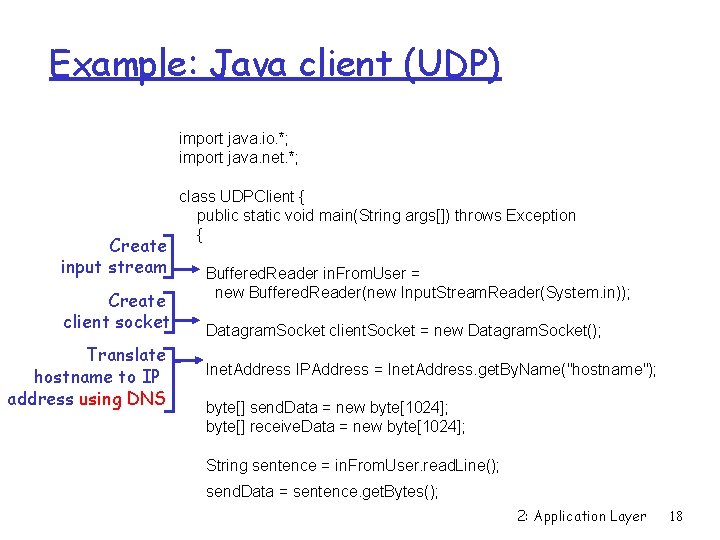
Example: Java client (UDP) import java. io. *; import java. net. *; Create input stream Create client socket Translate hostname to IP address using DNS class UDPClient { public static void main(String args[]) throws Exception { Buffered. Reader in. From. User = new Buffered. Reader(new Input. Stream. Reader(System. in)); Datagram. Socket client. Socket = new Datagram. Socket(); Inet. Address IPAddress = Inet. Address. get. By. Name("hostname"); byte[] send. Data = new byte[1024]; byte[] receive. Data = new byte[1024]; String sentence = in. From. User. read. Line(); send. Data = sentence. get. Bytes(); 2: Application Layer 18
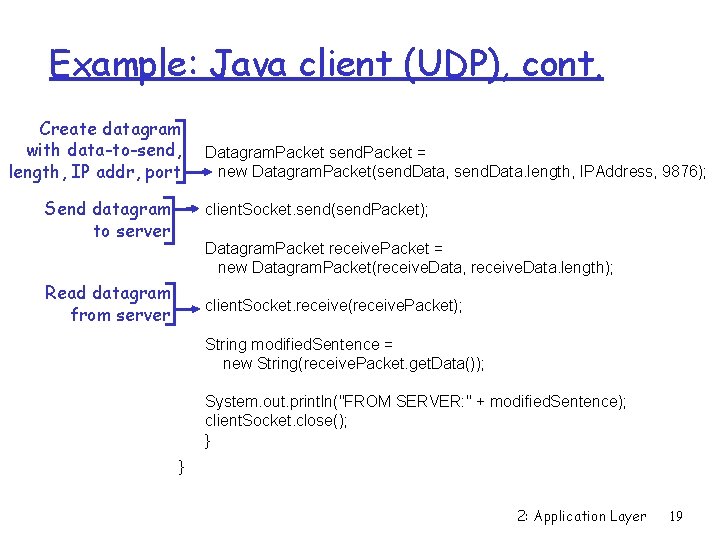
Example: Java client (UDP), cont. Create datagram with data-to-send, length, IP addr, port Send datagram to server Datagram. Packet send. Packet = new Datagram. Packet(send. Data, send. Data. length, IPAddress, 9876); client. Socket. send(send. Packet); Datagram. Packet receive. Packet = new Datagram. Packet(receive. Data, receive. Data. length); Read datagram from server client. Socket. receive(receive. Packet); String modified. Sentence = new String(receive. Packet. get. Data()); System. out. println("FROM SERVER: " + modified. Sentence); client. Socket. close(); } } 2: Application Layer 19
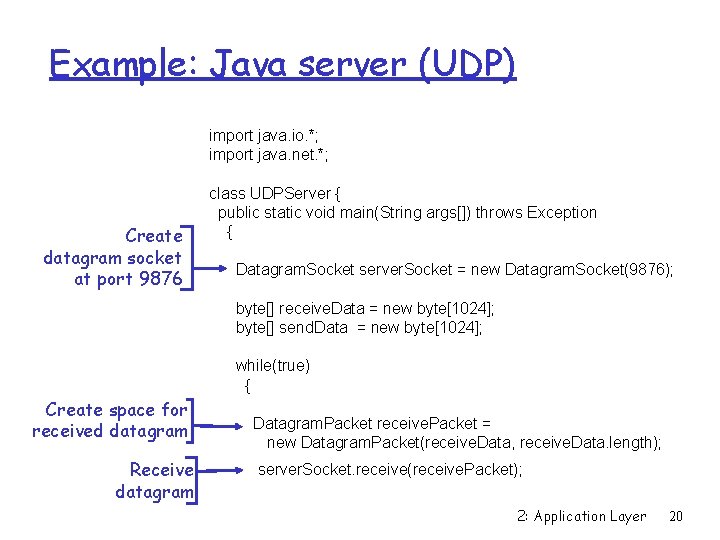
Example: Java server (UDP) import java. io. *; import java. net. *; Create datagram socket at port 9876 class UDPServer { public static void main(String args[]) throws Exception { Datagram. Socket server. Socket = new Datagram. Socket(9876); byte[] receive. Data = new byte[1024]; byte[] send. Data = new byte[1024]; while(true) { Create space for received datagram Receive datagram Datagram. Packet receive. Packet = new Datagram. Packet(receive. Data, receive. Data. length); server. Socket. receive(receive. Packet); 2: Application Layer 20
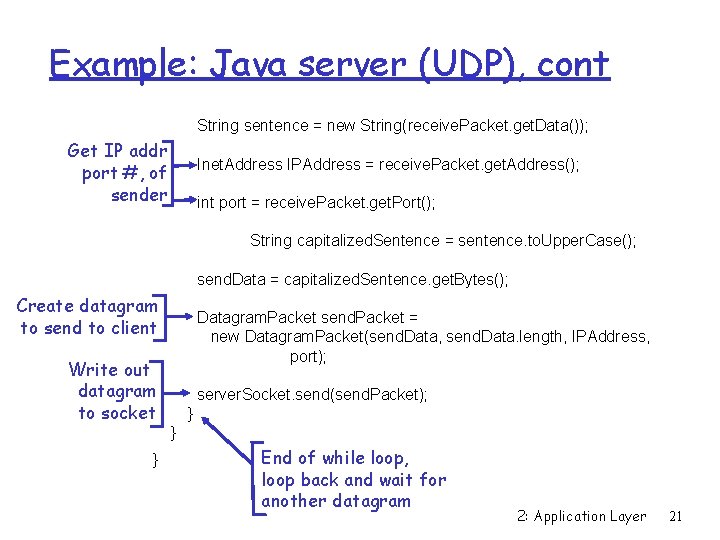
Example: Java server (UDP), cont String sentence = new String(receive. Packet. get. Data()); Get IP addr port #, of sender Inet. Address IPAddress = receive. Packet. get. Address(); int port = receive. Packet. get. Port(); String capitalized. Sentence = sentence. to. Upper. Case(); send. Data = capitalized. Sentence. get. Bytes(); Create datagram to send to client Write out datagram to socket } Datagram. Packet send. Packet = new Datagram. Packet(send. Data, send. Data. length, IPAddress, port); server. Socket. send(send. Packet); } } End of while loop, loop back and wait for another datagram 2: Application Layer 21
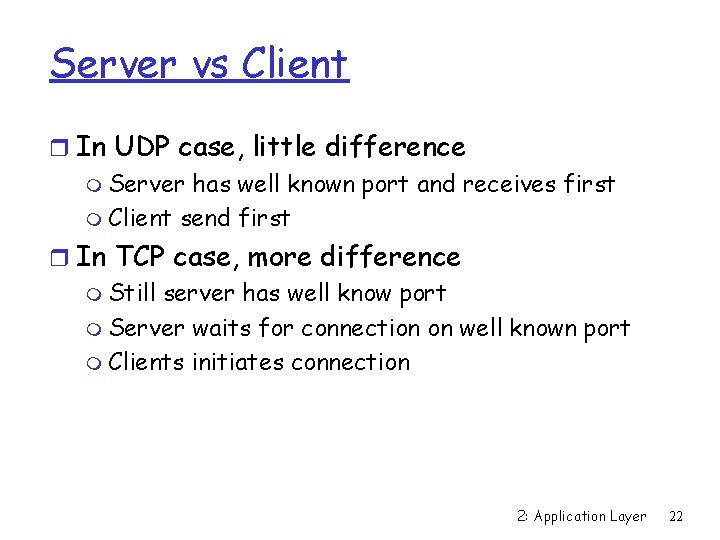
Server vs Client r In UDP case, little difference m Server has well known port and receives first m Client send first r In TCP case, more difference m Still server has well know port m Server waits for connection on well known port m Clients initiates connection 2: Application Layer 22
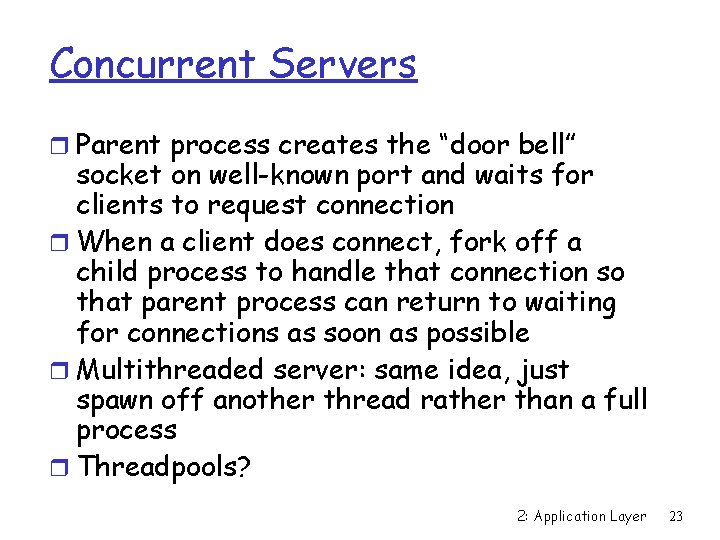
Concurrent Servers r Parent process creates the “door bell” socket on well-known port and waits for clients to request connection r When a client does connect, fork off a child process to handle that connection so that parent process can return to waiting for connections as soon as possible r Multithreaded server: same idea, just spawn off another thread rather than a full process r Threadpools? 2: Application Layer 23
Backlog r Many implementations do allow a small fixed number (~5) of unaccepted connections to be pending, commonly called the backlog r This helps avoid missing connections while process not sitting in the accept call 2: Application Layer 24
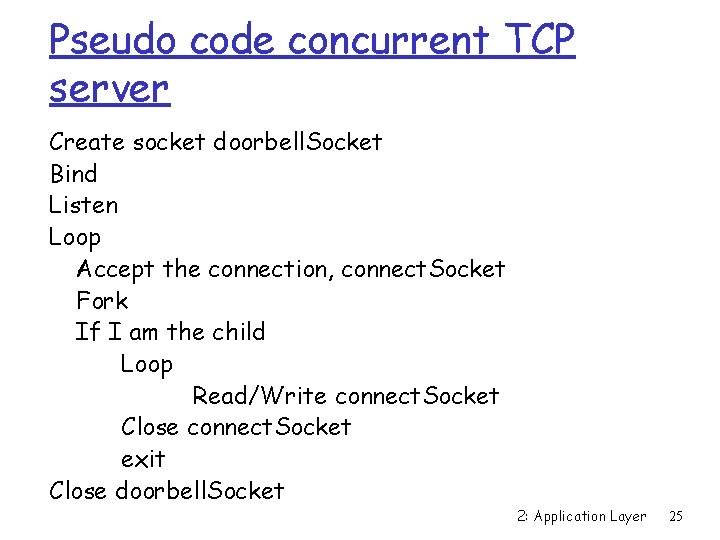
Pseudo code concurrent TCP server Create socket doorbell. Socket Bind Listen Loop Accept the connection, connect. Socket Fork If I am the child Loop Read/Write connect. Socket Close connect. Socket exit Close doorbell. Socket 2: Application Layer 25
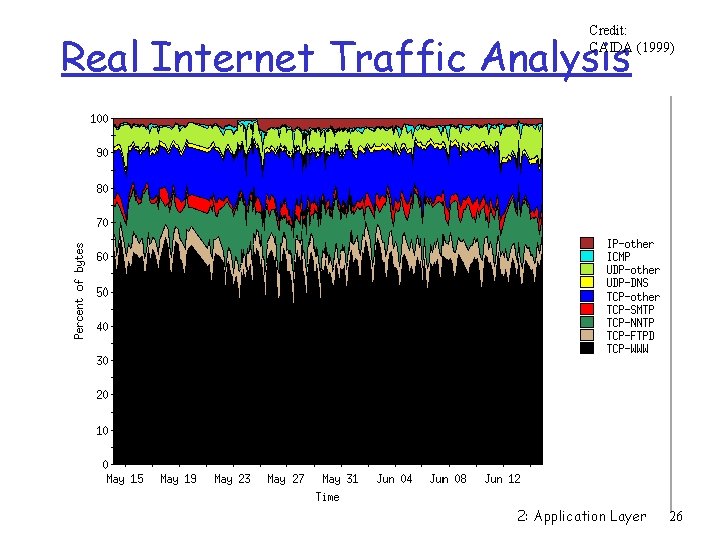
Credit: CAIDA (1999) Real Internet Traffic Analysis 2: Application Layer 26
On to the transport layer… r Important to remember that we build transport services to support applications r Transport services are a means to an end 2: Application Layer 27
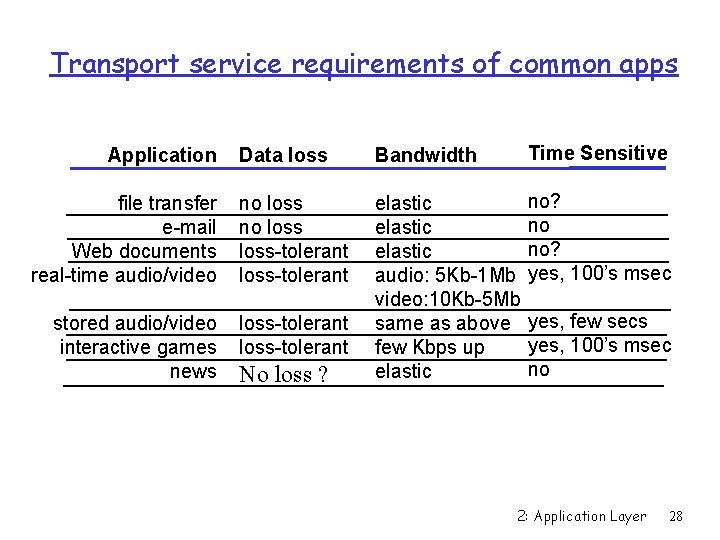
Transport service requirements of common apps Data loss Bandwidth Time Sensitive file transfer e-mail Web documents real-time audio/video no loss-tolerant no? no no? yes, 100’s msec stored audio/video interactive games news loss-tolerant elastic audio: 5 Kb-1 Mb video: 10 Kb-5 Mb same as above few Kbps up elastic Application No loss ? yes, few secs yes, 100’s msec no 2: Application Layer 28
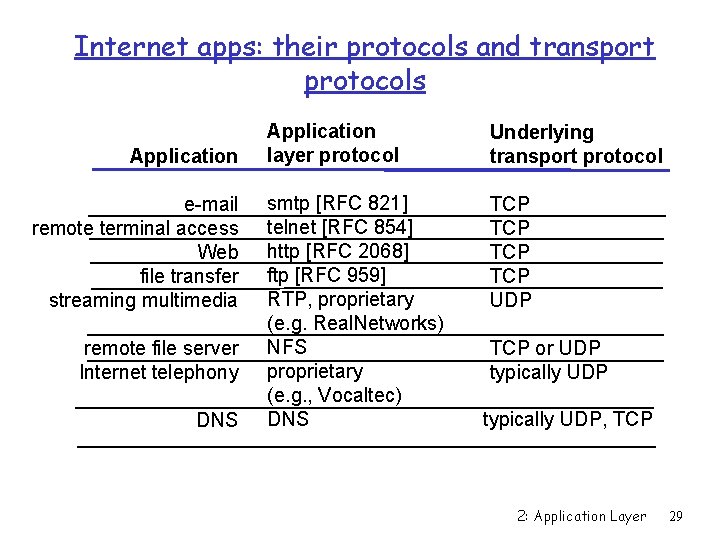
Internet apps: their protocols and transport protocols Application e-mail remote terminal access Web file transfer streaming multimedia remote file server Internet telephony DNS Application layer protocol Underlying transport protocol smtp [RFC 821] telnet [RFC 854] http [RFC 2068] ftp [RFC 959] RTP, proprietary (e. g. Real. Networks) NFS proprietary (e. g. , Vocaltec) DNS TCP TCP UDP TCP or UDP typically UDP, TCP 2: Application Layer 29
- Slides: 29