
SOAR Guidance for Programme Directors PD to make

- Slides: 21
SOAR Guidance for Programme Directors (PD) to make suggested Outcome to support Revalidation Last updated: November 2018 Quality Education for a Healthier Scotland
Overview • • • Background Login to correct Role on SOAR Support Process Overview How to Sign off a Declaration Review Declaration to make suggested Outcome to support Revalidation
Background (1/3) • SOAR is for all trainees in a training programme, including LATs and Foundation doctors • Trainee data from Turas is imported nightly to SOAR (around 1 am), including: – Trainee details and their ARCP outcomes if applicable – Trainees’ linked Educational Supervisor (Ed. Sup) – Programme Directors (PD = TPDs/FPDs) • Ed. Sups are linked to Trainees on SOAR automatically from imported data (provided that the Ed. Sup is already on SOAR - checked against GMC number) – If not, Sys. Admin receives email alert for investigation
Background (2/3) • As part of the Annual ARCP process, Training Programme Management (TPM) teams initiate a declaration on SOAR approximately 8 weeks prior to the ARCP date • Trainees are asked to login to SOAR to complete their self declarations on Health, Probity, Complaints and Work History • Ed. Sups linked to a Trainee are asked (via system automated emails) to sign off their Trainees’ declarations – Automated reminder emails are also sent
Background (3/3) • Where required, PDs can sign off a Trainee’s Annual Declarations in lieu of the Ed. Sup (but not usually) – Please liaise with the relevant programme team administrator, as appropriate • Annually, PDs are asked to review their Trainees’: – Signed off declarations – ARCP outcomes; and – Make suggested Outcome to support Revalidation
Supporting Revalidation • PDs are NOT asked to revalidate trainees, only review the information available and make suggested outcome to support their Trainees’ Revalidation • Only the Responsible Officer (RO) and the nominated ROs are tasked with revalidating the Trainees
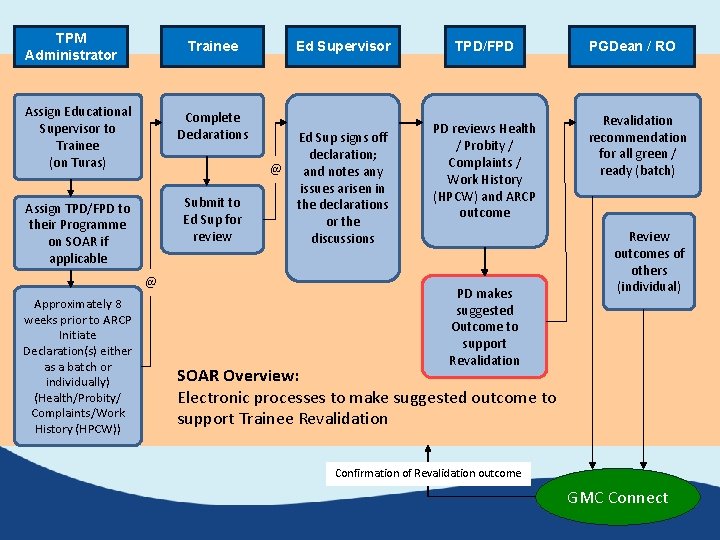
TPM Administrator Trainee Assign Educational Supervisor to Trainee (on Turas) Complete Declarations Assign TPD/FPD to their Programme on SOAR if applicable Submit to Ed Sup for review @ @ Approximately 8 weeks prior to ARCP Initiate Declaration(s) either as a batch or individually) (Health/Probity/ Complaints/Work History (HPCW)) Ed Supervisor Ed Sup signs off declaration; and notes any issues arisen in the declarations or the discussions TPD/FPD PD reviews Health / Probity / Complaints / Work History (HPCW) and ARCP outcome PD makes suggested Outcome to support Revalidation PGDean / RO Revalidation recommendation for all green / ready (batch) Review outcomes of others (individual) SOAR Overview: Electronic processes to make suggested outcome to support Trainee Revalidation Confirmation of Revalidation outcome GMC Connect
How To – Sign off a Declaration
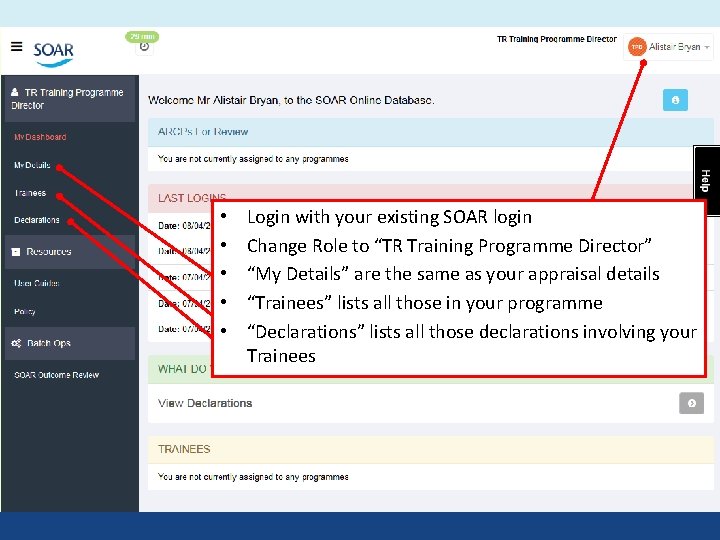
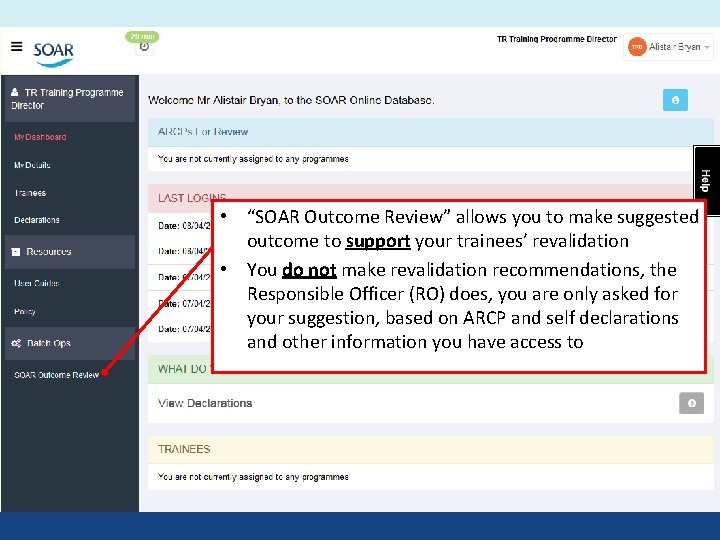
• • • Login with your existing SOAR login Change Role to “TR Training Programme Director” “My Details” are the same as your appraisal details “Trainees” lists all those in your programme “Declarations” lists all those declarations involving your Trainees
• “SOAR Outcome Review” allows you to make suggested outcome to support your trainees’ revalidation • You do not make revalidation recommendations, the Responsible Officer (RO) does, you are only asked for your suggestion, based on ARCP and self declarations and other information you have access to
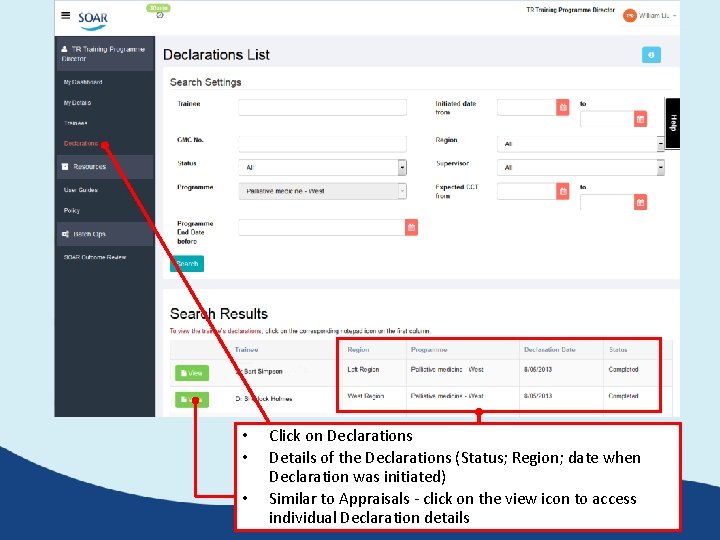
• • • Click on Declarations Details of the Declarations (Status; Region; date when Declaration was initiated) Similar to Appraisals - click on the view icon to access individual Declaration details
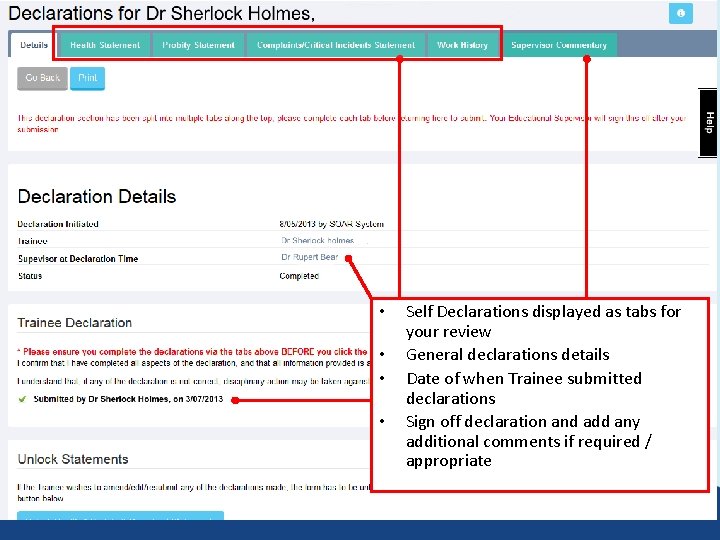
• • Self Declarations displayed as tabs for your review General declarations details Date of when Trainee submitted declarations Sign off declaration and add any additional comments if required / appropriate
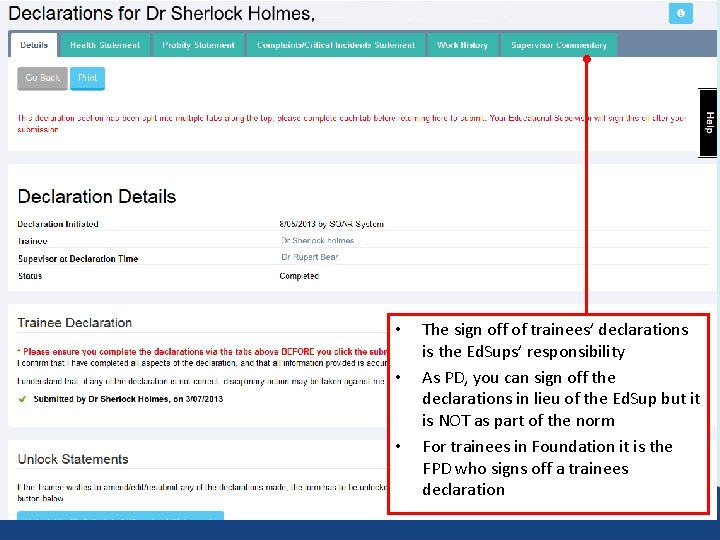
• • • The sign off of trainees’ declarations is the Ed. Sups’ responsibility As PD, you can sign off the declarations in lieu of the Ed. Sup but it is NOT as part of the norm For trainees in Foundation it is the FPD who signs off a trainees declaration
Review Declarations to make suggested outcome to support Revalidation (1/2) (by individual trainee)
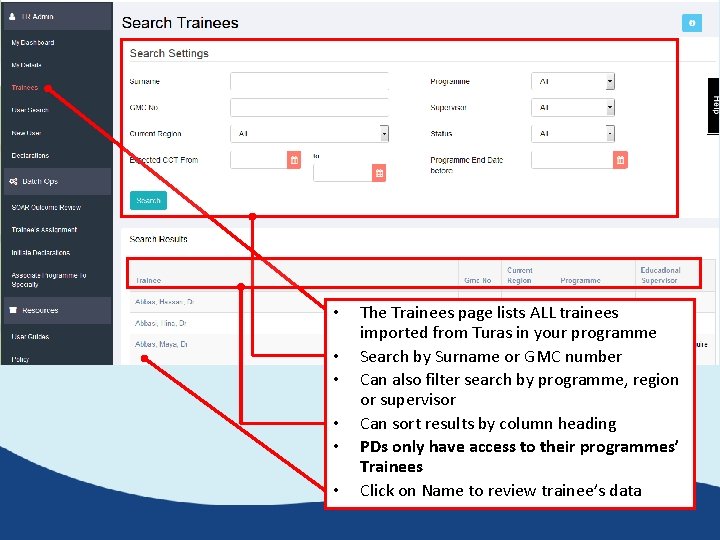
• • • The Trainees page lists ALL trainees imported from Turas in your programme Search by Surname or GMC number Can also filter search by programme, region or supervisor Can sort results by column heading PDs only have access to their programmes’ Trainees Click on Name to review trainee’s data
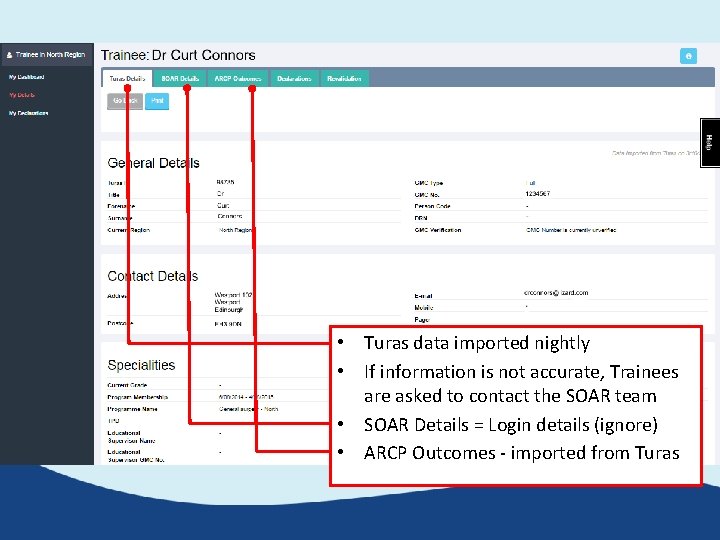
• Turas data imported nightly • If information is not accurate, Trainees are asked to contact the SOAR team • SOAR Details = Login details (ignore) • ARCP Outcomes - imported from Turas
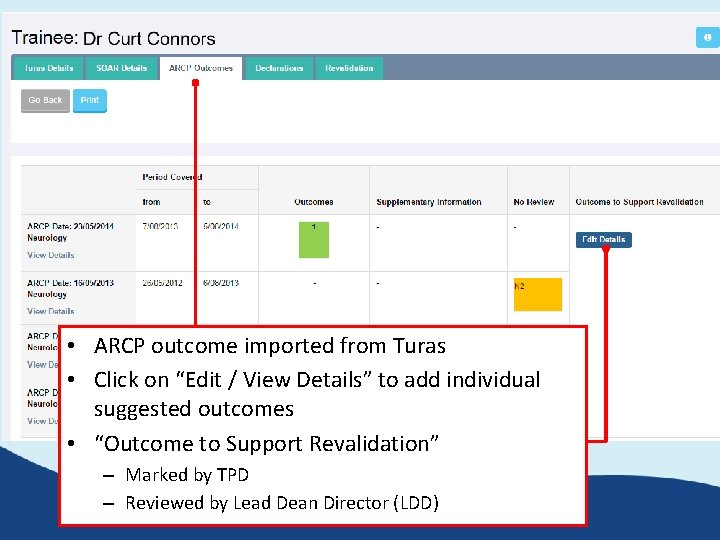
• ARCP outcome imported from Turas • Click on “Edit / View Details” to add individual suggested outcomes • “Outcome to Support Revalidation” – Marked by TPD – Reviewed by Lead Dean Director (LDD)
Review Declarations to make suggested outcome to support Revalidation - review ARCP (2/2) (by list/batch i. e. by programme)
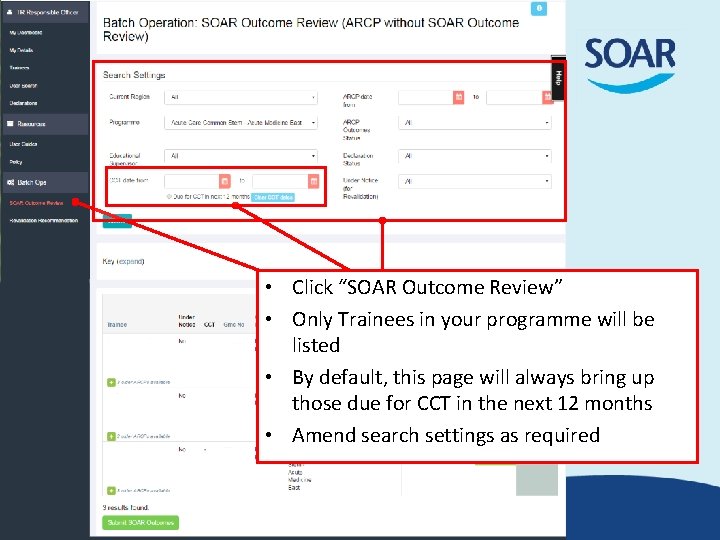
• Click “SOAR Outcome Review” • Only Trainees in your programme will be listed • By default, this page will always bring up those due for CCT in the next 12 months • Amend search settings as required
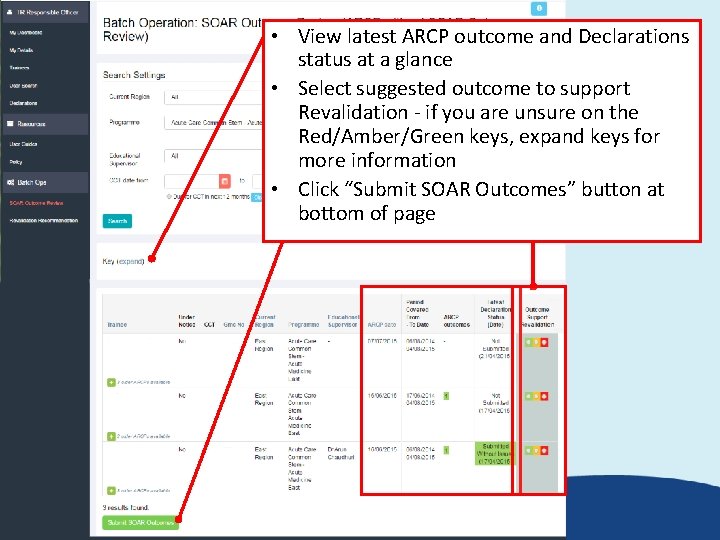
• View latest ARCP outcome and Declarations status at a glance • Select suggested outcome to support Revalidation - if you are unsure on the Red/Amber/Green keys, expand keys for more information • Click “Submit SOAR Outcomes” button at bottom of page
Further support • Medical Appraisal Scotland website: – www. appraisal. nes. scot. nhs. uk – Resources, FAQ and other useful sections • Local Administration teams: – Contact details on Medical Appraisal Scotland website (Contacts > Deaneries) • SOAR Helpdesk – “Help” box / form when logged into SOAR; – or SOAR@nes. scot. nhs. uk • Due to capacity issues we are unable to offer telephone support – You can request a call back via the Helpdesk – but we need detailed descriptions of the issue(s)