
Smarty Template Engine Presentation By Myle Arif Ott
Smarty Template Engine Presentation By: Myle Arif Ott
Introduction • One of the major issues in web development is separating presentation from business logic. • One way to do this is to use a template engine. • We will talk about Smarty, a very popular template engine for PHP.
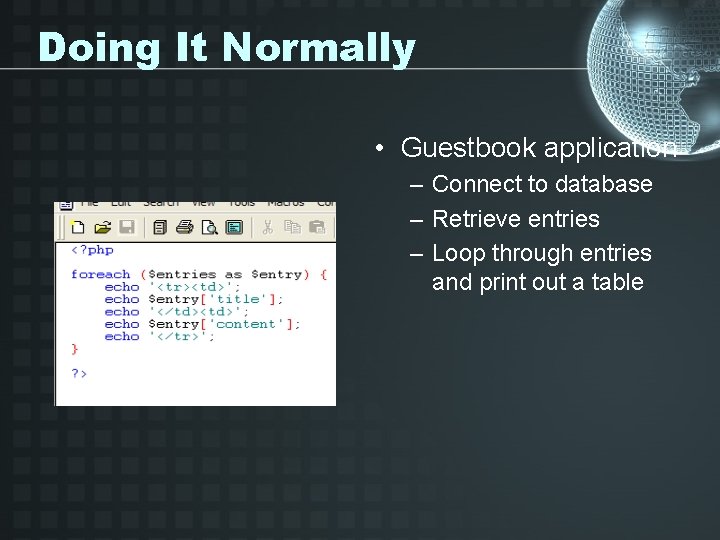
Doing It Normally • Guestbook application – Connect to database – Retrieve entries – Loop through entries and print out a table
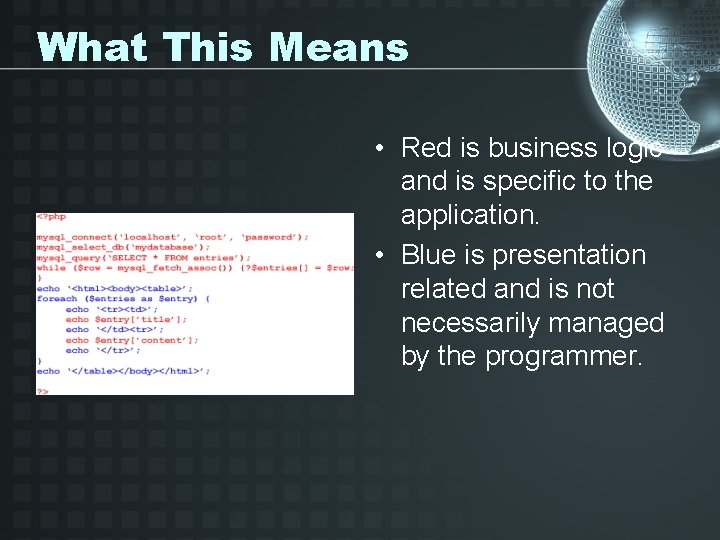
What This Means • Red is business logic and is specific to the application. • Blue is presentation related and is not necessarily managed by the programmer.
The Smarty Way • • • Template files control the presentation. Business logic up to the programmer. The Smarty engine handles template files. Plug-in based – easy enhancement. Many third party plug-ins exist.

The Smarty Way • Guestbook application: – – Connect to database Initialize Smarty Set template variables Call Smarty to display template
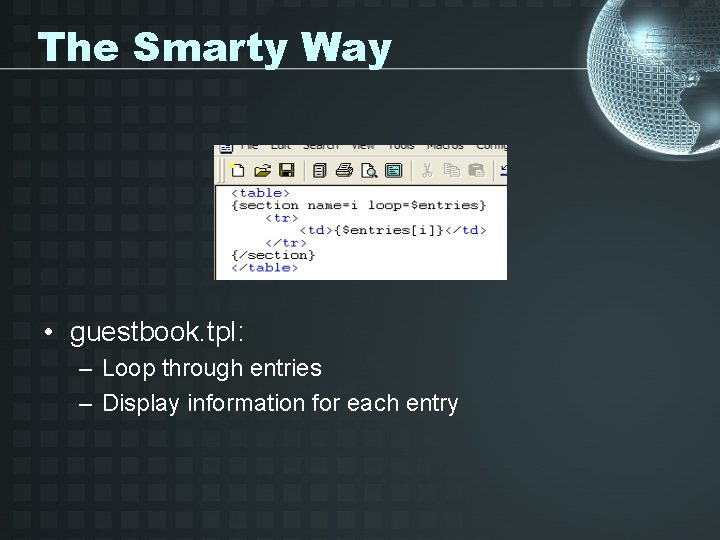
The Smarty Way • guestbook. tpl: – Loop through entries – Display information for each entry
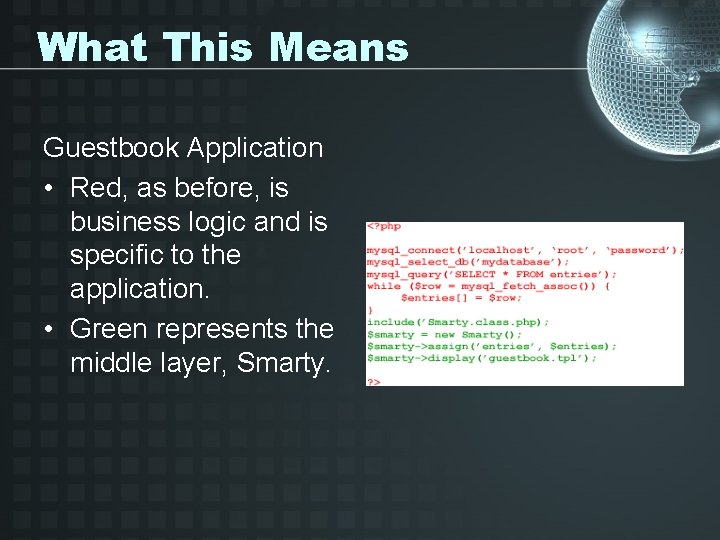
What This Means Guestbook Application • Red, as before, is business logic and is specific to the application. • Green represents the middle layer, Smarty.
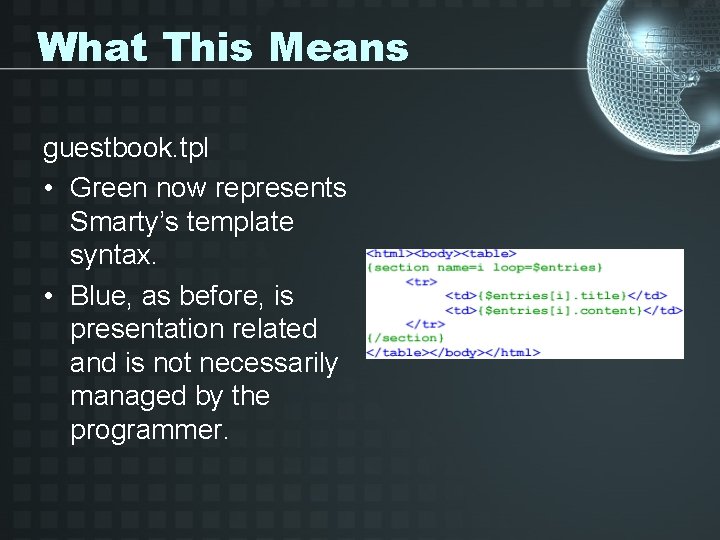
What This Means guestbook. tpl • Green now represents Smarty’s template syntax. • Blue, as before, is presentation related and is not necessarily managed by the programmer.
Demo • Demo of Smarty’s biggest features. 1. 2. 3. 4. 5. 6. It works. Easy to modify templates. Custom function. Variable modifiers. Putting it all together. Caching – guestbookc. php
Summary • Smarty does a very good of separating business logic from presentation logic. • Smarty offers a number of features to enhance templating abilities including template compiling, caching and numerous plug-ins.
- Slides: 11