
SMART CLIENT AGENDA q Evolution of Smart Client


- Slides: 35
SMART CLIENT
AGENDA q Evolution of Smart Client q What is Smart client? q Types of Smart client q Architectural challenges q Smart Client Architecture q Demo application of Smart Client q Deploy smart client application with Click once q Updating Smart Client Applications q Security Considerations
EVOLUTION q Era of client applications being developed for the Microsoft® Windows® platform. - In mid 1990 q 2 – Tier Distributed Applications q Internet Web Applications q Again need of Rich client Applications q New Generation Application - “Smart Client”
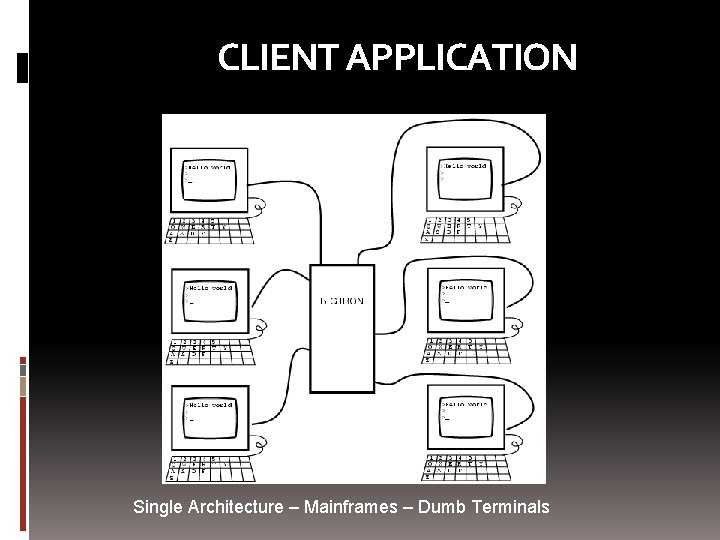
CLIENT APPLICATION Single Architecture – Mainframes – Dumb Terminals
EVOLUTION q Era of client applications being developed for the Microsoft® Windows® platform. - In mid 1990 q 2 – Tier Distributed Applications q Internet Web Applications q Again need of Rich client Applications q New Generation Application - “Smart Client”
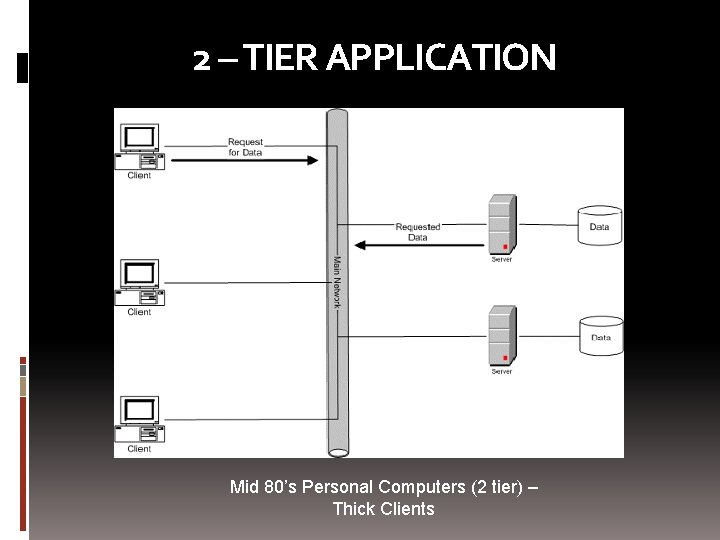
2 – TIER APPLICATION Mid 80’s Personal Computers (2 tier) – Thick Clients
EVOLUTION q Era of client applications being developed for the Microsoft® Windows® platform. - In mid 1990 q 2 – Tier Distributed Applications q Internet Web Applications q Again need of Rich client Applications q New Generation Application - “Smart Client”
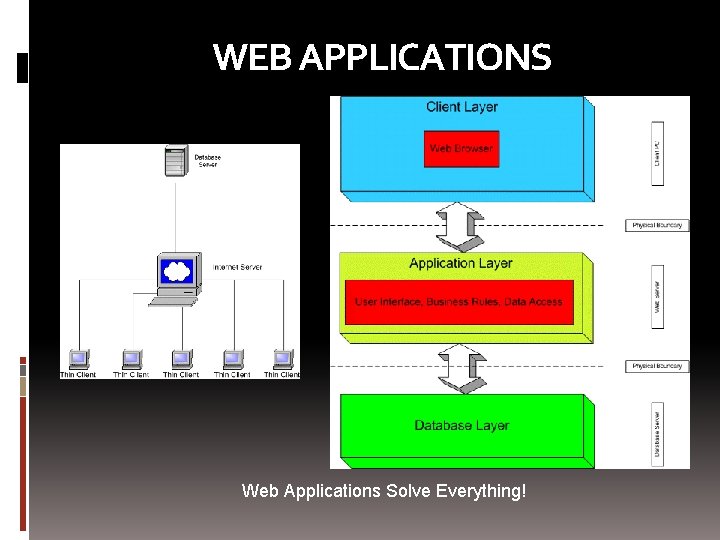
WEB APPLICATIONS Web Applications Solve Everything!
EVOLUTION q Era of client applications being developed for the Microsoft® Windows® platform. - In mid 1990 q 2 – Tier Distributed Applications q Internet Web Applications q Again need of Rich client Applications q New Generation Application - “Smart Client”
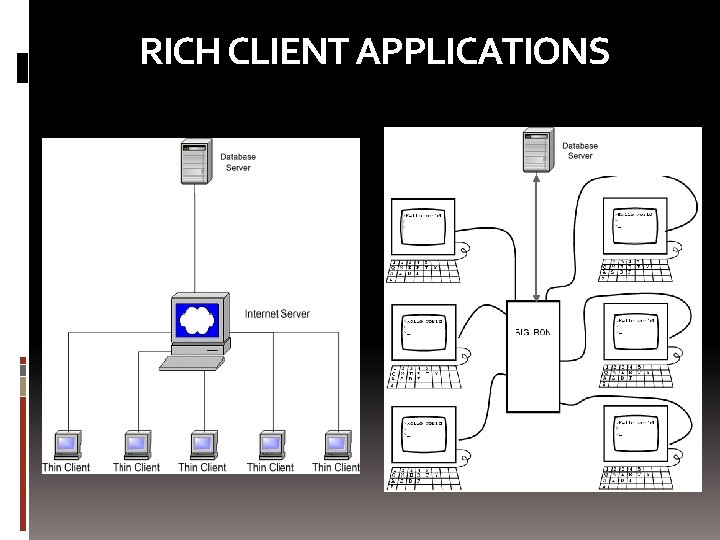
RICH CLIENT APPLICATIONS
EVOLUTION q Era of client applications being developed for the Microsoft® Windows® platform. - In mid 1990 q 2 – Tier Distributed Applications q Internet Web Applications q Again need of Rich client Applications q New Generation Application - “Smart Client”
WHAT IS SMART CLIENT? q Smart Client is a term used to describe an application environment which: v delivers applications over a web connection v automatically update application without user action v has the look and feel of desktop applications q “Smart client” is neither a technology nor any specific architecture. It is a concept and a style of applications that combines the best of both windows applications and web applications.
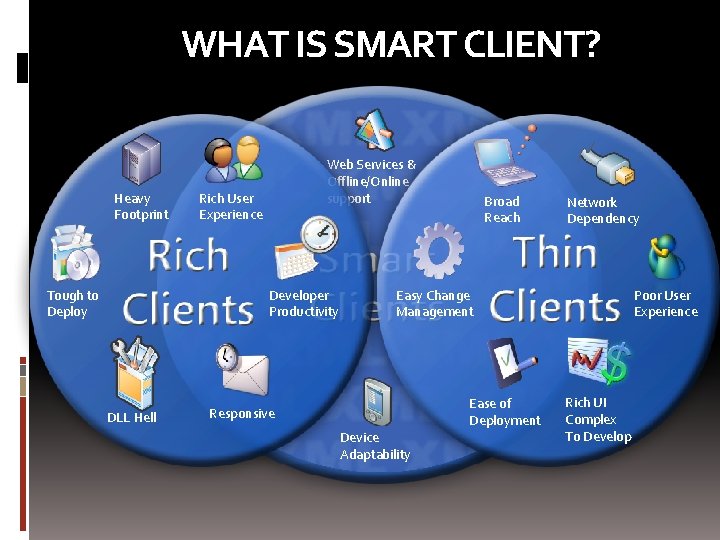
WHAT IS SMART CLIENT? Heavy Footprint Tough to Deploy Web Services & Offline/Online support Rich User Experience Developer Productivity DLL Hell Broad Reach Network Dependency Poor User Experience Easy Change Management Ease of Deployment Responsive Device Adaptability Rich UI Complex To Develop
TYPES OF SMART CLIENT q Windows smart client applications v A “desktop application” that uses available system resources and that provides a rich user interface v Examples: Microsoft Money and Microsoft Outlook® messaging and collaboration client q Office smart client applications v Microsoft Office System 2003 provides you with a useful platform on which to build smart client applications, especially in an enterprise setting. q Mobile smart client applications v Applications that run on smart devices — Pocket PCs, Smart-phones, and other small form factor devices such as set-top boxes. v These applications are built using compact. NET framework v Examples: insurance and financial data-gathering applications, inventory management applications, and personal productivity management applications
ARCHITECTURAL CHALLENGES q Allows data and logic to be distributed to the client computer q Ensures that the data is refreshed appropriately and that stale data is not used. q Data concurrency q Flexibility in how SC can be hosted q Deployed as composite application.
ARCHITECTURE q q q Makes use of local resources Makes use of network resources Supports the “occasionally-connected” model Provides intelligent installation and updates Provides client device flexibility
USING LOCAL RESOURCES q Code and data deployed on the client ; executed and accessed locally q Rich and responsive user interface ; powerful client-side processing capabilities. q Enables to perform complex data manipulation, visualization, searching, or sorting operations. q Takes advantage of client-side hardware resources as well as local software q Direct display and peripheral access q Responsive graphics, printers, digital camera’s, smart phones, pda, etc. q Use of installed applications - Word, Excel, VSTO
USING NETWORK RESOURCES q Consumes and uses different services and data over the network q Should use centralized services that help maintain the application and provide deployment and update services. q Allow users to collaborate on tasks q In many cases, a smart client application can provide portal-like capabilities to the user, allowing disparate data and services to be coordinated and integrated into an overall solution.
OCCASIONALLY CONNECTED USERS q Designed to provide functionality to users who are occasionally connected/ Off line to the network. q It can increase user’s productivity and efficiency q Update when connected
INTELLIGENT INSTALLATION AND UPDATE q Different ways to deploy smart clients q Automatic updates q Updates while running and can be deployed on demand by clicking on a URL q Allows you to strongly name your application components q Allows applications to be isolated from each other
CLIENT DEVICE FLEXIBILITY q Allows the user to configure the application to support his or her preferred way of working q Allows access on multiple devices q Ability to tailor the application according to the devices with essential features and functionality q For example, a SC application can be developed that run on different devices like desktop, laptop, tablet, or mobile with their ability to deliver a full range of smart client application features
Introduction to Click. Once 2. 0 Deployment technology for Smart. Client applications Initial deployment of applications On-demand automatic updates Idea behind Click. Once: take easy and reliable deployment of web applications to rich client apps No more touching every client for installs and updates No harm to other applications and data No problems like DLL hell and broken apps
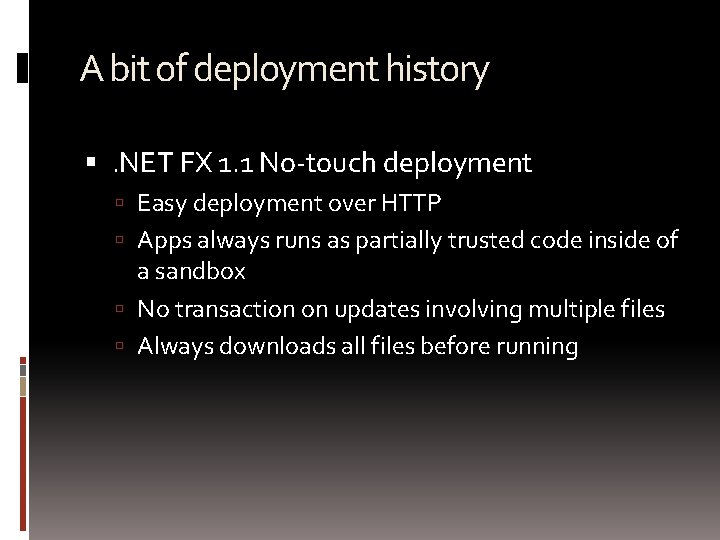
A bit of deployment history . NET FX 1. 1 No-touch deployment Easy deployment over HTTP Apps always runs as partially trusted code inside of a sandbox No transaction on updates involving multiple files Always downloads all files before running
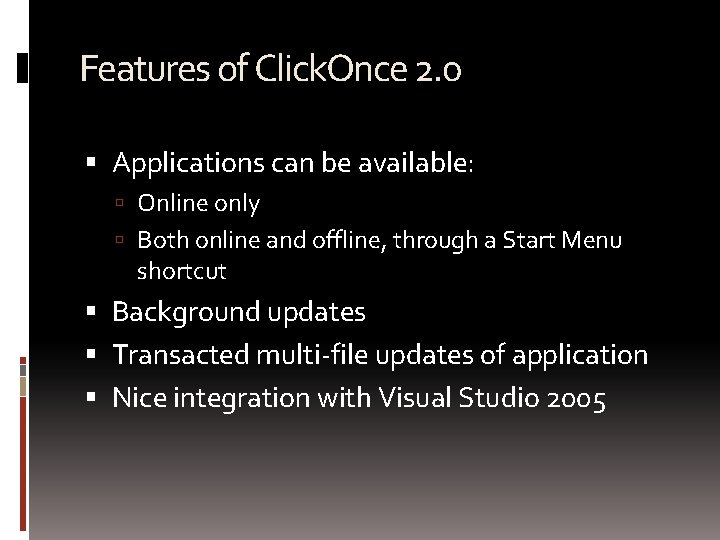
Features of Click. Once 2. 0 Applications can be available: Online only Both online and offline, through a Start Menu shortcut Background updates Transacted multi-file updates of application Nice integration with Visual Studio 2005
DEMO Simple example of Click. Once deployment
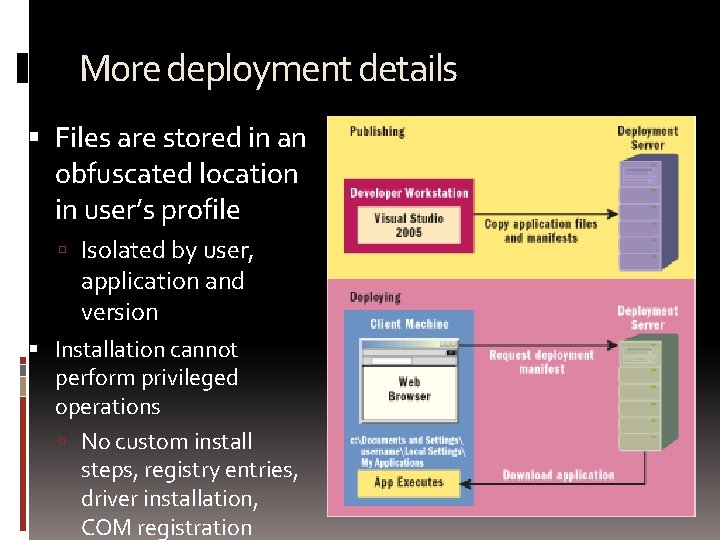
More deployment details Files are stored in an obfuscated location in user’s profile Isolated by user, application and version Installation cannot perform privileged operations No custom install steps, registry entries, driver installation, COM registration
Click. Once runtime is responsible for management and deployment of apps and permissions Runtime is triggered by two new XML file types: Application deployment manifests (*. application) Application references (*. appref-ms) Running application’s exe directly does not start Click. Once runtime
Automatic application updates Application is updated when new versions are published and updates are enabled CO runtime checks at update location for new deployment manifest New files are downloaded when available Configurable option of update check and download Before startup of application In background every time application is run In background on regular intervals Updates can be optional or obligatory Add/Remove programs allows rollback of updates
Visual Studio. NET integration Part of core project system Project properties has several tabs related to Click. Once: Publish, Security and more Calculate permissions Deployment not as an after thought Taken care of during development Publish Wizard simplifies deployment even further Allows easy manipulation of some of Click. Once properties
Click. Once in the future Longhorn version of Click. Once will bring Use of Background Intelligent Transfer Service (BITS) technology for trickle download Different execution context allowing execution from browser or externally Better protection in SEE
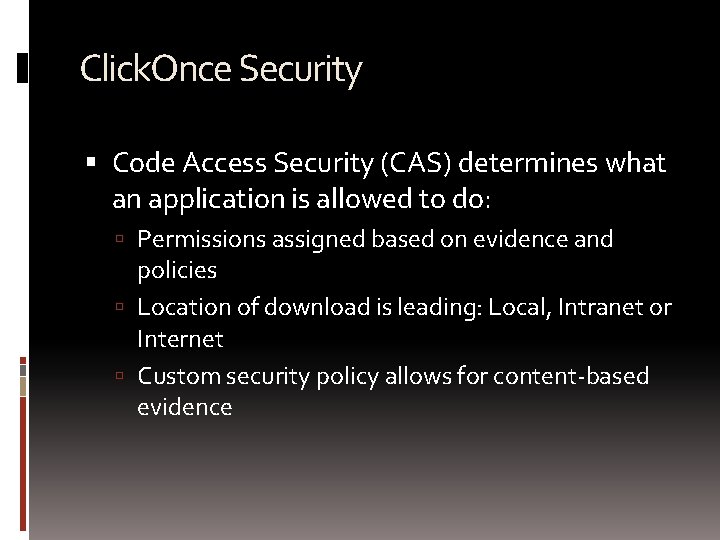
Click. Once Security Code Access Security (CAS) determines what an application is allowed to do: Permissions assigned based on evidence and policies Location of download is leading: Local, Intranet or Internet Custom security policy allows for content-based evidence
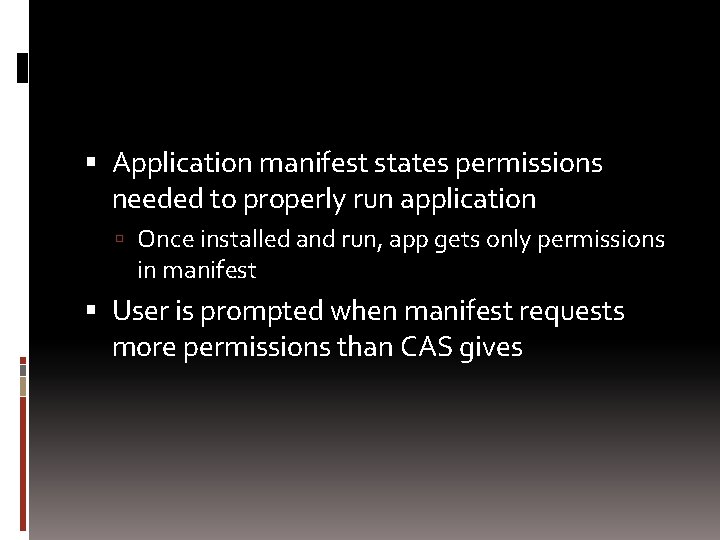
Application manifest states permissions needed to properly run application Once installed and run, app gets only permissions in manifest User is prompted when manifest requests more permissions than CAS gives
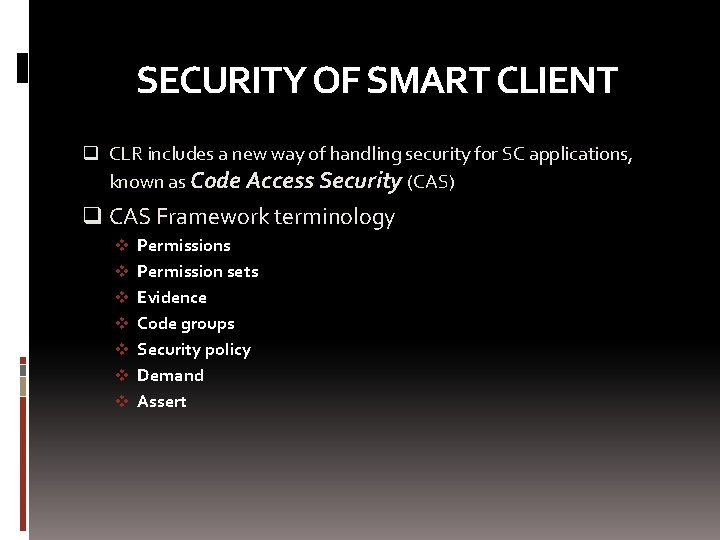
SECURITY OF SMART CLIENT q CLR includes a new way of handling security for SC applications, known as Code Access Security (CAS) q CAS Framework terminology v Permissions v Permission sets v Evidence v Code groups v Security policy v Demand v Assert
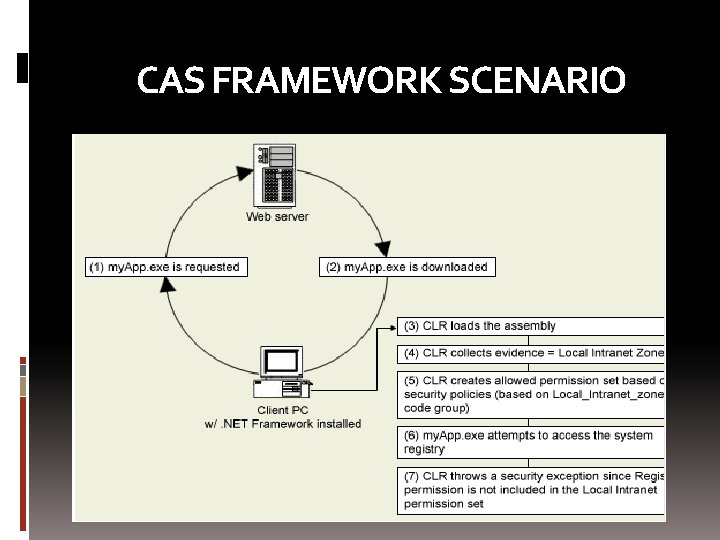
CAS FRAMEWORK SCENARIO
Questions and Answers ? !