
Smart Access App The Smart Access App enables
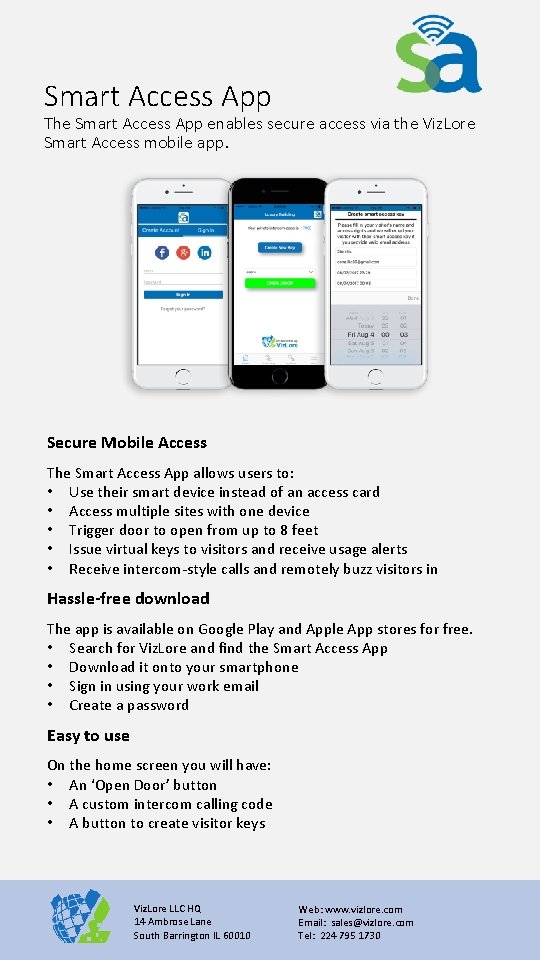
Smart Access App The Smart Access App enables secure access via the Viz. Lore Smart Access mobile app. Secure Mobile Access The Smart Access App allows users to: • Use their smart device instead of an access card • Access multiple sites with one device • Trigger door to open from up to 8 feet • Issue virtual keys to visitors and receive usage alerts • Receive intercom-style calls and remotely buzz visitors in Hassle-free download The app is available on Google Play and Apple App stores for free. • Search for Viz. Lore and find the Smart Access App • Download it onto your smartphone • Sign in using your work email • Create a password Easy to use On the home screen you will have: • An ‘Open Door’ button • A custom intercom calling code • A button to create visitor keys Viz. Lore LLC HQ 14 Ambrose Lane South Barrington IL 60010 Web: www. vizlore. com Email: sales@vizlore. com Tel: 224 795 1730
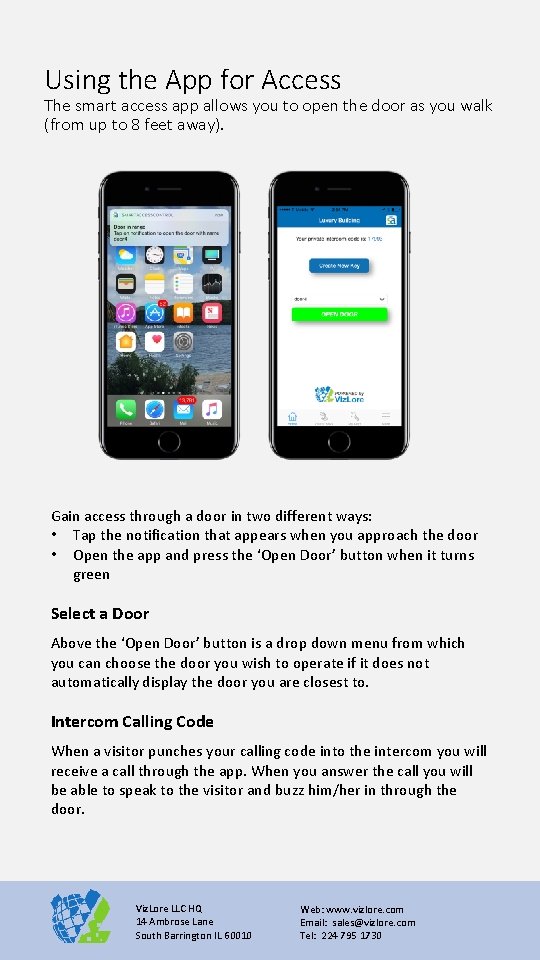
Using the App for Access The smart access app allows you to open the door as you walk (from up to 8 feet away). Gain access through a door in two different ways: • Tap the notification that appears when you approach the door • Open the app and press the ‘Open Door’ button when it turns green Select a Door Above the ‘Open Door’ button is a drop down menu from which you can choose the door you wish to operate if it does not automatically display the door you are closest to. Intercom Calling Code When a visitor punches your calling code into the intercom you will receive a call through the app. When you answer the call you will be able to speak to the visitor and buzz him/her in through the door. Viz. Lore LLC HQ 14 Ambrose Lane South Barrington IL 60010 Web: www. vizlore. com Email: sales@vizlore. com Tel: 224 795 1730
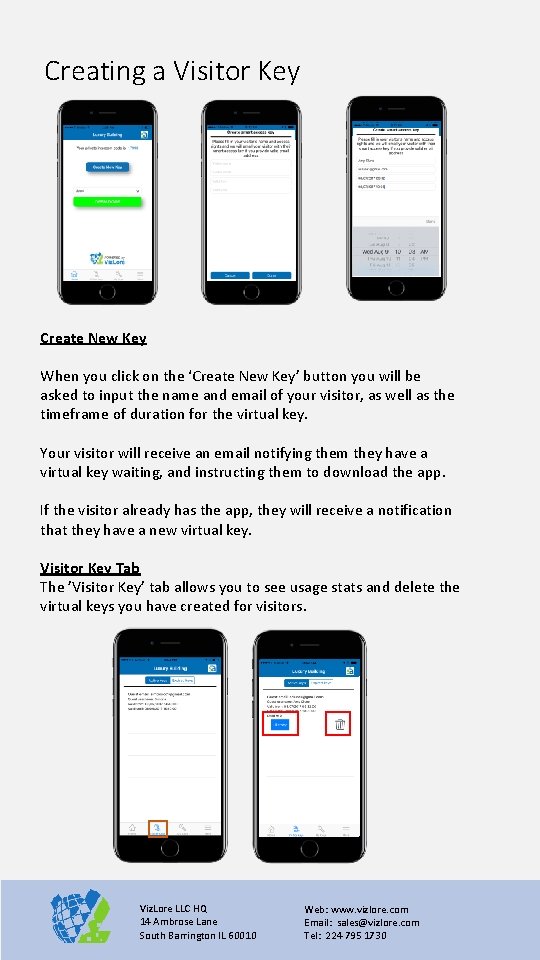
Creating a Visitor Key Create New Key When you click on the ‘Create New Key’ button you will be asked to input the name and email of your visitor, as well as the timeframe of duration for the virtual key. Your visitor will receive an email notifying them they have a virtual key waiting, and instructing them to download the app. If the visitor already has the app, they will receive a notification that they have a new virtual key. Visitor Key Tab The ’Visitor Key’ tab allows you to see usage stats and delete the virtual keys you have created for visitors. Viz. Lore LLC HQ 14 Ambrose Lane South Barrington IL 60010 Web: www. vizlore. com Email: sales@vizlore. com Tel: 224 795 1730
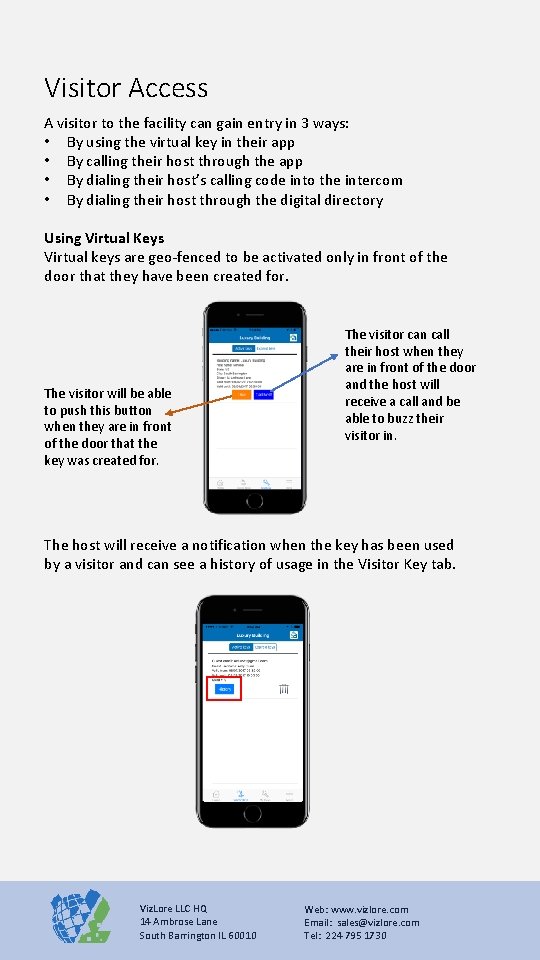
Visitor Access A visitor to the facility can gain entry in 3 ways: • By using the virtual key in their app • By calling their host through the app • By dialing their host’s calling code into the intercom • By dialing their host through the digital directory Using Virtual Keys Virtual keys are geo-fenced to be activated only in front of the door that they have been created for. The visitor will be able to push this button when they are in front of the door that the key was created for. The visitor can call their host when they are in front of the door and the host will receive a call and be able to buzz their visitor in. The host will receive a notification when the key has been used by a visitor and can see a history of usage in the Visitor Key tab. Viz. Lore LLC HQ 14 Ambrose Lane South Barrington IL 60010 Web: www. vizlore. com Email: sales@vizlore. com Tel: 224 795 1730
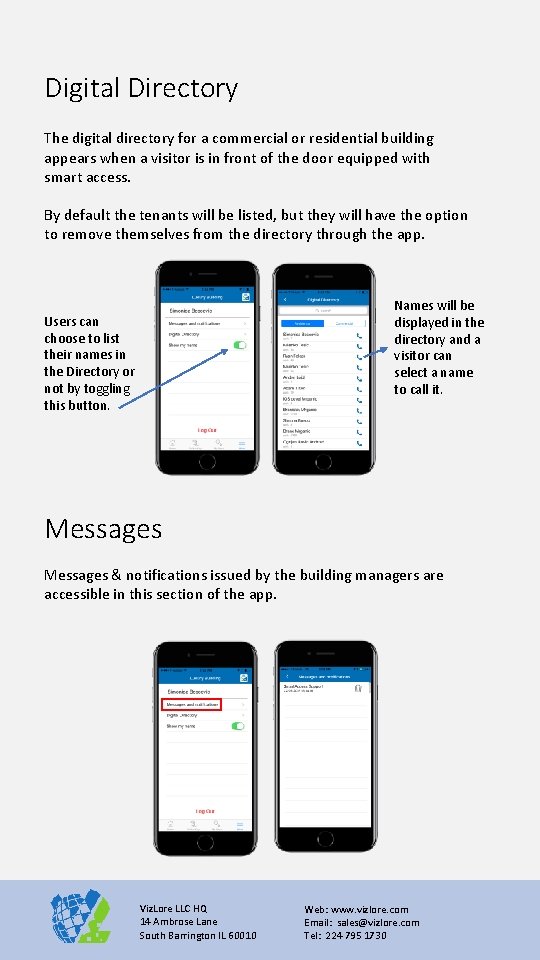
Digital Directory The digital directory for a commercial or residential building appears when a visitor is in front of the door equipped with smart access. By default the tenants will be listed, but they will have the option to remove themselves from the directory through the app. Names will be displayed in the directory and a visitor can select a name to call it. Users can choose to list their names in the Directory or not by toggling this button. Messages & notifications issued by the building managers are accessible in this section of the app. Viz. Lore LLC HQ 14 Ambrose Lane South Barrington IL 60010 Web: www. vizlore. com Email: sales@vizlore. com Tel: 224 795 1730
- Slides: 5