
Smallworld Performance Forum Joe Burt GE Energy Mark

Smallworld Performance Forum Joe Burt – GE Energy Mark Field – Field Consulting
Agenda • Image/Client Configuration • Code Tuning • System and Database Tuning • Mass Loading/Bulk Updates • Data Model Tips • General Optimization • Hardware & Network • Performance Reviews • Wrap-Up 2 3/6/2021

Client-Side Performance • Mark Field

IMAGE/CLIENT CONFIGURATION 4 3/6/2021

Image Memory Parameters (1) • Kernel – Executable used to run Magik VM • New (Ephemeral) – Objects most recently processed reside here. • Old (Static)– Object not used by processor but still referenced. Objects promoted from new or paging space • Paging – Objects loaded from image file *. msf • + Image Extension Area 5 3/6/2021

Image Memory Parameters (2) • -Mnew : new space ( default 8 Mb ) • -Mold : • -Mpage : paging space ( default 4 Mb ) • -Mext : defines maximum size of memory extension file ( default 64 Mb ) • -Mextdir: directory image extension file written to • -Mramext : instructs Magik VM not to use extension file – RAM only • -Mvctx : user • • old space ( default 4 Mb ) default of 64 ok for single (invoking methods) -Mpt : controls garbage collection % value: Higher means less time frequent but more 6 3/6/2021
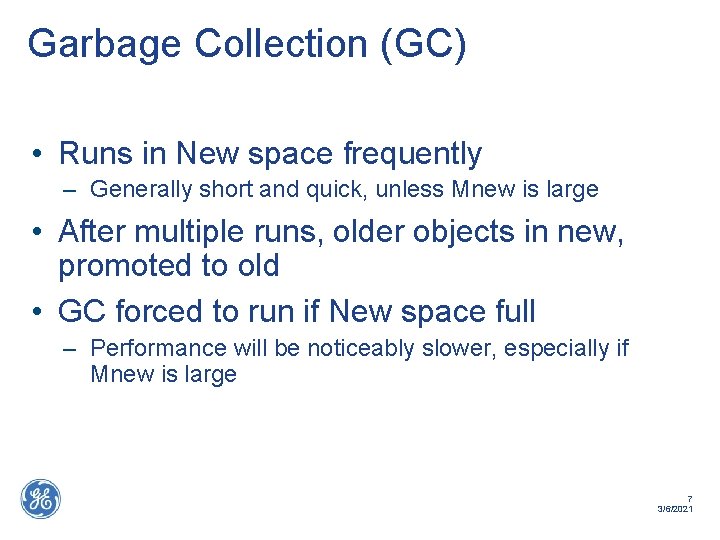
Garbage Collection (GC) • Runs in New space frequently – Generally short and quick, unless Mnew is large • After multiple runs, older objects in new, promoted to old • GC forced to run if New space full – Performance will be noticeably slower, especially if Mnew is large 7 3/6/2021
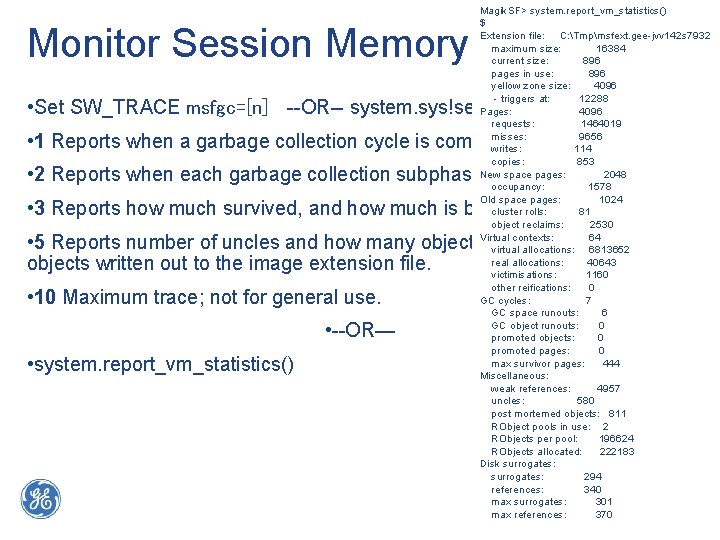
Monitor Session Memory Magik. SF> system. report_vm_statistics() $ Extension file: C: Tmpmsfext. gee-jvv 142 s 7932 maximum size: 16384 current size: 896 pages in use: 896 yellow zone size: 4096 - triggers at: 12288 Pages: 4096 requests: 1464019 misses: 9656 writes: 114 copies: 853 New space pages: 2048 occupancy: 1578 Old space pages: 1024 cluster rolls: 81 object reclaims: 2530 Virtual contexts: 64 virtual allocations: 6813652 real allocations: 40643 victimisations: 1160 other reifications: 0 GC cycles: 7 GC space runouts: 6 GC object runouts: 0 promoted objects: 0 promoted pages: 0 max survivor pages: 444 Miscellaneous: weak references: 4957 uncles: 580 post mortemed objects: 811 RObject pools in use: 2 RObjects per pool: 196624 RObjects allocated: 222183 Disk surrogates: 294 references: 340 8 max surrogates: 301 3/6/2021 max references: 370 • Set SW_TRACE msfgc=[n] --OR-- system. sys!set_c_trace("msfgc", [n]) • 1 Reports when a garbage collection cycle is complete. • 2 Reports when each garbage collection subphase starts. • 3 Reports how much survived, and how much is being promoted, in words. • 5 Reports number of uncles and how many objects are referred to from objects written out to the image extension file. • 10 Maximum trace; not for general use. • --OR— • system. report_vm_statistics()
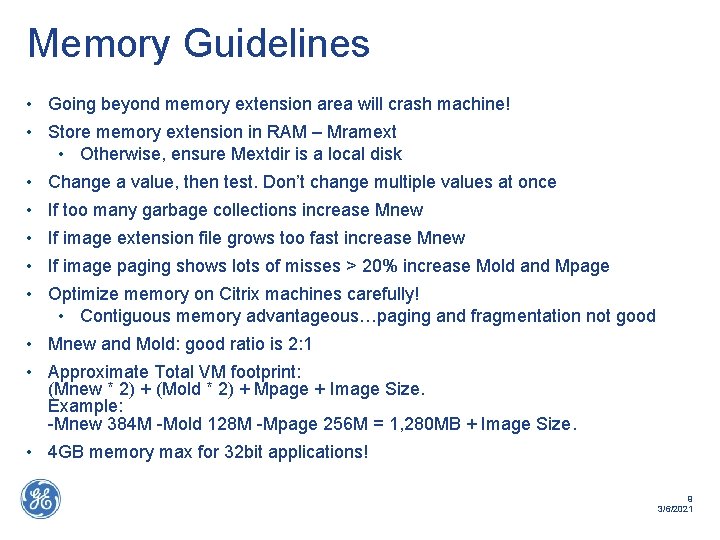
Memory Guidelines • Going beyond memory extension area will crash machine! • Store memory extension in RAM – Mramext • Otherwise, ensure Mextdir is a local disk • Change a value, then test. Don’t change multiple values at once • If too many garbage collections increase Mnew • If image extension file grows too fast increase Mnew • If image paging shows lots of misses > 20% increase Mold and Mpage • Optimize memory on Citrix machines carefully! • Contiguous memory advantageous…paging and fragmentation not good • Mnew and Mold: good ratio is 2: 1 • Approximate Total VM footprint: (Mnew * 2) + (Mold * 2) + Mpage + Image Size. Example: -Mnew 384 M -Mold 128 M -Mpage 256 M = 1, 280 MB + Image Size. • 4 GB memory max for 32 bit applications! 9 3/6/2021

CODE TUNING 10 3/6/2021
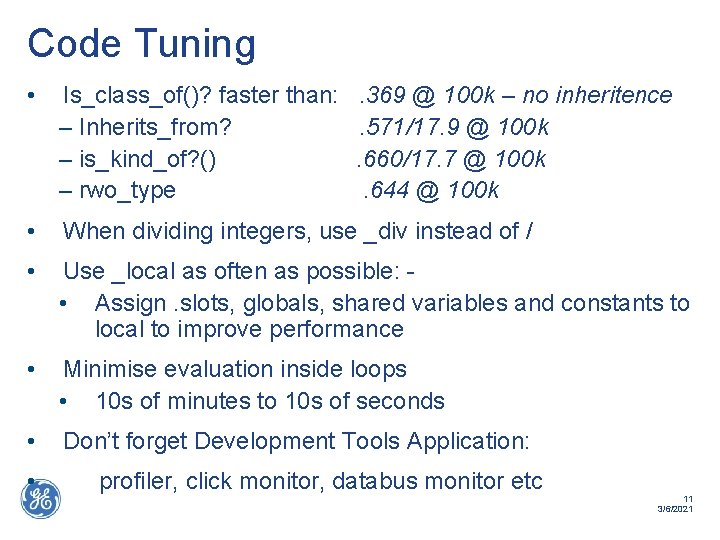
Code Tuning • Is_class_of()? faster than: . 369 @ 100 k – no inheritence – Inherits_from? . 571/17. 9 @ 100 k – is_kind_of? (). 660/17. 7 @ 100 k – rwo_type. 644 @ 100 k • When dividing integers, use _div instead of / • Use _local as often as possible: • Assign. slots, globals, shared variables and constants to local to improve performance • Minimise evaluation inside loops • 10 s of minutes to 10 s of seconds • Don’t forget Development Tools Application: • profiler, click monitor, databus monitor etc 11 3/6/2021
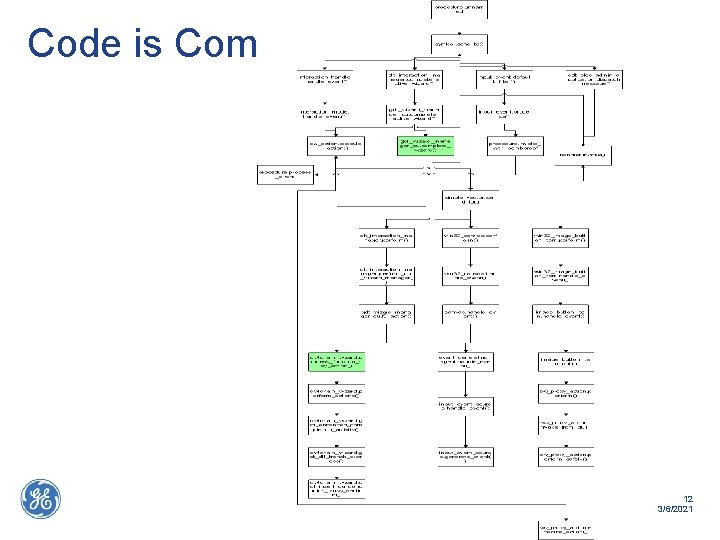
Code is Complex! 12 3/6/2021

Code Tuning – Profiler (xprf) • Development Tools – Profiler – GUI for results of xprf • “Simple” Example – Profile application startup !xd << xprf_dialog. open() !xd. display_xprf(xprf. new_from_send( smallworld_product, : start_application_definition|()|, : cs_gd_application)) 13 3/6/2021
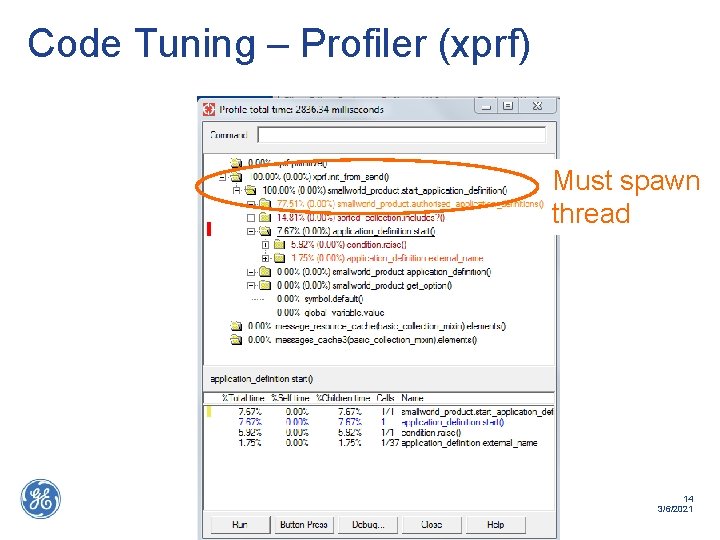
Code Tuning – Profiler (xprf) Must spawn thread 14 3/6/2021

Code Tuning – Profiler (xprf) • “Advanced” Example – Profile application startup _method application_definition. int!start() … _thisthread. vm_max_depth << 512 _global !xp <<xprf. new_from_send(app, : activate|()|) … _endmethod !xd << xprf_dialog. open() !xd. display_xprf(!xp) 15 3/6/2021
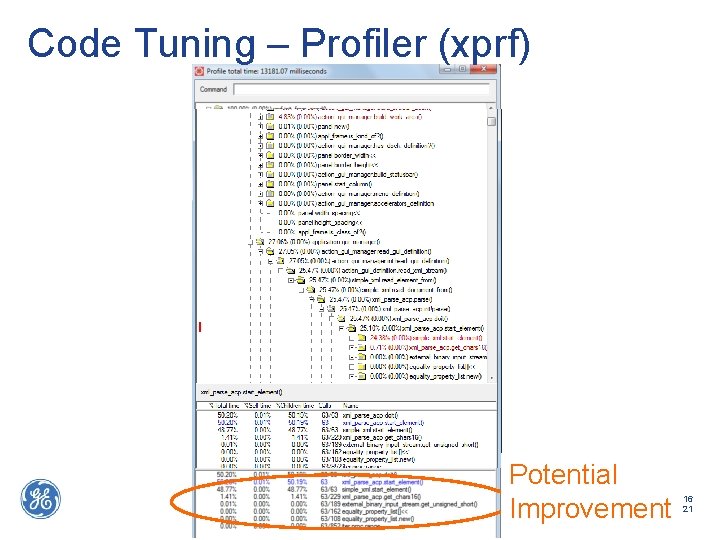
Code Tuning – Profiler (xprf) Potential Improvement 16 3/6/2021
Client Cache (nslots) • Datastore blocks cached on local client machine • Cache only valid for user session • Default cache size 4 Mb – way too low in 2012 • If database read operations too slow, monitor blocks by using: ds_environment. set_trace( 3 ) If client sessions requesting blocks from datastore server for all data, then: Adjust cache size using – Ds_environment. nslots << ( number of 4 Kb blocks ) • Handy hint for testing – launch open image with –noinit switch, set the nslots value at magik prompt, then run startup(). Quicker than building images. 17 3/6/2021
Style System • Symptoms Slow draw performance • Signs Use style editor to look for problems. See below Cause Less efficient style modeling techniques • Cure Use 1 pixel line thickness No fill / solid fill better than cross hatching or semi-transparent fills Custom draw methods slow Supplementary styles derived from record field faster than method Complex point symbols expensive to render! 18 3/6/2021
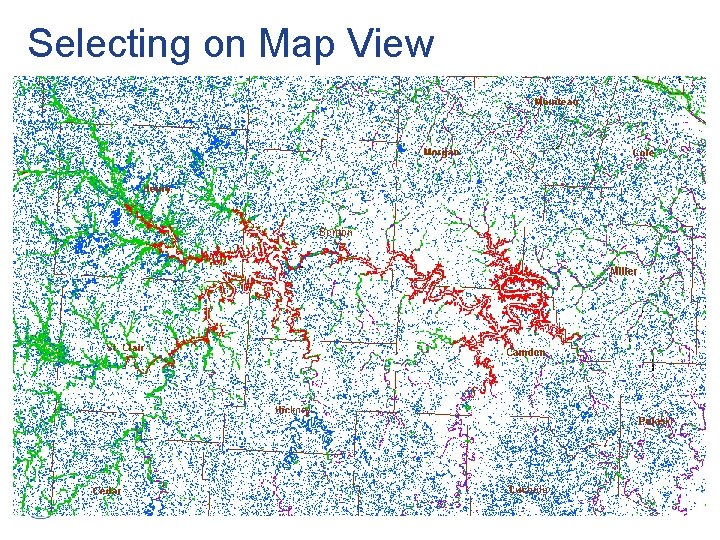
Selecting on Map View • Symptoms –Slow selection performance • Cause –Many things to select from in current view –Very complex geometry being calculated –Example: Area with several tens of thousands vertices –Area with large bounds –Incorrect bounds on special geometries (TIN, Raster, etc. ) • Cure –Reduce number of selectable objects in Object Control –Split complex features up into smaller parts (Topology Editor) –Fix your code that creates bounds! 19 3/6/2021

Code Tuning – Final Thoughts • Optimise queries—for example apply a nonspatial test before a spatial one (works best when non-spatial is indexed). • Try to ensure that no more work is done than necessary—if logical fields are not needed by user you can make logical fields invisible to avoid deriving the value for each record. 20 3/6/2021

System and Database • Joe Burt
Database Visibility Settings !!! #1 Cause of slow performance !!! • Symptoms Map refresh too slow ( > 10 s for uncached data ) • Signs Geometries drawn appear blurred and unrecognizable Objects too fine for screen resolution • Cause Current view scale too detailed. Too many object types set to visible for view scale Shows too many objects • Cure Use ACE to turn off object visibility Restructure view scales 22 3/6/2021

MASS UPDATES/BULK LOADING 23 3/6/2021
Bulk Updates • _dynamic !notify_database_data_changes? ! << _false • <ds_collection>. set_maxmove(0) –(block occupancy improvement, rather than performance) • SW_MDB_PROXY_MAX_CACHE_BLOCKS - set to 100 – Reduces frequency of block flushing. Useful for STM servers and batch merging too 24 3/6/2021

DATA MODEL TIPS 25 3/6/2021
Database Priority Settings • Symptoms Slow map refresh times ( > 10 s ) During map refresh, periods of time where nothing happens Signs Only limited range of db priority numbers used • Cause Too many geometries with same priority number Database assigned too few priority bits Cure Run database priority analyzer Strategically assign unique priority to each geometry type Carefully reload geometry spatial ids to each alternative! Ds_transfer to maximize disk clustering 26 3/6/2021
Database Quadtree • Symptoms Slow map refresh times ( > 10 s ) Signs gis_ds_view. world. bounds bounding_box value too small/large • Cause Inefficient spatial quadtree index Bounding box assigned to world too small/large Cure Reset world bounds Reset spatial ids 27 3/6/2021
Inefficient data model • Symptoms Gradual decrease in database read / write performance Frequent need for superfile extensions Abnormally long incremental backups ( > 5 hours ) Signs Abnormal database growth ( > 10’s Mb per day in production ) • Cause Inefficient data model causes gradual to rapid database growth Lack of indexing slows query performance • Cure Data model optimization with CASE Tool Define indexes Merge changes Run ds_transfer 28 3/6/2021
Optimizing the data model • Records fixed in size!!! • No equivalent of VARCHAR data type in Smallworld • Calculate # records in 1 block ds_collection. ds!info() Maximum record size 1 block or 4 Kb 29 3/6/2021
Data modeling guidelines • Use ds_int and ds_float instead of ds_char • Consider text_join field when ds_char field > 80 characters • Delete fields used during data conversion / data capture • Use Indexes 30 3/6/2021

GENERAL OPTIMISATION 31 3/6/2021
General Tips • SWMFS is backwards compatible. Use the latest version. • Disk I/O can be a performance bottleneck • Consider Solid State Disk (SSD) storage 32 3/6/2021
Alternative/Checkpoint Management • Symptoms Gradual decrease in database read and write performance • Signs Large number of old & unused alternatives ds_version. file_usage() • Cause Large number of alternatives & checkpoints ( 10000+ ) Cure Delete unnecessary alternatives & checkpoints then run ds_transfer Consider converting to VMDS 7 – better blockpool management 33 3/6/2021
Free Blocks • Symptoms Reduction in database read performance • Signs Just completed major data conversion / data capture phase Large database size, possibly extending over many superfiles ds_version. file_usage() & ds_version. dump_file_usage() • Cause Large number of free unused blocks Cure Merge & post alternatives redistributing free blocks Run ds_transfer 34 3/6/2021
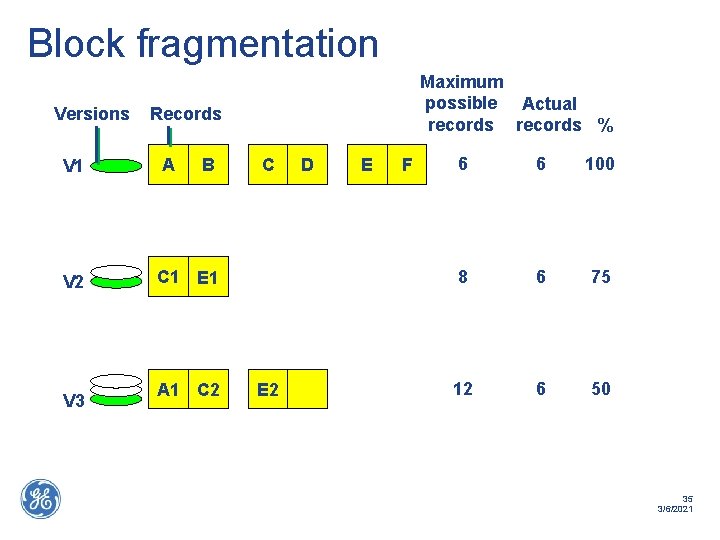
Block fragmentation Versions Records V 1 A V 2 C 1 E 1 V 3 Maximum possible Actual records % B A 1 C 2 C E 2 D E F 6 6 100 8 6 75 12 6 50 35 3/6/2021
High block fragmentation • Symptoms Gradual decrease in database read performance Frequent need for superfile extensions Signs Ratio of optimal block size v. s. actual block size < 75% ds_collection. ds!info() ds_collection. best_space_utilisation() • Cause Deleting or modifying records in multiple versions • Cure Delete old, unnecessary checkpoints & alternatives Run ds_transfer compression 36 3/6/2021

Blockpool • Internal table. Can cause problems if bigger than database cache • Avoid blockpool_compression_on_rehouse • Possible to compress blockpool table, but not supported • Delete unnecessary versions and compress • VMDS 7 brings improvements 37 3/6/2021
External Database connections • Symptoms Slow querying with Oracle / ODBC / JDBC connectors • Signs Look at SOC or magik connect spec Enable Magik extdb tracing my_connection. trace_debug(_true, <level>) Enable DBMS tracing ( Oracle trace, MS ODBC SDK TEST, JDBCTest ) Cause Low record fetch size • Cure JDBC - : options, property_list. new_with(: default. Batch. Value, 100) Others - : configuration, property_list. new_with( : max_cursors, 100, : max_database_fetch, 1000, : max_magik_fetch, 1000 ) 38 3/6/2021
TICS • Symptoms Slow application performance with external interface • Signs debug_print( a_tics_acp ) : max_data_size Cause TCP/IP buffer stream low • Cure Startup proc a_tics_acp. set_option( : max_data_size, 2048 <Default> ) *Warning – Test this setting, increase or decrease performance 39 3/6/2021

HARDWARE & NETWORK 40 3/6/2021
Hardware Configuration • Symptoms Slow database performance during peak hours • Signs Performance tool indicates average hard disk usage 80+% • Cause Server requests overcome capacity of drive • Cure Use RAID disk arrays Split partitions onto multiple hard drives 41 3/6/2021

Network Configuration • Symptoms Slow database performance ( peak hours ) • Signs Network monitoring tool indicates over capacity TCP/IP packet monitoring tool indicates process creating traffic • Cause Network connection over capacity Poorly tuned processes produce TCP/IP traffic OS monitoring tool indicates NIC card over capacity • Cure Install higher capacity network – Use dual NIC cards, replace hubs, install higher capacity routers/switches ( 100 Mb – 1 GB ), upgrade WAN T 1 Reconfigure offending processes Implement p-cache or replication. ( FIS Mobile solution? ) 42 3/6/2021
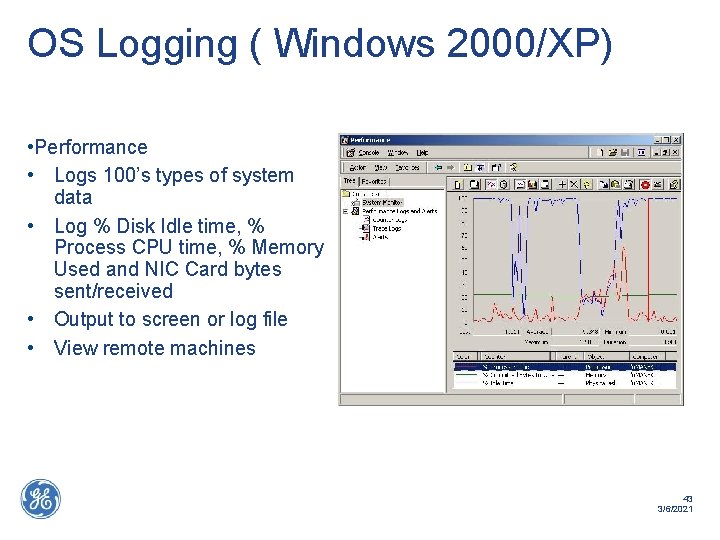
OS Logging ( Windows 2000/XP) • Performance • Logs 100’s types of system data • Log % Disk Idle time, % Process CPU time, % Memory Used and NIC Card bytes sent/received • Output to screen or log file • View remote machines 43 3/6/2021
Hyperthreading • Symptoms Slow performance for all operations on client • Signs Task manager indicates 2 CPUs for single CPU machine BIOS settings have Hyper. Threading on • Cause Hyperthreading causes poor performance for client. Swmfs? • Cure Disable Hyperthreading in BIOS 44 3/6/2021

PERFORMANCE REVIEWS 45 3/6/2021

Performance Reviews • Formal health checks • Typically cover around 30 individual checks • Provides key recommendations • Success at KDDI, KEPCO, TNB, GRDF etc. 46 3/6/2021
Performance Monitoring Tool • Installed as part of health check • Apache/PHP/My. SQL & Magik Services • Aggregates and analyzes metrics • Produces system reports at user-specified intervals • Customizable 47 3/6/2021
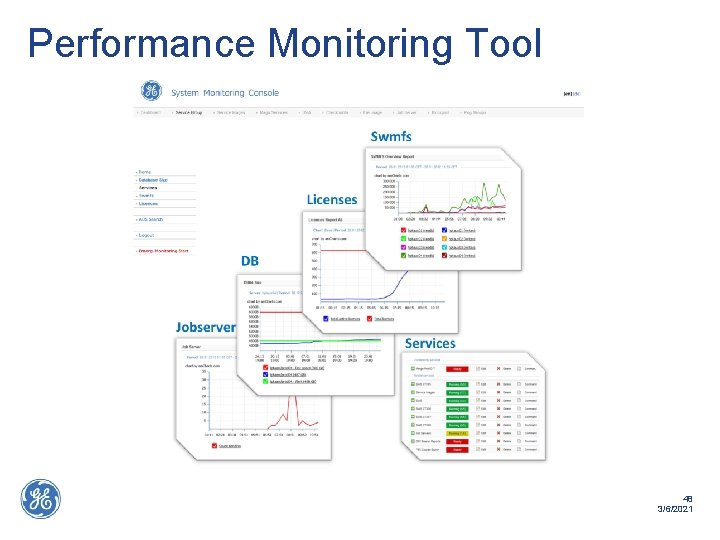
Performance Monitoring Tool 48 3/6/2021

WRAP-UP 49 3/6/2021

Summary • Optimization of Client, Systems and Database are key to performance • Development, Data Modeling, System and Database training is key • Some tips in the Knowledge Base – http: //libraries. ge. com/Libraries. Wiki/32548 39101/Smallworld%20 performance%20 tip s 50 3/6/2021
- Slides: 50