
SMALL ORDER SYSTEM SOS PROGRAM SMALL ORDER SYSTEM
- Slides: 22
SMALL ORDER SYSTEM (SOS) PROGRAM
SMALL ORDER SYSTEM (SOS) PURPOSE: To establish effective guidelines for the issuance of Department Generated Orders for products and services by departmental staff consistent with Purchasing procedures, and applicable laws and regulations. BENEFITS: • Designed to give requesting departments the authority to place orders directly with suppliers for low dollar purchases and against pre -established vendor agreements (e-Catalogs) without the prior approval of the Purchasing Department. • Affords departments greater control over their routine purchases, shortens processing time, and provides increased efficiency in the procurement process for both the user and the Purchasing Department. • Creates convenience and flexibility for departments when departments need to make low dollar purchases
SOS REQUESTER/BUYER RESPONSIBILITY COMPLIANCE WITH UTMB’S GUIDELINES &POLICIES Failure to comply with the UTMB standards of conduct is grounds for disciplinary action by UTMB Code of Ethics i. HOP 6. 5. 6 Operating Procedures 6. 10 - Department Generated (DEP) Orders ORDER TOTAL – MAY NOT EXCEED $14, 999 Split orders are not allowed Shipping /Delivery Cost must be included in the total cost TEXAS INDUSTRIES FOR THE BLIND & HANDICAP T ( IBH) State Accounts - Texas Education Code requires purchase made from TIBH Exemption due to ‘Best Value’ http: //www. tibh. org/catalog/index. php
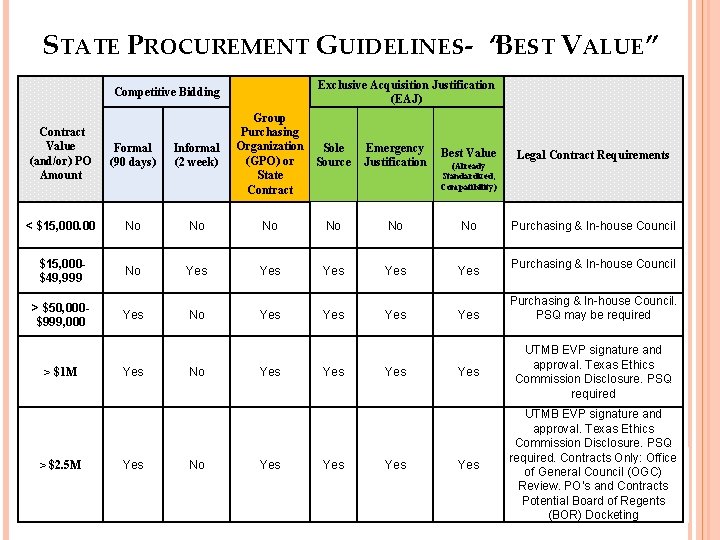
STATE PROCUREMENT GUIDELINES- “BEST VALUE” Exclusive Acquisition Justification (EAJ) Competitive Bidding Group Purchasing Organization Sole (GPO) or Source State Contract Value (and/or) PO Amount Formal (90 days) Informal (2 week) < $15, 000. 00 No No No $15, 000$49, 999 No Yes Yes Yes > $50, 000$999, 000 Yes No Yes Yes > $1 M > $2. 5 M Yes No No Yes Yes Emergency Justification Yes Best Value (Already Standardized, Compatibility) Legal Contract Requirements Purchasing & In-house Council. PSQ may be required Yes UTMB EVP signature and approval. Texas Ethics Commission Disclosure. PSQ required. Contracts Only: Office of General Council (OGC) Review. PO’s and Contracts Potential Board of Regents (BOR) Docketing
DEP SPECIAL ORDER EXCEPTIONS Gift Cards & Tickets for UTMB events Purchases requiring signature of vendor agreements Payments to existing contracts Any item/service prohibited by UTMB policy and/or state law Capital equipment over $5, 000 Purchases using Federal Funds over $5, 000 Classified Advertisements Employee Moving Services Purchases from UTMB employees Sci. Quest e-Catalog purchases GHX e-Catalog purchases Items/services required to be provided by other UTMB departments Membership dues or Registration fees Travel expense items and other non-allowable expenditure Consulting & Professional Services (Architect and Engineering Services, MDs, RNs) Reimbursements to employee Postage PO’s for payment purposes only
HUB AND FEDERAL SMALL BUSINESS PROGRAMS Requirement - State of Texas, Federal and UT System HUB Program - required to make a “Good Faith Effort” to purchase from minority and women-owned businesses. Small Business Programs - Federal contracts require departments to purchase from small, disadvantaged, veteran-owned, woman-owned businesses, etc. HUB Program – Suppliers must be certified by State of Texas Centralized Master Bidders List: https: //mycpa. state. tx. us/tpasscmblsearch/index. jsp Suppliers that qualify as a HUB in most instances also qualify as a small business. (contact the Manager of Supplier Diversity Programs for questions regarding the small business program)
AUDITS The HUB and Federal small business programs are subject to federal and state audits o State Audits: o Based on UTMB’s spend with Hu. Bs, proper documentation, planning and outreach o Have good faith effort goals 11. 2 Percent for Heavy Construction other than Building Contracts, (NOT APPLICABLE TO UTMB) 21. 1 Percent for all Building Construction, including General Contractors and Operative Builders Contracts, 32. 9 Percent for all Special Trade Construction Contracts, 23. 7 Percent for Professional Services Contracts, 26. 0 Percent for all Other Services Contracts, and 21. 1 Percent for Commodities Contracts. o Federal Audits: Based on established goals set in departmental Federal Subcontracting Plans (Associated with Research)
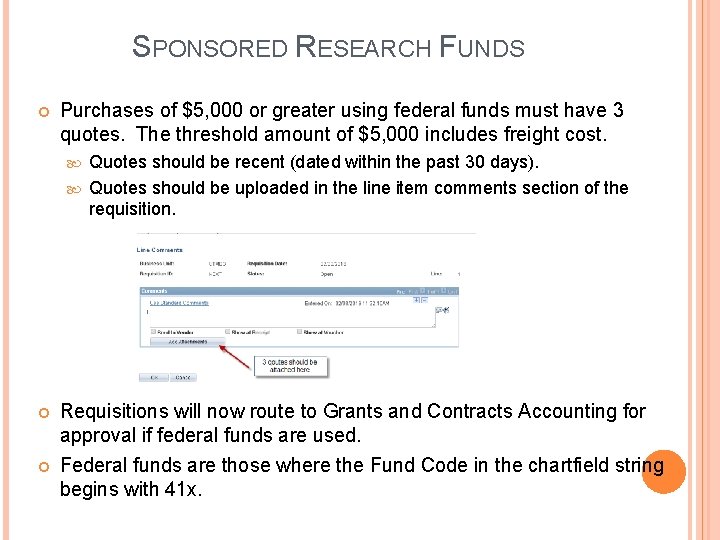
SPONSORED RESEARCH FUNDS Purchases of $5, 000 or greater using federal funds must have 3 quotes. The threshold amount of $5, 000 includes freight cost. Quotes should be recent (dated within the past 30 days). Quotes should be uploaded in the line item comments section of the requisition. Requisitions will now route to Grants and Contracts Accounting for approval if federal funds are used. Federal funds are those where the Fund Code in the chartfield string begins with 41 x.
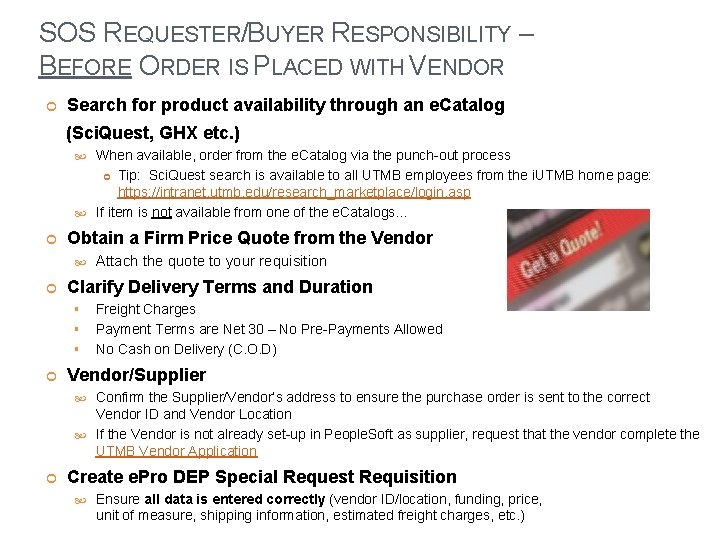
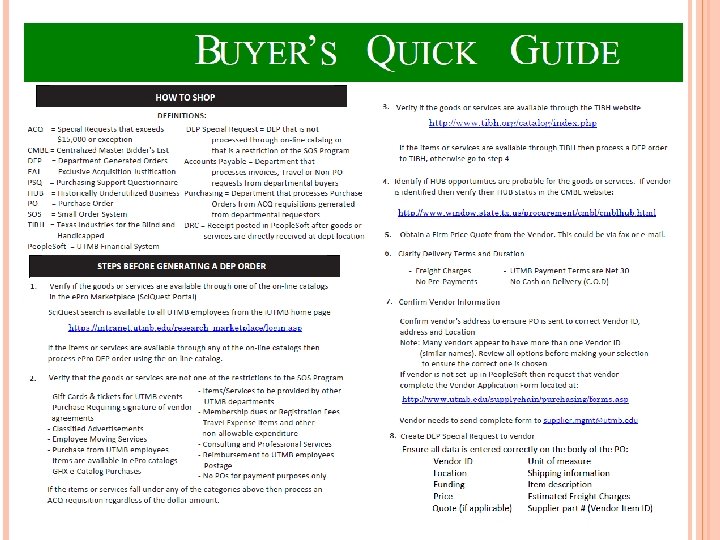
SOS REQUESTER/BUYER RESPONSIBILITY – BEFORE ORDER IS PLACED WITH VENDOR Search for product availability through an e. Catalog (Sci. Quest, GHX etc. ) When available, order from the e. Catalog via the punch-out process Tip: Sci. Quest search is available to all UTMB employees from the i. UTMB home page: https: //intranet. utmb. edu/research_marketplace/login. asp If item is not available from one of the e. Catalogs… Obtain a Firm Price Quote from the Vendor Clarify Delivery Terms and Duration § § § Attach the quote to your requisition Freight Charges Payment Terms are Net 30 – No Pre-Payments Allowed No Cash on Delivery (C. O. D) Vendor/Supplier Confirm the Supplier/Vendor’s address to ensure the purchase order is sent to the correct Vendor ID and Vendor Location If the Vendor is not already set-up in People. Soft as supplier, request that the vendor complete the UTMB Vendor Application Create e. Pro DEP Special Request Requisition Ensure all data is entered correctly (vendor ID/location, funding, price, unit of measure, shipping information, estimated freight charges, etc. )
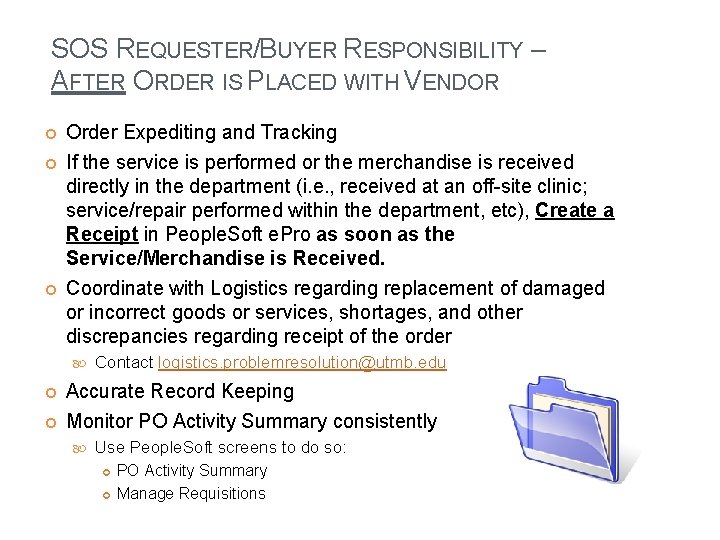
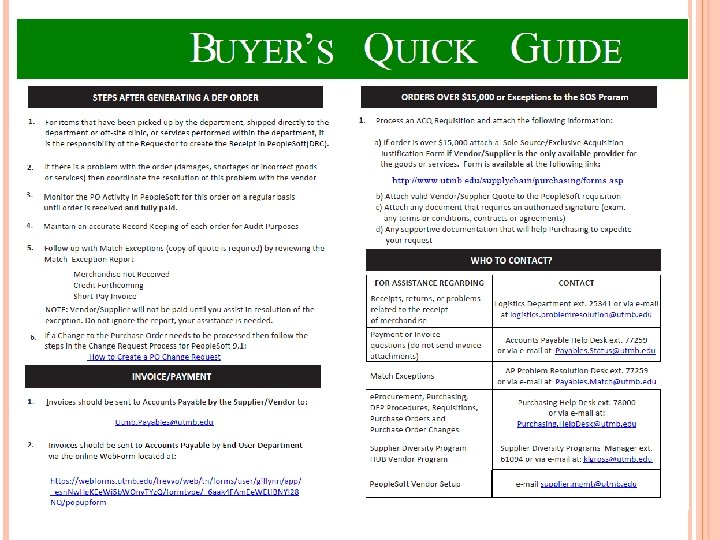
SOS REQUESTER/BUYER RESPONSIBILITY – AFTER ORDER IS PLACED WITH VENDOR Order Expediting and Tracking If the service is performed or the merchandise is received directly in the department (i. e. , received at an off-site clinic; service/repair performed within the department, etc), Create a Receipt in People. Soft e. Pro as soon as the Service/Merchandise is Received. Coordinate with Logistics regarding replacement of damaged or incorrect goods or services, shortages, and other discrepancies regarding receipt of the order Contact logistics. problemresolution@utmb. edu Accurate Record Keeping Monitor PO Activity Summary consistently Use People. Soft screens to do so: PO Activity Summary Manage Requisitions
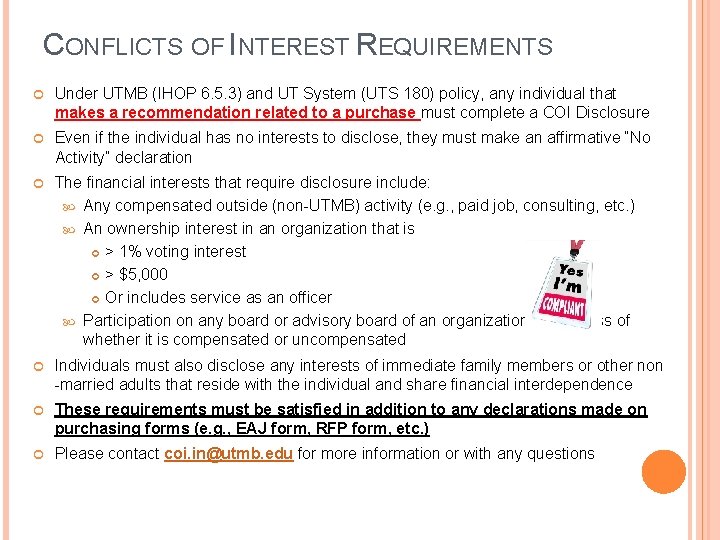
CONFLICTS OF INTEREST REQUIREMENTS Under UTMB (IHOP 6. 5. 3) and UT System (UTS 180) policy, any individual that makes a recommendation related to a purchase must complete a COI Disclosure Even if the individual has no interests to disclose, they must make an affirmative “No Activity” declaration The financial interests that require disclosure include: Any compensated outside (non-UTMB) activity (e. g. , paid job, consulting, etc. ) An ownership interest in an organization that is > 1% voting interest > $5, 000 Or includes service as an officer Participation on any board or advisory board of an organization, regardless of whether it is compensated or uncompensated Individuals must also disclose any interests of immediate family members or other non -married adults that reside with the individual and share financial interdependence These requirements must be satisfied in addition to any declarations made on purchasing forms (e. g. , EAJ form, RFP form, etc. ) Please contact coi. in@utmb. edu for more information or with any questions
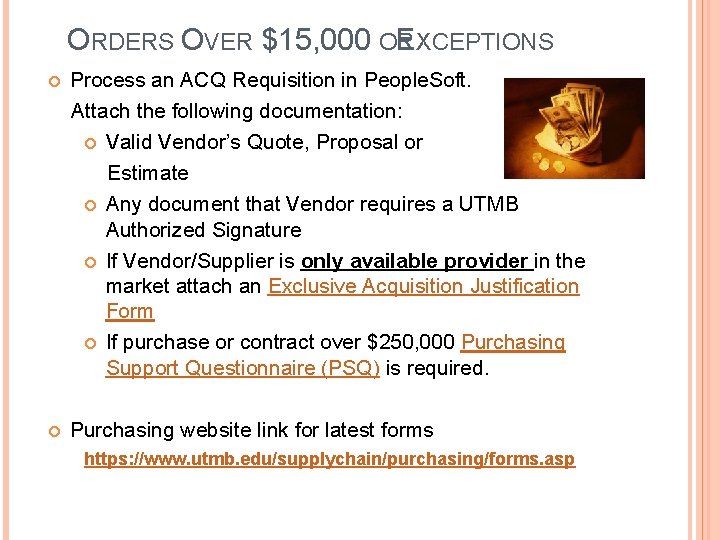
ORDERS OVER $15, 000 OR E XCEPTIONS Process an ACQ Requisition in People. Soft. Attach the following documentation: Valid Vendor’s Quote, Proposal or Estimate Any document that Vendor requires a UTMB Authorized Signature If Vendor/Supplier is only available provider in the market attach an Exclusive Acquisition Justification Form If purchase or contract over $250, 000 Purchasing Support Questionnaire (PSQ) is required. Purchasing website link for latest forms https: //www. utmb. edu/supplychain/purchasing/forms. asp
DEP ORDERS AUDIT PROGRAM Follow Program Guidelines Periodic Audits are being conducted by Purchasing Unauthorized Orders Policy Purchasing Policy 2. 9 Improper Purchases Required annual on-line training through EMLS
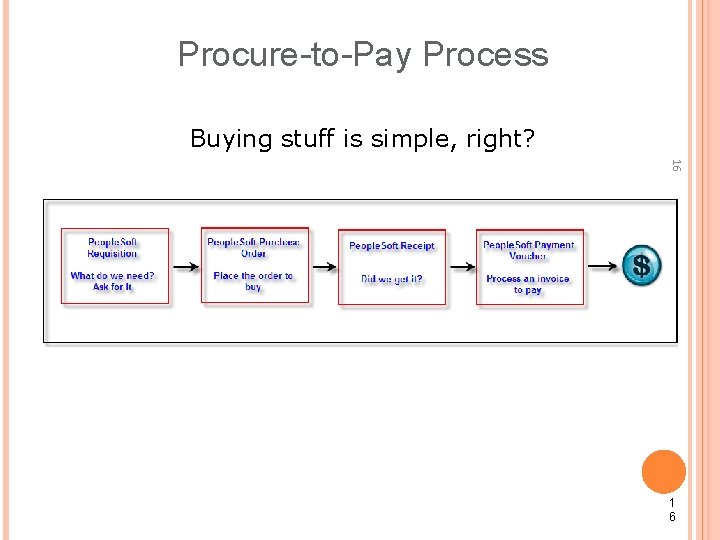
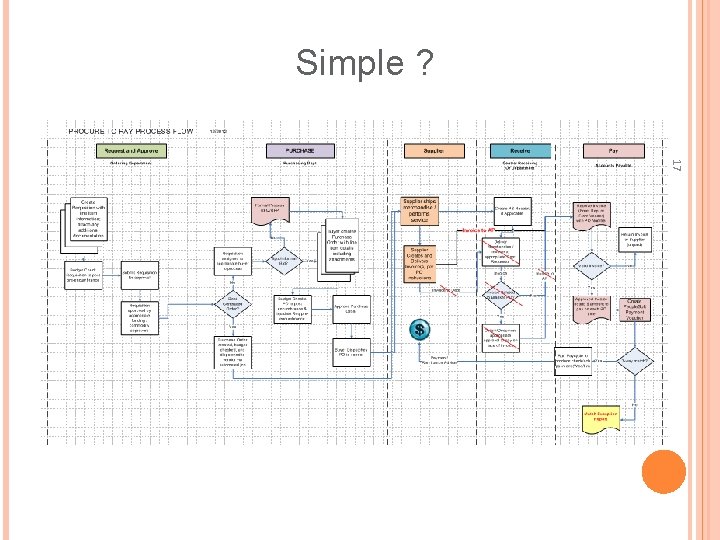
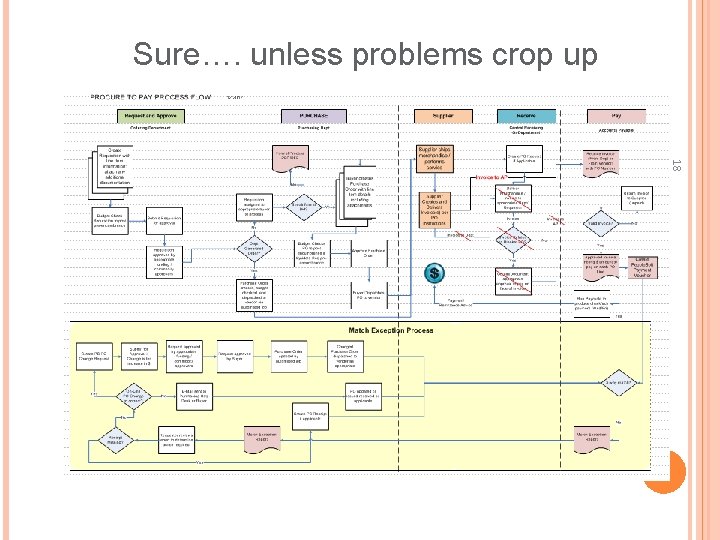
Procure-to-Pay Process Buying stuff is simple, right? 16 1 6
Simple ? 17
Sure…. unless problems crop up 18
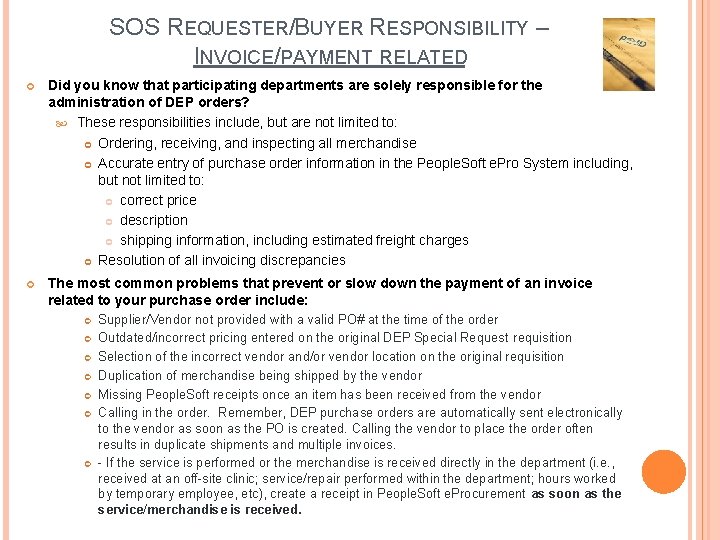
SOS REQUESTER/BUYER RESPONSIBILITY – INVOICE/PAYMENT RELATED Did you know that participating departments are solely responsible for the administration of DEP orders? These responsibilities include, but are not limited to: Ordering, receiving, and inspecting all merchandise Accurate entry of purchase order information in the People. Soft e. Pro System including, but not limited to: correct price description shipping information, including estimated freight charges Resolution of all invoicing discrepancies The most common problems that prevent or slow down the payment of an invoice related to your purchase order include: Supplier/Vendor not provided with a valid PO# at the time of the order Outdated/incorrect pricing entered on the original DEP Special Request requisition Selection of the incorrect vendor and/or vendor location on the original requisition Duplication of merchandise being shipped by the vendor Missing People. Soft receipts once an item has been received from the vendor Calling in the order. Remember, DEP purchase orders are automatically sent electronically to the vendor as soon as the PO is created. Calling the vendor to place the order often results in duplicate shipments and multiple invoices. - If the service is performed or the merchandise is received directly in the department (i. e. , received at an off-site clinic; service/repair performed within the department; hours worked by temporary employee, etc), create a receipt in People. Soft e. Procurement as soon as the service/merchandise is received.
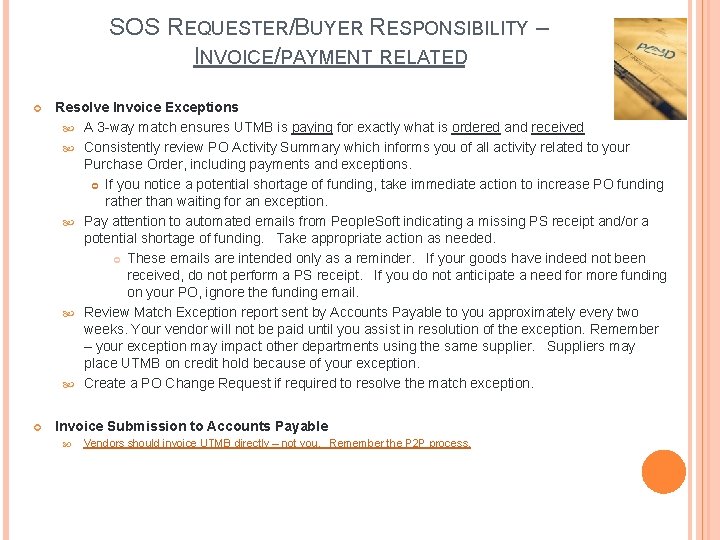
SOS REQUESTER/BUYER RESPONSIBILITY – INVOICE/PAYMENT RELATED Resolve Invoice Exceptions A 3 -way match ensures UTMB is paying for exactly what is ordered and received Consistently review PO Activity Summary which informs you of all activity related to your Purchase Order, including payments and exceptions. If you notice a potential shortage of funding, take immediate action to increase PO funding rather than waiting for an exception. Pay attention to automated emails from People. Soft indicating a missing PS receipt and/or a potential shortage of funding. Take appropriate action as needed. These emails are intended only as a reminder. If your goods have indeed not been received, do not perform a PS receipt. If you do not anticipate a need for more funding on your PO, ignore the funding email. Review Match Exception report sent by Accounts Payable to you approximately every two weeks. Your vendor will not be paid until you assist in resolution of the exception. Remember – your exception may impact other departments using the same supplier. Suppliers may place UTMB on credit hold because of your exception. Create a PO Change Request if required to resolve the match exception. Invoice Submission to Accounts Payable Vendors should invoice UTMB directly – not you. Remember the P 2 P process.
WHO TO CONTACT? • For Invoice submissions: • • For questions about Payments or Invoices: • For questions and comments regarding Purchasing and for assistance with • e. Procurement, contact: Purchasing Help Dest @ ext. 7 -8000 or via PO Problem Resolution Desk. For assistance regarding receipts, returns, or problems related to the receipt of merchandise Include the word “Status” or “Question” in your email subject line. For assistance with match exceptions: • Payables. Match@utmb. edu • Credit Forthcoming • Short-Pay Invoice • Logistics. problemresolution@utmb. edu • Receiving issues • Returns On-Campus ext. 25341 logistics. problemresolution@utmb. edu Payables. Status@utmb. edu • e-mail Purchasing. Help. Desk@utmb. edu Use online Webform - Navigate to the AP homepage – bottom left of the screen • Purchasing. Helpdesk@utmb. edu • PO Change Orders HUB Program related questions contact: Karen Gross @ ext. 6 -1094 or via e-mail klgross@utmb. edu • e. Commerce. support@utmb. edu • Pricing issues related to Punchout orders
QUESTIONS?