
Slocum Fleet Mission Control Advanced Glider Piloting Tools
- Slides: 27
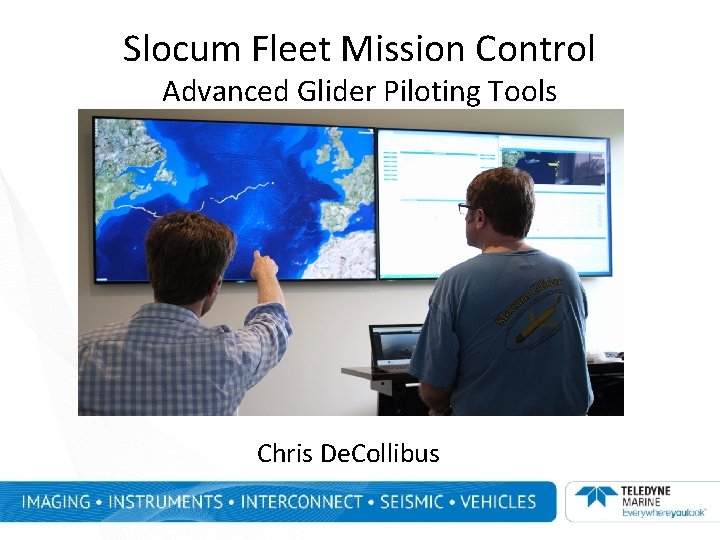
Slocum Fleet Mission Control Advanced Glider Piloting Tools Chris De. Collibus
Objectives of New Tools • Ability to easily Pilot and Monitor Multiple Vehicles • Access the tools from any platform (PC, MAC, tablet, smartphone) • Increase security • Allow for collaboration between multiple pilots. • Allow for roles: Admin, pilot and viewer only accounts • Combine the functionality of the old tools into a single application. • Leverage and optimize existing tools and visualizations.
Continuing to Partner with colleagues in Education and Industry
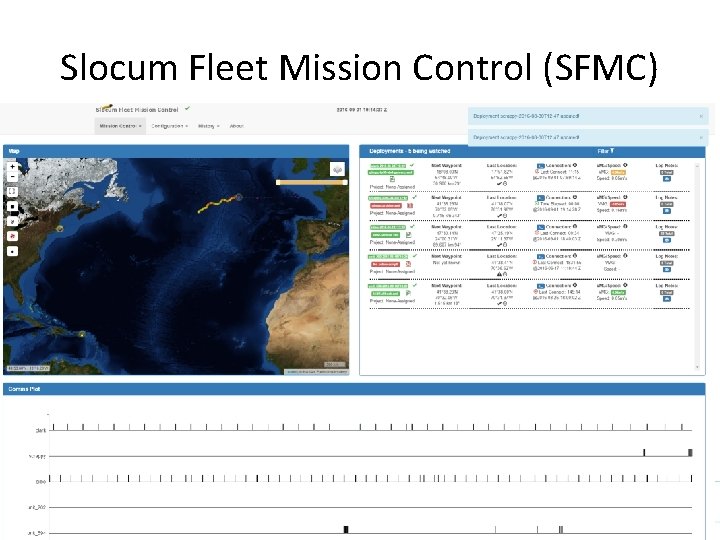
Slocum Fleet Mission Control (SFMC)
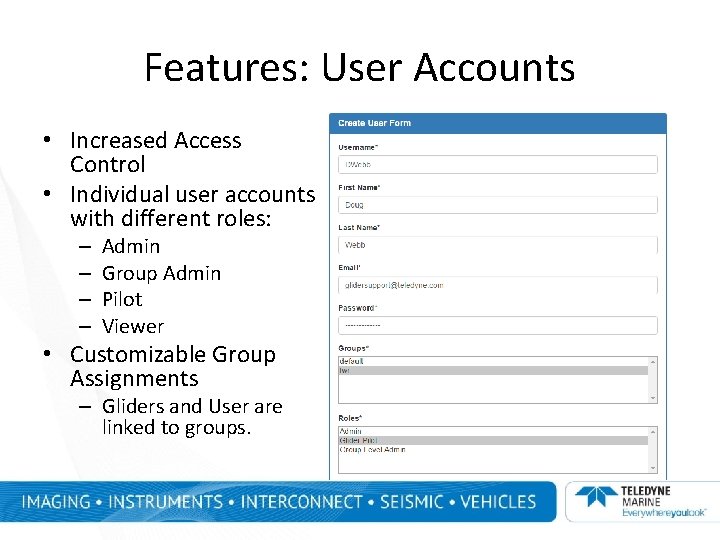
Features: User Accounts • Increased Access Control • Individual user accounts with different roles: – – Admin Group Admin Pilot Viewer • Customizable Group Assignments – Gliders and User are linked to groups.
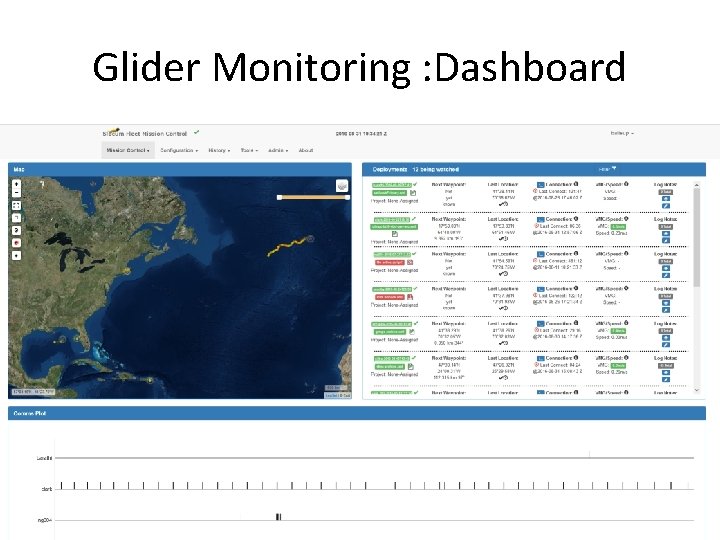
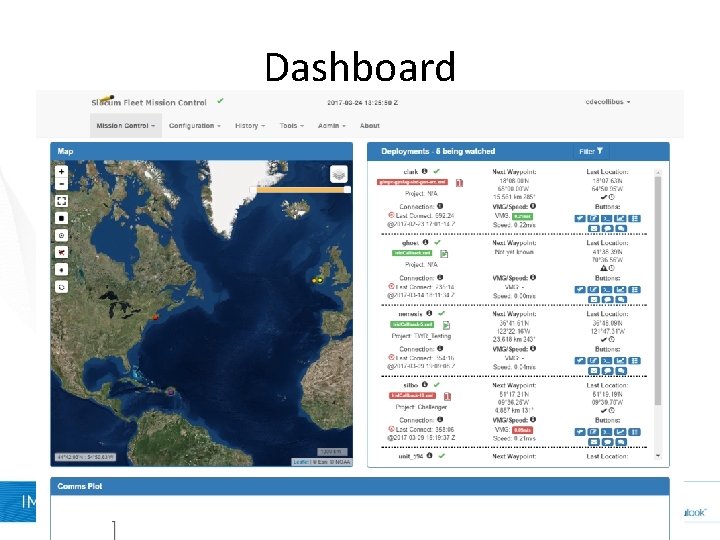
Glider Monitoring : Dashboard
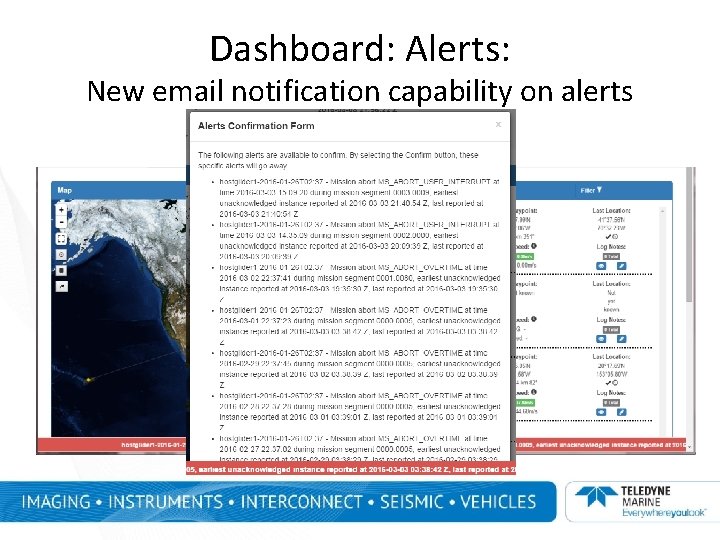
Dashboard: Alerts: New email notification capability on alerts
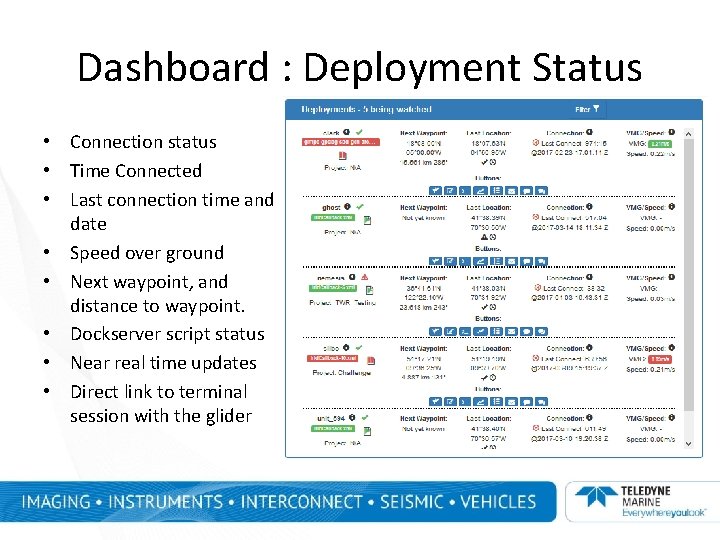
Dashboard : Deployment Status • Connection status • Time Connected • Last connection time and date • Speed over ground • Next waypoint, and distance to waypoint. • Dockserver script status • Near real time updates • Direct link to terminal session with the glider
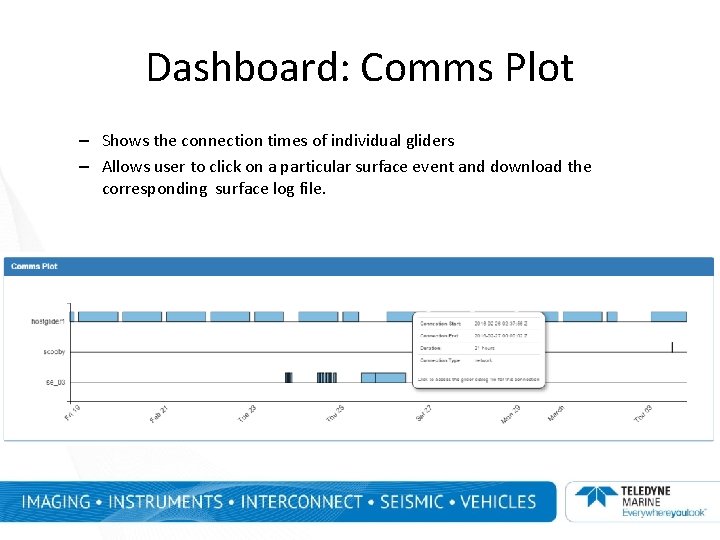
Dashboard: Comms Plot – Shows the connection times of individual gliders – Allows user to click on a particular surface event and download the corresponding surface log file.
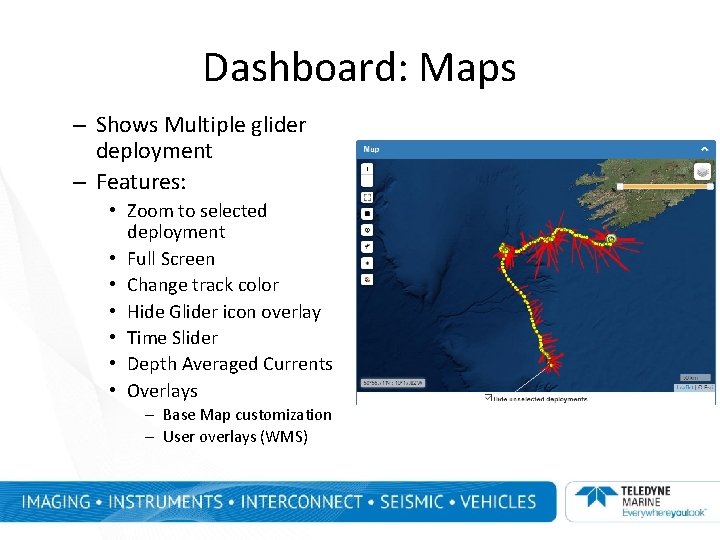
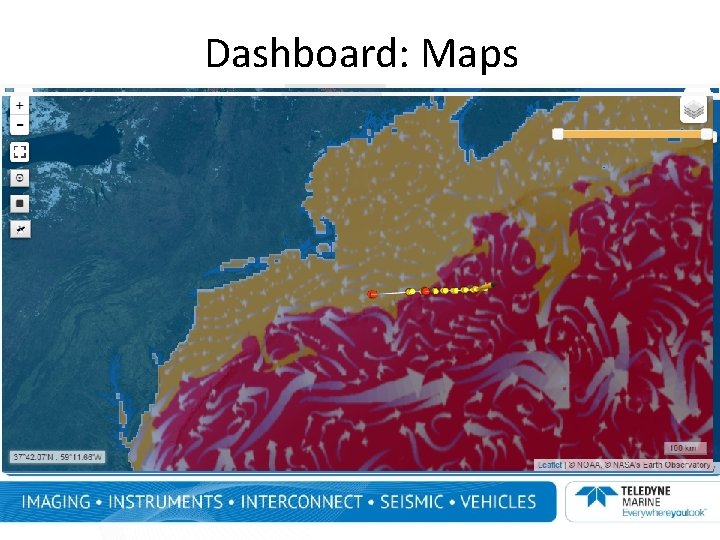
Dashboard: Maps – Shows Multiple glider deployment – Features: • Zoom to selected deployment • Full Screen • Change track color • Hide Glider icon overlay • Time Slider • Depth Averaged Currents • Overlays – Base Map customization – User overlays (WMS)
Dashboard: Maps
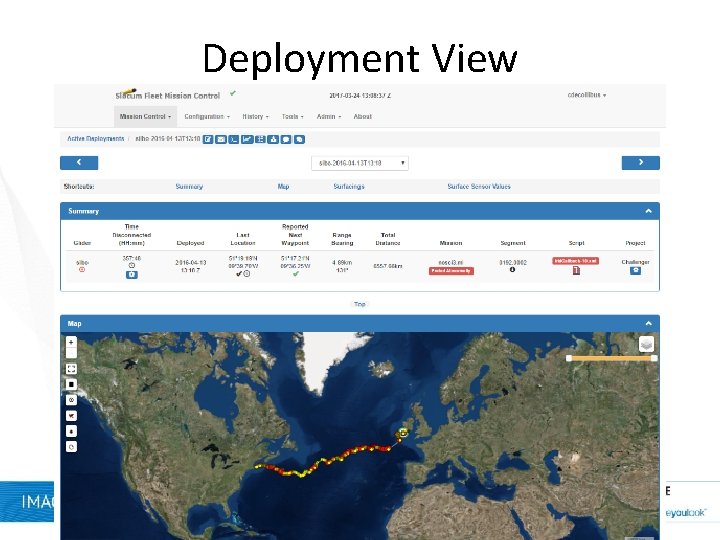
Dashboard • • Summary: a status bar Map: single glider Surfacings Surface Sensor Values
Deployment View
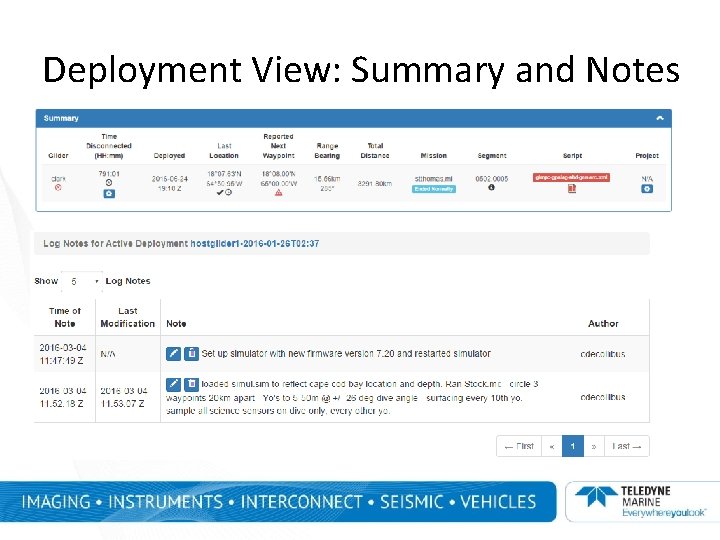
Deployment View: Summary and Notes • Summary:
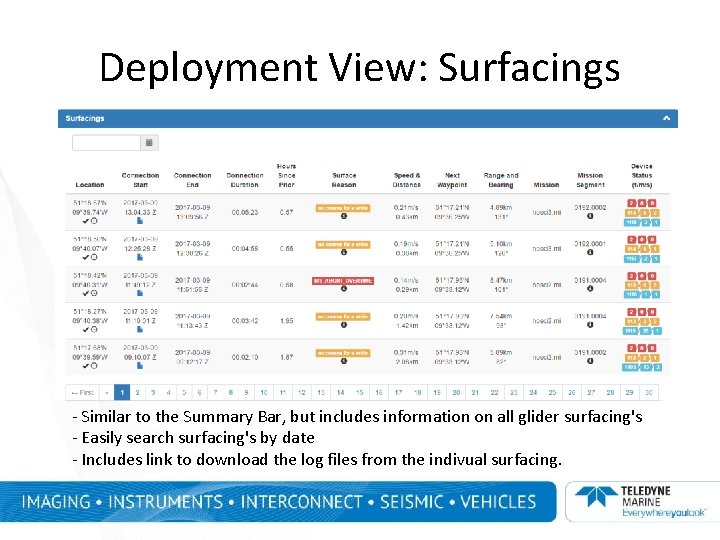
Deployment View: Surfacings - Similar to the Summary Bar, but includes information on all glider surfacing's - Easily search surfacing's by date - Includes link to download the log files from the indivual surfacing.
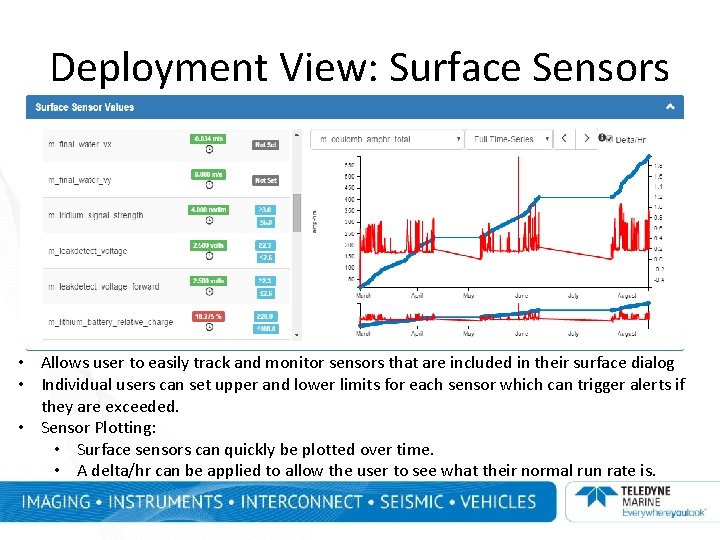
Deployment View: Surface Sensors • Allows user to easily track and monitor sensors that are included in their surface dialog • Individual users can set upper and lower limits for each sensor which can trigger alerts if they are exceeded. • Sensor Plotting: • Surface sensors can quickly be plotted over time. • A delta/hr can be applied to allow the user to see what their normal run rate is.
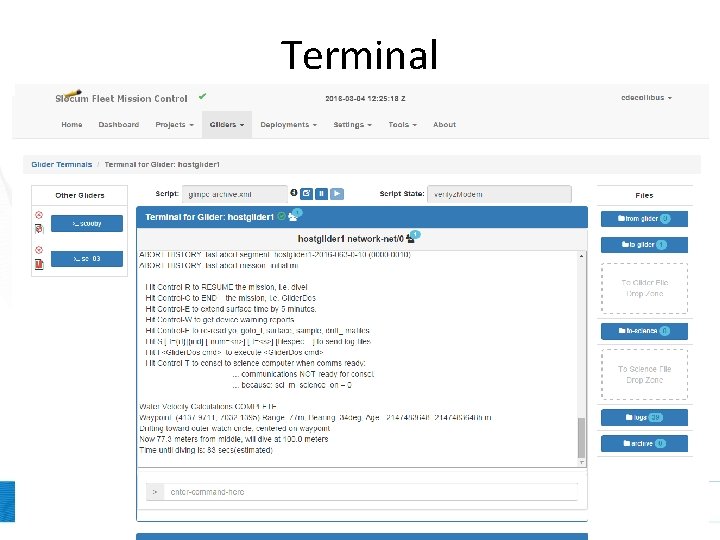
Terminal
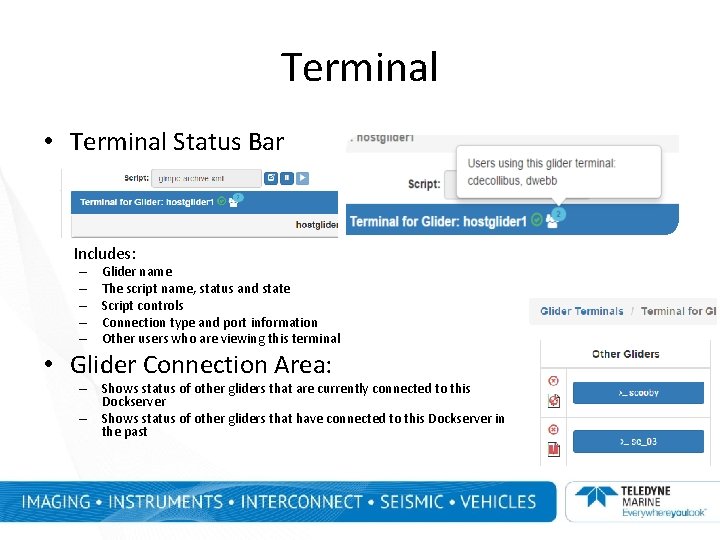
Terminal • Terminal Status Bar Includes: – – – Glider name The script name, status and state Script controls Connection type and port information Other users who are viewing this terminal • Glider Connection Area: – Shows status of other gliders that are currently connected to this Dockserver – Shows status of other gliders that have connected to this Dockserver in the past
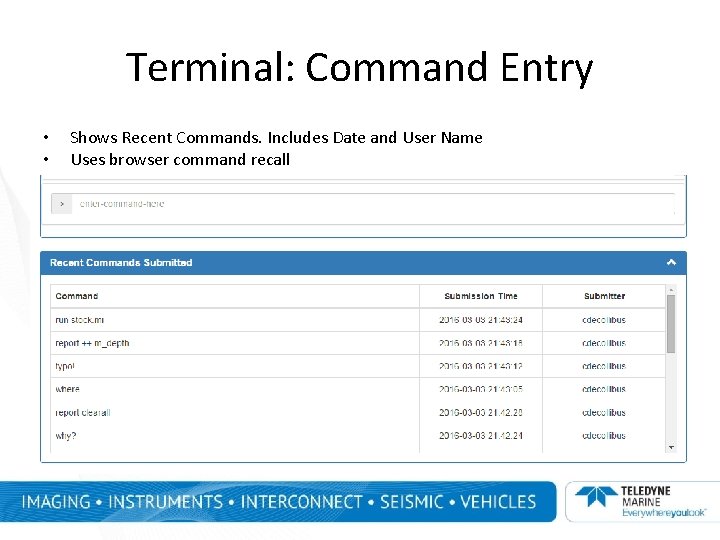
Terminal: Command Entry • • Shows Recent Commands. Includes Date and User Name Uses browser command recall
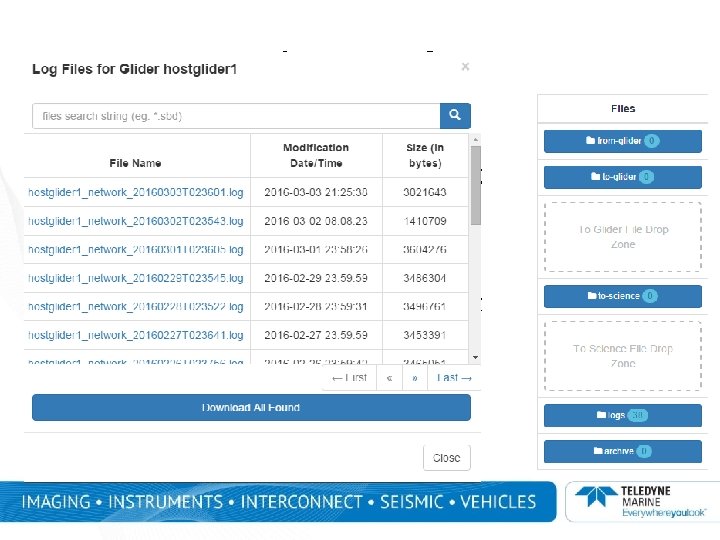
File Transfer • File transfers can now be done straight from the Terminal Page (drag and drop) • Easy access to the To-Glider, From. Glider, Logs, and Archive directories. • Click on the title to open a search box which easily sorts through data. • Files can be individually downloaded right from this search or entire sets can be downloaded as a zip file. • FTP no longer needed
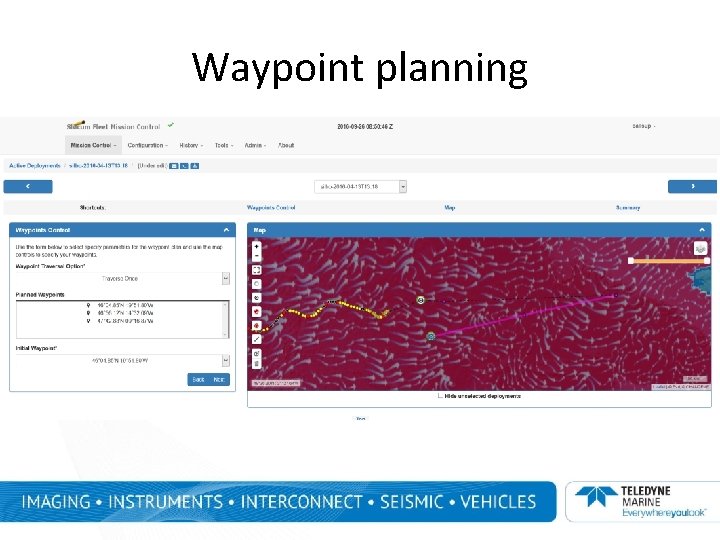
Waypoint planning
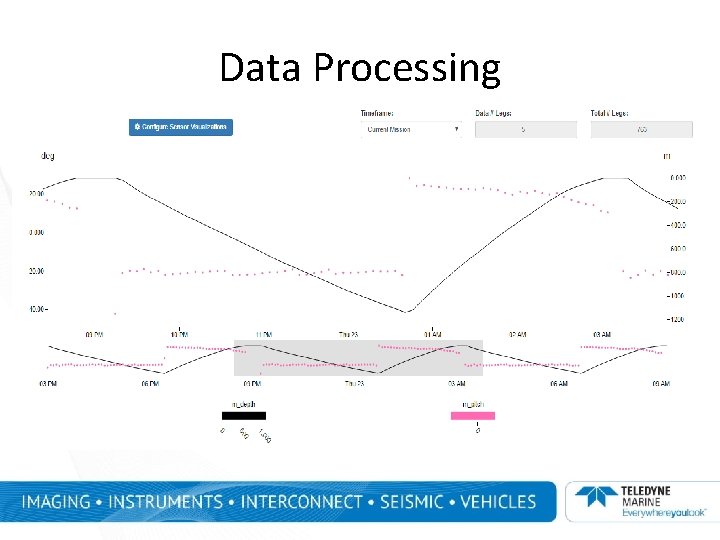
Data Processing
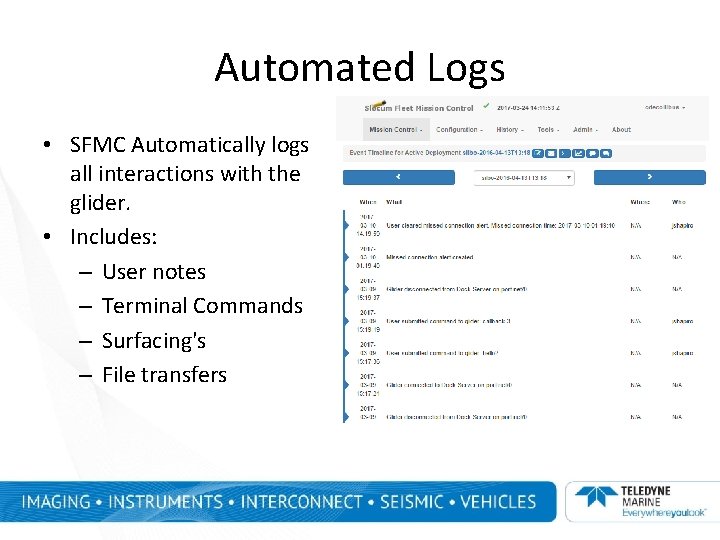
Automated Logs • SFMC Automatically logs all interactions with the glider. • Includes: – User notes – Terminal Commands – Surfacing's – File transfers
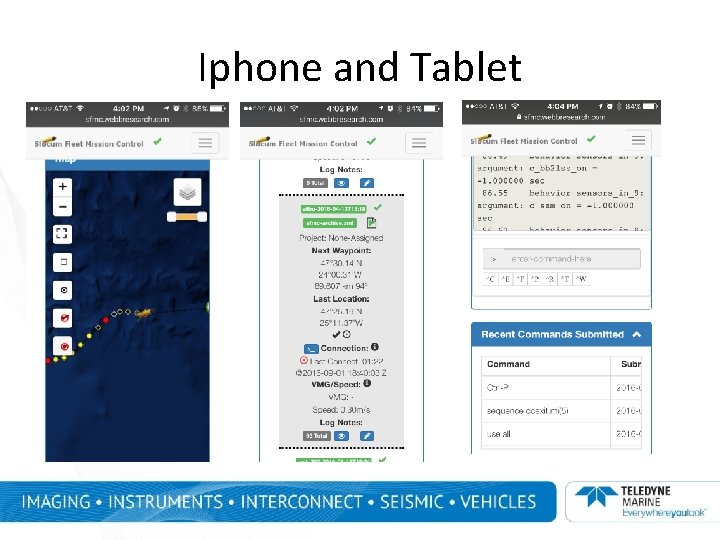
Iphone and Tablet • shot here
System Specifications • Web based tool • Backend: developed with Java • Frond-end: Developed using HTML 5 and Javascript. • There is no Java dependency for client usage. • Data base switched over from My. SQL to Postgres. QL. • Compatible with existing Dockserver hardware
Services - Hosting • TWR Hosted SFMC Server (Primary or Backup) SSAE 16 Type II compliant facility located in Rockland, MA RUDICS capability Redundant internet Redundant power Multiple redundant phone lines and modems Reliable (99. 9% uptime) Secure Fault-tolerant Server has easy access from North Falmouth Facility however not on Cape Cod – rsync capability upon request – – – – –
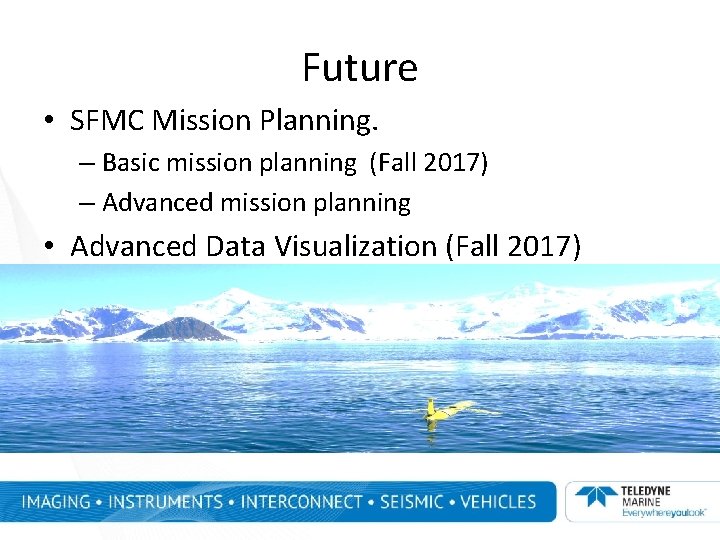
Future • SFMC Mission Planning. – Basic mission planning (Fall 2017) – Advanced mission planning • Advanced Data Visualization (Fall 2017)