
Slides by JOHN LOUCKS St Edwards University 2009
Slides by JOHN LOUCKS St. Edward’s University © 2009 Thomson South-Western. All Rights Reserved Slide 1
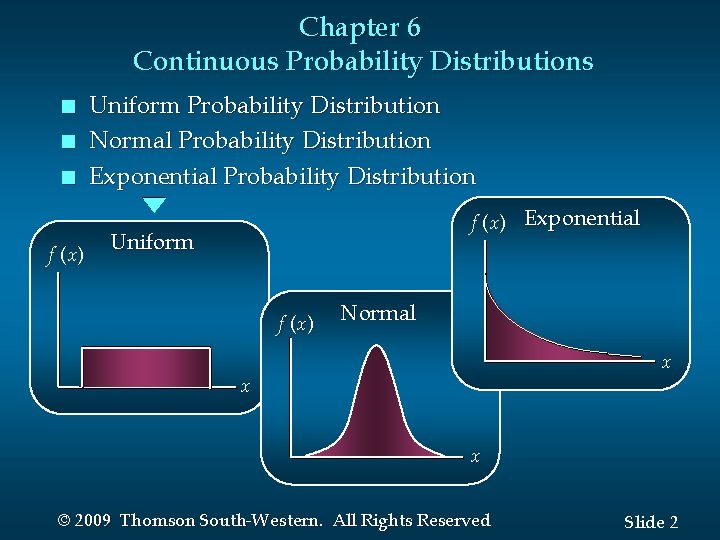
Chapter 6 Continuous Probability Distributions n n n f (x) Uniform Probability Distribution Normal Probability Distribution Exponential Probability Distribution f (x) Exponential Uniform f (x ) Normal x x x © 2009 Thomson South-Western. All Rights Reserved Slide 2
Continuous Probability Distributions n A continuous random variable can assume any value in an interval on the real line or in a collection of intervals. n It is not possible to talk about the probability of the random variable assuming a particular value. n Instead, we talk about the probability of the random variable assuming a value within a given interval. © 2009 Thomson South-Western. All Rights Reserved Slide 3
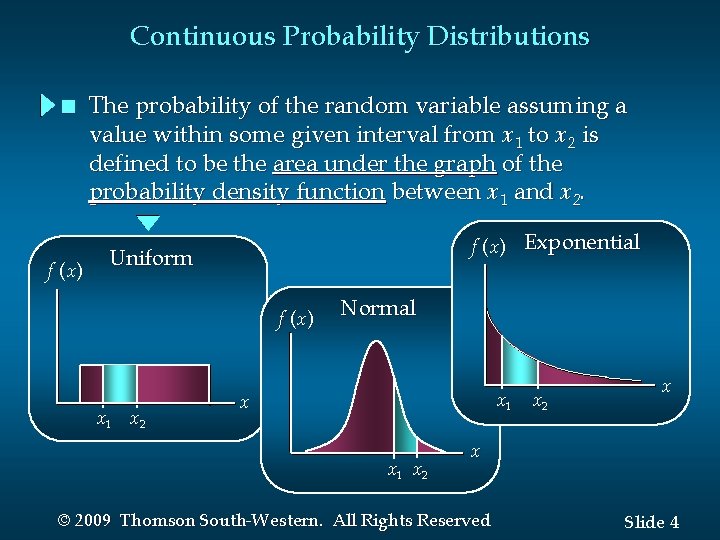
Continuous Probability Distributions n f (x) The probability of the random variable assuming a value within some given interval from x 1 to x 2 is defined to be the area under the graph of the probability density function between x 1 and x 2. f (x) Exponential Uniform f (x ) x 1 x 2 Normal x 1 xx 12 x x 1 x 2 x x © 2009 Thomson South-Western. All Rights Reserved Slide 4

Uniform Probability Distribution n A random variable is uniformly distributed whenever the probability is proportional to the interval’s length. n The uniform probability density function is: f (x) = 1/(b – a ) for a < x < b =0 elsewhere: a = smallest value the variable can assume b = largest value the variable can assume © 2009 Thomson South-Western. All Rights Reserved Slide 5
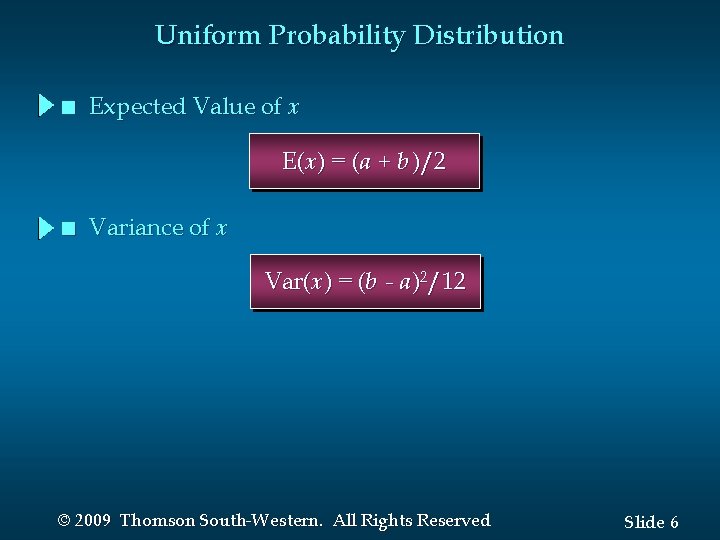
Uniform Probability Distribution n Expected Value of x E(x) = (a + b )/2 n Variance of x Var(x) = (b - a )2/12 © 2009 Thomson South-Western. All Rights Reserved Slide 6
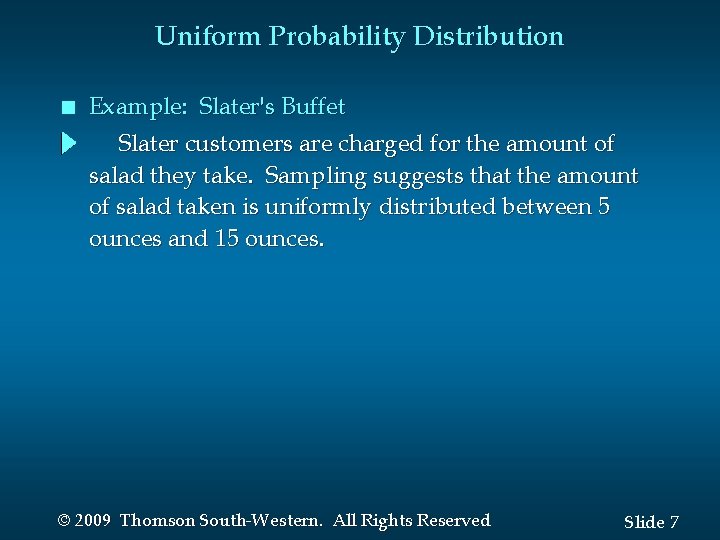
Uniform Probability Distribution n Example: Slater's Buffet Slater customers are charged for the amount of salad they take. Sampling suggests that the amount of salad taken is uniformly distributed between 5 ounces and 15 ounces. © 2009 Thomson South-Western. All Rights Reserved Slide 7
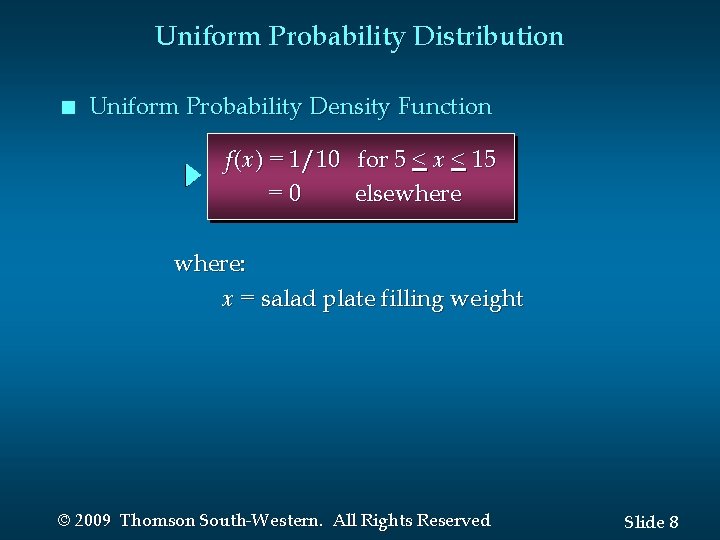
Uniform Probability Distribution n Uniform Probability Density Function f (x) = 1/10 for 5 < x < 15 =0 elsewhere: x = salad plate filling weight © 2009 Thomson South-Western. All Rights Reserved Slide 8
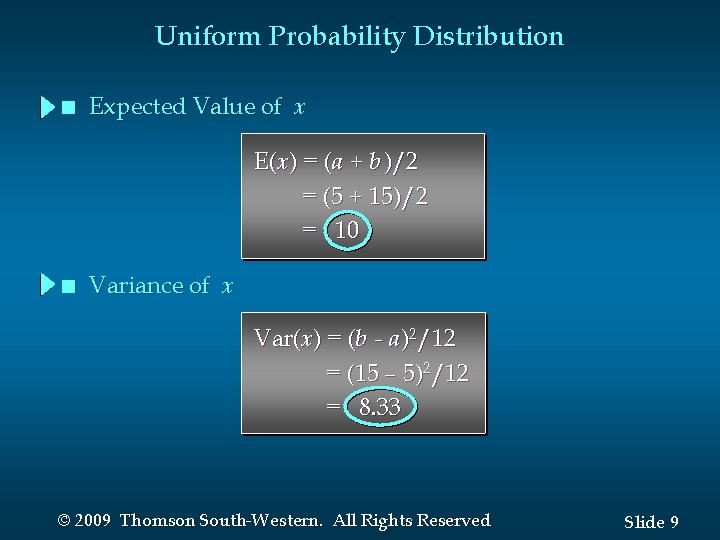
Uniform Probability Distribution n Expected Value of x E(x) = (a + b )/2 = (5 + 15)/2 = 10 n Variance of x Var(x) = (b - a )2/12 = (15 – 5)2/12 = 8. 33 © 2009 Thomson South-Western. All Rights Reserved Slide 9
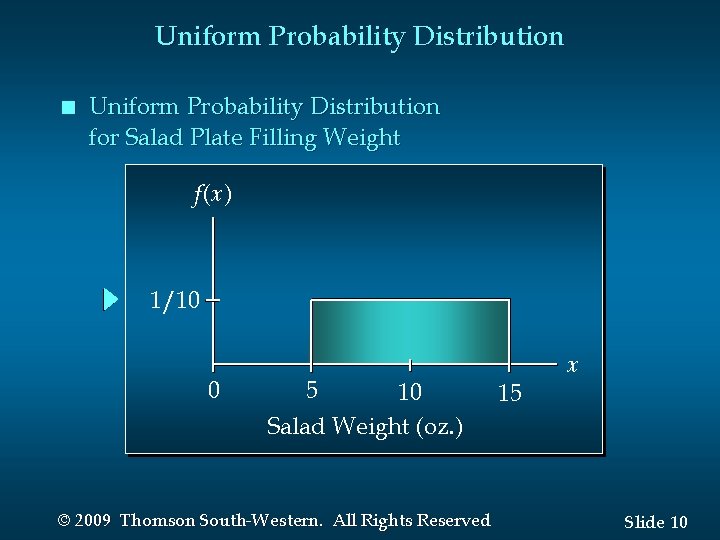
Uniform Probability Distribution n Uniform Probability Distribution for Salad Plate Filling Weight f(x) 1/10 0 5 10 Salad Weight (oz. ) © 2009 Thomson South-Western. All Rights Reserved 15 x Slide 10
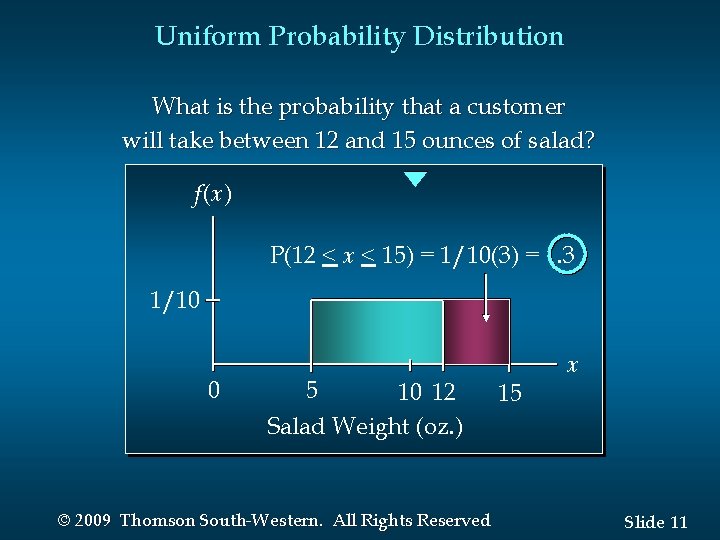
Uniform Probability Distribution What is the probability that a customer will take between 12 and 15 ounces of salad? f(x) P(12 < x < 15) = 1/10(3) =. 3 1/10 0 5 10 12 Salad Weight (oz. ) © 2009 Thomson South-Western. All Rights Reserved 15 x Slide 11
Normal Probability Distribution n The normal probability distribution is the most important distribution for describing a continuous random variable. It is widely used in statistical inference. It has been used in a wide variety of applications including: • Heights of people • Test scores • Rainfall amounts • Scientific measurements © 2009 Thomson South-Western. All Rights Reserved Slide 12
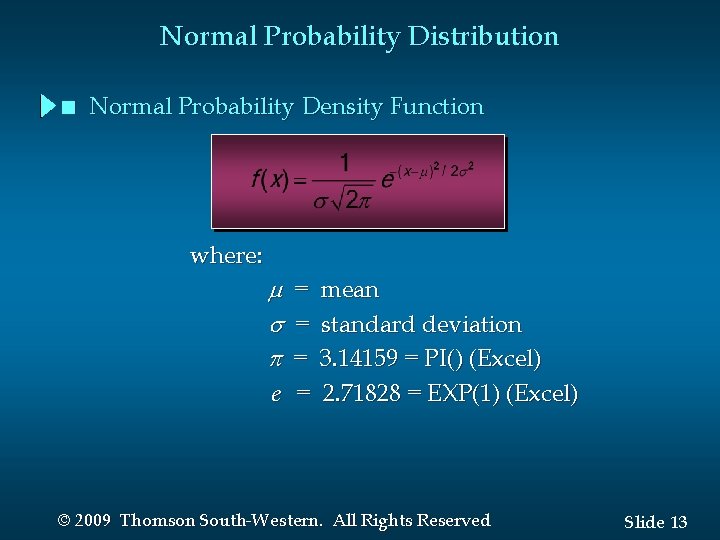
Normal Probability Distribution n Normal Probability Density Function where: = = = e = mean standard deviation 3. 14159 = PI() (Excel) 2. 71828 = EXP(1) (Excel) © 2009 Thomson South-Western. All Rights Reserved Slide 13
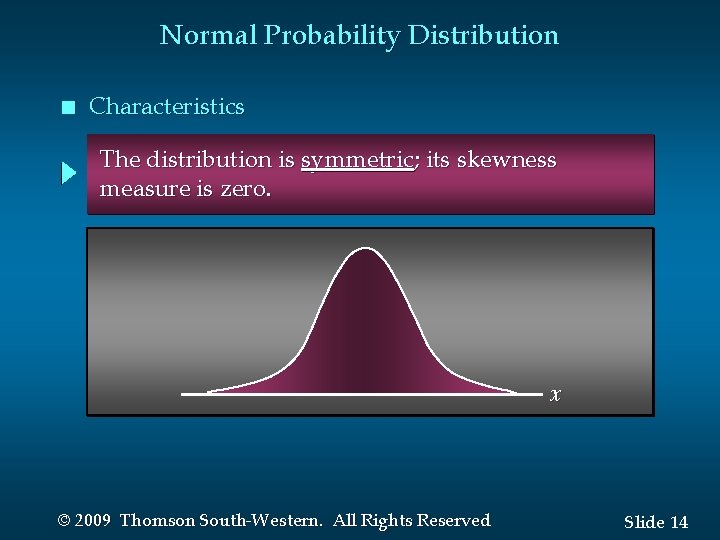
Normal Probability Distribution n Characteristics The distribution is symmetric; its skewness measure is zero. x © 2009 Thomson South-Western. All Rights Reserved Slide 14
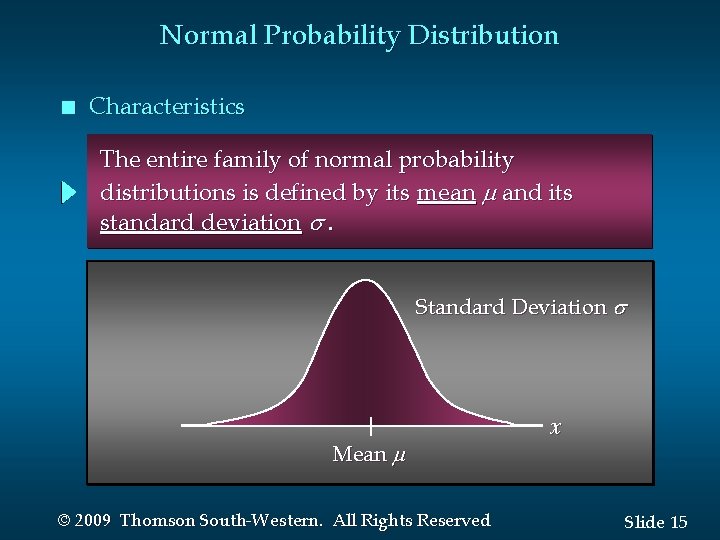
Normal Probability Distribution n Characteristics The entire family of normal probability distributions is defined by its mean and its standard deviation . Standard Deviation Mean © 2009 Thomson South-Western. All Rights Reserved x Slide 15
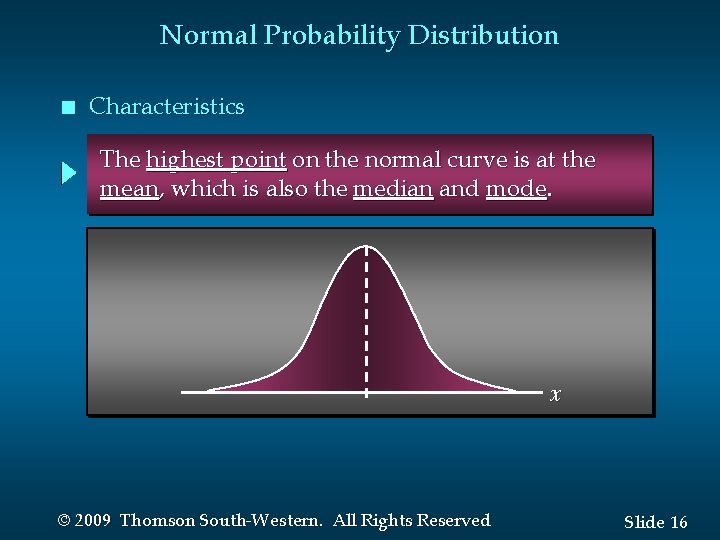
Normal Probability Distribution n Characteristics The highest point on the normal curve is at the mean, which is also the median and mode. x © 2009 Thomson South-Western. All Rights Reserved Slide 16
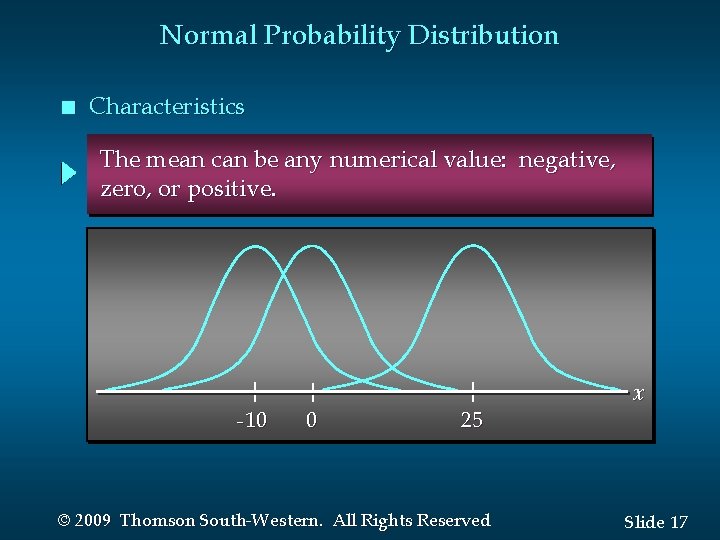
Normal Probability Distribution n Characteristics The mean can be any numerical value: negative, zero, or positive. -10 0 25 © 2009 Thomson South-Western. All Rights Reserved x Slide 17
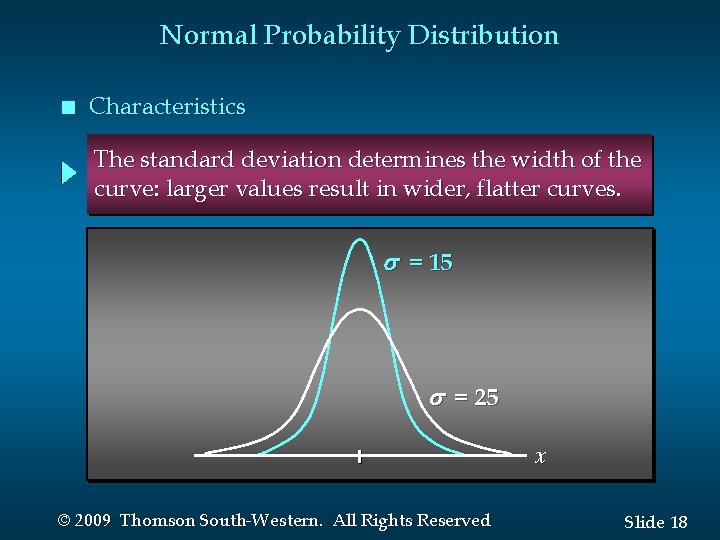
Normal Probability Distribution n Characteristics The standard deviation determines the width of the curve: larger values result in wider, flatter curves. s = 15 s = 25 x © 2009 Thomson South-Western. All Rights Reserved Slide 18
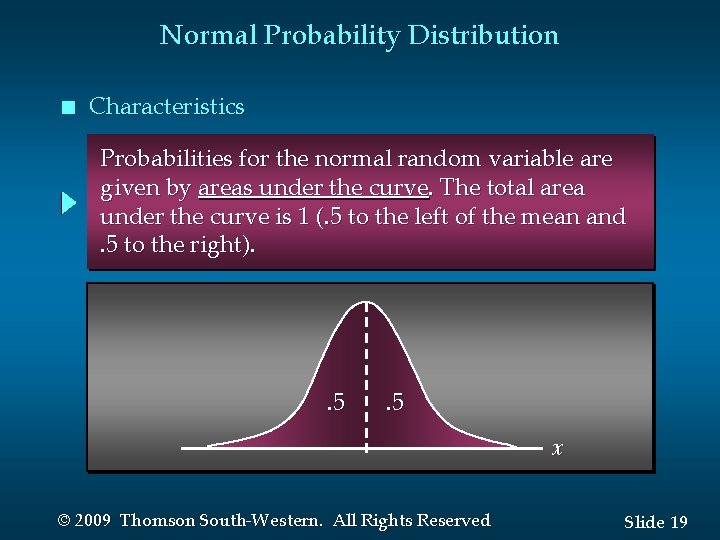
Normal Probability Distribution n Characteristics Probabilities for the normal random variable are given by areas under the curve. The total area under the curve is 1 (. 5 to the left of the mean and. 5 to the right). . 5 x © 2009 Thomson South-Western. All Rights Reserved Slide 19
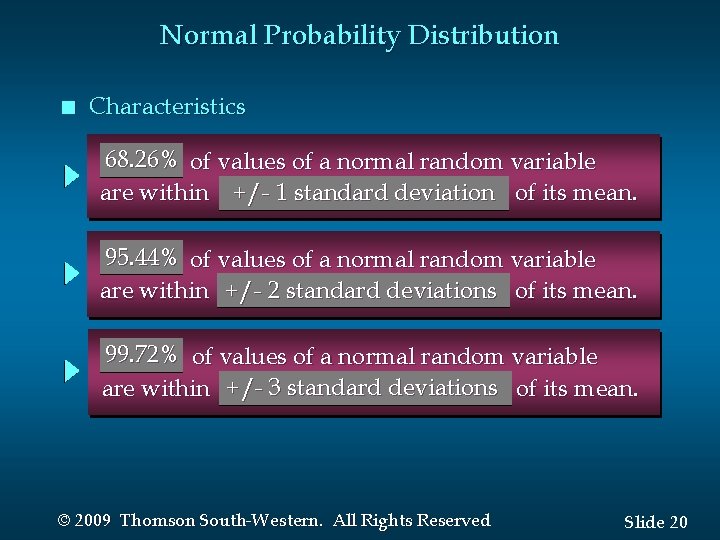
Normal Probability Distribution n Characteristics 68. 26% of values of a normal random variable are within +/- 1 standard deviation of its mean. 95. 44% of values of a normal random variable are within +/- 2 standard deviations of its mean. 99. 72% of values of a normal random variable are within +/- 3 standard deviations of its mean. © 2009 Thomson South-Western. All Rights Reserved Slide 20
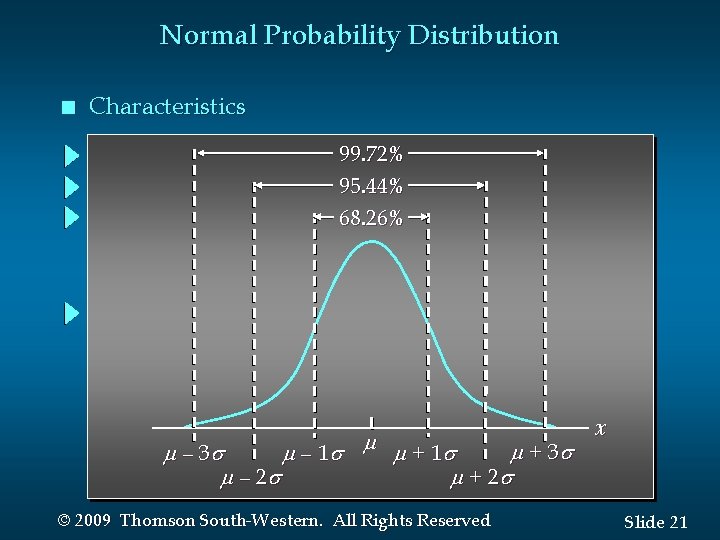
Normal Probability Distribution n Characteristics 99. 72% 95. 44% 68. 26% + 3 – 1 + 1 – 2 + 2 © 2009 Thomson South-Western. All Rights Reserved x Slide 21
Standard Normal Probability Distribution n Characteristics A random variable having a normal distribution with a mean of 0 and a standard deviation of 1 is said to have a standard normal probability distribution. © 2009 Thomson South-Western. All Rights Reserved Slide 22
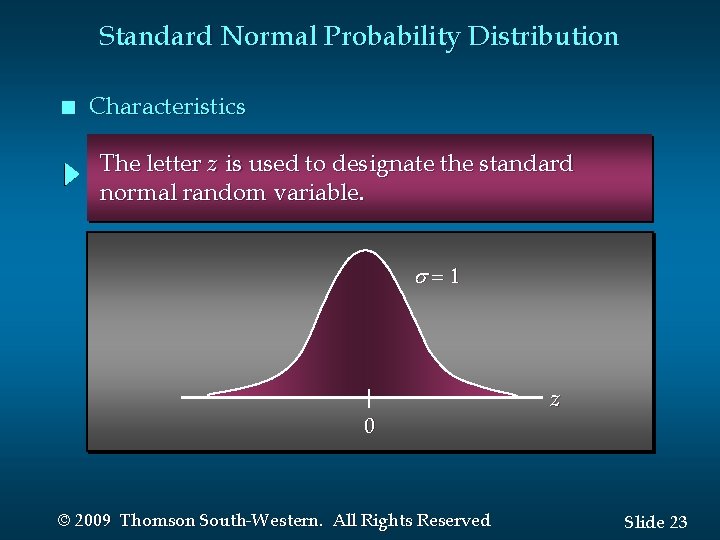
Standard Normal Probability Distribution n Characteristics The letter z is used to designate the standard normal random variable. = 1 0 © 2009 Thomson South-Western. All Rights Reserved z Slide 23
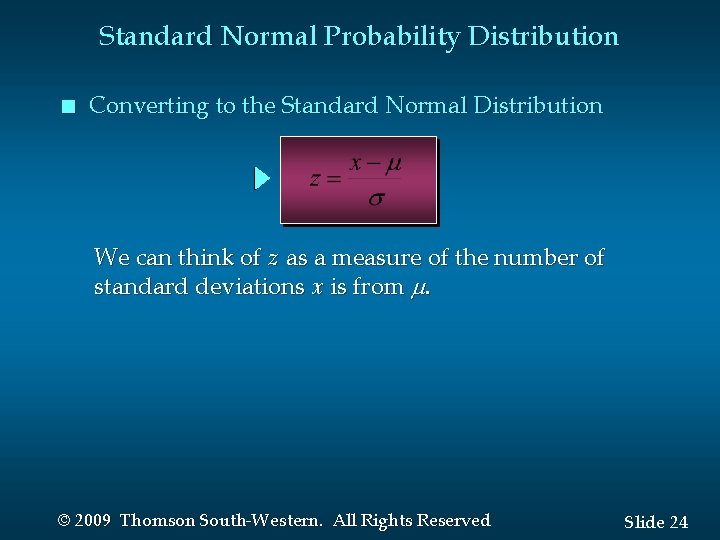
Standard Normal Probability Distribution n Converting to the Standard Normal Distribution We can think of z as a measure of the number of standard deviations x is from . © 2009 Thomson South-Western. All Rights Reserved Slide 24
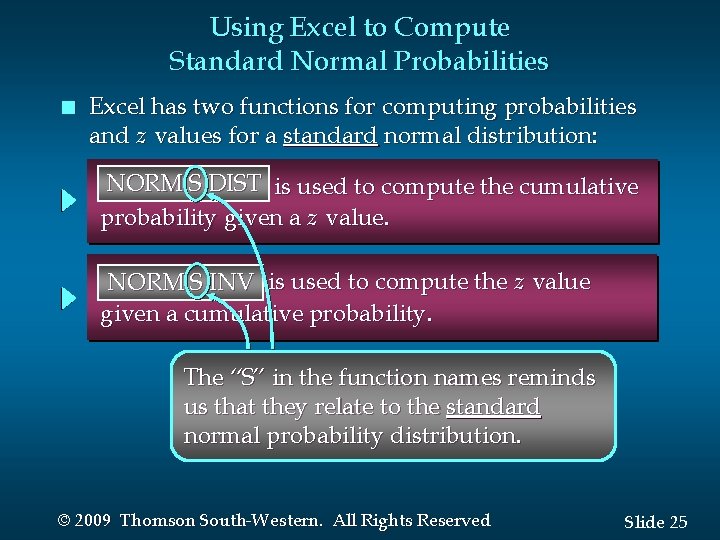
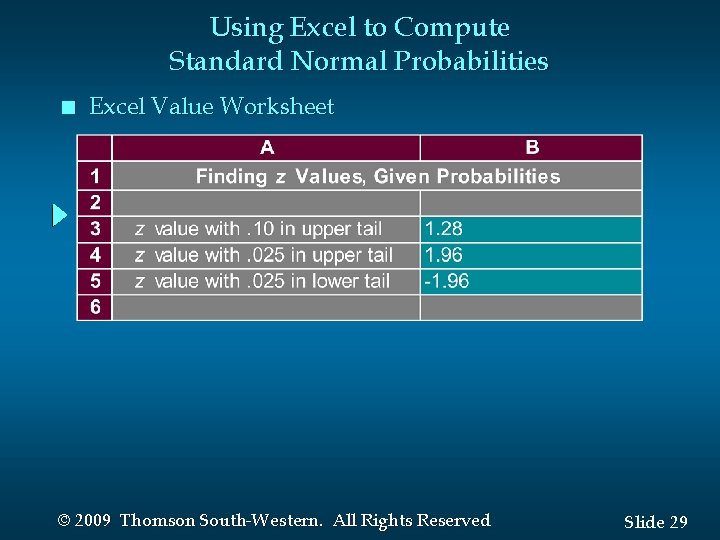
Using Excel to Compute Standard Normal Probabilities n Excel has two functions for computing probabilities and z values for a standard normal distribution: NORM S DIST is used to compute the cumulative NORMSDIST probability given a z value. NORMSINV NORM S INV is used to compute the z value given a cumulative probability. The “S” in the function names reminds us that they relate to the standard normal probability distribution. © 2009 Thomson South-Western. All Rights Reserved Slide 25
Using Excel to Compute Standard Normal Probabilities n Excel Formula Worksheet © 2009 Thomson South-Western. All Rights Reserved Slide 26
Using Excel to Compute Standard Normal Probabilities n Excel Value Worksheet © 2009 Thomson South-Western. All Rights Reserved Slide 27
Using Excel to Compute Standard Normal Probabilities n Excel Formula Worksheet © 2009 Thomson South-Western. All Rights Reserved Slide 28
Using Excel to Compute Standard Normal Probabilities n Excel Value Worksheet © 2009 Thomson South-Western. All Rights Reserved Slide 29
Standard Normal Probability Distribution n Example: Pep Zone sells auto parts and supplies including a popular multi-grade motor oil. When the stock of this oil drops to 20 gallons, a replenishment order is placed. The store manager is concerned that sales are being lost due to stockouts while waiting for a replenishment order. © 2009 Thomson South-Western. All Rights Reserved Slide 30
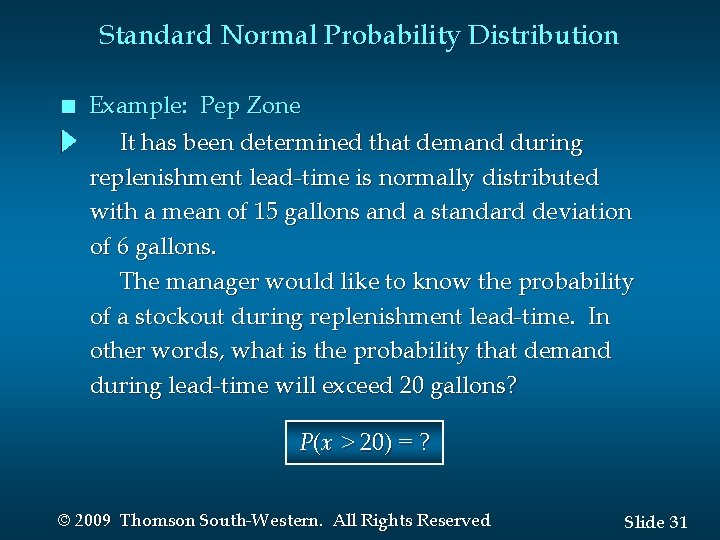
Standard Normal Probability Distribution n Example: Pep Zone It has been determined that demand during replenishment lead-time is normally distributed with a mean of 15 gallons and a standard deviation of 6 gallons. The manager would like to know the probability of a stockout during replenishment lead-time. In other words, what is the probability that demand during lead-time will exceed 20 gallons? P(x > 20) = ? © 2009 Thomson South-Western. All Rights Reserved Slide 31
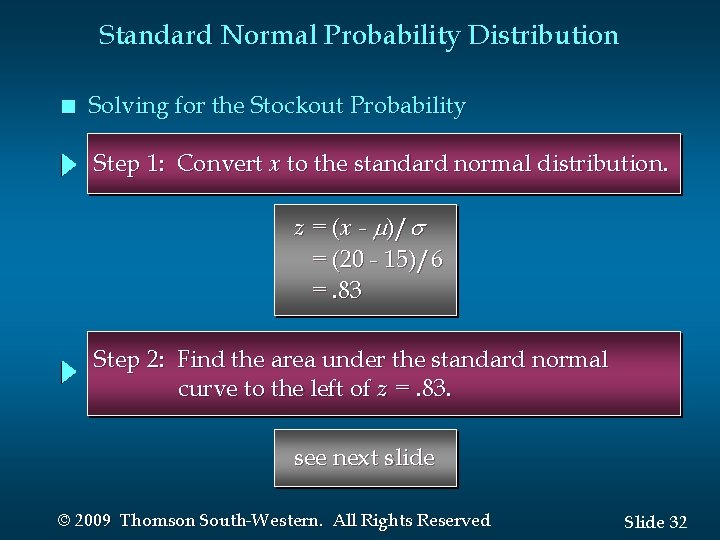
Standard Normal Probability Distribution n Solving for the Stockout Probability Step 1: Convert x to the standard normal distribution. z = (x - )/ = (20 - 15)/6 =. 83 Step 2: Find the area under the standard normal curve to the left of z =. 83. see next slide © 2009 Thomson South-Western. All Rights Reserved Slide 32
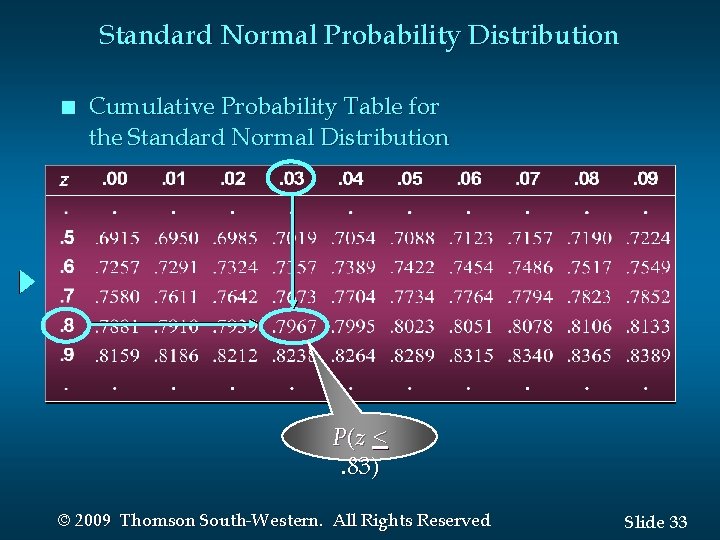
Standard Normal Probability Distribution n Cumulative Probability Table for the Standard Normal Distribution P(z <. 83) © 2009 Thomson South-Western. All Rights Reserved Slide 33
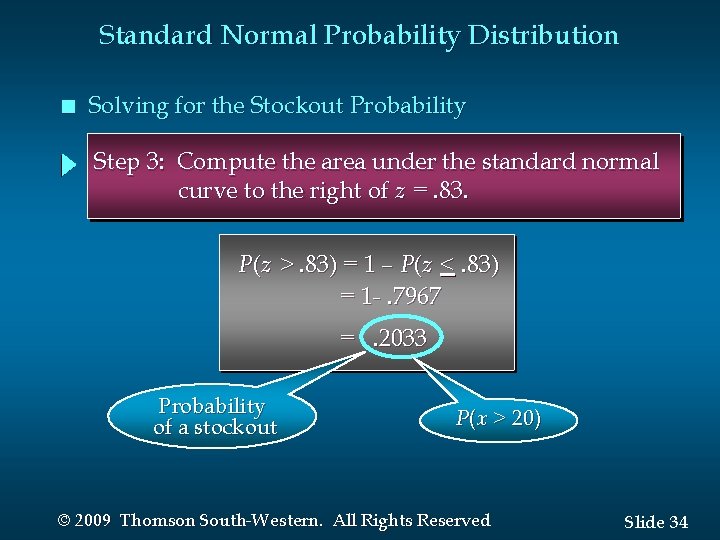
Standard Normal Probability Distribution n Solving for the Stockout Probability Step 3: Compute the area under the standard normal curve to the right of z =. 83. P(z >. 83) = 1 – P(z <. 83) = 1 -. 7967 =. 2033 Probability of a stockout P(x > 20) © 2009 Thomson South-Western. All Rights Reserved Slide 34
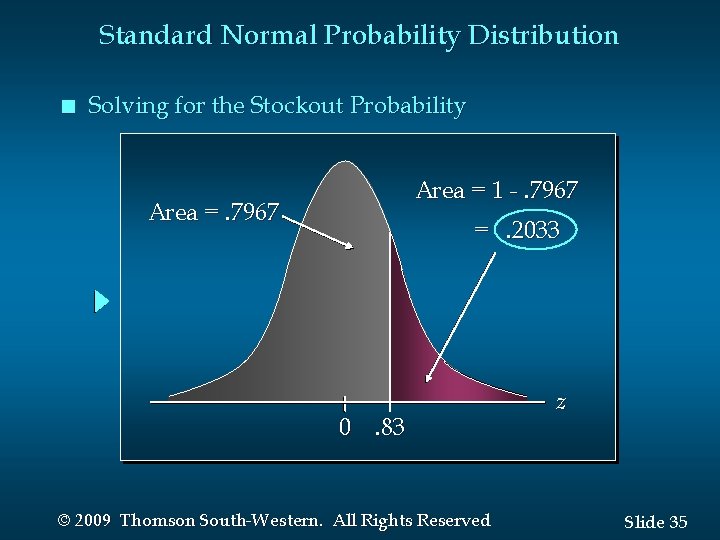
Standard Normal Probability Distribution n Solving for the Stockout Probability Area = 1 -. 7967 Area =. 7967 =. 2033 0. 83 © 2009 Thomson South-Western. All Rights Reserved z Slide 35
Standard Normal Probability Distribution n Standard Normal Probability Distribution If the manager of Pep Zone wants the probability of a stockout during replenishment lead-time to be no more than. 05, what should the reorder point be? © 2009 Thomson South-Western. All Rights Reserved Slide 36
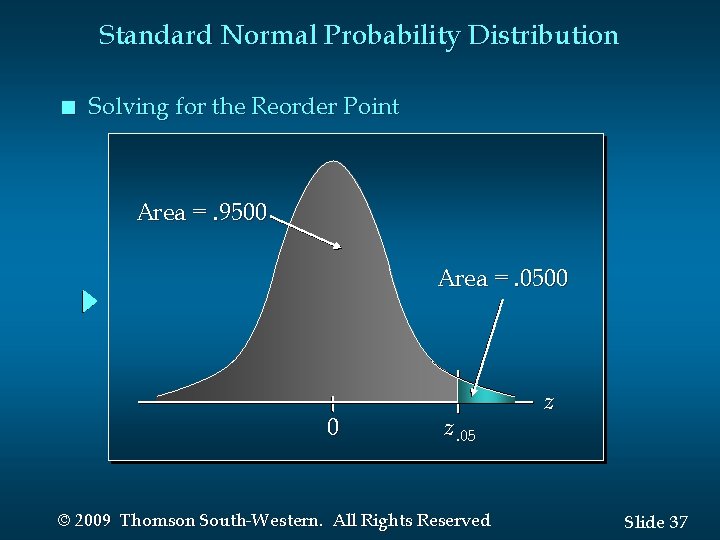
Standard Normal Probability Distribution n Solving for the Reorder Point Area =. 9500 Area =. 0500 0 z. 05 © 2009 Thomson South-Western. All Rights Reserved z Slide 37
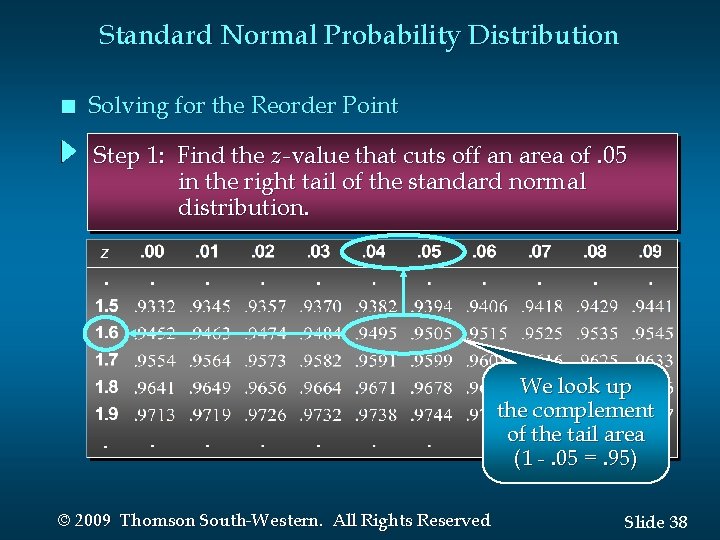
Standard Normal Probability Distribution n Solving for the Reorder Point Step 1: Find the z -value that cuts off an area of. 05 in the right tail of the standard normal distribution. We look up the complement of the tail area (1 -. 05 =. 95) © 2009 Thomson South-Western. All Rights Reserved Slide 38
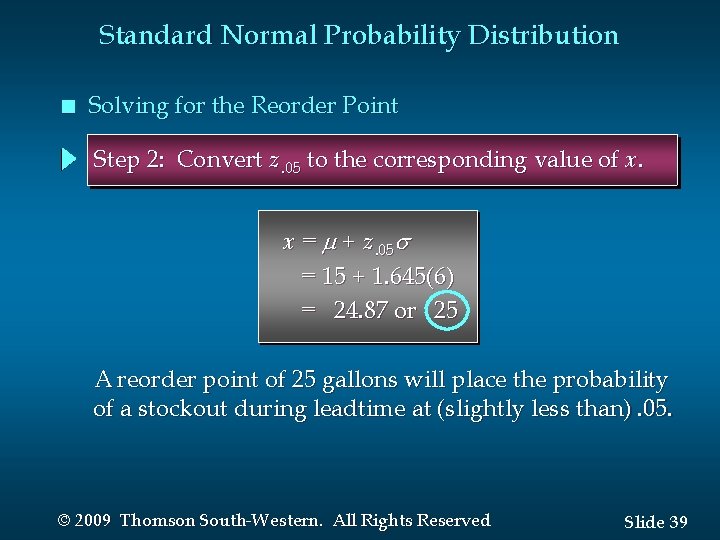
Standard Normal Probability Distribution n Solving for the Reorder Point Step 2: Convert z. 05 to the corresponding value of x. x = + z. 05 = 15 + 1. 645(6) = 24. 87 or 25 A reorder point of 25 gallons will place the probability of a stockout during leadtime at (slightly less than). 05. © 2009 Thomson South-Western. All Rights Reserved Slide 39
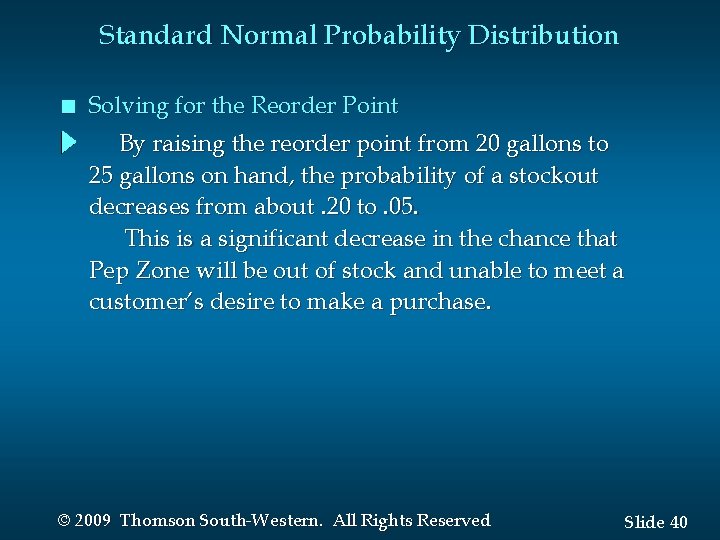
Standard Normal Probability Distribution n Solving for the Reorder Point By raising the reorder point from 20 gallons to 25 gallons on hand, the probability of a stockout decreases from about. 20 to. 05. This is a significant decrease in the chance that Pep Zone will be out of stock and unable to meet a customer’s desire to make a purchase. © 2009 Thomson South-Western. All Rights Reserved Slide 40
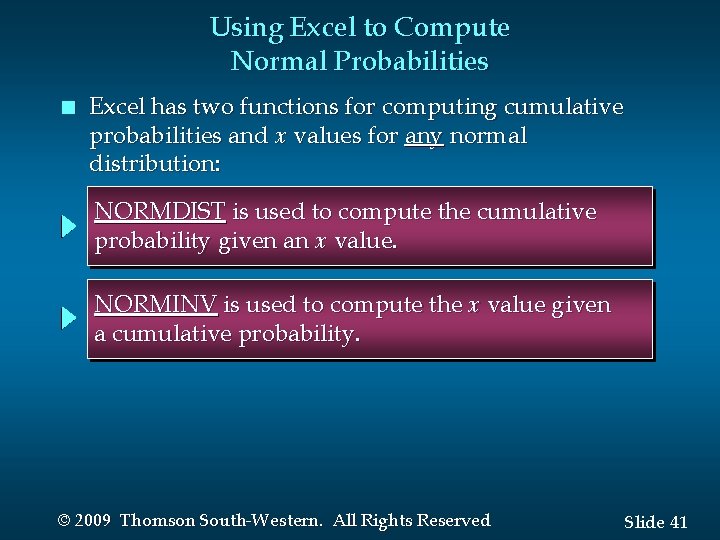
Using Excel to Compute Normal Probabilities n Excel has two functions for computing cumulative probabilities and x values for any normal distribution: NORMDIST is used to compute the cumulative probability given an x value. NORMINV is used to compute the x value given a cumulative probability. © 2009 Thomson South-Western. All Rights Reserved Slide 41
Using Excel to Compute Normal Probabilities n Excel Formula Worksheet © 2009 Thomson South-Western. All Rights Reserved Slide 42
Using Excel to Compute Normal Probabilities n Excel Value Worksheet Note: P(x > 20) =. 2023 here using Excel, while our previous manual approach using the z table yielded. 2033 due to our rounding of the z value. © 2009 Thomson South-Western. All Rights Reserved Slide 43
Exponential Probability Distribution n n The exponential probability distribution is useful in describing the time it takes to complete a task. The exponential random variables can be used to describe: • Time between vehicle arrivals at a toll booth • Time required to complete a questionnaire • Distance between major defects in a highway © 2009 Thomson South-Western. All Rights Reserved Slide 44
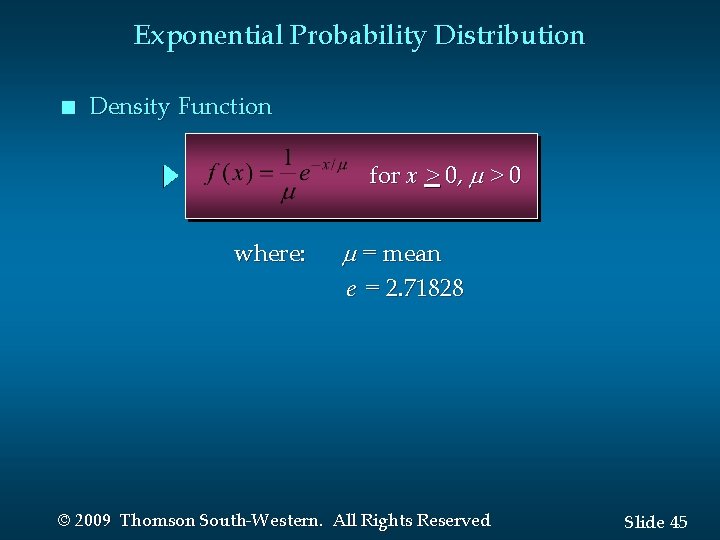
Exponential Probability Distribution n Density Function for x > 0, > 0 where: = mean e = 2. 71828 © 2009 Thomson South-Western. All Rights Reserved Slide 45
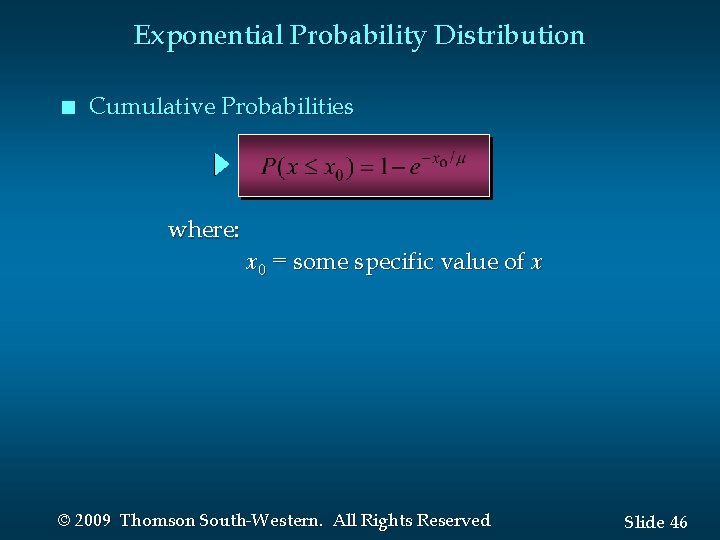
Exponential Probability Distribution n Cumulative Probabilities where: x 0 = some specific value of x © 2009 Thomson South-Western. All Rights Reserved Slide 46
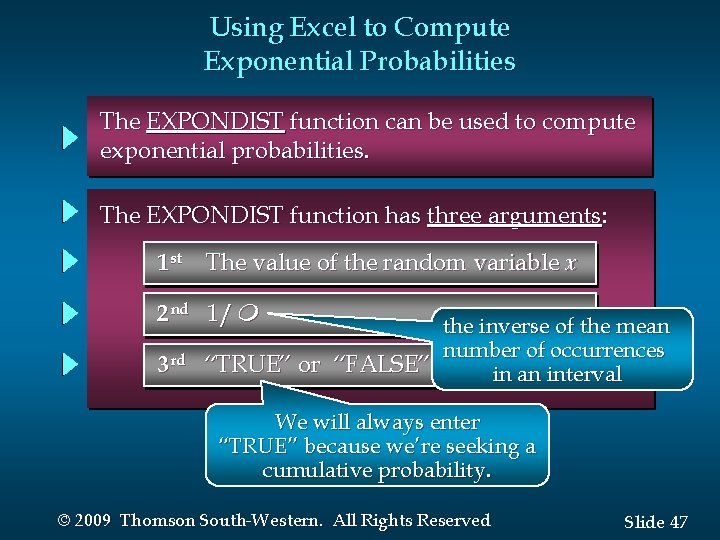
Using Excel to Compute Exponential Probabilities The EXPONDIST function can be used to compute exponential probabilities. The EXPONDIST function has three arguments: 1 st The value of the random variable x 2 nd 1/m 3 rd the inverse of the mean number of occurrences “TRUE” or “FALSE” in an interval We will always enter “TRUE” because we’re seeking a cumulative probability. © 2009 Thomson South-Western. All Rights Reserved Slide 47
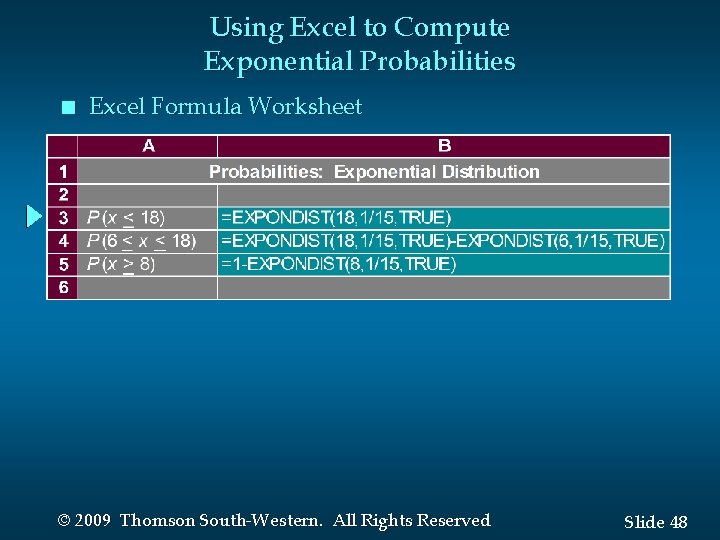
Using Excel to Compute Exponential Probabilities n Excel Formula Worksheet © 2009 Thomson South-Western. All Rights Reserved Slide 48
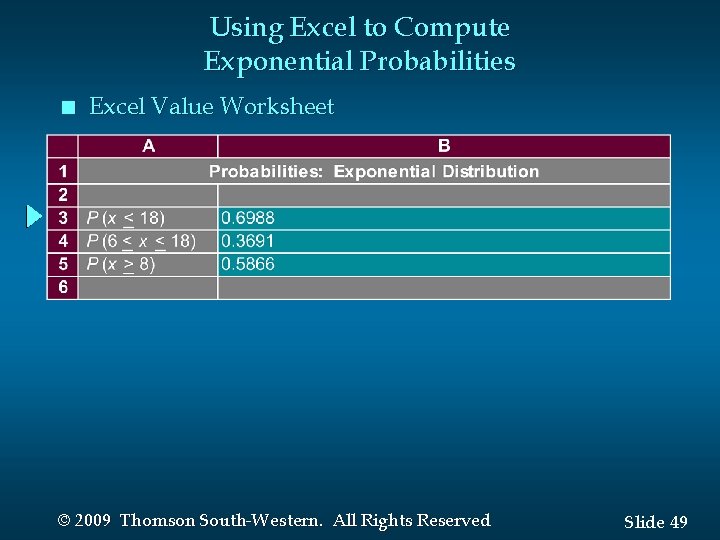
Using Excel to Compute Exponential Probabilities n Excel Value Worksheet © 2009 Thomson South-Western. All Rights Reserved Slide 49
Exponential Probability Distribution n Example: Al’s Full-Service Pump The time between arrivals of cars at Al’s fullservice gas pump follows an exponential probability distribution with a mean time between arrivals of 3 minutes. Al would like to know the probability that the time between two successive arrivals will be 2 minutes or less. © 2009 Thomson South-Western. All Rights Reserved Slide 50
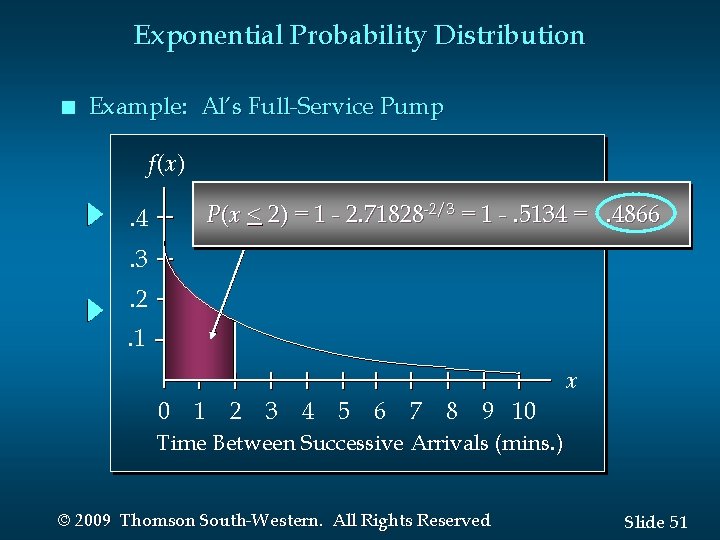
Exponential Probability Distribution n Example: Al’s Full-Service Pump f(x) P(x < 2) = 1 - 2. 71828 -2/3 = 1 -. 5134 =. 4866 . 4. 3. 2. 1 x 0 1 2 3 4 5 6 7 8 9 10 Time Between Successive Arrivals (mins. ) © 2009 Thomson South-Western. All Rights Reserved Slide 51
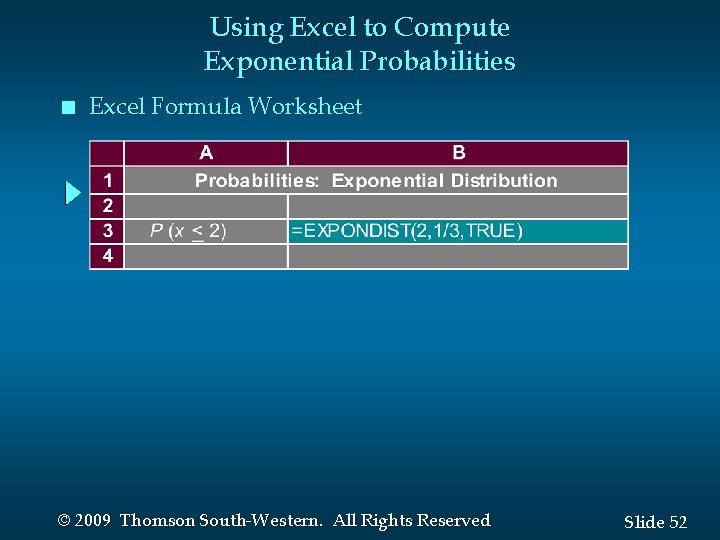
Using Excel to Compute Exponential Probabilities n Excel Formula Worksheet © 2009 Thomson South-Western. All Rights Reserved Slide 52
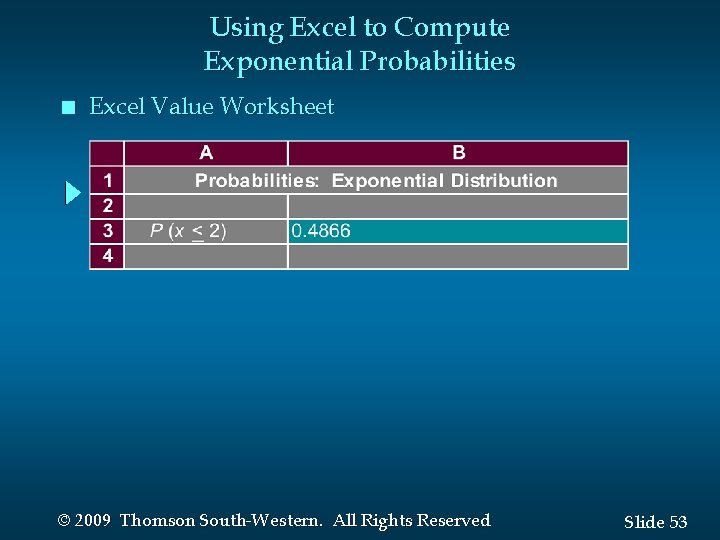
Using Excel to Compute Exponential Probabilities n Excel Value Worksheet © 2009 Thomson South-Western. All Rights Reserved Slide 53
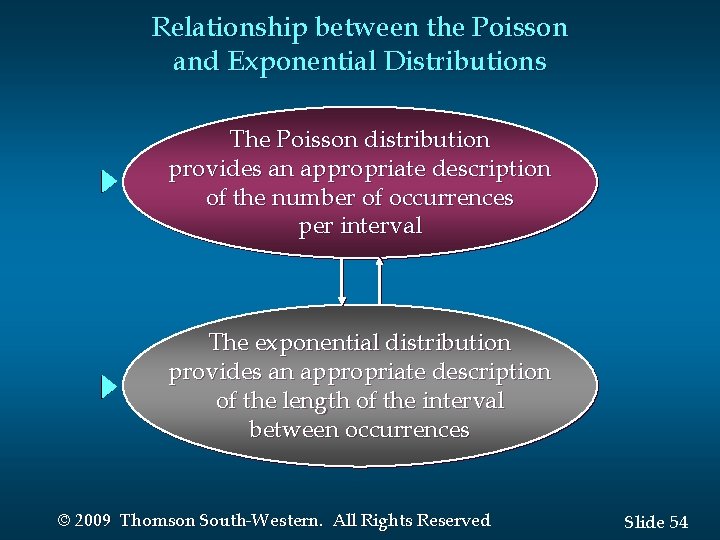
Relationship between the Poisson and Exponential Distributions The Poisson distribution provides an appropriate description of the number of occurrences per interval The exponential distribution provides an appropriate description of the length of the interval between occurrences © 2009 Thomson South-Western. All Rights Reserved Slide 54

End of Chapter 6 © 2009 Thomson South-Western. All Rights Reserved Slide 55
- Slides: 55