
Slide Template for ACP 2019 Author 1 Author


- Slides: 15
Slide Template for ACP 2019 Author 1, Author 2 and Author 1, 2. ACP 2019 | Cairns, Australia 1 Affiliation 1 2 Affiliaiton 2
About this template This is the template for ACP 2019 Feel free to use it for your presentation Not compulsory • Feel free to use your own institution’s template if you prefer • 100 presentations given with the same template can be dull! ACP 2019 | Cairns, Australia
There are 2 sizes/ratios 16: 9 (Widescreen) • Preferred template • Fits more on the screen 4: 3 • Your presentation will still work • Use if you are updating an old presentation already at this ratio ACP 2019 | Cairns, Australia
There are 2 templates ACP 2019 template • For presentations on Sun-Tues • Red/Orange theme ACP Refresher Course template • For presentations on Saturday • Blue theme ACP 2019 | Cairns, Australia
Using this template If your presentation is already made you can easily apply this template Save this template on your computer Follow the steps on the following page ACP 2019 | Cairns, Australia
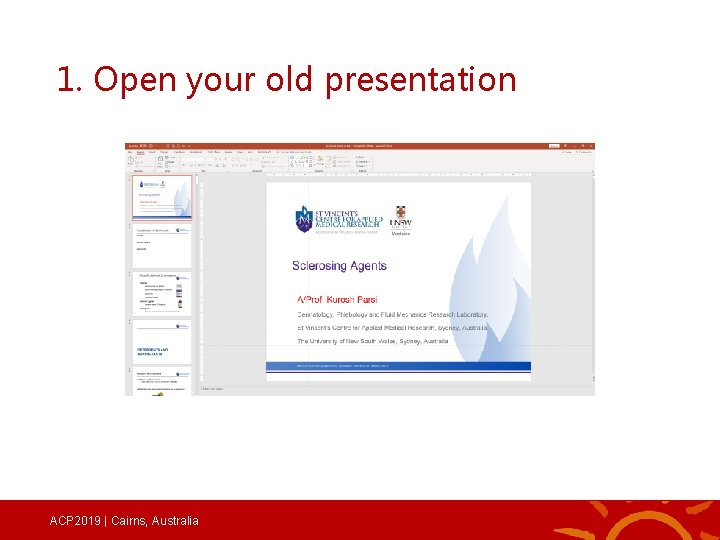
1. Open your old presentation ACP 2019 | Cairns, Australia
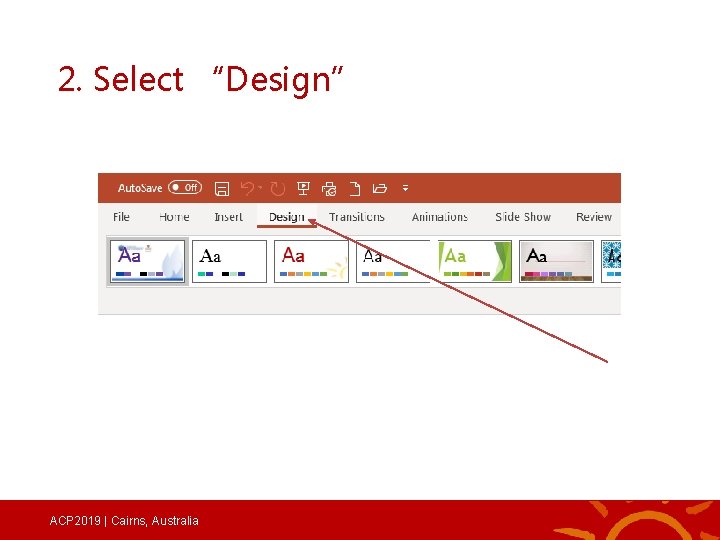
2. Select “Design” ACP 2019 | Cairns, Australia
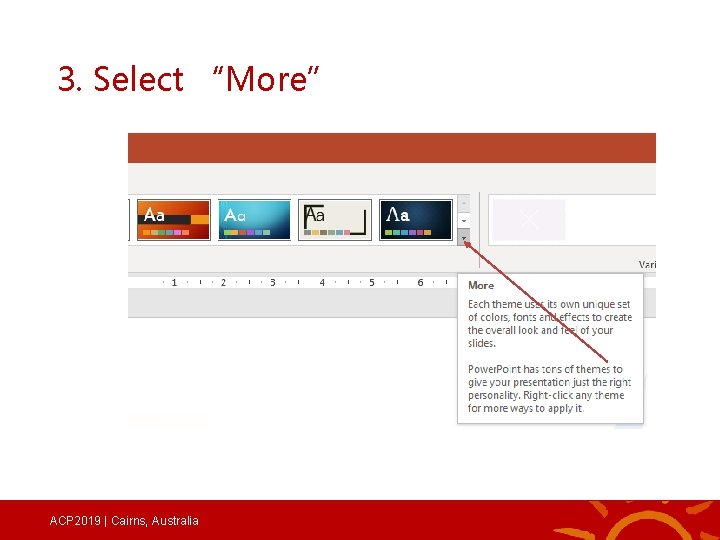
3. Select “More” ACP 2019 | Cairns, Australia
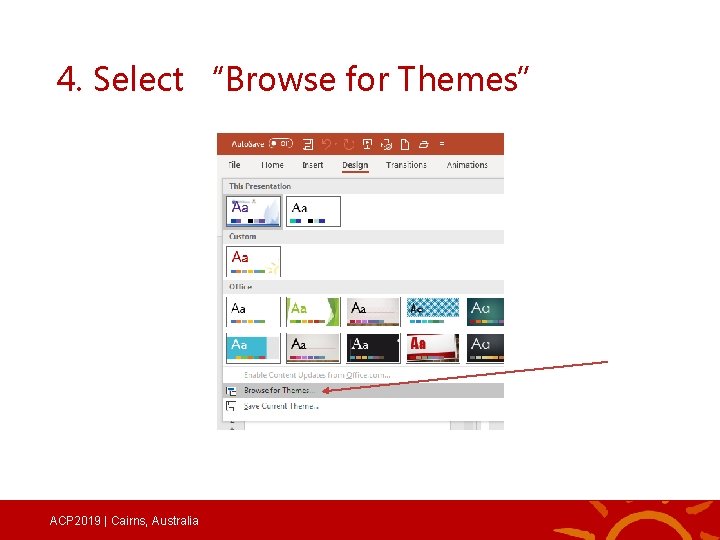
4. Select “Browse for Themes” ACP 2019 | Cairns, Australia
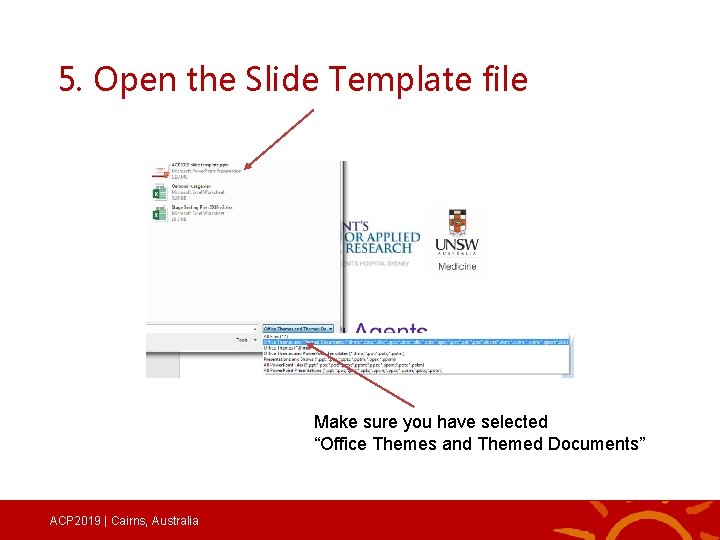
5. Open the Slide Template file Make sure you have selected “Office Themes and Themed Documents” ACP 2019 | Cairns, Australia
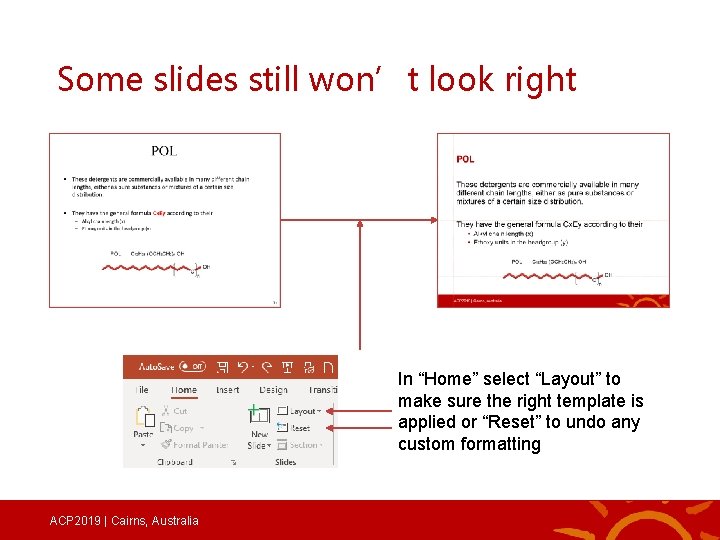
Some slides still won’t look right In “Home” select “Layout” to make sure the right template is applied or “Reset” to undo any custom formatting ACP 2019 | Cairns, Australia
Perfect ACP 2019 | Cairns, Australia
One more tip for your presentation Use a maximum of 2 -3 points on each page More than this is too much reading If necessary, split it over more slides ACP 2019 | Cairns, Australia
One more tip for your presentation Use a maximum of 2 -3 points on each page More than this is too much reading In fact it is far too many points You will lose the attention of the audience You will lose their respect If you can make your point in 2 -3 points, it is far too complicated Split it over more slides Seriously, no one will read this far down the page Well, maybe you have, but you are thorough and diligent and the exception I wonder how long this speaker is going to talk for I wonder what morning tea is ACP 2019 | Cairns, Australia
See you in Cairns ACP 2019 | Cairns, Australia