
SLAC Particle Physics Astrophysics Tutorial on Programmers Development
- Slides: 13
SLAC Particle Physics & Astrophysics Tutorial on Programmer’s Development Cycle RCE Training Workshop Jim Panetta, panetta@slac. stanford. edu 16 June, 2009
Overview SLAC Particle Physics & Astrophysics • Demonstrate the development cycle for a simple application that: – Demonstrates the basic application structure – Executes as an RTEMS Task – Illustrates the use of RTEMS directives • Design a 'Hello World' application that: – Writes a series of values to the front panel of the RCE – Pauses between each write Tutorial on Programmer's Dev Cycle 2
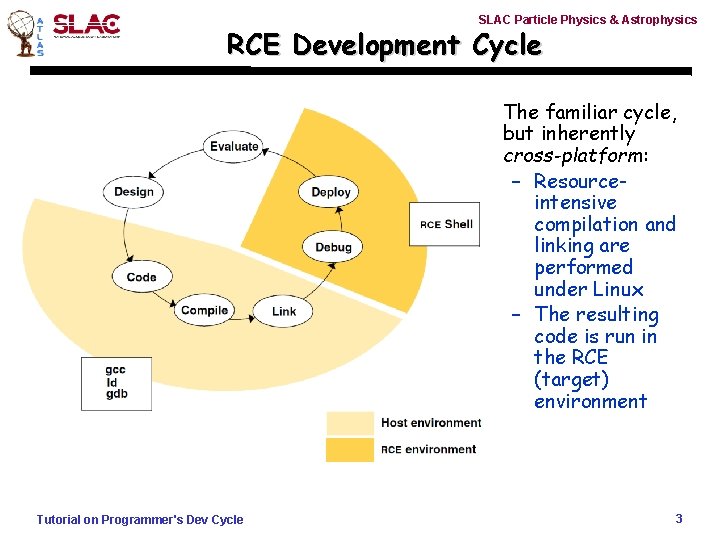
SLAC Particle Physics & Astrophysics RCE Development Cycle • The familiar cycle, but inherently cross-platform: – Resourceintensive compilation and linking are performed under Linux – The resulting code is run in the RCE (target) environment Tutorial on Programmer's Dev Cycle 3
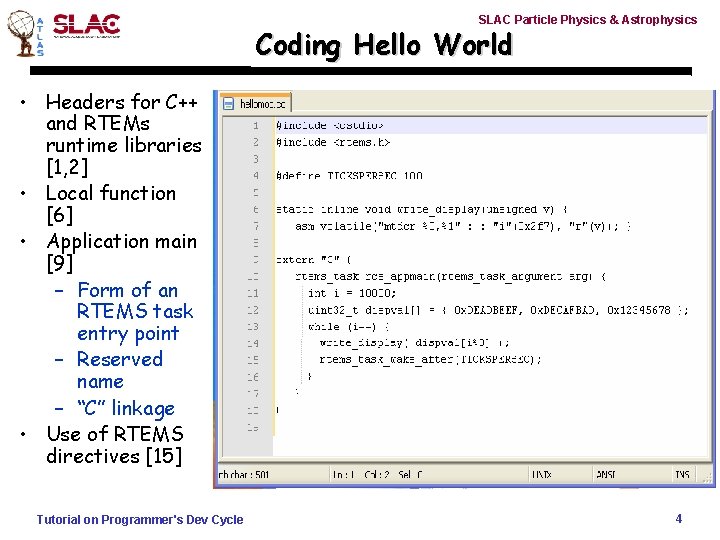
SLAC Particle Physics & Astrophysics Coding Hello World • Headers for C++ and RTEMs runtime libraries [1, 2] • Local function [6] • Application main [9] – Form of an RTEMS task entry point – Reserved name – “C” linkage • Use of RTEMS directives [15] Tutorial on Programmer's Dev Cycle 4
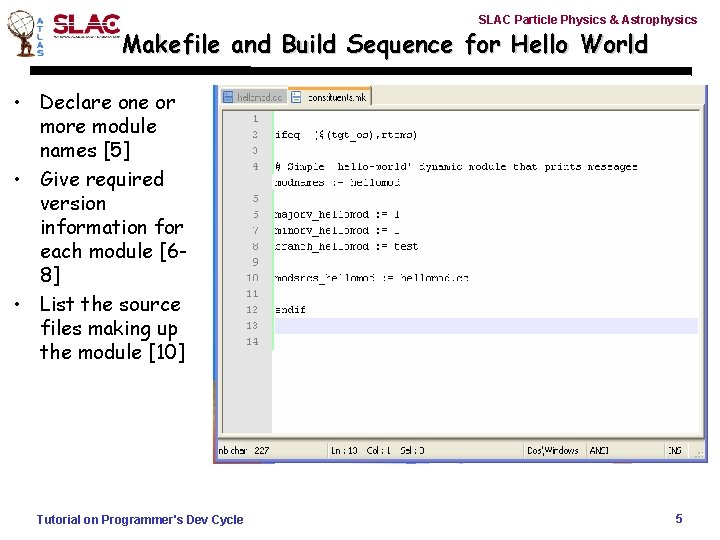
SLAC Particle Physics & Astrophysics Makefile and Build Sequence for Hello World • Declare one or more module names [5] • Give required version information for each module [68] • List the source files making up the module [10] Tutorial on Programmer's Dev Cycle 5
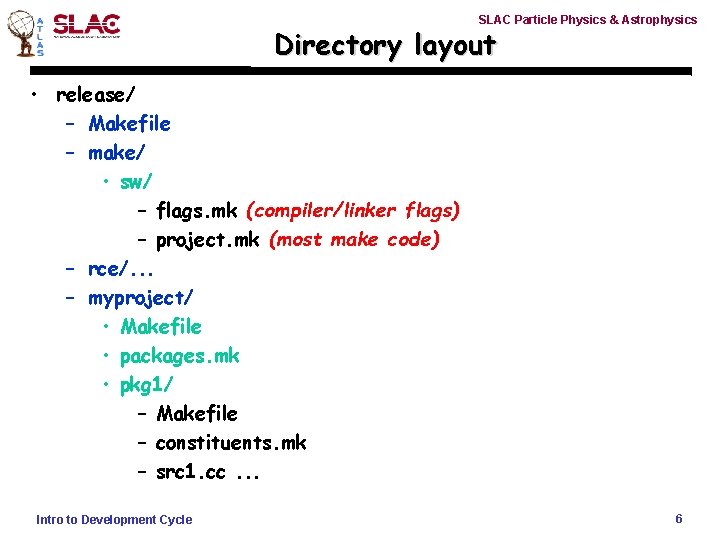
SLAC Particle Physics & Astrophysics Directory layout • release/ – Makefile – make/ • sw/ – flags. mk (compiler/linker flags) – project. mk (most make code) – rce/. . . – myproject/ • Makefile • packages. mk • pkg 1/ – Makefile – constituents. mk – src 1. cc. . . Intro to Development Cycle 6
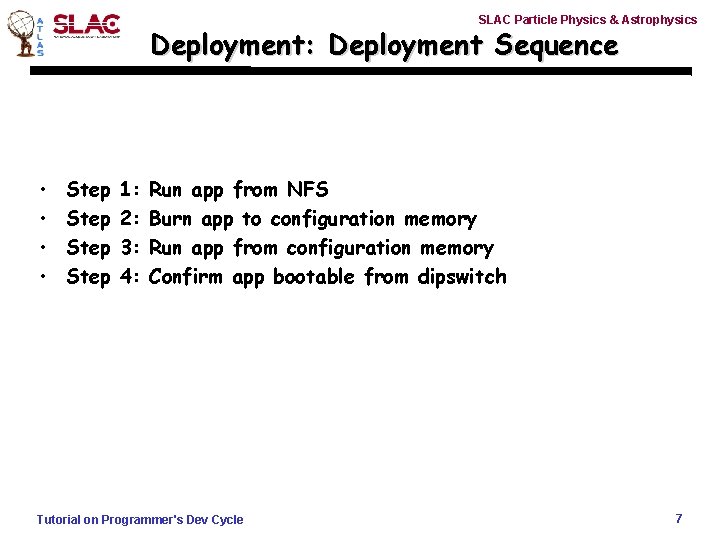
SLAC Particle Physics & Astrophysics Deployment: Deployment Sequence • • Step 1: 2: 3: 4: Run app from NFS Burn app to configuration memory Run app from configuration memory Confirm app bootable from dipswitch Tutorial on Programmer's Dev Cycle 7
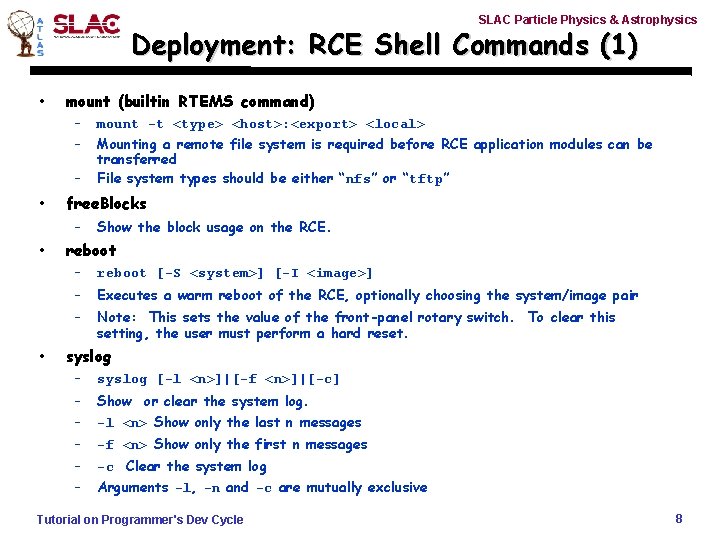
SLAC Particle Physics & Astrophysics Deployment: RCE Shell Commands (1) • mount (builtin RTEMS command) – – – • free. Blocks – • • mount -t <type> <host>: <export> <local> Mounting a remote file system is required before RCE application modules can be transferred File system types should be either “nfs” or “tftp” Show the block usage on the RCE. reboot – reboot [-S <system>] [-I <image>] – Executes a warm reboot of the RCE, optionally choosing the system/image pair – Note: This sets the value of the front-panel rotary switch. To clear this setting, the user must perform a hard reset. syslog – syslog [-l <n>]|[-f <n>]|[-c] – – Show or clear the system log. -l <n> Show only the last n messages – -f <n> Show only the first n messages – -c Clear the system log – Arguments -l, -n and -c are mutually exclusive Tutorial on Programmer's Dev Cycle 8
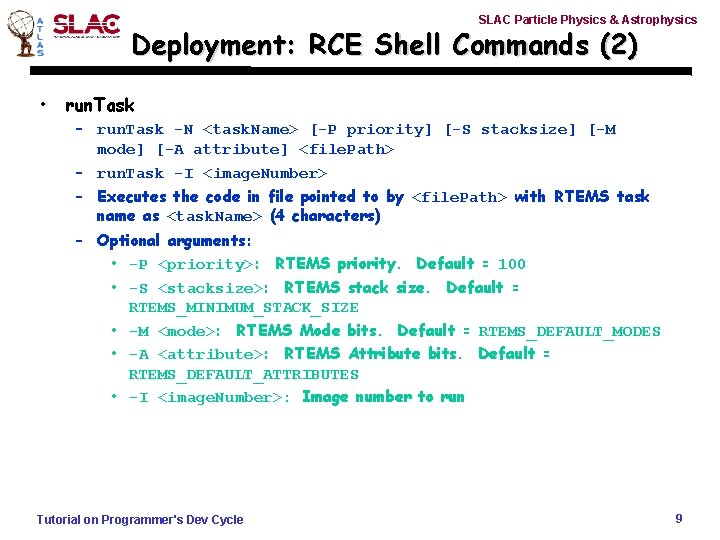
SLAC Particle Physics & Astrophysics Deployment: RCE Shell Commands (2) • run. Task – run. Task -N <task. Name> [-P priority] [-S stacksize] [-M mode] [-A attribute] <file. Path> – run. Task -I <image. Number> – Executes the code in file pointed to by <file. Path> with RTEMS task name as <task. Name> (4 characters) – Optional arguments: • -P <priority>: RTEMS priority. Default = 100 • -S <stacksize>: RTEMS stack size. Default = RTEMS_MINIMUM_STACK_SIZE • -M <mode>: RTEMS Mode bits. Default = RTEMS_DEFAULT_MODES • -A <attribute>: RTEMS Attribute bits. Default = RTEMS_DEFAULT_ATTRIBUTES • -I <image. Number>: Image number to run Tutorial on Programmer's Dev Cycle 9
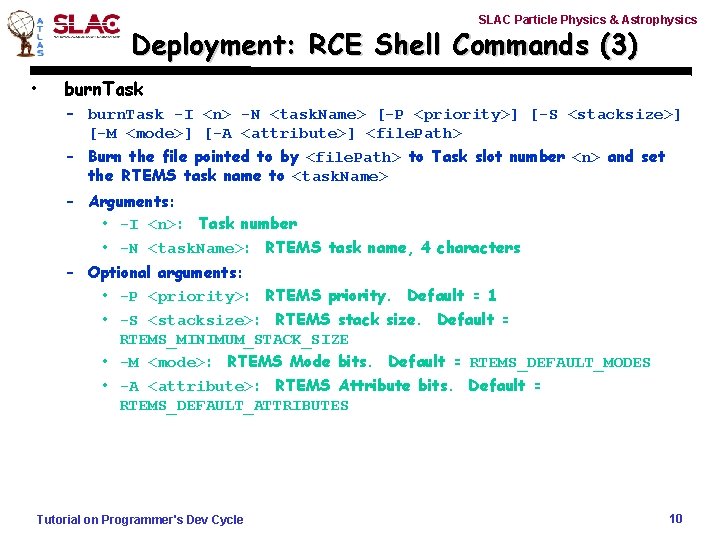
SLAC Particle Physics & Astrophysics Deployment: RCE Shell Commands (3) • burn. Task – burn. Task -I <n> -N <task. Name> [-P <priority>] [-S <stacksize>] [-M <mode>] [-A <attribute>] <file. Path> – Burn the file pointed to by <file. Path> to Task slot number <n> and set the RTEMS task name to <task. Name> – Arguments: • -I <n>: Task number • -N <task. Name>: RTEMS task name, 4 characters – Optional arguments: • -P <priority>: RTEMS priority. Default = 1 • -S <stacksize>: RTEMS stack size. Default = RTEMS_MINIMUM_STACK_SIZE • -M <mode>: RTEMS Mode bits. Default = RTEMS_DEFAULT_MODES • -A <attribute>: RTEMS Attribute bits. Default = RTEMS_DEFAULT_ATTRIBUTES Tutorial on Programmer's Dev Cycle 10
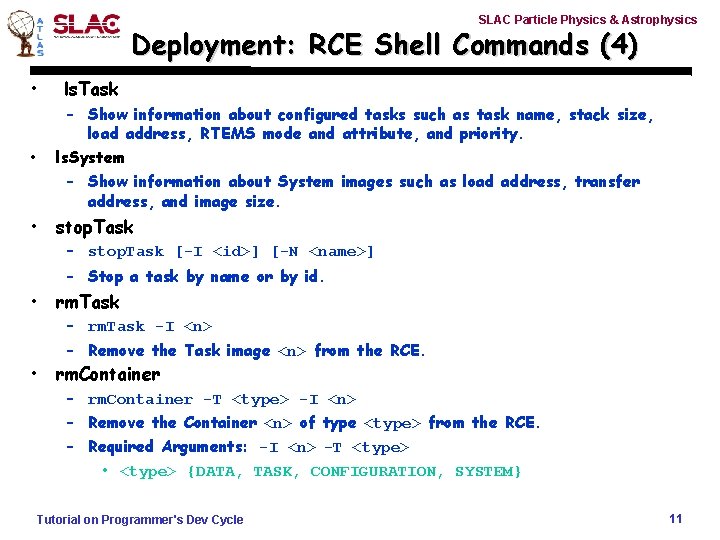
SLAC Particle Physics & Astrophysics Deployment: RCE Shell Commands (4) • ls. Task • – Show information about configured tasks such as task name, stack size, load address, RTEMS mode and attribute, and priority. ls. System – Show information about System images such as load address, transfer address, and image size. • stop. Task – stop. Task [-I <id>] [-N <name>] – Stop a task by name or by id. • • rm. Task – rm. Task -I <n> – Remove the Task image <n> from the RCE. rm. Container – rm. Container -T <type> -I <n> – Remove the Container <n> of type <type> from the RCE. – Required Arguments: -I <n> -T <type> • <type> {DATA, TASK, CONFIGURATION, SYSTEM} Tutorial on Programmer's Dev Cycle 11
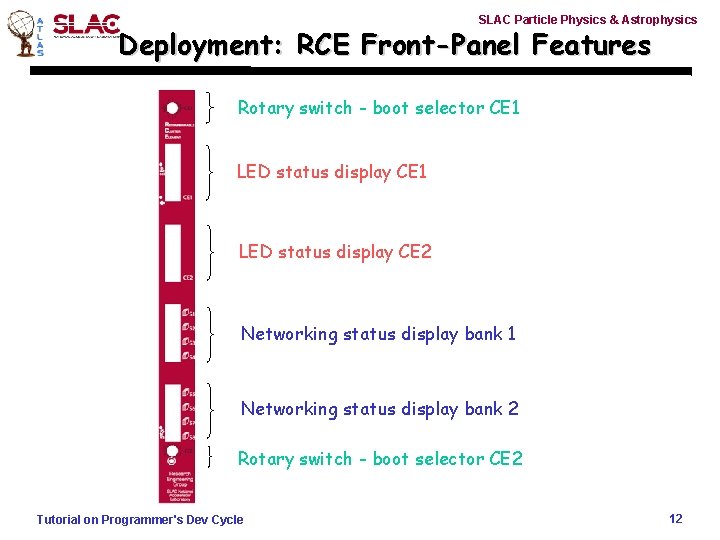
SLAC Particle Physics & Astrophysics Deployment: RCE Front-Panel Features Rotary switch - boot selector CE 1 LED status display CE 2 Networking status display bank 1 Networking status display bank 2 Rotary switch - boot selector CE 2 Tutorial on Programmer's Dev Cycle 12
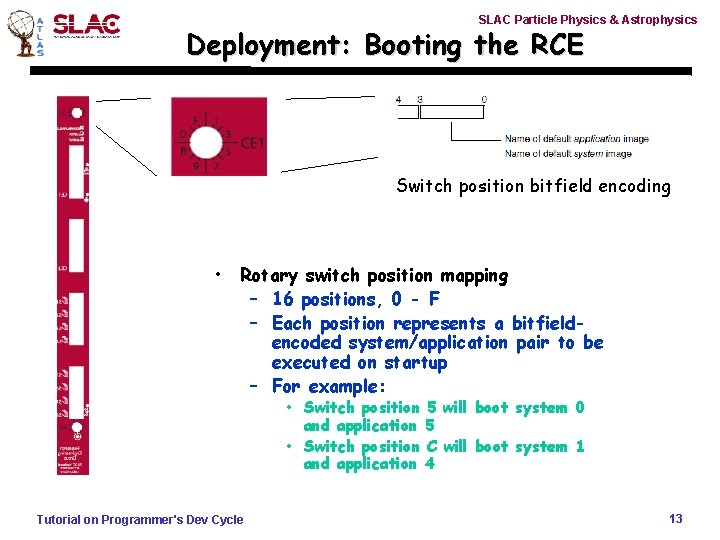
SLAC Particle Physics & Astrophysics Deployment: Booting the RCE Switch position bitfield encoding • Rotary switch position mapping – 16 positions, 0 - F – Each position represents a bitfieldencoded system/application pair to be executed on startup – For example: • Switch position 5 will boot system 0 and application 5 • Switch position C will boot system 1 and application 4 Tutorial on Programmer's Dev Cycle 13