
Skype for Business Trivia Test your Skype for

Skype for Business Trivia Test your Skype for Business knowledge with questions created by MVPs and enjoy the trivia fun tonight with complimentary food & drinks, and the chance to win great prizes! Tweet a photo from any Skype for Business session using the hashtag #Skype 4 BTrivia and be entered into a drawing to win a ticket to this invite-only Trivia game for you and a guest. One entry will be randomly selected each day. * If you don’t score an invite, you can still compete on Twitter with @Skype. Business Wednesday at 8: 30 pm for your chance to win a Surface Pro 3!** *No purchase necessary. Open only to event attendees. Game ends 5/7/2015. See Skype for Business Facebook for full Official Rules. **No purchase necessary. Open only to legal residents of any country where Surface Pro 3 is certified for distribution. Game ends 5/7/2015. See Skype for Business Facebook for full Official Rules. Microsoft Ignite #Skype 4 BTrivia

Jitter • The amount of time the packets are delayed before processing to compensate for packets arriving later than other packets • Gets added to the network latency Packet loss • The amount of packages that never survived the trip from A to B, got malformed, or simply arrived outside of the jitter buffer • Displayed in percentages Latency • Time it takes the packet to get from A to B • When talking about networks this is usually round trip time and noted as network latency
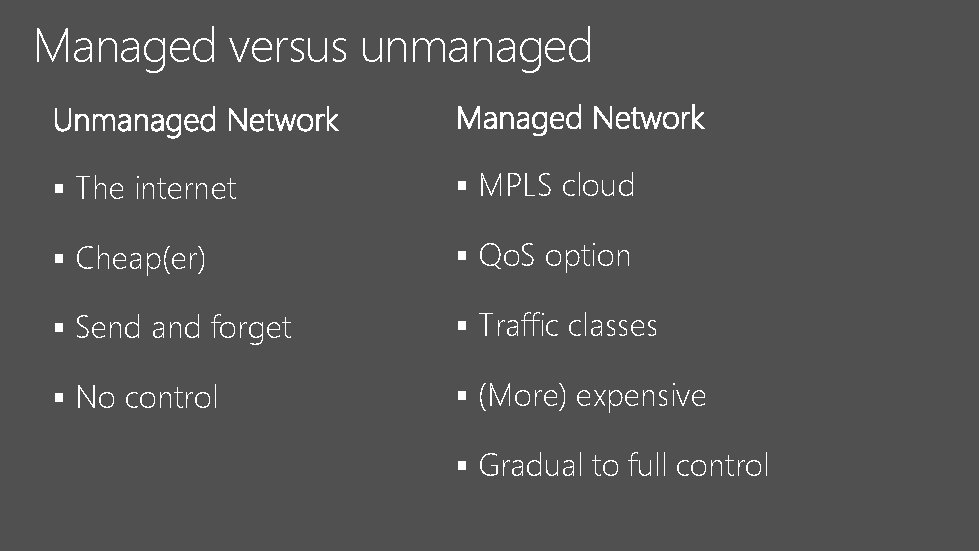
Managed versus unmanaged § The internet § MPLS cloud § Cheap(er) § Qo. S option § Send and forget § Traffic classes § No control § (More) expensive § Gradual to full control
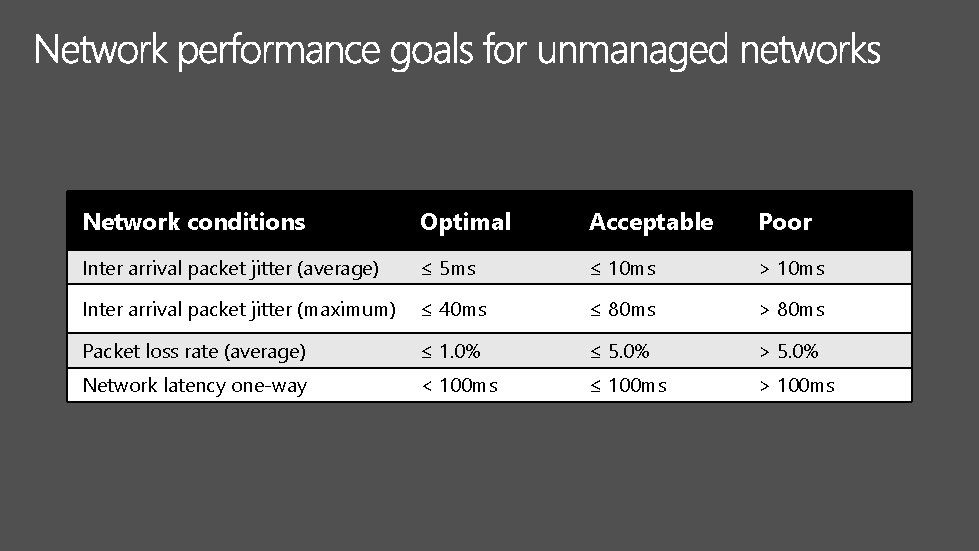
Network conditions Optimal Acceptable Poor Inter arrival packet jitter (average) ≤ 5 ms ≤ 10 ms > 10 ms Inter arrival packet jitter (maximum) ≤ 40 ms ≤ 80 ms > 80 ms Packet loss rate (average) ≤ 1. 0% ≤ 5. 0% > 5. 0% Network latency one-way < 100 ms ≤ 100 ms > 100 ms
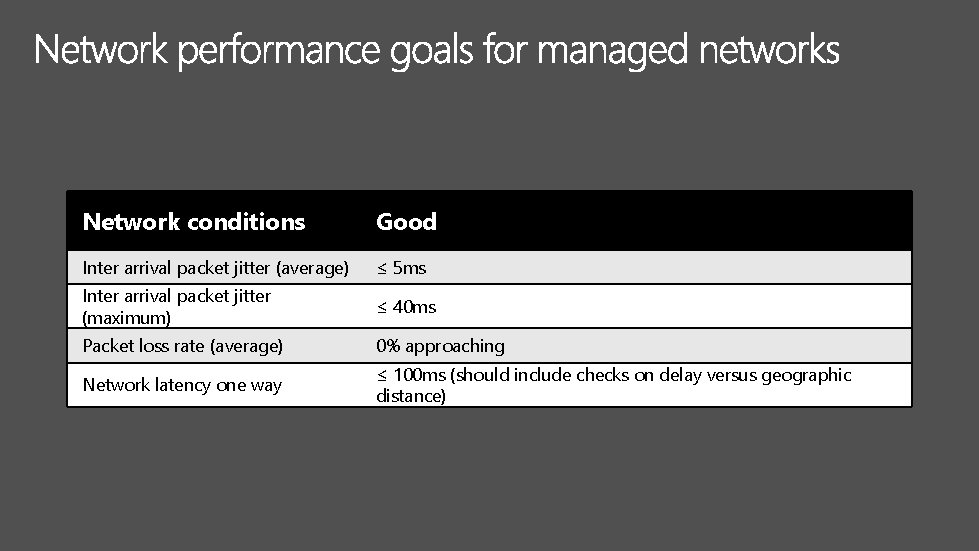
Network conditions Good Inter arrival packet jitter (average) ≤ 5 ms Inter arrival packet jitter (maximum) ≤ 40 ms Packet loss rate (average) 0% approaching Network latency one way ≤ 100 ms (should include checks on delay versus geographic distance)
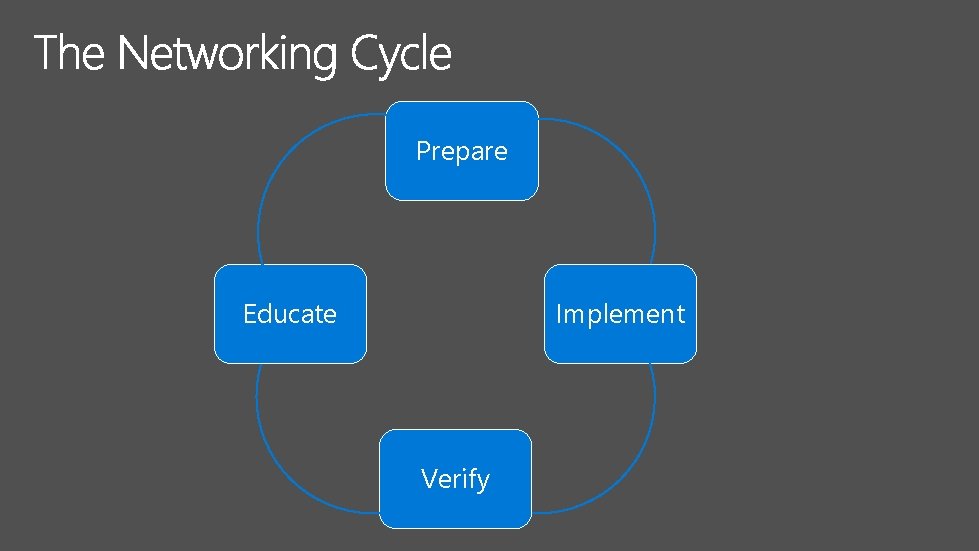
Prepare Educate Implement Verify
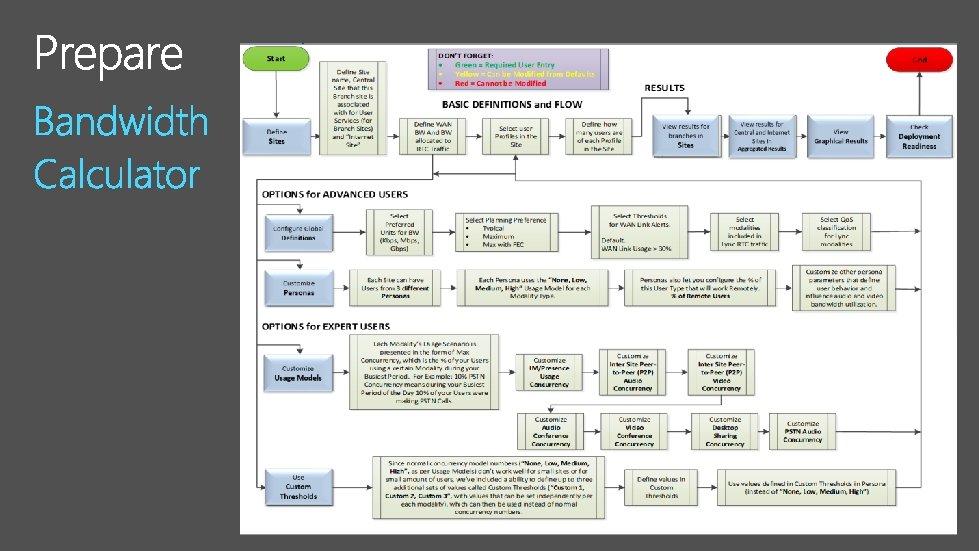
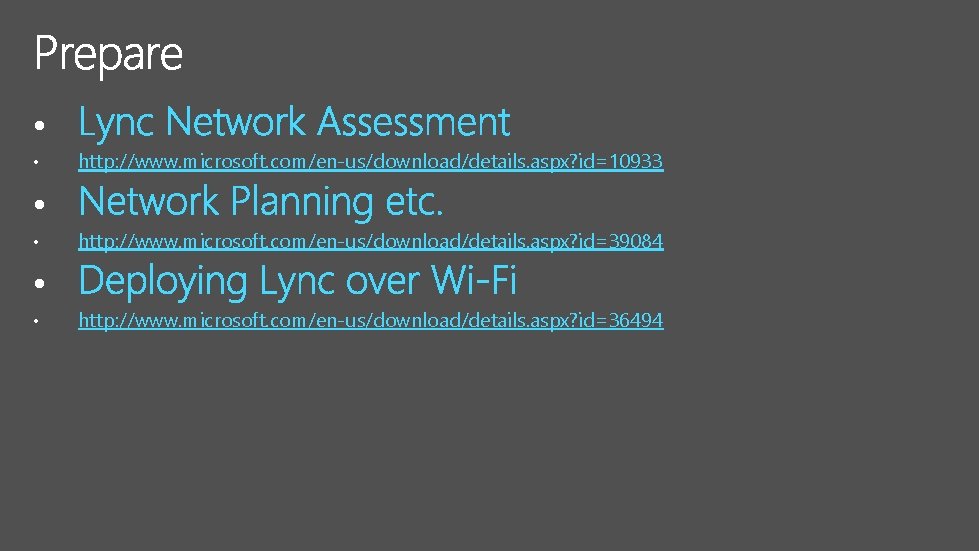
• • http: //www. microsoft. com/en-us/download/details. aspx? id=10933 • • http: //www. microsoft. com/en-us/download/details. aspx? id=39084 • • http: //www. microsoft. com/en-us/download/details. aspx? id=36494
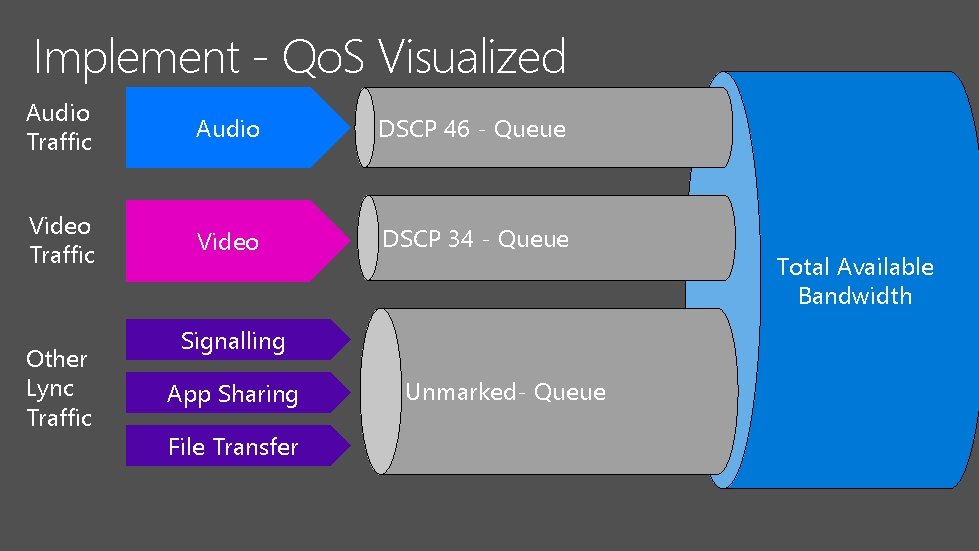
Implement - Qo. S Visualized Audio Traffic Audio DSCP 46 - Queue Video Traffic Video DSCP 34 - Queue Other Lync Traffic Signalling App Sharing File Transfer Unmarked- Queue Total Available Bandwidth
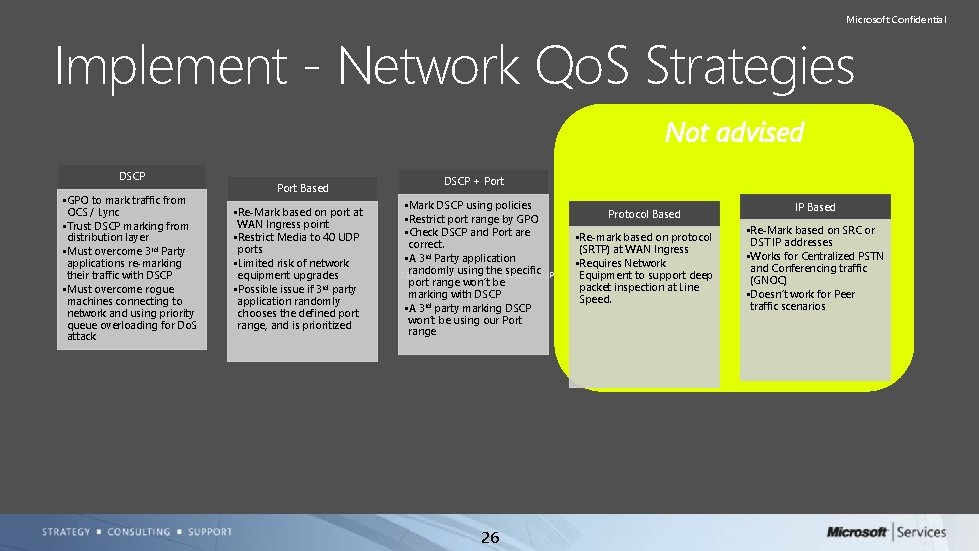
Microsoft Confidential Implement - Network Qo. S Strategies DSCP • GPO to mark traffic from OCS / Lync • Trust DSCP marking from distribution layer • Must overcome 3 rd Party applications re-marking their traffic with DSCP • Must overcome rogue machines connecting to network and using priority queue overloading for Do. S attack Port Based • Re-Mark based on port at WAN Ingress point • Restrict Media to 40 UDP ports • Limited risk of network equipment upgrades • Possible issue if 3 rd party application randomly chooses the defined port range, and is prioritized DSCP + Port • Mark DSCP using policies • Restrict port range by GPO • Check DSCP and Port are correct. • A 3 rd Party application randomly using the specific port range won’t be marking with DSCP • A 3 rd party marking DSCP won’t be using our Port range 26 Protocol Based • Re-mark based on protocol (SRTP) at WAN Ingress • Requires Network Equipment to support deep packet inspection at Line Speed. IP Based • Re-Mark based on SRC or DST IP addresses • Works for Centralized PSTN and Conferencing traffic (GNOC) • Doesn’t work for Peer traffic scenarios
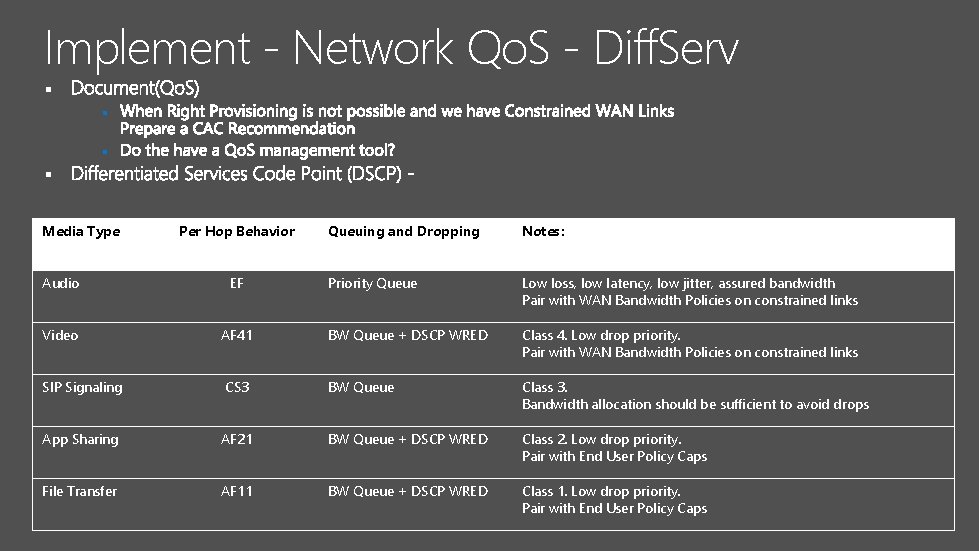
Implement - Network Qo. S - Diff. Serv § § Media Type Per Hop Behavior Queuing and Dropping Notes: Priority Queue Low loss, low latency, low jitter, assured bandwidth Pair with WAN Bandwidth Policies on constrained links Audio EF Video AF 41 BW Queue + DSCP WRED Class 4. Low drop priority. Pair with WAN Bandwidth Policies on constrained links SIP Signaling CS 3 BW Queue Class 3. Bandwidth allocation should be sufficient to avoid drops App Sharing AF 21 BW Queue + DSCP WRED Class 2. Low drop priority. Pair with End User Policy Caps File Transfer AF 11 BW Queue + DSCP WRED Class 1. Low drop priority. Pair with End User Policy Caps

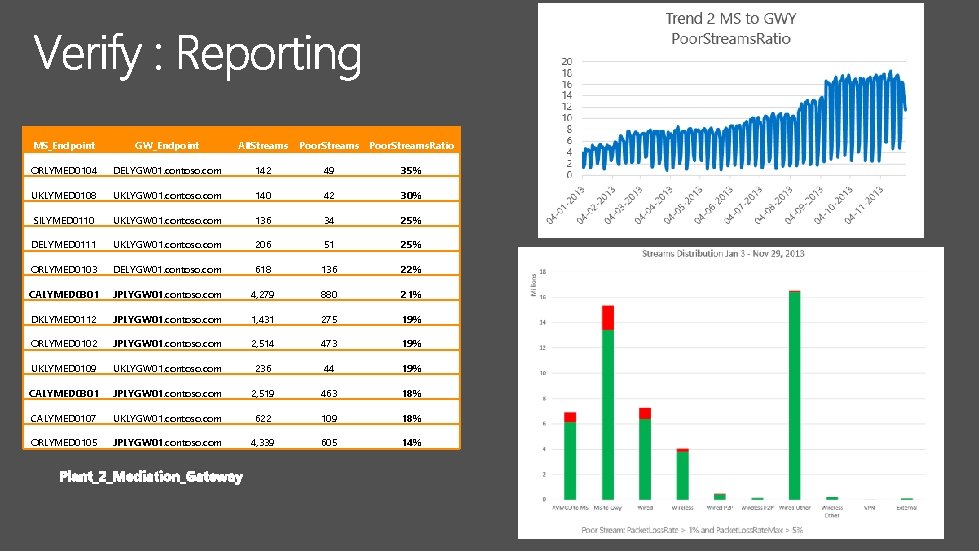
MS_Endpoint GW_Endpoint All. Streams Poor. Streams. Ratio ORLYMED 0104 DELYGW 01. contoso. com 142 49 35% UKLYMED 0108 UKLYGW 01. contoso. com 140 42 30% SILYMED 0110 UKLYGW 01. contoso. com 136 34 25% DELYMED 0111 UKLYGW 01. contoso. com 206 51 25% ORLYMED 0103 DELYGW 01. contoso. com 618 136 22% CALYMED 0301 JPLYGW 01. contoso. com 4, 279 880 21% DKLYMED 0112 JPLYGW 01. contoso. com 1, 431 275 19% ORLYMED 0102 JPLYGW 01. contoso. com 2, 514 473 19% UKLYMED 0109 UKLYGW 01. contoso. com 236 44 19% CALYMED 0301 JPLYGW 01. contoso. com 2, 519 463 18% CALYMED 0107 UKLYGW 01. contoso. com 622 109 18% ORLYMED 0105 JPLYGW 01. contoso. com 4, 339 605 14%
• • http: //www. microsoft. com/en-us/download/details. aspx? id=39084 • • http: //www. microsoft. com/en-us/download/details. aspx? id=41698 • • http: //www. microsoft. com/en-us/download/details. aspx? id=46916
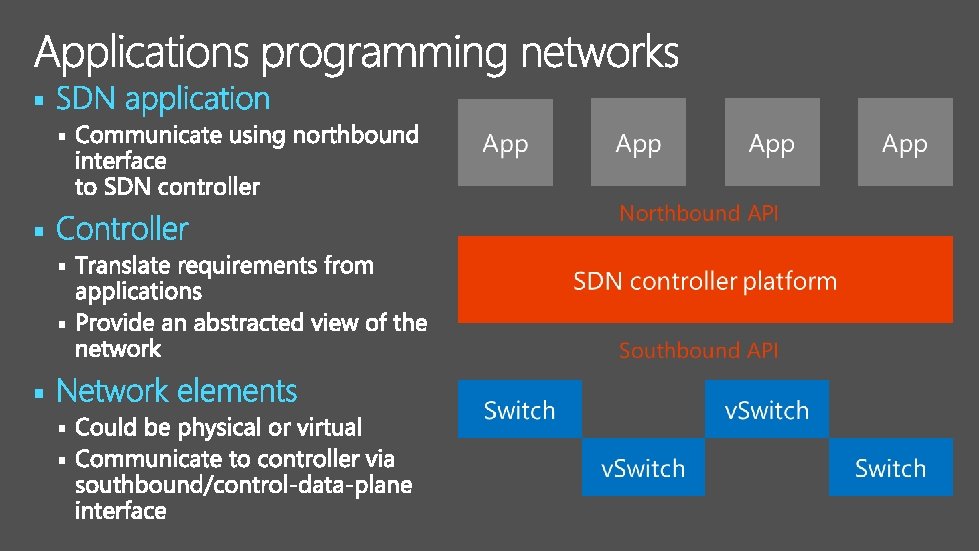
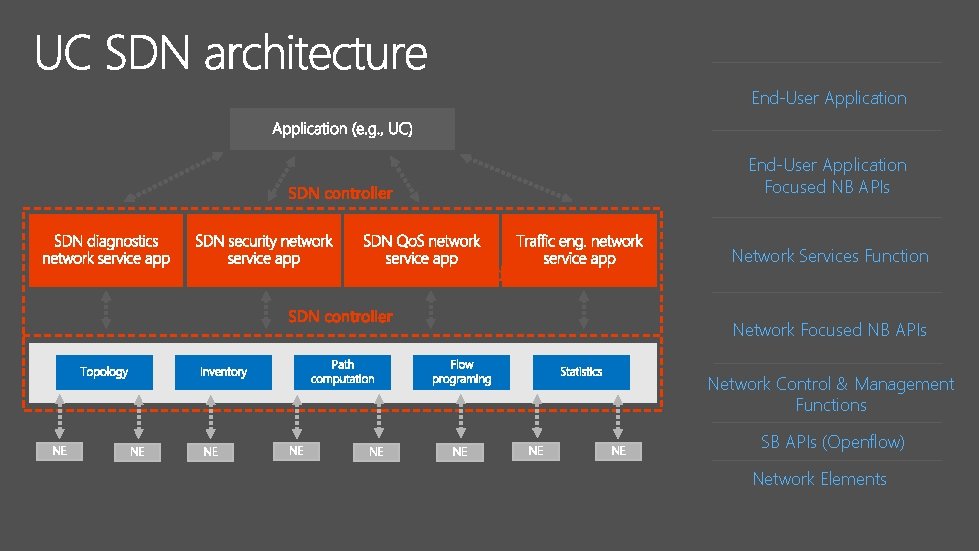
End-User Application Focused NB APIs Network Services Function Network Focused NB APIs Network Control & Management Functions SB APIs (Openflow) Network Elements
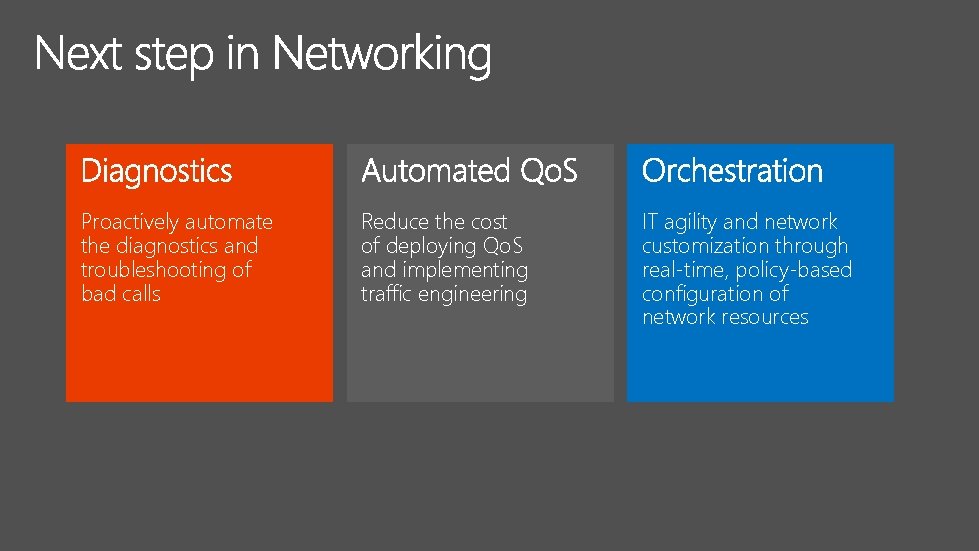
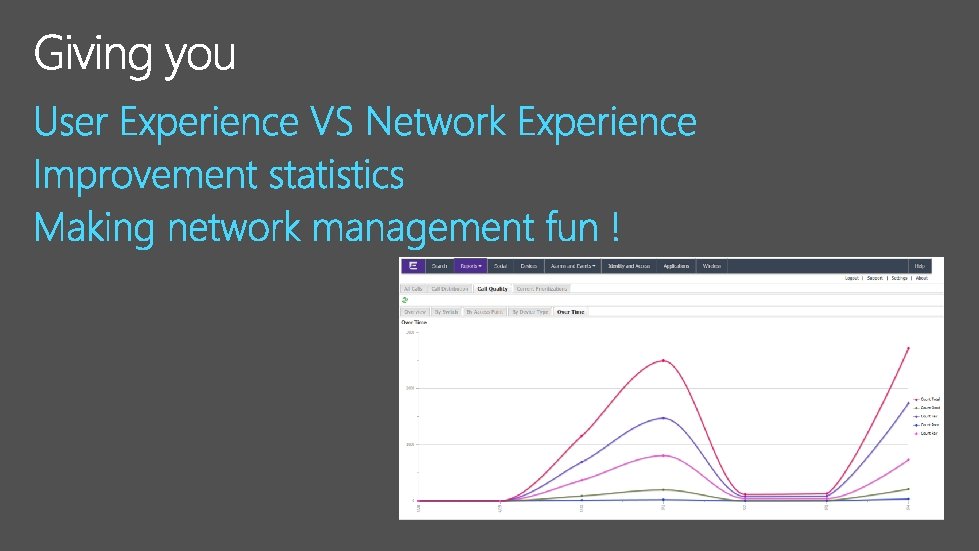
Proactively automate the diagnostics and troubleshooting of bad calls Reduce the cost of deploying Qo. S and implementing traffic engineering IT agility and network customization through real-time, policy-based configuration of network resources
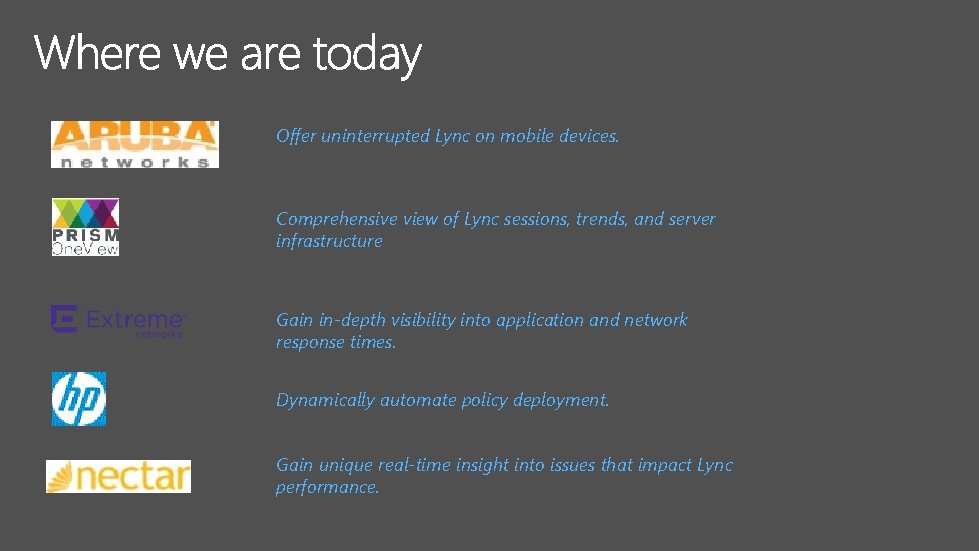
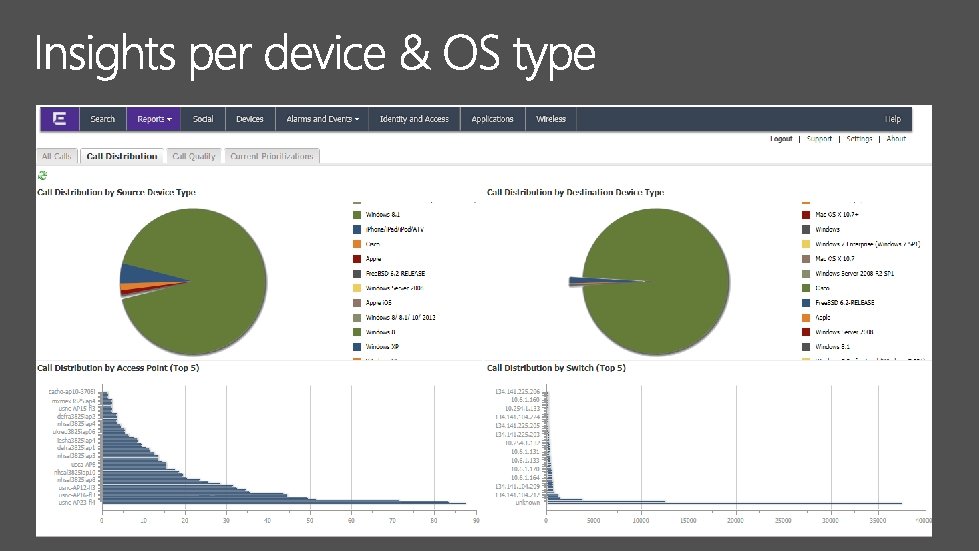
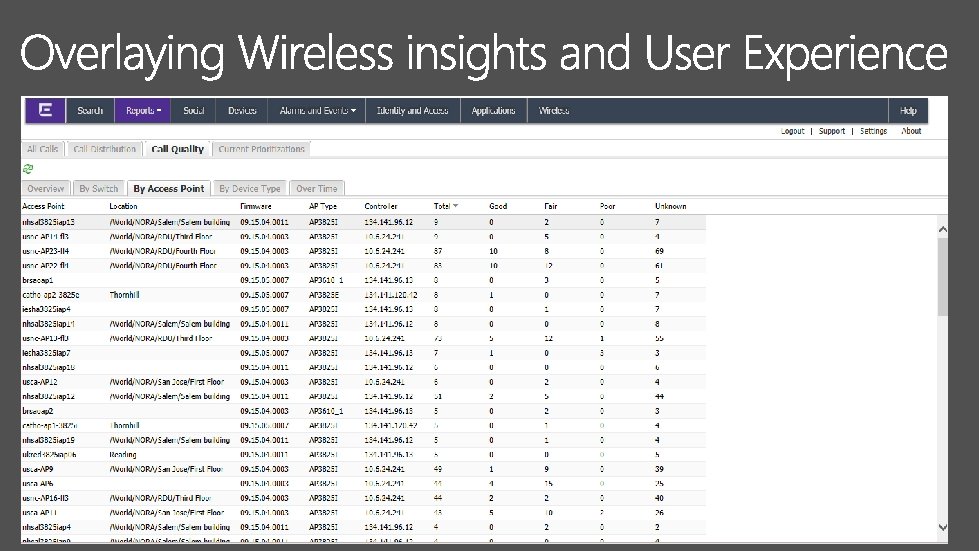
Offer uninterrupted Lync on mobile devices. Comprehensive view of Lync sessions, trends, and server infrastructure Gain in-depth visibility into application and network response times. Dynamically automate policy deployment. Gain unique real-time insight into issues that impact Lync performance.
http: //myignite. microsoft. com

- Slides: 53