
Sky Rendering The actual physics is very complicated
![Infinite Projection Matrix • Ordinarily, z is mapped from the range [− 1, 1]](https://slidetodoc.com/presentation_image_h/11254e77f2562f55adc5d9209d8c5a2d/image-12.jpg "Infinite Projection Matrix • Ordinarily, z is mapped from the range [− 1, 1]")
- Slides: 32
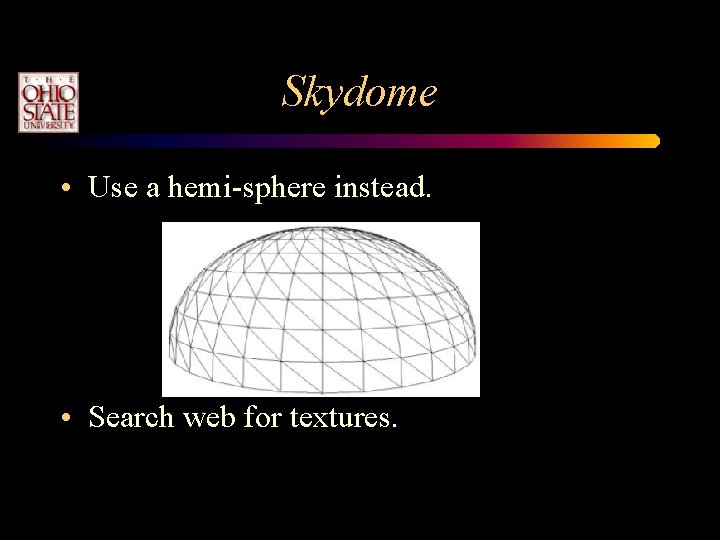
Sky Rendering • The actual physics is very complicated and costly to calculate. • Several cheap approaches for very distant skies: – Constant backdrop – Skybox – outer box with the viewer inside. – Skydome – outer hemi-sphere with the viewer inside.
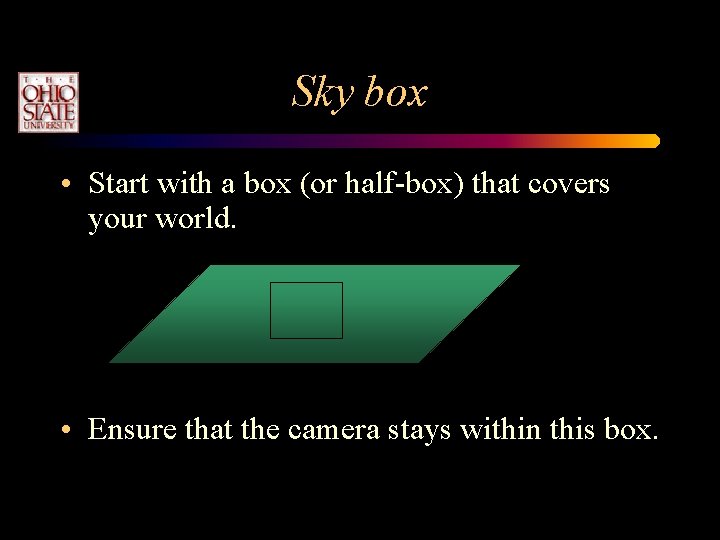
Sky box • Start with a box (or half-box) that covers your world. • Ensure that the camera stays within this box.
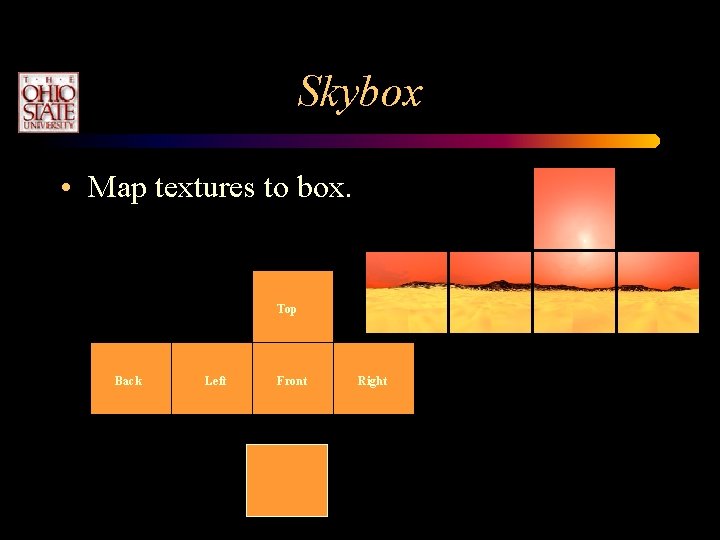
Skybox • Map textures to box. Top Back Left Front Right
Skydome • Use a hemi-sphere instead. • Search web for textures.
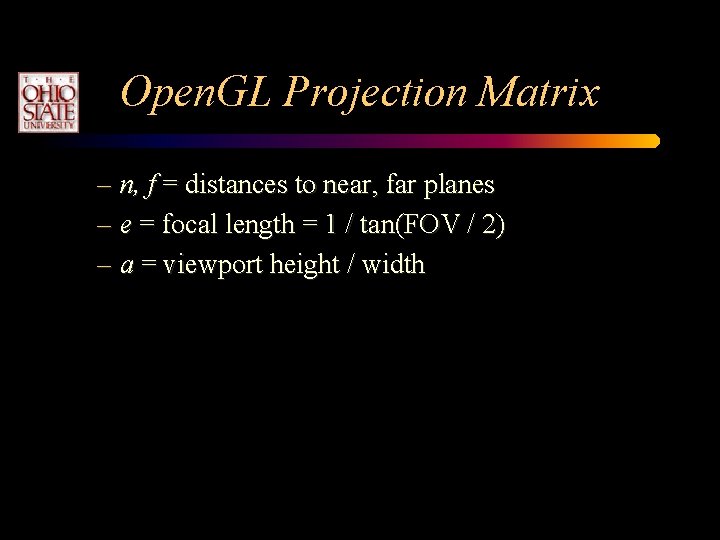
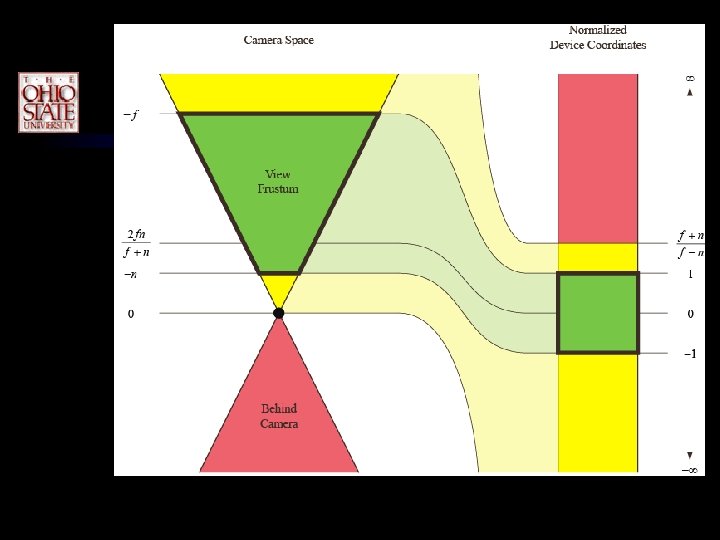
Open. GL Projection Matrix – n, f = distances to near, far planes – e = focal length = 1 / tan(FOV / 2) – a = viewport height / width
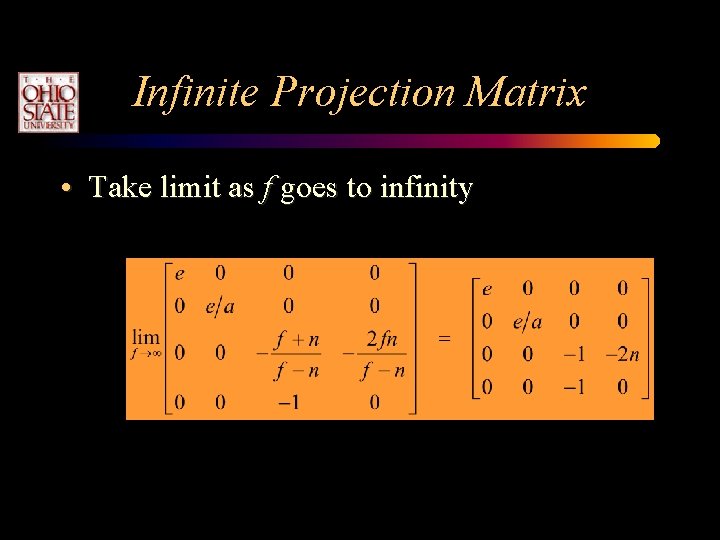
Infinite Projection Matrix • Take limit as f goes to infinity
Infinite Projection Matrix • Directions are mapped to points on the infinitely distant far plane • A direction is a 4 D vector with w = 0 (and at least one nonzero x, y, z) • Good for rendering sky objects – Skybox, sun, moon, stars
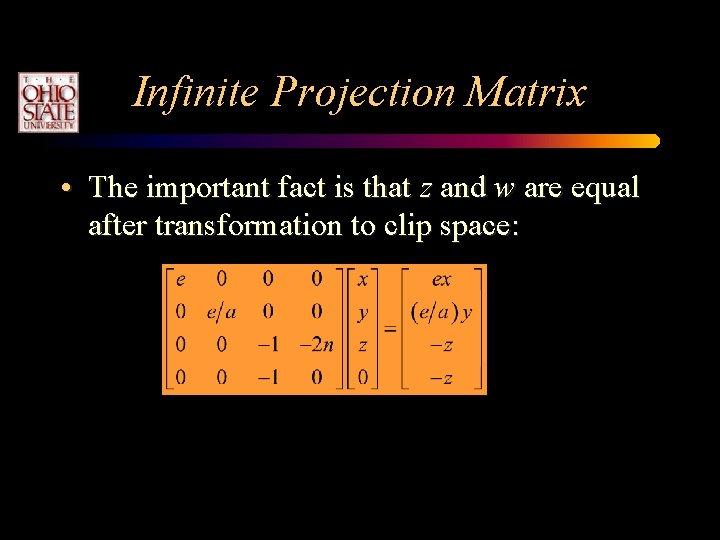
Infinite Projection Matrix • The important fact is that z and w are equal after transformation to clip space:
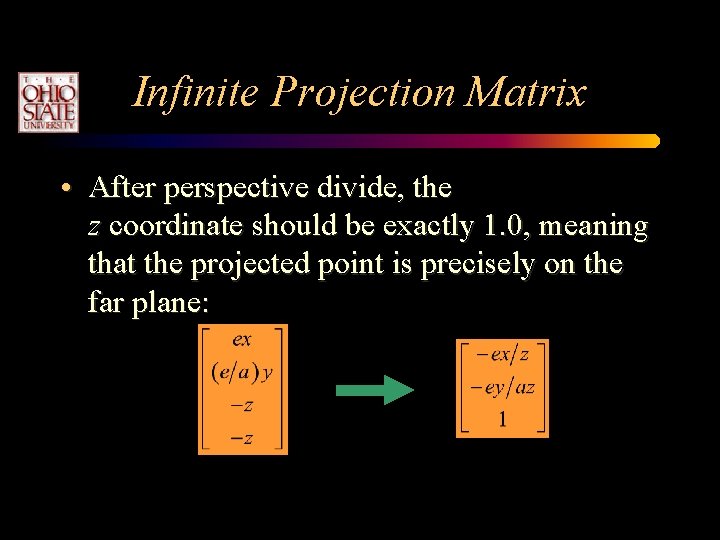
Infinite Projection Matrix • After perspective divide, the z coordinate should be exactly 1. 0, meaning that the projected point is precisely on the far plane:
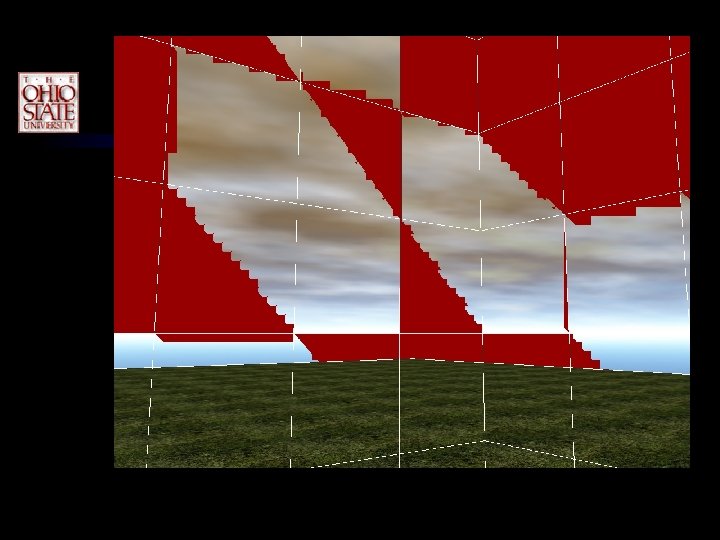
Infinite Projection Matrix • Ordinarily, z is mapped from the range [− 1, 1] in NDC to [0, 1] in viewport space by multiplying by 0. 5 and adding 0. 5 • This operation can result in a loss of precision in the lowest bits • Result is a depth slightly smaller than 1. 0 or slightly bigger than 1. 0
Infinite Projection Matrix • If the viewport-space z coordinate is slightly bigger than 1. 0, then fragment culling occurs • The hardware thinks the fragments are beyond the far plane • Can be corrected by enabling GL_DEPTH_CLAMP_NV, but this is a vendor-specific solution
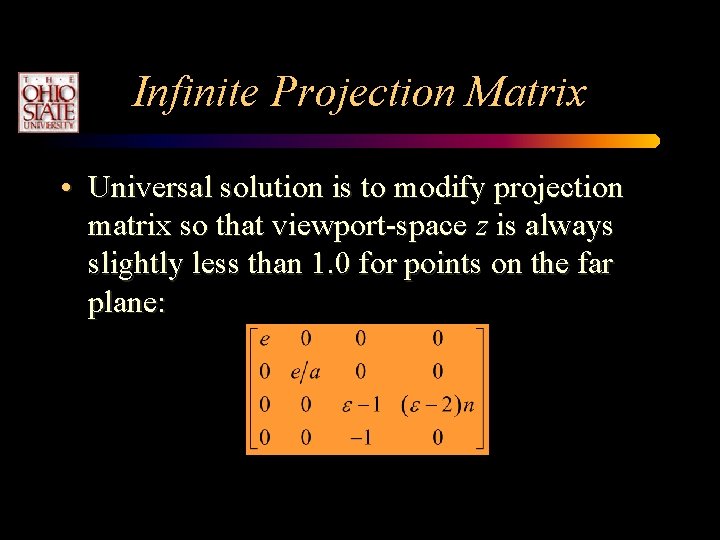
Infinite Projection Matrix • Universal solution is to modify projection matrix so that viewport-space z is always slightly less than 1. 0 for points on the far plane:
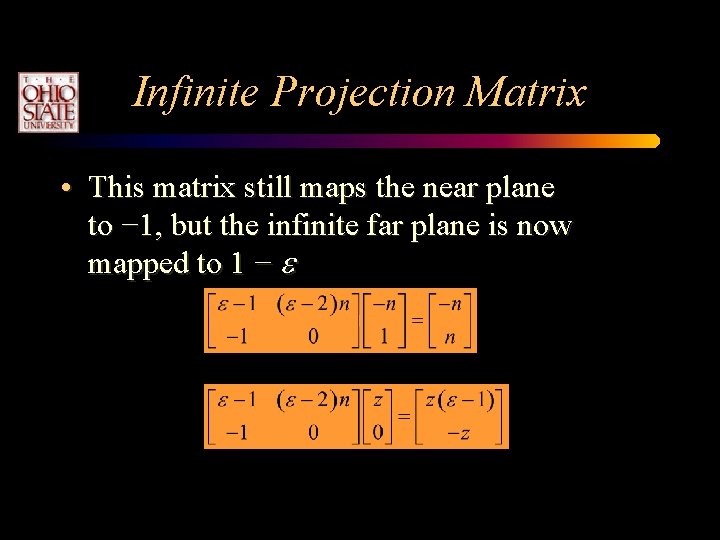
Infinite Projection Matrix • This matrix still maps the near plane to − 1, but the infinite far plane is now mapped to 1 − e
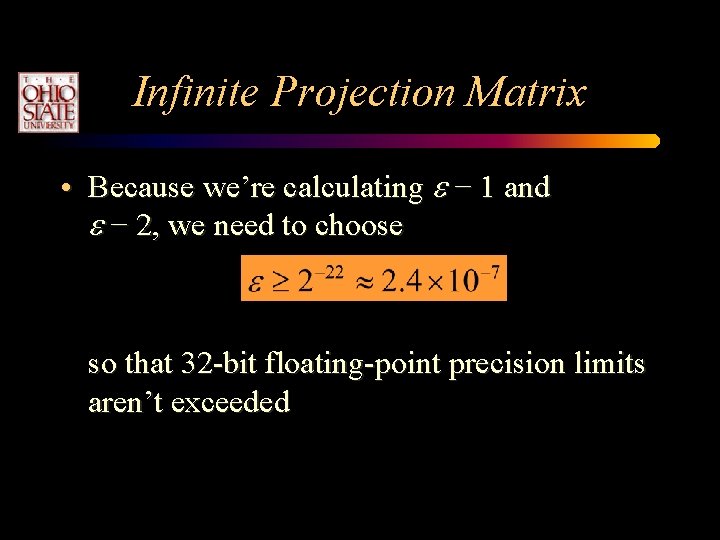
Infinite Projection Matrix • Because we’re calculating e − 1 and e − 2, we need to choose so that 32 -bit floating-point precision limits aren’t exceeded
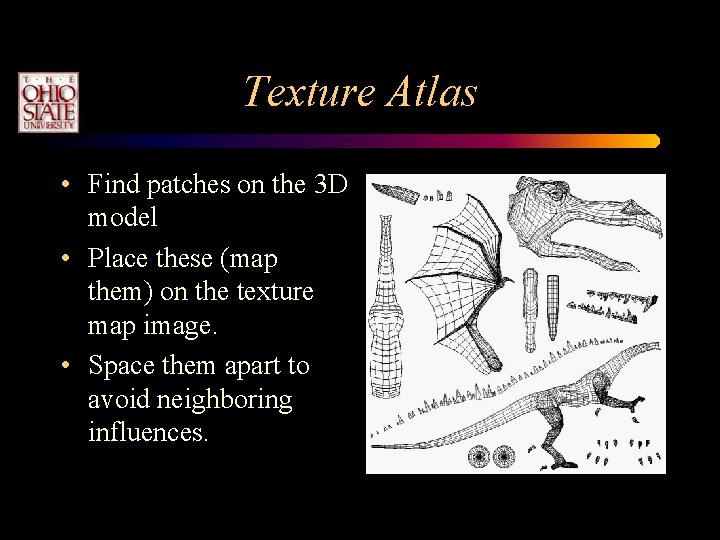
Texture Atlas • Find patches on the 3 D model • Place these (map them) on the texture map image. • Space them apart to avoid neighboring influences.
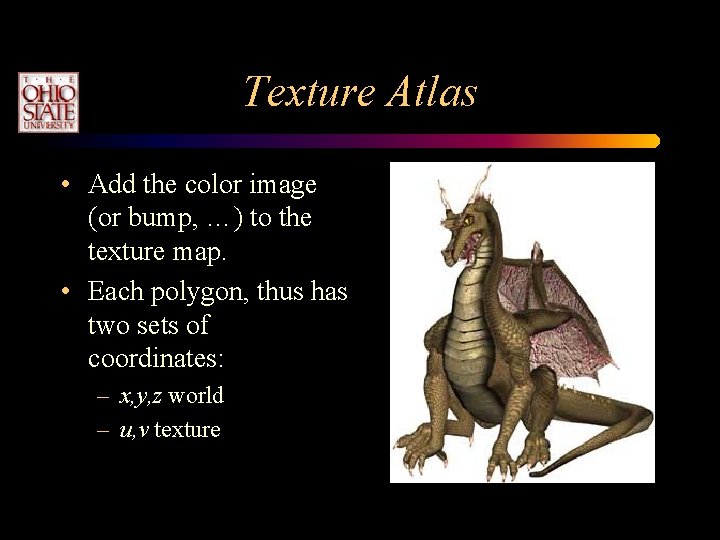
Texture Atlas • Add the color image (or bump, …) to the texture map. • Each polygon, thus has two sets of coordinates: – x, y, z world – u, v texture
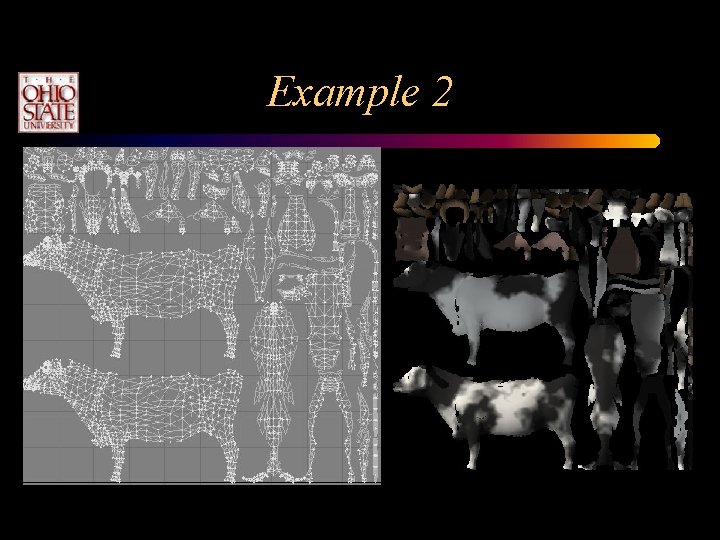
Example 2
Sprites and Billboards • Sprites – usually refer to 2 D animated characters that move across the screen. – Like Pacman • Three types (or styles) of billboards – Screen-aligned (parallel to top of screen) – World aligned (allows for head-tilt) – Axial-aligned (not parallel to the screen)
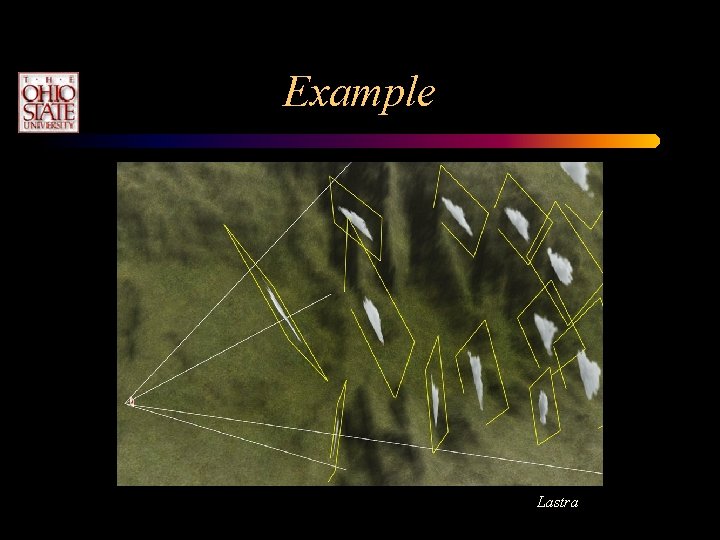
Creating Billboards in Open. GL • Annotated polygons do not exist with Open. GL 1. 3 directly. • If you specify the billboards for one viewing direction, they will not work when rotated.
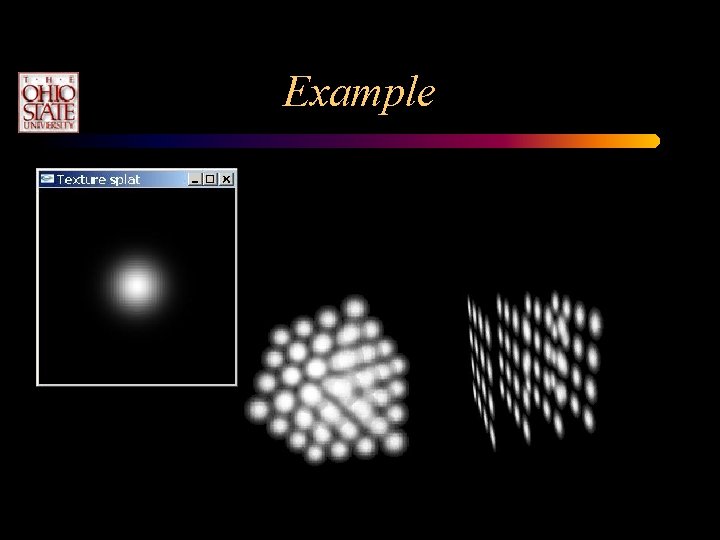
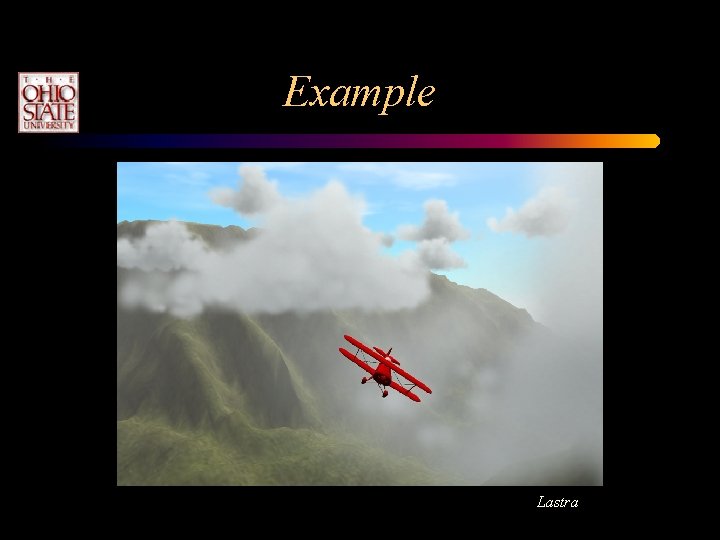
Example
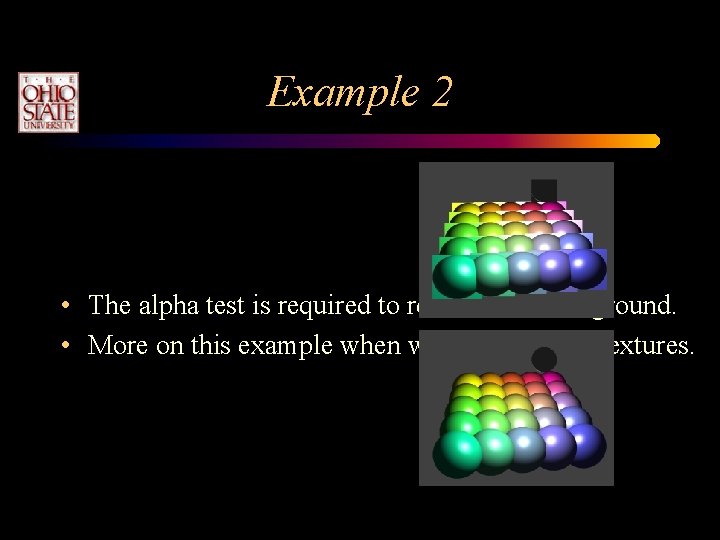
Example 2 • The alpha test is required to remove the background. • More on this example when we look at depth textures.
Re-orienting • Billboards need to be re-oriented as the camera moves. • This requires immediate mode (or a vertex shader program). • Can either: – Recalculate all of the geometry. – Change the transformation matrices.
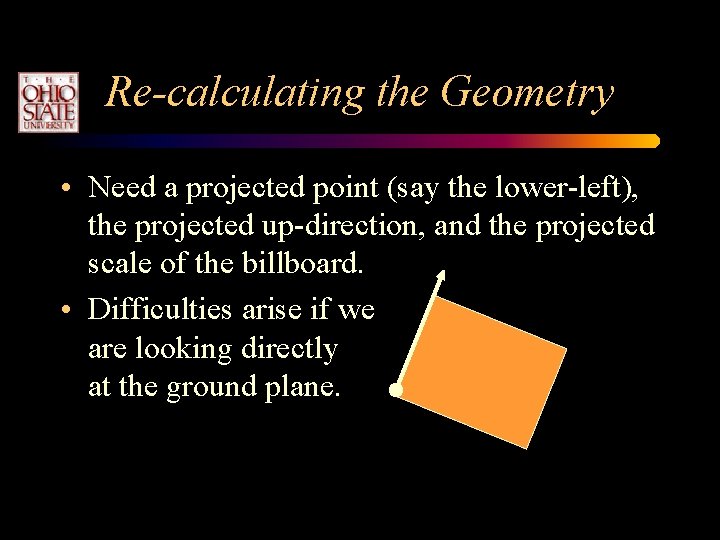
Re-calculating the Geometry • Need a projected point (say the lower-left), the projected up-direction, and the projected scale of the billboard. • Difficulties arise if we are looking directly at the ground plane.
Undo the Camera Rotations • Extract the projection and model view matrices. • Determine the pure rotation component of the combined matrix. • Take the inverse. • Multiply it by the current model-view matrix to undo the rotations.
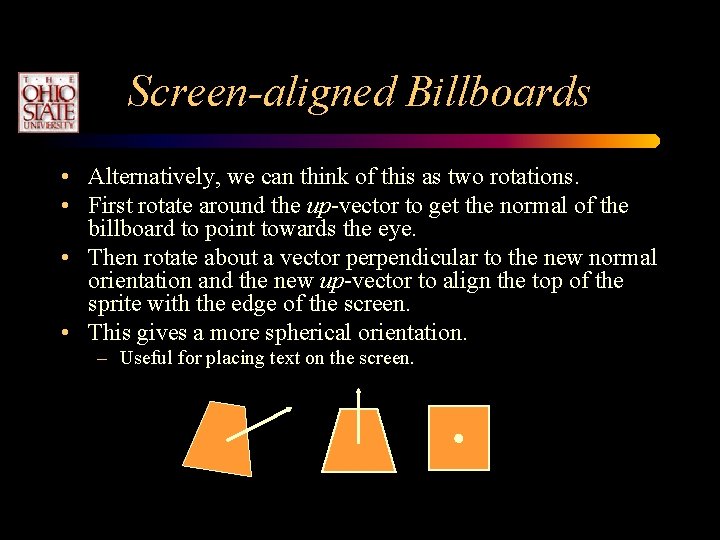
Screen-aligned Billboards • Alternatively, we can think of this as two rotations. • First rotate around the up-vector to get the normal of the billboard to point towards the eye. • Then rotate about a vector perpendicular to the new normal orientation and the new up-vector to align the top of the sprite with the edge of the screen. • This gives a more spherical orientation. – Useful for placing text on the screen.
World Aligned Billboards • Allow for a final rotation about the eyespace z-axis to orient the billboard towards some world direction. • Allows for a head tilt.
Example Lastra
Example Lastra
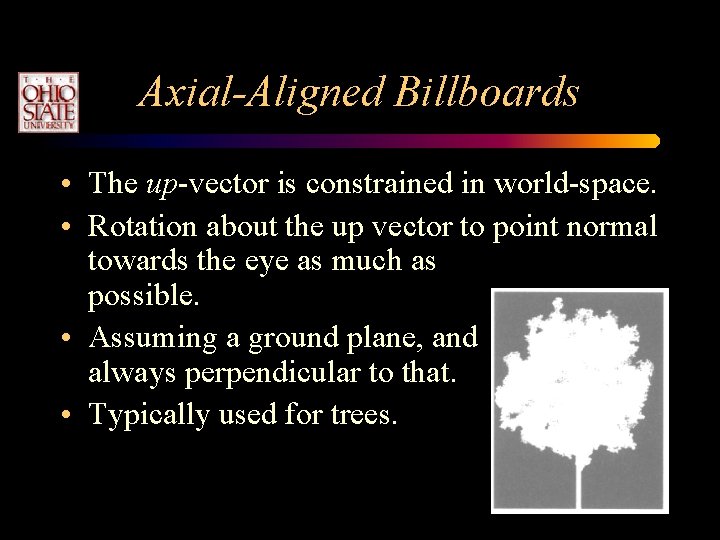
Axial-Aligned Billboards • The up-vector is constrained in world-space. • Rotation about the up vector to point normal towards the eye as much as possible. • Assuming a ground plane, and always perpendicular to that. • Typically used for trees.