
SKA developments on TANGO containers TANGO meeting M
- Slides: 13
SKA developments on TANGO containers TANGO meeting M. Di Carlo, P. Harding, S. Williams, M. Bartolini
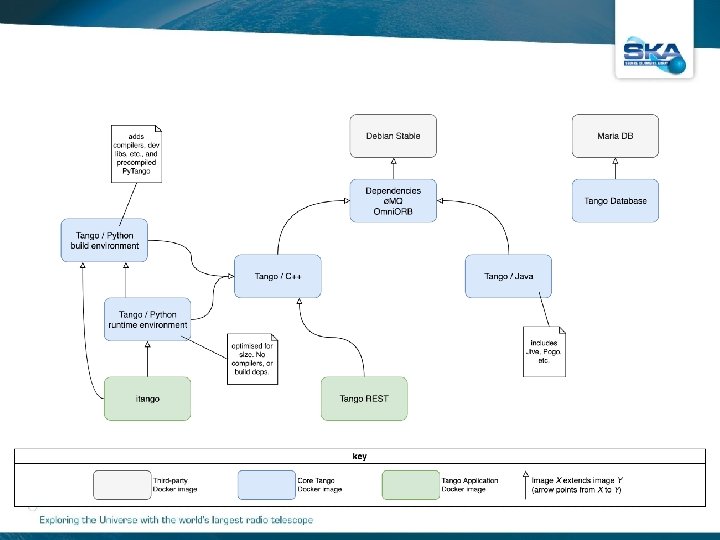
ska-docker ● Motivation: SKA needed a standardised Tango environment for development, testing, and continuous integration ● Result: a set of reference Docker images for Tango v 9. 3. 3 ○ ‘Core’ images for C++, Java, and Python development with Tango ■ Illustrated on next slide. . ○ Based on Debian stable, includes dependencies as specified in 9. 3. 3 README ○ Container images are built following best practice ■ Optimised using intermediate images, aim for single process per container, etc. ■ More details in a moment. . . ● Project URL: https: //github. com/ska-telescope/ska-docker
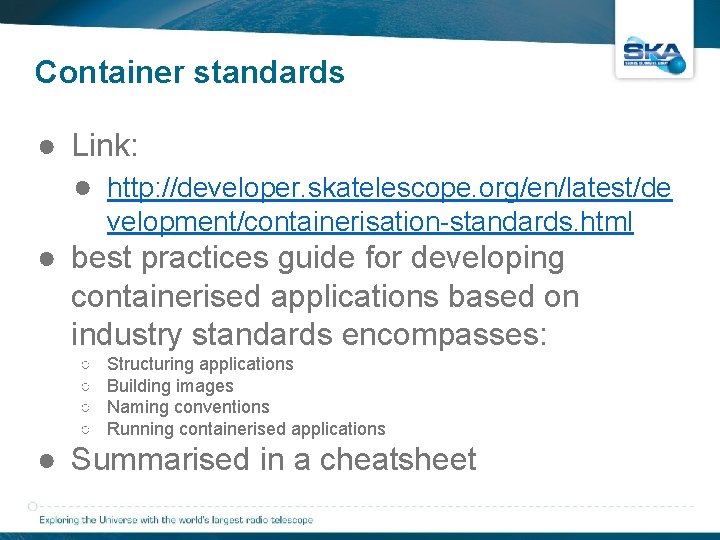
Container standards ● Link: ● http: //developer. skatelescope. org/en/latest/de velopment/containerisation-standards. html ● best practices guide for developing containerised applications based on industry standards encompasses: ○ ○ Structuring applications Building images Naming conventions Running containerised applications ● Summarised in a cheatsheet
Creating the images ● Preliminaries: OS is updated and dependencies are installed into base image ○ Preferred øMQ and Omni. ORB versions not available in Debian stable ○ øMQ and Omni. ORB are patched, compiled, and installed into a parent image inherited by all core Tango images ○ Is this strictly necessary? Is anyone using the default Debian stable libs in production? ● Tango is downloaded, compiled, and installed into an intermediate image ○ Intermediate image can contain compilers, development libs, intermediate output, logs, etc. ● Tango binaries are copied into the final runtime image ○ Optimised for size: runtime image contains only the libs necessary to execute
Docker-compose Orchestration ● Every tango project comes with a Docker-composed based orchestration (docker-compose. yml file) that includes ○ Maria. DB service container ○ Database. Ds service container ○ For each device server in the project, one container defined by the developer ● Develop and debug TANGO code ○ Device created with POGO ○ Two selected IDE: Py. Charm and Visual Studio Code ○ Debug can be done ■ Remotely (if docker compose creates a separate network) ■ Locally (if docker compose work in the same network as the host): ● Device server does not work in a separate container ● No difference with the old way of debugging
Development workflow • Example docker-compose
Kubernetes (K 8 s) Orchestration • Kubernetes is a portable, extensible, open-source platform for managing containerized workloads and services, that facilitates both declarative configuration and automation. ● K 8 s key concepts: ● Namespaces provide a scope for names. Names of resources need to be unique within a namespace, but not across namespaces (for use in environments with many users spread across multiple teams, or projects) ● A Pod is the basic execution unit of a Kubernetes application–the smallest and simplest unit in the Kubernetes object model that you create or deploy. A Pod represents processes running on your Cluster. ● Service is an abstract way to expose an application running on a set of Pods. ● No service discovery mechanism. Kubernetes gives Pods their own IP addresses and a single DNS name for a set of Pods, and can load-balance across them. ● Ingress: An API object that manages external access to the services in a cluster, typically HTTP.
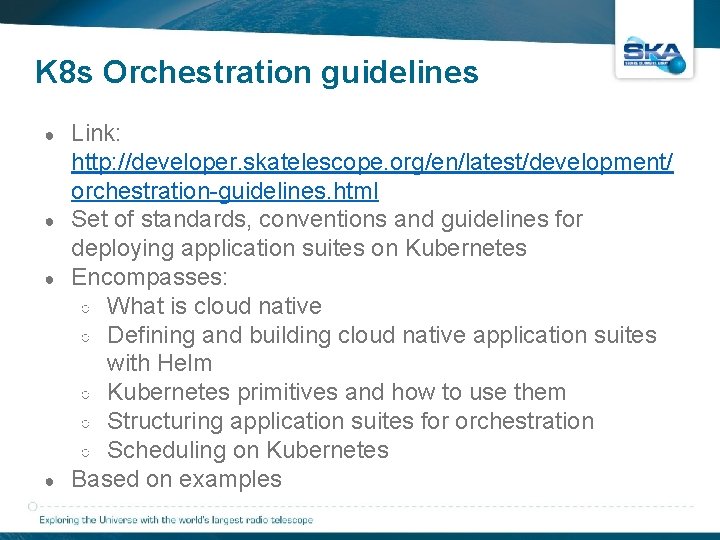
K 8 s Orchestration guidelines ● ● Link: http: //developer. skatelescope. org/en/latest/development/ orchestration-guidelines. html Set of standards, conventions and guidelines for deploying application suites on Kubernetes Encompasses: ○ What is cloud native ○ Defining and building cloud native application suites with Helm ○ Kubernetes primitives and how to use them ○ Structuring application suites for orchestration ○ Scheduling on Kubernetes Based on examples
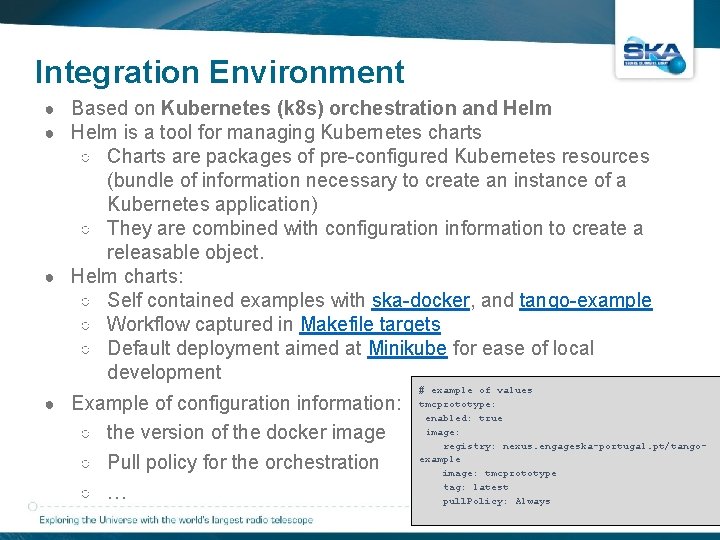
Integration Environment ● Based on Kubernetes (k 8 s) orchestration and Helm ● Helm is a tool for managing Kubernetes charts ○ Charts are packages of pre-configured Kubernetes resources (bundle of information necessary to create an instance of a Kubernetes application) ○ They are combined with configuration information to create a releasable object. ● Helm charts: ○ Self contained examples with ska-docker, and tango-example ○ Workflow captured in Makefile targets ○ Default deployment aimed at Minikube for ease of local development ● Example of configuration information: ○ the version of the docker image ○ Pull policy for the orchestration ○ … # example of values tmcprototype: enabled: true image: registry: nexus. engageska-portugal. pt/tangoexample image: tmcprototype tag: latest pull. Policy: Always
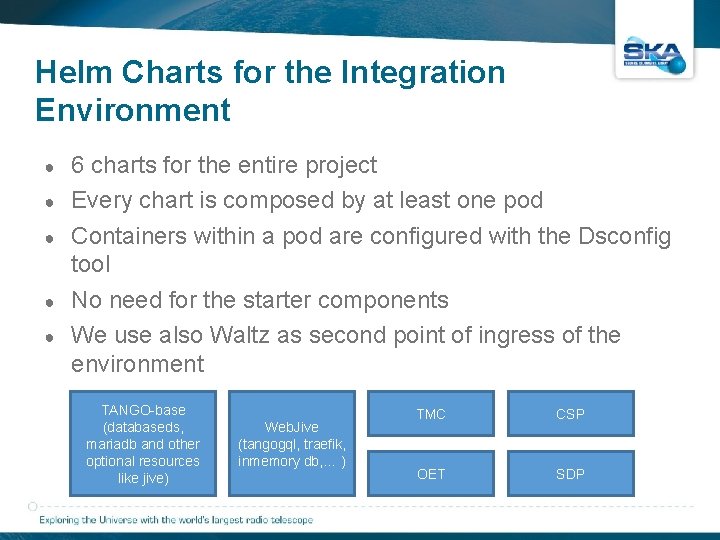
Helm Charts for the Integration Environment ● ● ● 6 charts for the entire project Every chart is composed by at least one pod Containers within a pod are configured with the Dsconfig tool No need for the starter components We use also Waltz as second point of ingress of the environment TANGO-base (databaseds, mariadb and other optional resources like jive) Web. Jive (tangogql, traefik, inmemory db, … ) TMC CSP OET SDP
Development workflow • Example minikube
Thank you All questions can be addressed at: matteo. dicarlo@inaf. it m. bartolini@skatelescope. org