
SIS Houston October 2010 Schlumberger Private Parallel Reservoir

SIS Houston October 2010 Schlumberger Private Parallel Reservoir Simulation User Course
© 2010 Schlumberger. All rights reserved. 2 Schlumberger Private An asterisk is used throughout this presentation to denote a mark of Schlumberger. Other company, product, and service names are the properties of their respective owners.
Agenda • Nomenclature of modern high-performance computing hardware • Working with Compute Clusters – Remote Job Submission Methods – Cluster management software – Useful Tips • Advanced Licensing Schemes • Apache’s Installation 3 Schlumberger Private • ECLIPSE Parallel Technology
Schlumberger Private Nomenclature of modern highperformance computing hardware
Nomenclature • Core: – Processing engine; it carries out the instructions of a computer program. – A CPU may contain 1, 2, 3, 4, 8, … cores, but also has caches, memory controller, etc • Socket: – The connector on a motherboard for the CPU. • • 5 A motherboard can have 1, 2, or 4 sockets that are connected to each other. Typically, 2 -socket motherboards are used in simulation clusters – “Pizza box” with motherboard, power supply, fans, network cards, etc • Cluster: – Assembly of nodes connected via high-speed Interconnects (Gigabit, Infiniband) • Blade Server: – A blade server is a stripped down cluster with a modular design optimized to minimize the use of physical space and energy. • “Blades” are the equivalent of “cluster nodes” Schlumberger Private • CPU/chip: • Cluster Node:
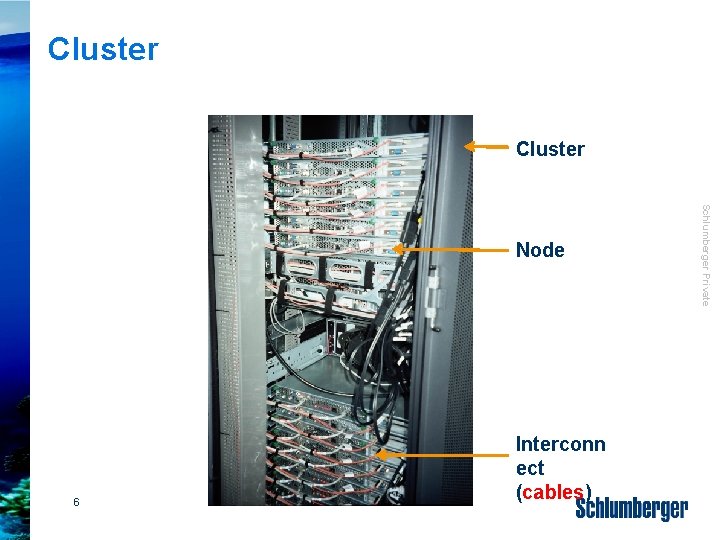
Cluster 6 Interconn ect (cables) Schlumberger Private Node
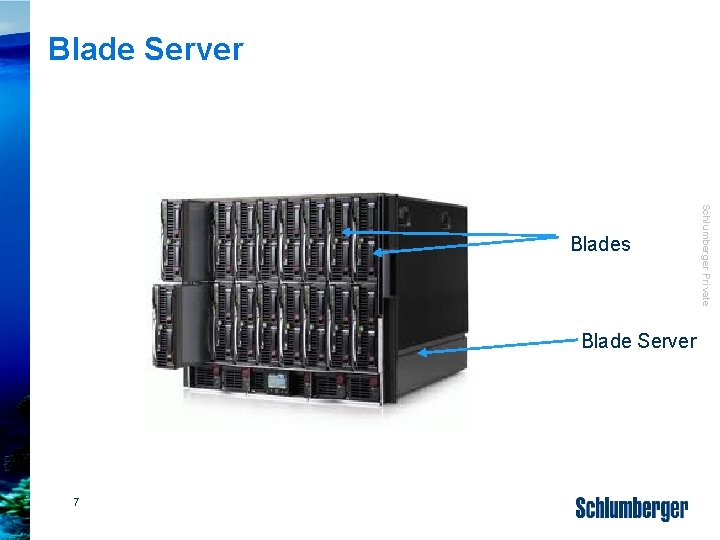
Blade Server 7 Schlumberger Private Blades
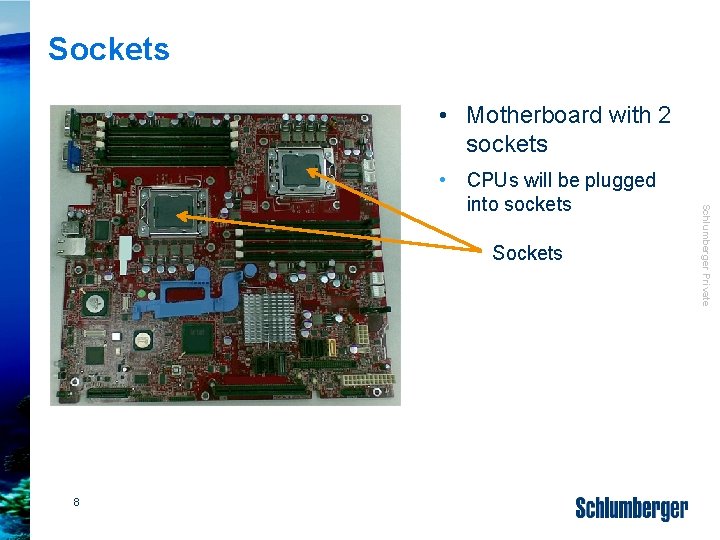
Sockets • Motherboard with 2 sockets Sockets 8 Schlumberger Private • CPUs will be plugged into sockets
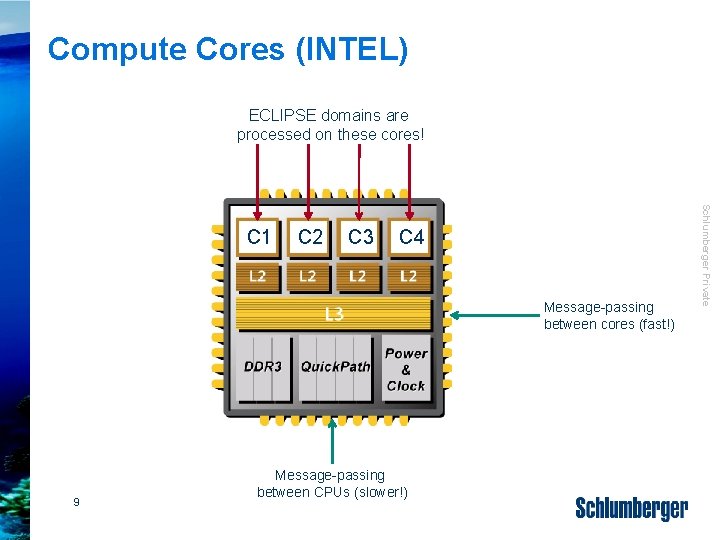
Compute Cores (INTEL) ECLIPSE domains are processed on these cores! C 2 C 3 C 4 Message-passing between cores (fast!) 9 Message-passing between CPUs (slower!) Schlumberger Private C 1

Schlumberger Private ECLIPSE Parallel Technology
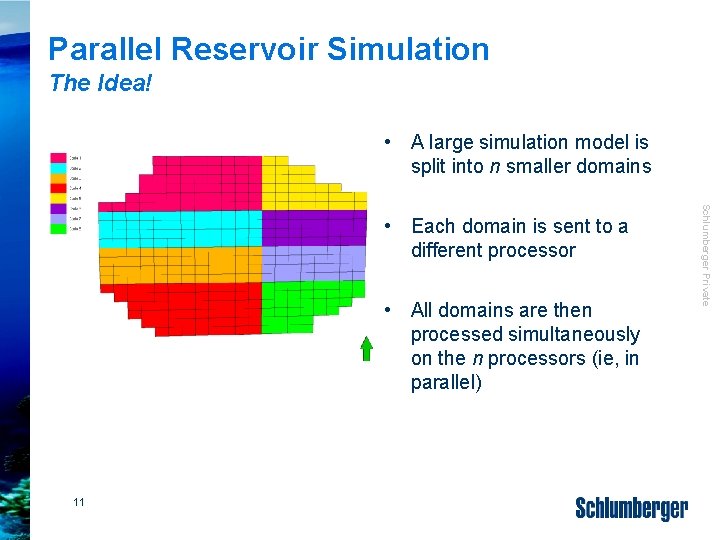
Parallel Reservoir Simulation The Idea! • A large simulation model is split into n smaller domains • All domains are then processed simultaneously on the n processors (ie, in parallel) 11 Schlumberger Private • Each domain is sent to a different processor
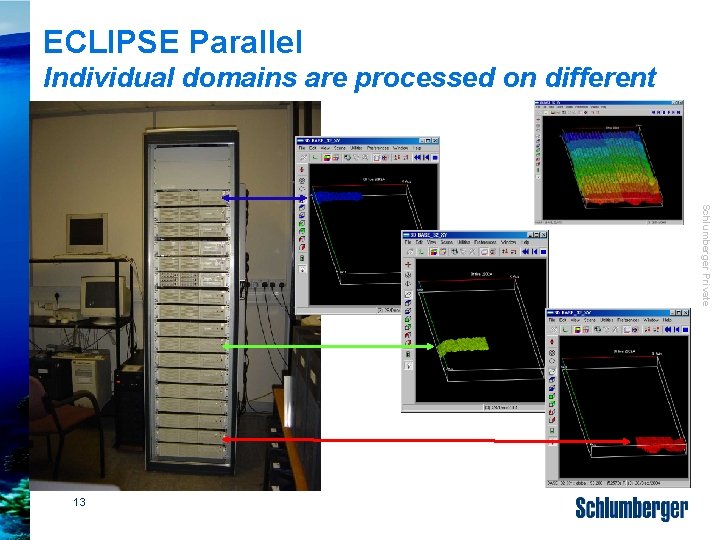
ECLIPSE Parallel Individual domains are processed on different cores Schlumberger Private 13
Licensing Each domain needs one Parallel license. Example: If a simulation model is divided eg into 8 domains, 8 Parallel licenses are required. • The 8 domains can be processed in the following ways: – Process 8 domains on 8 real CPUs/cores (recommended) – Use less than 8 real CPUs/cores for 8 domains (not recommended as some CPUs/cores will have to process more than one domain (overload!) and the simulator performance will degrade dramatically) • for this reason also avoid hyper-threading! – Use only one core of a multi-core CPU and process a single domain on it; the remaining domains will be sent to a CPU on other nodes. 14 • This gives very good performance but leaves a lot of Schlumberger Private – This subdivision is independent of the # of CPUs/cores in the computer!
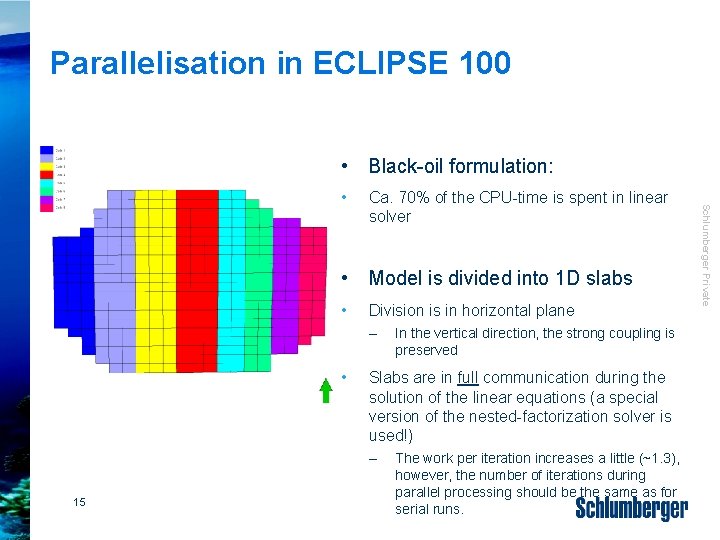
Parallelisation in ECLIPSE 100 • Black-oil formulation: Ca. 70% of the CPU-time is spent in linear solver • Model is divided into 1 D slabs • Division is in horizontal plane – • Slabs are in full communication during the solution of the linear equations (a special version of the nested-factorization solver is used!) – 15 In the vertical direction, the strong coupling is preserved The work per iteration increases a little (~1. 3), however, the number of iterations during parallel processing should be the same as for serial runs. Schlumberger Private •
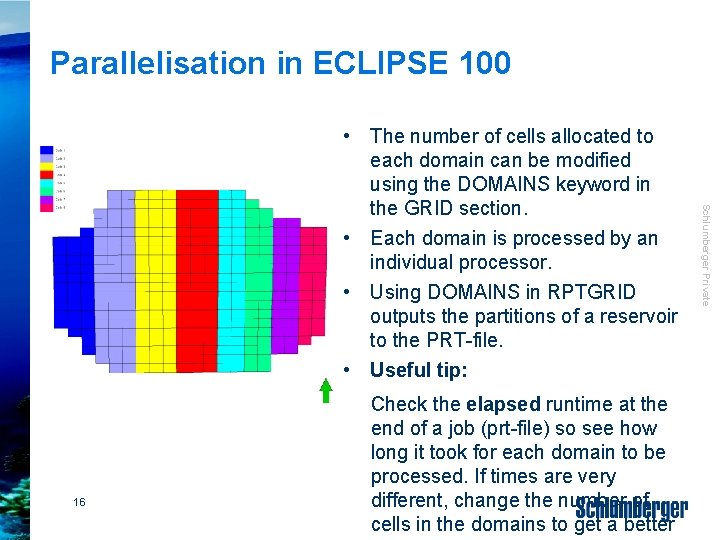
Parallelisation in ECLIPSE 100 16 • Check the elapsed runtime at the end of a job (prt-file) so see how long it took for each domain to be processed. If times are very different, change the number of cells in the domains to get a better Schlumberger Private • The number of cells allocated to each domain can be modified using the DOMAINS keyword in the GRID section. • Each domain is processed by an individual processor. • Using DOMAINS in RPTGRID outputs the partitions of a reservoir to the PRT-file. • Useful tip:
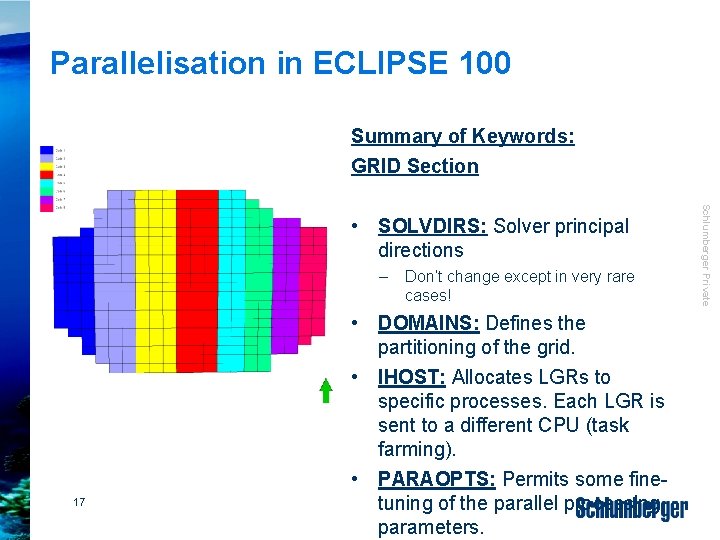
Parallelisation in ECLIPSE 100 Summary of Keywords: GRID Section – 17 Don’t change except in very rare cases! • DOMAINS: Defines the partitioning of the grid. • IHOST: Allocates LGRs to specific processes. Each LGR is sent to a different CPU (task farming). • PARAOPTS: Permits some finetuning of the parallel processing parameters. Schlumberger Private • SOLVDIRS: Solver principal directions

Parallelisation in ECLIPSE 300 • Solver is less dominant • Only ca. 30 -40% of total CPUtime – 18 Therefore the number of linear iterations increases with the number of domains. • However, the reservoir is fully coupled at the level of each Newton iteration. Schlumberger Private • ECLIPSE 300 allows a 2 dimensional decomposition and requires no extra work per linear iteration, at the cost of breaking the coupling across the reservoir at each linear iteration.
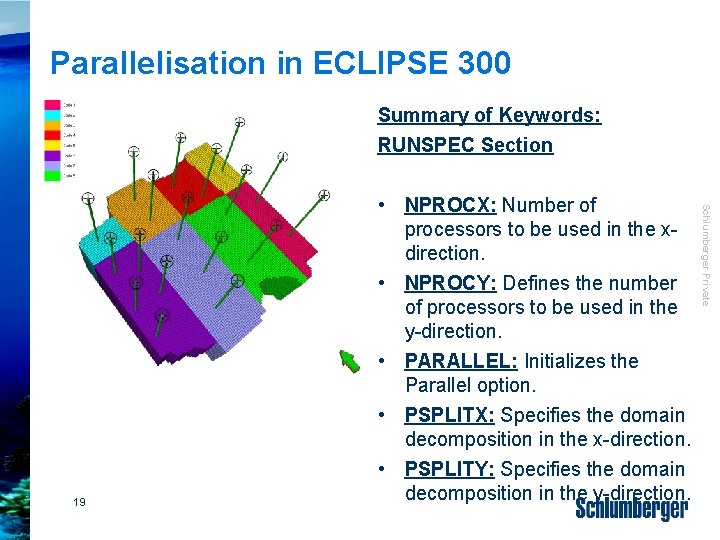
Parallelisation in ECLIPSE 300 Summary of Keywords: RUNSPEC Section Schlumberger Private 19 • NPROCX: Number of processors to be used in the xdirection. • NPROCY: Defines the number of processors to be used in the y-direction. • PARALLEL: Initializes the Parallel option. • PSPLITX: Specifies the domain decomposition in the x-direction. • PSPLITY: Specifies the domain decomposition in the y-direction.
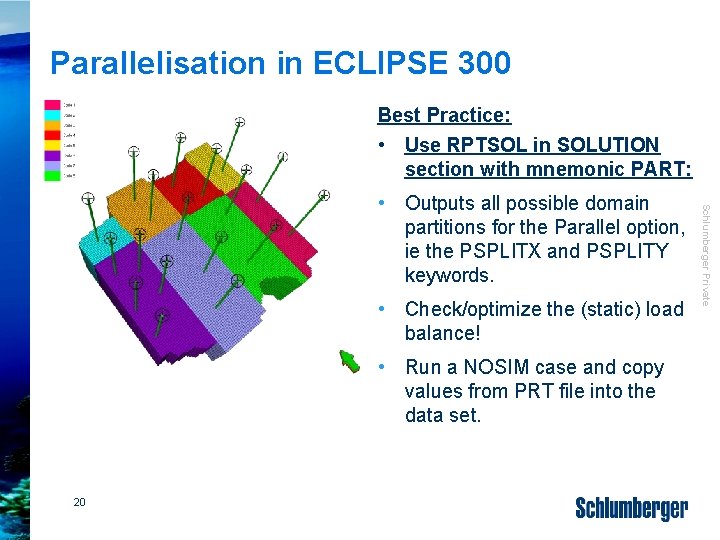
Parallelisation in ECLIPSE 300 Best Practice: • Use RPTSOL in SOLUTION section with mnemonic PART: • Check/optimize the (static) load balance! • Run a NOSIM case and copy values from PRT file into the data set. 20 Schlumberger Private • Outputs all possible domain partitions for the Parallel option, ie the PSPLITX and PSPLITY keywords.
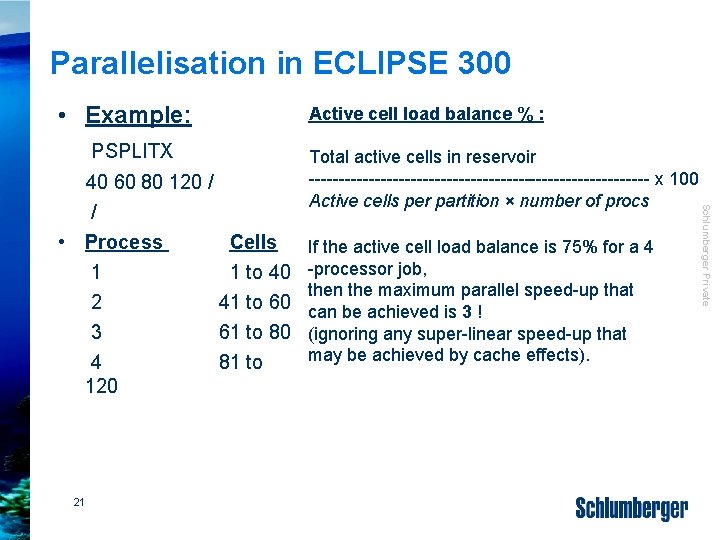
Parallelisation in ECLIPSE 300 • Example: PSPLITX 21 Total active cells in reservoir ----------------------------- x 100 Active cells per partition × number of procs If the active cell load balance is 75% for a 4 -processor job, then the maximum parallel speed-up that can be achieved is 3 ! (ignoring any super-linear speed-up that may be achieved by cache effects). Schlumberger Private 40 60 80 120 / / • Process Cells 1 to 40 2 41 to 60 3 61 to 80 4 81 to 120 Active cell load balance % :

Results Reproducibility Serial vs. Parallel runs Schlumberger Private 23
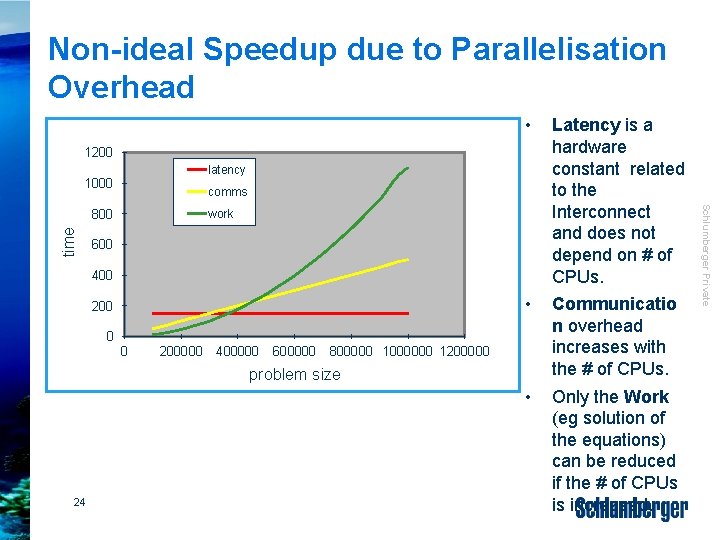
Non-ideal Speedup due to Parallelisation Overhead Latency is a hardware constant related to the Interconnect and does not depend on # of CPUs. • Communicatio n overhead increases with the # of CPUs. • Only the Work (eg solution of the equations) can be reduced if the # of CPUs is increased. 1200 latency 1000 comms time 800 work 600 400 200 0 0 200000 400000 600000 800000 1000000 1200000 problem size 24 Schlumberger Private •
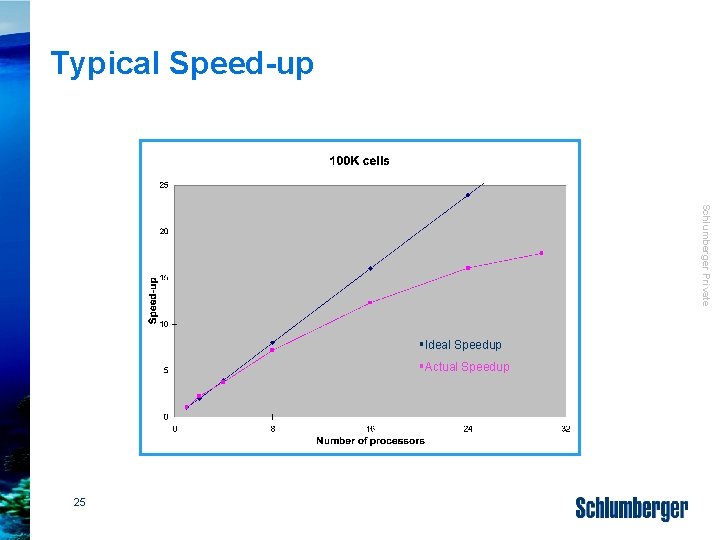
Typical Speed-up Schlumberger Private §Ideal Speedup §Actual Speedup 25

Memory Scalability MB Schlumberger Private Memory (MB) Illustration! Not indicative of real memory scaling! No of CPUs Memory requirements are not independent of the number of CPUs • Memory demand increases slightly with the number of CPUs • Reasons: – Each process has to hold its own copy of, eg well data, rel. perm. tables, or PVT-data – Useful tip: Avoid over-dimensioning of this data in the RUNSPEC section! 26
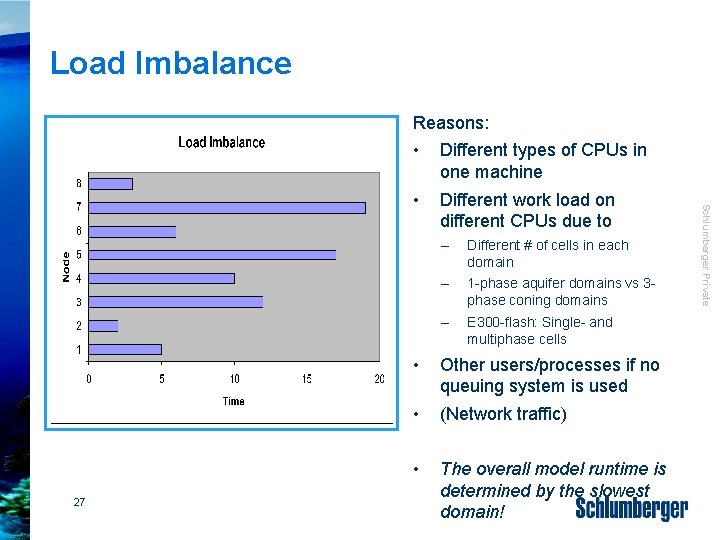
Load Imbalance Reasons: Different types of CPUs in one machine • Different work load on different CPUs due to – Different # of cells in each domain – 1 -phase aquifer domains vs 3 phase coning domains – E 300 -flash: Single- and multiphase cells • Other users/processes if no queuing system is used • (Network traffic) • The overall model runtime is determined by the slowest domain! Schlumberger Private 27 •
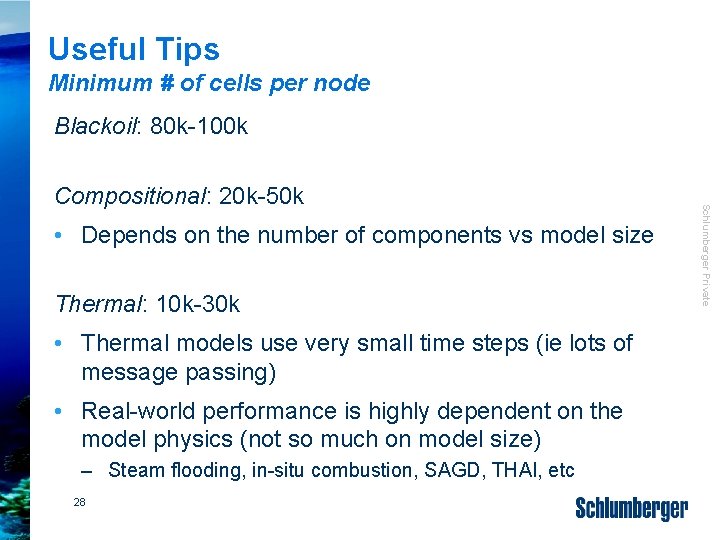
Useful Tips Minimum # of cells per node Blackoil: 80 k-100 k • Depends on the number of components vs model size Thermal: 10 k-30 k • Thermal models use very small time steps (ie lots of message passing) • Real-world performance is highly dependent on the model physics (not so much on model size) – Steam flooding, in-situ combustion, SAGD, THAI, etc 28 Schlumberger Private Compositional: 20 k-50 k
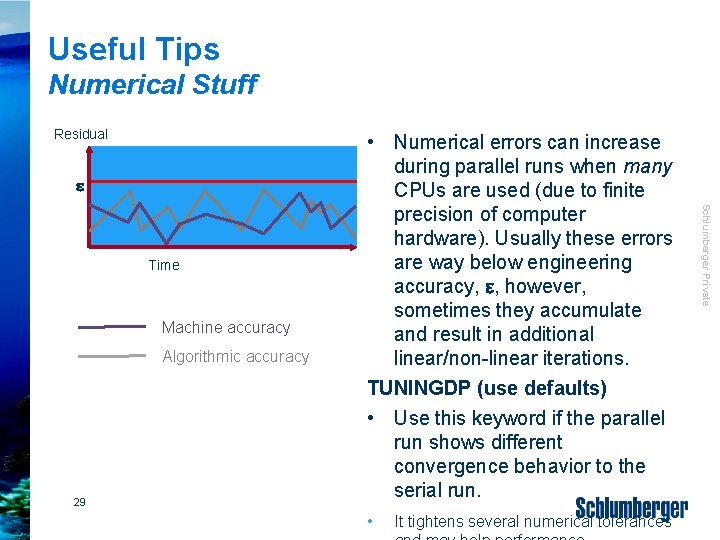
Useful Tips Numerical Stuff Residual e Machine accuracy Algorithmic accuracy 29 • It tightens several numerical tolerances Schlumberger Private Time • Numerical errors can increase during parallel runs when many CPUs are used (due to finite precision of computer hardware). Usually these errors are way below engineering accuracy, e, however, sometimes they accumulate and result in additional linear/non-linear iterations. TUNINGDP (use defaults) • Use this keyword if the parallel run shows different convergence behavior to the serial run.
Useful Tips Front. Sim Multi-threaded • Front. Sim can run “in parallel” • Works for shared-memory machines only – eg one workstation or one compute node with multiple CPUs/cores – Enabled by THREADFS keyword • 30 Separate licenses necessary (“Parallel Multicore” feature)! • it can only be used on the local machine Schlumberger Private • It uses multi-threading and not mpi-based message passing (like ECLIPSE) • Front. Sim with multithreading is not supported with any remote queuing system
Miscellaneous Simulation output cleanup – Option not to delete directory • Local jobs: Files are kept; if a new run has same file names, old file names will be overwritten. 31 Schlumberger Private • Remote jobs: All input and output files will be transferred to a remote temporary directory, which is deleted at the end of run (after result files have been copied back to the local directory).
Schlumberger Private Working with Compute Clusters
Queuing System • If more than one process runs on a compute core, the performance of the simulation run will degrade dramatically (ie runtime goes up). A queuing system can also be used to distribute jobs according to memory requirements, maximum runtime, a time schedule (eg only use certain computers at night but not during the day), etc 33 Schlumberger Private A queuing system (eg LSF from Platform Computing or Microsoft’s queuing system) will distribute serial and parallel runs on a compute cluster such that only one process runs on one compute core.
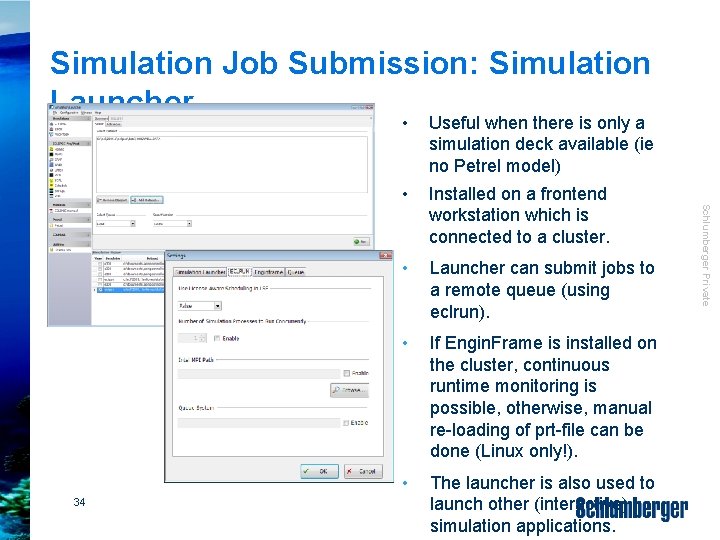
Simulation Job Submission: Simulation Launcher • Useful when there is only a simulation deck available (ie no Petrel model) Installed on a frontend workstation which is connected to a cluster. • Launcher can submit jobs to a remote queue (using eclrun). • If Engin. Frame is installed on the cluster, continuous runtime monitoring is possible, otherwise, manual re-loading of prt-file can be done (Linux only!). • The launcher is also used to launch other (interactive) simulation applications. Schlumberger Private 34 •
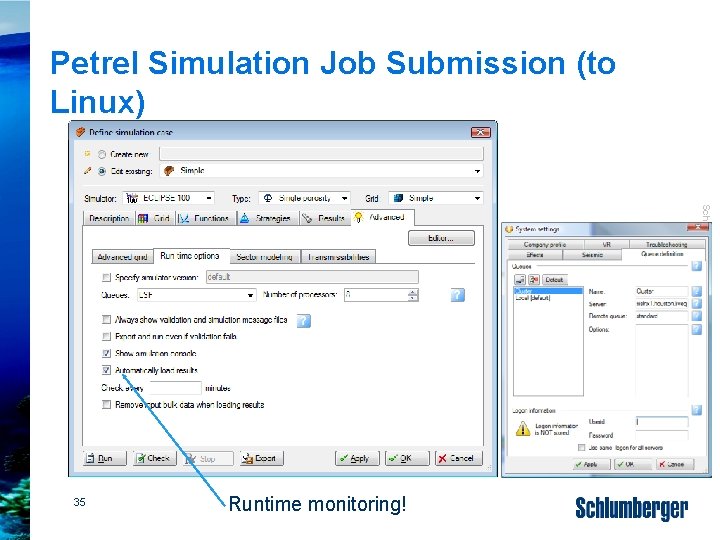
Petrel Simulation Job Submission (to Linux) Schlumberger Private 35 Runtime monitoring!
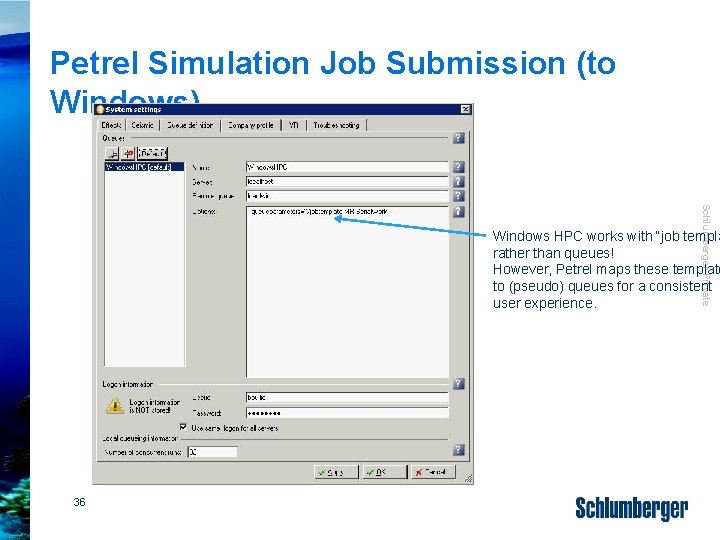
Petrel Simulation Job Submission (to Windows) Schlumberger Private Windows HPC works with “job templa rather than queues! However, Petrel maps these template to (pseudo) queues for a consistent user experience. 36
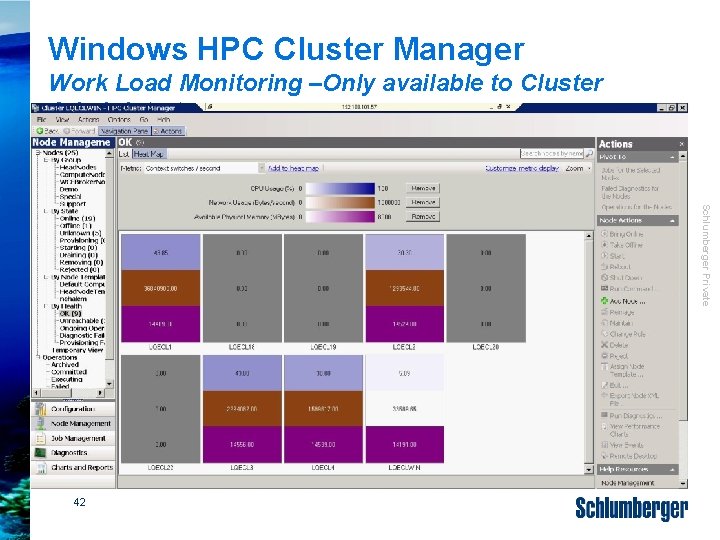
Windows HPC Cluster Manager Work Load Monitoring –Only available to Cluster Administrators Schlumberger Private 42

Windows HPC Cluster Manager Job Management –Available to all users Schlumberger Private 43

Schlumberger Private Flexible Licensing
Flexible Licensing License-aware scheduling Multiple Realization licensing (MR) 45 Schlumberger Private Pay-per-use licensing (PPU)

Flexible Licensing License-aware Scheduling (Windows) • License-aware scheduling with LSF or MS Scheduler • Use LICENSES keyword in ECLIPSE deck to reserve licenses for a simulation run. • Also requires 2010. 2 eclrun-macros and Windows 2008 Server R 2 HPC • The ECLIPSE job will be put in a queue if not all licenses are available at the beginning of a run (rather than stopping with an error!). 47 Schlumberger Private • Set ECL_LSF_LICCHECK to TRUE in the ECLIPSE macros
Flexible Software Licensing Multiple Realization Licensing Modern workflows require a large number of simulation runs • Assisted history-matching • Uncertainty workflows • 1 MR-license costs 1/3 of an ECLIPSE license, and it includes all ECLIPSE options! • Logic is currently implemented in PETREL, Cougar (IFP), En. ABLE (Roxar), and MEPO (SPT-group) 48 Schlumberger Private • What-if scenario based forecasting Common to all workflows is that N different realizations are created from one base model In these cases, MR-licenses can be used instead of having N full sets of ECLIPSE licenses
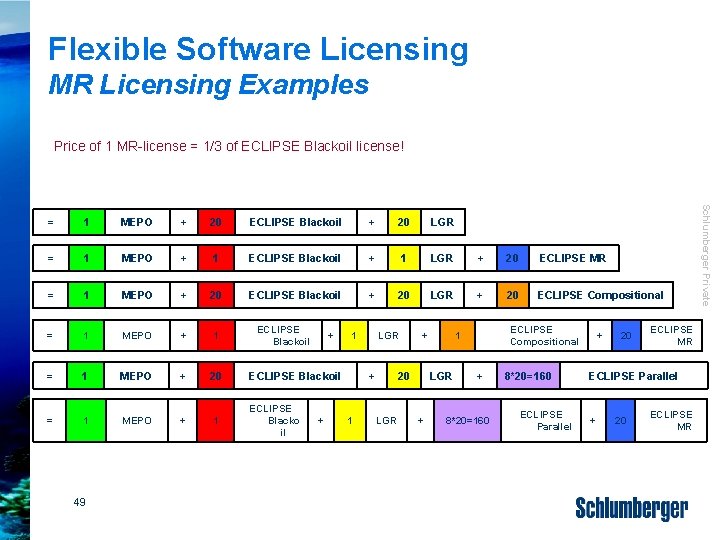
Flexible Software Licensing MR Licensing Examples Price of 1 MR-license = 1/3 of ECLIPSE Blackoil license! 1 MEPO + 20 ECLIPSE Blackoil + 20 LGR = 1 MEPO + 1 ECLIPSE Blackoil + 1 LGR + 20 ECLIPSE MR = 1 MEPO + 20 ECLIPSE Blackoil + 20 LGR + 20 ECLIPSE Compositional = 1 MEPO + 1 = 1 MEPO + 20 ECLIPSE Blackoil = 1 MEPO + 1 ECLIPSE Blacko il 49 ECLIPSE Blackoil + + 1 LGR + 1 + 20 LGR + ECLIPSE Compositional 1 + 8*20=160 ECLIPSE Parallel + 20 ECLIPSE MR Schlumberger Private =
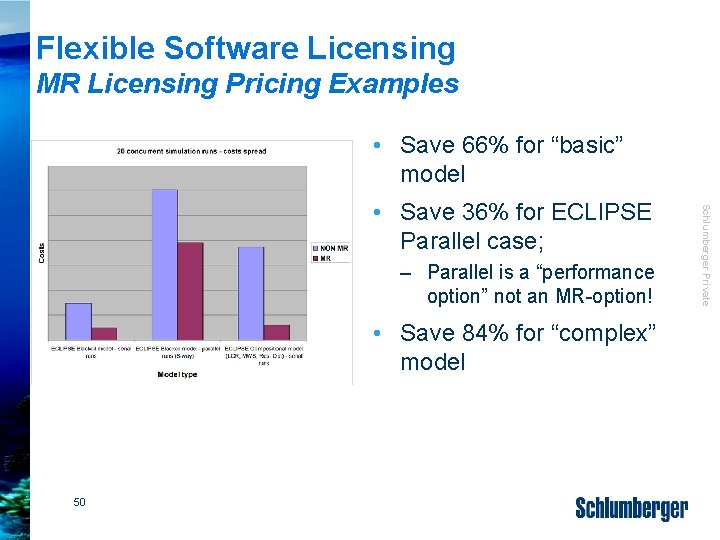
Flexible Software Licensing MR Licensing Pricing Examples • Save 66% for “basic” model – Parallel is a “performance option” not an MR-option! • Save 84% for “complex” model 50 Schlumberger Private • Save 36% for ECLIPSE Parallel case;
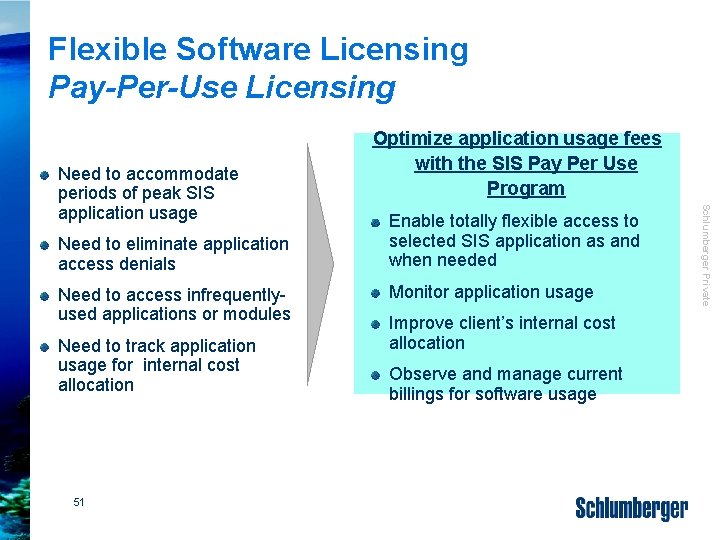
Flexible Software Licensing Pay-Per-Use Licensing Need to eliminate application access denials Need to access infrequentlyused applications or modules Need to track application usage for internal cost allocation 51 Enable totally flexible access to selected SIS application as and when needed Monitor application usage Improve client’s internal cost allocation Observe and manage current billings for software usage Schlumberger Private Need to accommodate periods of peak SIS application usage Optimize application usage fees with the SIS Pay Per Use Program
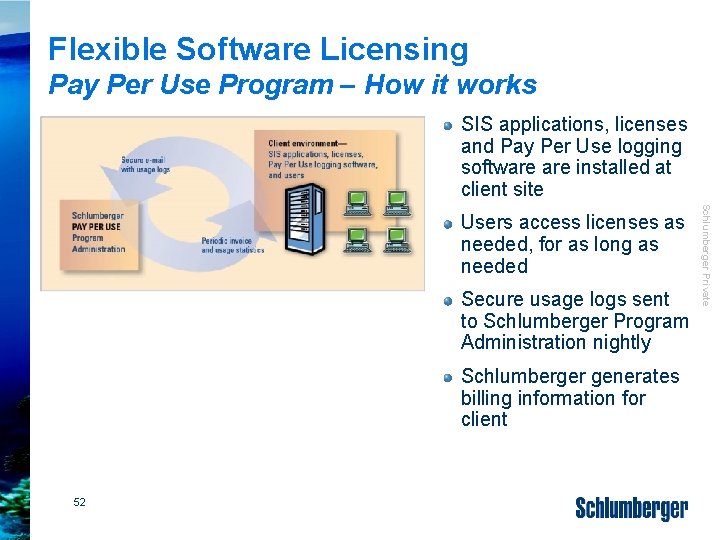
Flexible Software Licensing Pay Per Use Program – How it works SIS applications, licenses and Pay Per Use logging software installed at client site Secure usage logs sent to Schlumberger Program Administration nightly Schlumberger generates billing information for client 52 Schlumberger Private Users access licenses as needed, for as long as needed
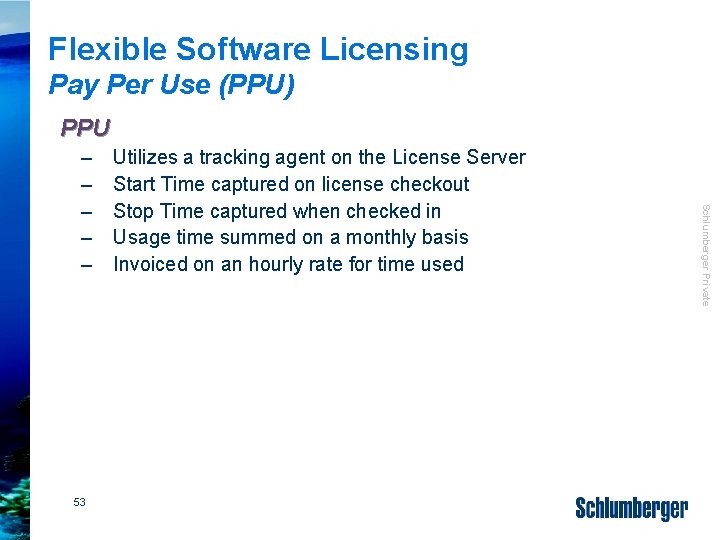
Flexible Software Licensing Pay Per Use (PPU) PPU 53 Utilizes a tracking agent on the License Server Start Time captured on license checkout Stop Time captured when checked in Usage time summed on a monthly basis Invoiced on an hourly rate for time used Schlumberger Private – – –
What’s in it! Schlumberger Private Apache’s Windows HPC System
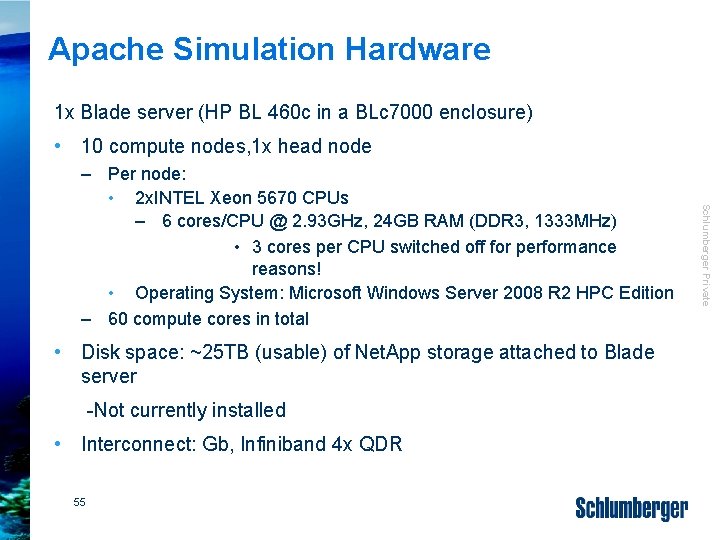
Apache Simulation Hardware 1 x Blade server (HP BL 460 c in a BLc 7000 enclosure) • 10 compute nodes, 1 x head node • Disk space: ~25 TB (usable) of Net. App storage attached to Blade server -Not currently installed • Interconnect: Gb, Infiniband 4 x QDR 55 Schlumberger Private – Per node: • 2 x. INTEL Xeon 5670 CPUs – 6 cores/CPU @ 2. 93 GHz, 24 GB RAM (DDR 3, 1333 MHz) • 3 cores per CPU switched off for performance reasons! • Operating System: Microsoft Windows Server 2008 R 2 HPC Edition – 60 compute cores in total

Apache Queuing System Cluster is hard-divided into two groups of Blades: • 2 Blades (ie 12 cores in total) are reserved for serial runs • 8 Blades (ie 48 cores in total) are reserved for parallel runs • Serial. Work, Parallel. Work: All users have access to them • MR-Serial. Work, MR-Parallel. Work: Only certain (power) users have access – Runs have lower priority and are not allowed to use the whole cluster • Priority-Serial, Priority-Parallel: High-priority runs (certain users only) • (External-Serial, External-Parallel: Lowest priority; for users from other offices) 56 Schlumberger Private Queues (set up as HPC-templates and provided as “pseudo queues” in Petrel):
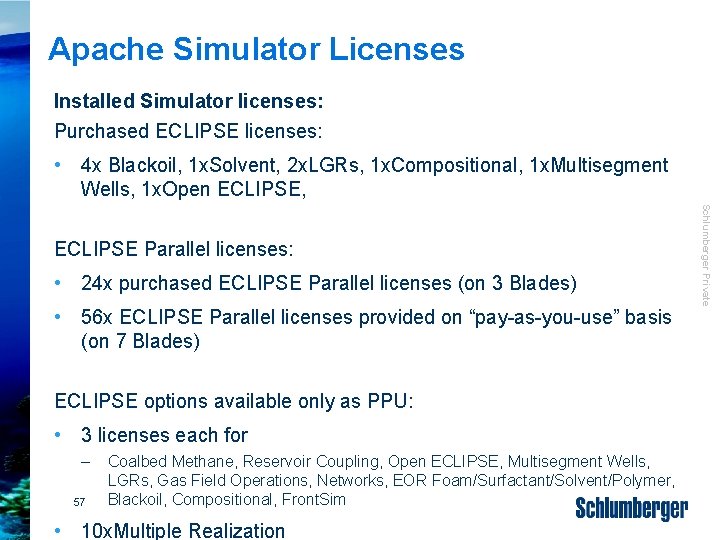
Apache Simulator Licenses Installed Simulator licenses: Purchased ECLIPSE licenses: • 4 x Blackoil, 1 x. Solvent, 2 x. LGRs, 1 x. Compositional, 1 x. Multisegment Wells, 1 x. Open ECLIPSE, • 24 x purchased ECLIPSE Parallel licenses (on 3 Blades) • 56 x ECLIPSE Parallel licenses provided on “pay-as-you-use” basis (on 7 Blades) ECLIPSE options available only as PPU: • 3 licenses each for – 57 Coalbed Methane, Reservoir Coupling, Open ECLIPSE, Multisegment Wells, LGRs, Gas Field Operations, Networks, EOR Foam/Surfactant/Solvent/Polymer, Blackoil, Compositional, Front. Sim • 10 x. Multiple Realization Schlumberger Private ECLIPSE Parallel licenses:
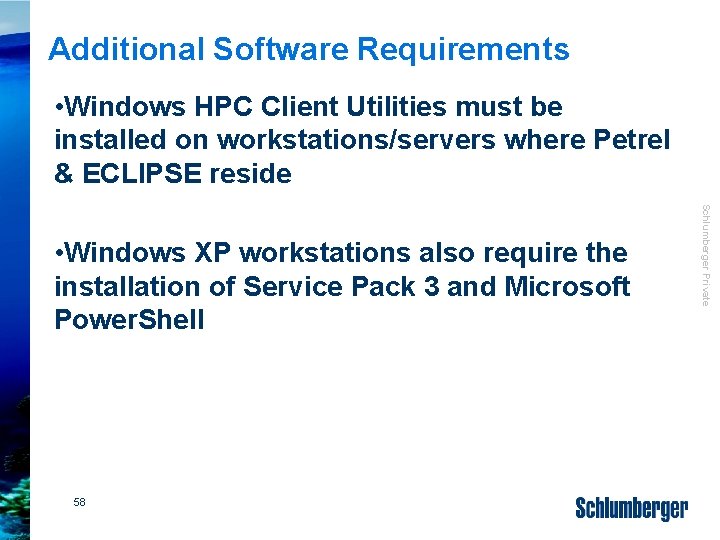
Additional Software Requirements • Windows HPC Client Utilities must be installed on workstations/servers where Petrel & ECLIPSE reside 58 Schlumberger Private • Windows XP workstations also require the installation of Service Pack 3 and Microsoft Power. Shell
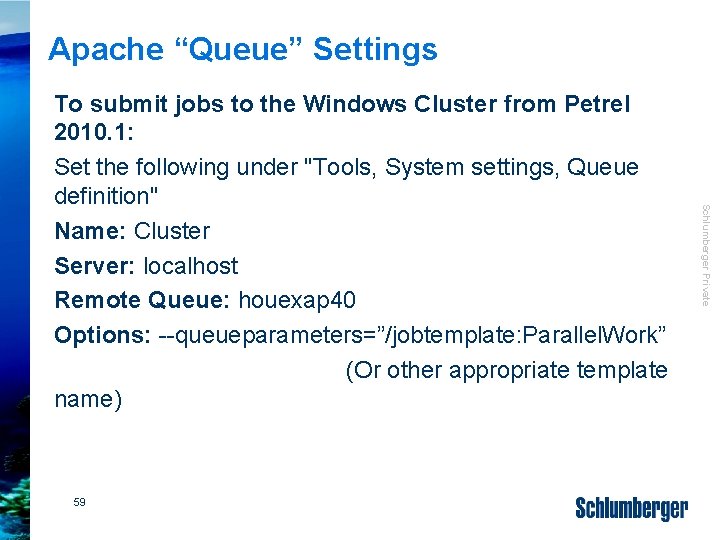
Apache “Queue” Settings 59 Schlumberger Private To submit jobs to the Windows Cluster from Petrel 2010. 1: Set the following under "Tools, System settings, Queue definition" Name: Cluster Server: localhost Remote Queue: houexap 40 Options: --queueparameters=”/jobtemplate: Parallel. Work” (Or other appropriate template name)
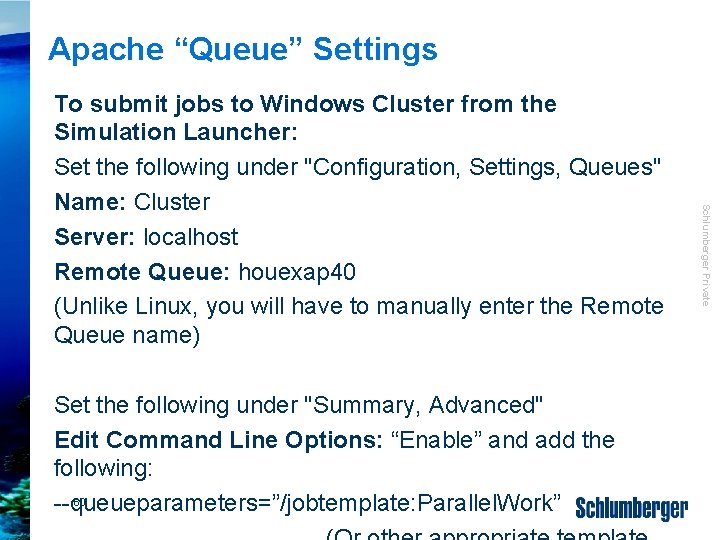
Apache “Queue” Settings Schlumberger Private To submit jobs to Windows Cluster from the Simulation Launcher: Set the following under "Configuration, Settings, Queues" Name: Cluster Server: localhost Remote Queue: houexap 40 (Unlike Linux, you will have to manually enter the Remote Queue name) Set the following under "Summary, Advanced" Edit Command Line Options: “Enable” and add the following: 60 --queueparameters=”/jobtemplate: Parallel. Work”

Schlumberger Private Biggest Simulation Models
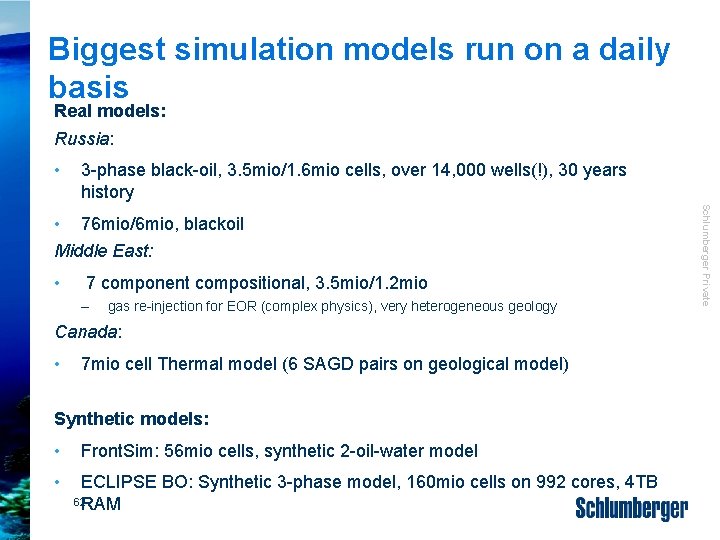
Biggest simulation models run on a daily basis Real models: Russia: • 3 -phase black-oil, 3. 5 mio/1. 6 mio cells, over 14, 000 wells(!), 30 years history • 7 component compositional, 3. 5 mio/1. 2 mio – gas re-injection for EOR (complex physics), very heterogeneous geology Canada: • 7 mio cell Thermal model (6 SAGD pairs on geological model) Synthetic models: • • Front. Sim: 56 mio cells, synthetic 2 -oil-water model ECLIPSE BO: Synthetic 3 -phase model, 160 mio cells on 992 cores, 4 TB 62 RAM Schlumberger Private • 76 mio/6 mio, blackoil Middle East:
- Slides: 54