
SIRIUS COMPUTER SOLUTIONS Monster VMs How to Effectively

- Slides: 26
SIRIUS COMPUTER SOLUTIONS Monster VM’s How to Effectively Scale Virtual Machines for Large Workloads Tay Devkota Kyle Quinby www. siriuscom. com 11/10/2020 1
Intro What is a “Monster” VM? – – Max performance for CPU/Memory/Storage High bandwidth High capacity TUNED FOR THE APPLICATION www. siriuscom. com 11/10/2020 2
Intro Over-provisioning and under-provisioning Find the middle ground – Quest for the sweet spot Huge VMs possible – Vsphere 6 • 128 vcpu’s • 4 TB RAM • 1 mm+ IOPS with >80 Gb/s Hypervisor is both blessing and curse www. siriuscom. com 11/10/2020 3
Intro RIGHT SIZE YOUR VM’S! – Throwing resources at a problem is rarely the right approach. Everything has OVERHEAD. – Take software vendor CPU and Memory recommendations with a grain of salt Hardware selection matters – Memory speed, CPU cache, NUMA architecture, Chipset all play a huge role www. siriuscom. com 11/10/2020 4
Tools Freebies! ESXTop -ESXTop Bible Visual. ESXTop RVTools Iometer Vcenter Vmkfstools www. siriuscom. com 11/10/2020 5
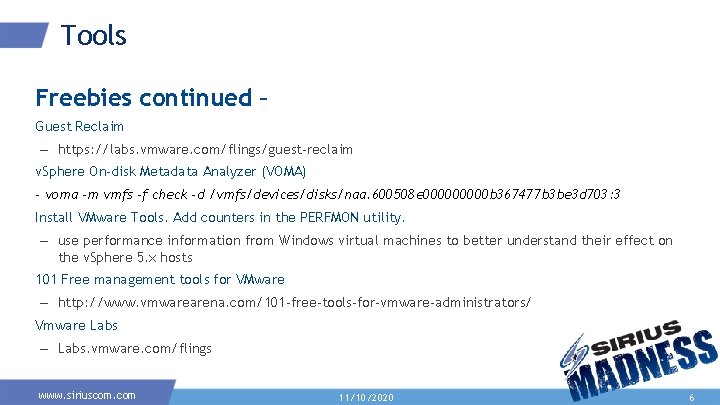
Tools Freebies continued – Guest Reclaim – https: //labs. vmware. com/flings/guest-reclaim v. Sphere On-disk Metadata Analyzer (VOMA) - voma -m vmfs -f check -d /vmfs/devices/disks/naa. 600508 e 00000 b 367477 b 3 be 3 d 703: 3 Install VMware Tools. Add counters in the PERFMON utility. – use performance information from Windows virtual machines to better understand their effect on the v. Sphere 5. x hosts 101 Free management tools for VMware – http: //www. vmwarearena. com/101 -free-tools-for-vmware-administrators/ Vmware Labs – Labs. vmware. com/flings www. siriuscom. com 11/10/2020 6
Tools Paid VRealize Log Insight 3 rd Party (VMTurbo, Solarwinds Virtualization Manager & others) www. siriuscom. com 11/10/2020 7
VCenter • • • Don’t neglect it! DB performance critical Appliance should be used Use Tier 1 storage JVM sizing • Vmware - KB 2021302 www. siriuscom. com 11/10/2020 8
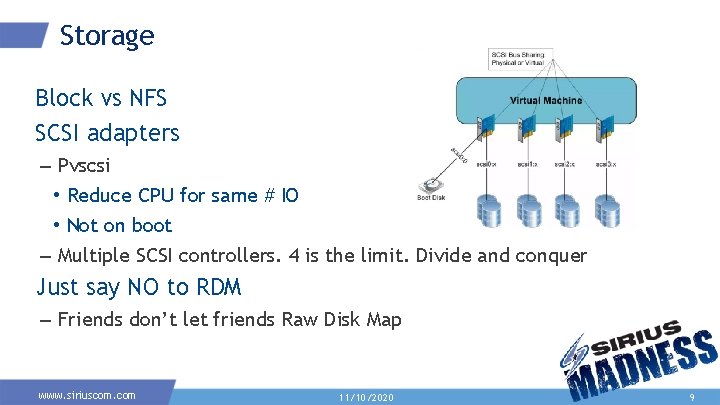
Storage Block vs NFS SCSI adapters – Pvscsi • Reduce CPU for same # IO • Not on boot – Multiple SCSI controllers. 4 is the limit. Divide and conquer Just say NO to RDM – Friends don’t let friends Raw Disk Map www. siriuscom. com 11/10/2020 9
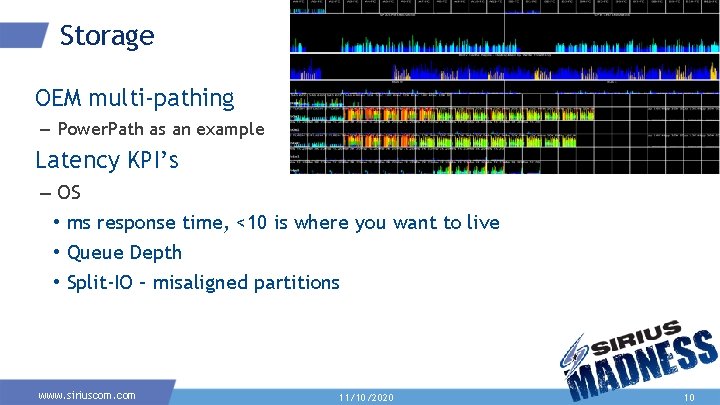
Storage OEM multi-pathing – Power. Path as an example Latency KPI’s – OS • ms response time, <10 is where you want to live • Queue Depth • Split-IO – misaligned partitions www. siriuscom. com 11/10/2020 10
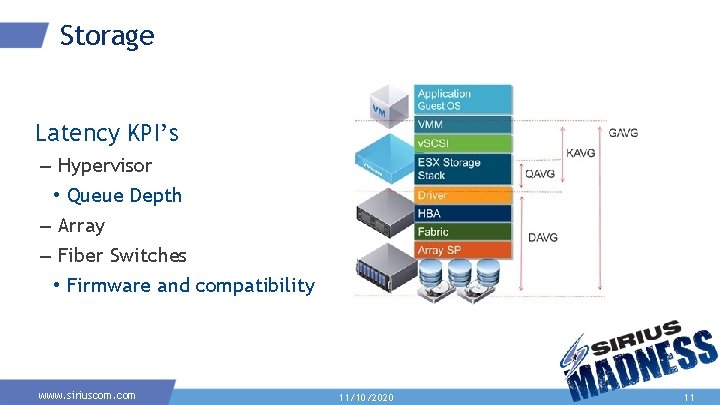
Storage Latency KPI’s – Hypervisor • Queue Depth – Array – Fiber Switches • Firmware and compatibility www. siriuscom. com 11/10/2020 11
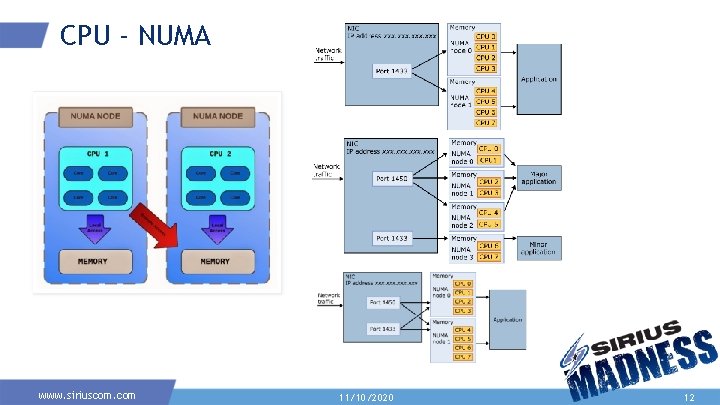
CPU - NUMA www. siriuscom. com 11/10/2020 12
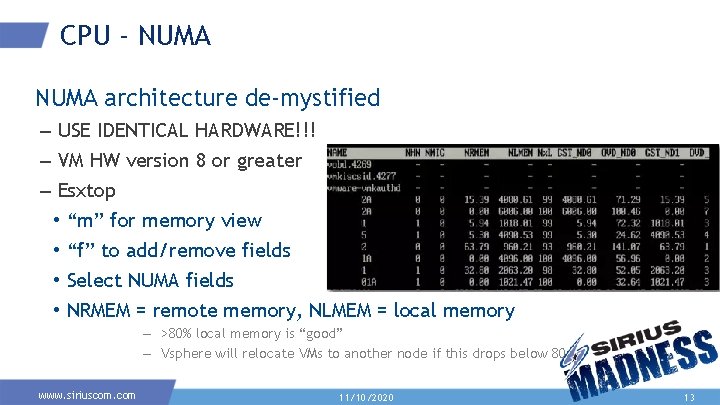
CPU - NUMA architecture de-mystified – USE IDENTICAL HARDWARE!!! – VM HW version 8 or greater – Esxtop • “m” for memory view • “f” to add/remove fields • Select NUMA fields • NRMEM = remote memory, NLMEM = local memory – >80% local memory is “good” – Vsphere will relocate VMs to another node if this drops below 80 www. siriuscom. com 11/10/2020 13
CPU - NUMA architecture de-mystified – Staying within correct multiples of p. NUMA • If NUMA node = 6 cores, use VMs with 2, 3, or 6 VCPU – v. NUMA enabled automatically if 8 or more vcpu – Hot-add disables v. NUMA! – esxcli hardware memory get | grep NUMA • This gets you number of NUMA nodes for your host www. siriuscom. com 11/10/2020 14
CPU Hyperthreading is good – ESXi knows the difference between a full core and a Hyperthreaded “core” – Hyperthreading can help consolidate VMs into a NUMA node • https: //kb. vmware. com/kb/2003582 %RDY – ESXTOP – Vrealize overprovisioned report – The more vcpu you add, the more interrupts a VM requires www. siriuscom. com 11/10/2020 15
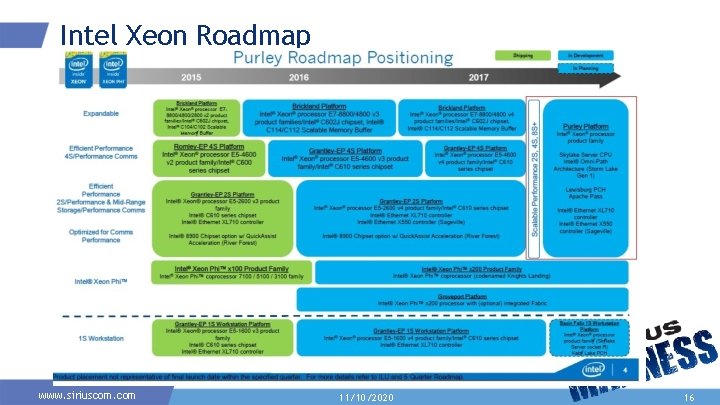
Intel Xeon Roadmap www. siriuscom. com 11/10/2020 16
CPU Skylake Intel bridge – Faster speed between cores and physical sockets. – Bus speed way faster Single threaded apps are single threaded – All the v. CPU in the world wont help – Faster CPU clock speed will www. siriuscom. com 11/10/2020 17
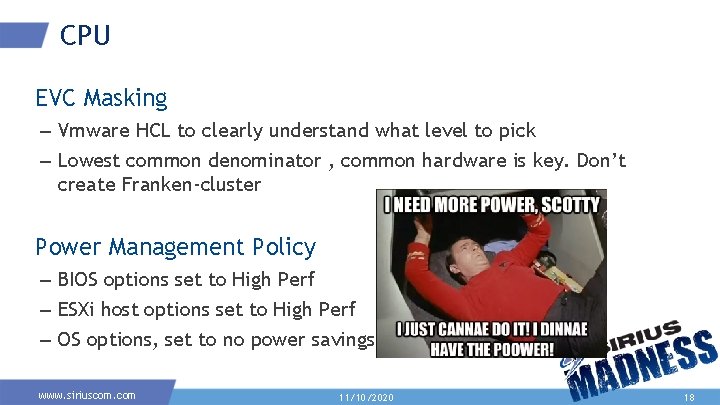
CPU EVC Masking – Vmware HCL to clearly understand what level to pick – Lowest common denominator , common hardware is key. Don’t create Franken-cluster Power Management Policy – BIOS options set to High Perf – ESXi host options set to High Perf – OS options, set to no power savings www. siriuscom. com 11/10/2020 18
Memory Locality, Latency, Speed and Bandwidth Reservations – When to use – Impact on slot sizes for HA with admission control • Manual override for slot size • Utilize % of cluster resources for HA admission control Cluster panic mode – Transparent page sharing – Page compression www. siriuscom. com 11/10/2020 19
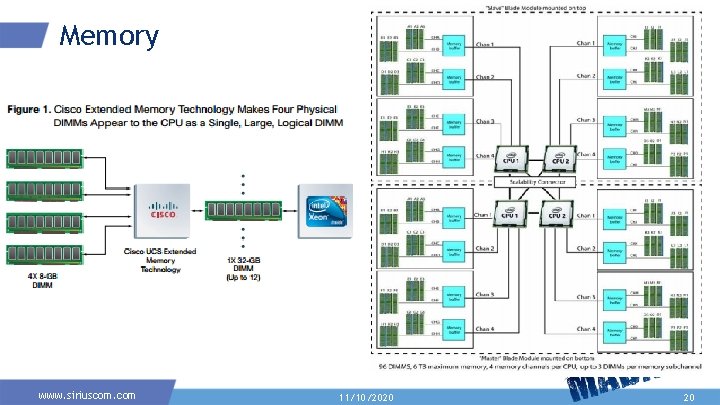
Memory www. siriuscom. com 11/10/2020 20
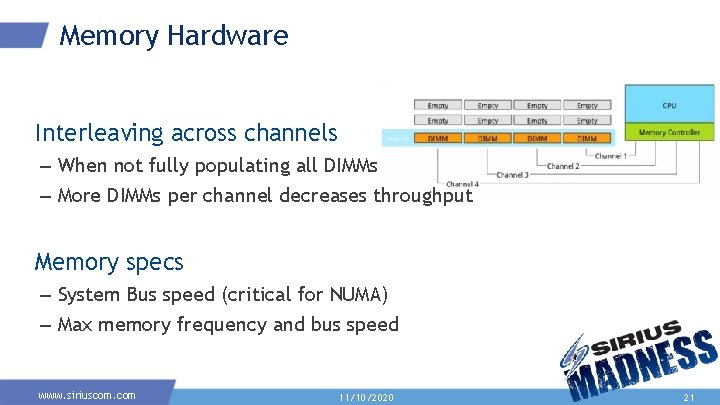
Memory Hardware Interleaving across channels – When not fully populating all DIMMs – More DIMMs per channel decreases throughput Memory specs – System Bus speed (critical for NUMA) – Max memory frequency and bus speed www. siriuscom. com 11/10/2020 21
Memory Performance Solutions What to do when utilization is too high, or too low www. siriuscom. com 11/10/2020 22
Network • • Go dvswitch or go home Go 10 GB or go home Vmxnet 3 Inbound and outbound traffic shaping with dvswitch www. siriuscom. com 11/10/2020 23
Networking • NSX! – Why it matters – SDN and the future of virtual datacenter networking – Resources needed to make NSX hum www. siriuscom. com 11/10/2020 24
References VCDX Performance Deep Dive - Mark Achtemichuk, VMware Memory Deep Dive - Frank Denneman ESXTop Bible – Duncan Epping VMware Performance Best Practices v 6. x - VMware Right-Sizing Best Practice Guide - VMware Understanding NUMA and Virtual NUMA - Anexinet Vsphere Resource Management Guide - VMware Big Changes for Virtual Machines in v. Sphere 5 - Brent Ozar Funky. Desk. com for full slide deck Tay. Devkota@siriuscom. com Kyle. Quinby@siriuscom. com www. siriuscom. com 11/10/2020 25
THANK YOU www. siriuscom. com