
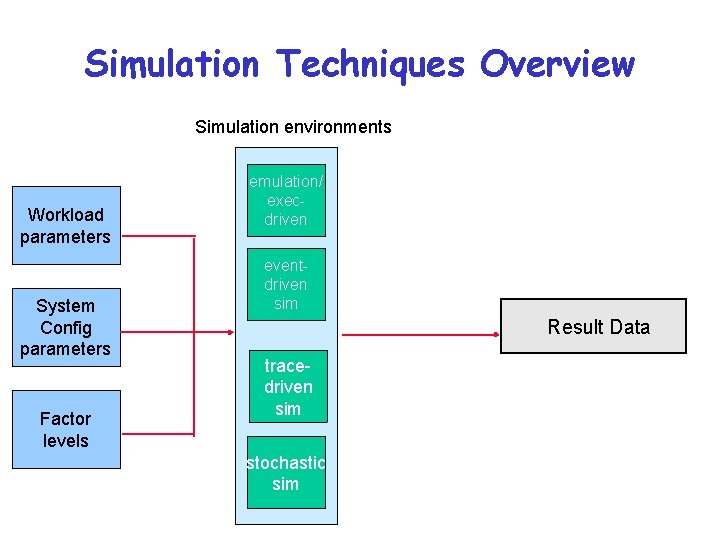
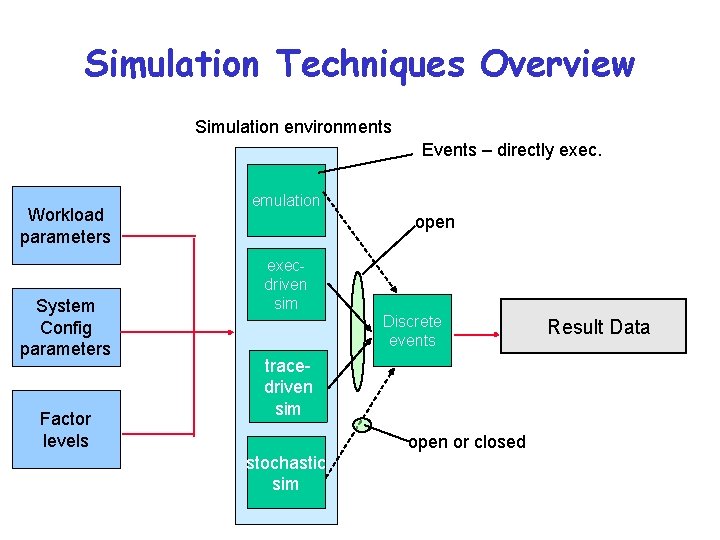
Simulation Techniques Overview Simulation environments Workload parameters System
- Slides: 17
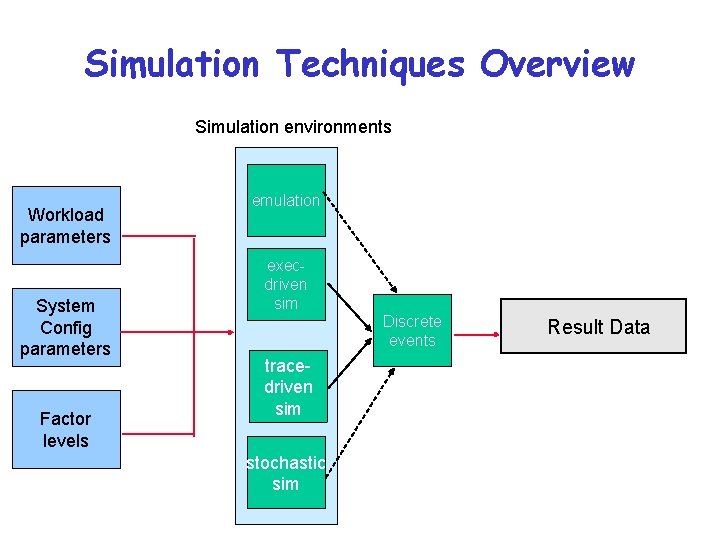
Simulation Techniques Overview Simulation environments Workload parameters System Config parameters Factor levels emulation/ execdriven eventdriven sim Result Data tracedriven sim stochastic sim
Why Simulate • • System to be tested is not (yet) available Large design space to be explored Need more detail than analytical modeling Dynamic © 2003, Carla Ellis
Common Mistakes • Inappropriate level of detail – Details have to be known and “right” – Start with less detail and get preliminary results – then refine • Improper language/package – Bad software engineering practices • Unverified – bugs – Mysterious results not explored • Not validated against real system – incorrect assumptions © 2003, Carla Ellis
Common Mistakes • • Improperly handled initial conditions Too short simulations Poor random number generators Improper selection of seeds – Share on stream for multiple uses – Use the same seed for multiple streams (correlated behavior) © 2003, Carla Ellis
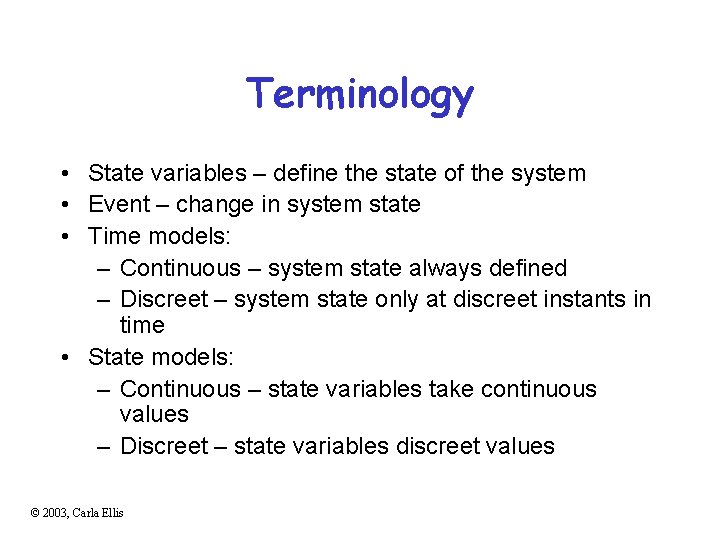
Terminology • State variables – define the state of the system • Event – change in system state • Time models: – Continuous – system state always defined – Discreet – system state only at discreet instants in time • State models: – Continuous – state variables take continuous values – Discreet – state variables discreet values © 2003, Carla Ellis
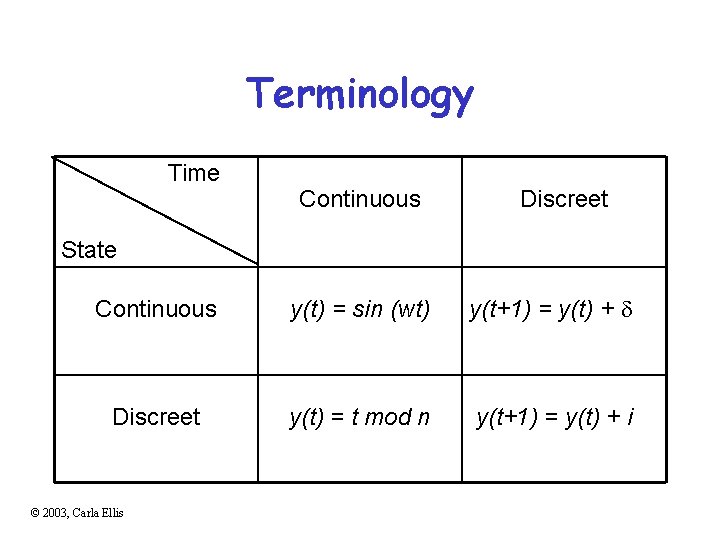
Terminology Time Continuous Discreet State Continuous y(t) = sin (wt) y(t+1) = y(t) + d Discreet y(t) = t mod n y(t+1) = y(t) + i © 2003, Carla Ellis
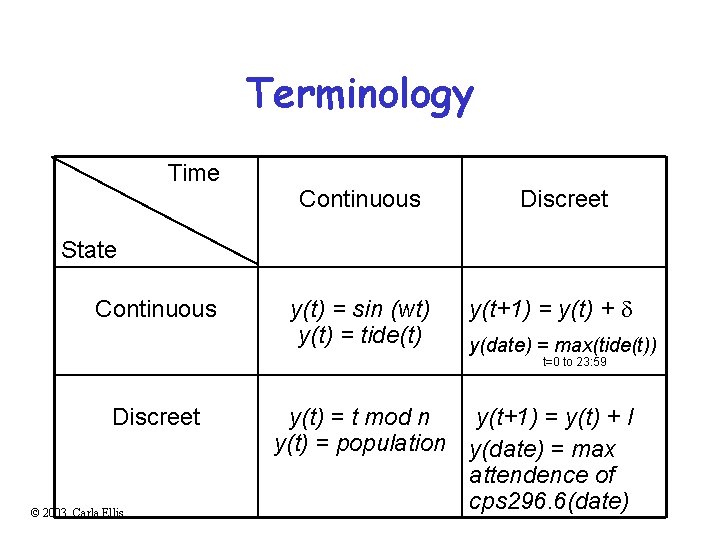
Terminology Time Continuous Discreet State Continuous y(t) = sin (wt) y(t) = tide(t) y(t+1) = y(t) + d y(date) = max(tide(t)) t=0 to 23: 59 Discreet © 2003, Carla Ellis y(t) = t mod n y(t+1) = y(t) + I y(t) = population y(date) = max attendence of cps 296. 6(date)
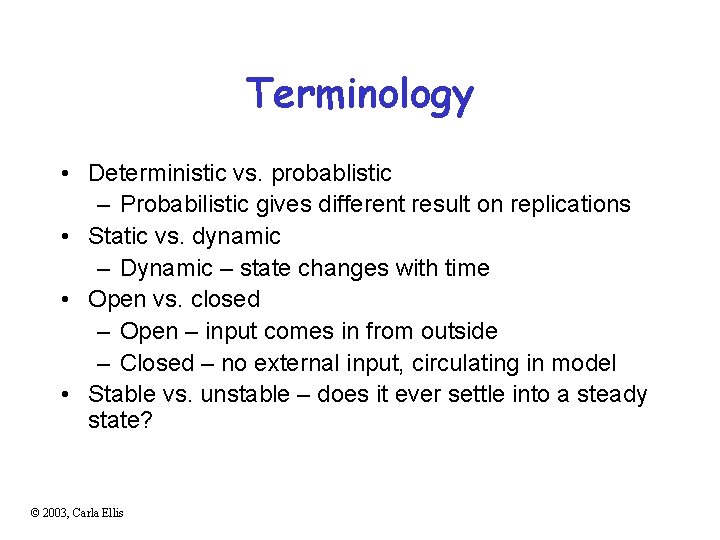
Terminology • Deterministic vs. probablistic – Probabilistic gives different result on replications • Static vs. dynamic – Dynamic – state changes with time • Open vs. closed – Open – input comes in from outside – Closed – no external input, circulating in model • Stable vs. unstable – does it ever settle into a steady state? © 2003, Carla Ellis
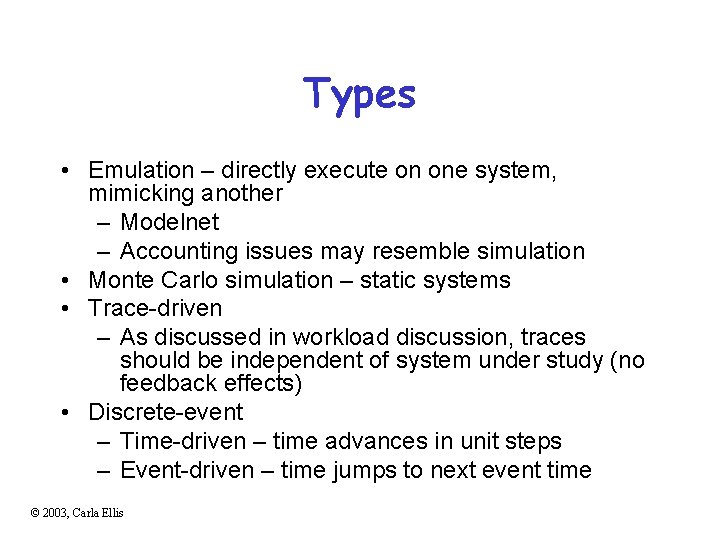
Types • Emulation – directly execute on one system, mimicking another – Modelnet – Accounting issues may resemble simulation • Monte Carlo simulation – static systems • Trace-driven – As discussed in workload discussion, traces should be independent of system under study (no feedback effects) • Discrete-event – Time-driven – time advances in unit steps – Event-driven – time jumps to next event time © 2003, Carla Ellis
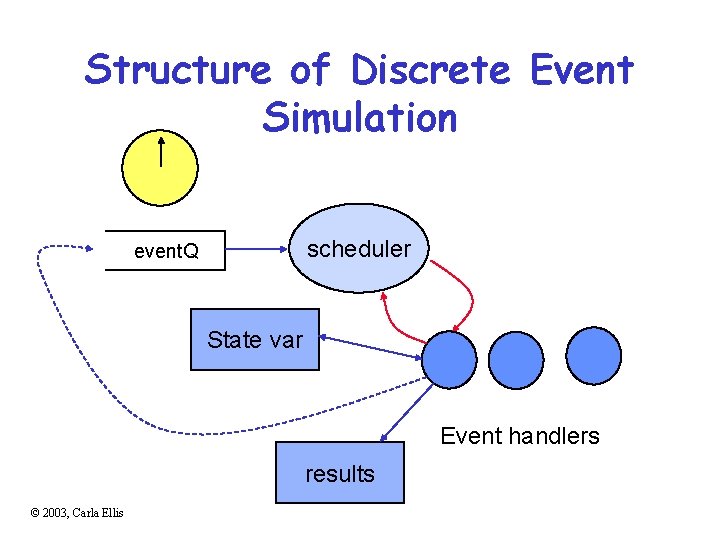
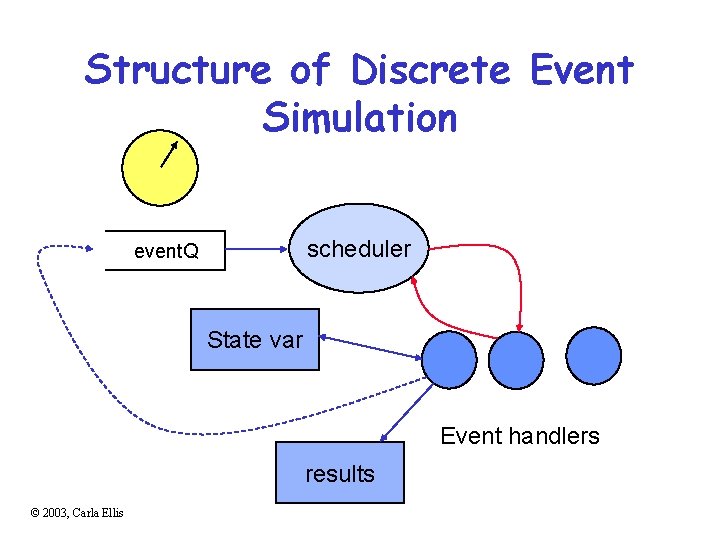
Structure of Discrete Event Simulation scheduler event. Q State var Event handlers results © 2003, Carla Ellis
Structure of Discrete Event Simulation scheduler event. Q State var Event handlers results © 2003, Carla Ellis
Simulation Techniques Overview Simulation environments Workload parameters System Config parameters Factor levels emulation execdriven sim tracedriven sim stochastic sim Discrete events Result Data
Simulation Techniques Overview Simulation environments Events – directly exec. Workload parameters System Config parameters Factor levels emulation open execdriven sim Discrete events tracedriven sim open or closed stochastic sim Result Data
Validation • Are the assumptions of the model reasonable and represent the real system – producing results that are meaningful to the real system. – Assumptions – Input parameters – Output values and conclusions • Compare to another representation – Real system measurements – Theoretical results – Expert intuition © 2003, Carla Ellis
Verification • Debugging for correct implementation of the model – general software debugging strategies. • Testing techniques specific to simulation – Understanding the effect of input parameters allows continuity test small D in input should yield small D in results – Consistency – produces similar results for inputs that should have similar effects – Degeneracy tests – works at the extremes © 2003, Carla Ellis
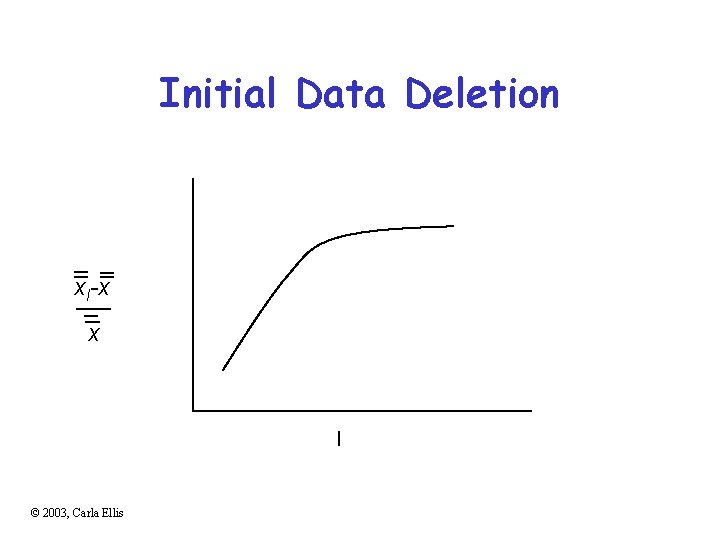
Transient Removal Assuming steady-state performance • Long runs • Initialization at a approx. a steady state • Truncation – ignoring the 1 st l observations based on range • Initial data deletion – relative change in overall mean decreases after l • Moving average of independent replications © 2003, Carla Ellis
Initial Data Deletion xl-x x l © 2003, Carla Ellis