
Simulation Modeling Sciences Geometry and Mesh Generation Toolkit
- Slides: 14
Simulation Modeling Sciences Geometry and Mesh Generation Toolkit CUBIT Fast-Start Tutorial 1. Introduction Sandia National Laboratories is a multi-mission laboratory managed and operated by National Technology & Engineering Solutions of Sandia, LLC. , a wholly owned subsidiary of Honeywell International, Inc. , for the U. S. Department of Energy’s National Nuclear Security Administration under contract DE-NA 0003525.
Contact Info. Simulation Modeling Sciences • Bugs, enhancement requests: – cubit-help@sandia. gov • Meshing Questions, CUBIT community: – cubit@sandia. gov • To subscribe, send an email to majordomo@scico. sandia. gov with “subscribe cubit” in the subject • Cubit announcements – cubit-announce@sandia. gov • To subscribe, send an email to majordomo@sandia. gov with “subscribe cubit-announce” in the subject • Website: – http: //cubit. sandia. gov
Important Info. Simulation Modeling Sciences • Please power off personal electronics! • Please do not attach personal electronics to SNL owned equipment!
Platforms Simulation Modeling Sciences Windows (64 bit) Linux (64 bit) Mac OS/X (64 bit) Downloads Password Sandia CEE Linux LAN https: //cubit. sandia. gov/ click on Downloads Enter Password Sandia: Your Kerberos password Others: from Cubit License Add /projects/cubit to your PATH Type cubit at linux prompt.
Licensing Simulation Modeling Sciences Sandia Free, Site license in place (Do not share offsite) Other Government Free. Fill out online forms at cubit. sandia. gov/public/licensing. html Pending approval from SNL licensing, receive password to CUBIT Downloads Share with colleagues in same organization - All subject to license terms Do NOT share outside of company/organization 1 Password = 1 point of Contact Others/Academic See csimsoft for license terms http: //www. csimsoft. com
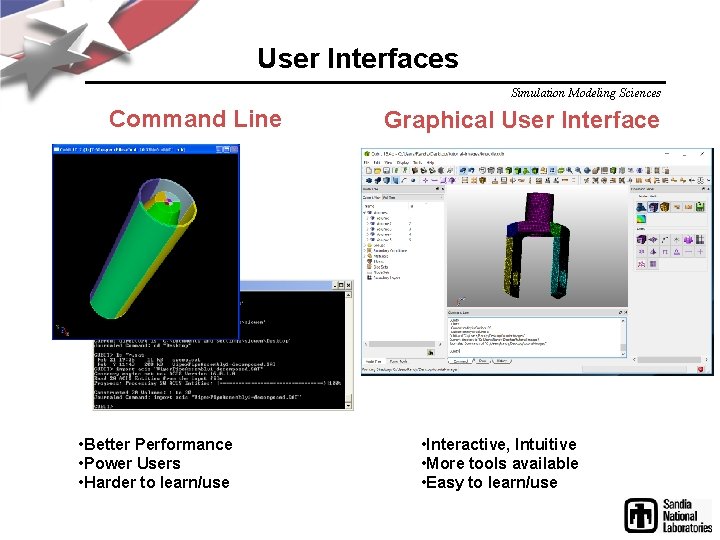
User Interfaces Simulation Modeling Sciences Command Line • Better Performance • Power Users • Harder to learn/use Graphical User Interface • Interactive, Intuitive • More tools available • Easy to learn/use
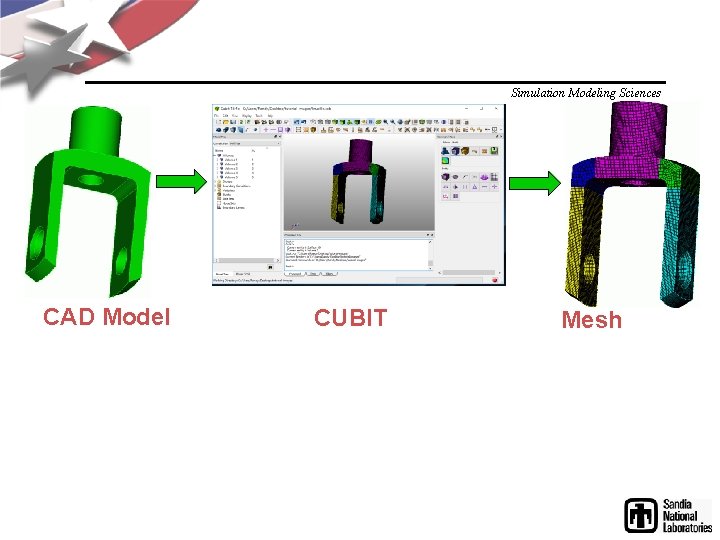
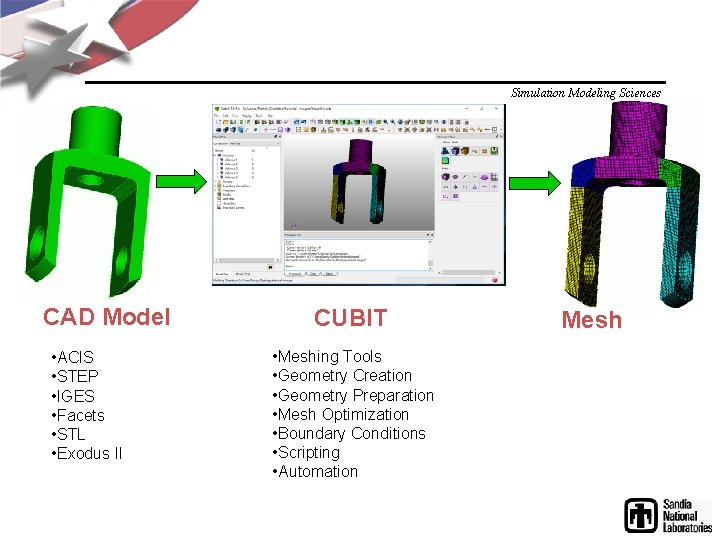
Simulation Modeling Sciences CAD Model CUBIT Mesh
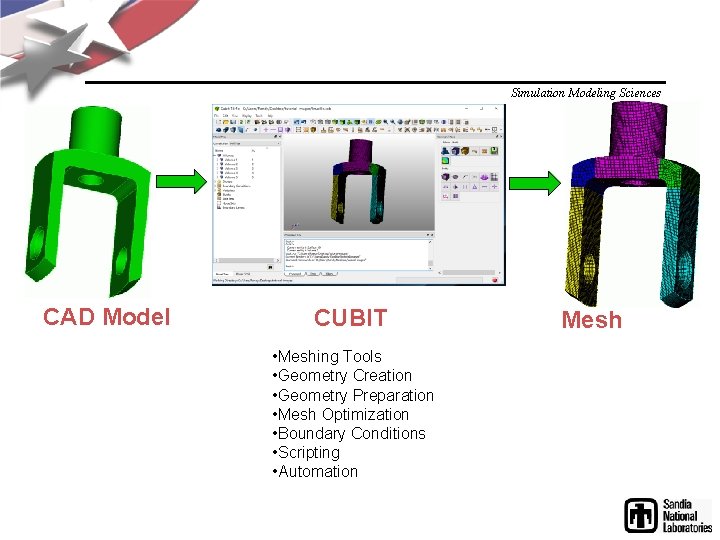
Simulation Modeling Sciences CAD Model CUBIT • Meshing Tools • Geometry Creation • Geometry Preparation • Mesh Optimization • Boundary Conditions • Scripting • Automation Mesh
Simulation Modeling Sciences CAD Model • ACIS • STEP • IGES • Facets • STL • Exodus II CUBIT • Meshing Tools • Geometry Creation • Geometry Preparation • Mesh Optimization • Boundary Conditions • Scripting • Automation Mesh
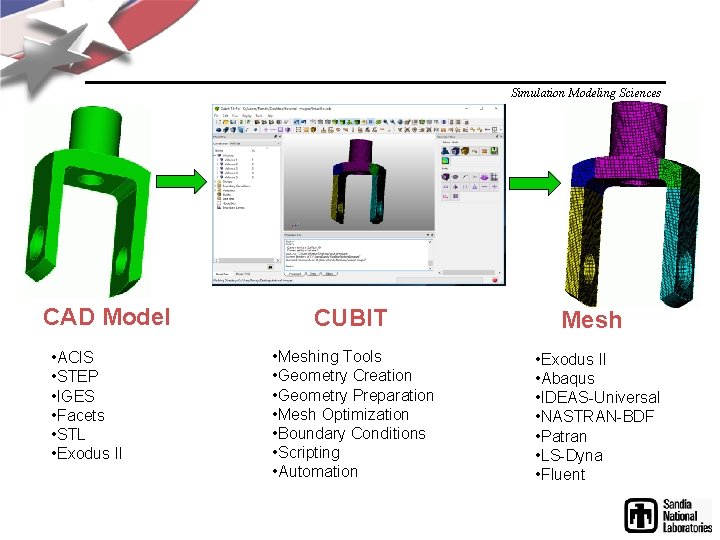
Simulation Modeling Sciences CAD Model • ACIS • STEP • IGES • Facets • STL • Exodus II CUBIT • Meshing Tools • Geometry Creation • Geometry Preparation • Mesh Optimization • Boundary Conditions • Scripting • Automation Mesh • Exodus II • Abaqus • IDEAS-Universal • NASTRAN-BDF • Patran • LS-Dyna • Fluent
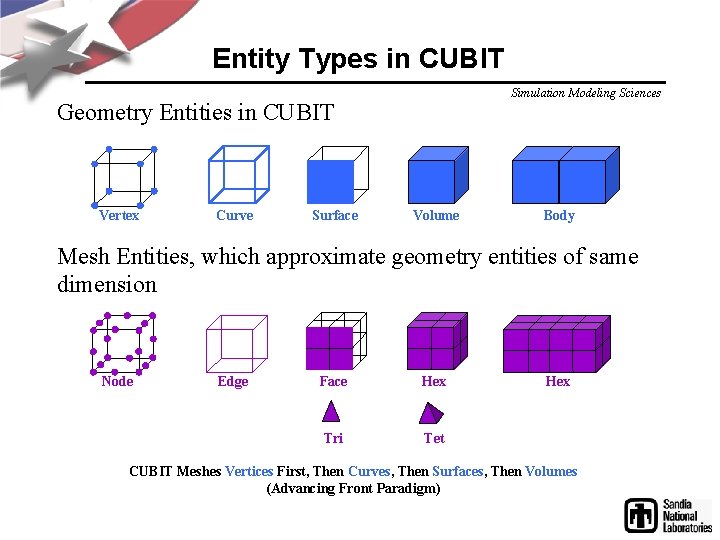
Entity Types in CUBIT Simulation Modeling Sciences Geometry Entities in CUBIT Vertex Curve Surface Volume Body Mesh Entities, which approximate geometry entities of same dimension Node Edge Face Hex Tri Tet Hex CUBIT Meshes Vertices First, Then Curves, Then Surfaces, Then Volumes (Advancing Front Paradigm)
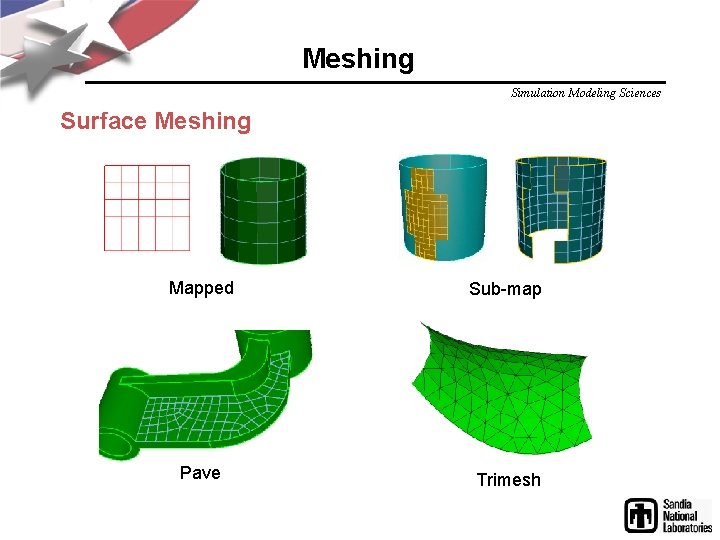
Meshing Simulation Modeling Sciences Surface Meshing Mapped Sub-map Pave Trimesh
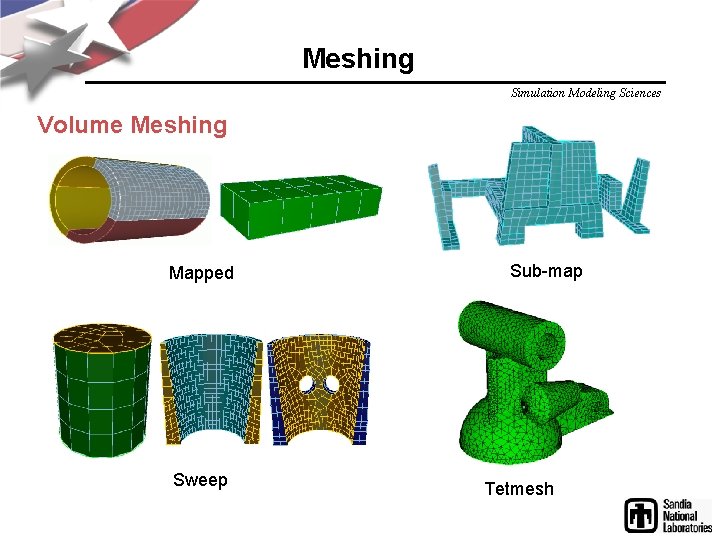
Meshing Simulation Modeling Sciences Volume Meshing Mapped Sweep Sub-map Tetmesh
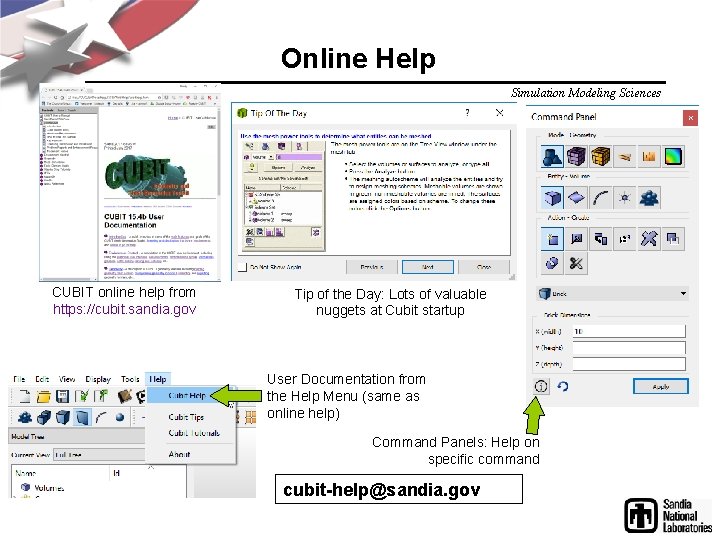
Online Help Simulation Modeling Sciences CUBIT online help from https: //cubit. sandia. gov Tip of the Day: Lots of valuable nuggets at Cubit startup User Documentation from the Help Menu (same as online help) Command Panels: Help on specific command cubit-help@sandia. gov