
Simulation Contact Types for Simulation In this Module


- Slides: 14
Simulation: Contact Types for Simulation
In this Module you will learn: • Overview of contact types you can specify between components • Discussion of bonded vs. surface contact • Mapping of contact type names between Autodesk® Simulation Mechanical and Autodesk® Inventor® Contact Types for Simulation © 2016 Autodesk Design Academy
Overview • Often, analysis of an assembly is desired, and how the components of the assembly interact need to be defined. • FEA simulation software has multiple ways two surfaces can come into contact, and these are called contact types. • The following is a discussion of each contact type with Autodesk® Simulation Mechanical and how it behaves. Contact Types for Simulation © 2016 Autodesk Design Academy
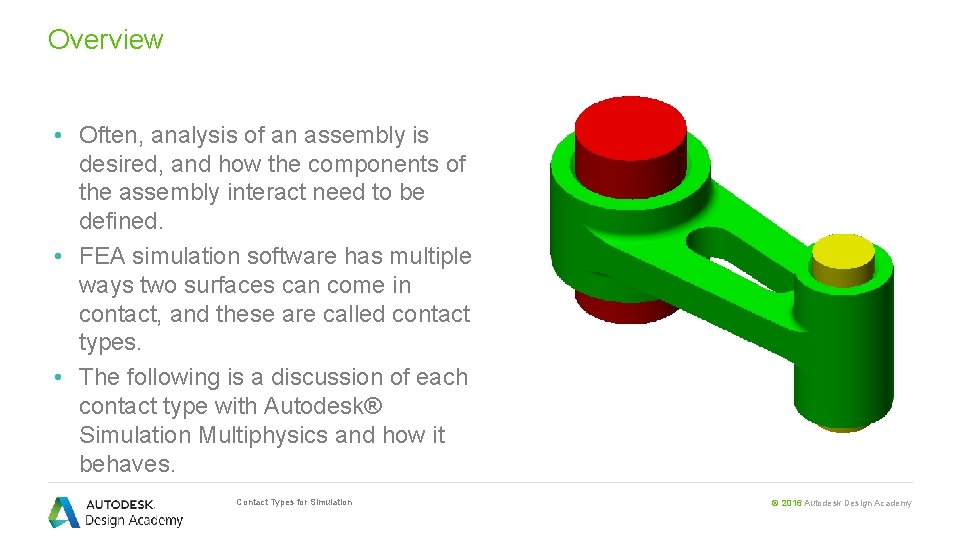
Overview • Often, analysis of an assembly is desired, and how the components of the assembly interact need to be defined. • FEA simulation software has multiple ways two surfaces can come in contact, and these are called contact types. • The following is a discussion of each contact type with Autodesk® Simulation Multiphysics and how it behaves. Contact Types for Simulation © 2016 Autodesk Design Academy
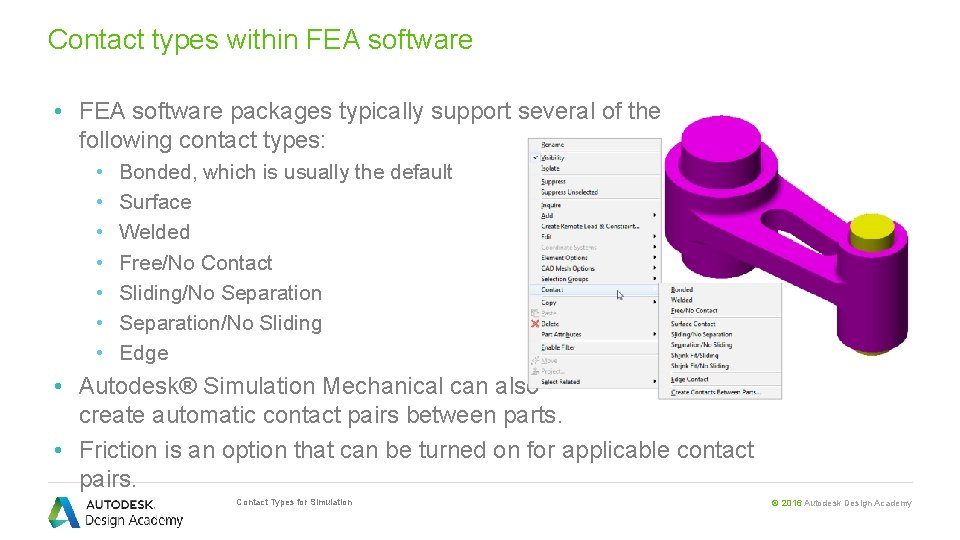
Contact types within FEA software • FEA software packages typically support several of the following contact types: • • Bonded, which is usually the default Surface Welded Free/No Contact Sliding/No Separation/No Sliding Edge • Autodesk® Simulation Mechanical can also create automatic contact pairs between parts. • Friction is an option that can be turned on for applicable contact pairs. Contact Types for Simulation © 2016 Autodesk Design Academy
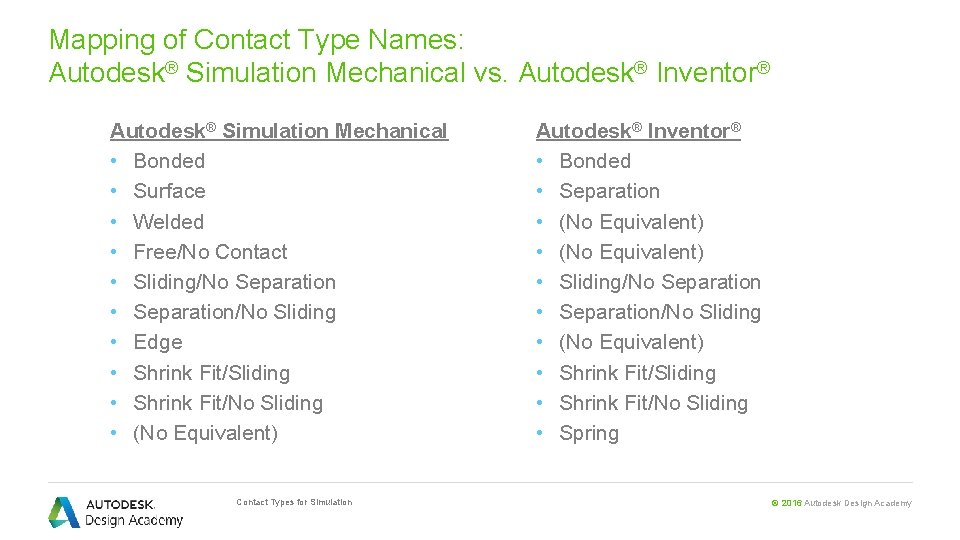
Mapping of Contact Type Names: Autodesk® Simulation Mechanical vs. Autodesk® Inventor® Autodesk® Simulation Mechanical • Bonded • Surface • Welded • Free/No Contact • Sliding/No Separation • Separation/No Sliding • Edge • Shrink Fit/Sliding • Shrink Fit/No Sliding • (No Equivalent) Contact Types for Simulation Autodesk® Inventor® • Bonded • Separation • (No Equivalent) • Sliding/No Separation • Separation/No Sliding • (No Equivalent) • Shrink Fit/Sliding • Shrink Fit/No Sliding • Spring © 2016 Autodesk Design Academy
Contact Types • Bonded—This is the default contact between two parts, wherever surfaces are in contact. It behaves as if the two parts are glued together, like they are made from one piece of material. For example, use this for bolts clamping plates together, where the coefficient of friction is very high and the pieces will not move relative to one another. Contact Types for Simulation © 2016 Autodesk Design Academy
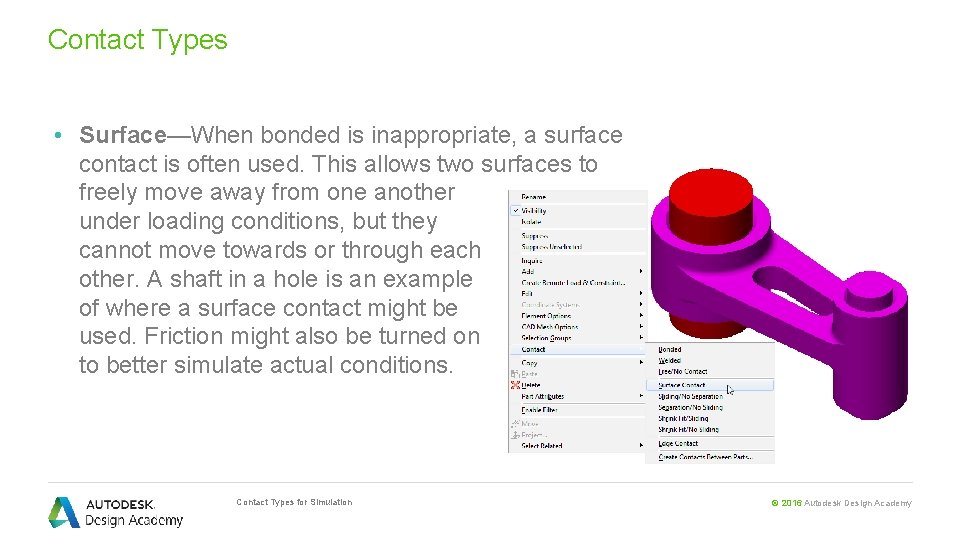
Contact Types • Surface—When bonded is inappropriate, a surface contact is often used. This allows two surfaces to freely move away from one another under loading conditions, but they cannot move towards or through each other. A shaft in a hole is an example of where a surface contact might be used. Friction might also be turned on to better simulate actual conditions. Contact Types for Simulation © 2016 Autodesk Design Academy
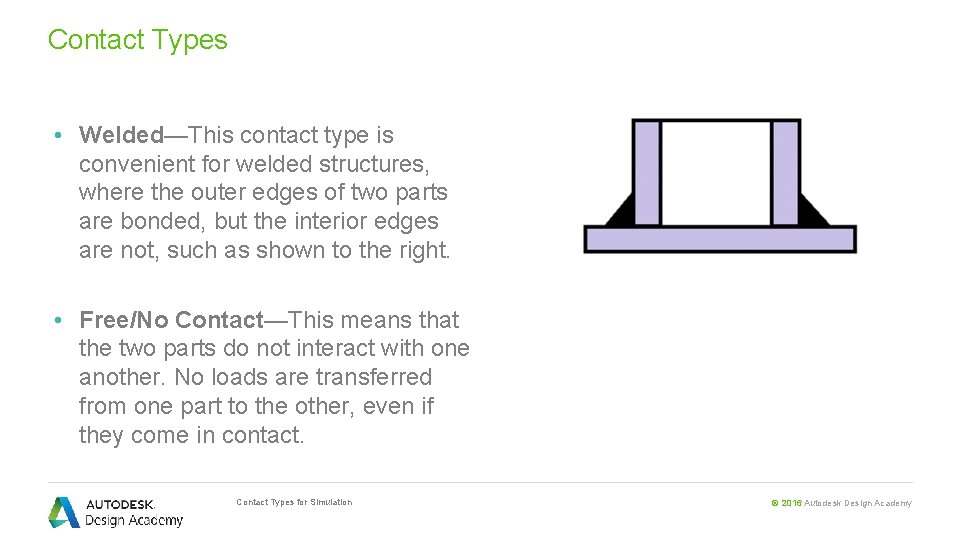
Contact Types • Welded—This contact type is convenient for welded structures, where the outer edges of two parts are bonded, but the interior edges are not, such as shown to the right. • Free/No Contact—This means that the two parts do not interact with one another. No loads are transferred from one part to the other, even if they come in contact. Contact Types for Simulation © 2016 Autodesk Design Academy
Contact Types • Sliding/No Separation—This contact type allows two surfaces to slide freely past each other, but they are not allowed to gap as the loading is applied. • Separation/No Sliding—This is the opposite of the above, where the coefficient of friction is extremely high, so loads applied to the parts will cause them to separate, but not slide along one another. Contact Types for Simulation © 2016 Autodesk Design Academy
Contact Types • Edge—This contact type is much like welded, but can be used along any edge for any length. • Shrink Fit/Sliding—This type of contact captures the effects of an interference fit between parts. You can specify the interference or it can be determined automatically when the interference is included in the CAD model. The parts can slide against each other, and you can include friction. • Shrink Fit/No Sliding—This type of contact is the same as Shrink Fit/Sliding except that no relative sliding can take place between the parts. Use this type when the intensity of fit and friction are sufficient to prevent slippage. Contact Types for Simulation © 2016 Autodesk Design Academy
Contact Types • Create Contacts Between Parts—This is a feature that automatically creates contact pairs between parts. It is best to define contact surfaces based on knowledge of the design than to rely on defaults used for automatic contact pairs. • Settings—Under settings, friction can be turned on, and the coefficient of friction can be set. This is also where the tolerance angle between two surfaces being “in contact” is set. Contact Types for Simulation © 2016 Autodesk Design Academy
Summary • Overview of contact types between components • Demonstration and discussion of bonded vs. surface contact types • Mapping of contact type names between Autodesk® Simulation Mechanical and Autodesk® Inventor® • The video demonstrated how to define a contact type between two components in Autodesk® Simulation Mechanical. Contact Types for Simulation © 2016 Autodesk Design Academy