
Simple ITK Setup and Schedule 1 Hans J
![Schedule [1: 30 PM- 2: 00 PM] history and overview of Simple. ITK. [2:](https://slidetodoc.com/presentation_image_h2/7fc29ab14857c778d5a6b6df9125b333/image-4.jpg "Schedule [1: 30 PM- 2: 00 PM] history and overview of Simple. ITK. [2:")

- Slides: 5
Simple. ITK Setup and Schedule 1 Hans J. Johnson, 2 Bradley C. Lowekamp, 3 Ziv Yaniv 1 The University of Iowa 2 National Institutes of Health 3 TAJ Technologies Inc. 4 MSC LLC
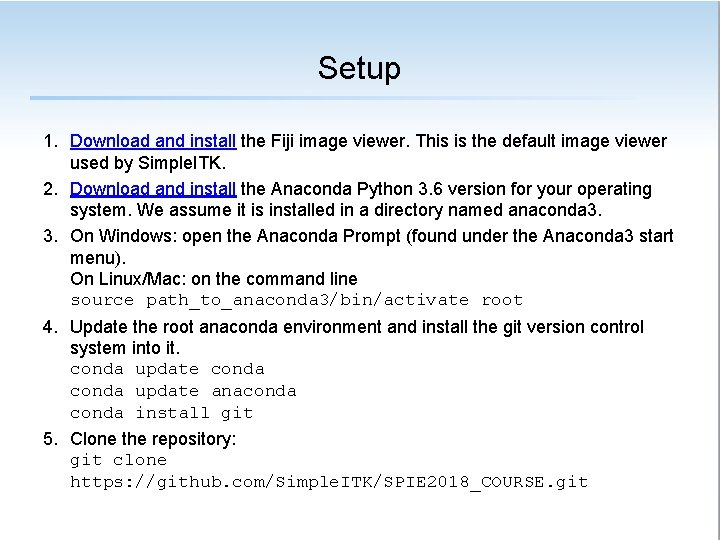
Setup 1. Download and install the Fiji image viewer. This is the default image viewer used by Simple. ITK. 2. Download and install the Anaconda Python 3. 6 version for your operating system. We assume it is installed in a directory named anaconda 3. 3. On Windows: open the Anaconda Prompt (found under the Anaconda 3 start menu). On Linux/Mac: on the command line source path_to_anaconda 3/bin/activate root 4. Update the root anaconda environment and install the git version control system into it. conda update anaconda install git 5. Clone the repository: git clone https: //github. com/Simple. ITK/SPIE 2018_COURSE. git
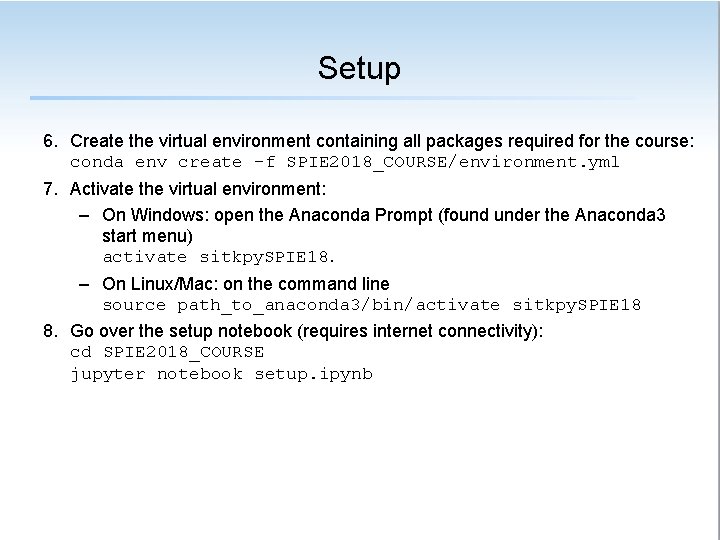
Setup 6. Create the virtual environment containing all packages required for the course: conda env create -f SPIE 2018_COURSE/environment. yml 7. Activate the virtual environment: – On Windows: open the Anaconda Prompt (found under the Anaconda 3 start menu) activate sitkpy. SPIE 18. – On Linux/Mac: on the command line source path_to_anaconda 3/bin/activate sitkpy. SPIE 18 8. Go over the setup notebook (requires internet connectivity): cd SPIE 2018_COURSE jupyter notebook setup. ipynb
Schedule [1: 30 PM- 2: 00 PM] history and overview of Simple. ITK. [2: 00 PM- 2: 30 PM] spatial transformations. [2: 30 PM- 3: 00 PM] images and resampling. [3: 15 PM - 3: 45 PM] data augmentation for deep learning. [3: 45 PM - 4: 30 PM] basic registration. [4: 30 PM - 5: 15 PM] advanced registration. [5: 15 PM - 5: 30 PM] notebook development and testing, concluding remarks.