
SIMILE Modeling tool Modeling river systems SIMILE as
- Slides: 11
SIMILE : Modeling tool • Modeling & river systems • SIMILE as a modeling tool - What it is & what can we use it for? ● Navigate in SIMILE - Example: Bank account
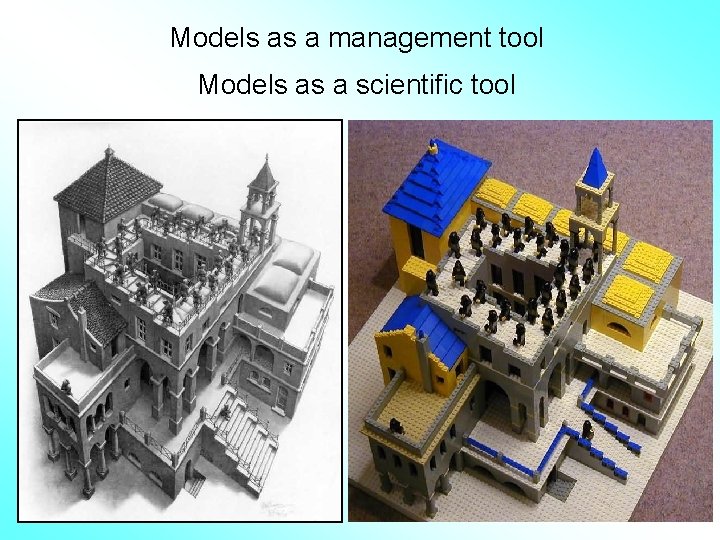
Models as a management tool Models as a scientific tool
SIMILE as a modeling tool www. simulistics. com • Visual modeling environment - Build model without learning programming - Display concept & relationship using diagram: ‘stocks’, ‘flows’ and ‘influences’ - GUI for simulation control & specifying inputs - Visualize & compare the model behaviors in graphs, tables
SIMILE as a modeling tool www. simulistics. com • What can we use it for? - Rate expressions for biological, chemical, or physical processes (differential equations) Ex: Mass balance or accounting, Growth dynamics, Respiration - Scenario analysis Ex: Effect of flow velocity on gas exchange between river-atmosphere
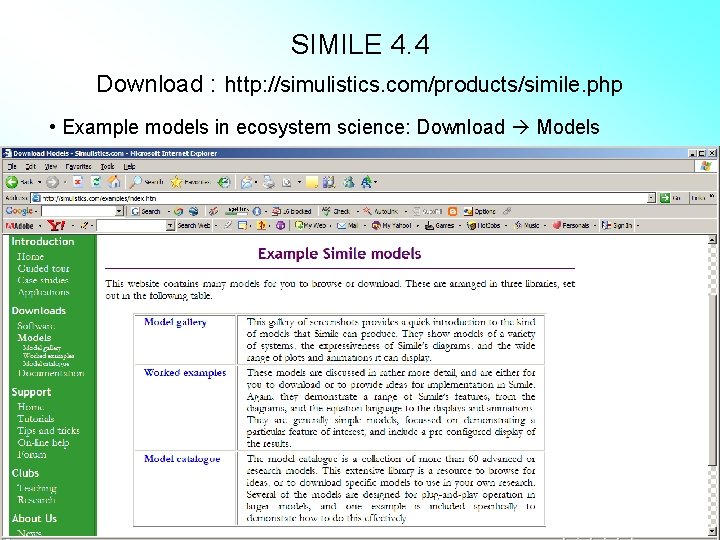
SIMILE 4. 4 Download : http: //simulistics. com/products/simile. php • Example models in ecosystem science: Download Models
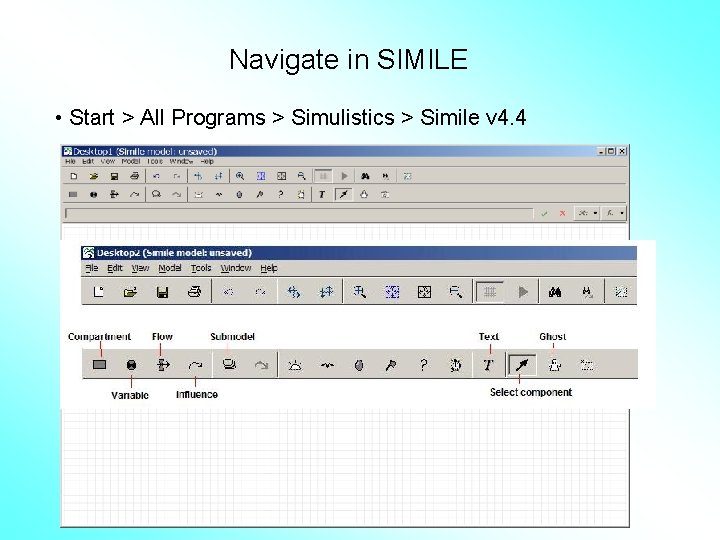
Navigate in SIMILE • Start > All Programs > Simulistics > Simile v 4. 4
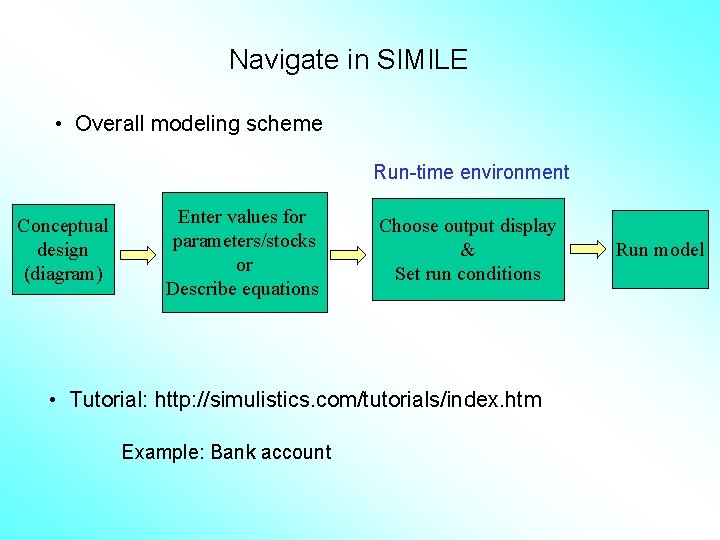
Navigate in SIMILE • Overall modeling scheme Run-time environment Conceptual design (diagram) Enter values for parameters/stocks or Describe equations Choose output display & Set run conditions • Tutorial: http: //simulistics. com/tutorials/index. htm Example: Bank account Run model
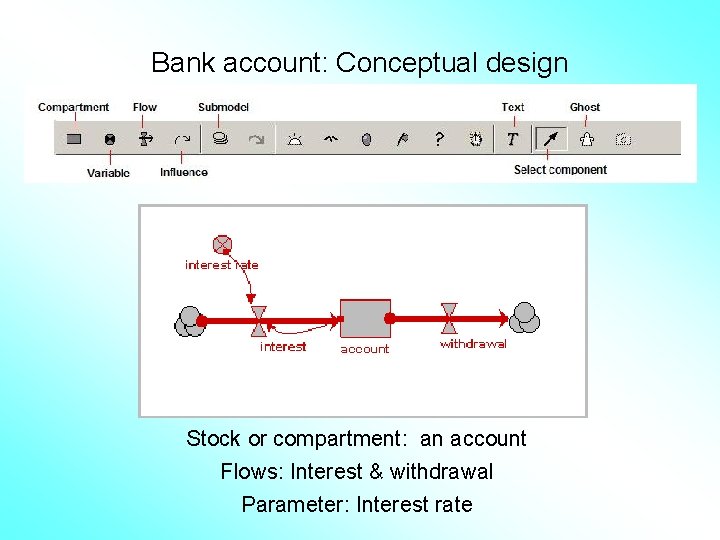
Bank account: Conceptual design Stock or compartment: an account Flows: Interest & withdrawal Parameter: Interest rate
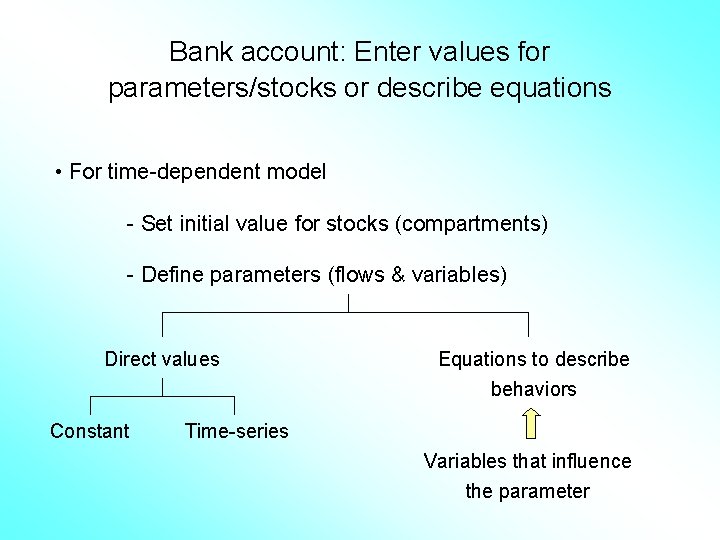
Bank account: Enter values for parameters/stocks or describe equations • For time-dependent model - Set initial value for stocks (compartments) - Define parameters (flows & variables) Direct values Constant Equations to describe behaviors Time-series Variables that influence the parameter
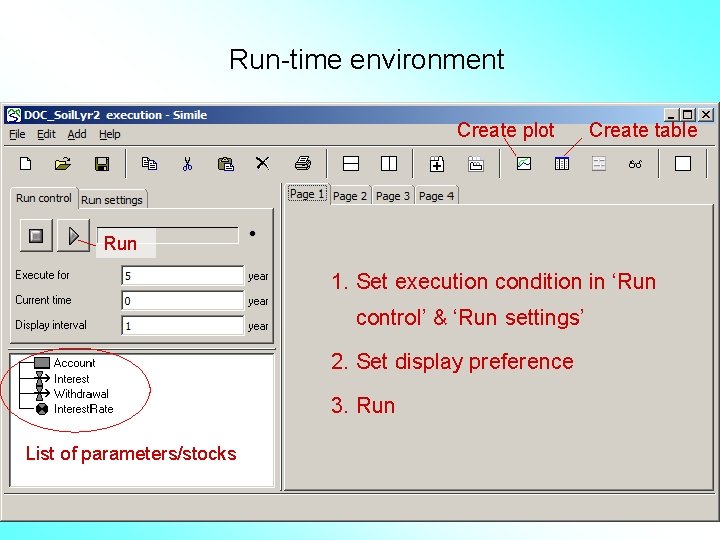
Run-time environment Create plot Create table Run 1. Set execution condition in ‘Run control’ & ‘Run settings’ 2. Set display preference 3. Run List of parameters/stocks
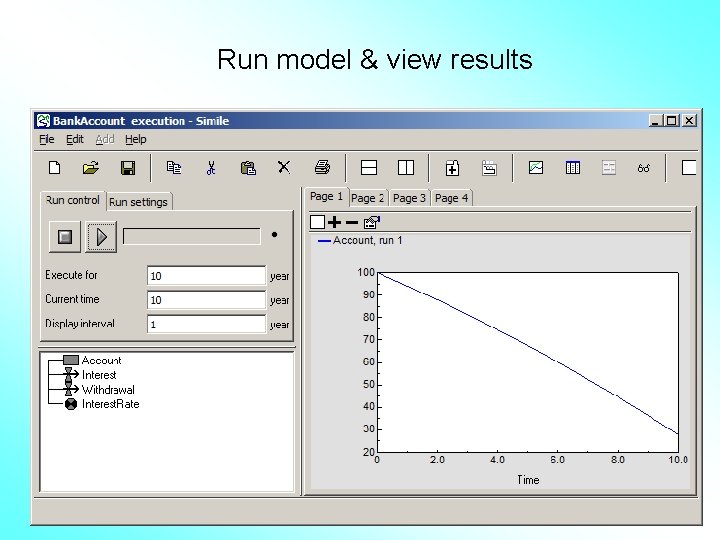
Run model & view results