
SIMBA Lets take the journey together https www
SIMBA Let’s take the journey together https: //www. simba. psu. edu/map/
What Will Happen Change will Happen • Terminology is changing • The Chart of Accounts is changing • System access is changing • How we do business is changing Training will happen Support will happen This Photo by Unknown Author is licensed under CC BY-NC-ND
Terminology • IBIS Budget = SIMBA Cost Center (Work. Day is already using this term) • IBIS Object Code = SIMBA GL Code • SRFC = Non-PO Invoices • IDCC = Internal Service Request Form (ISR) • ROCR/RECR = Various: Cash Journal, Wire and ACH, Credit card Elavon, Third party systems. • Purchasing Requisition = Shopping cart • Purchase Order = Purchase Order • ICAG = Overview of AVC Data, All Postings • IBIS- Simba Terminology Crosswalk • February 2020 IBIS-SIMBA Terminology Crosswalk
Terminology (Continued) FICOFMGM (pronounced FICO FIM GYM) – What does this mean? !? These are the four ledgers in SIMBA FI = Financial - this ledger accounts for all financial transactions, except for budget, and is the primary ledger for tracking assets, liabilities and net assets. This ledger is used for financial statements and is the ledger that adjusts for accrual accounting, including management of payables and receivables. CO = Controlling - this ledger is used for cost allocations. It will not be used extensively at golive and will be used primarily by the Corporate Controller's Office. FM = Funds Management - this ledger is focused on the budget and accounts for all transactions which impact budget, revenue or expense. This is the primary ledger that This is where we will live. departments at Penn State will use to manage general fund operations. Reports from this ledger will show budget, encumbrance, actual and balances, like the current ICAG/ISTR reports in IBIS. GM = Grants Management (GM) - this ledger accounts for all transactions which post to Grants. It accounts for all elements - assets, liabilities, net assets, revenue and expense, as well as budget. This allows for total reporting on grant activities for sponsors and others, including balance sheets and income statements.
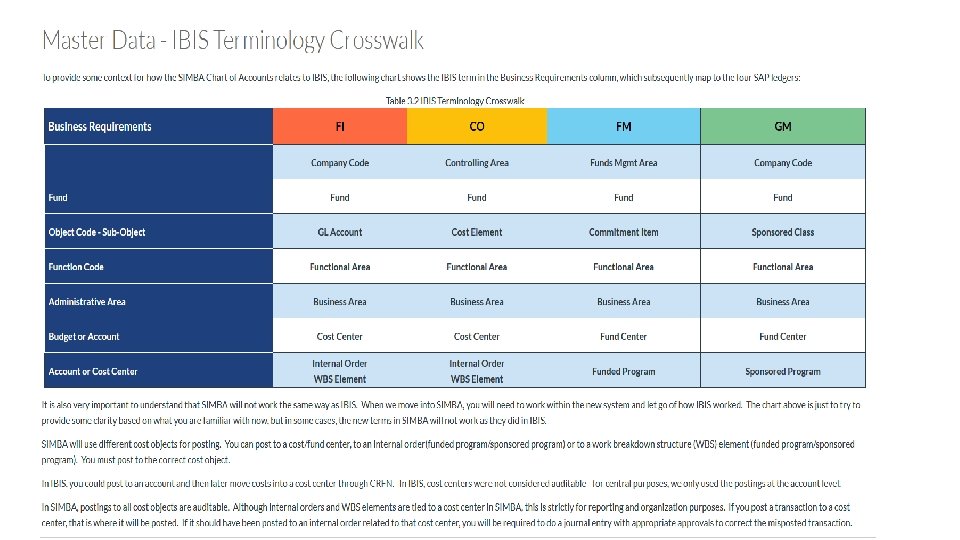
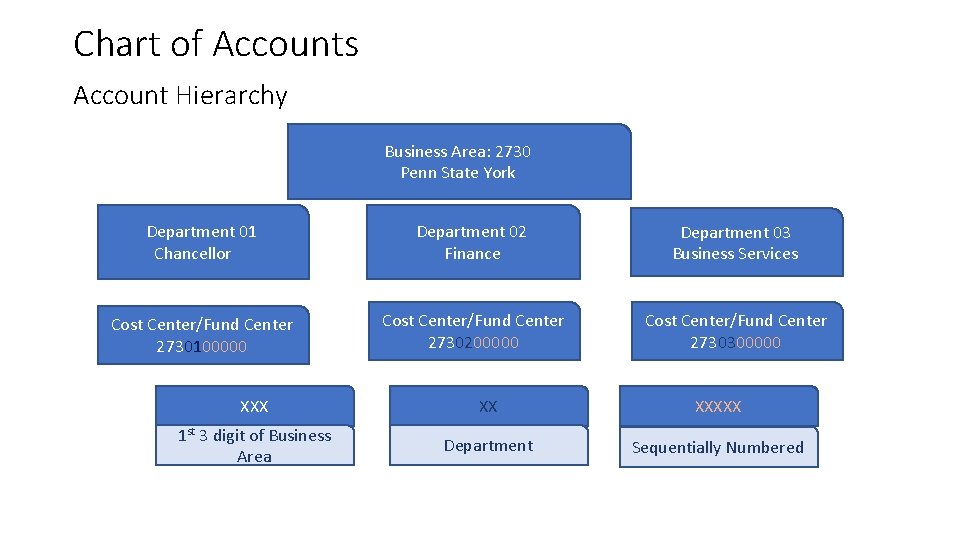
Chart of Accounts Account Hierarchy Business Area: 2730 Penn State York Department 01 Chancellor Department 02 Finance Department 03 Business Services Cost Center/Fund Center 2730100000 Cost Center/Fund Center 2730200000 Cost Center/Fund Center 2730300000 XXX XX XXXXX 1 st 3 digit of Business Area Department Sequentially Numbered
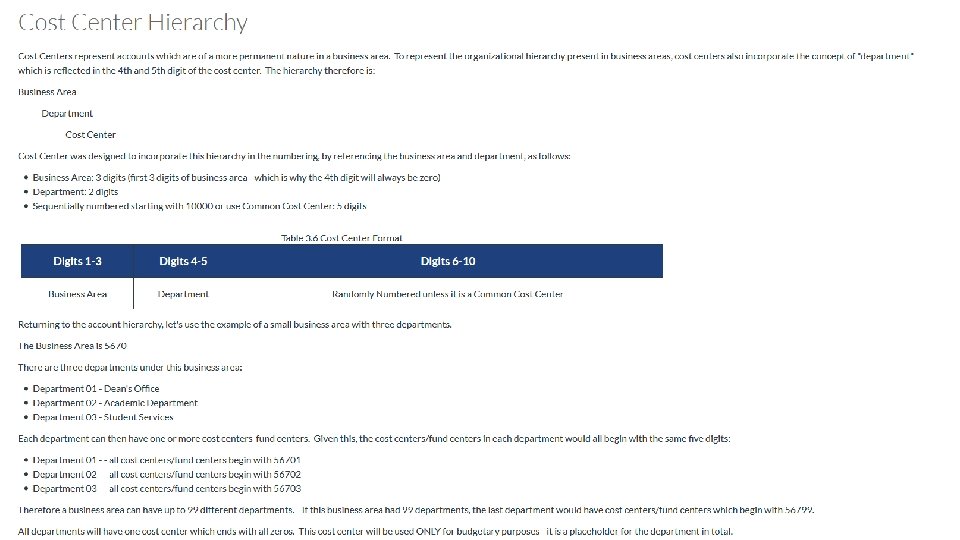
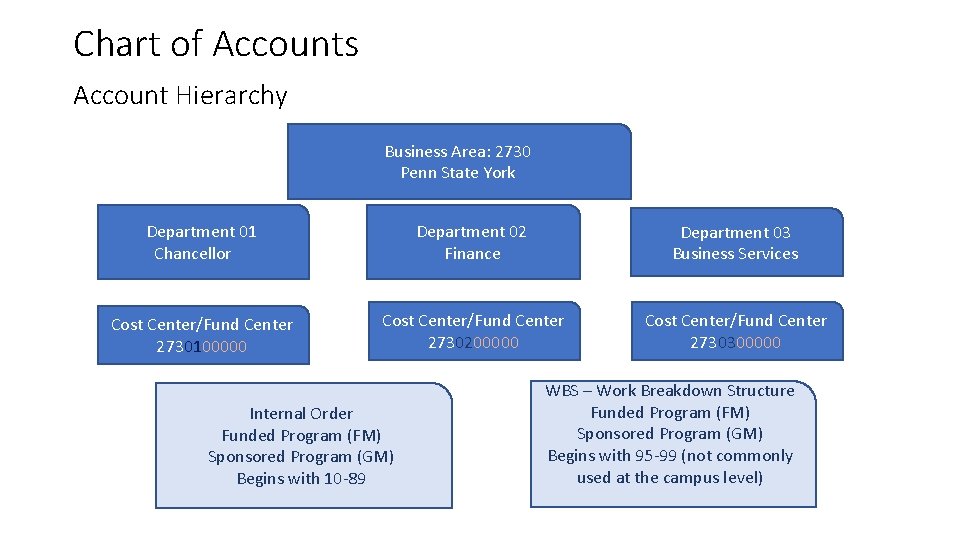
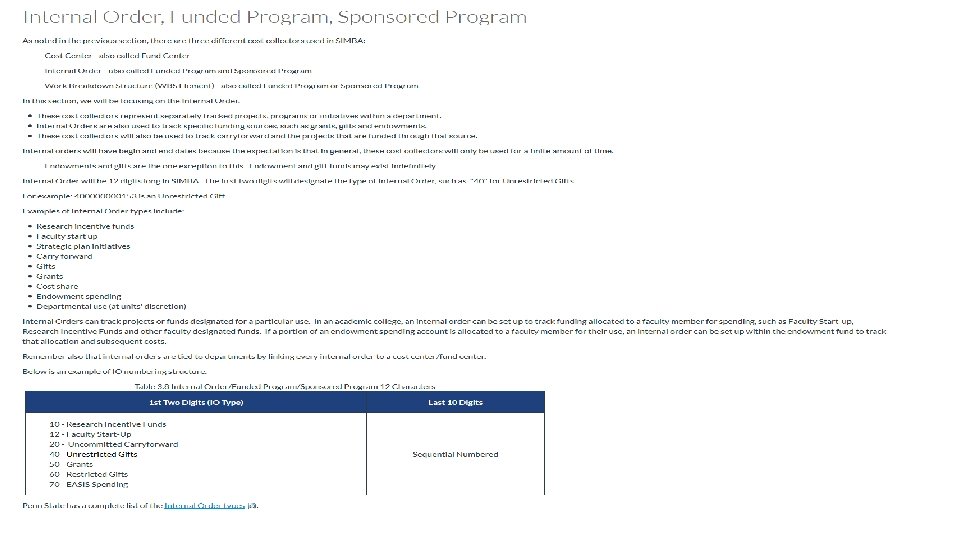
Chart of Accounts Account Hierarchy Business Area: 2730 Penn State York Department 01 Chancellor Department 02 Finance Department 03 Business Services Cost Center/Fund Center 2730100000 Cost Center/Fund Center 2730200000 Cost Center/Fund Center 2730300000 Internal Order Funded Program (FM) Sponsored Program (GM) Begins with 10 -89 WBS – Work Breakdown Structure Funded Program (FM) Sponsored Program (GM) Begins with 95 -99 (not commonly used at the campus level)
What do we know about our chart of accounts? • York has a total of 40 departments • Most IBIS budgets will have a cost center in SIMBA • Expense will be tracked differently than in IBIS example: SIMBA Cost Centers will not have “office supplies” as an internal order to track that expense type. Reporting will allow you to pull the information based on the GL account. • We will all be learning together
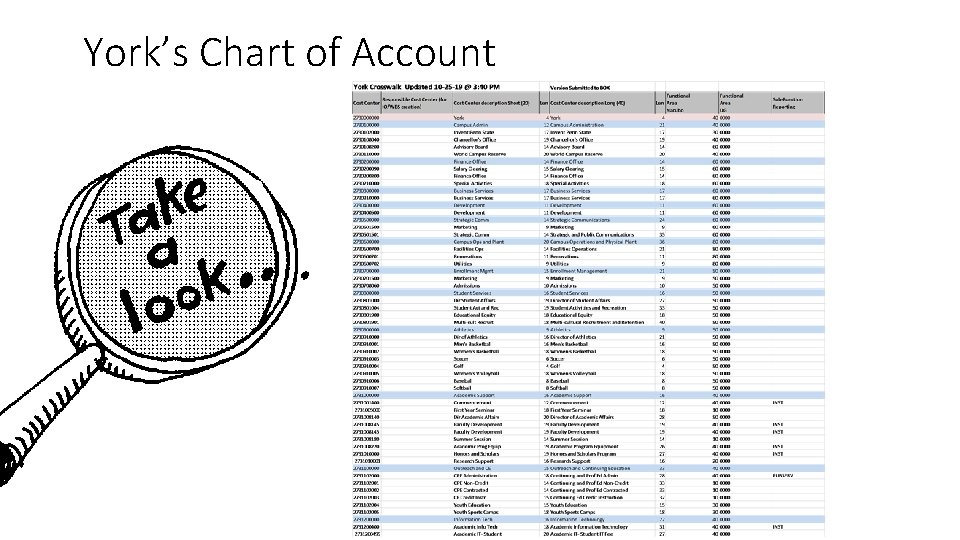
York’s Chart of Account
System Access is Changing • SIMBA’s security model is role based • Transactional Roles “ What you can do. ” • Data Roles “What you can see. ” • Standardized roles will be established grouping functionality to give necessary tools for an individual to perform your job duties • Role assigning at the campus level is being reviewed • January 2020 SIMBA Newsletter This Photo by Unknown Author is licensed under CC BY-NC
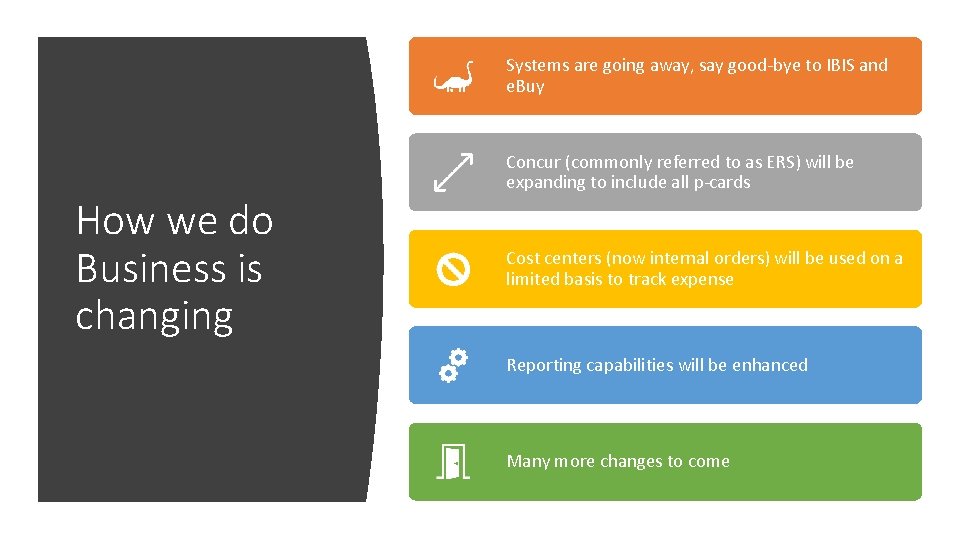
Systems are going away, say good-bye to IBIS and e. Buy How we do Business is changing Concur (commonly referred to as ERS) will be expanding to include all p-cards Cost centers (now internal orders) will be used on a limited basis to track expense Reporting capabilities will be enhanced Many more changes to come
New Process for Good and Services Purchasing Card (PCARD) Transactions • ALL purchasing card transactions, including Goods and Services will now be managed in SAP Concur, not just travel. • Goods and services PCARD transactions will flow into Concur and will be settled in a goods and services report. This report may be completed by the cardholder or by a delegate. • A delegate can submit the report on behalf of an employee. The delegate must print the Submit form Certification, and the employee must sign the form which is then attached to the report. • Given this required review, monthly statements will no longer be issued and will not need to be signed and retained as is now required for control purposes. • Reports can settle one or more PCARD transactions for the same employee (report is unique for the cardholder)
New Process for Good and Services Purchasing Card (PCARD) Transactions (continued) • Receipts and back-up material supporting the transactions being settled can be scanned into Concur, as is now done for travel • Purchasing Card Support Forms will no longer be required. • Once scanned or uploaded, paper receipts do not need to be maintained. • Unsupported transactions which were mistakenly put on the PCARD can be settled with deductions made through the payroll system, as is now done with travel. • Reports may also include cash reimbursements for non-travel expenses. Payment to the employee would be to the designated bank account, just as is now done for travel.
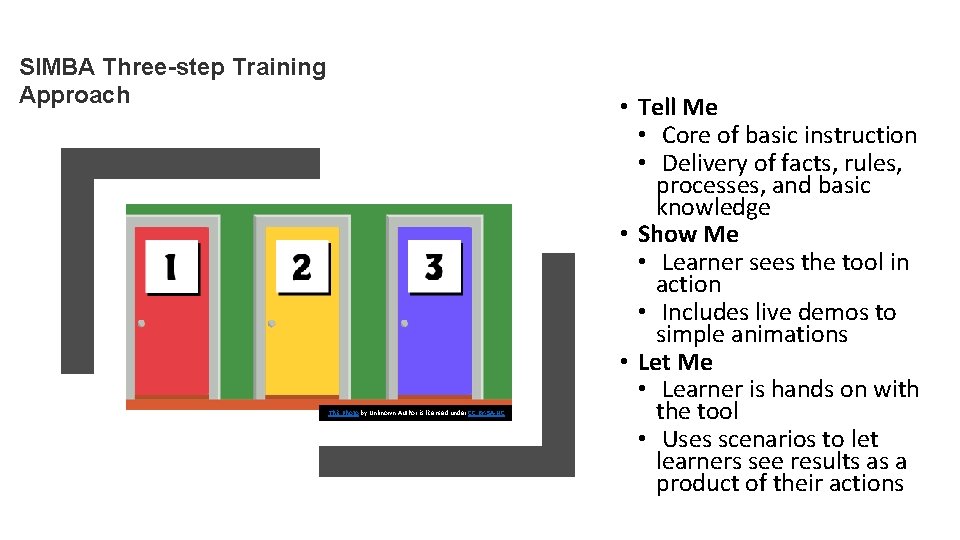
SIMBA Three-step Training Approach This Photo by Unknown Author is licensed under CC BY-SA-NC • Tell Me • Core of basic instruction • Delivery of facts, rules, processes, and basic knowledge • Show Me • Learner sees the tool in action • Includes live demos to simple animations • Let Me • Learner is hands on with the tool • Uses scenarios to let learners see results as a product of their actions
• Instructor-Led Training (ILT) • Hands-on, face-to-face training • Learner will engage with software • Regional training opportunities Training Delivery Formats • Virtual Instructor-Led Training (v. ILT) • Virtual environment such as a Zoom session, learner in separate environment • Environment may or may not be hands on • Web-Based Training (WBT) • Self-directed, self-paced training that is anywhere, any-time instruction delivered over the Internet to learners. Options could include: • Micro-learning such as instructional videos or quick tutorials • Whole Course Delivery such as click-through demonstrations. For example: SIMBA 101
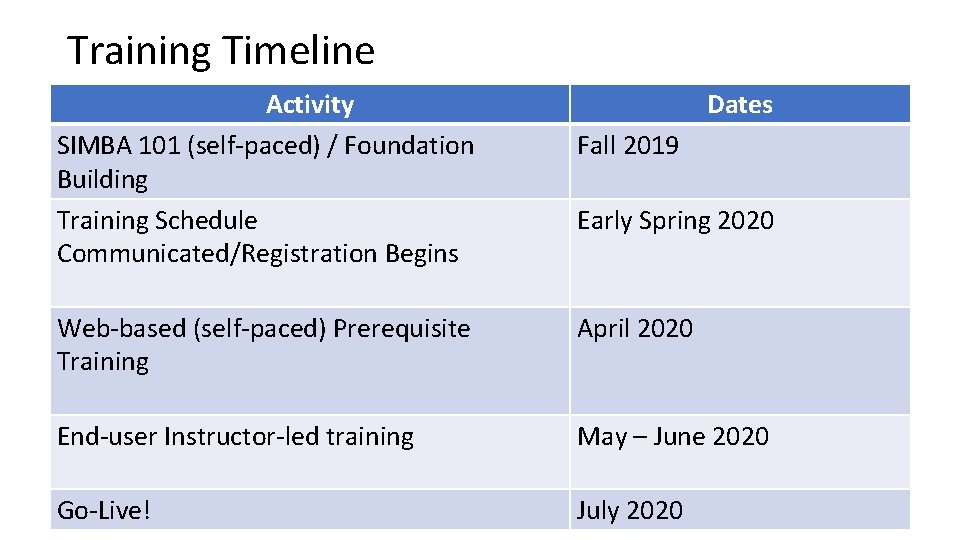
Training Timeline Activity SIMBA 101 (self-paced) / Foundation Building Training Schedule Communicated/Registration Begins Dates Fall 2019 Early Spring 2020 Web-based (self-paced) Prerequisite Training April 2020 End-user Instructor-led training May – June 2020 Go-Live! July 2020
Prepare Now You should have already started • Website • Loads of information including team member information, FAQs, training, previous newsletters and SIMBA sessions • Monthly Newsletters • Contains project updates, monthly focus, change management corner, and more • Monthly SIMBA Sessions • Continuing series of live webinars with project updates, spotlight discussion and live Q & A • SIMBA 101 (register on the website) • Self-paced, online course providing a solid foundation focusing on core SIMBA financial concepts This Photo by Unknown Author is licensed under CC BY-NC-ND
Post-Production Support Three-S Approach Situation: you have a question in the moment while performing a transaction Seek: use one of the recommended methods to seek answer Solution: you find the answer and are able to complete the transaction Support Formats (not exhaustive) Simulations : Short demos end user views a task from start to finish Hands-on Guide : Scripted walk through simulations Reference Guides: Performance support materials that are not transaction based Web-based Training: Self-directed, self-paced
SUPPORT PHASE SCAR System Confusion Anxiety & Rage This Photo by Unknown Author is licensed under CC BY
Let’s take the leap together!!! IBIS Simba
QUESTIONS
- Slides: 23