
Signals Waveforms LSU rev 20 AUG 2020 L
- Slides: 17
Signals Waveforms LSU rev 20 AUG 2020 L 10. 01 1
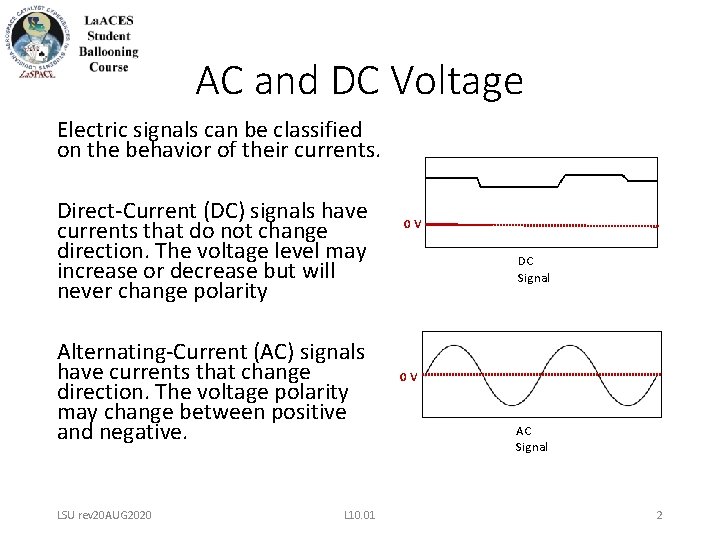
AC and DC Voltage Electric signals can be classified on the behavior of their currents. Direct-Current (DC) signals have currents that do not change direction. The voltage level may increase or decrease but will never change polarity Alternating-Current (AC) signals have currents that change direction. The voltage polarity may change between positive and negative. LSU rev 20 AUG 2020 L 10. 01 0 V DC Signal 0 V AC Signal 2
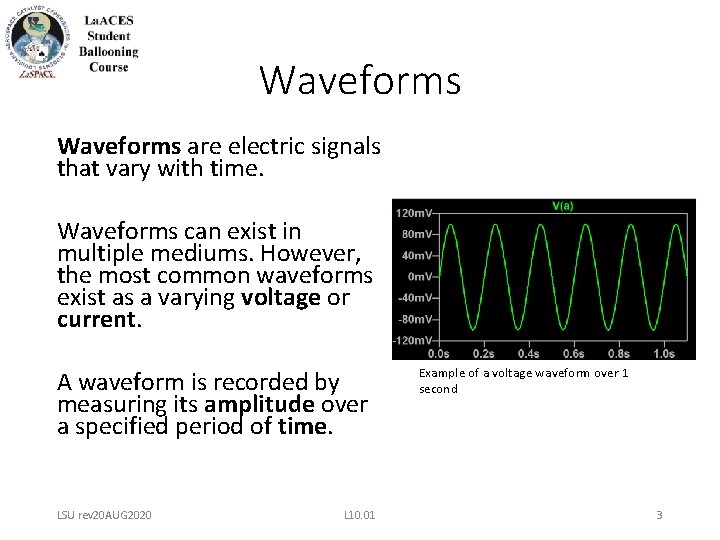
Waveforms are electric signals that vary with time. Waveforms can exist in multiple mediums. However, the most common waveforms exist as a varying voltage or current. A waveform is recorded by measuring its amplitude over a specified period of time. LSU rev 20 AUG 2020 L 10. 01 Example of a voltage waveform over 1 second 3
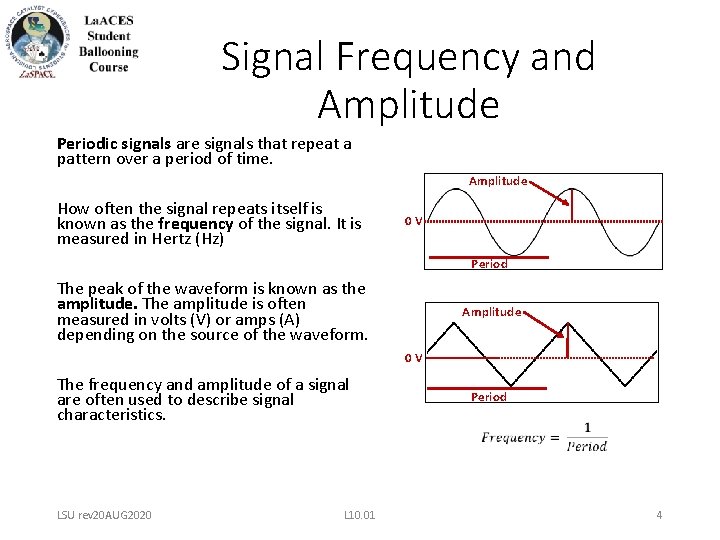
Signal Frequency and Amplitude Periodic signals are signals that repeat a pattern over a period of time. Amplitude How often the signal repeats itself is known as the frequency of the signal. It is measured in Hertz (Hz) 0 V Period The peak of the waveform is known as the amplitude. The amplitude is often measured in volts (V) or amps (A) depending on the source of the waveform. Amplitude 0 V The frequency and amplitude of a signal are often used to describe signal characteristics. LSU rev 20 AUG 2020 L 10. 01 Period 4
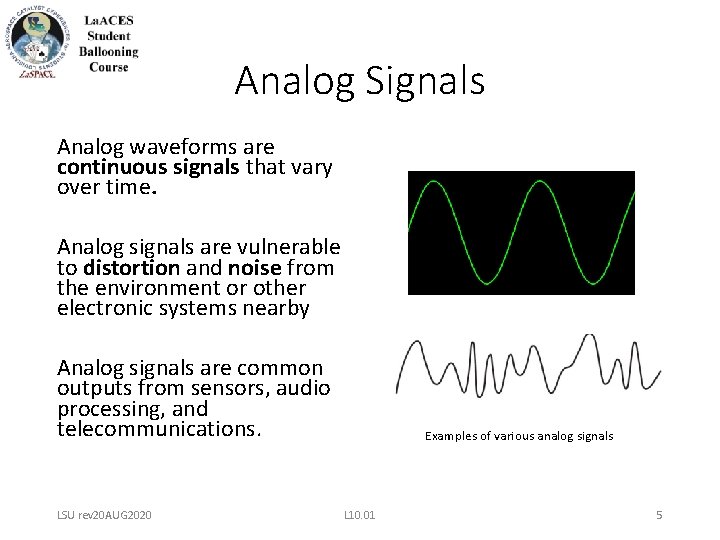
Analog Signals Analog waveforms are continuous signals that vary over time. Analog signals are vulnerable to distortion and noise from the environment or other electronic systems nearby Analog signals are common outputs from sensors, audio processing, and telecommunications. LSU rev 20 AUG 2020 Examples of various analog signals L 10. 01 5
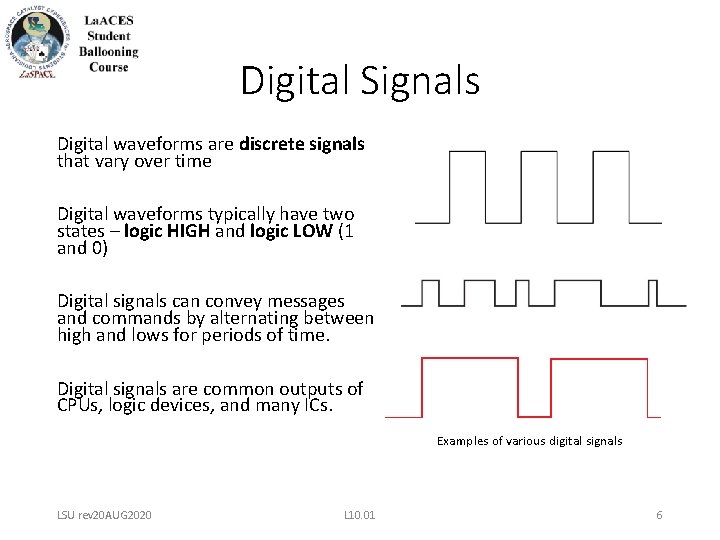
Digital Signals Digital waveforms are discrete signals that vary over time Digital waveforms typically have two states – logic HIGH and logic LOW (1 and 0) Digital signals can convey messages and commands by alternating between high and lows for periods of time. Digital signals are common outputs of CPUs, logic devices, and many ICs. Examples of various digital signals LSU rev 20 AUG 2020 L 10. 01 6
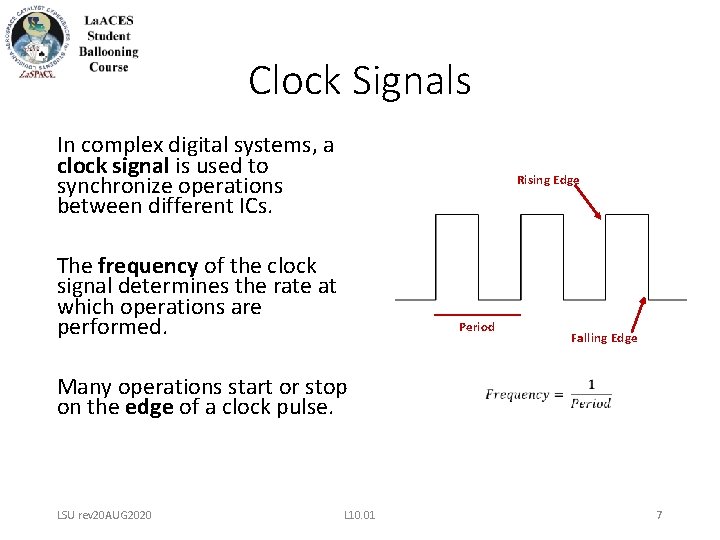
Clock Signals In complex digital systems, a clock signal is used to synchronize operations between different ICs. Rising Edge The frequency of the clock signal determines the rate at which operations are performed. Period Falling Edge Many operations start or stop on the edge of a clock pulse. LSU rev 20 AUG 2020 L 10. 01 7
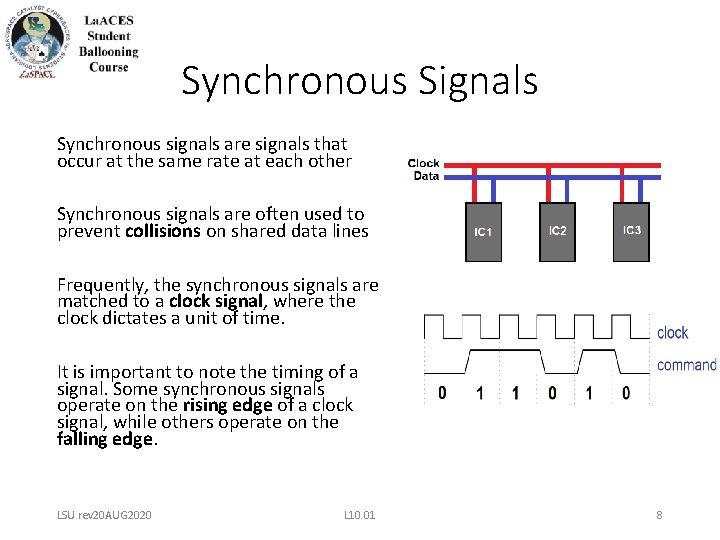
Synchronous Signals Synchronous signals are signals that occur at the same rate at each other Synchronous signals are often used to prevent collisions on shared data lines Frequently, the synchronous signals are matched to a clock signal, where the clock dictates a unit of time. It is important to note the timing of a signal. Some synchronous signals operate on the rising edge of a clock signal, while others operate on the falling edge. LSU rev 20 AUG 2020 L 10. 01 8
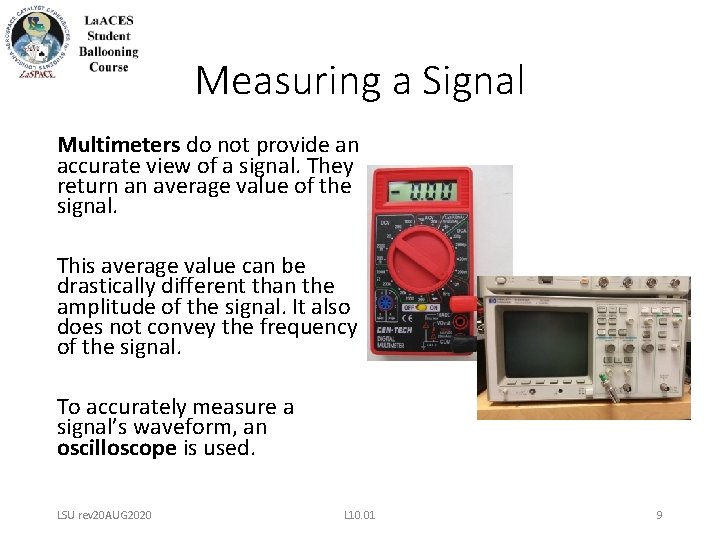
Measuring a Signal Multimeters do not provide an accurate view of a signal. They return an average value of the signal. This average value can be drastically different than the amplitude of the signal. It also does not convey the frequency of the signal. To accurately measure a signal’s waveform, an oscilloscope is used. LSU rev 20 AUG 2020 L 10. 01 9
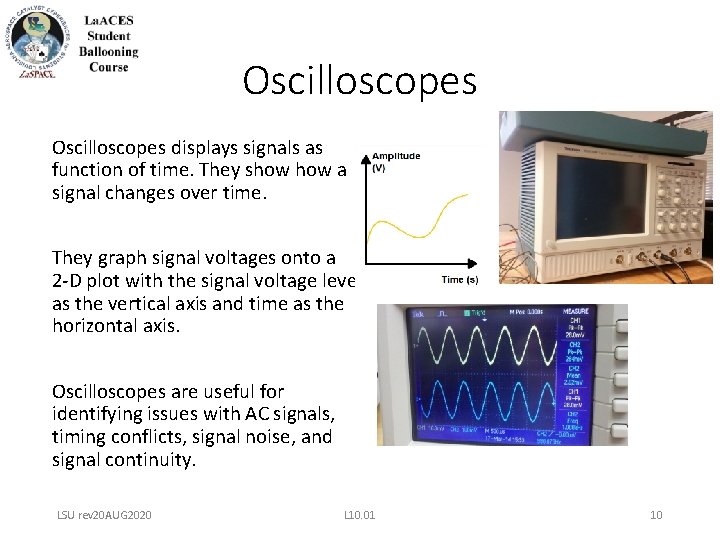
Oscilloscopes displays signals as function of time. They show a signal changes over time. They graph signal voltages onto a 2 -D plot with the signal voltage level as the vertical axis and time as the horizontal axis. Oscilloscopes are useful for identifying issues with AC signals, timing conflicts, signal noise, and signal continuity. LSU rev 20 AUG 2020 L 10. 01 10
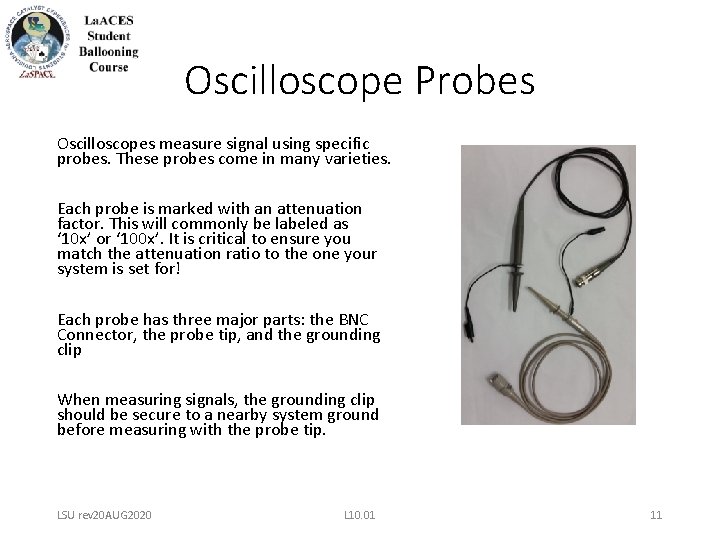
Oscilloscope Probes Oscilloscopes measure signal using specific probes. These probes come in many varieties. Each probe is marked with an attenuation factor. This will commonly be labeled as ‘ 10 x’ or ‘ 100 x’. It is critical to ensure you match the attenuation ratio to the one your system is set for! Each probe has three major parts: the BNC Connector, the probe tip, and the grounding clip When measuring signals, the grounding clip should be secure to a nearby system ground before measuring with the probe tip. LSU rev 20 AUG 2020 L 10. 01 11
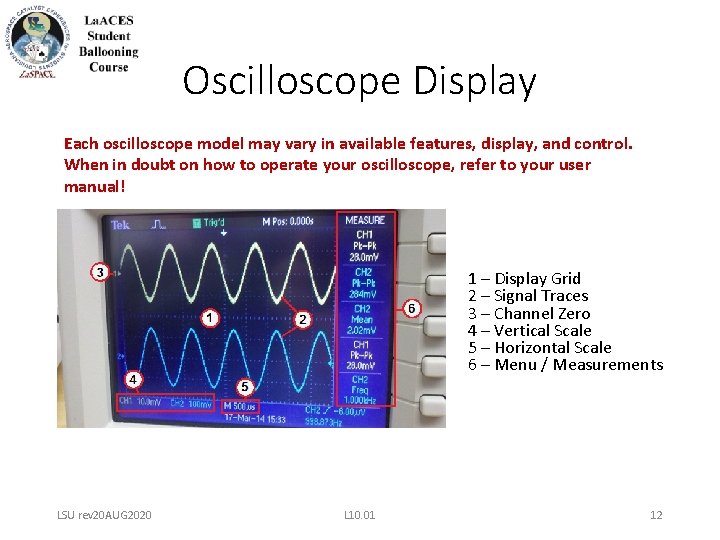
Oscilloscope Display Each oscilloscope model may vary in available features, display, and control. When in doubt on how to operate your oscilloscope, refer to your user manual! 1 – Display Grid 2 – Signal Traces 3 – Channel Zero 4 – Vertical Scale 5 – Horizontal Scale 6 – Menu / Measurements LSU rev 20 AUG 2020 L 10. 01 12
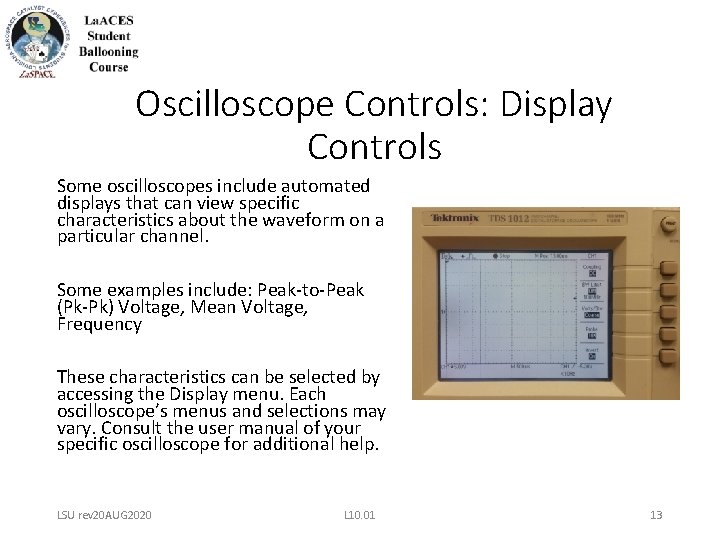
Oscilloscope Controls: Display Controls Some oscilloscopes include automated displays that can view specific characteristics about the waveform on a particular channel. Some examples include: Peak-to-Peak (Pk-Pk) Voltage, Mean Voltage, Frequency These characteristics can be selected by accessing the Display menu. Each oscilloscope’s menus and selections may vary. Consult the user manual of your specific oscilloscope for additional help. LSU rev 20 AUG 2020 L 10. 01 13
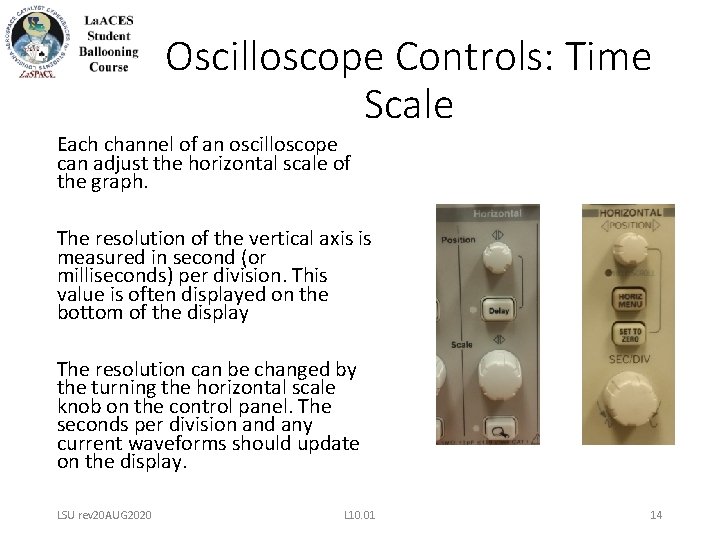
Oscilloscope Controls: Time Scale Each channel of an oscilloscope can adjust the horizontal scale of the graph. The resolution of the vertical axis is measured in second (or milliseconds) per division. This value is often displayed on the bottom of the display The resolution can be changed by the turning the horizontal scale knob on the control panel. The seconds per division and any current waveforms should update on the display. LSU rev 20 AUG 2020 L 10. 01 14
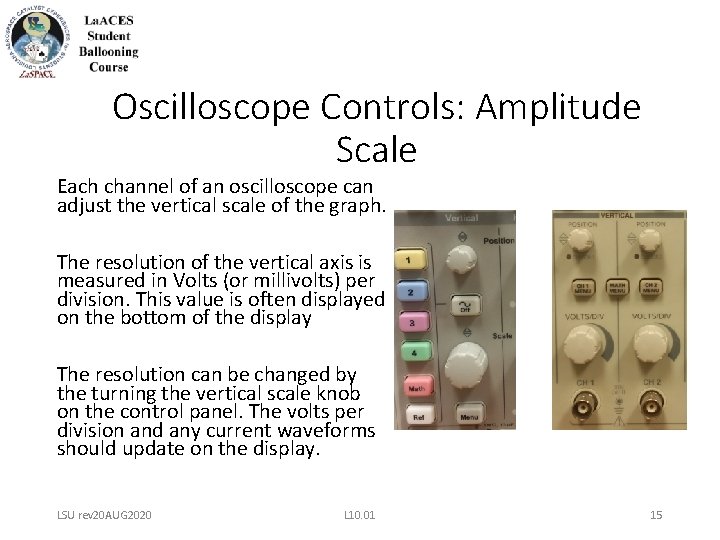
Oscilloscope Controls: Amplitude Scale Each channel of an oscilloscope can adjust the vertical scale of the graph. The resolution of the vertical axis is measured in Volts (or millivolts) per division. This value is often displayed on the bottom of the display The resolution can be changed by the turning the vertical scale knob on the control panel. The volts per division and any current waveforms should update on the display. LSU rev 20 AUG 2020 L 10. 01 15
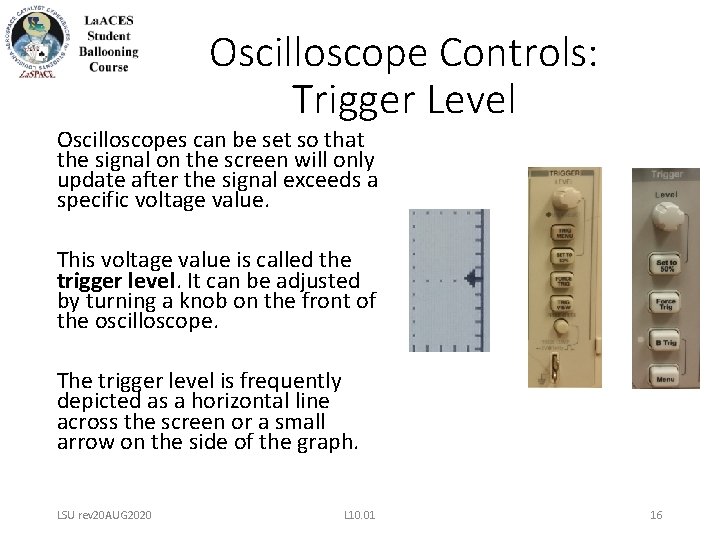
Oscilloscope Controls: Trigger Level Oscilloscopes can be set so that the signal on the screen will only update after the signal exceeds a specific voltage value. This voltage value is called the trigger level. It can be adjusted by turning a knob on the front of the oscilloscope. The trigger level is frequently depicted as a horizontal line across the screen or a small arrow on the side of the graph. LSU rev 20 AUG 2020 L 10. 01 16
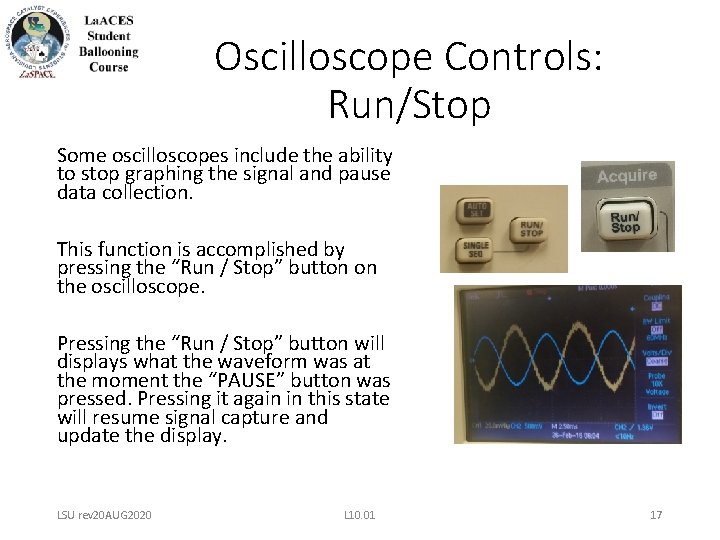
Oscilloscope Controls: Run/Stop Some oscilloscopes include the ability to stop graphing the signal and pause data collection. This function is accomplished by pressing the “Run / Stop” button on the oscilloscope. Pressing the “Run / Stop” button will displays what the waveform was at the moment the “PAUSE” button was pressed. Pressing it again in this state will resume signal capture and update the display. LSU rev 20 AUG 2020 L 10. 01 17