
Siebel 8 0 Essentials Examining Object Definitions 1
Siebel 8. 0 Essentials Examining Object Definitions 1 of 16
Module 15: Examining Object Definitions
Module Objectives • To describe the differences between Object Types and Object Definitions • To examine and explore the parent and child object definitions. Examining Object Definitions 3 of 16

Siebel Tools • Is an Integrated Development Environment (IDE) • Tools user interface differs from the client application • Is a Declarative configuration Tool used to create and modify the object definitions(metadata) Record Navigation New Query Run Query Sort Configure objects instead of writing code Menu invoked by right-clicking object definition Examining Object Definitions 4 of 16
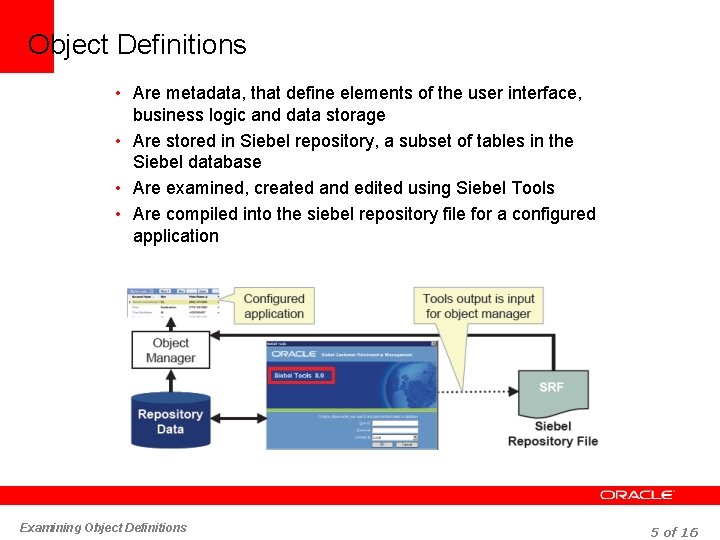
Object Definitions • Are metadata, that define elements of the user interface, business logic and data storage • Are stored in Siebel repository, a subset of tables in the Siebel database • Are examined, created and edited using Siebel Tools • Are compiled into the siebel repository file for a configured application Examining Object Definitions 5 of 16
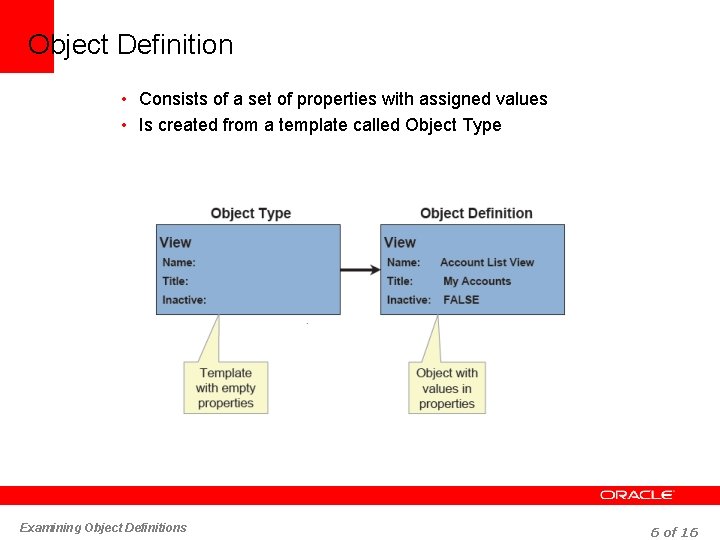
Object Definition • Consists of a set of properties with assigned values • Is created from a template called Object Type Examining Object Definitions 6 of 16
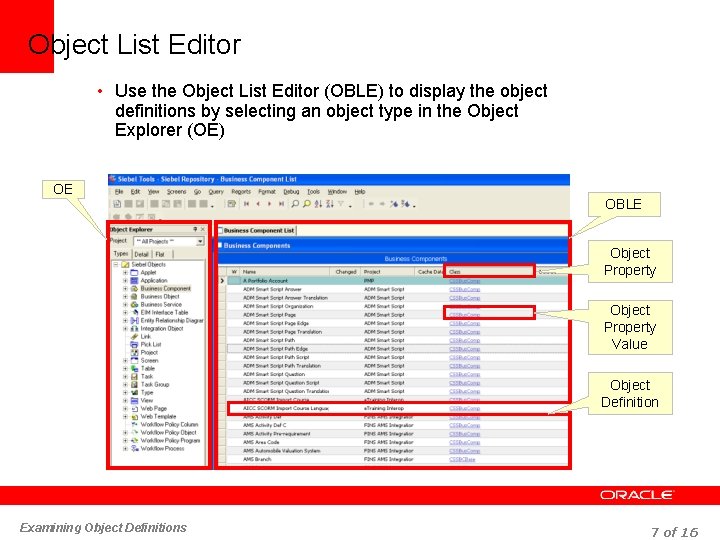
Object List Editor • Use the Object List Editor (OBLE) to display the object definitions by selecting an object type in the Object Explorer (OE) OE OBLE Object Property Value Object Definition Examining Object Definitions 7 of 16
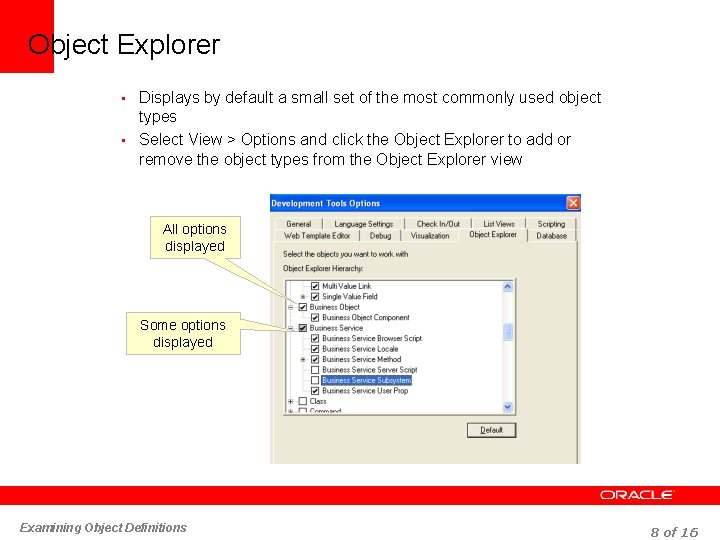
Object Explorer • Displays by default a small set of the most commonly used object types • Select View > Options and click the Object Explorer to add or remove the object types from the Object Explorer view All options displayed Some options displayed Examining Object Definitions 8 of 16
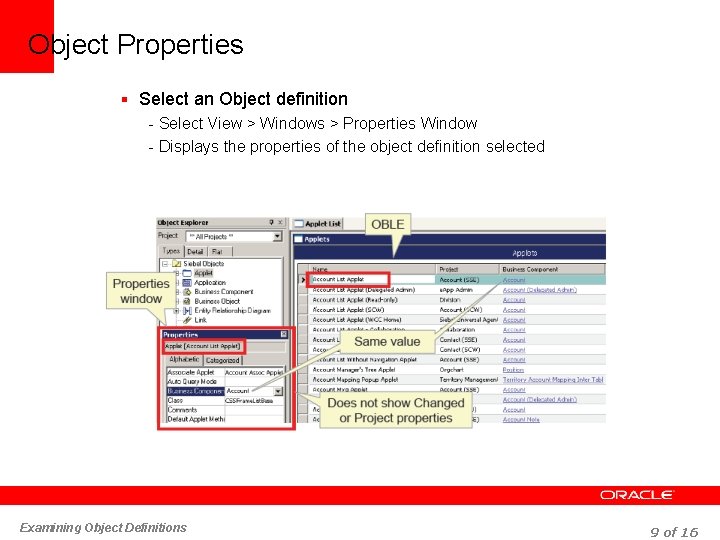
Object Properties § Select an Object definition - Select View > Windows > Properties Window - Displays the properties of the object definition selected Examining Object Definitions 9 of 16
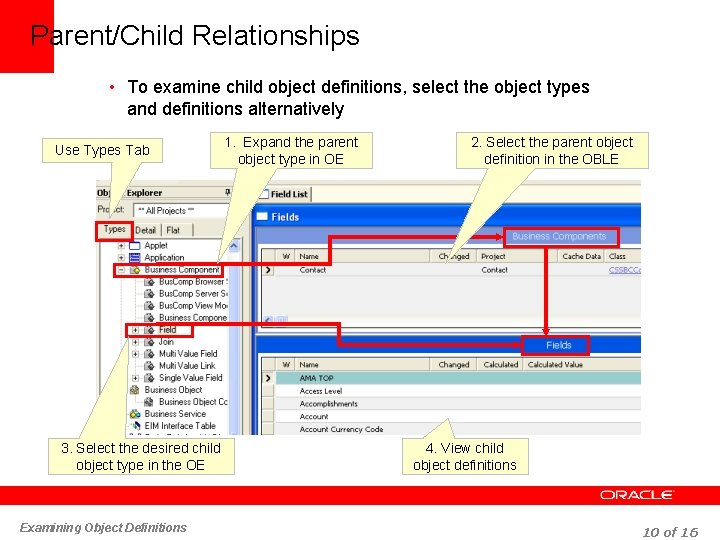
Parent/Child Relationships • To examine child object definitions, select the object types and definitions alternatively Use Types Tab 3. Select the desired child object type in the OE Examining Object Definitions 1. Expand the parent object type in OE 2. Select the parent object definition in the OBLE 4. View child object definitions 10 of 16
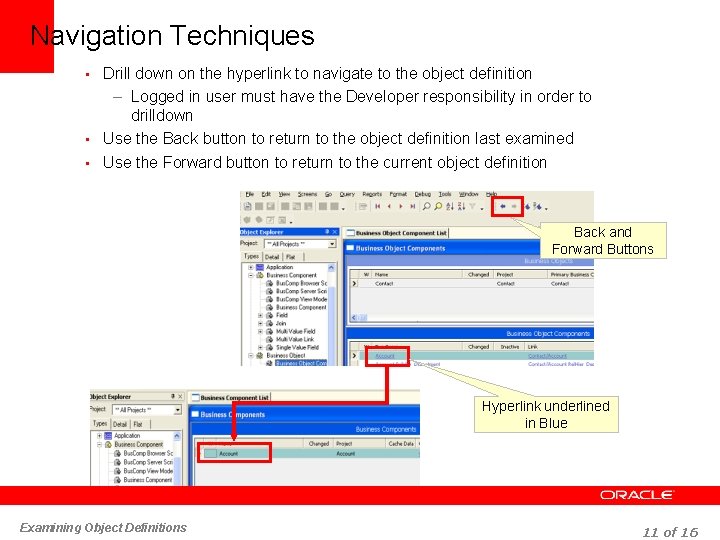
Navigation Techniques • Drill down on the hyperlink to navigate to the object definition – Logged in user must have the Developer responsibility in order to drilldown • Use the Back button to return to the object definition last examined • Use the Forward button to return to the current object definition Back and Forward Buttons Hyperlink underlined in Blue Examining Object Definitions 11 of 16
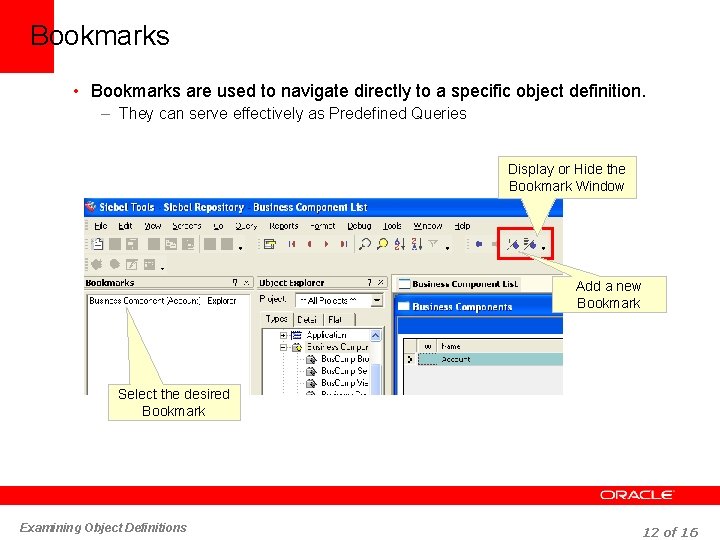
Bookmarks • Bookmarks are used to navigate directly to a specific object definition. – They can serve effectively as Predefined Queries Display or Hide the Bookmark Window Add a new Bookmark Select the desired Bookmark Examining Object Definitions 12 of 16
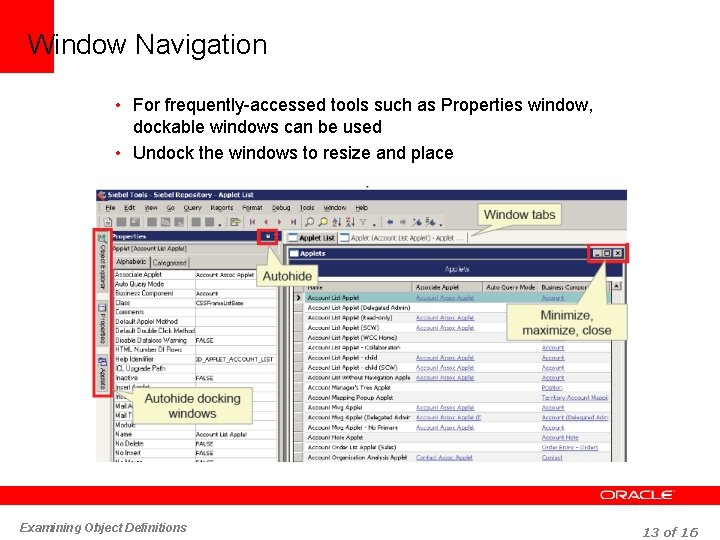
Window Navigation • For frequently-accessed tools such as Properties window, dockable windows can be used • Undock the windows to resize and place Examining Object Definitions 13 of 16
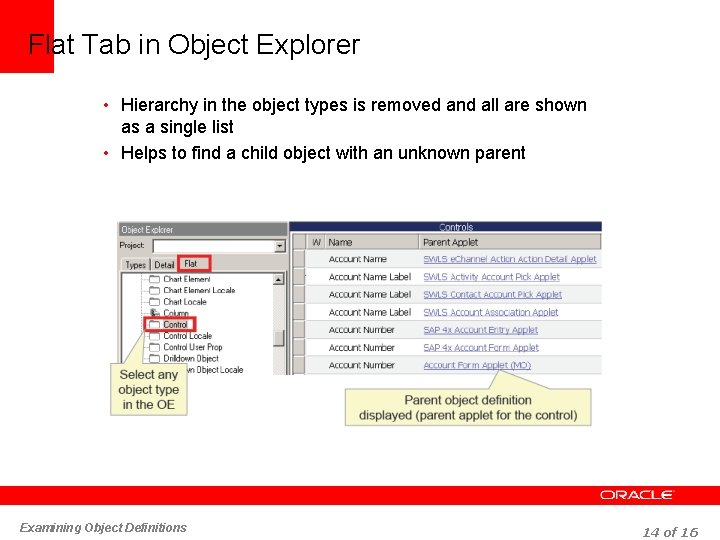
Flat Tab in Object Explorer • Hierarchy in the object types is removed and all are shown as a single list • Helps to find a child object with an unknown parent Examining Object Definitions 14 of 16
Module Highlights • Siebel Tools is a configuration tool • Object Types appear in the Object Explorer and object definitions appear in the Object List Editor • Types tab shows the hierarchy of the object types and Flat tab removes the hierarchy among them Examining Object Definitions 15 of 16
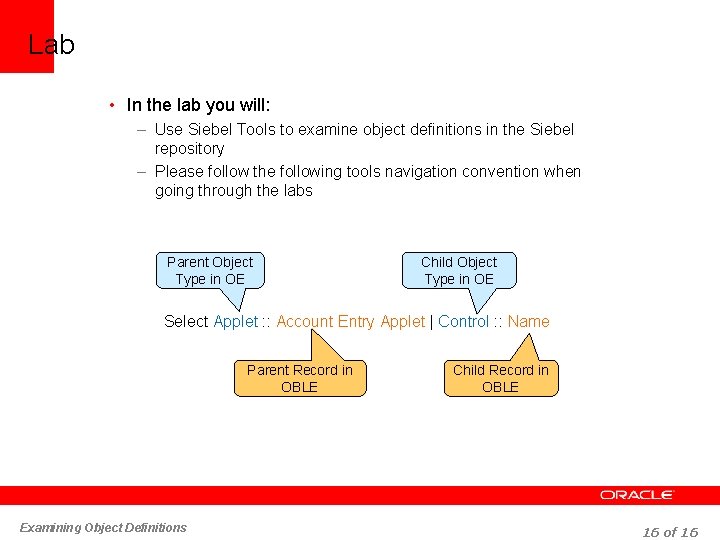
Lab • In the lab you will: – Use Siebel Tools to examine object definitions in the Siebel repository – Please follow the following tools navigation convention when going through the labs Parent Object Type in OE Child Object Type in OE Select Applet : : Account Entry Applet | Control : : Name Parent Record in OBLE Examining Object Definitions Child Record in OBLE 16 of 16
- Slides: 16