
Sicurezza a Layer 2 Tecniche di attacco e

- Slides: 65
Sicurezza a Layer 2: Tecniche di attacco e Strumenti software. (Parte 1) Università di Ferrara Corso di Laurea Magistrale in Ingegneria Informatica e dell'Automazione Ing. Raffaele Rugin Anno Accademico 2017 - 2018
Link Layer SECURITY Objective: • Understanding a collision domain – Layer 2 protocol – Shared access to the same medium – Layer 2 addressing – Layer 2 General Security Issues • Wired L 2 Security issues (802. 3) • Wireless L 2 Security issues (802. 11) Ing. Raffaele Rugin A. A. 2017 -2018 2
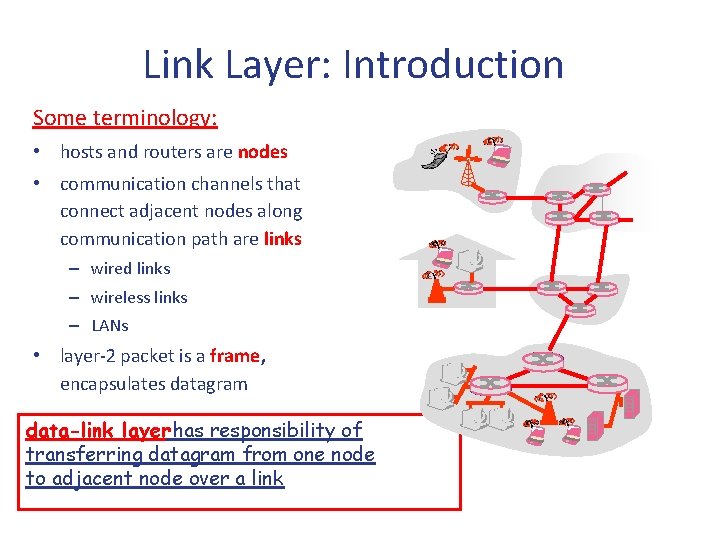
Link Layer: Introduction Some terminology: • hosts and routers are nodes • communication channels that connect adjacent nodes along communication path are links – wired links – wireless links – LANs • layer-2 packet is a frame, encapsulates datagram data-link layer has responsibility of transferring datagram from one node to adjacent node over a link
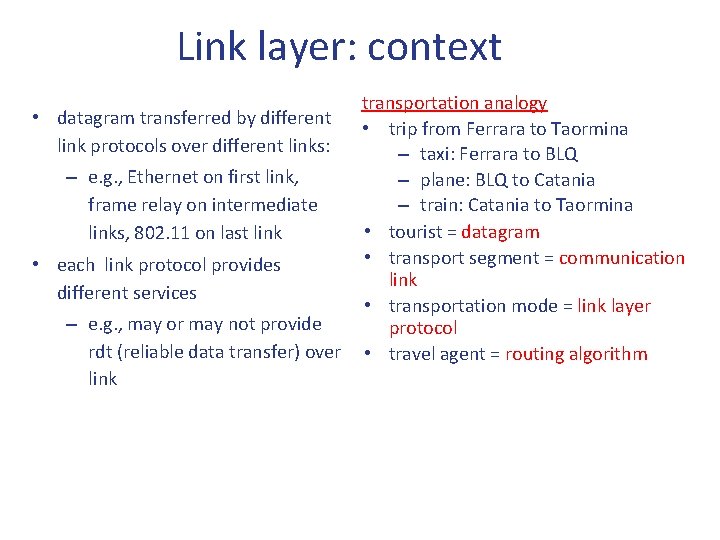
Link layer: context • datagram transferred by different link protocols over different links: – e. g. , Ethernet on first link, frame relay on intermediate links, 802. 11 on last link • each link protocol provides different services – e. g. , may or may not provide rdt (reliable data transfer) over link transportation analogy • trip from Ferrara to Taormina – taxi: Ferrara to BLQ – plane: BLQ to Catania – train: Catania to Taormina • tourist = datagram • transport segment = communication link • transportation mode = link layer protocol • travel agent = routing algorithm
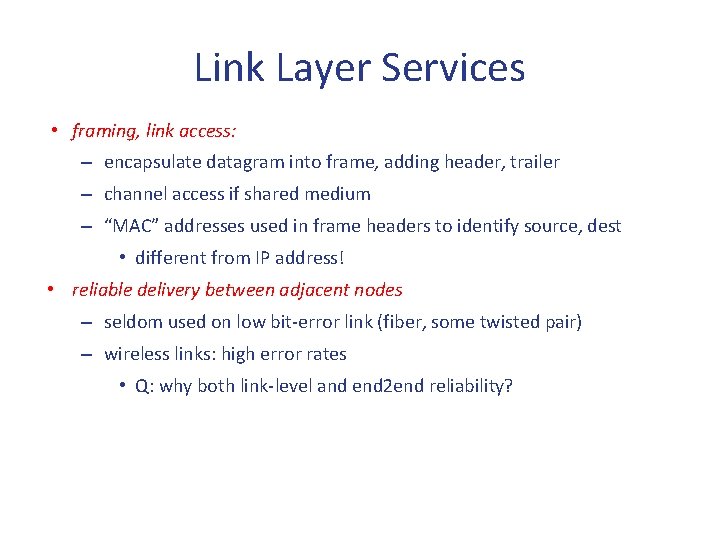
Link Layer Services • framing, link access: – encapsulate datagram into frame, adding header, trailer – channel access if shared medium – “MAC” addresses used in frame headers to identify source, dest • different from IP address! • reliable delivery between adjacent nodes – seldom used on low bit-error link (fiber, some twisted pair) – wireless links: high error rates • Q: why both link-level and end 2 end reliability?
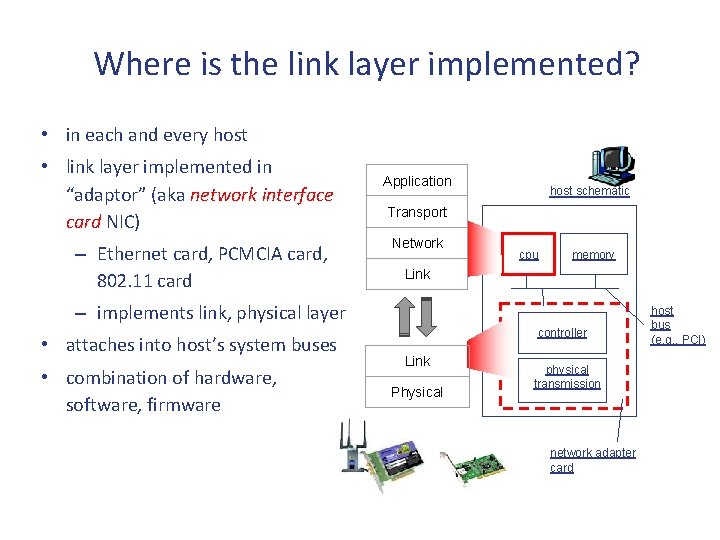
Where is the link layer implemented? • in each and every host • link layer implemented in “adaptor” (aka network interface card NIC) – Ethernet card, PCMCIA card, 802. 11 card Application host schematic Transport Network cpu memory Link – implements link, physical layer • attaches into host’s system buses • combination of hardware, software, firmware controller Link Physical physical transmission network adapter card host bus (e. g. , PCI)
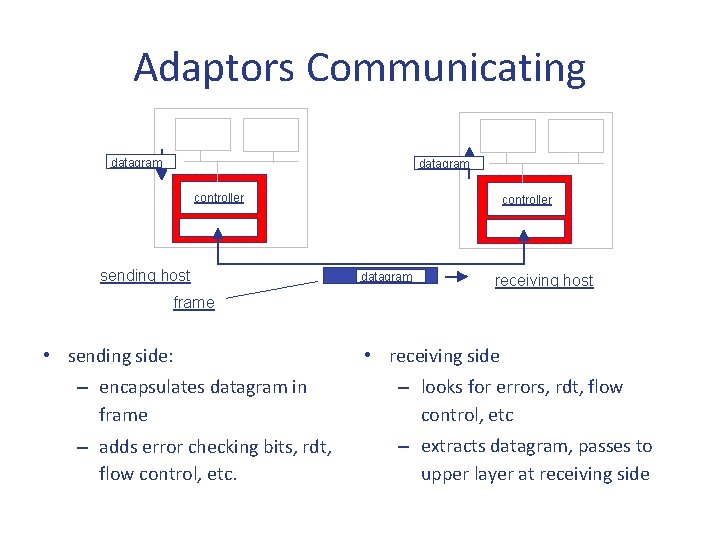
Adaptors Communicating datagram controller sending host controller datagram receiving host frame • sending side: • receiving side – encapsulates datagram in frame – looks for errors, rdt, flow control, etc – adds error checking bits, rdt, flow control, etc. – extracts datagram, passes to upper layer at receiving side
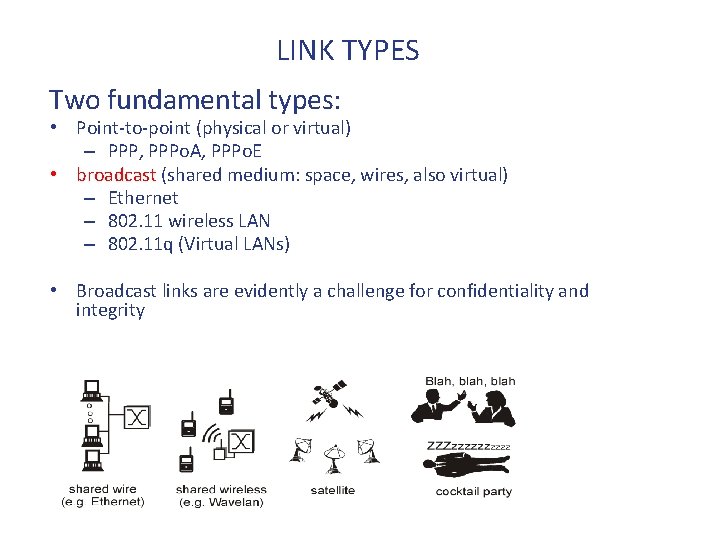
LINK TYPES Two fundamental types: • Point-to-point (physical or virtual) – PPP, PPPo. A, PPPo. E • broadcast (shared medium: space, wires, also virtual) – Ethernet – 802. 11 wireless LAN – 802. 11 q (Virtual LANs) • Broadcast links are evidently a challenge for confidentiality and integrity
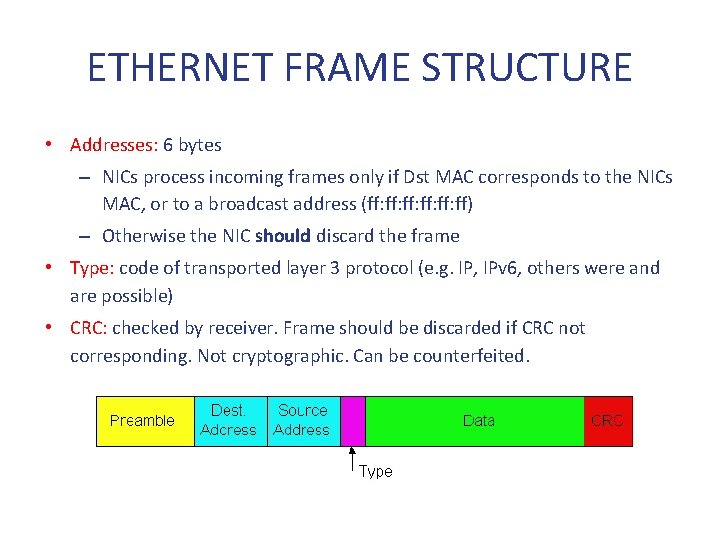
ETHERNET FRAME STRUCTURE • Addresses: 6 bytes – NICs process incoming frames only if Dst MAC corresponds to the NICs MAC, or to a broadcast address (ff: ff: ff: ff) – Otherwise the NIC should discard the frame • Type: code of transported layer 3 protocol (e. g. IP, IPv 6, others were and are possible) • CRC: checked by receiver. Frame should be discarded if CRC not corresponding. Not cryptographic. Can be counterfeited.
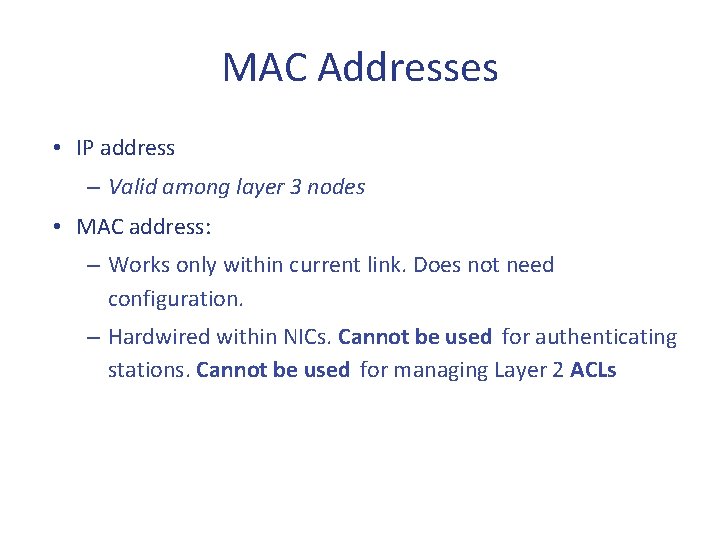
MAC Addresses • IP address – Valid among layer 3 nodes • MAC address: – Works only within current link. Does not need configuration. – Hardwired within NICs. Cannot be used for authenticating stations. Cannot be used for managing Layer 2 ACLs
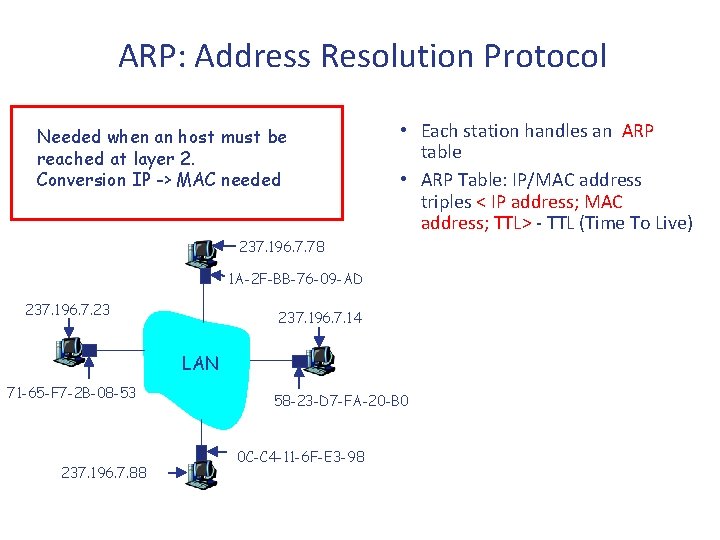
ARP: Address Resolution Protocol Needed when an host must be reached at layer 2. Conversion IP -> MAC needed • Each station handles an ARP table • ARP Table: IP/MAC address triples < IP address; MAC address; TTL> - TTL (Time To Live) 237. 196. 7. 78 1 A-2 F-BB-76 -09 -AD 237. 196. 7. 23 237. 196. 7. 14 LAN 71 -65 -F 7 -2 B-08 -53 237. 196. 7. 88 58 -23 -D 7 -FA-20 -B 0 0 C-C 4 -11 -6 F-E 3 -98
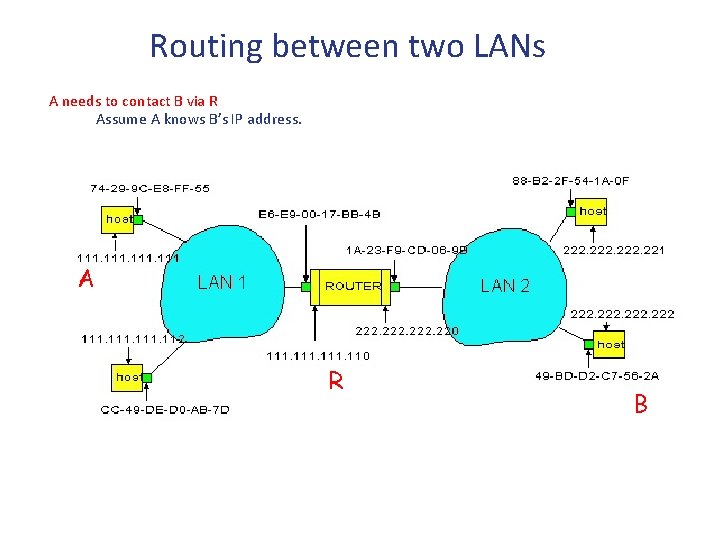
Routing between two LANs A needs to contact B via R Assume A knows B’s IP address. A • R ha due tabelle ARP, una per dominio di collisione • • In routing table at source Host, find router 111. 110 R In ARP table at source, find MAC address E 6 -E 9 -00 -17 -BB-4 B, etc B
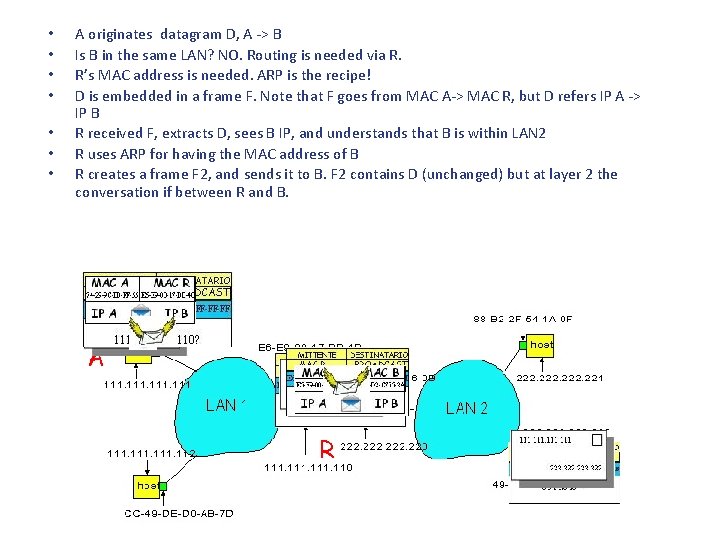
• • A originates datagram D, A -> B Is B in the same LAN? NO. Routing is needed via R. R’s MAC address is needed. ARP is the recipe! D is embedded in a frame F. Note that F goes from MAC A-> MAC R, but D refers IP A -> IP B R received F, extracts D, sees B IP, and understands that B is within LAN 2 R uses ARP for having the MAC address of B R creates a frame F 2, and sends it to B. F 2 contains D (unchanged) but at layer 2 the conversation if between R and B. A R B
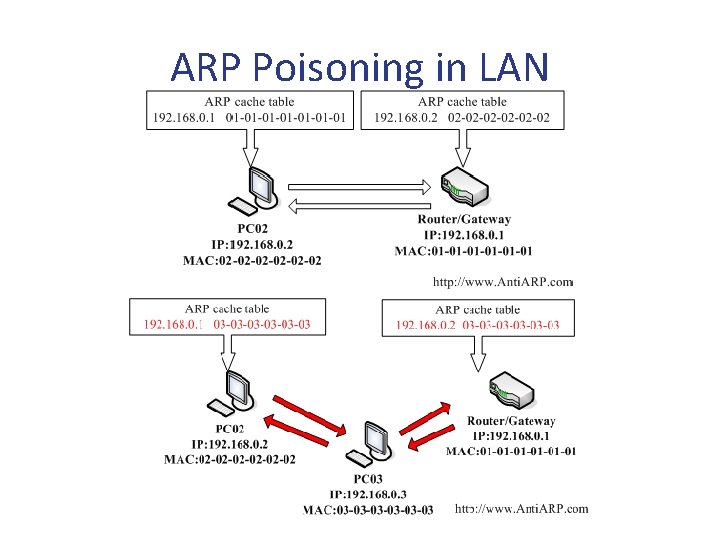
ARP Poisoning in LAN
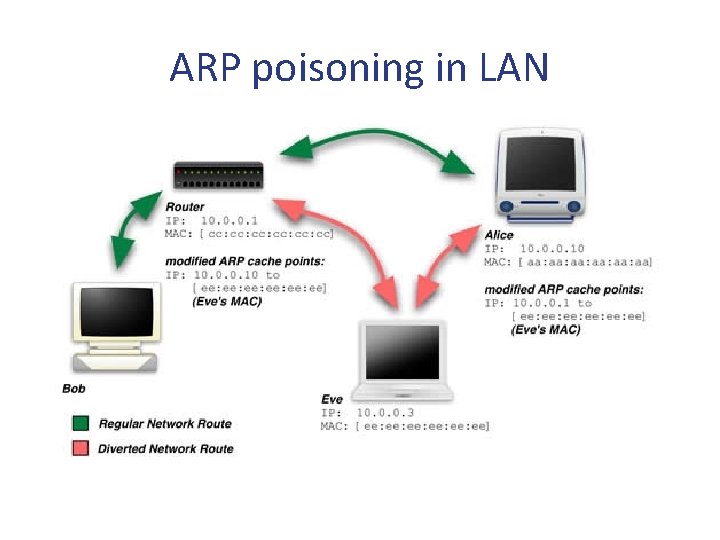
ARP poisoning in LAN
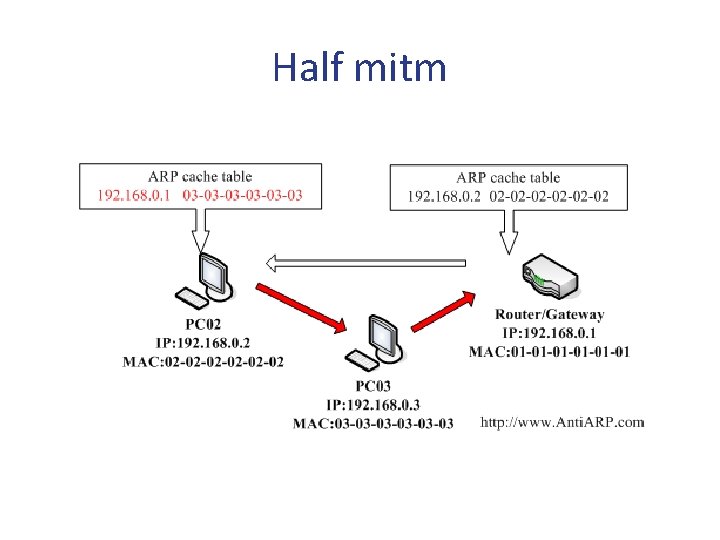
Half mitm
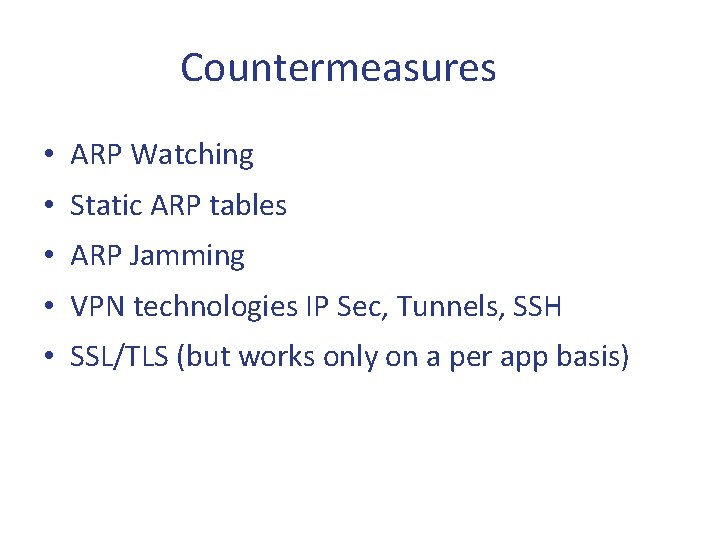
Countermeasures • ARP Watching • Static ARP tables • ARP Jamming • VPN technologies IP Sec, Tunnels, SSH • SSL/TLS (but works only on a per app basis)
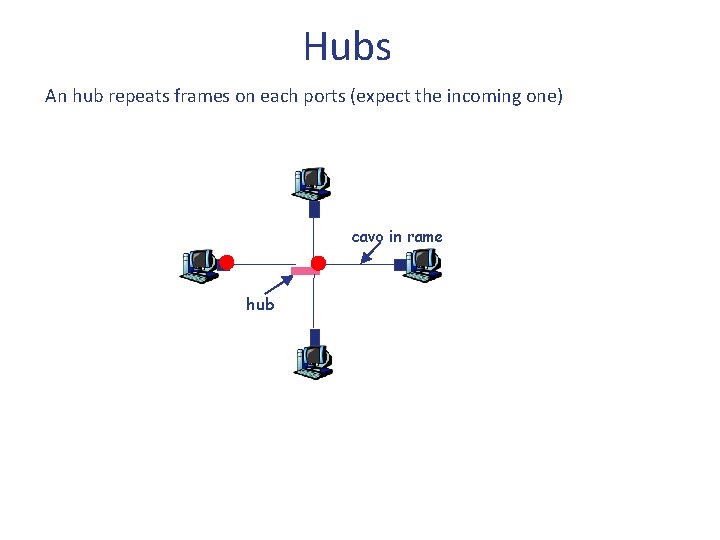
Hubs An hub repeats frames on each ports (expect the incoming one) cavo in rame hub
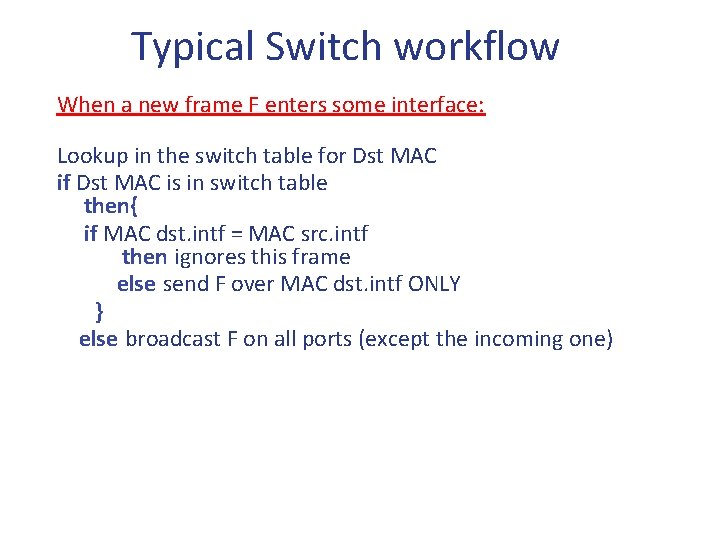
Typical Switch workflow When a new frame F enters some interface: Lookup in the switch table for Dst MAC if Dst MAC is in switch table then{ if MAC dst. intf = MAC src. intf then ignores this frame else send F over MAC dst. intf ONLY } else broadcast F on all ports (except the incoming one)
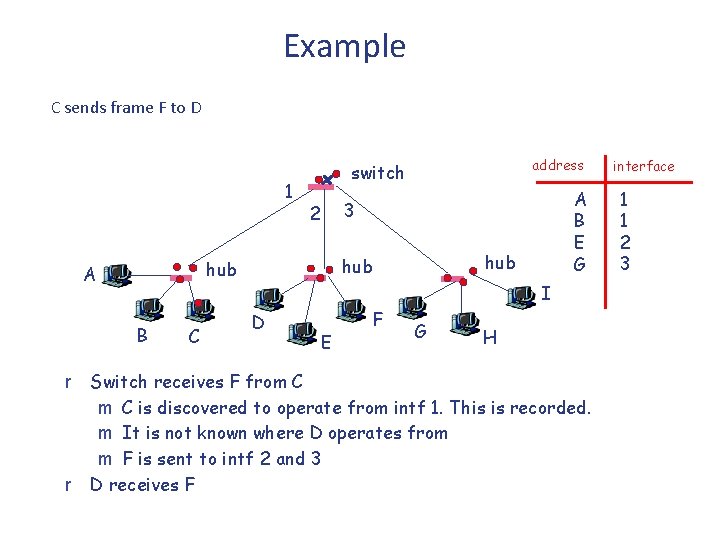
Example C sends frame F to D 1 B r r C A B E G 3 2 hub hub A address switch I D E F G H Switch receives F from C is discovered to operate from intf 1. This is recorded. m It is not known where D operates from m F is sent to intf 2 and 3 D receives F interface 1 1 2 3
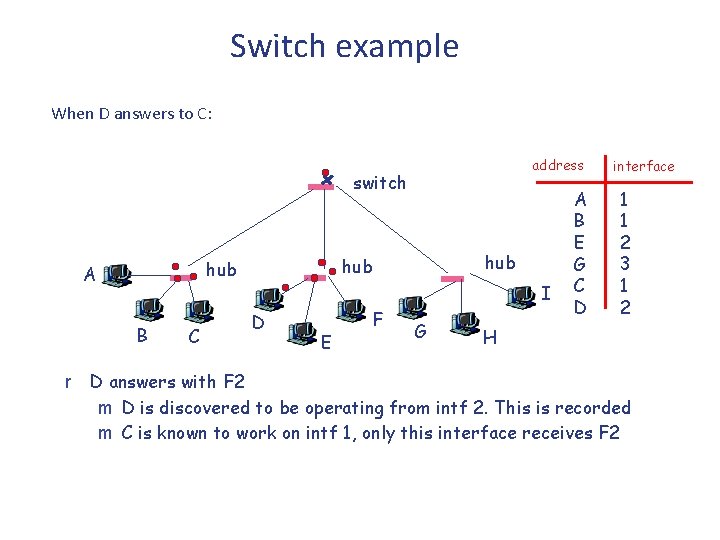
Switch example When D answers to C: address switch B r C hub hub A I D E F G A B E G C D interface 1 1 2 3 1 2 H D answers with F 2 m D is discovered to be operating from intf 2. This is recorded m C is known to work on intf 1, only this interface receives F 2
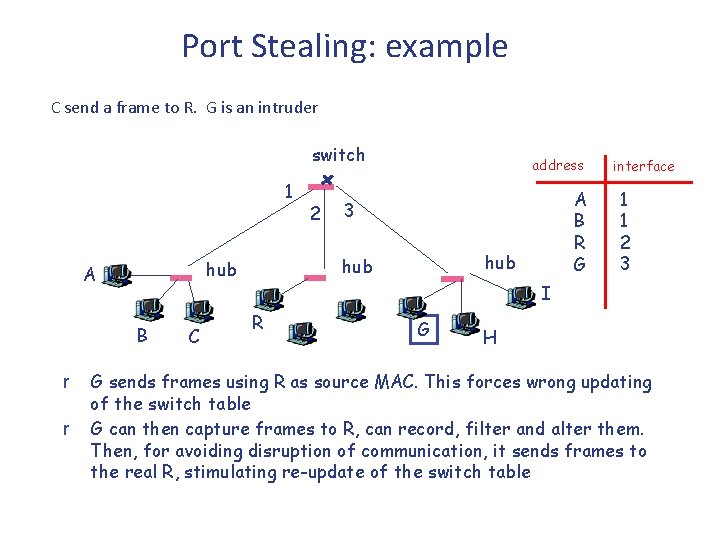
Port Stealing: example C send a frame to R. G is an intruder switch 1 B r r C A B R G 3 hub hub A 2 address interface 1 1 2 3 I R G H G sends frames using R as source MAC. This forces wrong updating of the switch table G can then capture frames to R, can record, filter and alter them. Then, for avoiding disruption of communication, it sends frames to the real R, stimulating re-update of the switch table
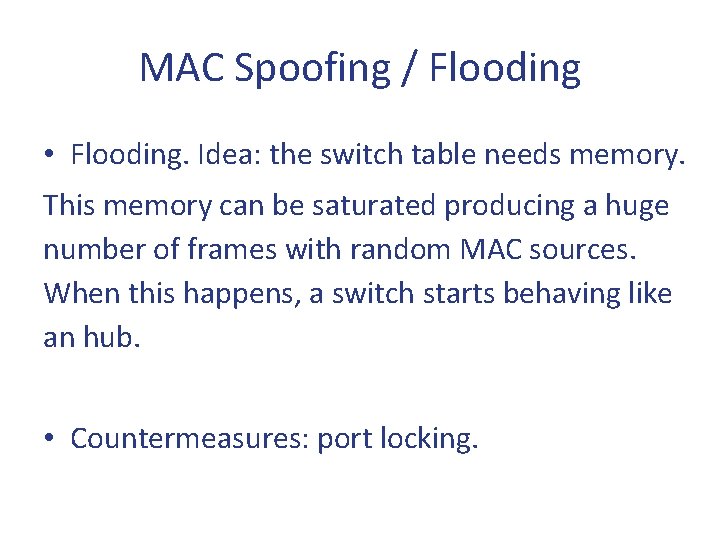
MAC Spoofing / Flooding • Flooding. Idea: the switch table needs memory. This memory can be saturated producing a huge number of frames with random MAC sources. When this happens, a switch starts behaving like an hub. • Countermeasures: port locking.
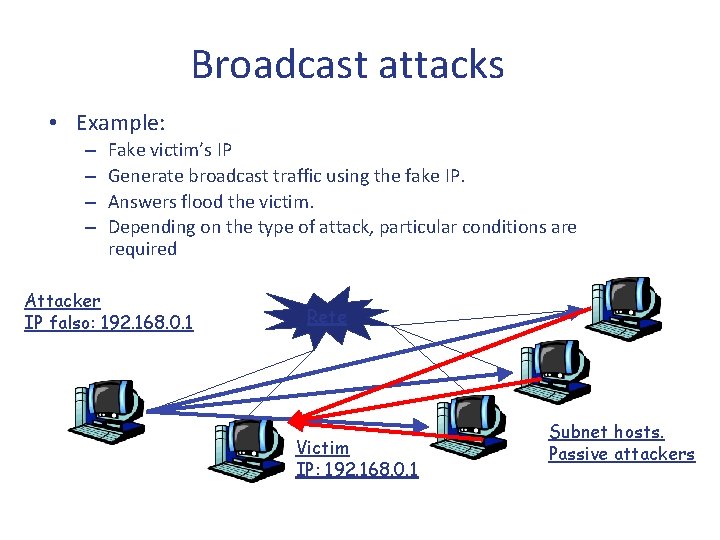
Broadcast attacks • Example: – – Fake victim’s IP Generate broadcast traffic using the fake IP. Answers flood the victim. Depending on the type of attack, particular conditions are required Attacker IP falso: 192. 168. 0. 1 Rete Victim IP: 192. 168. 0. 1 Subnet hosts. Passive attackers
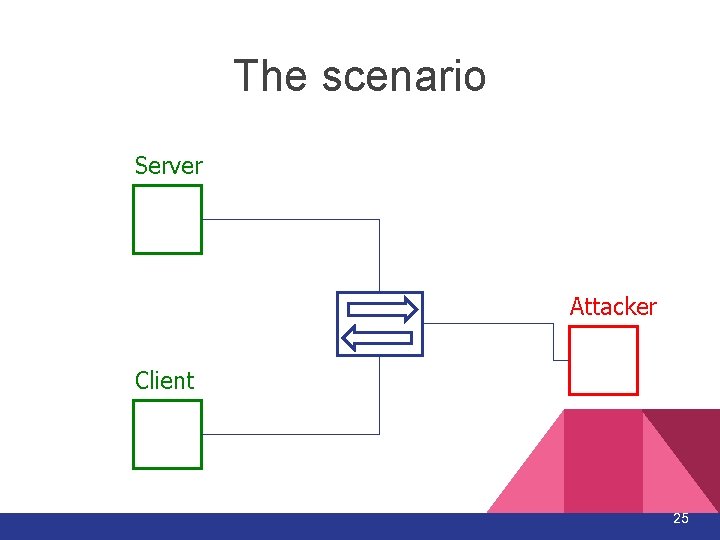
The scenario Server Attacker Client 25
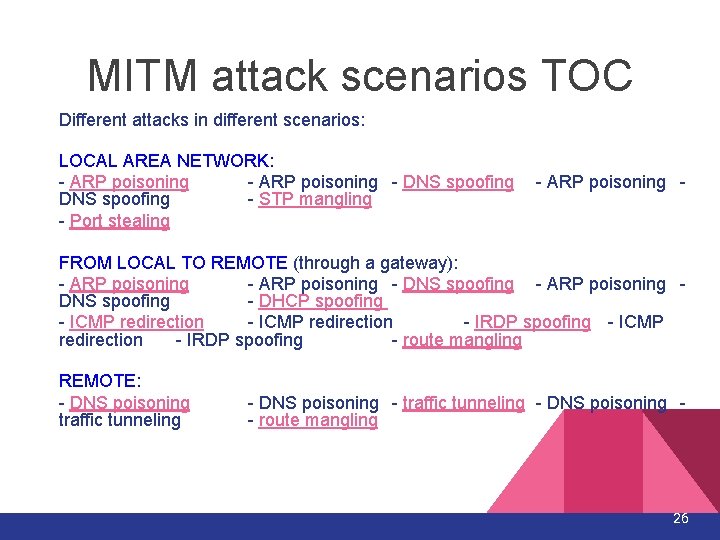
MITM attack scenarios TOC Different attacks in different scenarios: LOCAL AREA NETWORK: - ARP poisoning - DNS spoofing - STP mangling - Port stealing - ARP poisoning - FROM LOCAL TO REMOTE (through a gateway): - ARP poisoning - DNS spoofing - ARP poisoning DNS spoofing - DHCP spoofing - ICMP redirection - IRDP spoofing - route mangling REMOTE: - DNS poisoning traffic tunneling - DNS poisoning - route mangling 26
MITM attack techniques The local scenario
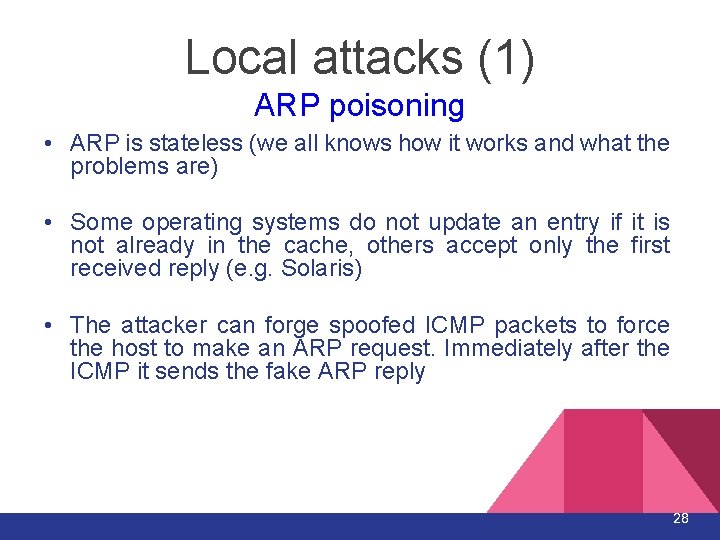
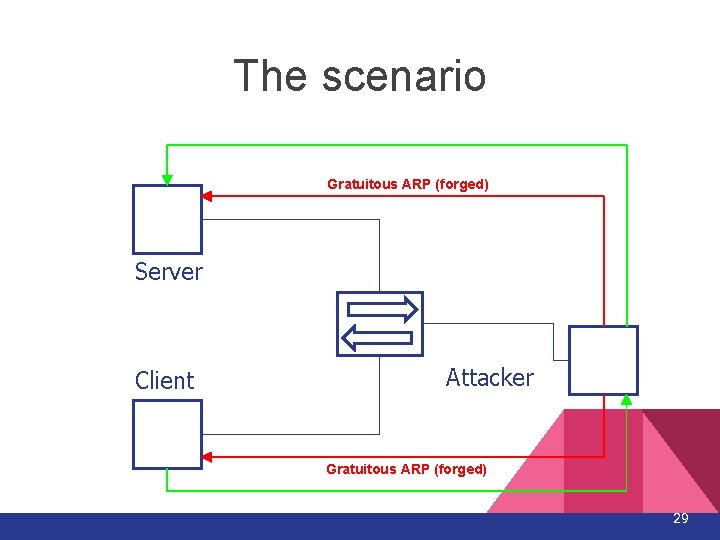
Local attacks (1) ARP poisoning • ARP is stateless (we all knows how it works and what the problems are) • Some operating systems do not update an entry if it is not already in the cache, others accept only the first received reply (e. g. Solaris) • The attacker can forge spoofed ICMP packets to force the host to make an ARP request. Immediately after the ICMP it sends the fake ARP reply 28
The scenario Gratuitous ARP (forged) Server Client Attacker Gratuitous ARP (forged) 29
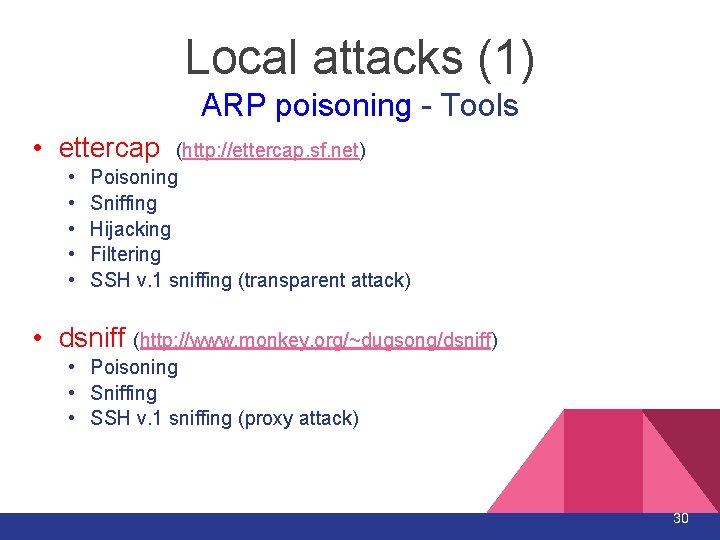
Local attacks (1) ARP poisoning - Tools • ettercap • • • (http: //ettercap. sf. net) Poisoning Sniffing Hijacking Filtering SSH v. 1 sniffing (transparent attack) • dsniff (http: //www. monkey. org/~dugsong/dsniff) • Poisoning • Sniffing • SSH v. 1 sniffing (proxy attack) 30
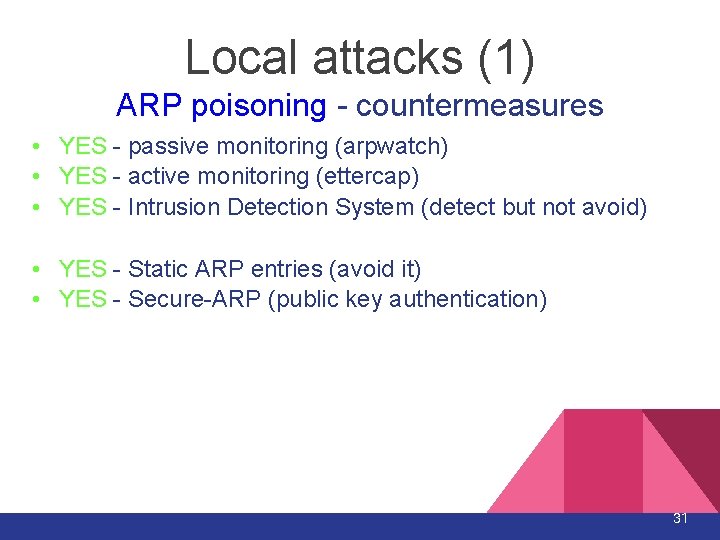
Local attacks (1) ARP poisoning - countermeasures • YES - passive monitoring (arpwatch) • YES - active monitoring (ettercap) • YES - Intrusion Detection System (detect but not avoid) • YES - Static ARP entries (avoid it) • YES - Secure-ARP (public key authentication) 31
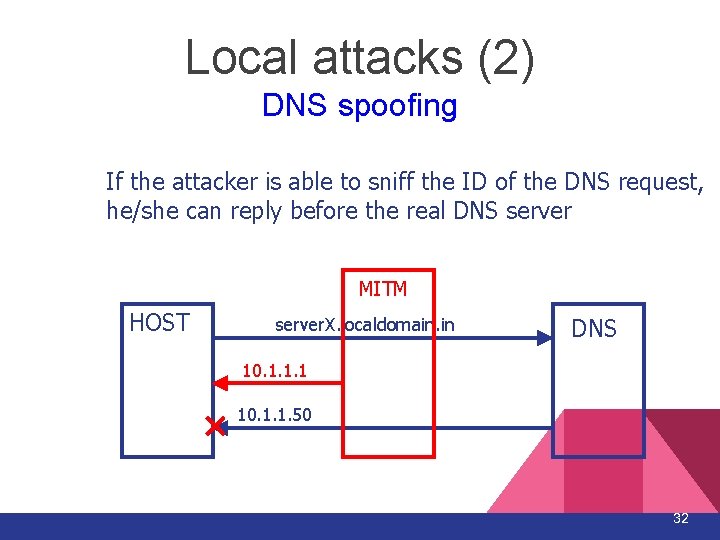
Local attacks (2) DNS spoofing If the attacker is able to sniff the ID of the DNS request, he/she can reply before the real DNS server MITM HOST server. X. localdomain. in DNS 10. 1. 1. 1 10. 1. 1. 50 32
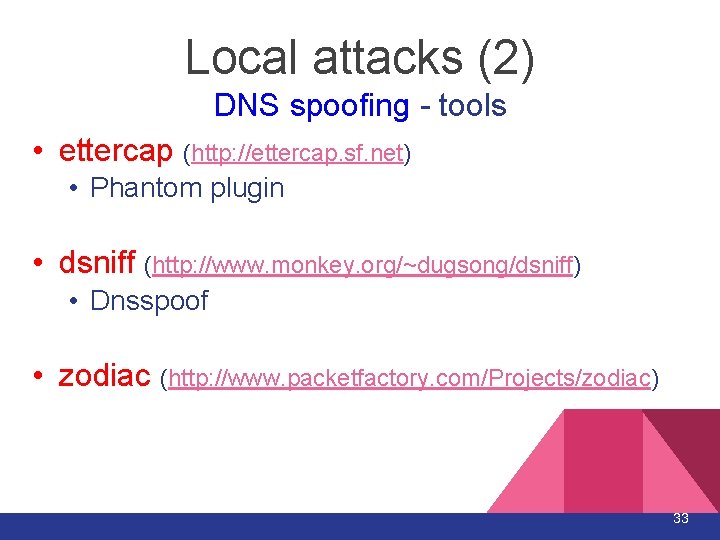
Local attacks (2) DNS spoofing - tools • ettercap (http: //ettercap. sf. net) • Phantom plugin • dsniff (http: //www. monkey. org/~dugsong/dsniff) • Dnsspoof • zodiac (http: //www. packetfactory. com/Projects/zodiac) 33
Local attacks (2) DNS spoofing - countermeasures • YES - detect multiple replies (IDS) • YES - use host file for static resolution of critical hosts • YES - DNSSEC 34
Local attacks (3) STP mangling • It is not a real MITM attack since the attacker is able to receive only “unmanaged” traffic • The attacker can forge BPDU with high priority pretending to be the new root of the spanning tree 35
Local attacks (3) STP mangling - tools • Ettercap (http: //ettercap. sf. net) • With the Lamia plugin 36
Local attacks (3) STP mangling - countermeasures • YES - Disable STP on VLAN without loops • YES - Root Guard, BPDU Guard. 37
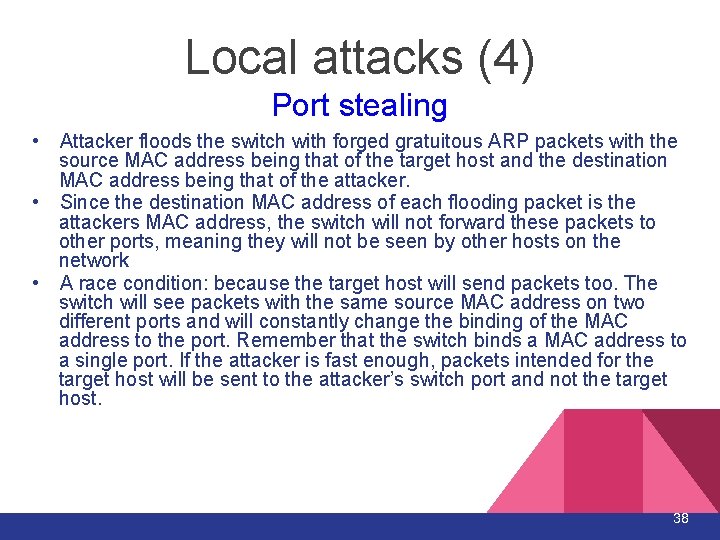
Local attacks (4) Port stealing • Attacker floods the switch with forged gratuitous ARP packets with the source MAC address being that of the target host and the destination MAC address being that of the attacker. • Since the destination MAC address of each flooding packet is the attackers MAC address, the switch will not forward these packets to other ports, meaning they will not be seen by other hosts on the network • A race condition: because the target host will send packets too. The switch will see packets with the same source MAC address on two different ports and will constantly change the binding of the MAC address to the port. Remember that the switch binds a MAC address to a single port. If the attacker is fast enough, packets intended for the target host will be sent to the attacker’s switch port and not the target host. 38
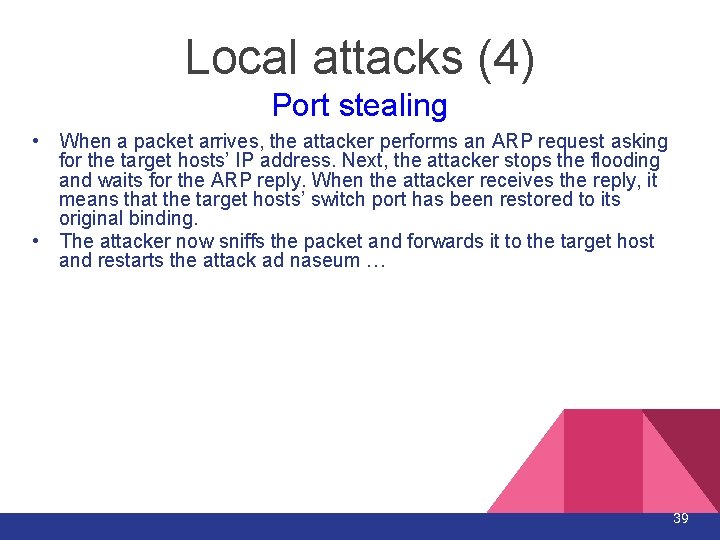
Local attacks (4) Port stealing • When a packet arrives, the attacker performs an ARP request asking for the target hosts’ IP address. Next, the attacker stops the flooding and waits for the ARP reply. When the attacker receives the reply, it means that the target hosts’ switch port has been restored to its original binding. • The attacker now sniffs the packet and forwards it to the target host and restarts the attack ad naseum … 39
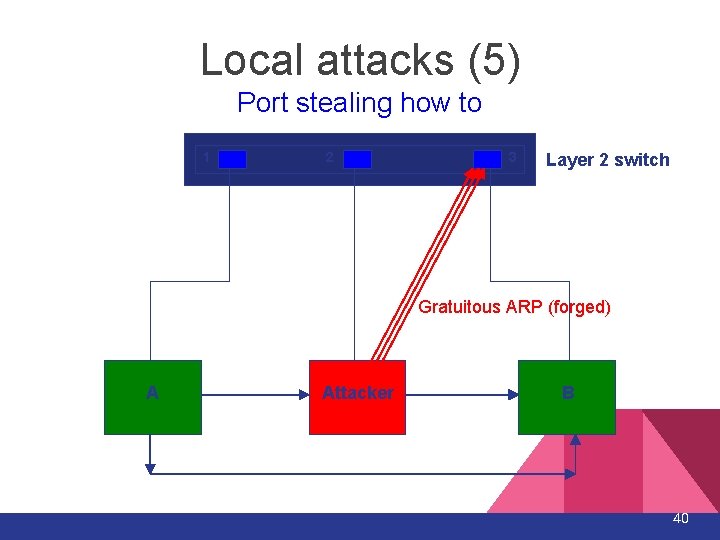
Local attacks (5) Port stealing how to 1 2 3 Layer 2 switch Gratuitous ARP (forged) A Attacker B 40
Local attacks (4) Port stealing - tools • ettercap (http: //ettercap. sf. net) • With the Confusion plugin 41
Local Attacks (4) Port stealing - countermeasures • YES - port security on the switch 42
Attack techniques From local to remote
Local to remote attacks (1) DHCP spoofing • The DHCP requests are made in broadcast mode. • If the attacker replies before the real DHCP server it can manipulate: • IP address of the victim • GW address assigned to the victim • DNS address 44
Local to remote attacks (1) DHCP spoofing - countermeasures • YES - detection of multiple DHCP replies 45
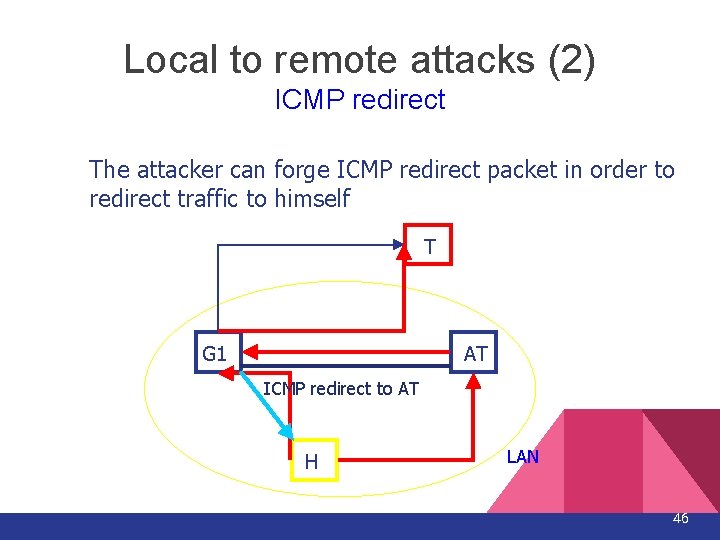
Local to remote attacks (2) ICMP redirect The attacker can forge ICMP redirect packet in order to redirect traffic to himself T G 1 AT ICMP redirect to AT H LAN 46
Local to remote attacks (2) ICMP redirect - tools • IRPAS icmp_redirect (Phenoelit) (http: //www. phenoelit. de/irpas/) • icmp_redir (Yuri Volobuev) 47
Local to remote attacks (2) ICMP redirect - countermeasures • YES - Disable the ICMP REDIRECT • NO - Linux has the “secure redirect” options but it seems to be ineffective against this attack 48
Conclusions • The security of a connection relies on: • Proper configuration of the client (avoiding ICMP Redirect, ARP Poisoning etc. ) • the other endpoint infrastructure (e. g. . DNS dynamic update), • the strength of a third party appliances on which we don’t have access (e. g. . Tunneling). • The best way to ensure secure communication is the correct and conscious use of cryptographic systems • both client and server side • at the network layer (i. e. . IPSec) • at transport layer (i. e. . SSLv 3) • at application layer (i. e. . PGP). 49
Strumenti Software (parte 1)
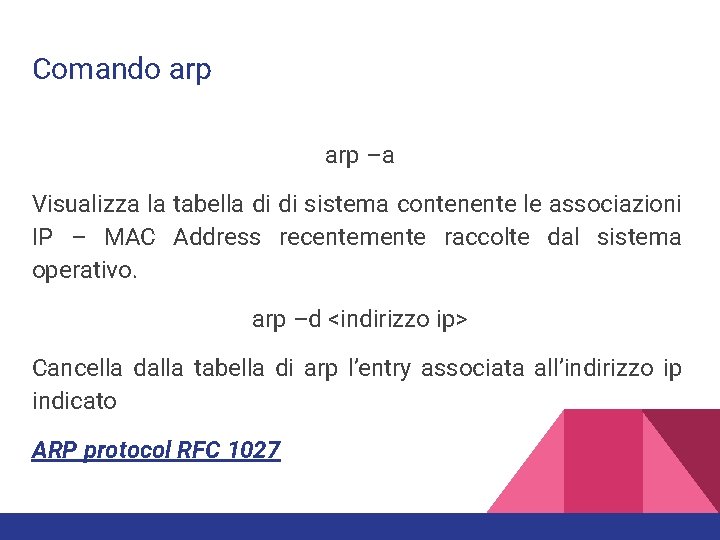
Comando arp –a Visualizza la tabella di di sistema contenente le associazioni IP – MAC Address recentemente raccolte dal sistema operativo. arp –d <indirizzo ip> Cancella dalla tabella di arp l’entry associata all’indirizzo ip indicato ARP protocol RFC 1027
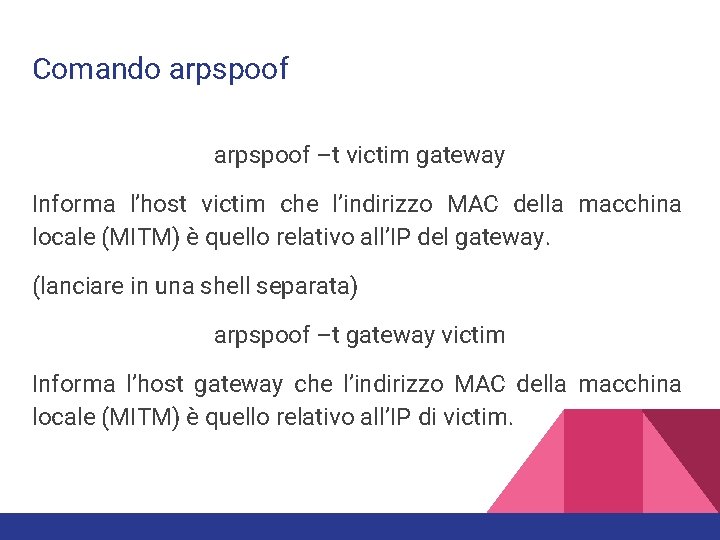
Comando arpspoof –t victim gateway Informa l’host victim che l’indirizzo MAC della macchina locale (MITM) è quello relativo all’IP del gateway. (lanciare in una shell separata) arpspoof –t gateway victim Informa l’host gateway che l’indirizzo MAC della macchina locale (MITM) è quello relativo all’IP di victim.
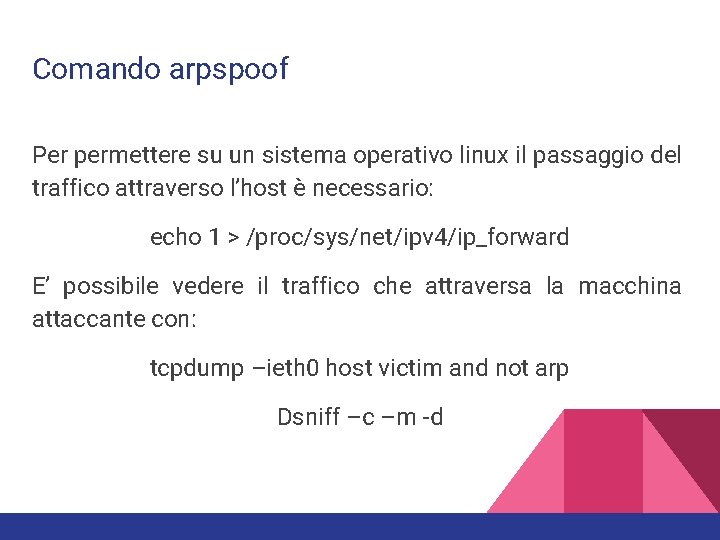
Comando arpspoof Per permettere su un sistema operativo linux il passaggio del traffico attraverso l’host è necessario: echo 1 > /proc/sys/net/ipv 4/ip_forward E’ possibile vedere il traffico che attraversa la macchina attaccante con: tcpdump –ieth 0 host victim and not arp Dsniff –c –m -d
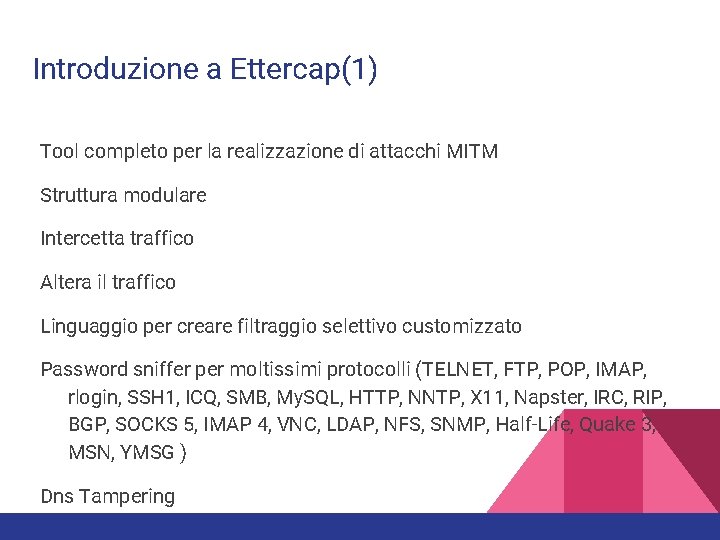
Introduzione a Ettercap(1) Tool completo per la realizzazione di attacchi MITM Struttura modulare Intercetta traffico Altera il traffico Linguaggio per creare filtraggio selettivo customizzato Password sniffer per moltissimi protocolli (TELNET, FTP, POP, IMAP, rlogin, SSH 1, ICQ, SMB, My. SQL, HTTP, NNTP, X 11, Napster, IRC, RIP, BGP, SOCKS 5, IMAP 4, VNC, LDAP, NFS, SNMP, Half-Life, Quake 3, MSN, YMSG ) Dns Tampering
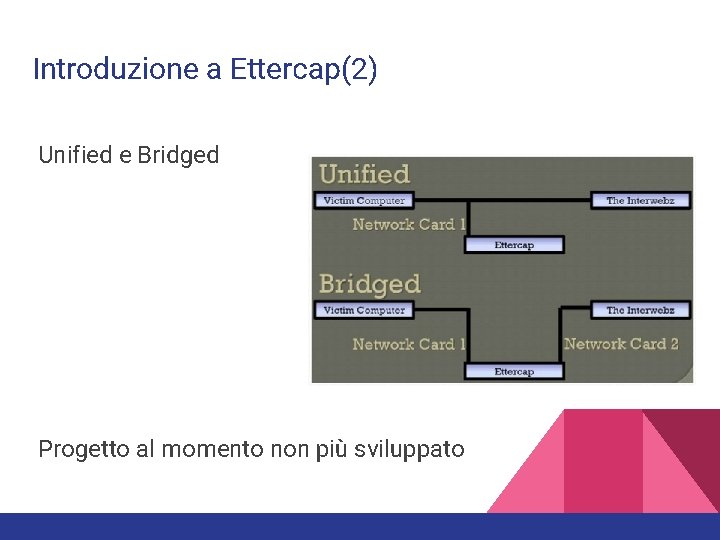
Introduzione a Ettercap(2) Unified e Bridged Progetto al momento non più sviluppato
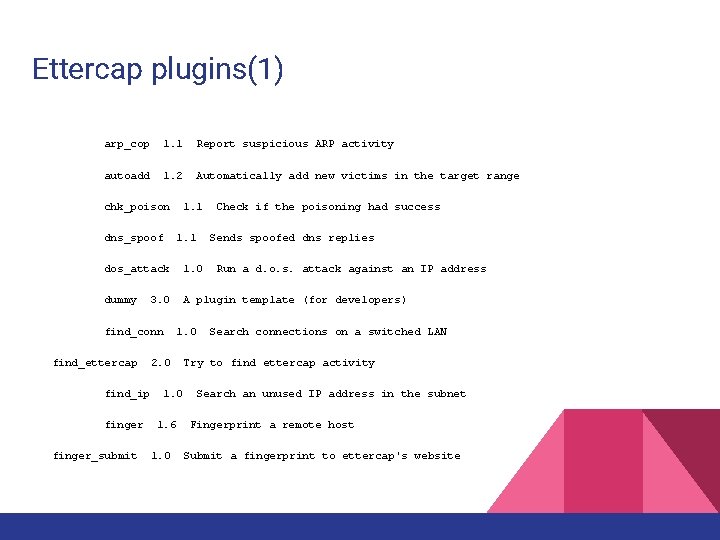
Ettercap plugins(1) arp_cop 1. 1 Report suspicious ARP activity autoadd 1. 2 Automatically add new victims in the target range chk_poison dns_spoof 1. 1 Check if the poisoning had success Sends spoofed dns replies dos_attack 1. 0 dummy A plugin template (for developers) 3. 0 find_conn find_ettercap find_ip finger_submit 1. 0 2. 0 1. 6 1. 0 Run a d. o. s. attack against an IP address Search connections on a switched LAN Try to find ettercap activity Search an unused IP address in the subnet Fingerprint a remote host Submit a fingerprint to ettercap's website
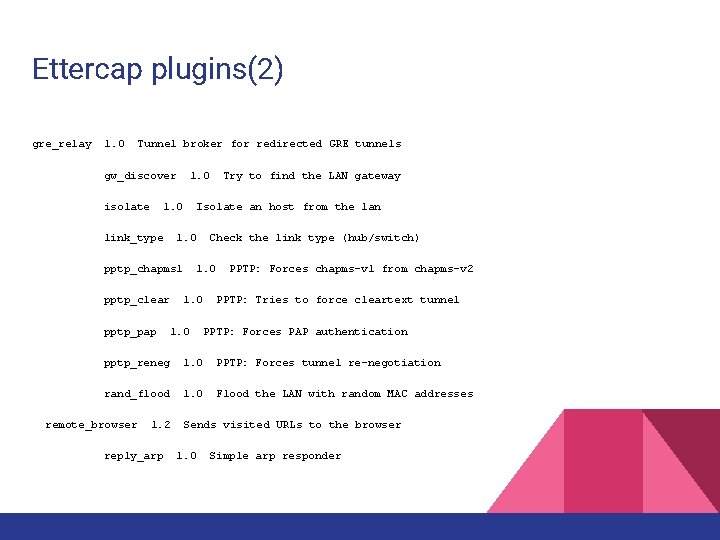
Ettercap plugins(2) gre_relay 1. 0 Tunnel broker for redirected GRE tunnels gw_discover isolate 1. 0 link_type Isolate an host from the lan 1. 0 Check the link type (hub/switch) pptp_chapms 1 pptp_clear 1. 0 pptp_pap Try to find the LAN gateway PPTP: Forces chapms-v 1 from chapms-v 2 1. 0 PPTP: Tries to force cleartext tunnel PPTP: Forces PAP authentication pptp_reneg 1. 0 PPTP: Forces tunnel re-negotiation rand_flood 1. 0 Flood the LAN with random MAC addresses remote_browser 1. 2 reply_arp Sends visited URLs to the browser 1. 0 Simple arp responder
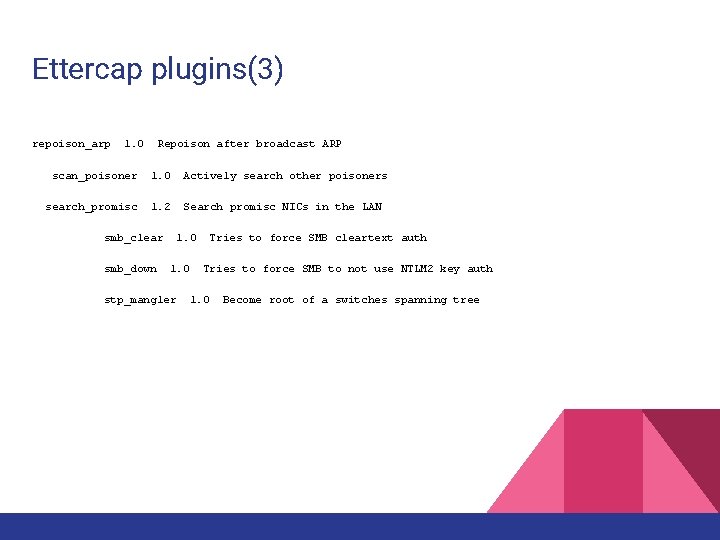
Ettercap plugins(3) repoison_arp 1. 0 Repoison after broadcast ARP scan_poisoner 1. 0 Actively search other poisoners search_promisc 1. 2 Search promisc NICs in the LAN smb_clear smb_down 1. 0 stp_mangler Tries to force SMB cleartext auth Tries to force SMB to not use NTLM 2 key auth 1. 0 Become root of a switches spanning tree
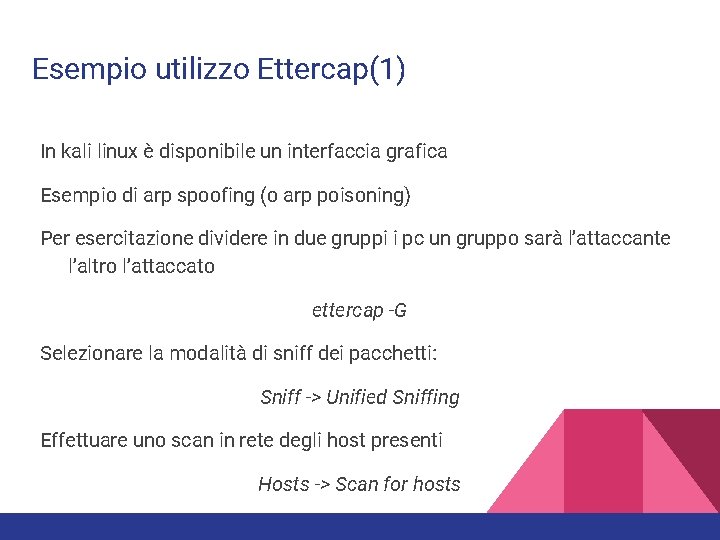
Esempio utilizzo Ettercap(1) In kali linux è disponibile un interfaccia grafica Esempio di arp spoofing (o arp poisoning) Per esercitazione dividere in due gruppi i pc un gruppo sarà l’attaccante l’altro l’attaccato ettercap -G Selezionare la modalità di sniff dei pacchetti: Sniff -> Unified Sniffing Effettuare uno scan in rete degli host presenti Hosts -> Scan for hosts
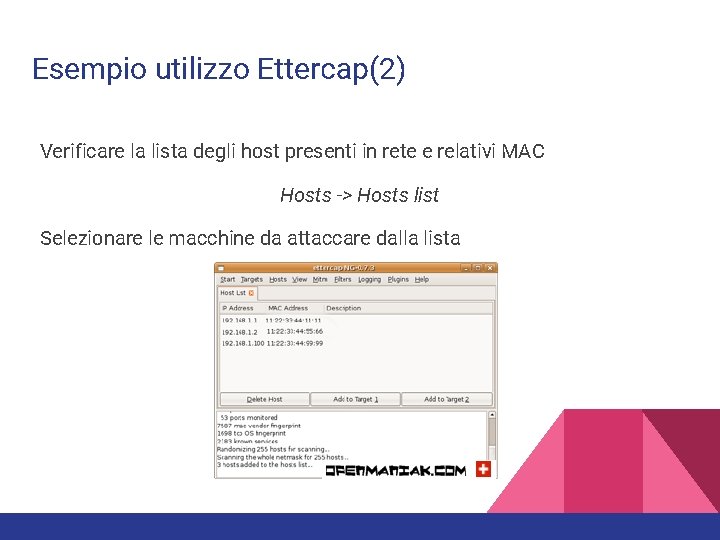
Esempio utilizzo Ettercap(2) Verificare la lista degli host presenti in rete e relativi MAC Hosts -> Hosts list Selezionare le macchine da attaccare dalla lista
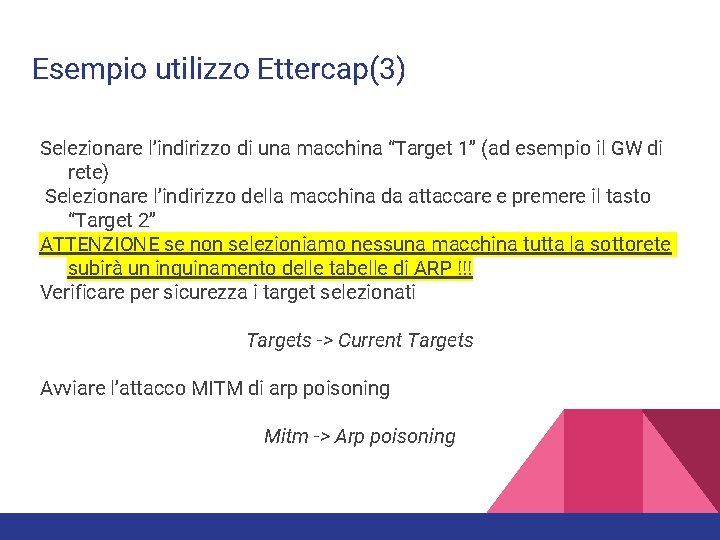
Esempio utilizzo Ettercap(3) Selezionare l’indirizzo di una macchina “Target 1” (ad esempio il GW di rete) Selezionare l’indirizzo della macchina da attaccare e premere il tasto “Target 2” ATTENZIONE se non selezioniamo nessuna macchina tutta la sottorete subirà un inquinamento delle tabelle di ARP !!! Verificare per sicurezza i target selezionati Targets -> Current Targets Avviare l’attacco MITM di arp poisoning Mitm -> Arp poisoning
Esempio utilizzo Ettercap(4) Avviare lo sniffer per catturare i pacchetti Start -> Start Sniffing Q: Come cambia il traffico di ARP prima e dopo il poisoning ? Q: Cosa cambia nelle tabelle di ARP ( Comando arp -a , arp -d) ? Q: Che pacchetti ARP vengono scambiati in rete (tshark) ? Al termine di tutto ricordarsi di ripristinare le tabelle arp corrette sui target Mitm -> Stop mitm attack(s)
Esempio utilizzo Ettercap(5) Q: Ed ora che abbiamo trovato il modo di girare tutto il traffico sulla macchina attaccante senza che nessuno si accorga di nulla cosa possiamo fare ? Ettercap riesce già di default a interpretare molti protocolli e estrarre informazioni sensibili (credenziali) Q: Provate a connettervi utilizzando i protocolli Telnet o FTP verificate cosa visualizza l’interfaccia di Ettercap Q: Perchè l’operazione è possibile in modo semplice ?
Next Time …. La prossima volta vedremo l’utilizzo dei filtri e dei plugins per gestire modifiche al flusso dati intercettato. Analizzeremo inoltre un tool più recente e attualmente sviluppato attivamente privo di interfaccia grafica ma capace di attacchi più raffinati.
References • https: //www. mat. unical. it/Computer. Science/Network. And. Security • A current analysis of man in the middle (mitm) attacks - Sachin Deodhar - IIT KANPUR Hacher’s Workshop 2004 • Esempio utilizzo ettercap http: //openmaniak. com/ettercap_arp. php • Filtri con ettercap http: //openmaniak. com/ettercap_filter. php • Bettercap https: //www. bettercap. org • Bettercap Beef Example https: //www. bettercap. org/blog/howto-bettercap-and-beef-framework