
Shortcuts from an Impatient DBA Andy Mallon Andy

Shortcuts from an Impatient DBA Andy Mallon
Andy Mallon Working with SQL Server since SQL 2000 Background in Tech Support Managed databases in many industries Healthcare E-Commerce Finance Non-profit Lazy Impatient Andy@am 2. co linkedin. com/in/AMtwo @AMtwo www. Impatient. Dba. com www. am 2. co

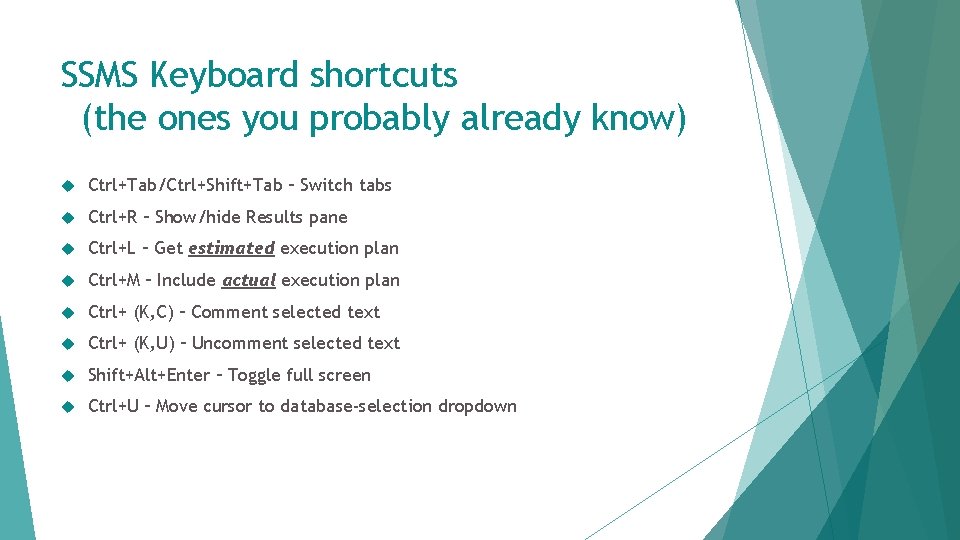
SSMS Keyboard shortcuts (the ones you probably already know) Ctrl+Tab/Ctrl+Shift+Tab – Switch tabs Ctrl+R – Show/hide Results pane Ctrl+L – Get estimated execution plan Ctrl+M – Include actual execution plan Ctrl+ (K, C) – Comment selected text Ctrl+ (K, U) – Uncomment selected text Shift+Alt+Enter – Toggle full screen Ctrl+U – Move cursor to database-selection dropdown
More SSMS Keyboard shortcuts (the ones you might not know) (the cool ones) (I think they’re cool) (hopefully you do too)
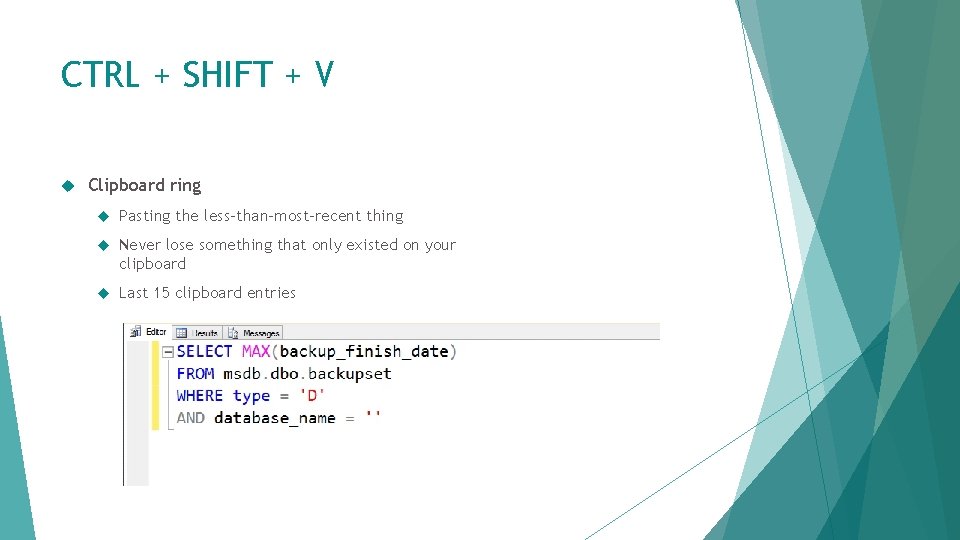
CTRL + SHIFT + V Clipboard ring Pasting the less-than-most-recent thing Never lose something that only existed on your clipboard Last 15 clipboard entries
![CTRL + ] Go to BEGIN/END Put cursor next to a BEGIN, then Ctrl+]](http://slidetodoc.com/presentation_image_h/2d784cc0c718c15c3aeb37e9722b85be/image-7.jpg "CTRL + ] Go to BEGIN/END Put cursor next to a BEGIN, then Ctrl+]")
CTRL + ] Go to BEGIN/END Put cursor next to a BEGIN, then Ctrl+] to bring you to corresponding END Also works with parentheses, etc
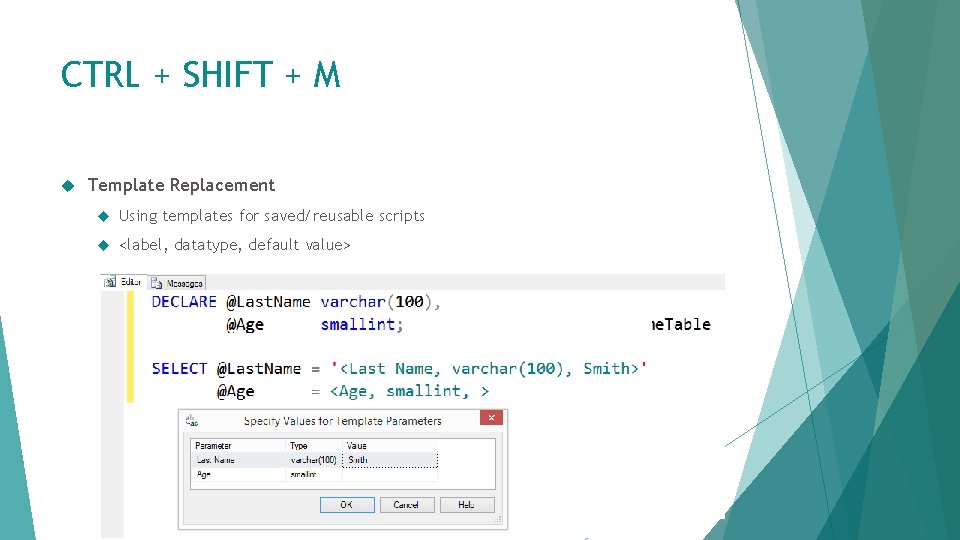
CTRL + SHIFT + M Template Replacement Using templates for saved/reusable scripts <label, datatype, default value>
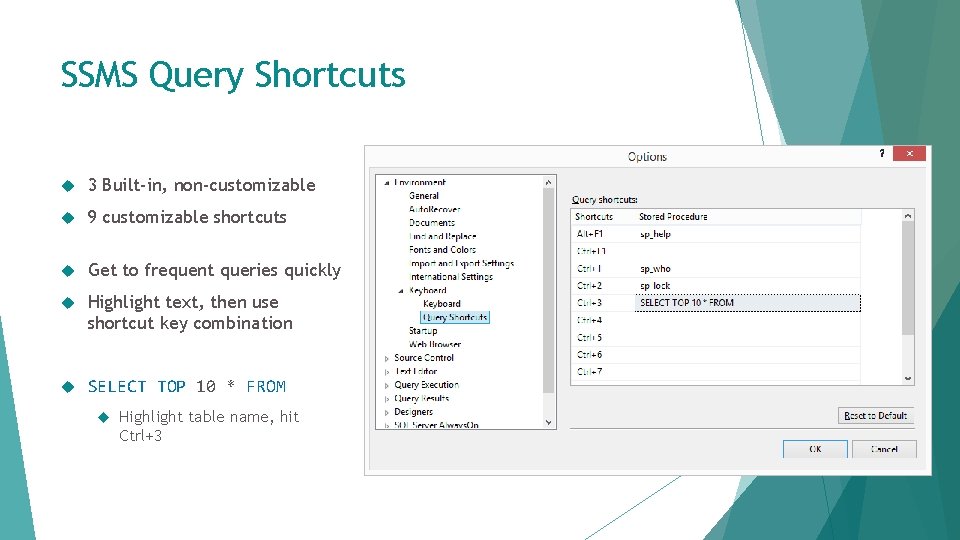
SSMS Query Shortcuts 3 Built-in, non-customizable 9 customizable shortcuts Get to frequent queries quickly Highlight text, then use shortcut key combination SELECT TOP 10 * FROM Highlight table name, hit Ctrl+3
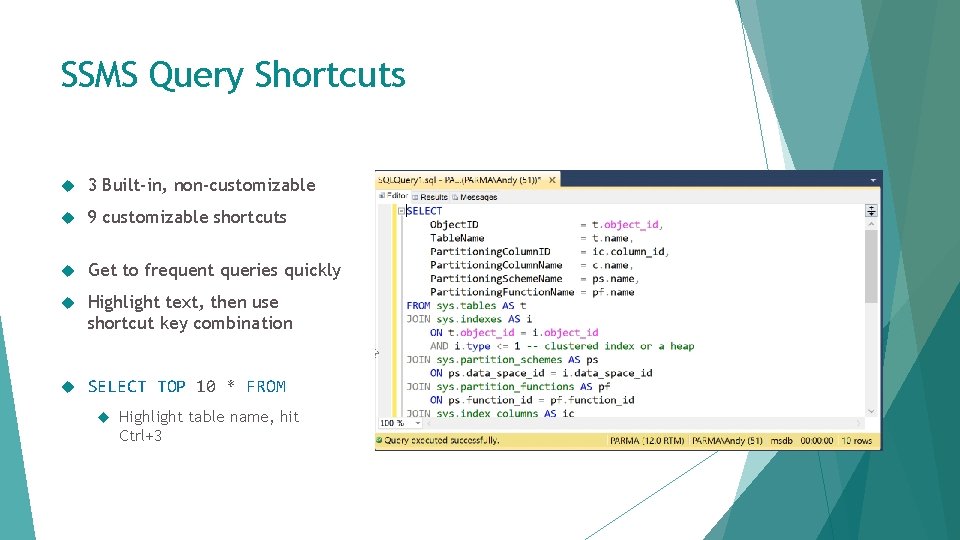
SSMS Query Shortcuts 3 Built-in, non-customizable 9 customizable shortcuts Get to frequent queries quickly Highlight text, then use shortcut key combination SELECT TOP 10 * FROM Highlight table name, hit Ctrl+3
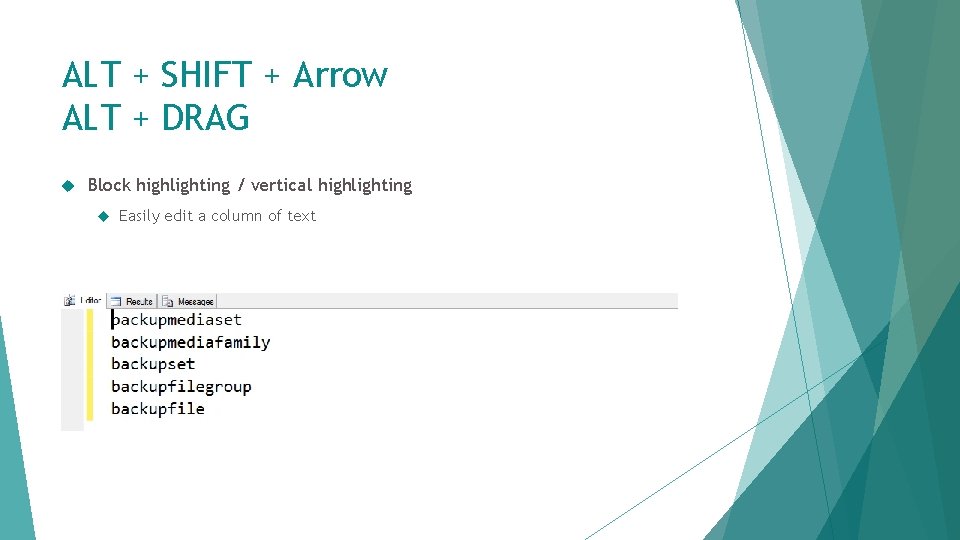
ALT + SHIFT + Arrow ALT + DRAG Block highlighting / vertical highlighting Easily edit a column of text

SSMS Gestures & Usability
Management Studio Drag-drop a tab IN SSMS to re-order Drag a tab OUT OF SSMS to float/undock Also Window Float from the menu Chrome, IE/Edge, and other apps with tabbed UIs offer similar behavior
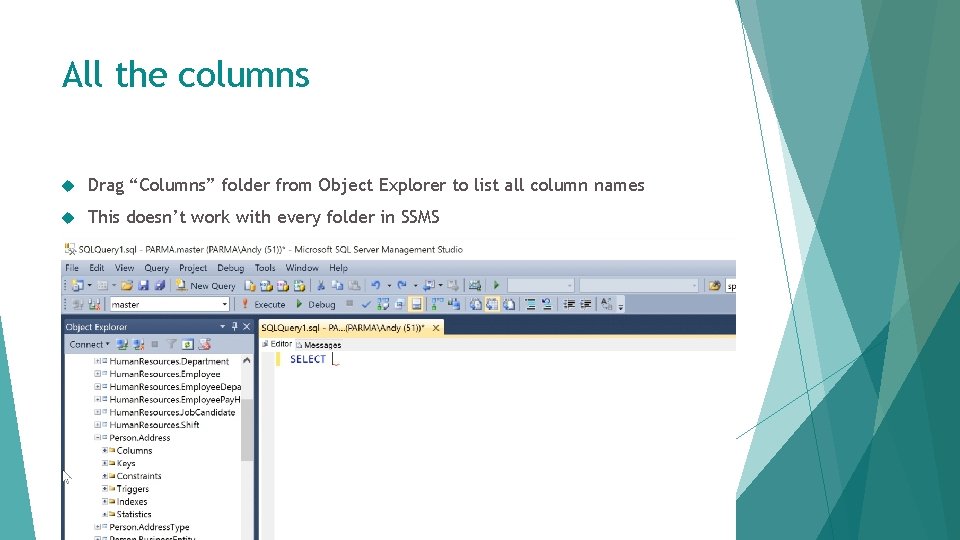
All the columns Drag “Columns” folder from Object Explorer to list all column names This doesn’t work with every folder in SSMS
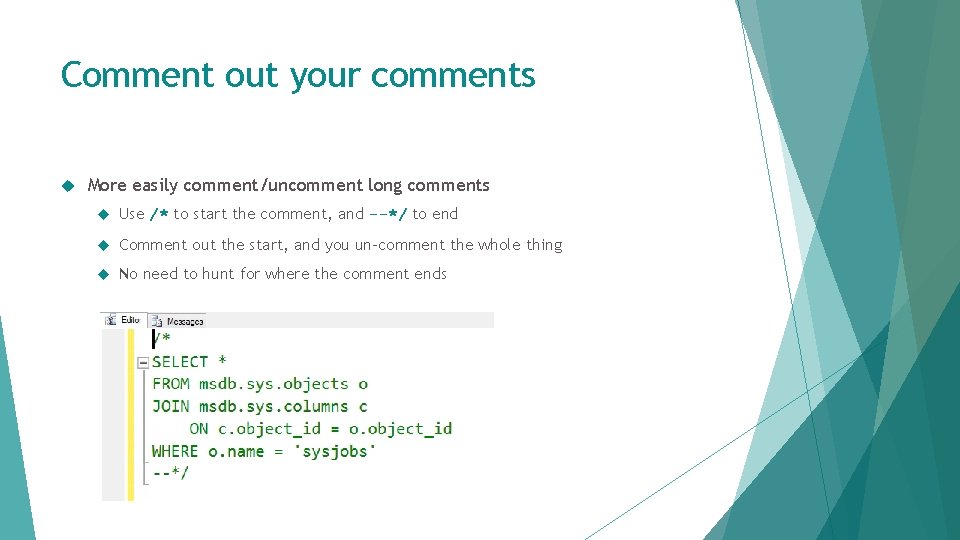
Comment out your comments More easily comment/uncomment long comments Use /* to start the comment, and --*/ to end Comment out the start, and you un-comment the whole thing No need to hunt for where the comment ends
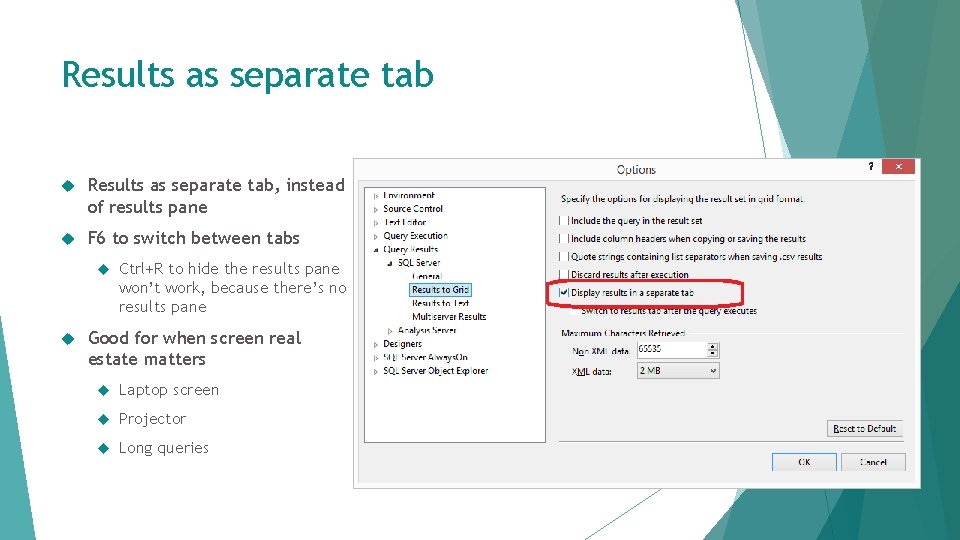
Results as separate tab Results as separate tab, instead of results pane F 6 to switch between tabs Ctrl+R to hide the results pane won’t work, because there’s no results pane Good for when screen real estate matters Laptop screen Projector Long queries
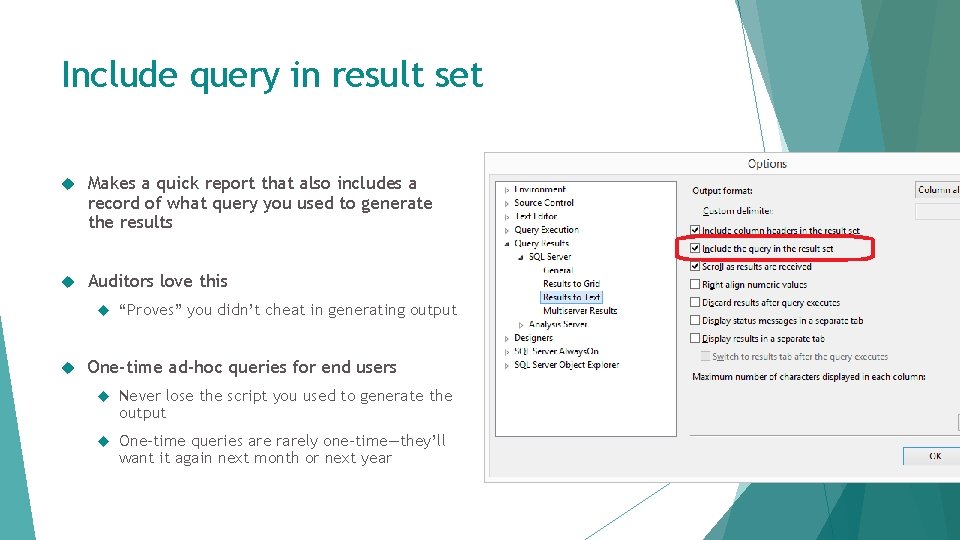
Include query in result set Makes a quick report that also includes a record of what query you used to generate the results Auditors love this “Proves” you didn’t cheat in generating output One-time ad-hoc queries for end users Never lose the script you used to generate the output One-time queries are rarely one-time—they’ll want it again next month or next year
More tips & details at http: //bit. ly/am 2 -shortcuts
- Slides: 18