
Sharing your CQI Story Creating a CQI Story


- Slides: 41
Sharing your CQI Story: Creating a CQI Story Board Tribal MIECHV Annual Grantee Meeting Washington, DC May 6, 2015 1
Welcome & Introductions 2
Today’s Session • CQI Story Board Introduction – Why use a CQI Story Board? – CQI Story Board Template – CQI Story Board Examples – CQI Story Board Hints and Tips – Sharing your CQI Story Board • CQI Story Board Discussion • Additional Questions 3
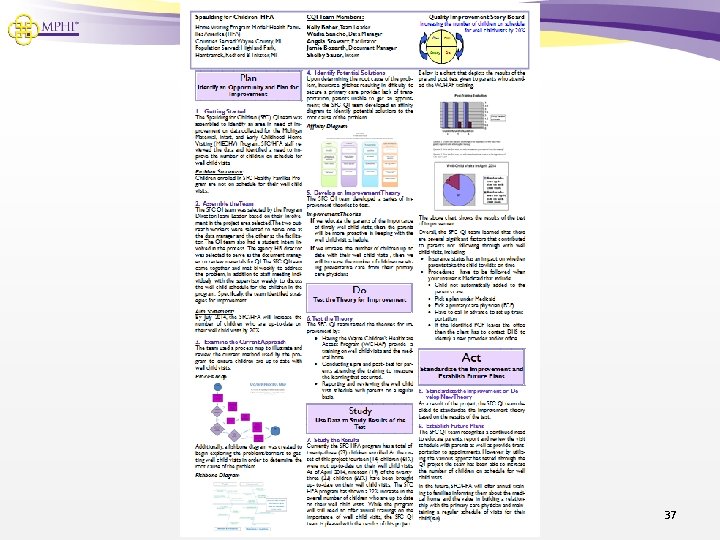
Why Use a CQI Story Board? • To tell the story of your CQI project from start to finish! • An important part of the PDSA Cycle (Step 9) • Helps your CQI team celebrate all your hard work and accomplishments! • Great tool for sharing your improvement work with others including tribal and organizational leadership, families, partnering agencies, and community advisory groups • Has the potential to help other home visiting programs experiencing similar challenges 4
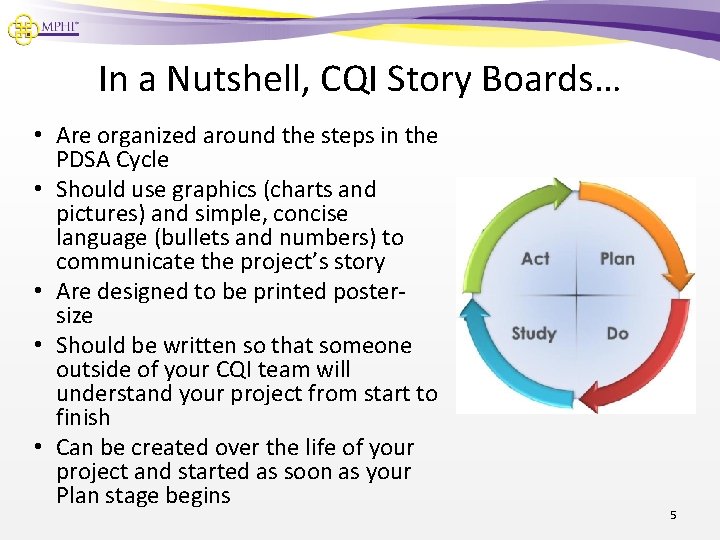
In a Nutshell, CQI Story Boards… • Are organized around the steps in the PDSA Cycle • Should use graphics (charts and pictures) and simple, concise language (bullets and numbers) to communicate the project’s story • Are designed to be printed postersize • Should be written so that someone outside of your CQI team will understand your project from start to finish • Can be created over the life of your project and started as soon as your Plan stage begins 5
CQI Story Boards: The Template • Available in both MS Word and Publisher formats • Set up to be printed as a 2 ft. x 3 ft. poster • Can be printed in an 8 ½ x 11 size • Most effective view for editing is about 33% (in MS Publisher) • Images are inserted as pictures (preferably. tiff files) 6
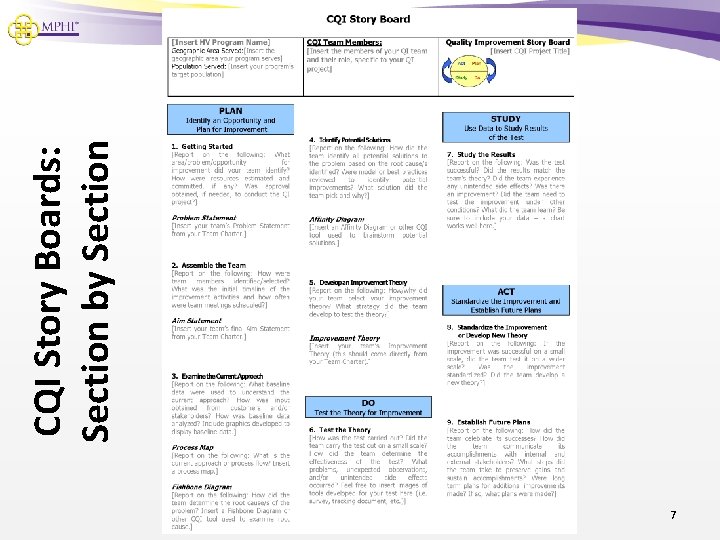
7 CQI Story Boards: Section by Section
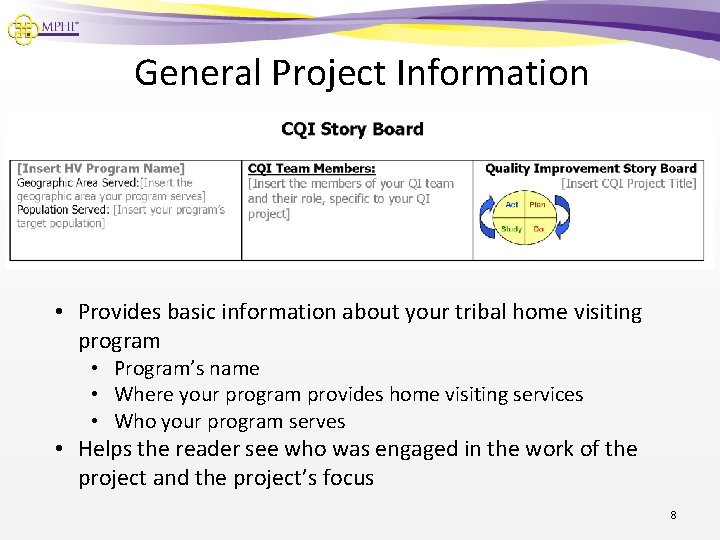
General Project Information • Provides basic information about your tribal home visiting program • Program’s name • Where your program provides home visiting services • Who your program serves • Helps the reader see who was engaged in the work of the project and the project’s focus 8
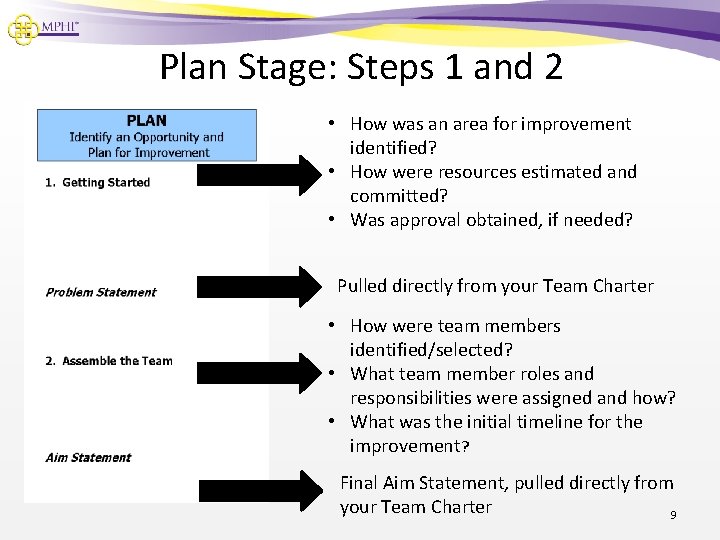
Plan Stage: Steps 1 and 2 • How was an area for improvement identified? • How were resources estimated and committed? • Was approval obtained, if needed? Pulled directly from your Team Charter • How were team members identified/selected? • What team member roles and responsibilities were assigned and how? • What was the initial timeline for the improvement? Final Aim Statement, pulled directly from your Team Charter 9
For Example… • PLAN Stage 1. Getting Started • • • Through Michigan’s MIECHV funding, Kent County Healthy Start (KCHS) is engaged in CQI work on an ongoing basis. In July 2013, the team identified a need to improve well baby visits among participating families. The team developed the following problem statement: Well Baby visits for participants enrolled in KCHS are not taking place (or are not being documented) at the intervals recommended by the program and the American Academy of Pediatrics. 10
• PLAN Stage For Example… 2. Assemble the Team • • A subgroup of the Healthy Start Continuous Quality Improvement Committee was asked to participate on the CQI team. The team consisted of a team leader, a facilitator, a scribe, a data analyst, and site supervisor and Family Support Worker representatives. The team met once per month. The team’s work was guided by the following aim statement: By January 31, 2014, Kent County Healthy Start will increase the rate of completed well baby visits by 25%. 11
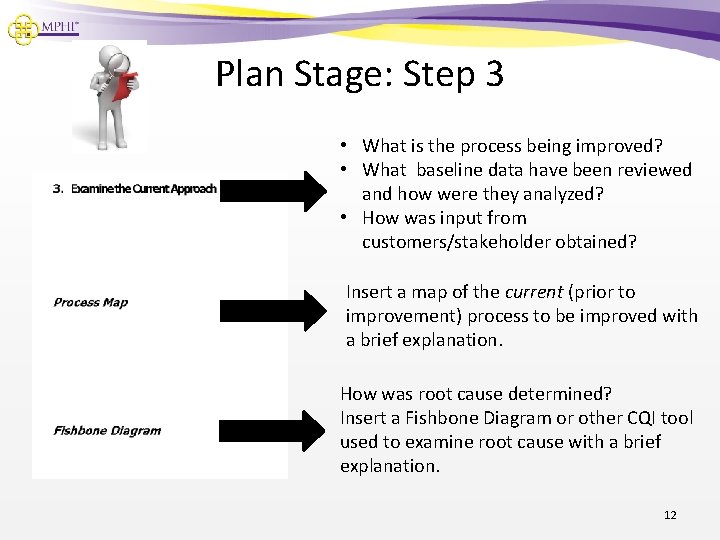
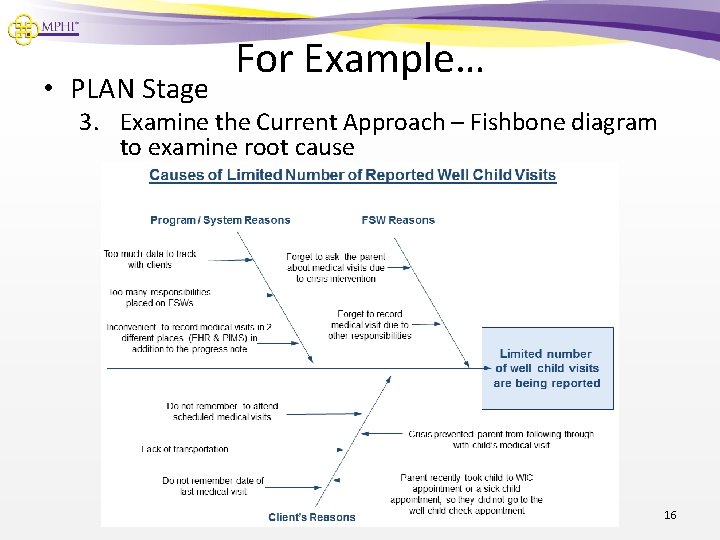
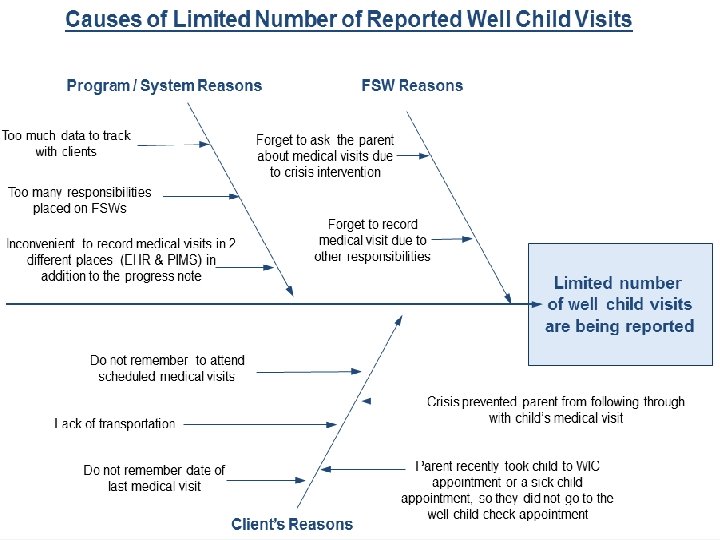
Plan Stage: Step 3 • What is the process being improved? • What baseline data have been reviewed and how were they analyzed? • How was input from customers/stakeholder obtained? Insert a map of the current (prior to improvement) process to be improved with a brief explanation. How was root cause determined? Insert a Fishbone Diagram or other CQI tool used to examine root cause with a brief explanation. 12
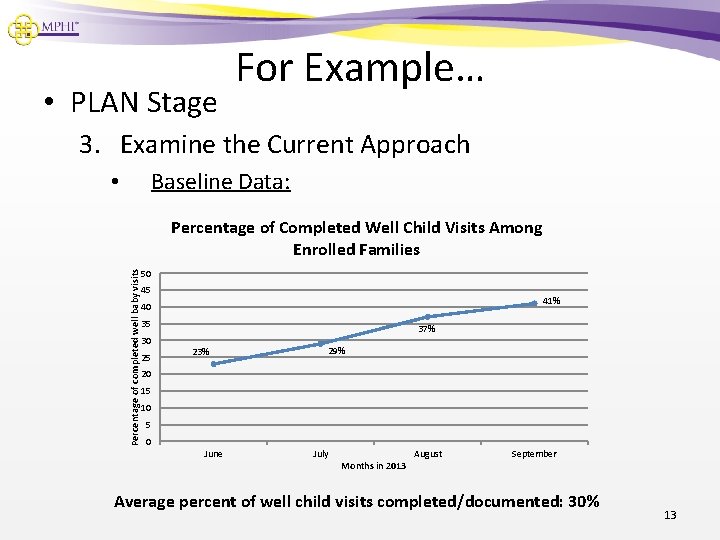
• PLAN Stage For Example… 3. Examine the Current Approach Baseline Data: • Percentage of completed well baby visits Percentage of Completed Well Child Visits Among Enrolled Families 50 45 41% 40 35 30 25 37% 23% 29% 20 15 10 5 0 June July Months in 2013 August September Average percent of well child visits completed/documented: 30% 13
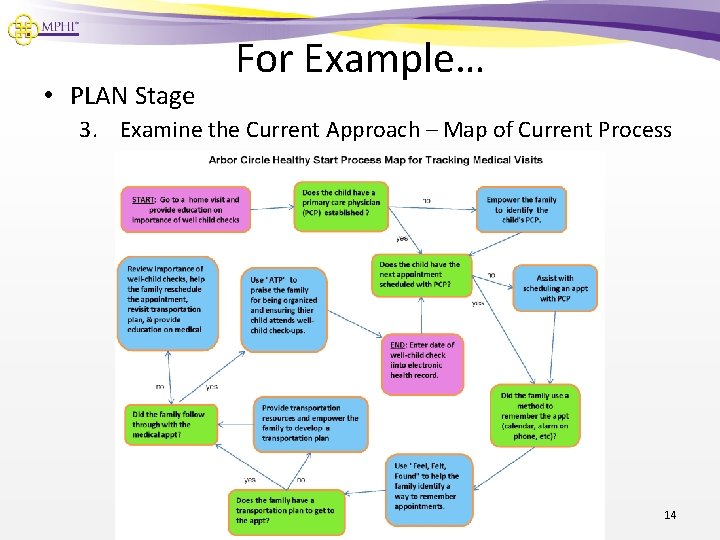
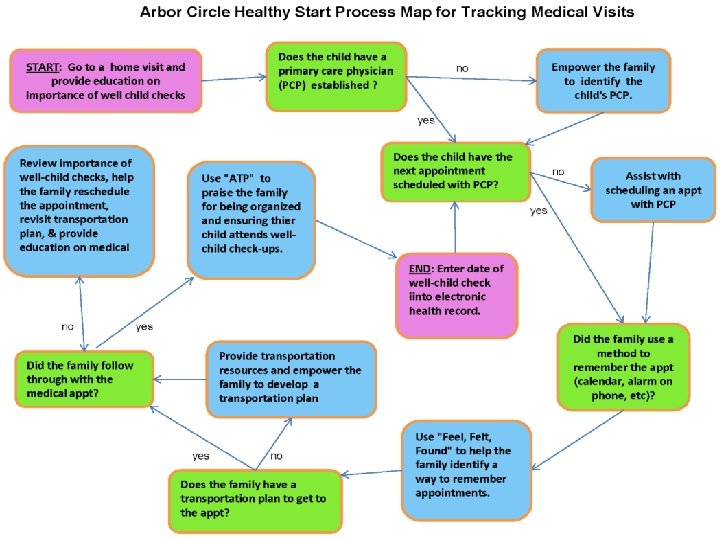
• PLAN Stage For Example… 3. Examine the Current Approach – Map of Current Process 14
15
• PLAN Stage For Example… 3. Examine the Current Approach – Fishbone diagram to examine root cause 16
17
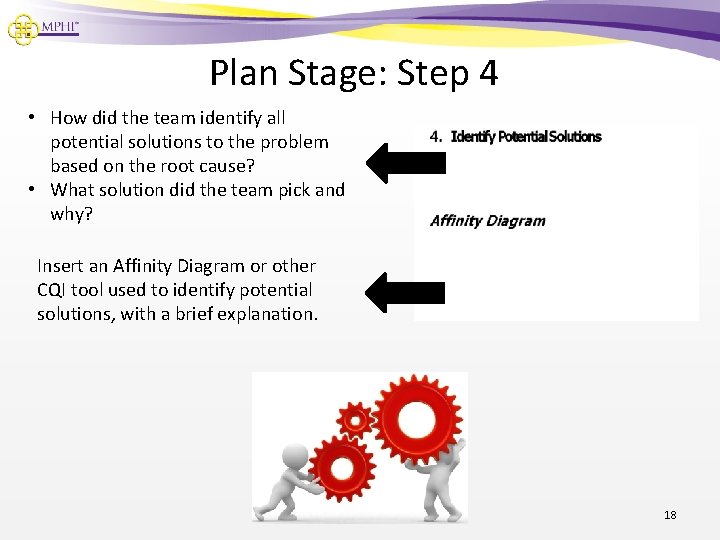
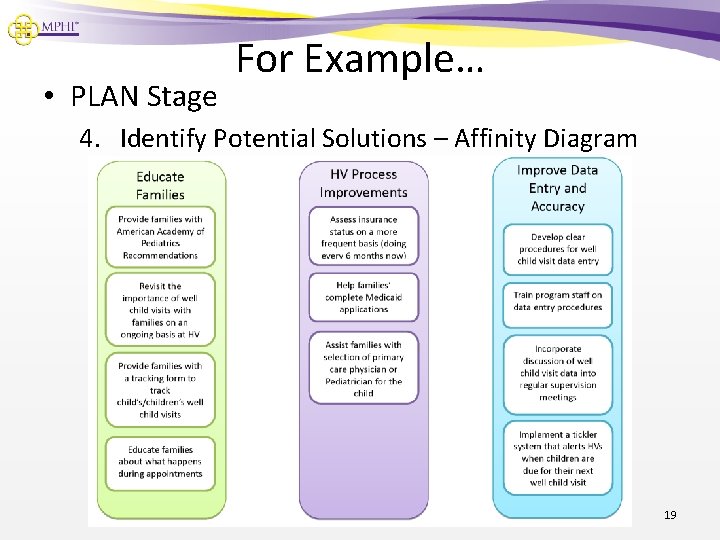
Plan Stage: Step 4 • How did the team identify all potential solutions to the problem based on the root cause? • What solution did the team pick and why? Insert an Affinity Diagram or other CQI tool used to identify potential solutions, with a brief explanation. 18
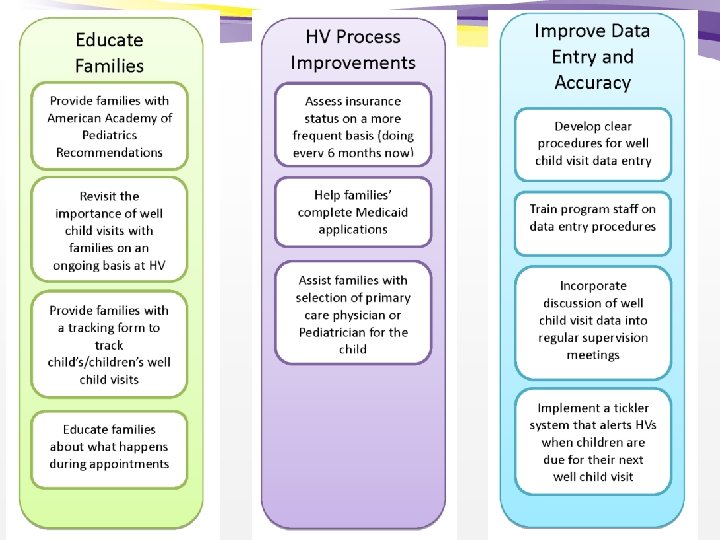
• PLAN Stage For Example… 4. Identify Potential Solutions – Affinity Diagram 19
20
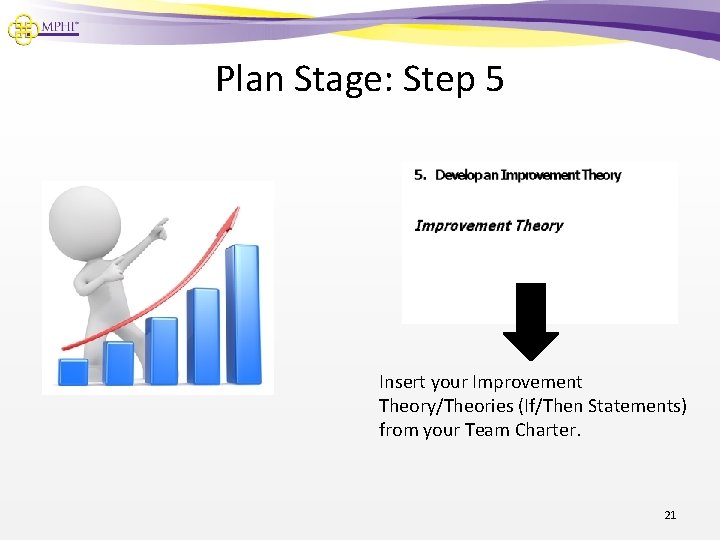
Plan Stage: Step 5 Insert your Improvement Theory/Theories (If/Then Statements) from your Team Charter. 21
For Example… • PLAN Stage 5. Improvement Theories • The team developed the following predictions to guide their test: – – If we improve our data entry procedures, then our rate of well baby visits will improve. If we provide education to parents about the importance of well child visits, then our rate of well baby visits will improve. 22
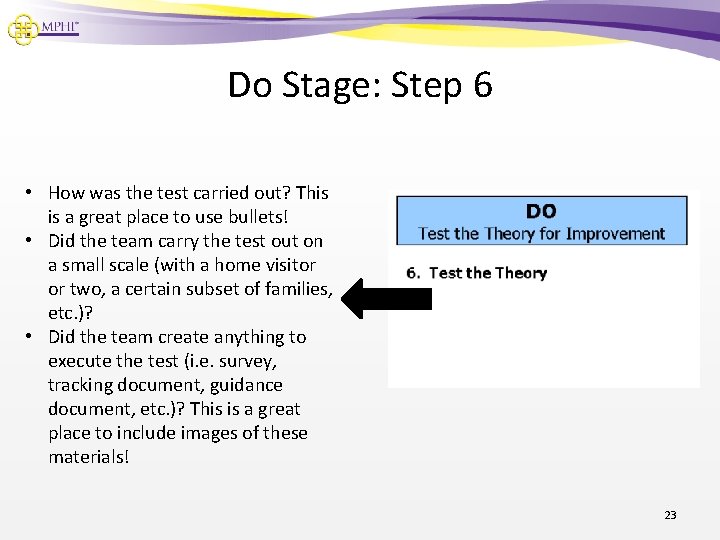
Do Stage: Step 6 • How was the test carried out? This is a great place to use bullets! • Did the team carry the test out on a small scale (with a home visitor or two, a certain subset of families, etc. )? • Did the team create anything to execute the test (i. e. survey, tracking document, guidance document, etc. )? This is a great place to include images of these materials! 23
For Example… • DO Stage 6. Test the Theory • • Clear data entry procedures were implemented with all program staff in October 2013. Data was reviewed at monthly CQI team meetings to catch issues with the new procedure as they arose. Supervisors monitored data closely and followed up with home visitors on a regular basis. Home visitors discussed the importance of well child visits with families on an ongoing basis. 24
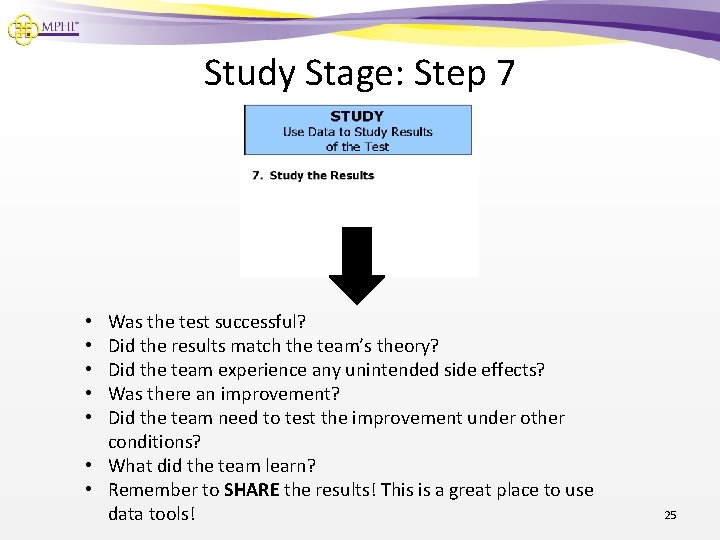
Study Stage: Step 7 Was the test successful? Did the results match the team’s theory? Did the team experience any unintended side effects? Was there an improvement? Did the team need to test the improvement under other conditions? • What did the team learn? • Remember to SHARE the results! This is a great place to use data tools! • • • 25
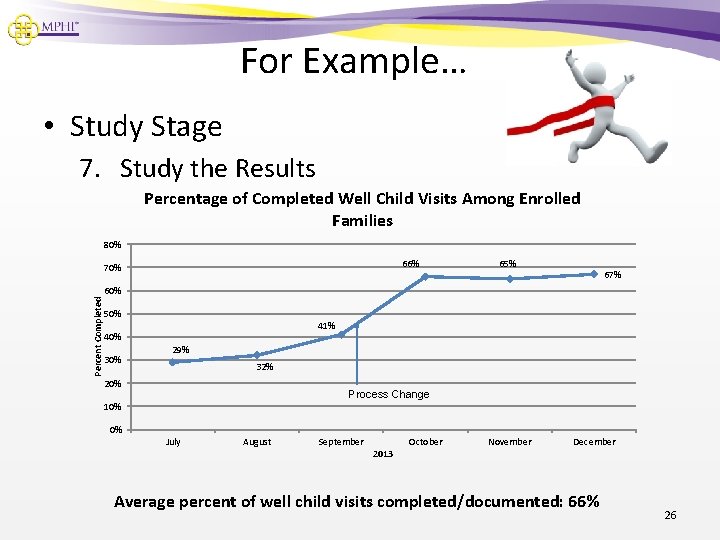
For Example… • Study Stage 7. Study the Results Percentage of Completed Well Child Visits Among Enrolled Families 80% 66% 70% 65% 67% Percent Completed 60% 50% 41% 40% 30% 29% 32% 20% Process Change 10% 0% July August September 2013 October November December Average percent of well child visits completed/documented: 66% 26
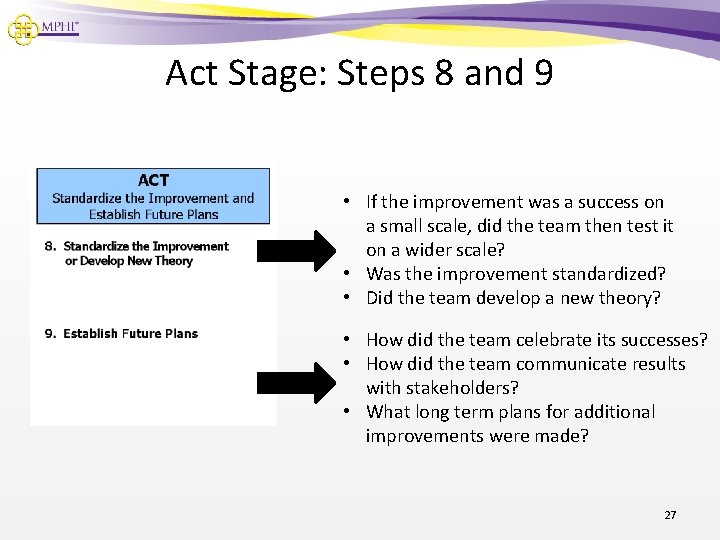
Act Stage: Steps 8 and 9 • If the improvement was a success on a small scale, did the team then test it on a wider scale? • Was the improvement standardized? • Did the team develop a new theory? • How did the team celebrate its successes? • How did the team communicate results with stakeholders? • What long term plans for additional improvements were made? 27
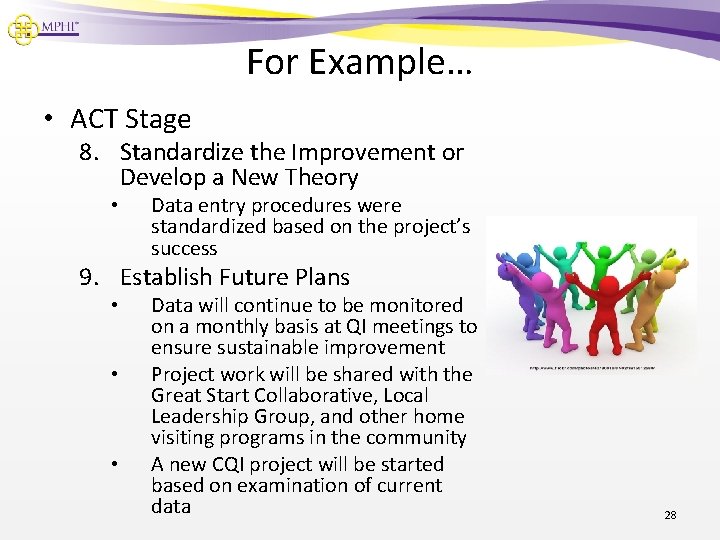
For Example… • ACT Stage 8. Standardize the Improvement or Develop a New Theory • Data entry procedures were standardized based on the project’s success 9. Establish Future Plans • • • Data will continue to be monitored on a monthly basis at QI meetings to ensure sustainable improvement Project work will be shared with the Great Start Collaborative, Local Leadership Group, and other home visiting programs in the community A new CQI project will be started based on examination of current data 28
Questions 29
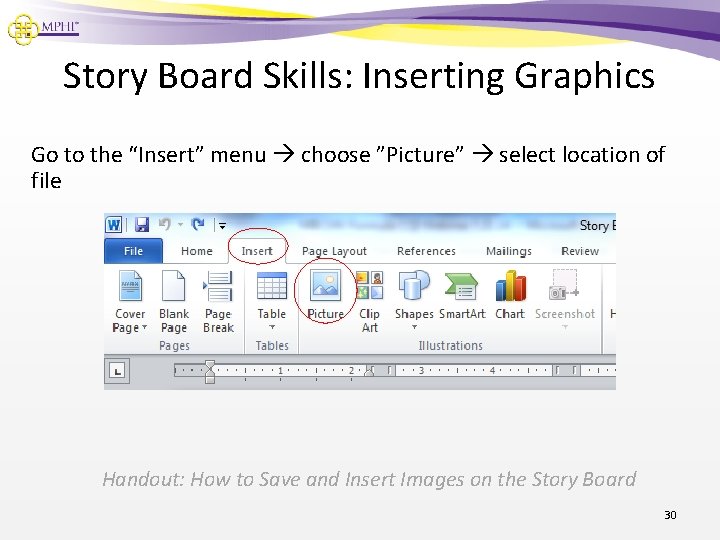
Story Board Skills: Inserting Graphics Go to the “Insert” menu choose ”Picture” select location of file Handout: How to Save and Insert Images on the Story Board 30
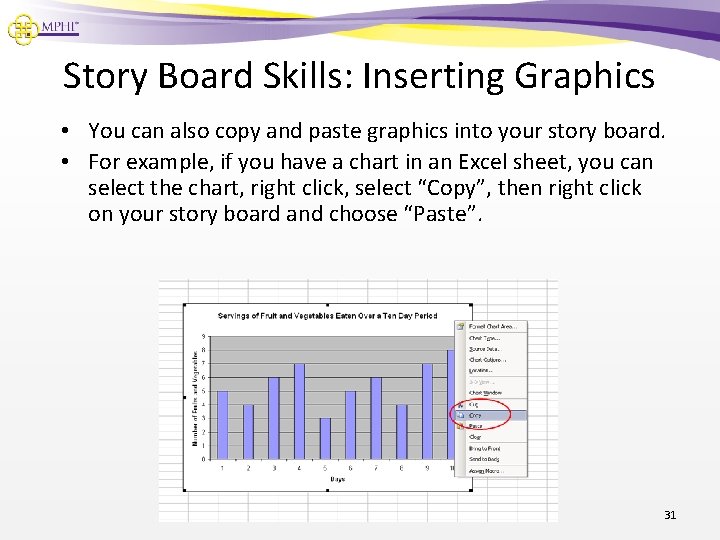
Story Board Skills: Inserting Graphics • You can also copy and paste graphics into your story board. • For example, if you have a chart in an Excel sheet, you can select the chart, right click, select “Copy”, then right click on your story board and choose “Paste”. 31
A Word of Caution About Graphics • Most images created in Excel (e. g. graphics, charts) can be resized to a fairly large size. • However, other images, such as logos and photos, as well as most images from the Internet, can only be enlarged to a point before they start becoming pixilated and unsuitable for print. • This is due to the number of dots per inch (dpi) on the image. The more dots that are packed in per inch, the better. • Tiff (. tiff) files are the clearest graphic file you can use on your story board. Handout: How to Save and Insert Images on the Story Board 32
CQI Story Board Hints and Tips • Include only essential information • Provide enough detail that the project progression is clear • Start with the information you have • Add to your story as your team completes activities • Use color! • Keep it simple! • Make it fun! 33
CQI Story Board Hints and Tips Cont. • Use your Team Charter as a primary resource – Information in your final Team Charter should be the same on your story board • Ask for a grammar and content review • Introduce your audience to graphics – why did you include it and what does it mean? • Keep narrative brief and focused on the most important things you want your reader to know • Don’t forget to spell check 34
Sharing your CQI Story Board • Story Boards can be used with different audiences in a variety of ways – Post your story board in your program office in an area where customers and stakeholders convene – Take your story board to a conference or interagency meeting and use it as talking points – Turn your story board into a printable Power Point presentation to share at a tribal board meeting or conference – Create a shorter narrative to highlight your CQI success story – Turn your story board into a brief article to share your CQI story in your tribal and/or program newsletter 35
CQI Story Board Resources • CQI Story Board templates with guidance • Information on page 41 of Embracing Quality in Public Health: A Practitioner’s Quality Improvement Guidebook • Handout: How to Save and Insert Images on your CQI Story Board 36
37
Additional Questions 38
CQI Story Board Discussion 1. As we walked through the story board template and example, what stood out to you and why? 2. In what ways do you see your CQI team using the story board and with whom? 3. How might your CQI team modify the story board template to share your work with different stakeholders? 4. What other formats might your CQI team use to share your CQI story? 39
Wrap-Up • Additional Questions • Resources will be shared electronically with all • Thank you! Contact Information: Robin Van. Der. Moere rvanderm@mphi. org 517. 324. 8380 40
The Tribal Home Visiting Evaluation Institute (TEI) is funded by the Office of Planning, Research and Evaluation, Administration for Children and Families, Department of Health and Human Services under contract number HHSP 23320095644 WC. TEI is funded to provide technical assistance to Tribal Home Visiting grantees on rigorous evaluation, performance measurement, continuous quality improvement, data systems, and ethical dissemination and translation of evaluation findings. TEI 1 was awarded to MDRC; James Bell Associates, Inc. ; Johns Hopkins Bloomberg School of Public Health, Center for American Indian Health, and University of Colorado School of Public Health, Centers for American Indian and Alaska Native Health. For more information on TEI contact: Nicole Denmark Federal Project Officer Office of Planning Research and Evaluation nicole. denmark@acf. hhs. gov Kate Lyon Project Director James Bell Associates, Inc. lyon@jbassoc. com