
Shaders and PBR Jessica Kasson Paul Kim Matt
Shaders and PBR Jessica Kasson, Paul Kim, Matt Mohr, and Trevor Parks

Overview Shaders Mobile Shaders Blurring PBR

Shaders
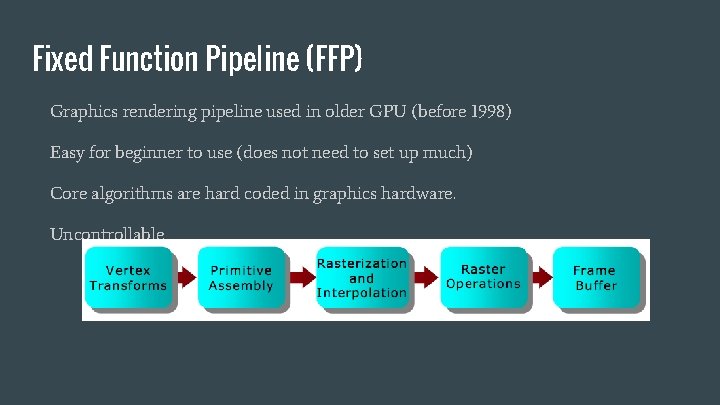
Fixed Function Pipeline (FFP) Graphics rendering pipeline used in older GPU (before 1998) Easy for beginner to use (does not need to set up much) Core algorithms are hard coded in graphics hardware. Uncontrollable
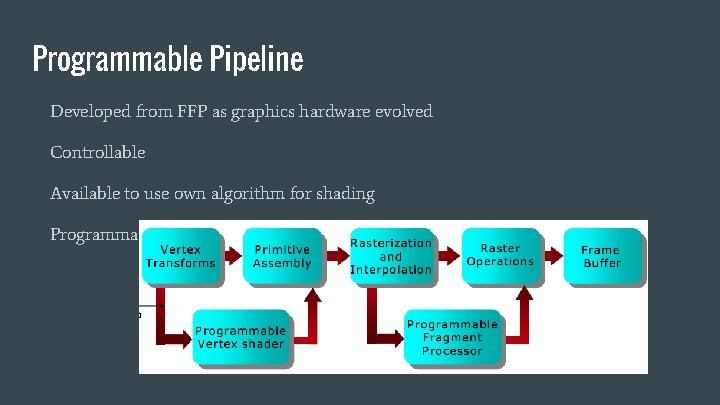
Programmable Pipeline Developed from FFP as graphics hardware evolved Controllable Available to use own algorithm for shading Programmable by computer program called Shader!

Shaders Computer program used to shading Modern use of shader was introduced by Pixar’s Renderman (1988) Major graphics software libraries (Open. GL, Direct 3 D) began to support shaders as GPU evolved Programmed by shading language (GLSL, HLSL, etc)
Shaders in programmable pipeline Vertex shader Fragment shader
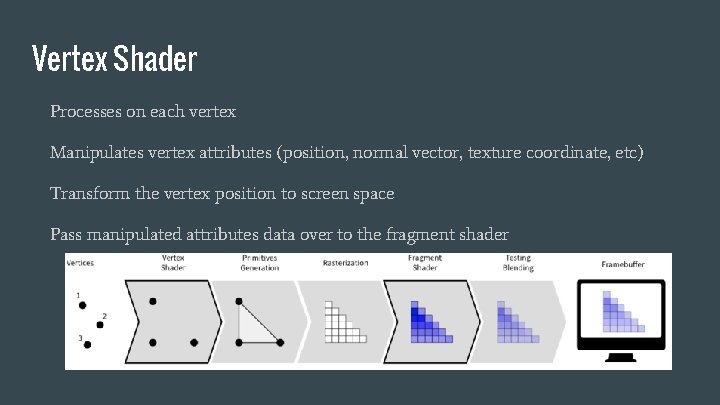
Vertex Shader Processes on each vertex Manipulates vertex attributes (position, normal vector, texture coordinate, etc) Transform the vertex position to screen space Pass manipulated attributes data over to the fragment shader
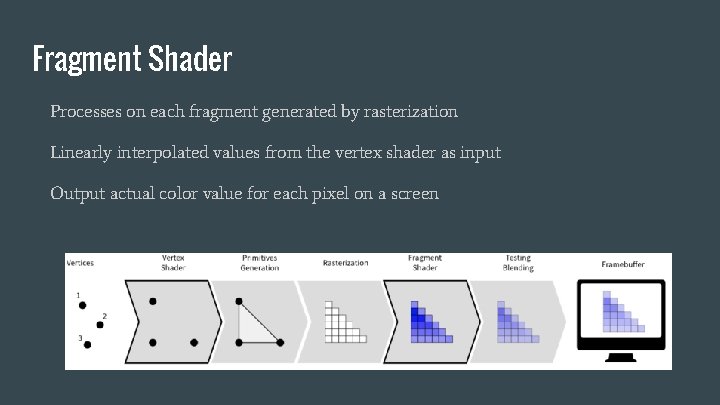
Fragment Shader Processes on each fragment generated by rasterization Linearly interpolated values from the vertex shader as input Output actual color value for each pixel on a screen
Shaders in Unity Written in HLSL Surface shader Use lighting model by setting up intuitive properties (Albedo, Specular, Gloss, etc) For realistic material affected by light Vertex and fragment shader Same with vertex shader and fragment shader discussed previously No built-in semantic for lighting Need to write custom lighting model

Mobile Shaders
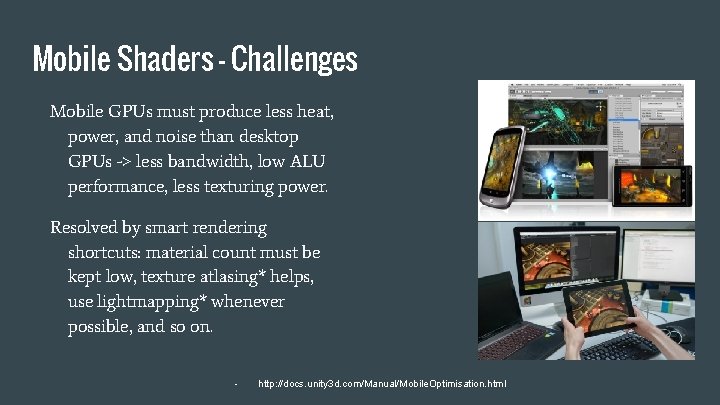
Mobile Shaders - Challenges Mobile GPUs must produce less heat, power, and noise than desktop GPUs -> less bandwidth, low ALU performance, less texturing power. Resolved by smart rendering shortcuts: material count must be kept low, texture atlasing* helps, use lightmapping* whenever possible, and so on. - http: //docs. unity 3 d. com/Manual/Mobile. Optimisation. html
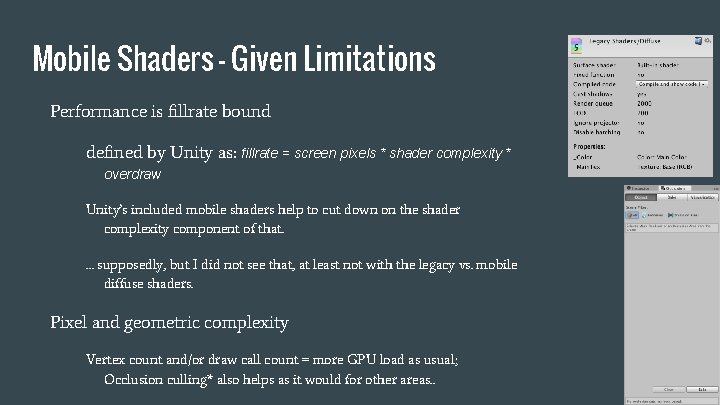
Mobile Shaders - Given Limitations Performance is fillrate bound defined by Unity as: fillrate = screen pixels * shader complexity * overdraw Unity’s included mobile shaders help to cut down on the shader complexity component of that. … supposedly, but I did not see that, at least not with the legacy vs. mobile diffuse shaders. Pixel and geometric complexity Vertex count and/or draw call count = more GPU load as usual; Occlusion culling* also helps as it would for other areas. .
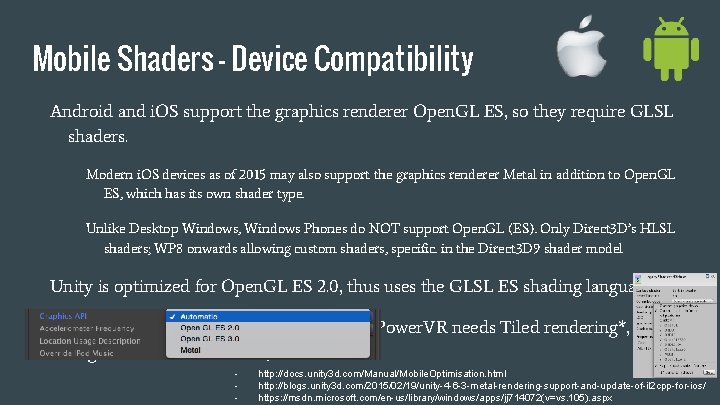
Mobile Shaders - Device Compatibility Android and i. OS support the graphics renderer Open. GL ES, so they require GLSL shaders. Modern i. OS devices as of 2015 may also support the graphics renderer Metal in addition to Open. GL ES, which has its own shader type. Unlike Desktop Windows, Windows Phones do NOT support Open. GL (ES). Only Direct 3 D’s HLSL shaders; WP 8 onwards allowing custom shaders, specific. in the Direct 3 D 9 shader model Unity is optimized for Open. GL ES 2. 0, thus uses the GLSL ES shading language. Different GPUs have different limitations (Power. VR needs Tiled rendering*, Nvidia Tegra can render however) - http: //docs. unity 3 d. com/Manual/Mobile. Optimisation. html http: //blogs. unity 3 d. com/2015/02/19/unity-4 -6 -3 -metal-rendering-support-and-update-of-il 2 cpp-for-ios/ https: //msdn. microsoft. com/en-us/library/windows/apps/jj 714072(v=vs. 105). aspx
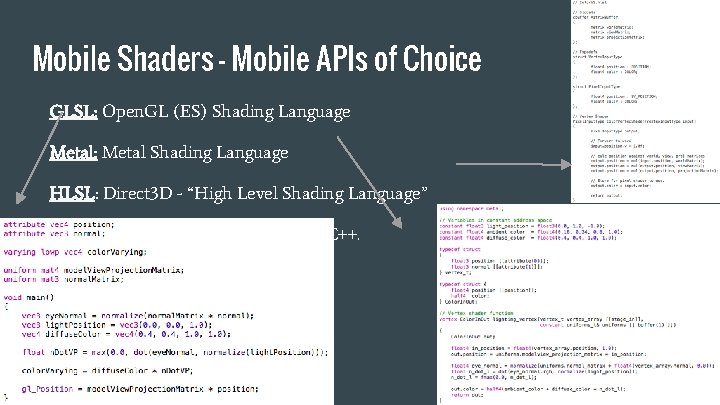
Mobile Shaders - Mobile APIs of Choice GLSL: Open. GL (ES) Shading Language Metal: Metal Shading Language HLSL: Direct 3 D - “High Level Shading Language” Syntax all different, but similar to C/C++.

Mobile Shaders - Unity’s Scope In Unity, shaders are written in Cg, Nvidia’s shading language, by default. This can be similar to HLSL, Direct 3 D’s shading language, so Unity doesn’t distinguish between them. For mobile platforms (Android/i. OS), these built-in shaders are crosscompiled into GLSL (ES). Windows, HLSL? - https: //en. wikibooks. org/wiki/Cg_Programming/Unity

Blurring
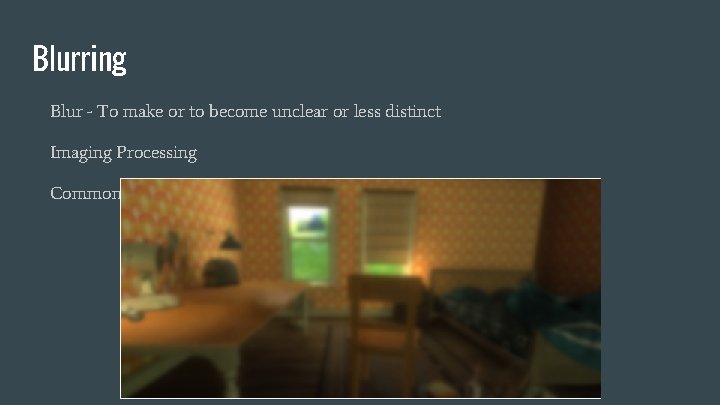
Blurring Blur - To make or to become unclear or less distinct Imaging Processing Commonly implemented using Gaussian Blur
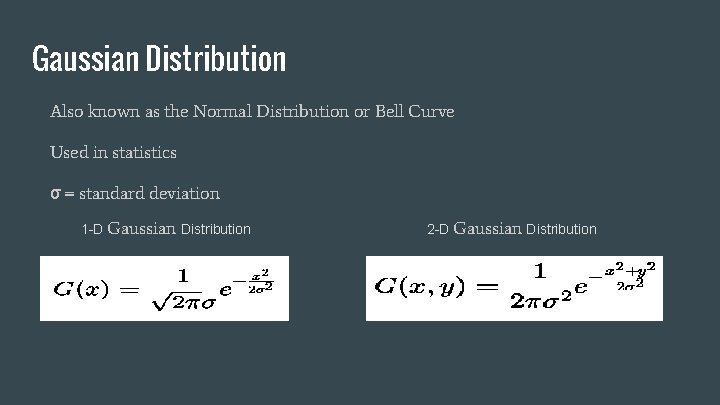
Gaussian Distribution Also known as the Normal Distribution or Bell Curve Used in statistics σ = standard deviation 1 -D Gaussian Distribution 2 -D Gaussian Distribution
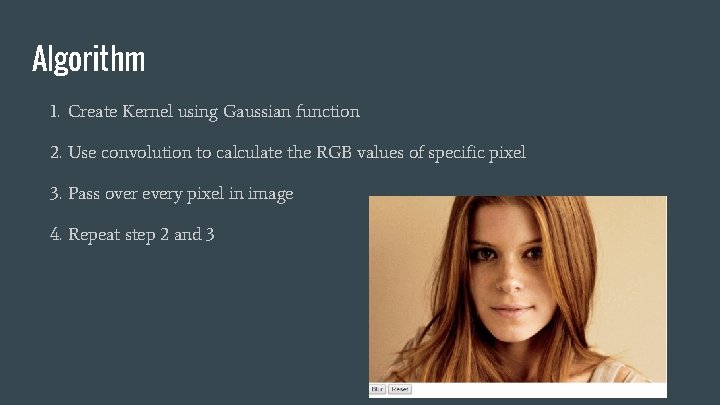
Algorithm 1. Create Kernel using Gaussian function 2. Use convolution to calculate the RGB values of specific pixel 3. Pass over every pixel in image 4. Repeat step 2 and 3
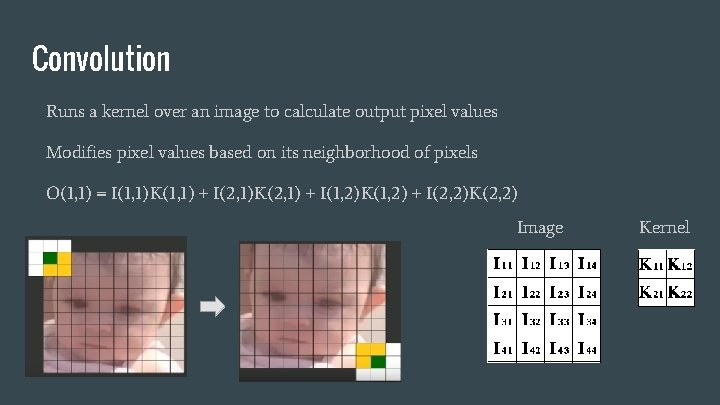
Convolution Runs a kernel over an image to calculate output pixel values Modifies pixel values based on its neighborhood of pixels O(1, 1) = I(1, 1)K(1, 1) + I(2, 1)K(2, 1) + I(1, 2)K(1, 2) + I(2, 2)K(2, 2) Image Kernel
Improvements of 1 -D Gaussian Kernel Performance can be improved by using a 1 -D horizontal kernel and a 1 -D vertical kernel, instead of doing 2 -D kernel Decreases the time from O(m^2 * n^2) to O(m^2 * 2 n) where m is the image’s dimensions and n is the kernel’s Still get same result as 2 -D kernel due to Gaussian properties
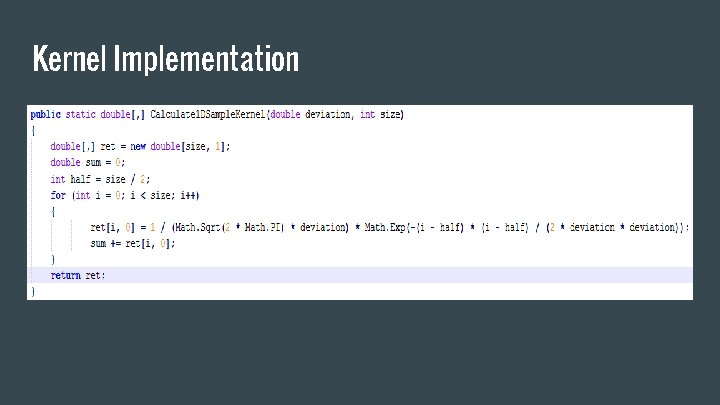
Kernel Implementation
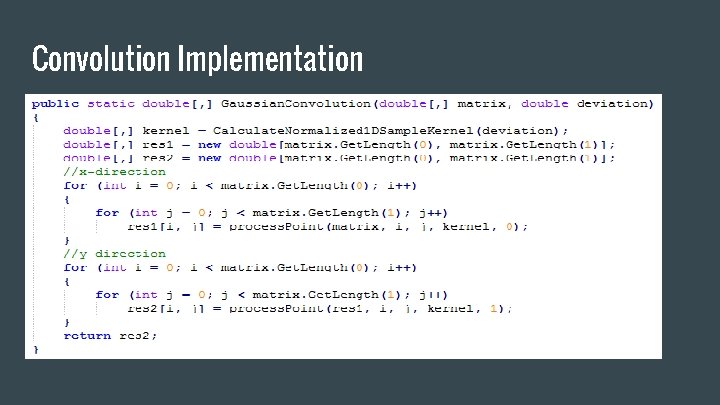
Convolution Implementation
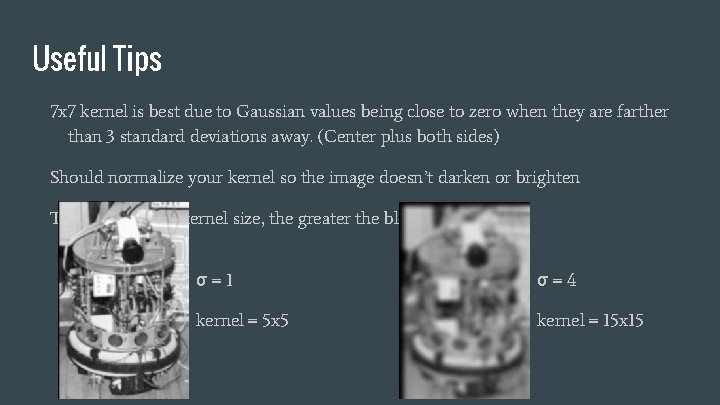
Useful Tips 7 x 7 kernel is best due to Gaussian values being close to zero when they are farther than 3 standard deviations away. (Center plus both sides) Should normalize your kernel so the image doesn’t darken or brighten The larger σ and kernel size, the greater the blur σ=1 σ=4 kernel = 5 x 5 kernel = 15 x 15
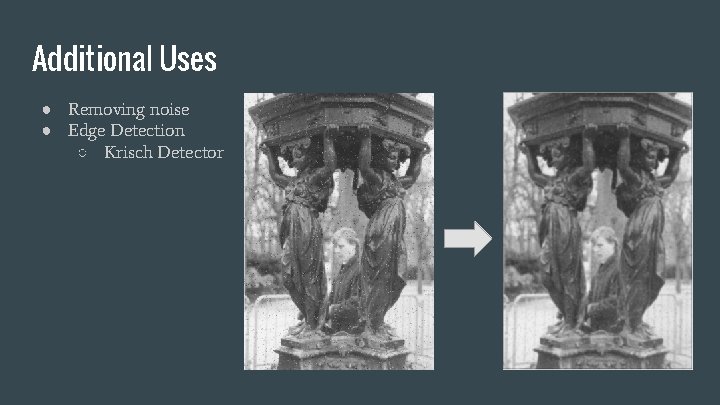
Additional Uses ● Removing noise ● Edge Detection ○ Krisch Detector
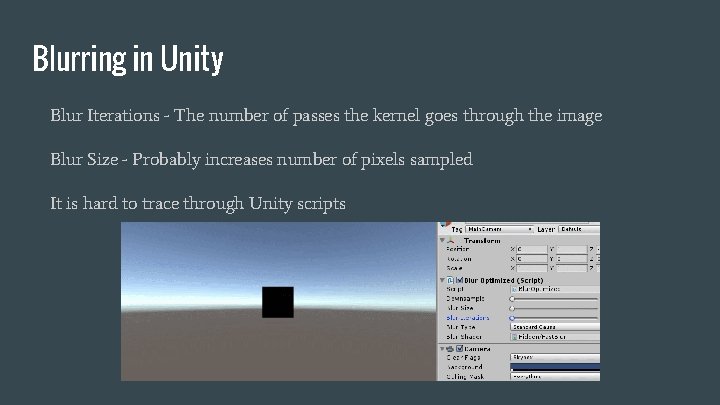
Blurring in Unity Blur Iterations - The number of passes the kernel goes through the image Blur Size - Probably increases number of pixels sampled It is hard to trace through Unity scripts
Physically Based Rendering (PBR)
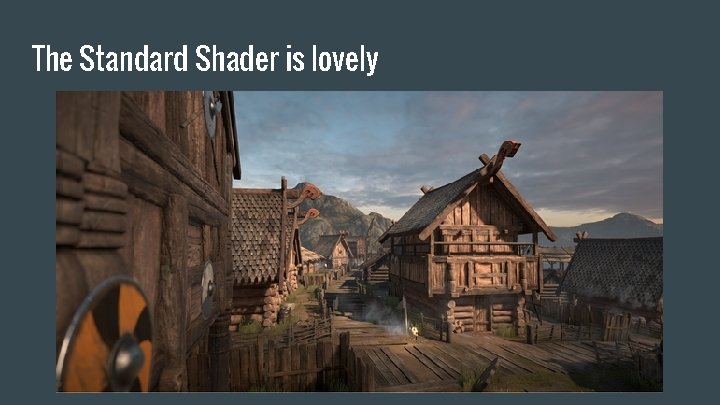
The Standard Shader is lovely
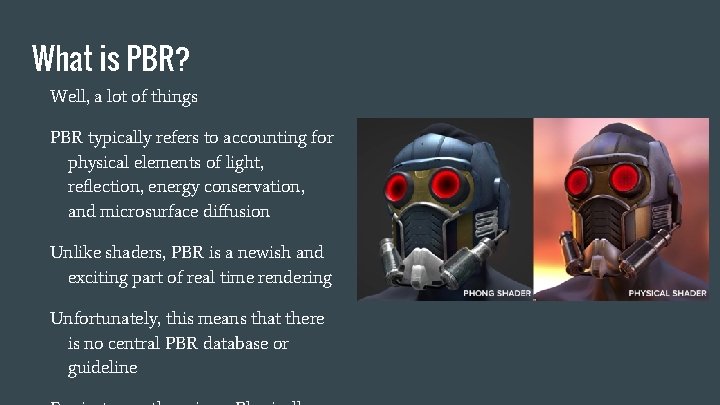
What is PBR? Well, a lot of things PBR typically refers to accounting for physical elements of light, reflection, energy conservation, and microsurface diffusion Unlike shaders, PBR is a newish and exciting part of real time rendering Unfortunately, this means that there is no central PBR database or guideline
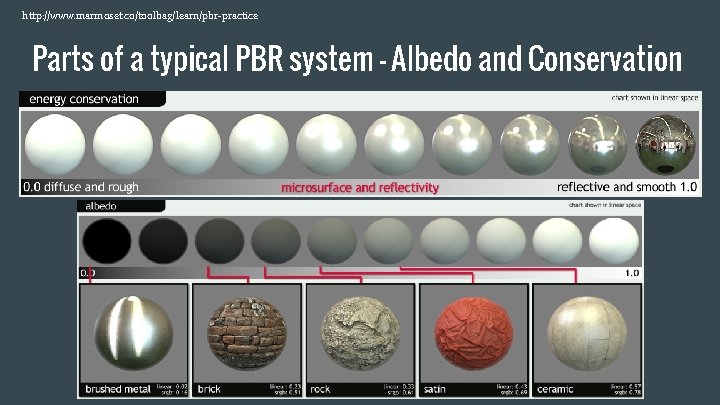
http: //www. marmoset. co/toolbag/learn/pbr-practice Parts of a typical PBR system - Albedo and Conservation
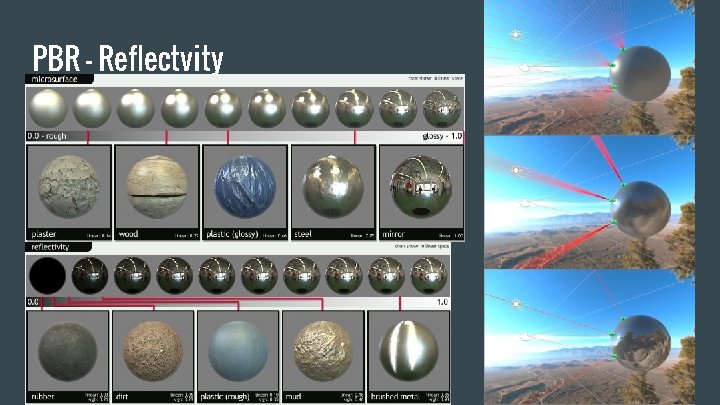
PBR - Reflectvity
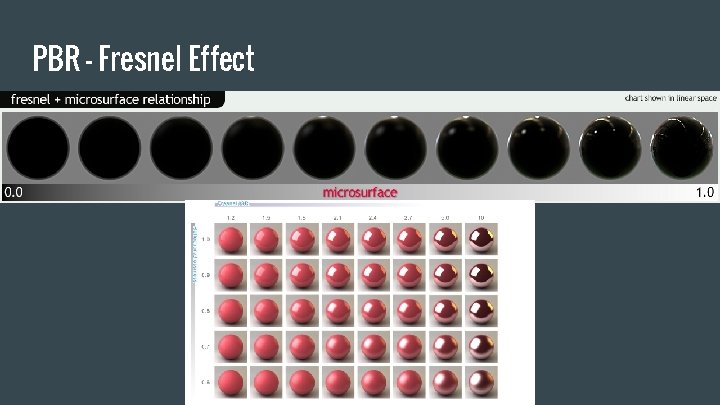
PBR - Fresnel Effect
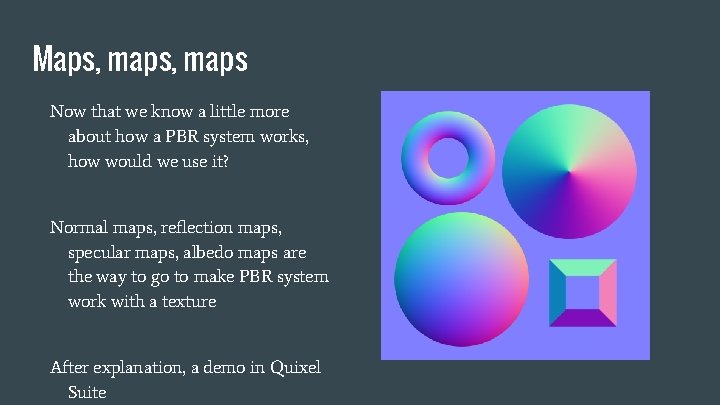
Maps, maps Now that we know a little more about how a PBR system works, how would we use it? Normal maps, reflection maps, specular maps, albedo maps are the way to go to make PBR system work with a texture After explanation, a demo in Quixel Suite
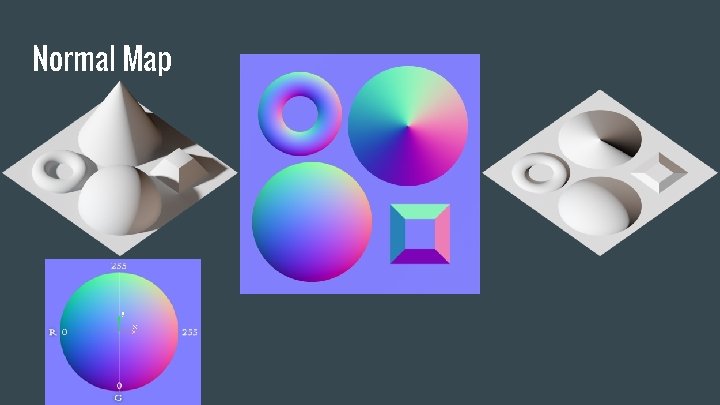
Normal Map
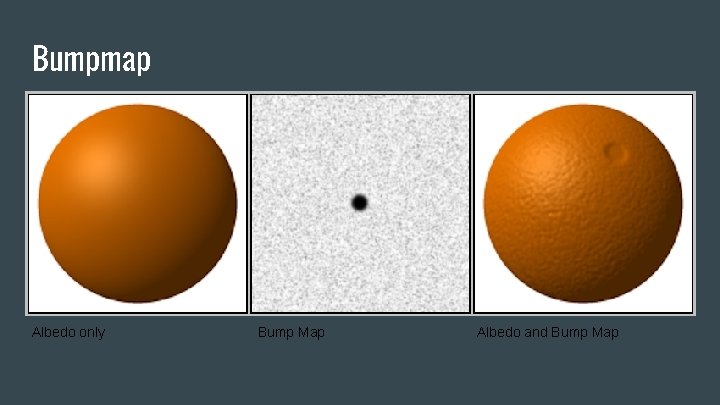
Bumpmap Albedo only Bump Map Albedo and Bump Map
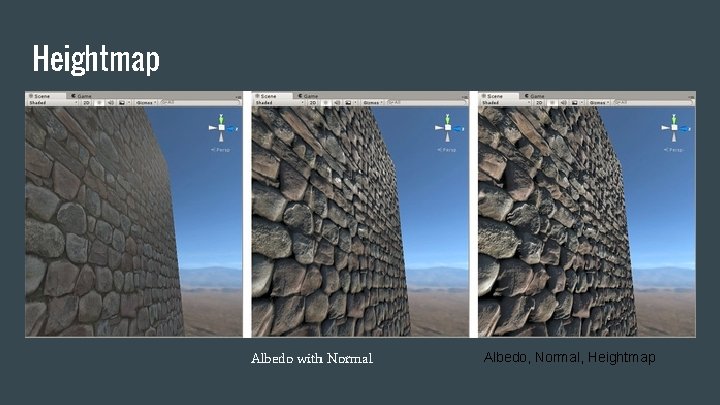
Heightmap Albedo only Albedo with Normal Albedo, Normal, Heightmap
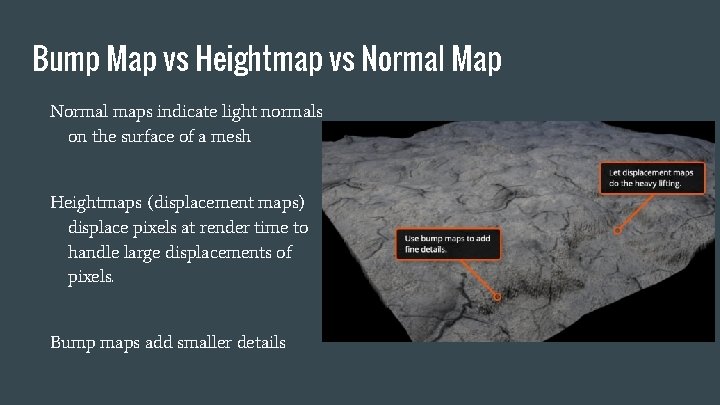
Bump Map vs Heightmap vs Normal Map Normal maps indicate light normals on the surface of a mesh Heightmaps (displacement maps) displace pixels at render time to handle large displacements of pixels. Bump maps add smaller details
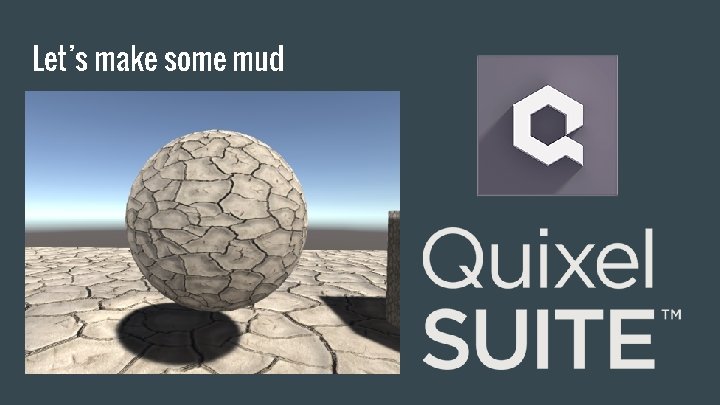
Let’s make some mud
References Shaders: http: //www. cs. kent. edu/~zhao/gpu/lectures/Programmable. Graphics. Pipeline. pdf https: //en. wikipedia. org/wiki/Shader http: //www. 3 darchitettura. com/pixar-renderman-free/ https: //glumpy. github. io/modern-gl. html http: //www. alanzucconi. com/2015/06/10/a-gentle-introduction-to-shaders-in-unity 3 d/ http: //www. alanzucconi. com/2015/06/17/surface-shaders-in-unity 3 d/ http: //www. alanzucconi. com/2015/07/01/vertex-and-fragment-shaders-in-unity 3 d/
References Blurring: http: //elynxsdk. free. fr/ext-docs/Blur/Fast_box_blur. pdf http: //haishibai. blogspot. com/2009/09/image-processing-c-tutorial-4 -gaussian. html http: //rastergrid. com/blog/2010/09/efficient-gaussian-blur-with-linear-sampling/ https: //www. youtube. com/watch? v=7 LW_75 E 3 A 1 Q&index=12&list=WL https: //en. wikipedia. org/wiki/Gaussian_blur http: //homepages. inf. ed. ac. uk/rbf/HIPR 2/gsmooth. htm https: //en. wikipedia. org/wiki/Normal_distribution#Development http: //homepages. inf. ed. ac. uk/rbf/HIPR 2/convolve. htm http: //docs. unity 3 d. com/Manual/script-Blur. Optimized. html

Questions?
- Slides: 42