
Shader Outline Overview Set up a Project for


- Slides: 69
Shader
Outline Overview Set up a Project for Shader GLSL Syntax GLSL Communication GLSL Built-in Variables GLSL Program Example 2
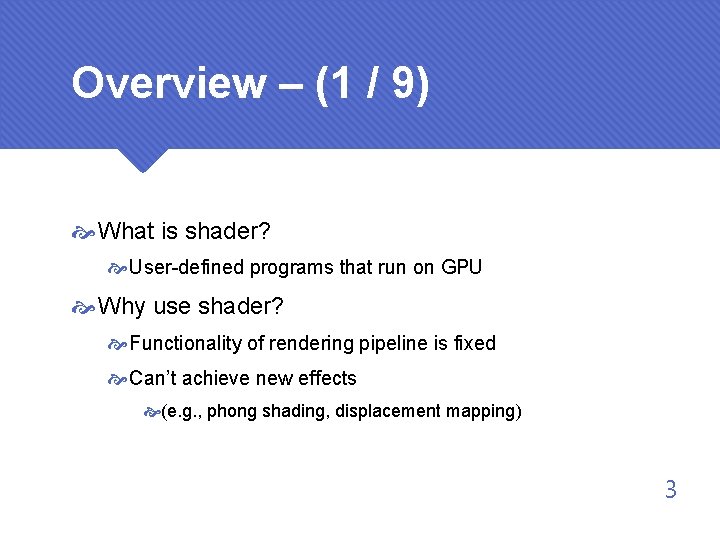
Overview – (1 / 9) What is shader? User-defined programs that run on GPU Why use shader? Functionality of rendering pipeline is fixed Can’t achieve new effects (e. g. , phong shading, displacement mapping) 3
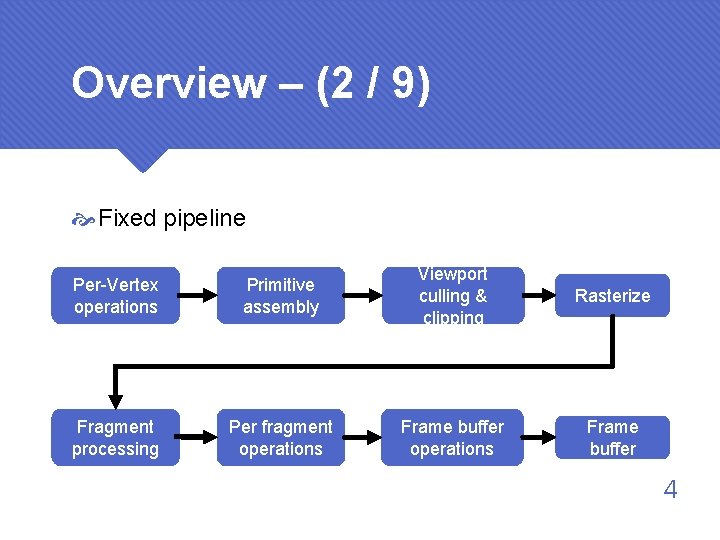
Overview – (2 / 9) Fixed pipeline Per-Vertex operations Primitive assembly Viewport culling & clipping Rasterize Fragment processing Per fragment operations Frame buffer 4
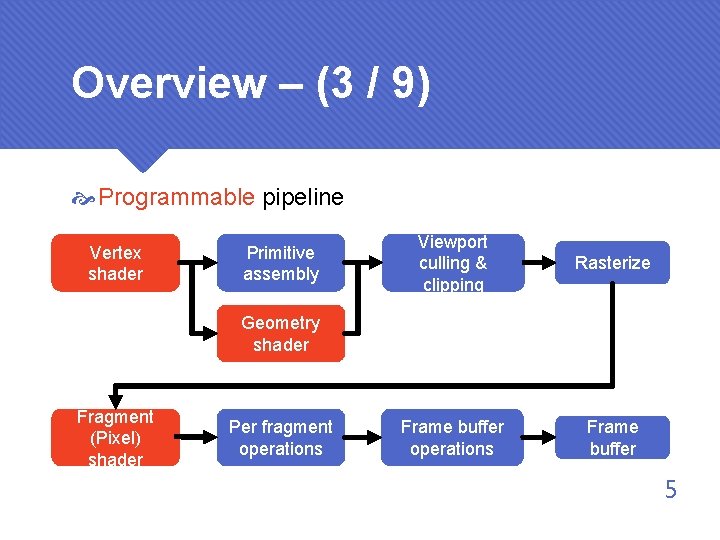
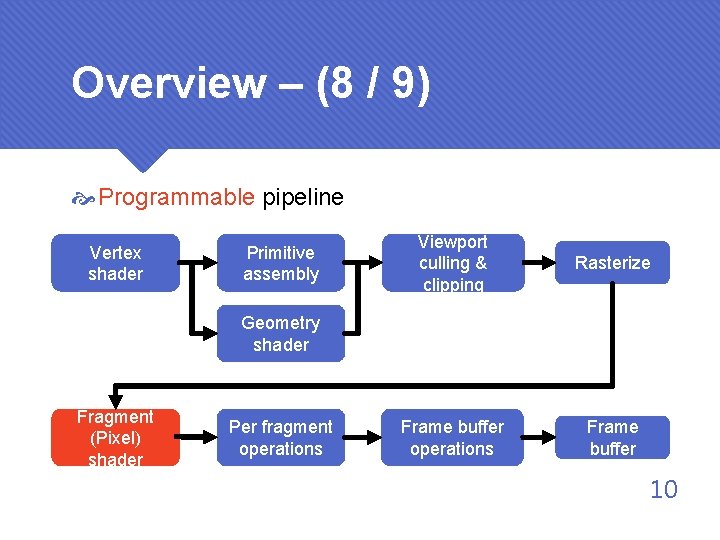
Overview – (3 / 9) Programmable pipeline Vertex shader Primitive assembly Viewport culling & clipping Rasterize Frame buffer operations Frame buffer Geometry shader Fragment (Pixel) shader Per fragment operations 5
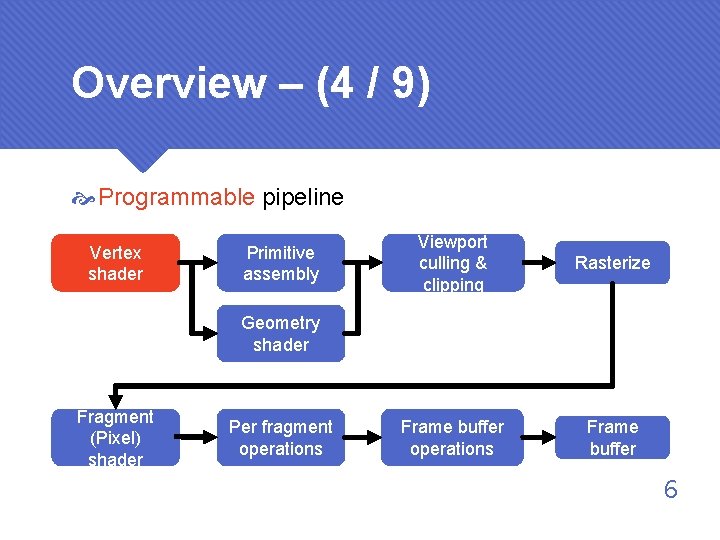
Overview – (4 / 9) Programmable pipeline Vertex shader Primitive assembly Viewport culling & clipping Rasterize Frame buffer operations Frame buffer Geometry shader Fragment (Pixel) shader Per fragment operations 6
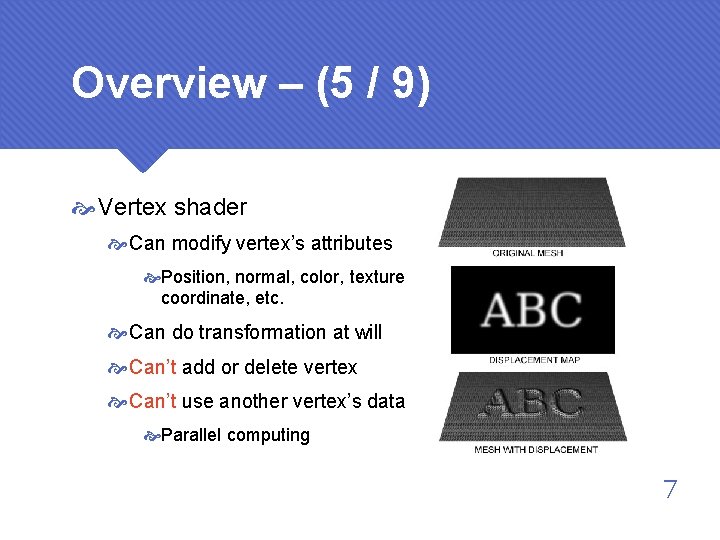
Overview – (5 / 9) Vertex shader Can modify vertex’s attributes Position, normal, color, texture coordinate, etc. Can do transformation at will Can’t add or delete vertex Can’t use another vertex’s data Parallel computing 7
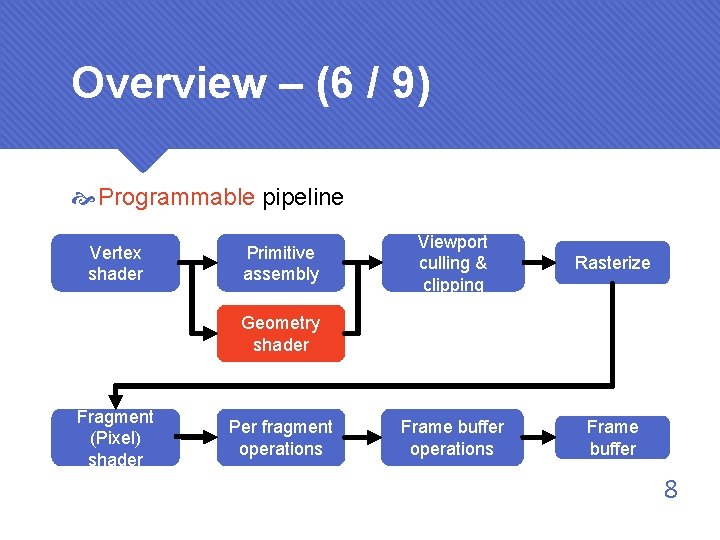
Overview – (6 / 9) Programmable pipeline Vertex shader Primitive assembly Viewport culling & clipping Rasterize Frame buffer operations Frame buffer Geometry shader Fragment (Pixel) shader Per fragment operations 8
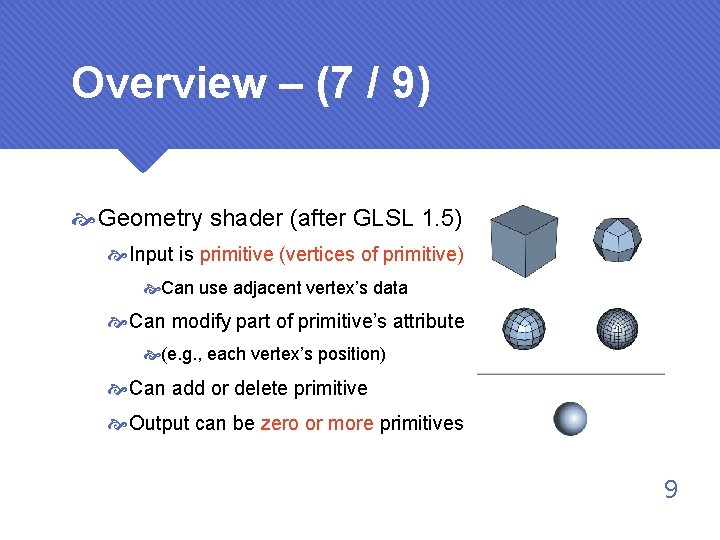
Overview – (7 / 9) Geometry shader (after GLSL 1. 5) Input is primitive (vertices of primitive) Can use adjacent vertex’s data Can modify part of primitive’s attribute (e. g. , each vertex’s position) Can add or delete primitive Output can be zero or more primitives 9
Overview – (8 / 9) Programmable pipeline Vertex shader Primitive assembly Viewport culling & clipping Rasterize Frame buffer operations Frame buffer Geometry shader Fragment (Pixel) shader Per fragment operations 10
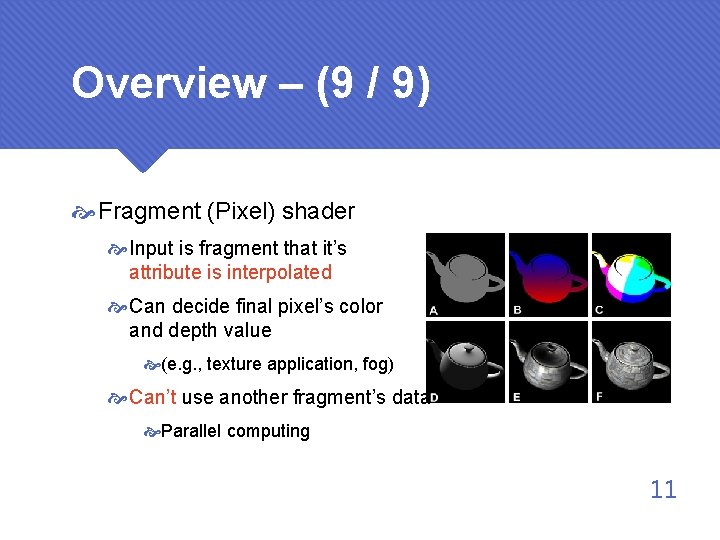
Overview – (9 / 9) Fragment (Pixel) shader Input is fragment that it’s attribute is interpolated Can decide final pixel’s color and depth value (e. g. , texture application, fog) Can’t use another fragment’s data Parallel computing 11
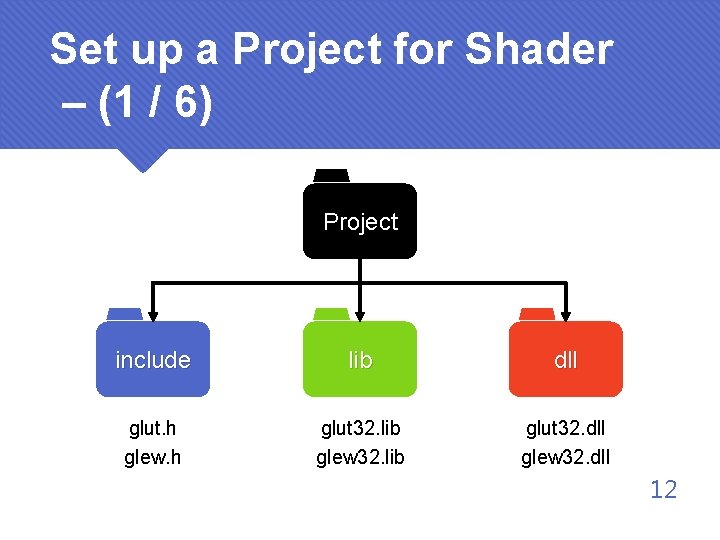
Set up a Project for Shader – (1 / 6) Project include lib dll glut. h glew. h glut 32. lib glew 32. lib glut 32. dll glew 32. dll 12
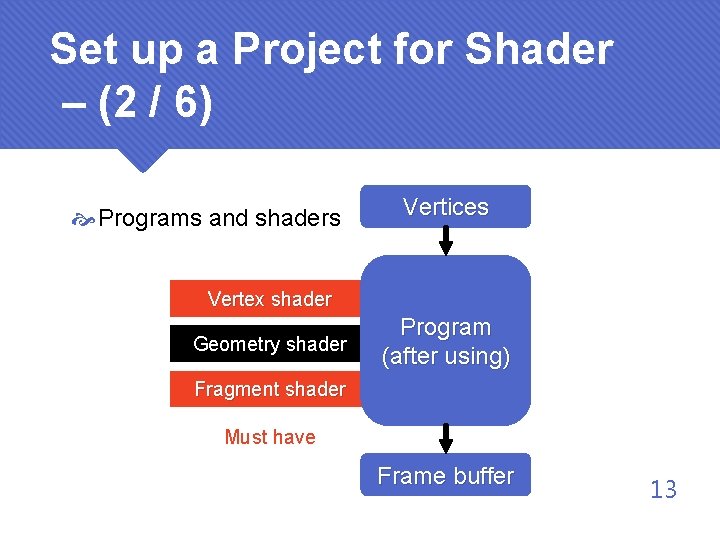
Set up a Project for Shader – (2 / 6) Programs and shaders Vertices Vertex shader Geometry shader Program (after using) Fragment shader Must have Frame buffer 13
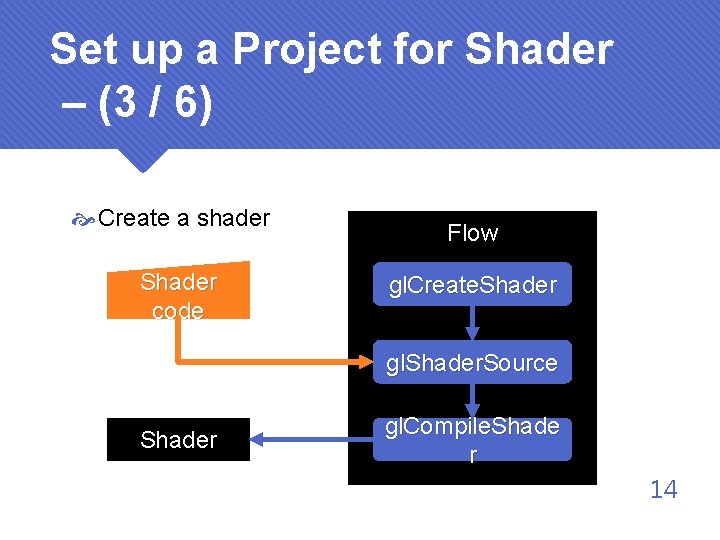
Set up a Project for Shader – (3 / 6) Create a shader Shader code Flow gl. Create. Shader gl. Shader. Source Shader gl. Compile. Shade r 14
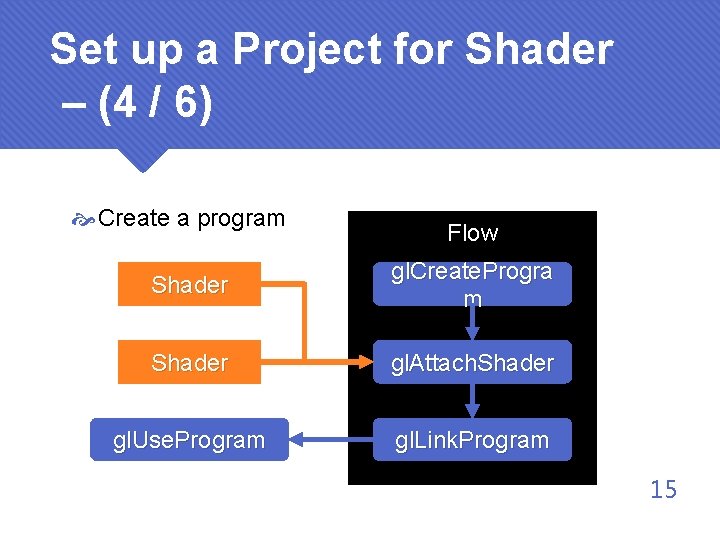
Set up a Project for Shader – (4 / 6) Create a program Flow Shader gl. Create. Progra m Shader gl. Attach. Shader gl. Use. Program gl. Link. Program 15
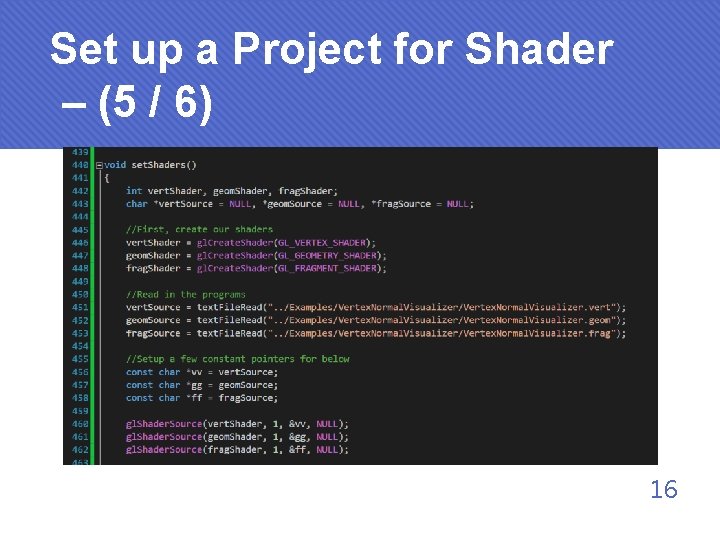
Set up a Project for Shader – (5 / 6) 16
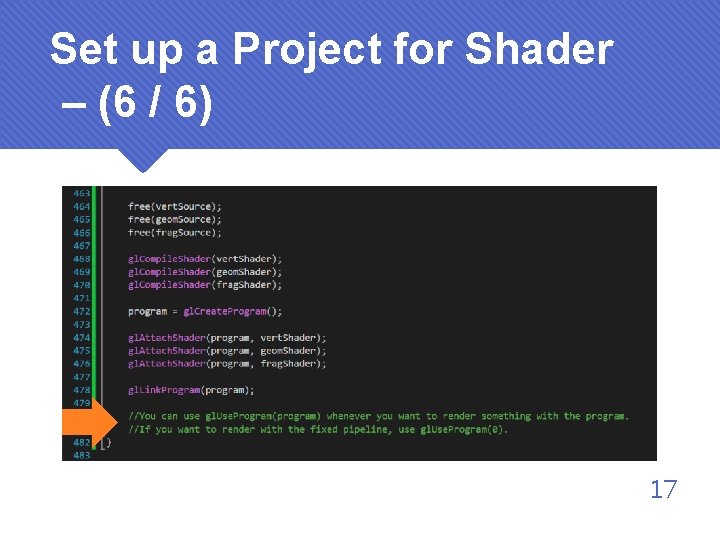
Set up a Project for Shader – (6 / 6) 17
GLSL Syntax – (1 / 8) We use C-like shading languages to write shaders Common shading languages GLSL (Open. GL Shading Language) Apparently for Open. GL use HLSL (High Level Shader Language) For Direct. X use Cg (C for graphics) Syntax similar to HLSL Can translate to Direct. X or Open. GL shader 18
GLSL Syntax – (2 / 8) Data types – C-like int uint float double bool (true or false) struct 19
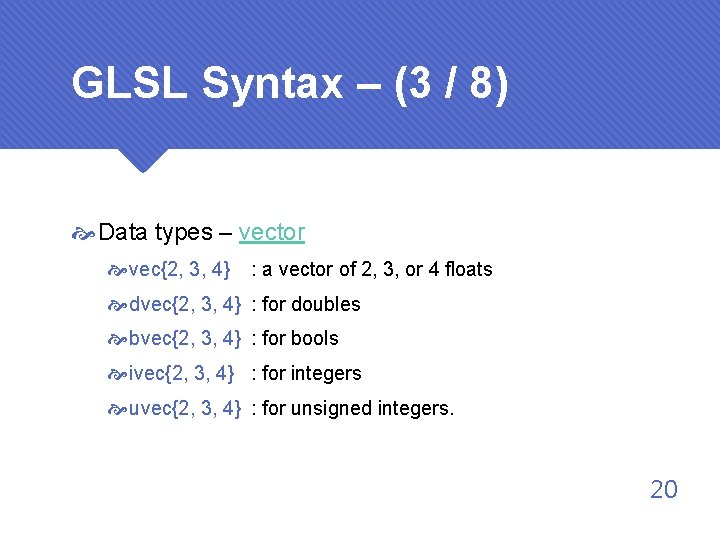
GLSL Syntax – (3 / 8) Data types – vector vec{2, 3, 4} : a vector of 2, 3, or 4 floats dvec{2, 3, 4} : for doubles bvec{2, 3, 4} : for bools ivec{2, 3, 4} : for integers uvec{2, 3, 4} : for unsigned integers. 20
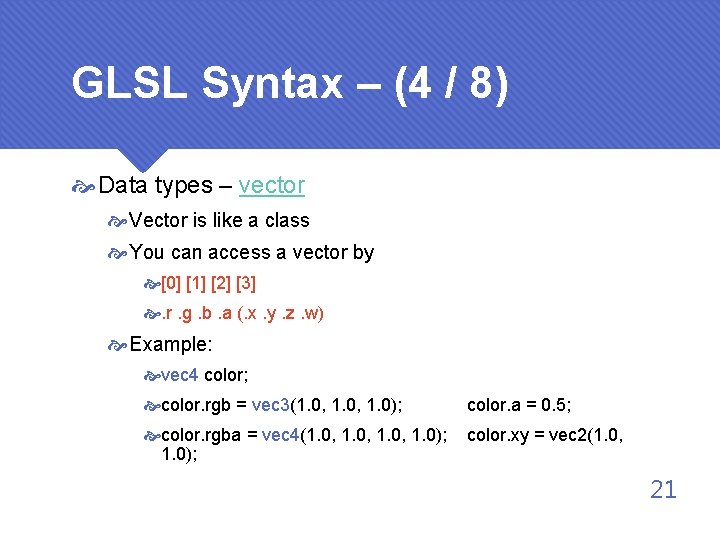
GLSL Syntax – (4 / 8) Data types – vector Vector is like a class You can access a vector by [0] [1] [2] [3] . r. g. b. a (. x. y. z. w) Example: vec 4 color; color. rgb = vec 3(1. 0, 1. 0); color. a = 0. 5; color. rgba = vec 4(1. 0, 1. 0); color. xy = vec 2(1. 0, 21
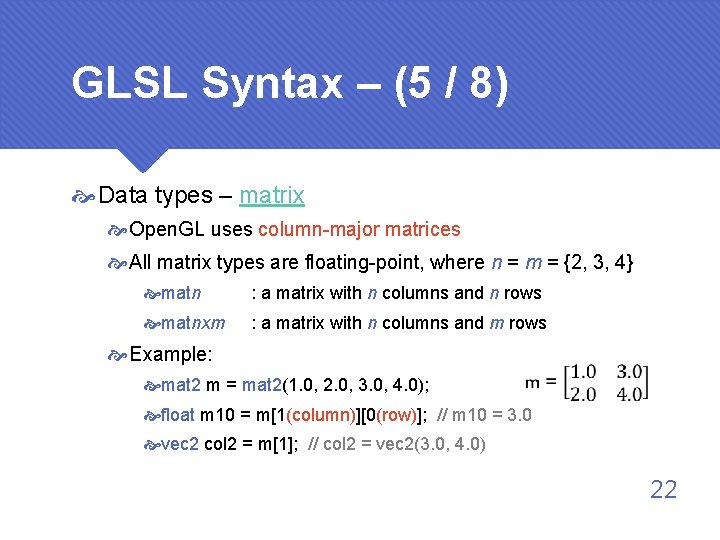
GLSL Syntax – (5 / 8) Data types – matrix Open. GL uses column-major matrices All matrix types are floating-point, where n = m = {2, 3, 4} matn : a matrix with n columns and n rows matnxm : a matrix with n columns and m rows Example: mat 2 m = mat 2(1. 0, 2. 0, 3. 0, 4. 0); float m 10 = m[1(column)][0(row)]; // m 10 = 3. 0 vec 2 col 2 = m[1]; // col 2 = vec 2(3. 0, 4. 0) 22
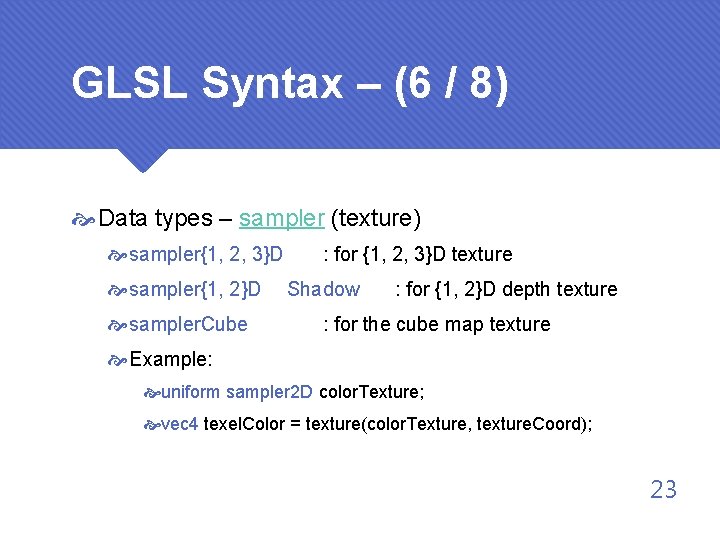
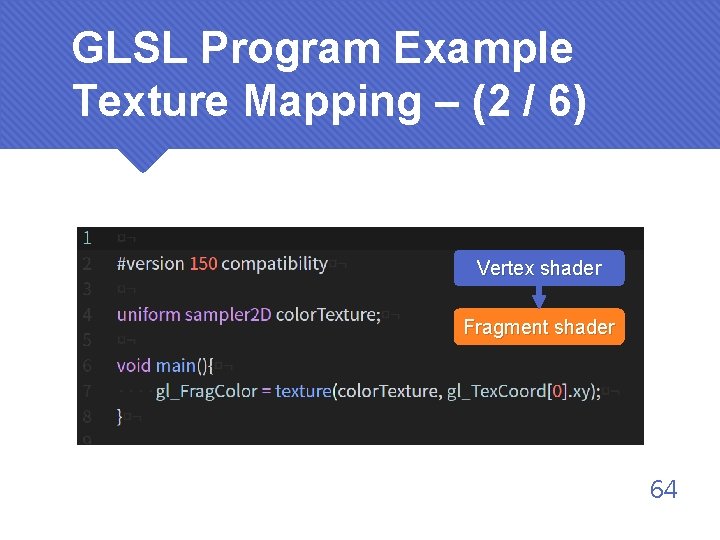
GLSL Syntax – (6 / 8) Data types – sampler (texture) sampler{1, 2, 3}D sampler{1, 2}D sampler. Cube : for {1, 2, 3}D texture Shadow : for {1, 2}D depth texture : for the cube map texture Example: uniform sampler 2 D color. Texture; vec 4 texel. Color = texture(color. Texture, texture. Coord); 23
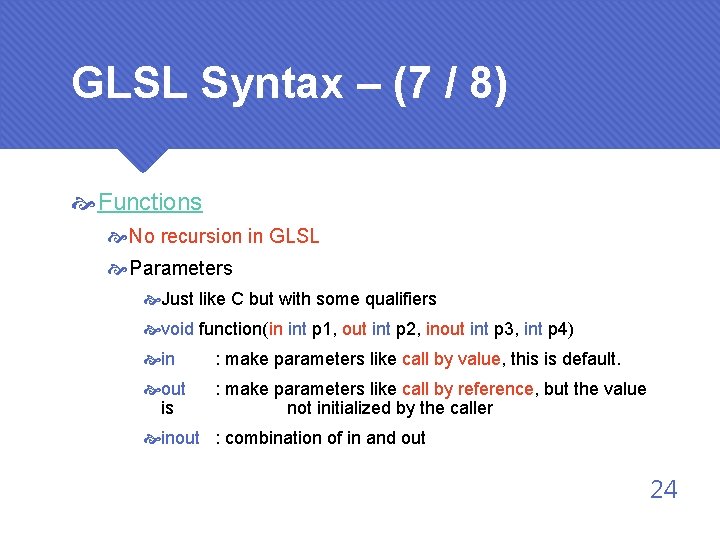
GLSL Syntax – (7 / 8) Functions No recursion in GLSL Parameters Just like C but with some qualifiers void function(in int p 1, out int p 2, inout int p 3, int p 4) in : make parameters like call by value, this is default. out is : make parameters like call by reference, but the value not initialized by the caller inout : combination of in and out 24
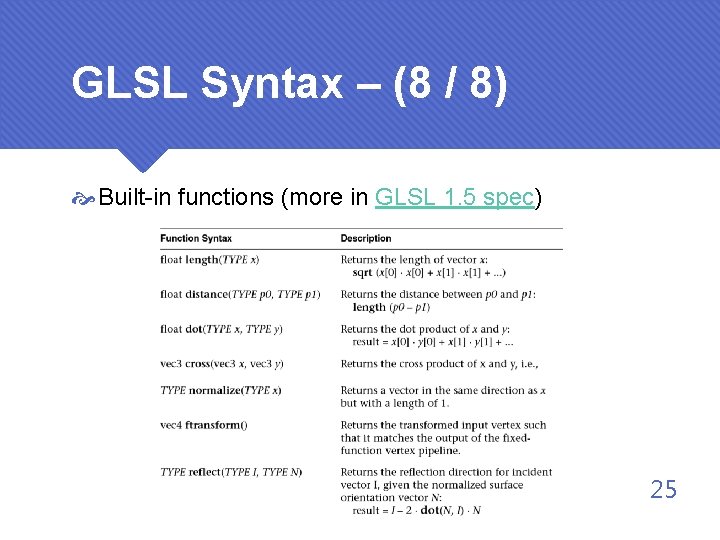
GLSL Syntax – (8 / 8) Built-in functions (more in GLSL 1. 5 spec) 25
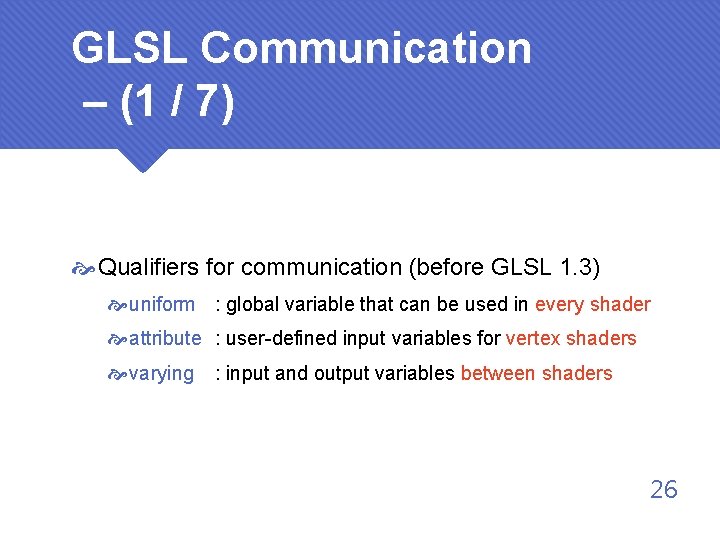
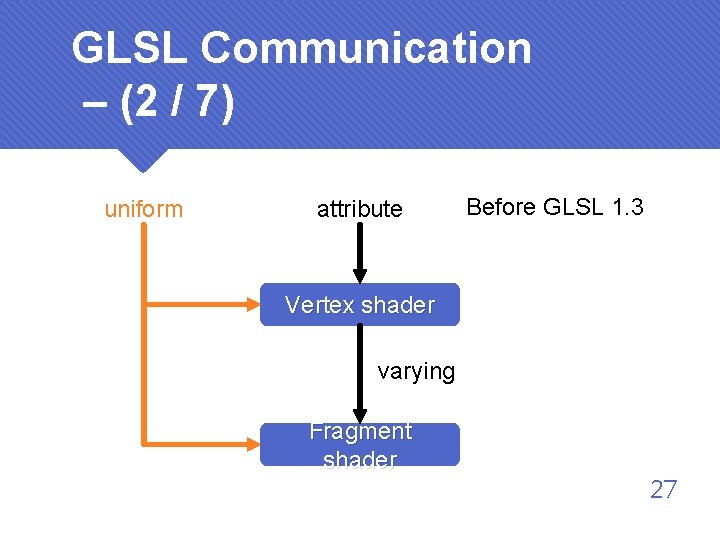
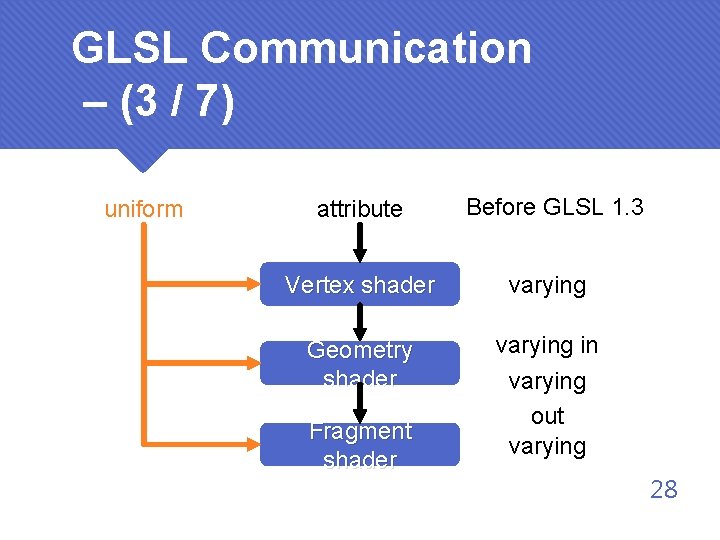
GLSL Communication – (1 / 7) Qualifiers for communication (before GLSL 1. 3) uniform : global variable that can be used in every shader attribute : user-defined input variables for vertex shaders varying : input and output variables between shaders 26
GLSL Communication – (2 / 7) uniform attribute Before GLSL 1. 3 Vertex shader varying Fragment shader 27
GLSL Communication – (3 / 7) uniform attribute Before GLSL 1. 3 Vertex shader varying Geometry shader varying in varying out varying Fragment shader 28
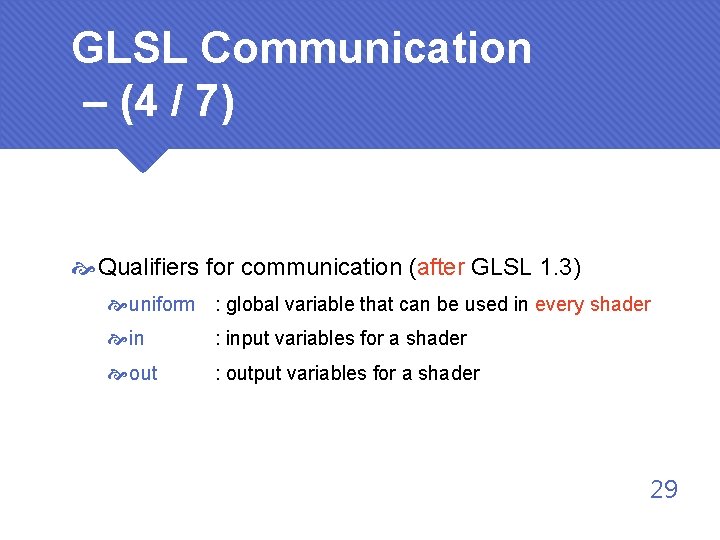
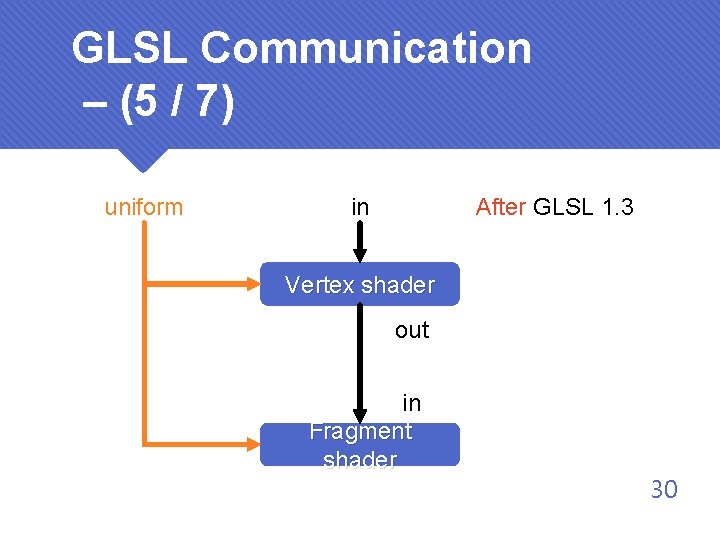
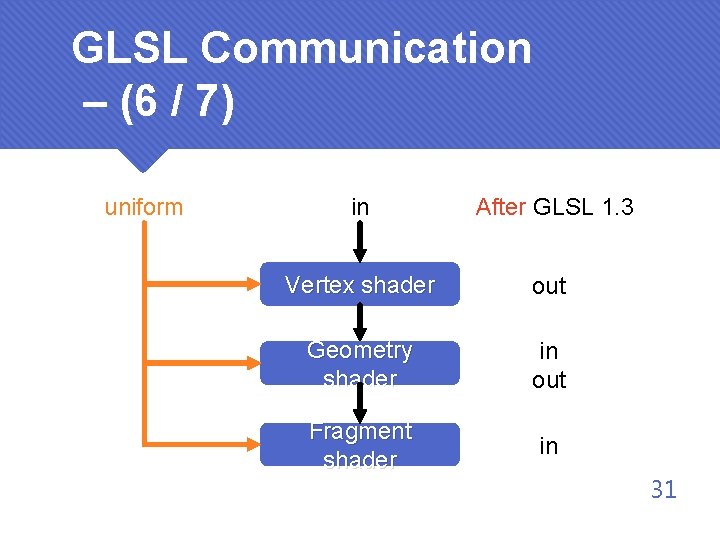
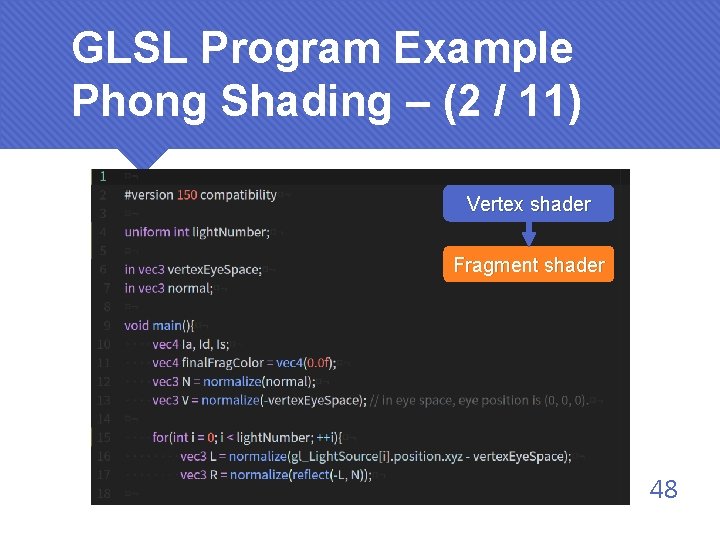
GLSL Communication – (4 / 7) Qualifiers for communication (after GLSL 1. 3) uniform : global variable that can be used in every shader in : input variables for a shader out : output variables for a shader 29
GLSL Communication – (5 / 7) uniform in After GLSL 1. 3 Vertex shader out in Fragment shader 30
GLSL Communication – (6 / 7) uniform in After GLSL 1. 3 Vertex shader out Geometry shader in out Fragment shader in 31
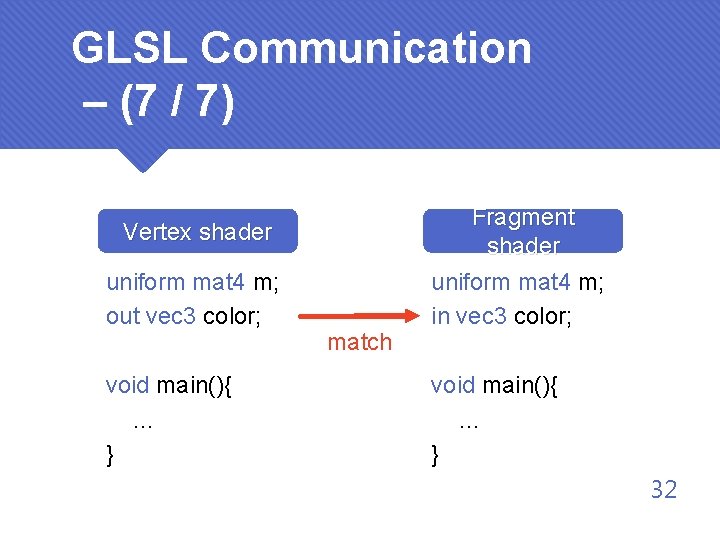
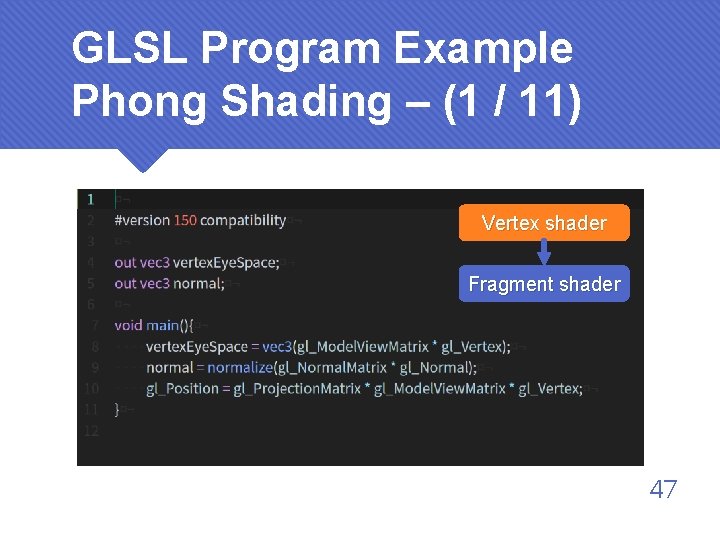
GLSL Communication – (7 / 7) Vertex shader uniform mat 4 m; out vec 3 color; void main(){ … } match Fragment shader uniform mat 4 m; in vec 3 color; void main(){ … } 32
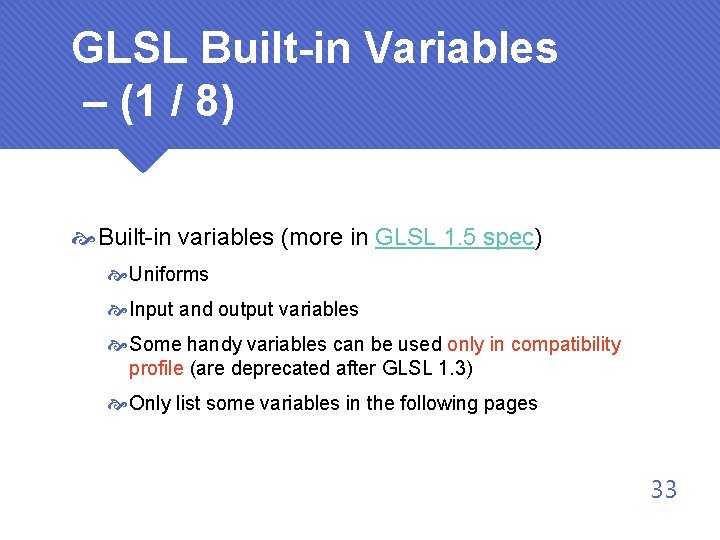
GLSL Built-in Variables – (1 / 8) Built-in variables (more in GLSL 1. 5 spec) Uniforms Input and output variables Some handy variables can be used only in compatibility profile (are deprecated after GLSL 1. 3) Only list some variables in the following pages 33
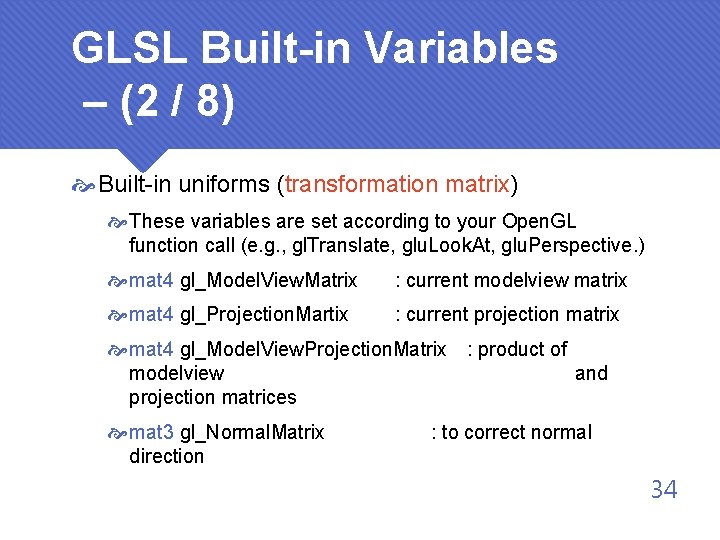
GLSL Built-in Variables – (2 / 8) Built-in uniforms (transformation matrix) These variables are set according to your Open. GL function call (e. g. , gl. Translate, glu. Look. At, glu. Perspective. ) mat 4 gl_Model. View. Matrix : current modelview matrix mat 4 gl_Projection. Martix : current projection matrix mat 4 gl_Model. View. Projection. Matrix : product of modelview and projection matrices mat 3 gl_Normal. Matrix direction : to correct normal 34
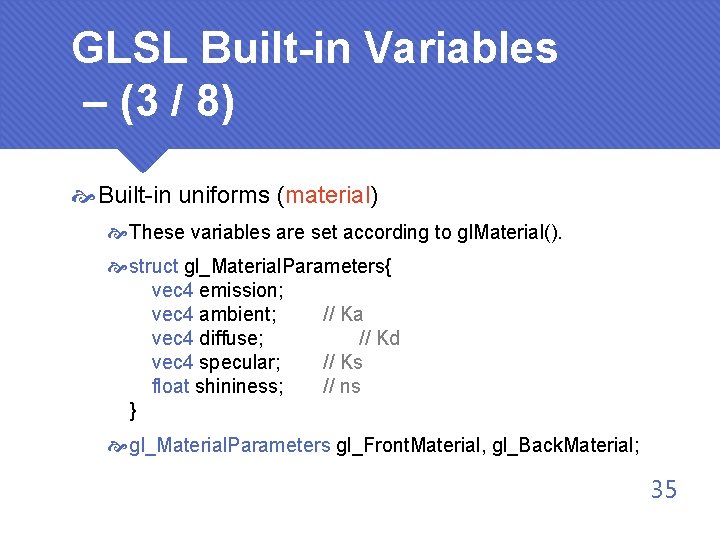
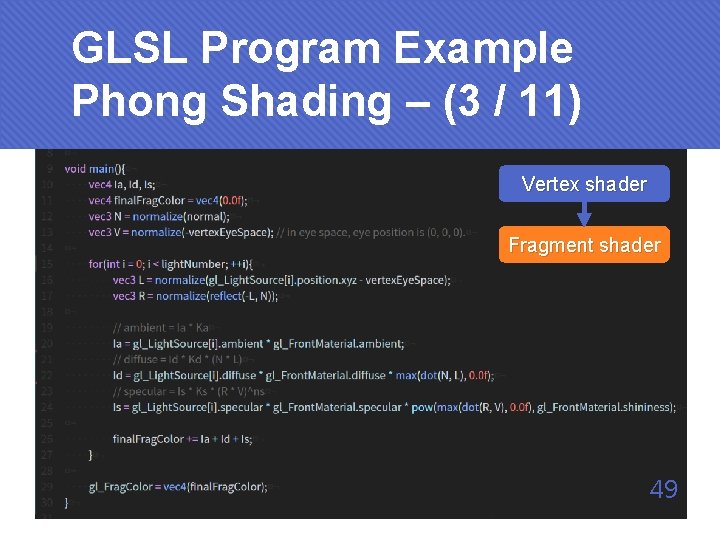
GLSL Built-in Variables – (3 / 8) Built-in uniforms (material) These variables are set according to gl. Material(). struct gl_Material. Parameters{ vec 4 emission; vec 4 ambient; // Ka vec 4 diffuse; // Kd vec 4 specular; // Ks float shininess; // ns } gl_Material. Parameters gl_Front. Material, gl_Back. Material; 35
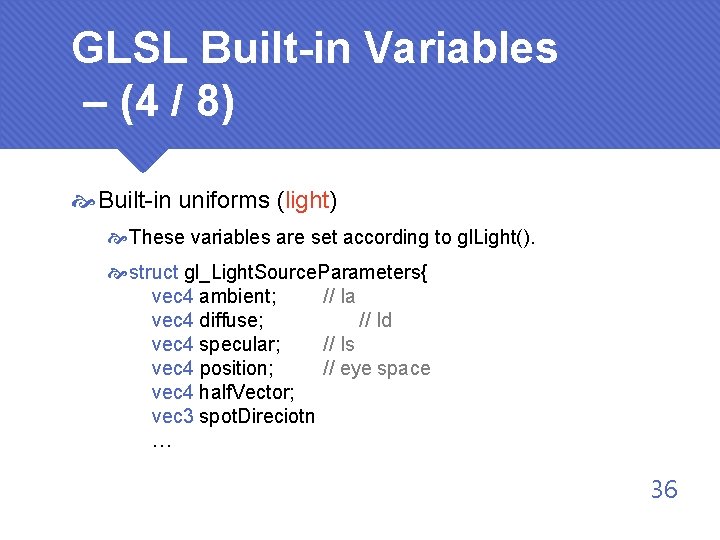
GLSL Built-in Variables – (4 / 8) Built-in uniforms (light) These variables are set according to gl. Light(). struct gl_Light. Source. Parameters{ vec 4 ambient; // Ia vec 4 diffuse; // Id vec 4 specular; // Is vec 4 position; // eye space vec 4 half. Vector; vec 3 spot. Direciotn … 36
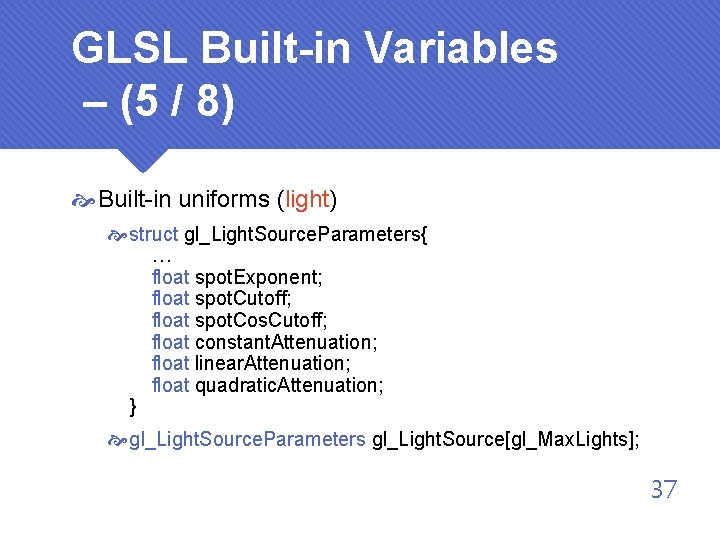
GLSL Built-in Variables – (5 / 8) Built-in uniforms (light) struct gl_Light. Source. Parameters{ … float spot. Exponent; float spot. Cutoff; float spot. Cos. Cutoff; float constant. Attenuation; float linear. Attenuation; float quadratic. Attenuation; } gl_Light. Source. Parameters gl_Light. Source[gl_Max. Lights]; 37
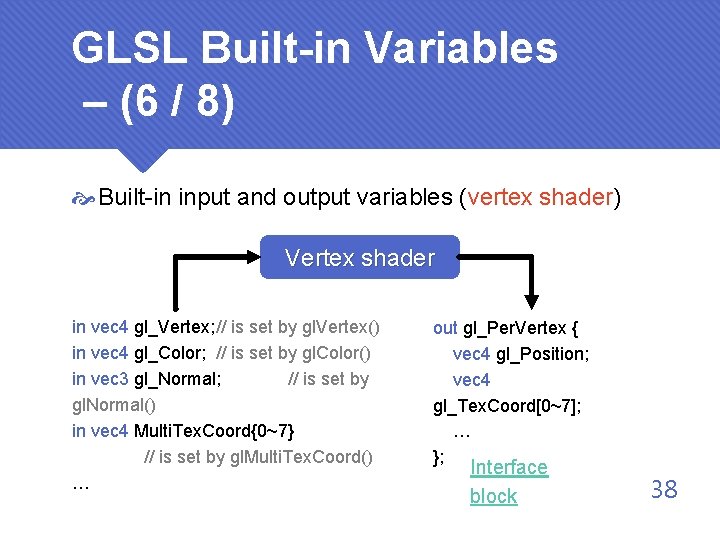
GLSL Built-in Variables – (6 / 8) Built-in input and output variables (vertex shader) Vertex shader in vec 4 gl_Vertex; // is set by gl. Vertex() in vec 4 gl_Color; // is set by gl. Color() in vec 3 gl_Normal; // is set by gl. Normal() in vec 4 Multi. Tex. Coord{0~7} // is set by gl. Multi. Tex. Coord() … out gl_Per. Vertex { vec 4 gl_Position; vec 4 gl_Tex. Coord[0~7]; … }; Interface block 38
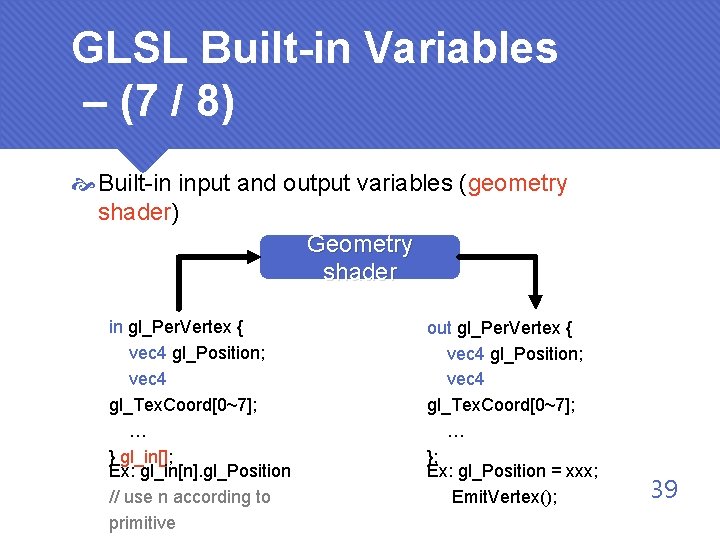
GLSL Built-in Variables – (7 / 8) Built-in input and output variables (geometry shader) Geometry shader in gl_Per. Vertex { vec 4 gl_Position; vec 4 gl_Tex. Coord[0~7]; … } gl_in[]; Ex: gl_in[n]. gl_Position // use n according to primitive out gl_Per. Vertex { vec 4 gl_Position; vec 4 gl_Tex. Coord[0~7]; … }; Ex: gl_Position = xxx; Emit. Vertex(); 39
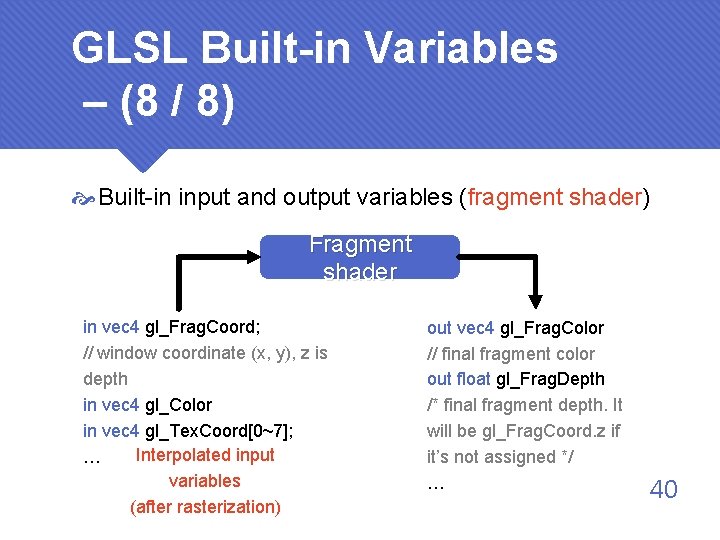
GLSL Built-in Variables – (8 / 8) Built-in input and output variables (fragment shader) Fragment shader in vec 4 gl_Frag. Coord; // window coordinate (x, y), z is depth in vec 4 gl_Color in vec 4 gl_Tex. Coord[0~7]; Interpolated input … variables (after rasterization) out vec 4 gl_Frag. Color // final fragment color out float gl_Frag. Depth /* final fragment depth. It will be gl_Frag. Coord. z if it’s not assigned */ … 40
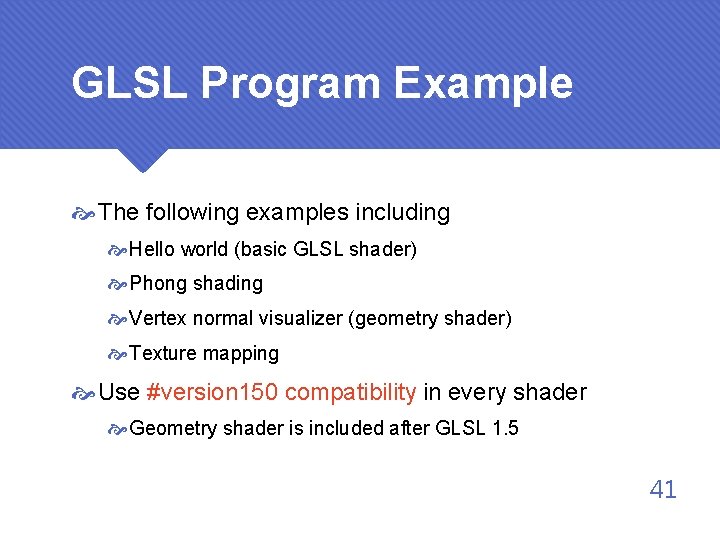
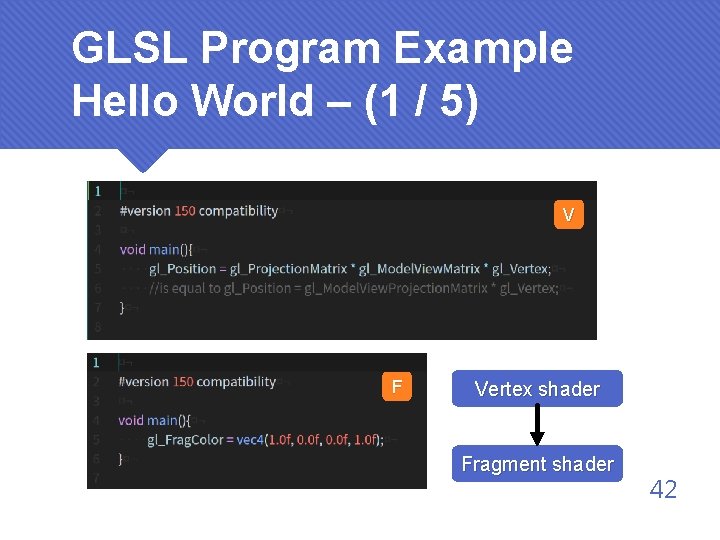
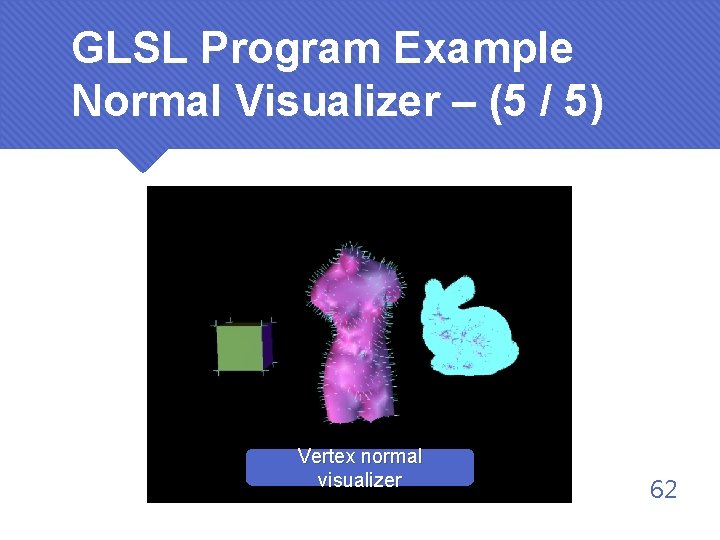
GLSL Program Example The following examples including Hello world (basic GLSL shader) Phong shading Vertex normal visualizer (geometry shader) Texture mapping Use #version 150 compatibility in every shader Geometry shader is included after GLSL 1. 5 41
GLSL Program Example Hello World – (1 / 5) V F Vertex shader Fragment shader 42
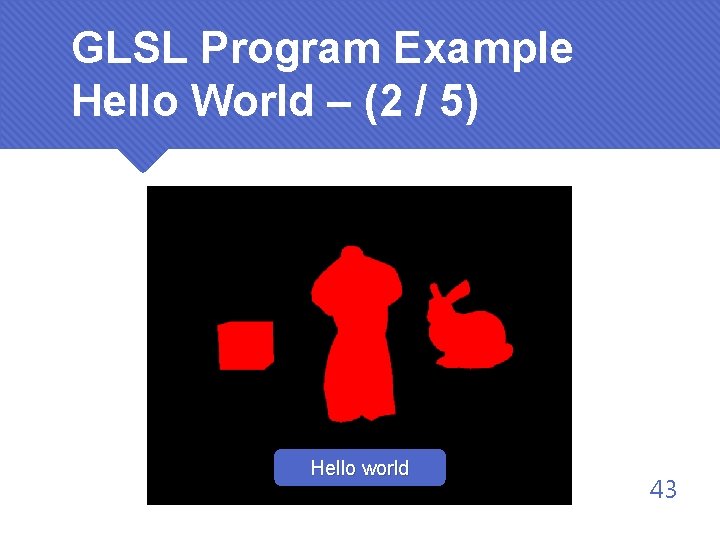
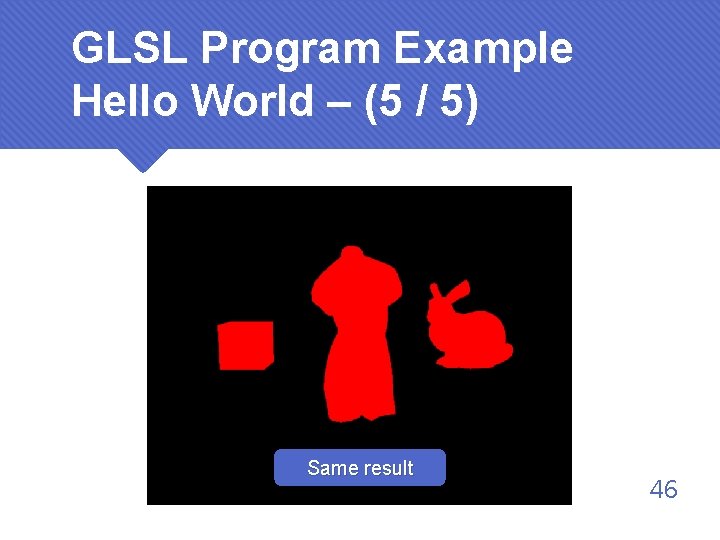
GLSL Program Example Hello World – (2 / 5) Hello world 43
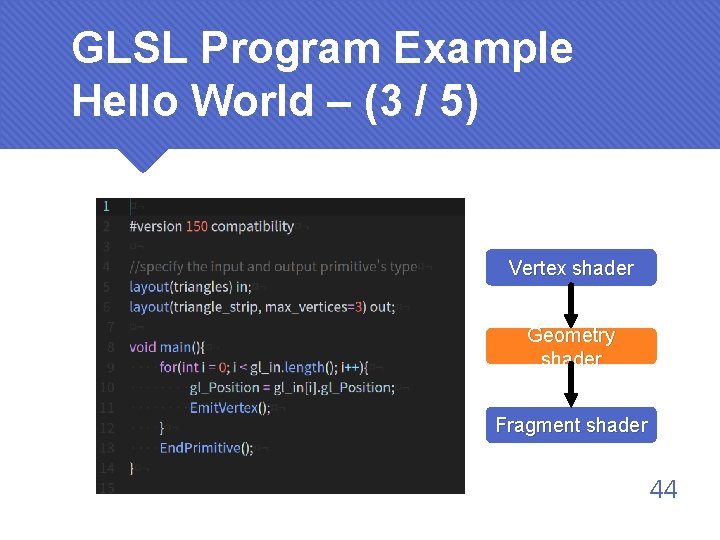
GLSL Program Example Hello World – (3 / 5) Vertex shader Geometry shader Fragment shader 44
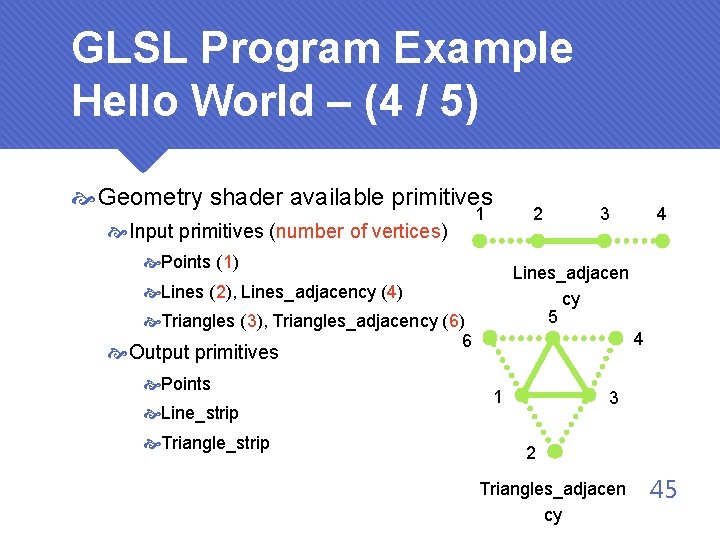
GLSL Program Example Hello World – (4 / 5) Geometry shader available primitives Input primitives (number of vertices) 1 2 Points (1) 3 Lines_adjacen cy 5 Lines (2), Lines_adjacency (4) Triangles (3), Triangles_adjacency (6) 6 4 Output primitives Points Line_strip Triangle_strip 4 1 3 2 Triangles_adjacen cy 45
GLSL Program Example Hello World – (5 / 5) Same result 46
GLSL Program Example Phong Shading – (1 / 11) Vertex shader Fragment shader 47
GLSL Program Example Phong Shading – (2 / 11) Vertex shader Fragment shader 48
GLSL Program Example Phong Shading – (3 / 11) Vertex shader Fragment shader 49
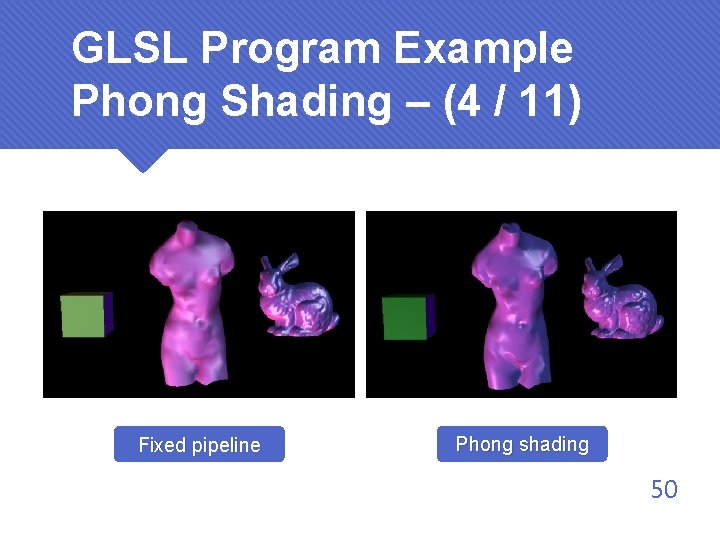
GLSL Program Example Phong Shading – (4 / 11) Fixed pipeline Phong shading 50
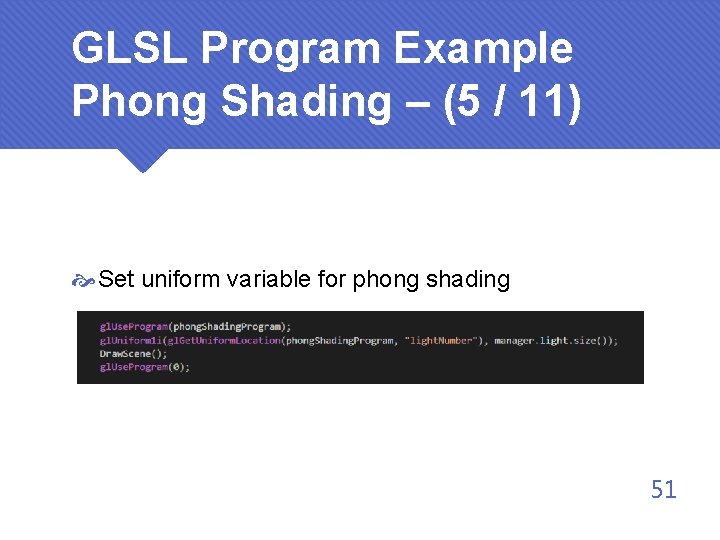
GLSL Program Example Phong Shading – (5 / 11) Set uniform variable for phong shading 51
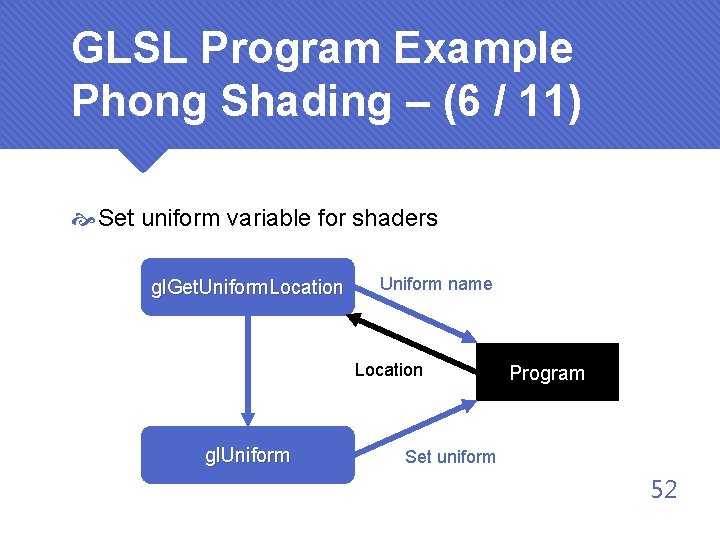
GLSL Program Example Phong Shading – (6 / 11) Set uniform variable for shaders gl. Get. Uniform. Location Uniform name Location gl. Uniform Program Set uniform 52
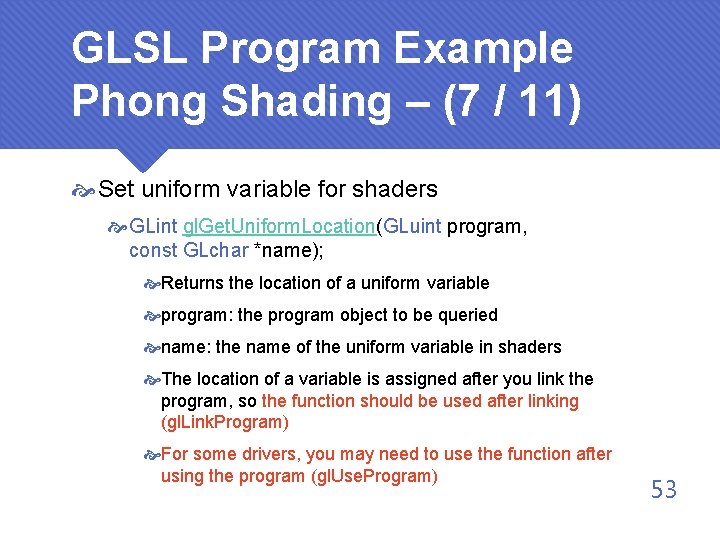
GLSL Program Example Phong Shading – (7 / 11) Set uniform variable for shaders GLint gl. Get. Uniform. Location(GLuint program, const GLchar *name); Returns the location of a uniform variable program: the program object to be queried name: the name of the uniform variable in shaders The location of a variable is assigned after you link the program, so the function should be used after linking (gl. Link. Program) For some drivers, you may need to use the function after using the program (gl. Use. Program) 53
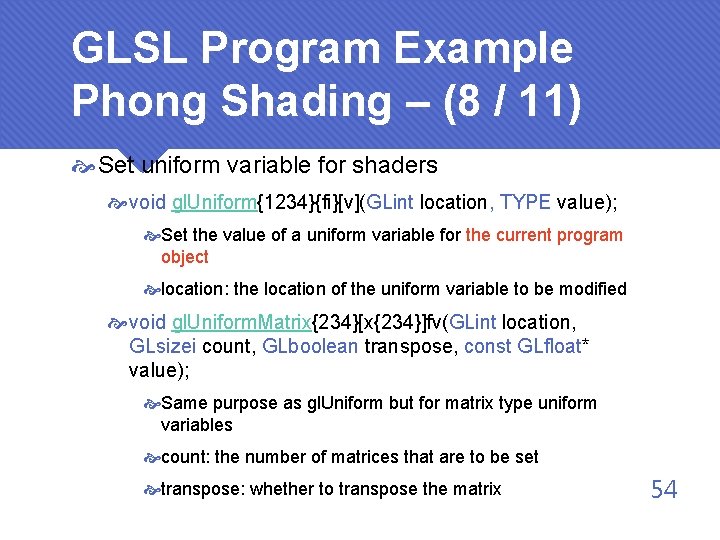
GLSL Program Example Phong Shading – (8 / 11) Set uniform variable for shaders void gl. Uniform{1234}{fi}[v](GLint location, TYPE value); Set the value of a uniform variable for the current program object location: the location of the uniform variable to be modified void gl. Uniform. Matrix{234}[x{234}]fv(GLint location, GLsizei count, GLboolean transpose, const GLfloat* value); Same purpose as gl. Uniform but for matrix type uniform variables count: the number of matrices that are to be set transpose: whether to transpose the matrix 54
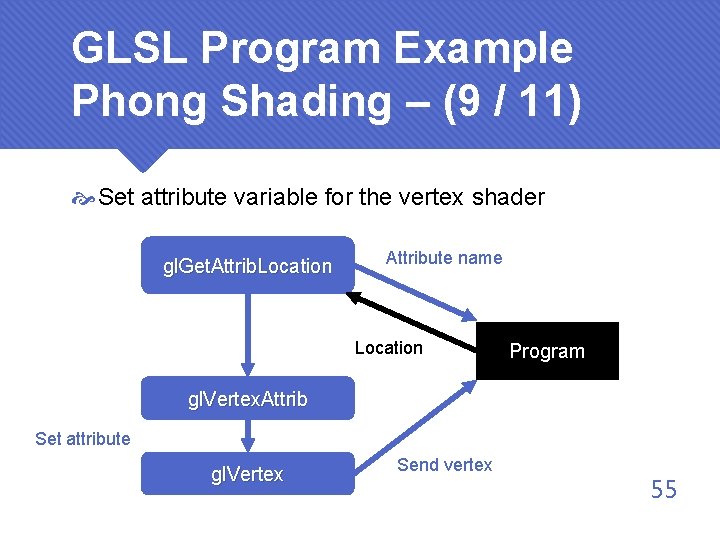
GLSL Program Example Phong Shading – (9 / 11) Set attribute variable for the vertex shader gl. Get. Attrib. Location Attribute name Location Program gl. Vertex. Attrib Set attribute gl. Vertex Send vertex 55
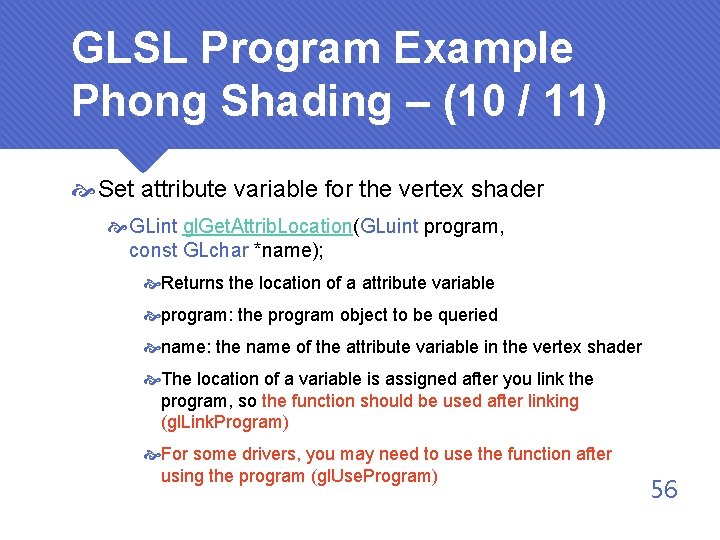
GLSL Program Example Phong Shading – (10 / 11) Set attribute variable for the vertex shader GLint gl. Get. Attrib. Location(GLuint program, const GLchar *name); Returns the location of a attribute variable program: the program object to be queried name: the name of the attribute variable in the vertex shader The location of a variable is assigned after you link the program, so the function should be used after linking (gl. Link. Program) For some drivers, you may need to use the function after using the program (gl. Use. Program) 56
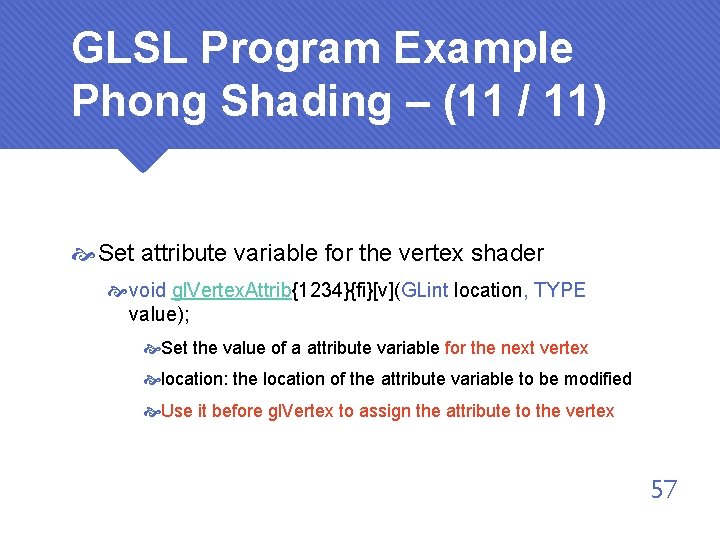
GLSL Program Example Phong Shading – (11 / 11) Set attribute variable for the vertex shader void gl. Vertex. Attrib{1234}{fi}[v](GLint location, TYPE value); Set the value of a attribute variable for the next vertex location: the location of the attribute variable to be modified Use it before gl. Vertex to assign the attribute to the vertex 57
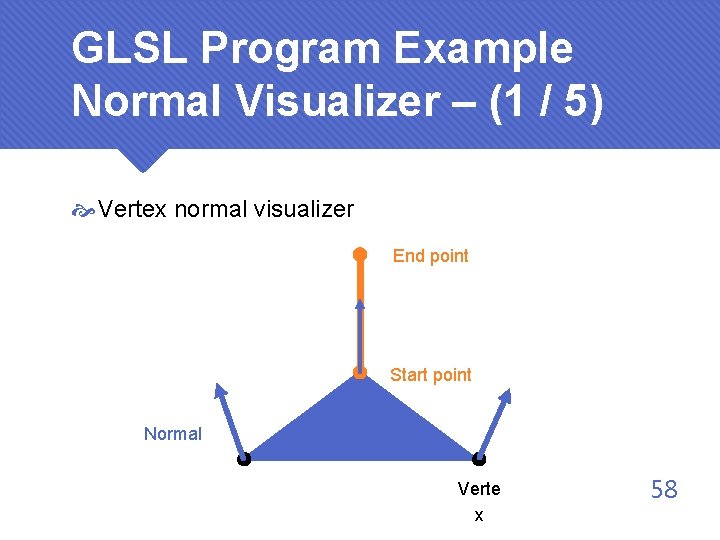
GLSL Program Example Normal Visualizer – (1 / 5) Vertex normal visualizer End point Start point Normal Verte x 58
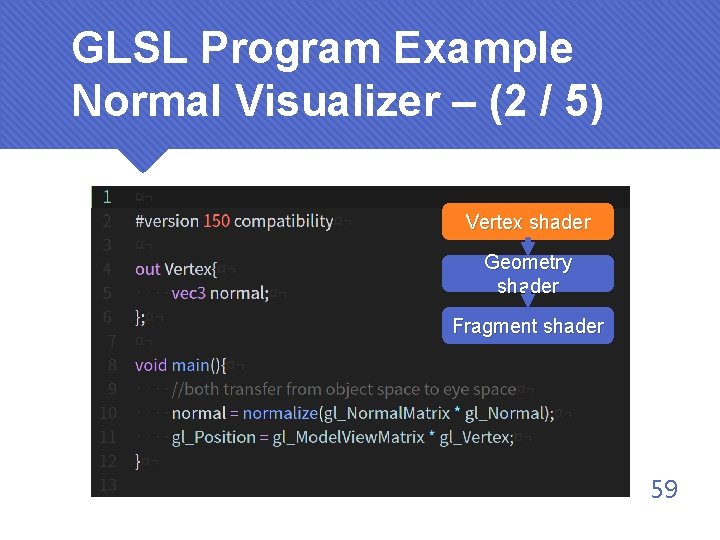
GLSL Program Example Normal Visualizer – (2 / 5) Vertex shader Geometry shader Fragment shader 59
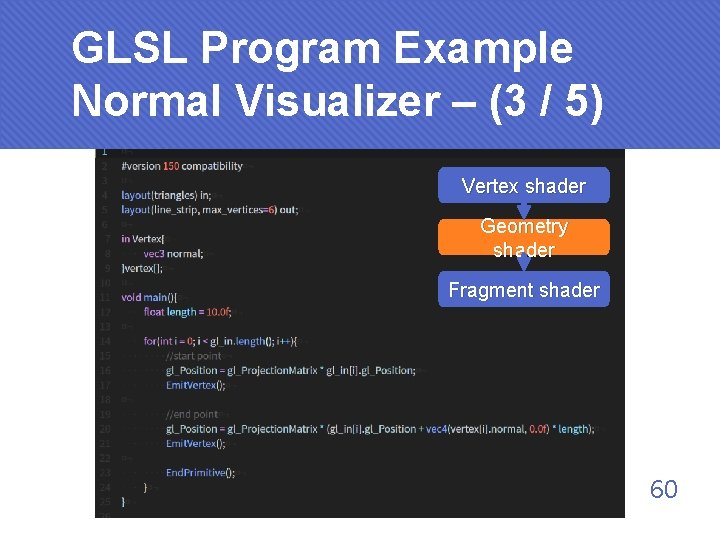
GLSL Program Example Normal Visualizer – (3 / 5) Vertex shader Geometry shader Fragment shader 60
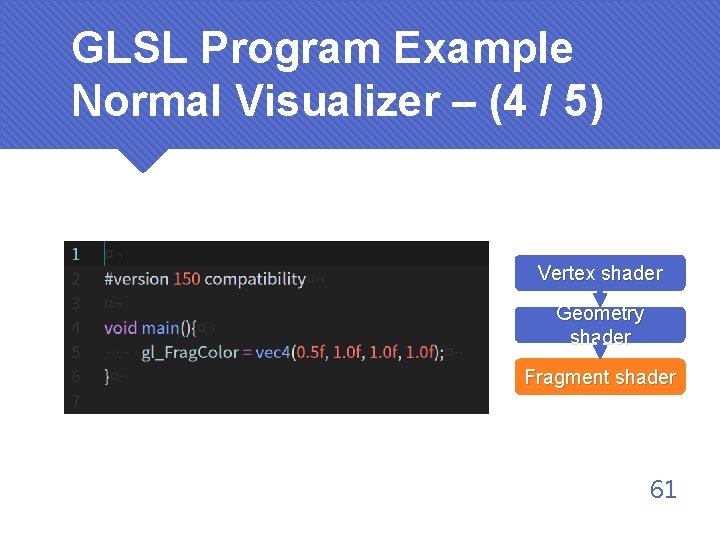
GLSL Program Example Normal Visualizer – (4 / 5) Vertex shader Geometry shader Fragment shader 61
GLSL Program Example Normal Visualizer – (5 / 5) Vertex normal visualizer 62
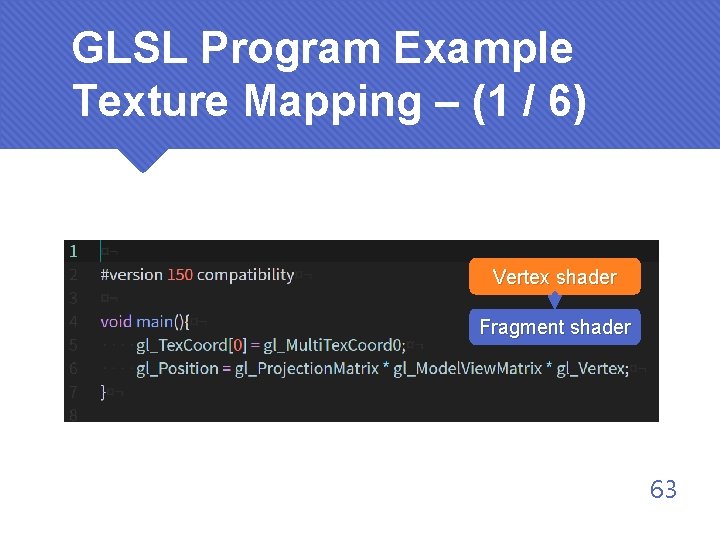
GLSL Program Example Texture Mapping – (1 / 6) Vertex shader Fragment shader 63
GLSL Program Example Texture Mapping – (2 / 6) Vertex shader Fragment shader 64
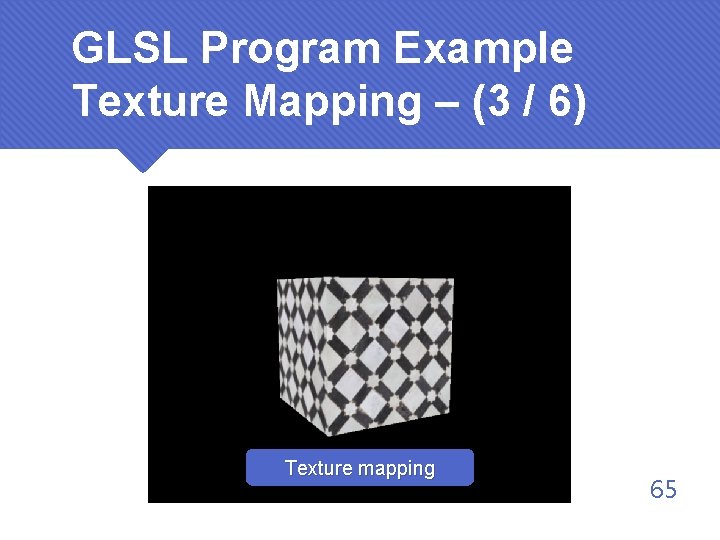
GLSL Program Example Texture Mapping – (3 / 6) Texture mapping 65
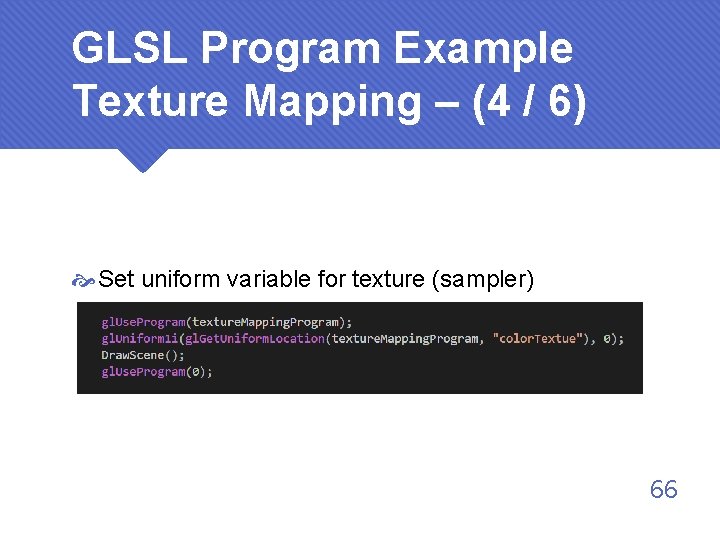
GLSL Program Example Texture Mapping – (4 / 6) Set uniform variable for texture (sampler) 66
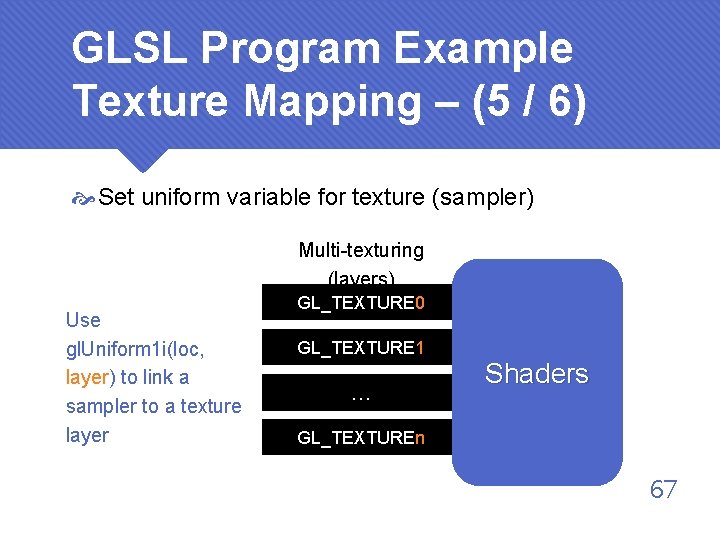
GLSL Program Example Texture Mapping – (5 / 6) Set uniform variable for texture (sampler) Multi-texturing (layers) Use gl. Uniform 1 i(loc, layer) to link a sampler to a texture layer GL_TEXTURE 0 GL_TEXTURE 1 … Shaders GL_TEXTUREn 67
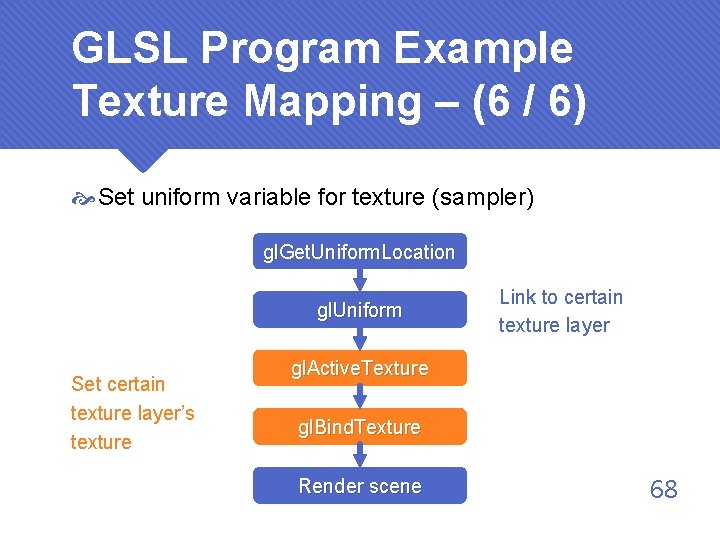
GLSL Program Example Texture Mapping – (6 / 6) Set uniform variable for texture (sampler) gl. Get. Uniform. Location gl. Uniform Set certain texture layer’s texture Link to certain texture layer gl. Active. Texture gl. Bind. Texture Render scene 68
Thanks for listening! Any questions?