
SFP Secondary Four Placement School Places Allocation Systems
- Slides: 52
SFP Secondary Four Placement 中四學位安排 School Places Allocation 學位分配 Systems and Information Management Section Slide 1
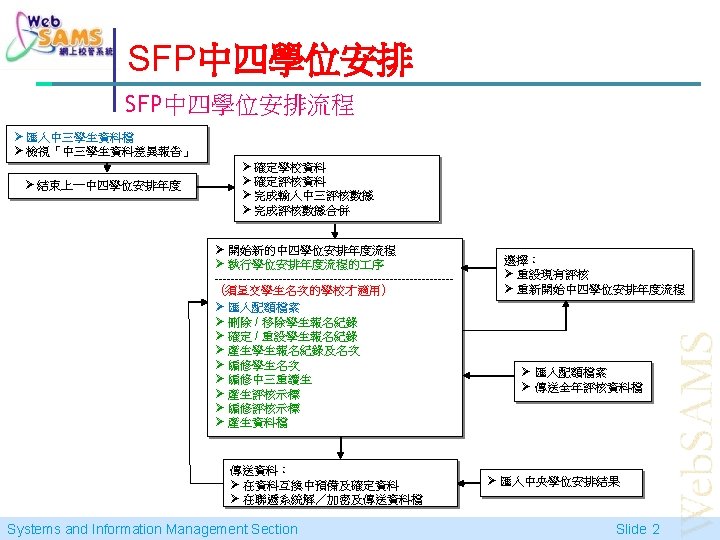
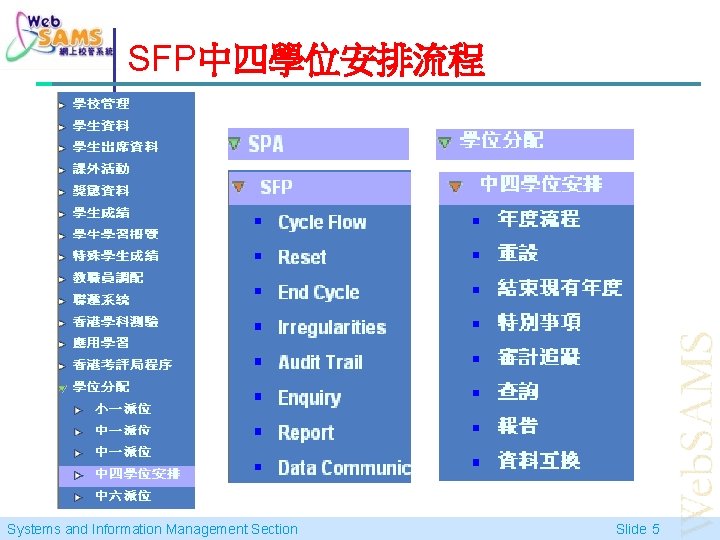
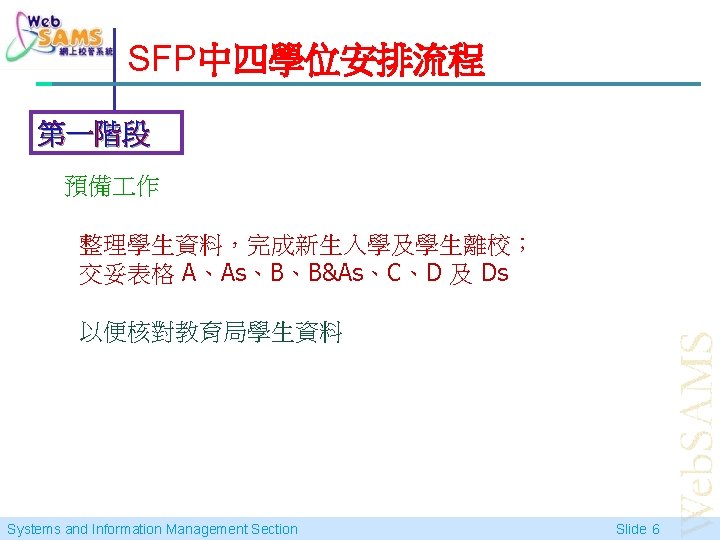
SFP中四學位安排流程 Systems and Information Management Section Slide 5
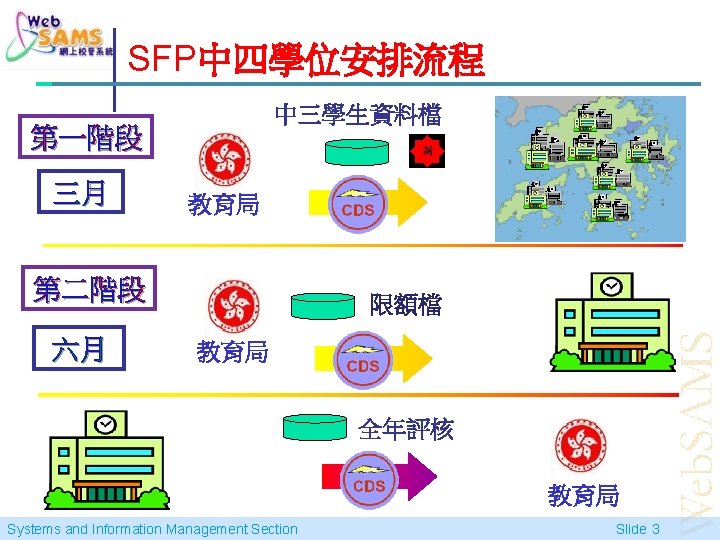
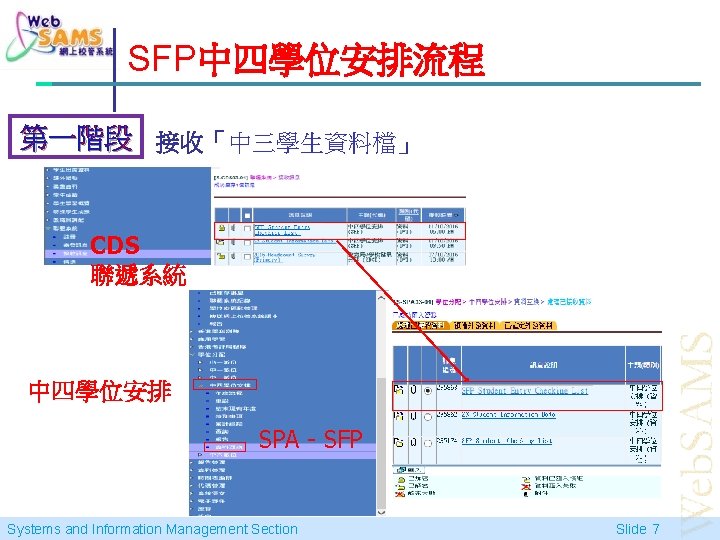
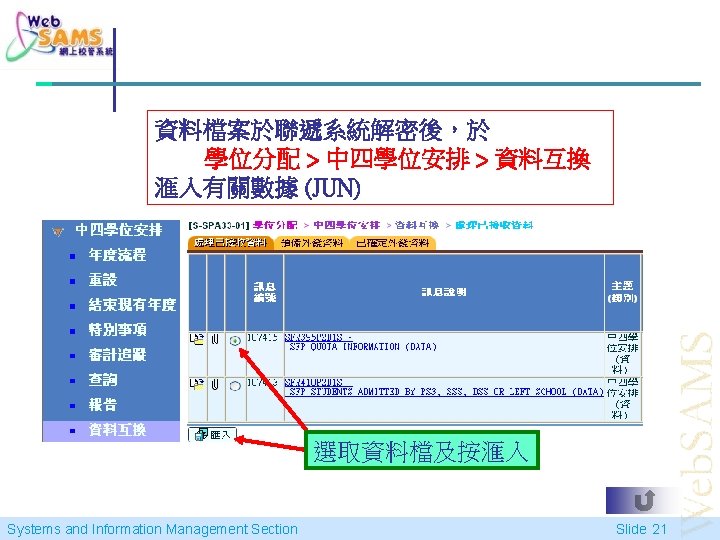
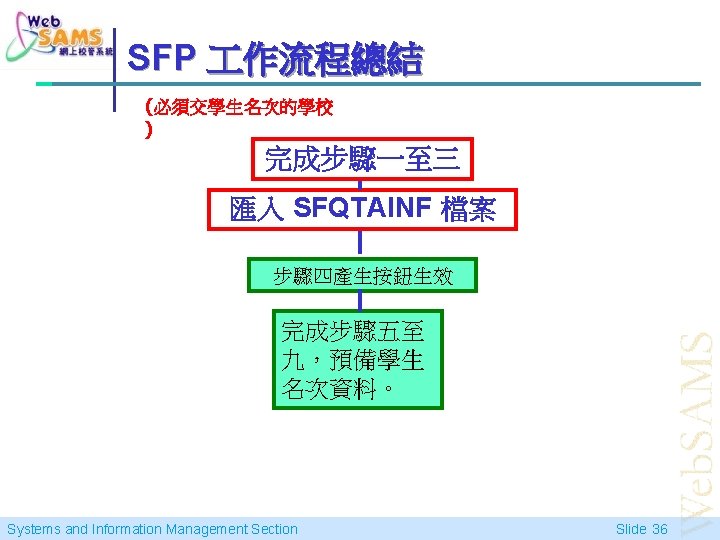
SFP中四學位安排流程 第一階段 接收「中三學生資料檔」 CDS 聯遞系統 中四學位安排 SPA - SFP Systems and Information Management Section Slide 7
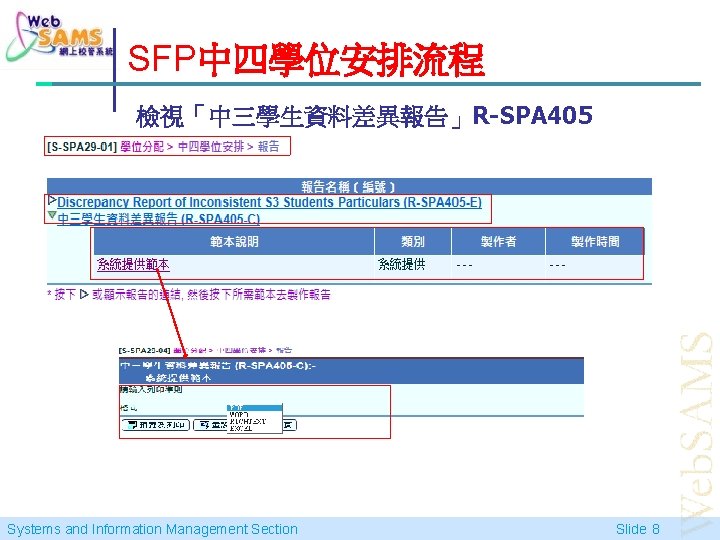
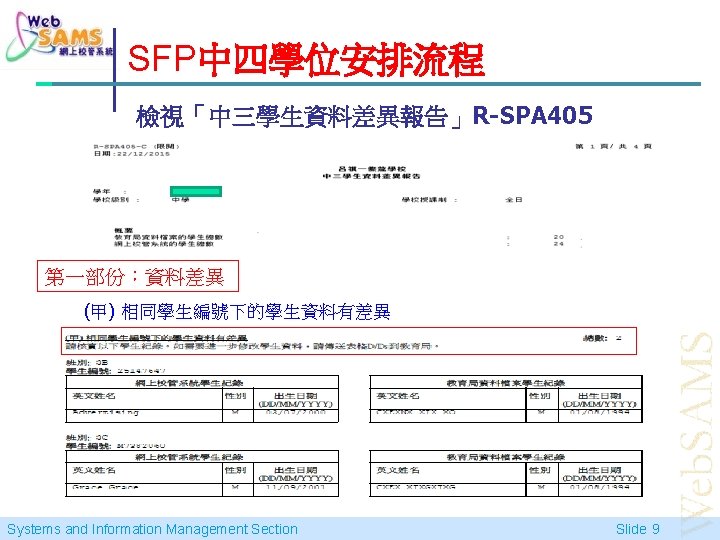
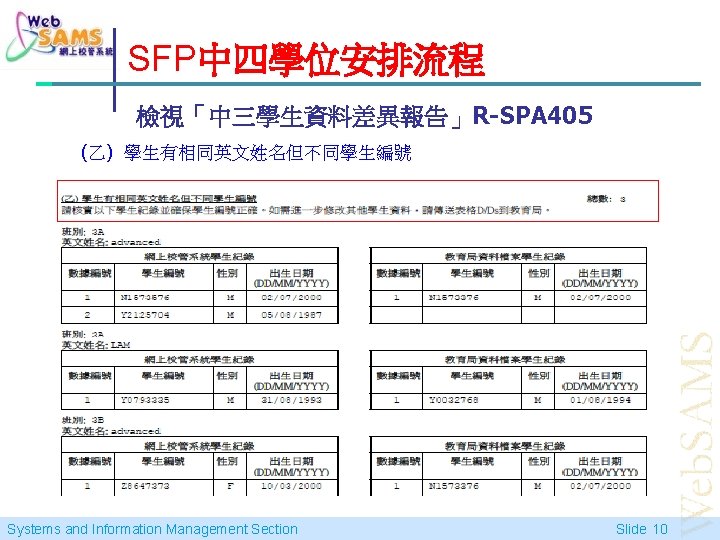
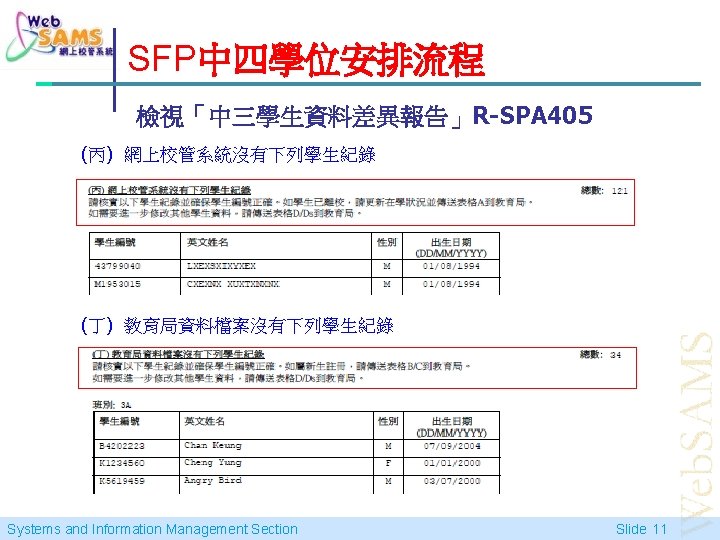
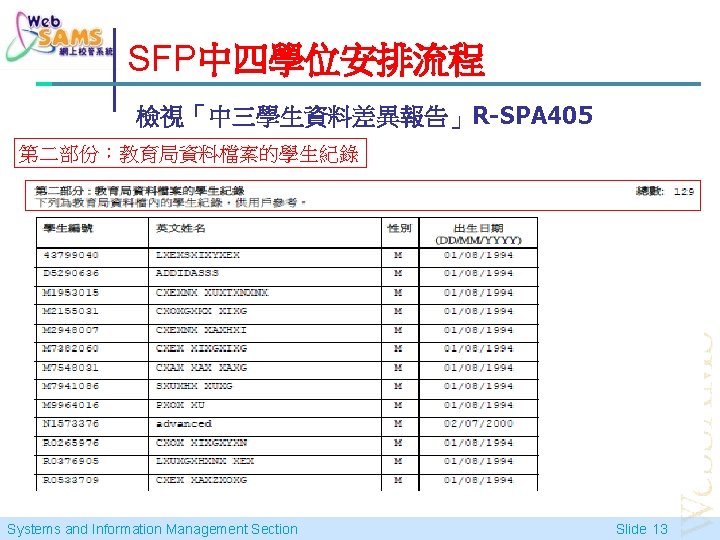
SFP中四學位安排流程 檢視「中三學生資料差異報告」R-SPA 405 Systems and Information Management Section Slide 8
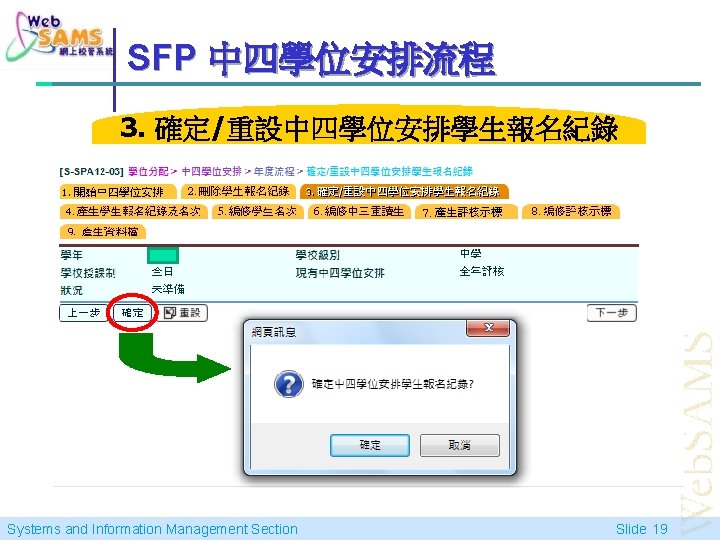
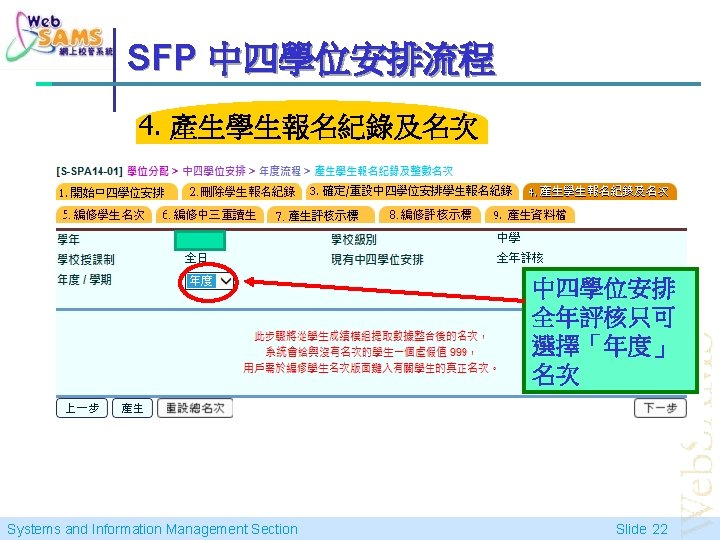
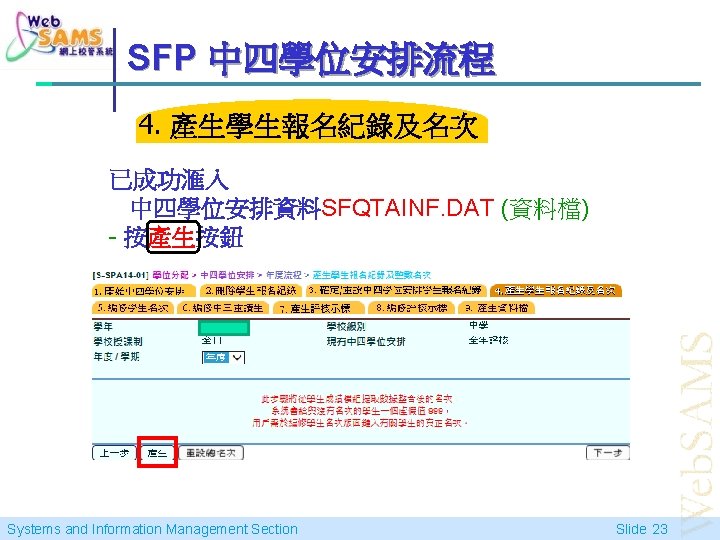
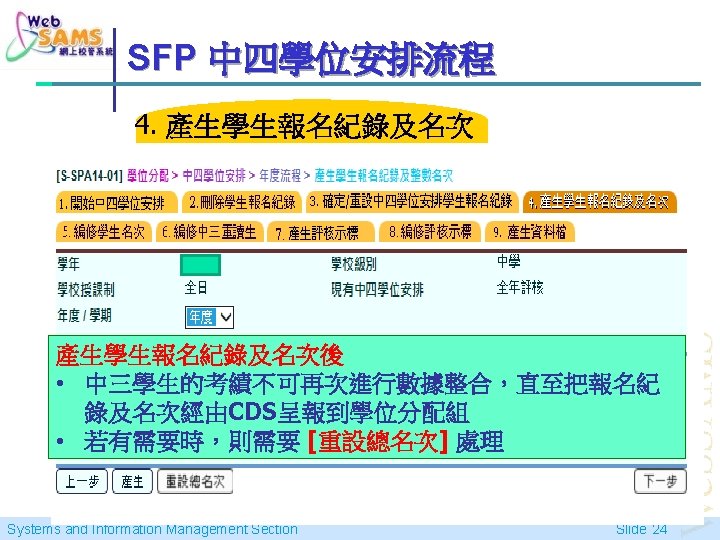
SFP 中四學位安排流程 3. 確定/重設中四學位安排學生報名紀錄 Systems and Information Management Section Slide 19
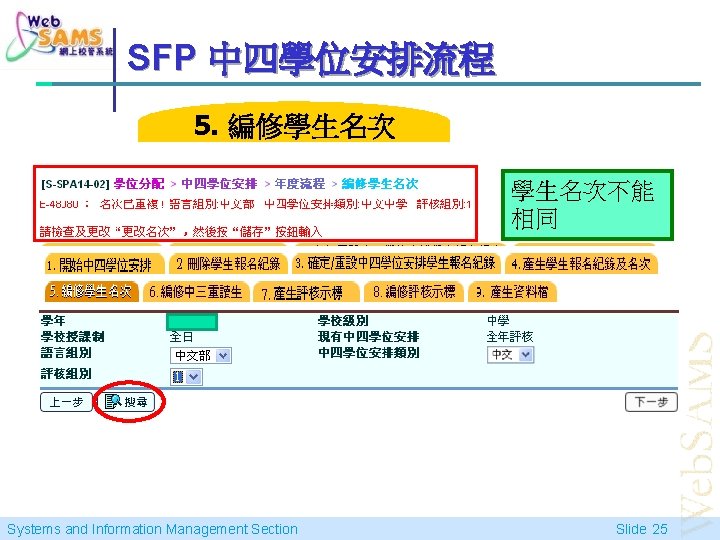
SFP 中四學位安排流程 5. 編修學生名次不能 相同 Systems and Information Management Section Slide 25
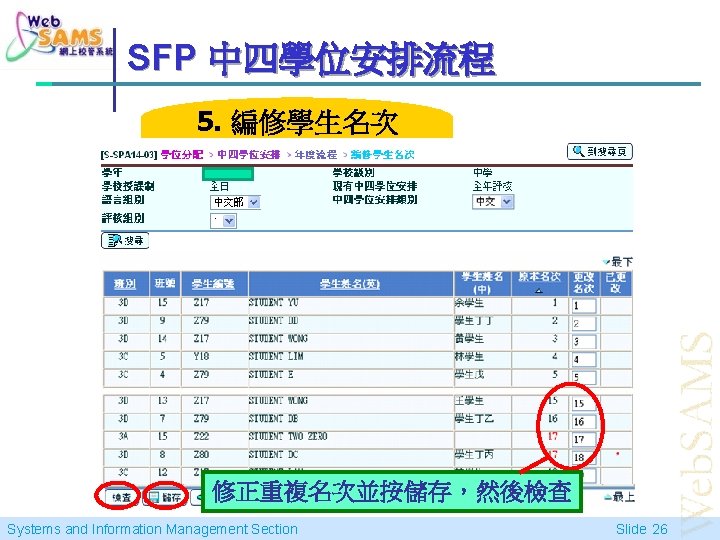
SFP 中四學位安排流程 5. 編修學生名次 修正重複名次並按儲存,然後檢查 Systems and Information Management Section Slide 26
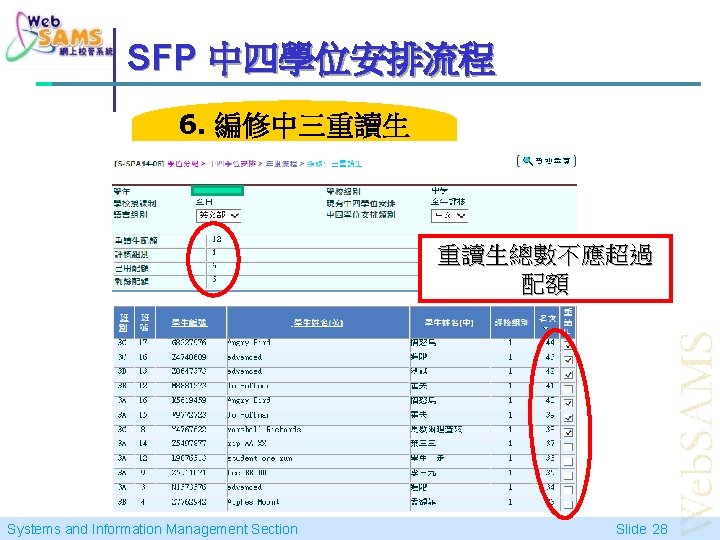
SFP 中四學位安排流程 6. 編修中三重讀生 重讀生總數不應超過 配額 Systems and Information Management Section Slide 28
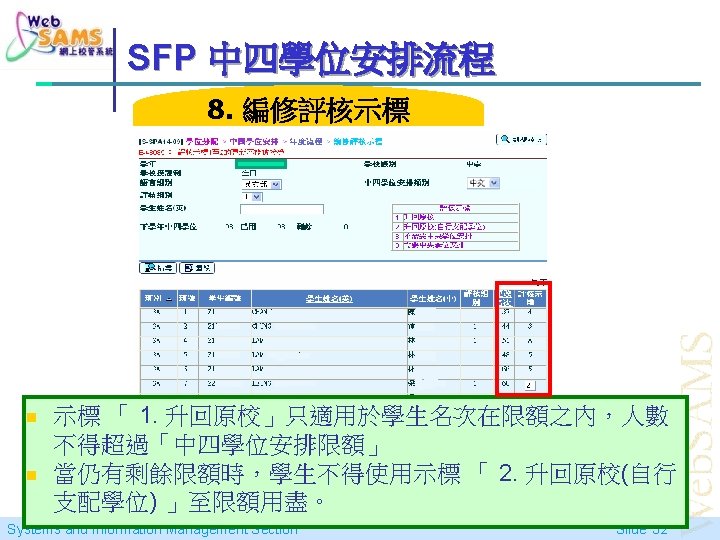
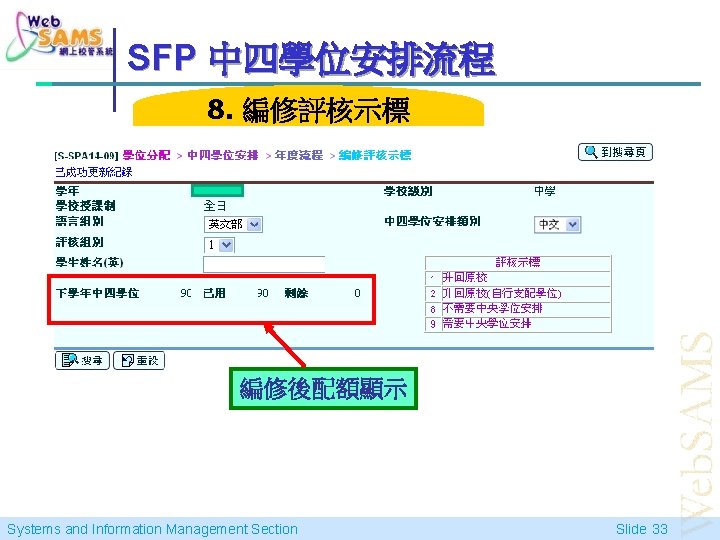
SFP 中四學位安排流程 8. 編修評核示標 編修後配額顯示 Systems and Information Management Section Slide 33
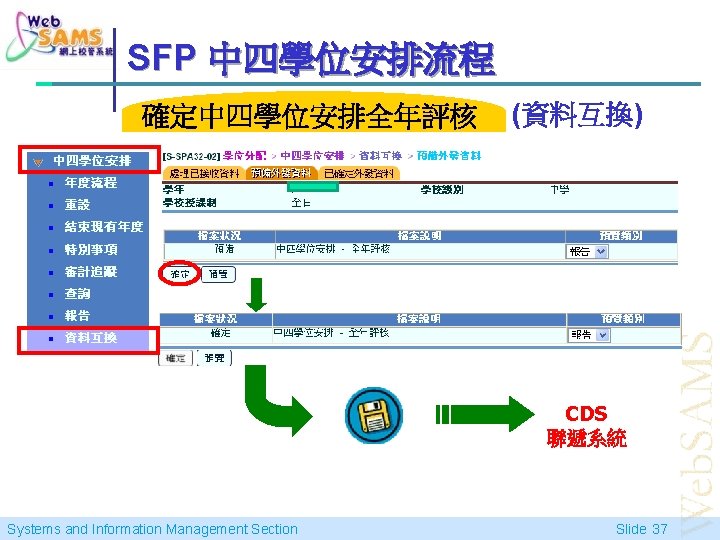
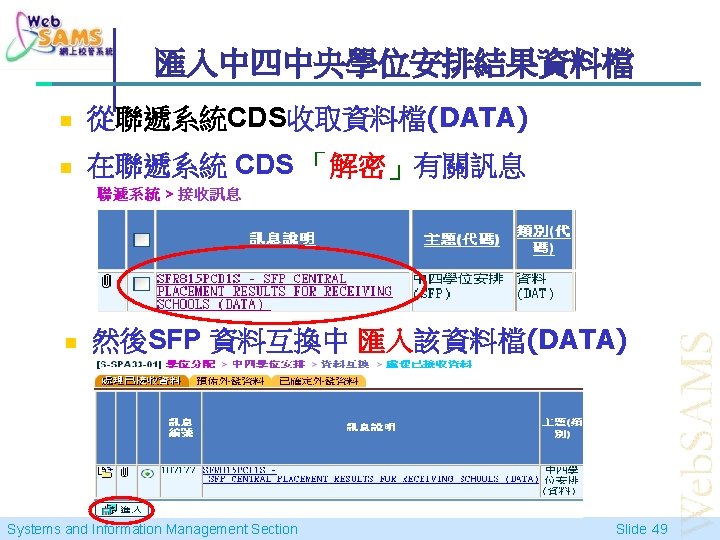
SFP 中四學位安排流程 確定中四學位安排全年評核 (資料互換) CDS 聯遞系統 Systems and Information Management Section Slide 37
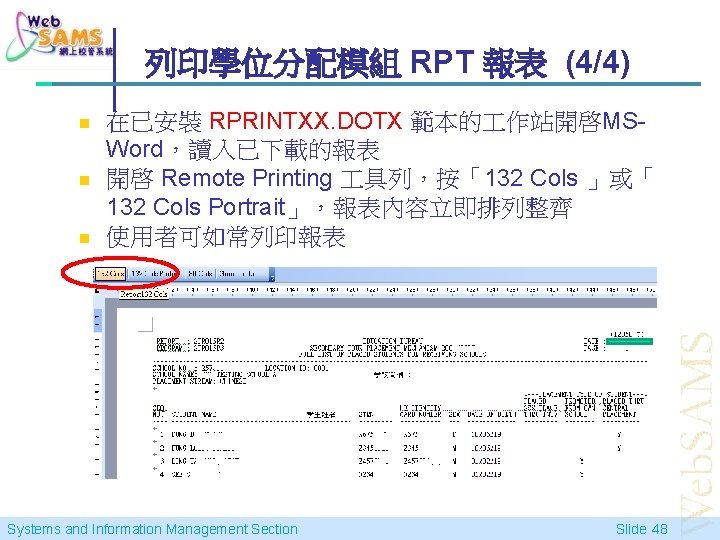
列印學位分配模組 RPT 報表 (4/4) n n n 在已安裝 RPRINTXX. DOTX 範本的 作站開啓MSWord,讀入已下載的報表 開啓 Remote Printing 具列,按「132 Cols 」或「 132 Cols Portrait」,報表內容立即排列整齊 使用者可如常列印報表 Systems and Information Management Section Slide 48
完 Systems and Information Management Section Slide 52