
Session 7 a Overview Monte Carlo Simulation Basic
Session 7 a
Overview Monte Carlo Simulation – Basic concepts and history Excel Tricks – RAND(), IF, Boolean Crystal Ball – Probability Distributions • Normal, Gamma, Uniform, Triangular – Assumption and Forecast cells – Run Preferences – Output Analysis Examples – Coin Toss, TSB Account, Preventive Maintenance, NPV Decision Models -- Prof. Juran 2

Decision Models: 2 Modules • Module I: Optimization • Module II: Spreadsheet Simulation Decision Models -- Prof. Juran 3
Monte Carlo Simulation Using theoretical probability distributions to model realworld situations in which randomness is an important factor. Differences from other spreadsheet models • No optimal solution • Explicit modeling of random variables in special cells • Many trials, all with different results • Objective function studied using statistical inference Decision Models -- Prof. Juran 4
Decision Models -- Prof. Juran 5
Decision Models -- Prof. Juran 6
Decision Models -- Prof. Juran 7
Decision Models -- Prof. Juran 8
Decision Models -- Prof. Juran 9
Decision Models -- Prof. Juran 10

Decision Models -- Prof. Juran 11
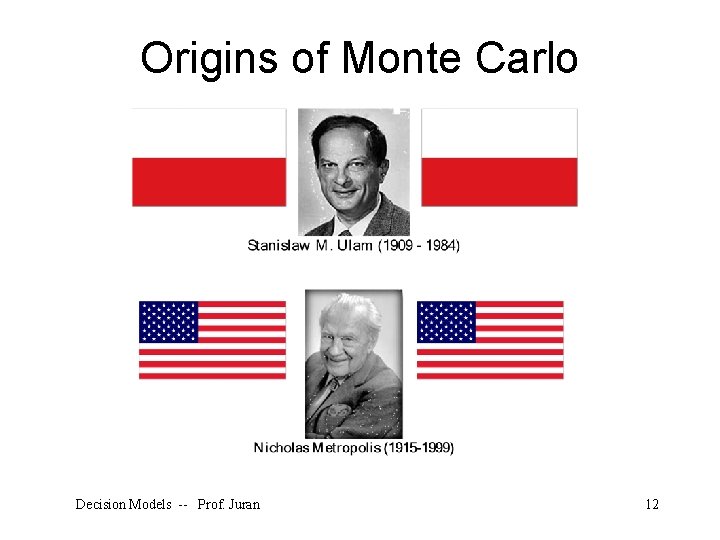
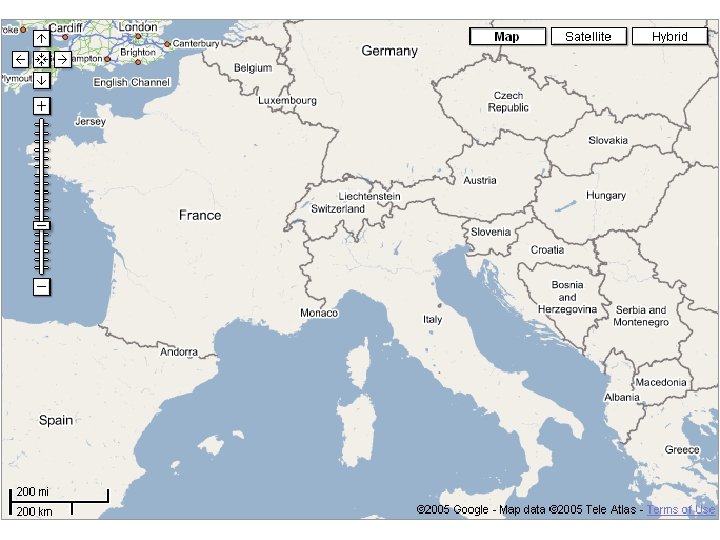
Origins of Monte Carlo Decision Models -- Prof. Juran 12
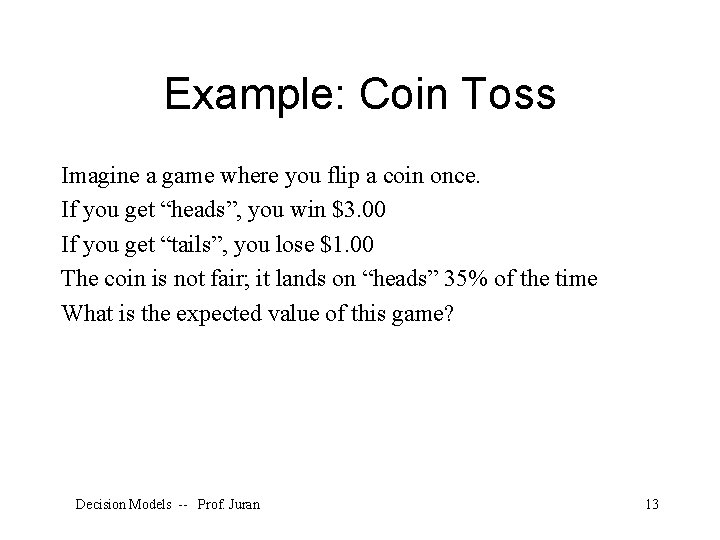
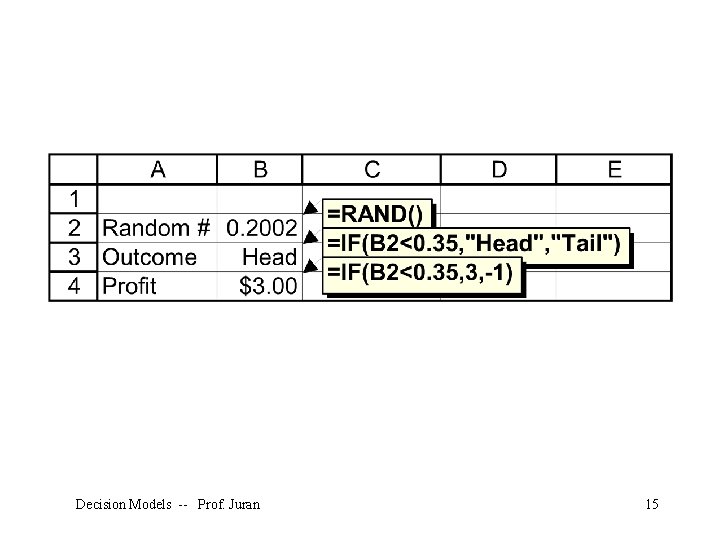
Example: Coin Toss Imagine a game where you flip a coin once. If you get “heads”, you win $3. 00 If you get “tails”, you lose $1. 00 The coin is not fair; it lands on “heads” 35% of the time What is the expected value of this game? Decision Models -- Prof. Juran 13
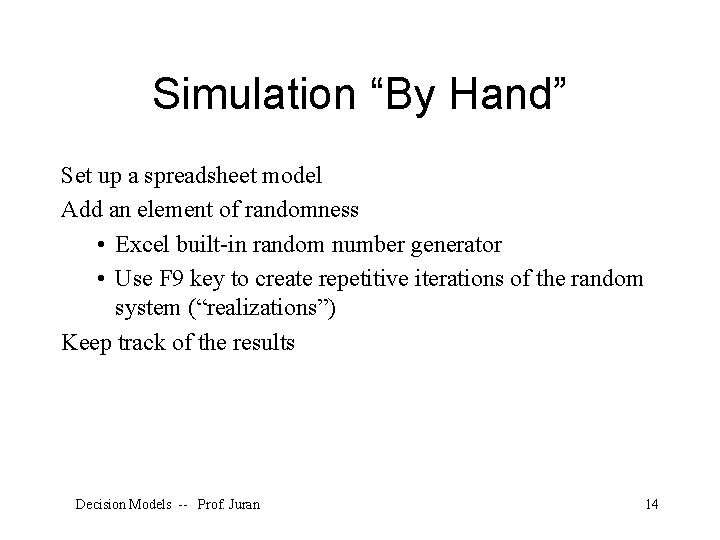
Simulation “By Hand” Set up a spreadsheet model Add an element of randomness • Excel built-in random number generator • Use F 9 key to create repetitive iterations of the random system (“realizations”) Keep track of the results Decision Models -- Prof. Juran 14
Decision Models -- Prof. Juran 15
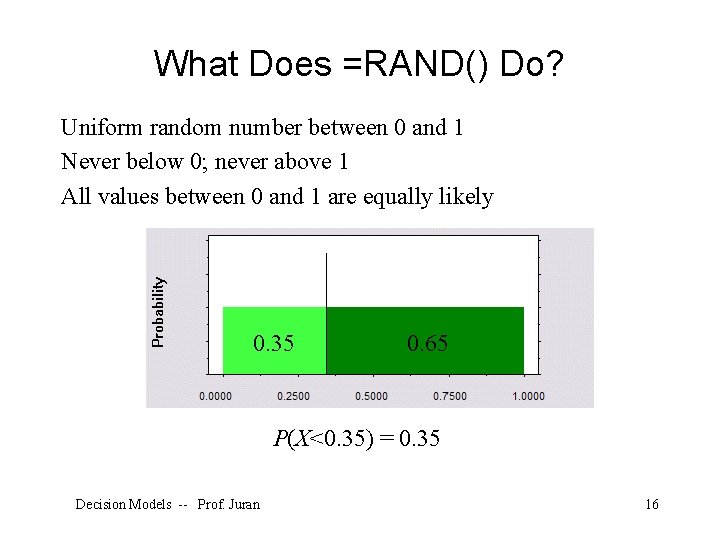
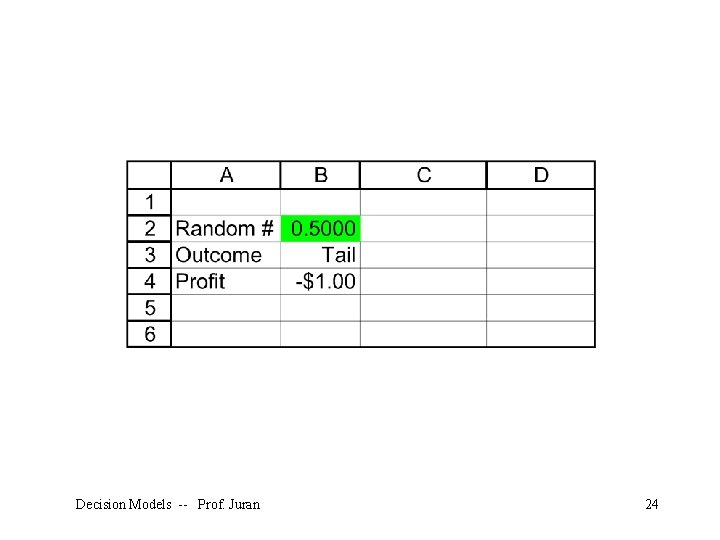
What Does =RAND() Do? Uniform random number between 0 and 1 Never below 0; never above 1 All values between 0 and 1 are equally likely 0. 35 0. 65 P(X<0. 35) = 0. 35 Decision Models -- Prof. Juran 16
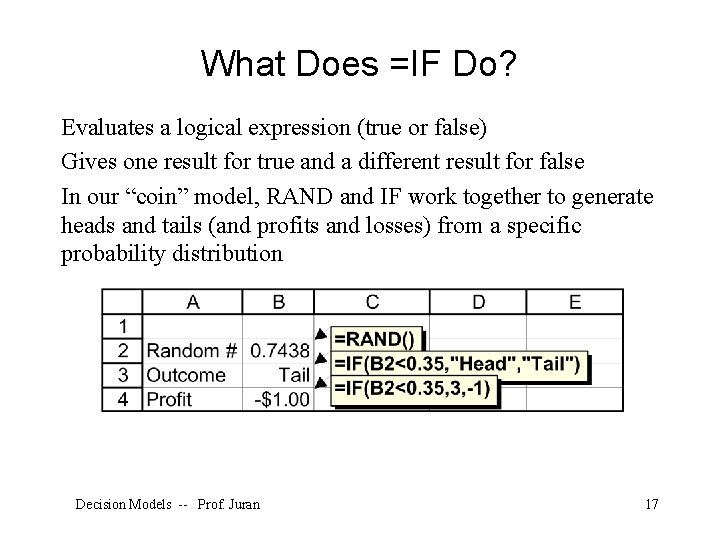
What Does =IF Do? Evaluates a logical expression (true or false) Gives one result for true and a different result for false In our “coin” model, RAND and IF work together to generate heads and tails (and profits and losses) from a specific probability distribution Decision Models -- Prof. Juran 17
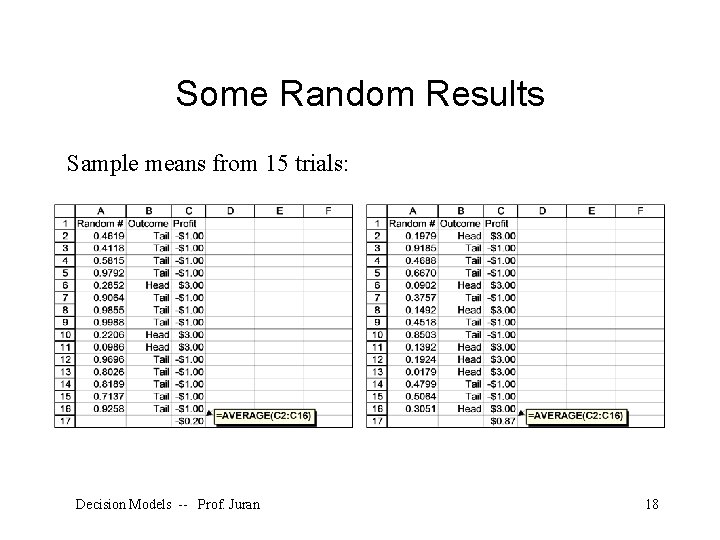
Some Random Results Sample means from 15 trials: Decision Models -- Prof. Juran 18
Problems with this Model Hitting F 9 thousands of times is tedious Keeping track of the results (and summary statistics) is even more tedious What if we want to simulate something other than a uniform distribution between 0 and 1? Decision Models -- Prof. Juran 19
Simulation with Crystal Ball Special cells for random variables (Assumptions) Special cells for objective functions (Forecasts) Run Preferences • Number of trials • Random number seed • Sampling method Output Analysis • Studying forecasts • Extracting data Decision Models -- Prof. Juran 20
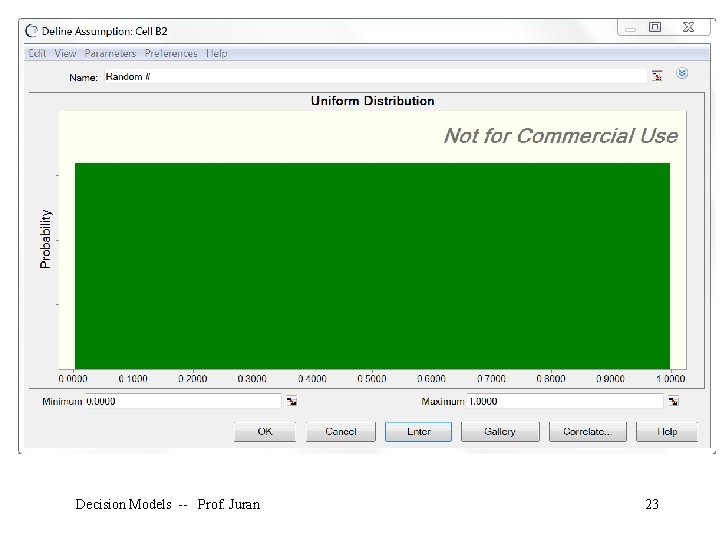
Assumption Cell An input random number; a building block for a simulation model The “Define Assumption” button: Must be a “value” cell (a number, not a function) Can be ANY number Gives Crystal Ball permission to generate random numbers in that cell according to a specific probability distribution Decision Models -- Prof. Juran 21
Decision Models -- Prof. Juran 22
Decision Models -- Prof. Juran 23
Decision Models -- Prof. Juran 24
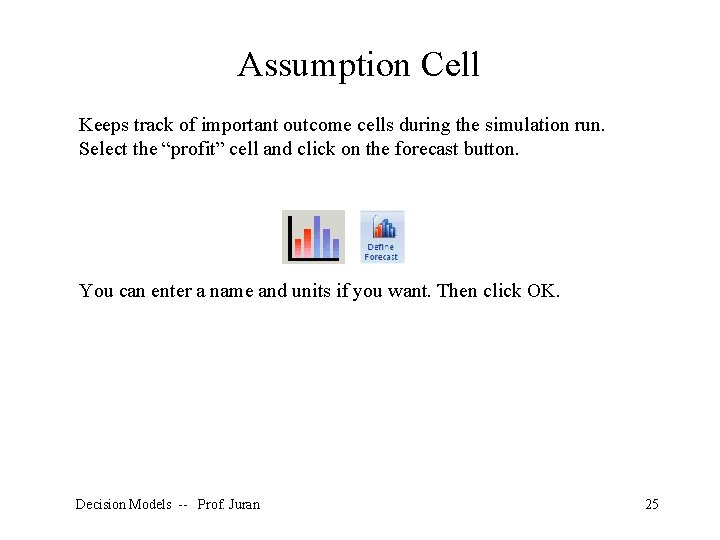
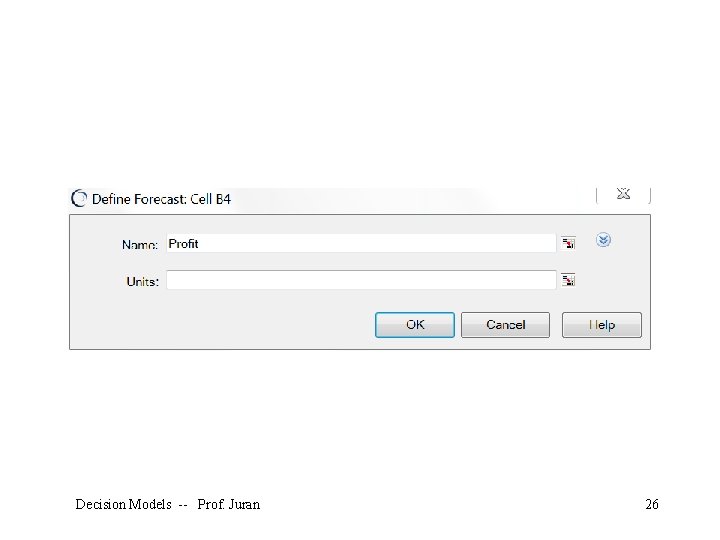
Assumption Cell Keeps track of important outcome cells during the simulation run. Select the “profit” cell and click on the forecast button. You can enter a name and units if you want. Then click OK. Decision Models -- Prof. Juran 25
Decision Models -- Prof. Juran 26
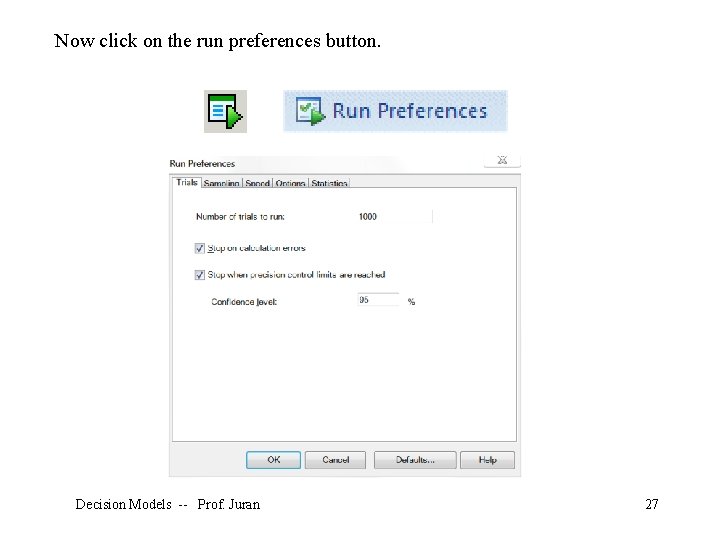
Now click on the run preferences button. Decision Models -- Prof. Juran 27
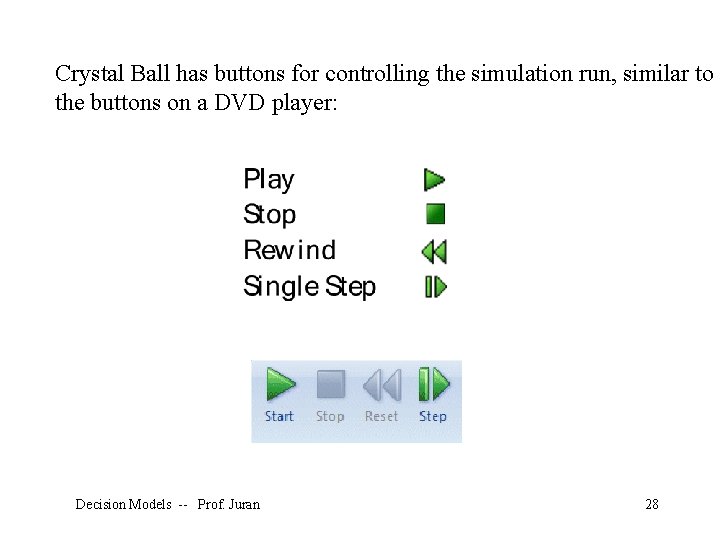
Crystal Ball has buttons for controlling the simulation run, similar to the buttons on a DVD player: Decision Models -- Prof. Juran 28
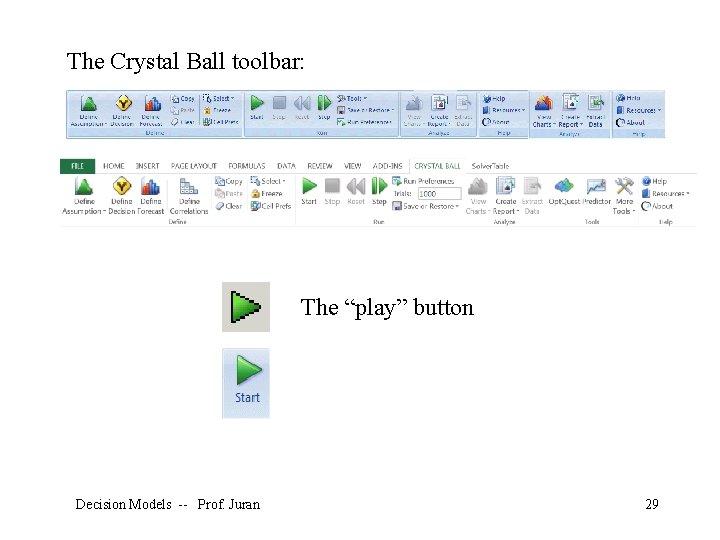
The Crystal Ball toolbar: The “play” button Decision Models -- Prof. Juran 29
Decision Models -- Prof. Juran 30
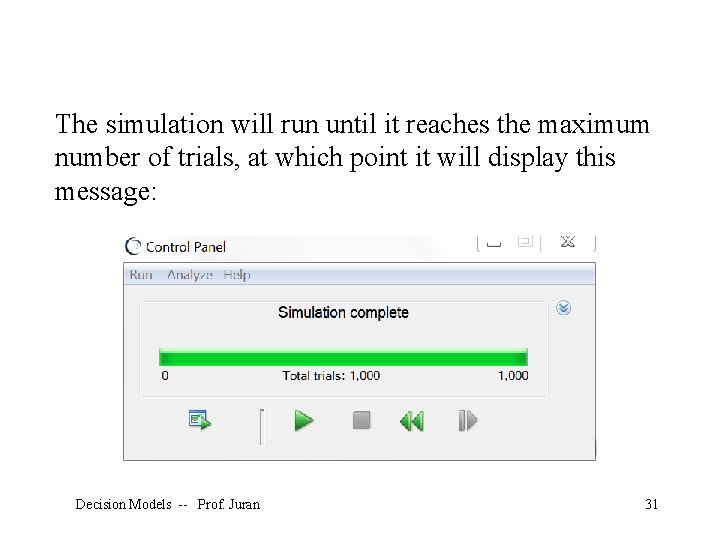
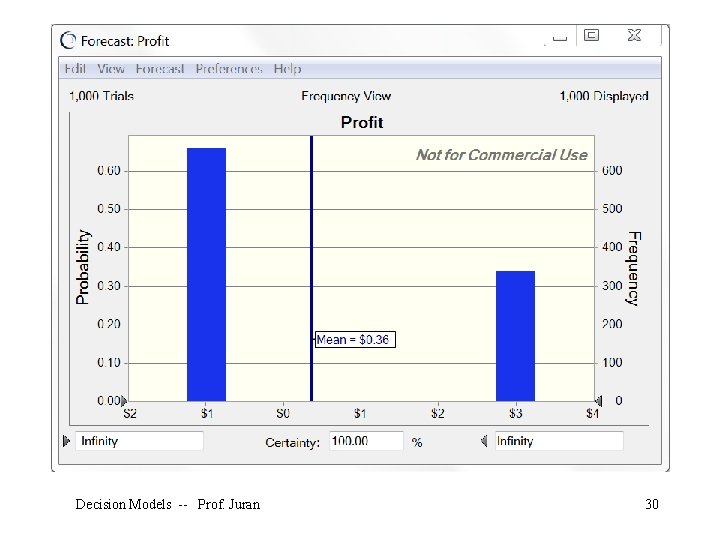
The simulation will run until it reaches the maximum number of trials, at which point it will display this message: Decision Models -- Prof. Juran 31
Conclusions Crystal Ball performs the tedious functions of running a simulation in a spreadsheet model We can use statistical inference (confidence intervals and hypothesis tests) to study the results The results are only estimates, but they can be very precise estimates Much depends on the validity of our model; how well it represents the real-world system we really want to learn about Decision Models -- Prof. Juran 32
Random Number Generator Built into Excel • RAND() function • Tools – Data Analysis – Random Number Generation Built into all simulation software Not really random; correctly called pseudo-random Decision Models -- Prof. Juran 33
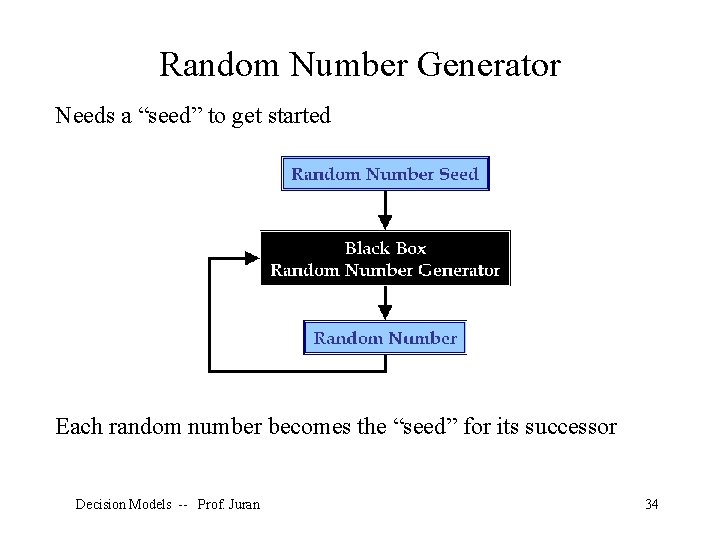
Random Number Generator Needs a “seed” to get started Each random number becomes the “seed” for its successor Decision Models -- Prof. Juran 34
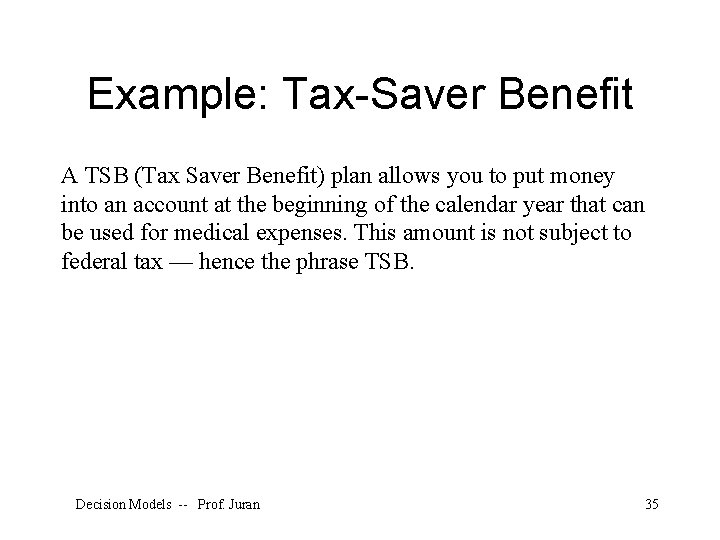
Example: Tax-Saver Benefit A TSB (Tax Saver Benefit) plan allows you to put money into an account at the beginning of the calendar year that can be used for medical expenses. This amount is not subject to federal tax — hence the phrase TSB. Decision Models -- Prof. Juran 35
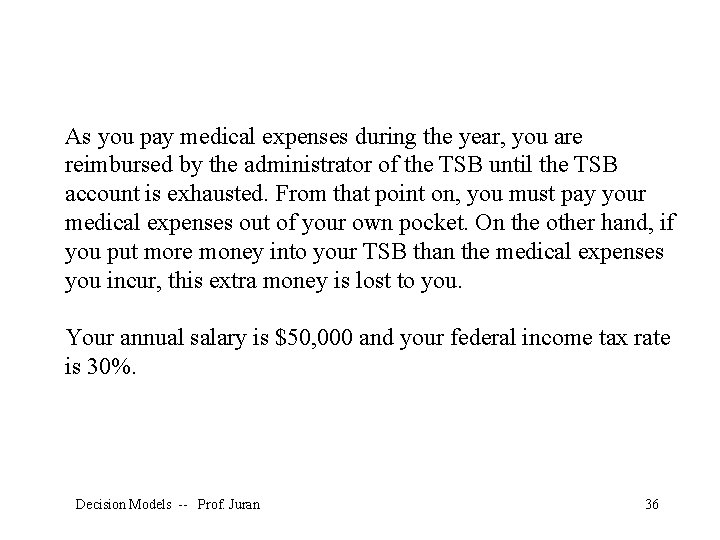
As you pay medical expenses during the year, you are reimbursed by the administrator of the TSB until the TSB account is exhausted. From that point on, you must pay your medical expenses out of your own pocket. On the other hand, if you put more money into your TSB than the medical expenses you incur, this extra money is lost to you. Your annual salary is $50, 000 and your federal income tax rate is 30%. Decision Models -- Prof. Juran 36
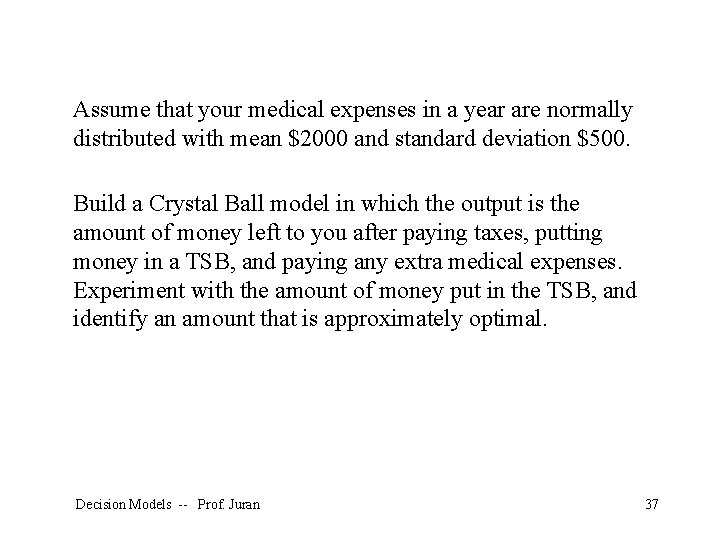
Assume that your medical expenses in a year are normally distributed with mean $2000 and standard deviation $500. Build a Crystal Ball model in which the output is the amount of money left to you after paying taxes, putting money in a TSB, and paying any extra medical expenses. Experiment with the amount of money put in the TSB, and identify an amount that is approximately optimal. Decision Models -- Prof. Juran 37
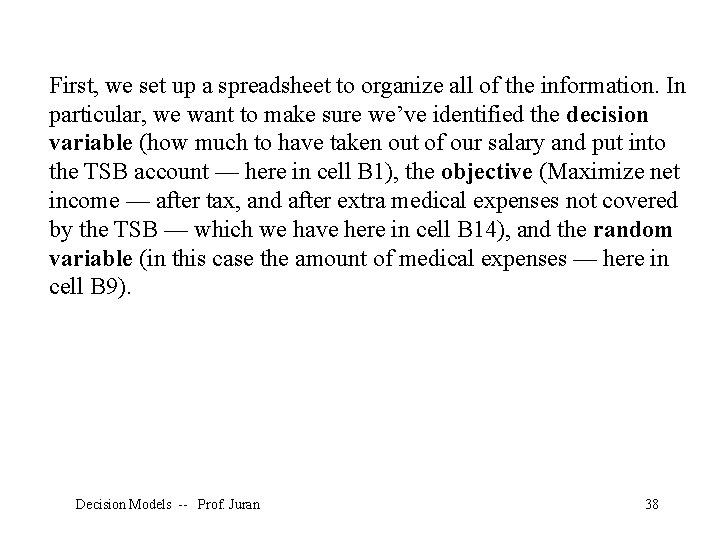
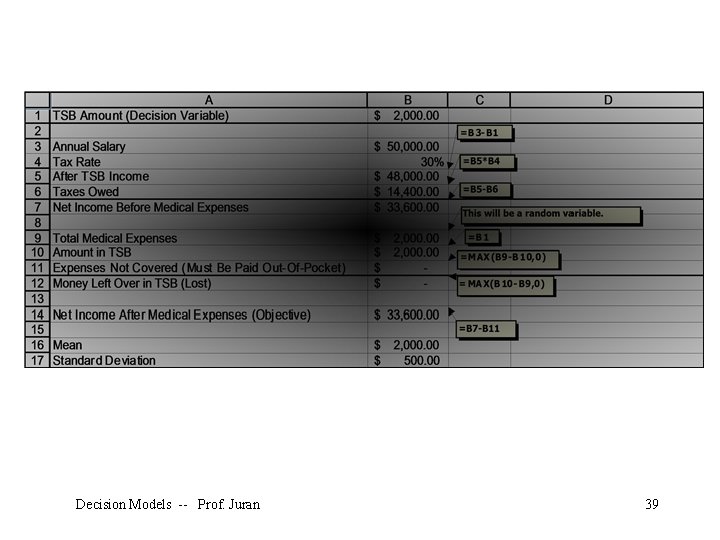
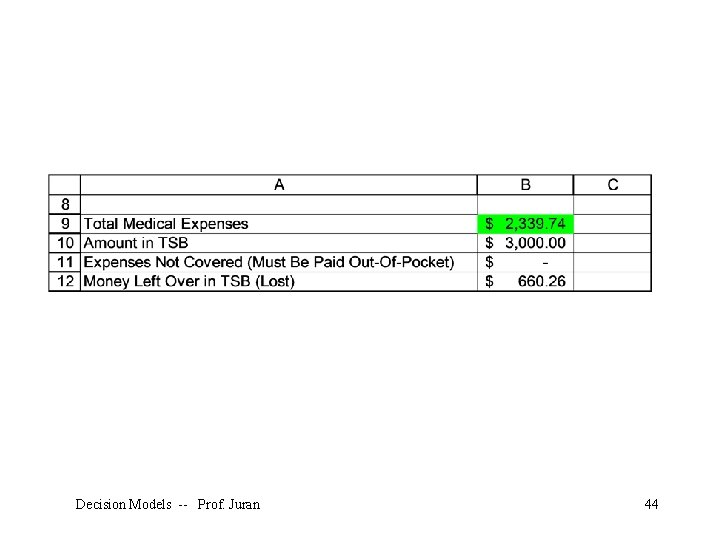
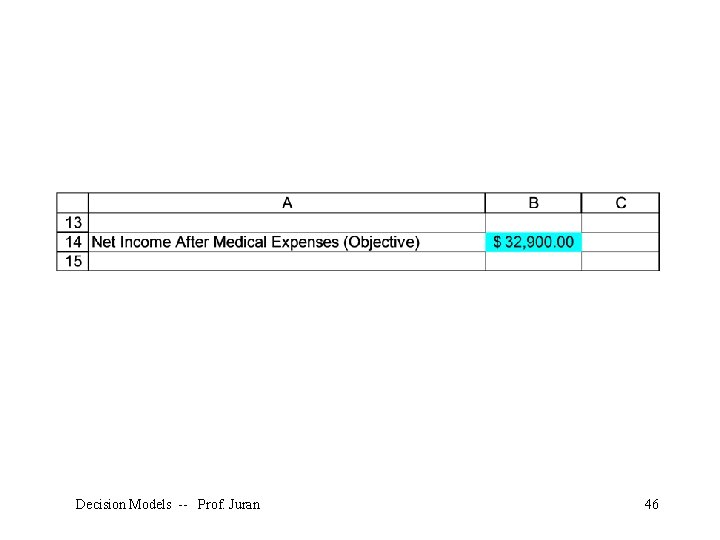
First, we set up a spreadsheet to organize all of the information. In particular, we want to make sure we’ve identified the decision variable (how much to have taken out of our salary and put into the TSB account — here in cell B 1), the objective (Maximize net income — after tax, and after extra medical expenses not covered by the TSB — which we have here in cell B 14), and the random variable (in this case the amount of medical expenses — here in cell B 9). Decision Models -- Prof. Juran 38
Decision Models -- Prof. Juran 39
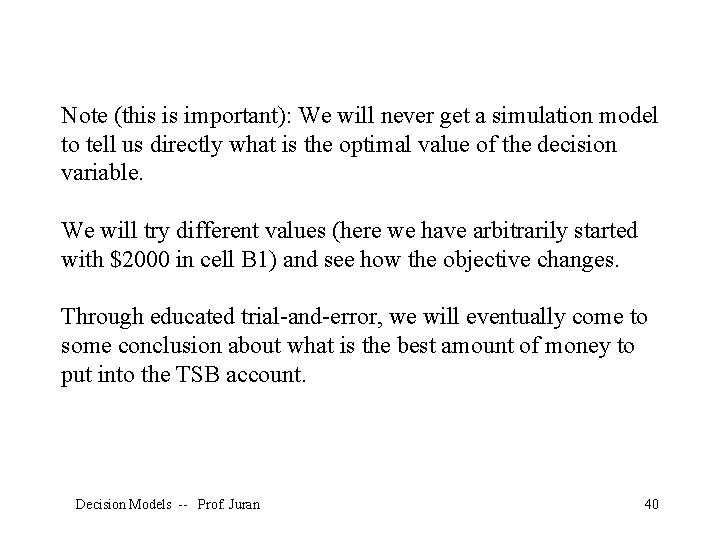
Note (this is important): We will never get a simulation model to tell us directly what is the optimal value of the decision variable. We will try different values (here we have arbitrarily started with $2000 in cell B 1) and see how the objective changes. Through educated trial-and-error, we will eventually come to some conclusion about what is the best amount of money to put into the TSB account. Decision Models -- Prof. Juran 40
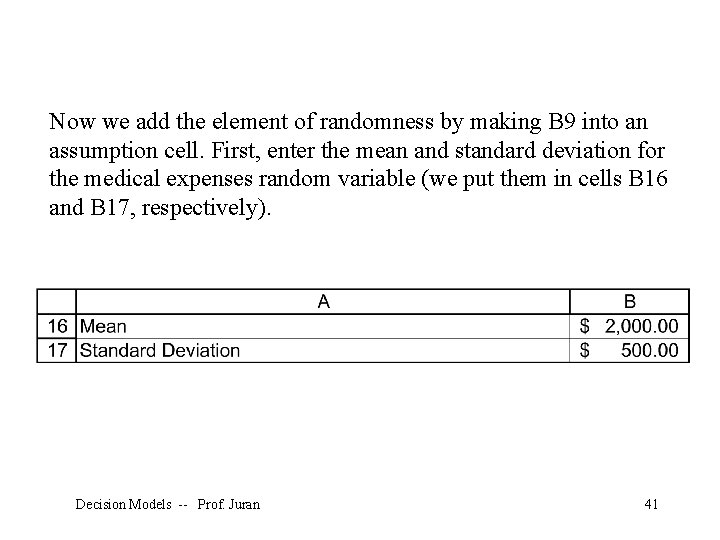
Now we add the element of randomness by making B 9 into an assumption cell. First, enter the mean and standard deviation for the medical expenses random variable (we put them in cells B 16 and B 17, respectively). Decision Models -- Prof. Juran 41
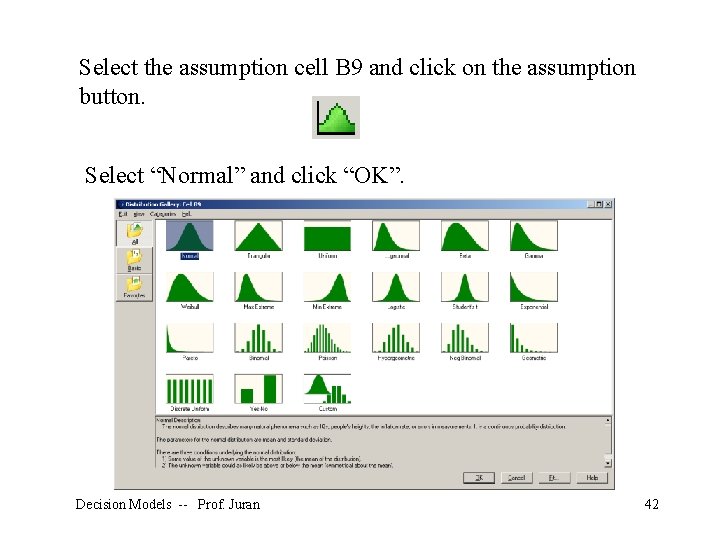
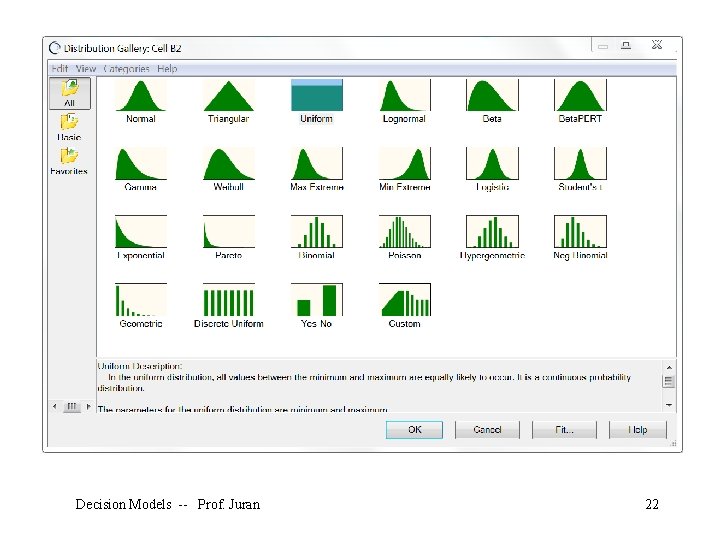
Select the assumption cell B 9 and click on the assumption button. Select “Normal” and click “OK”. Decision Models -- Prof. Juran 42
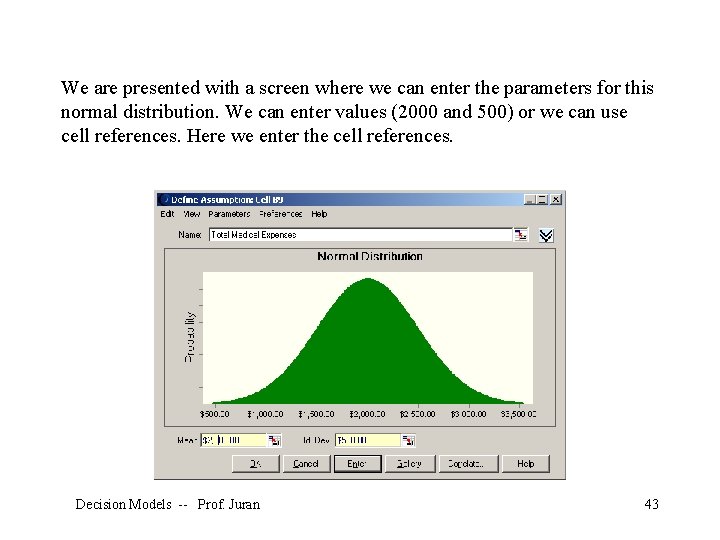
We are presented with a screen where we can enter the parameters for this normal distribution. We can enter values (2000 and 500) or we can use cell references. Here we enter the cell references. Decision Models -- Prof. Juran 43
Decision Models -- Prof. Juran 44
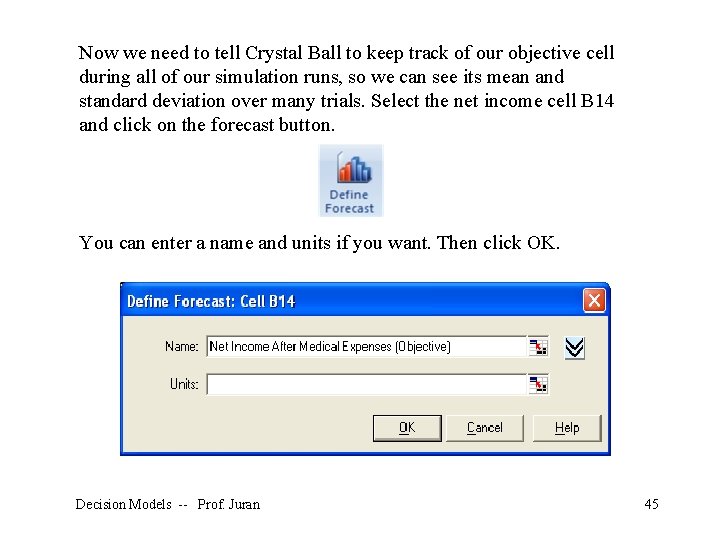
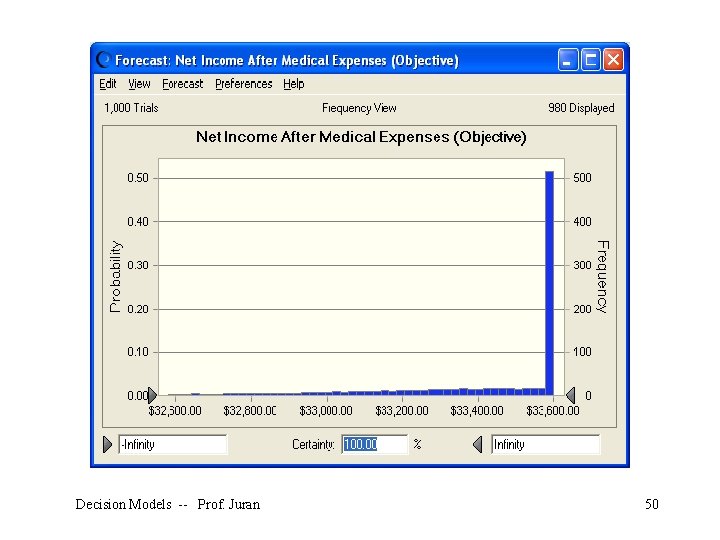
Now we need to tell Crystal Ball to keep track of our objective cell during all of our simulation runs, so we can see its mean and standard deviation over many trials. Select the net income cell B 14 and click on the forecast button. You can enter a name and units if you want. Then click OK. Decision Models -- Prof. Juran 45
Decision Models -- Prof. Juran 46
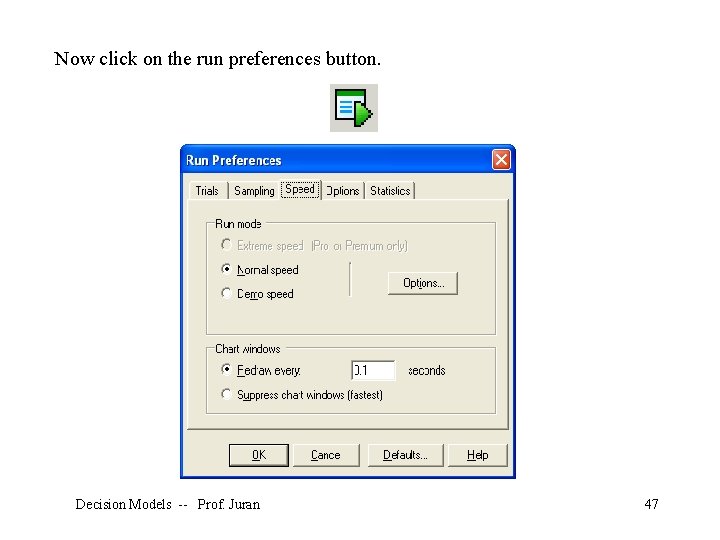
Now click on the run preferences button. Decision Models -- Prof. Juran 47
Decision Models -- Prof. Juran 48
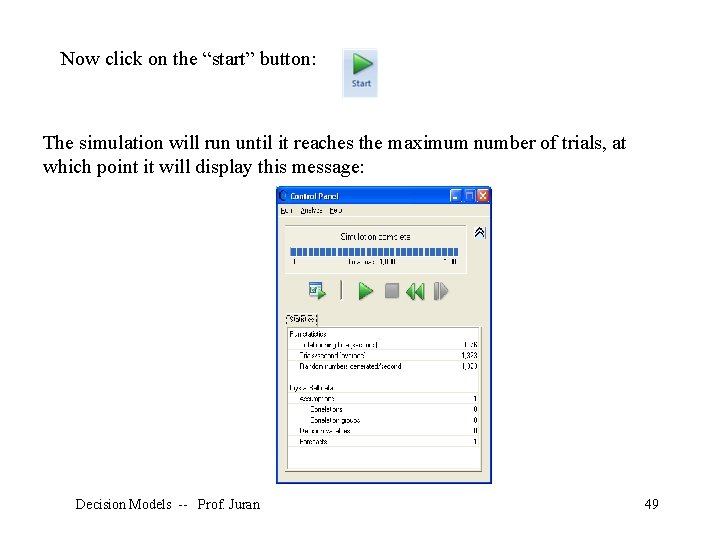
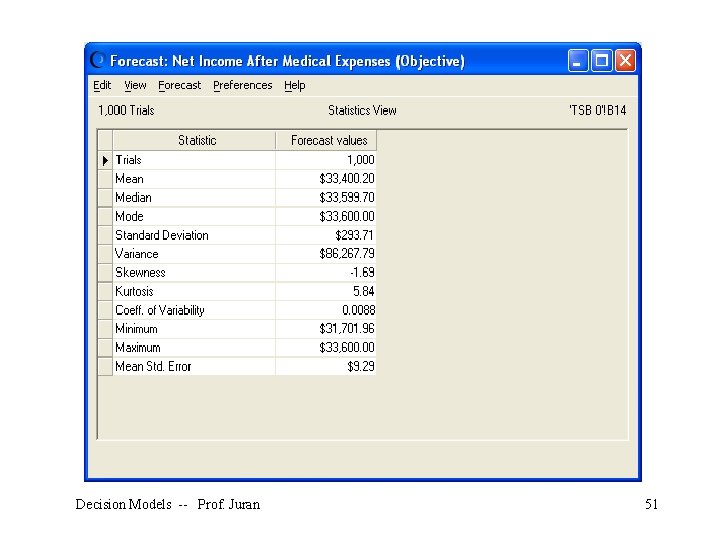
Now click on the “start” button: The simulation will run until it reaches the maximum number of trials, at which point it will display this message: Decision Models -- Prof. Juran 49
Decision Models -- Prof. Juran 50
Decision Models -- Prof. Juran 51
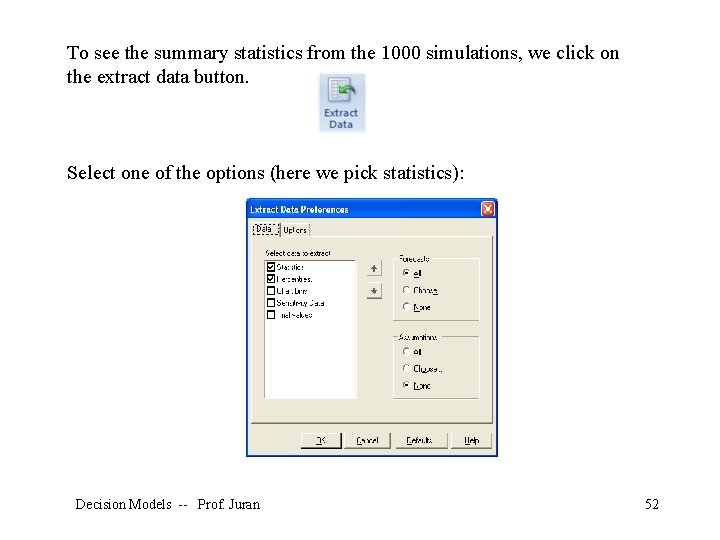
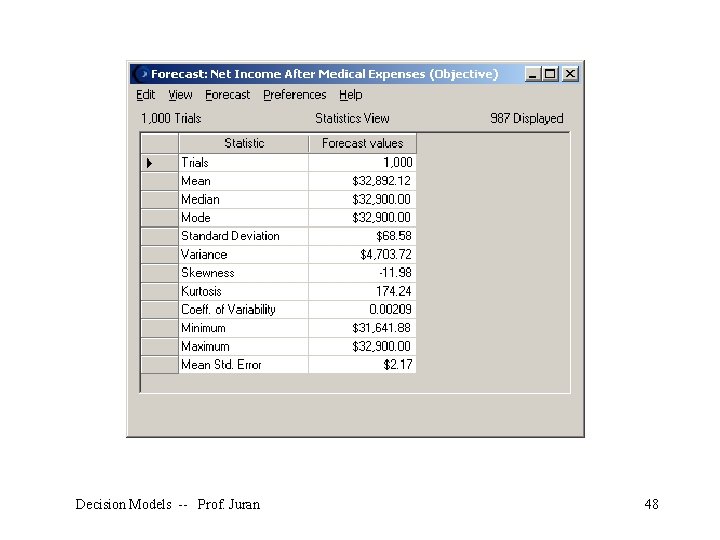
To see the summary statistics from the 1000 simulations, we click on the extract data button. Select one of the options (here we pick statistics): Decision Models -- Prof. Juran 52
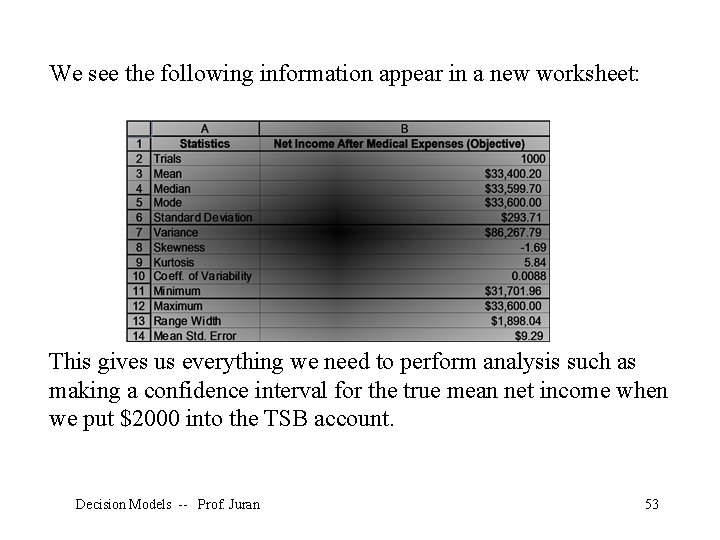
We see the following information appear in a new worksheet: This gives us everything we need to perform analysis such as making a confidence interval for the true mean net income when we put $2000 into the TSB account. Decision Models -- Prof. Juran 53
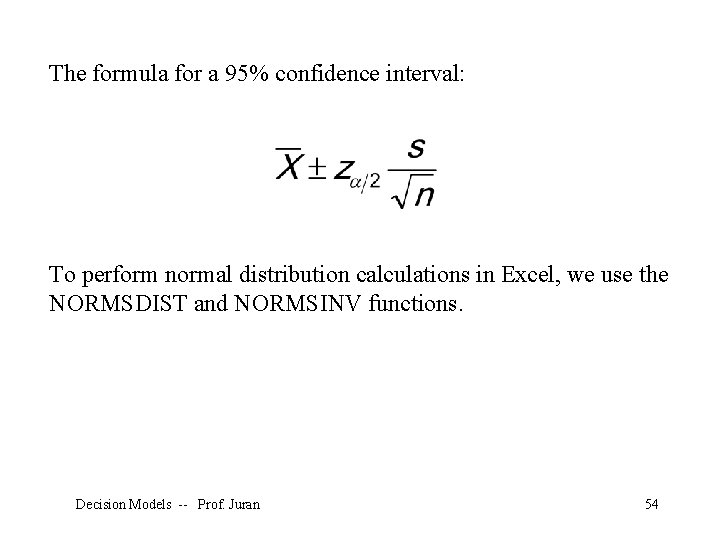
The formula for a 95% confidence interval: To perform normal distribution calculations in Excel, we use the NORMSDIST and NORMSINV functions. Decision Models -- Prof. Juran 54
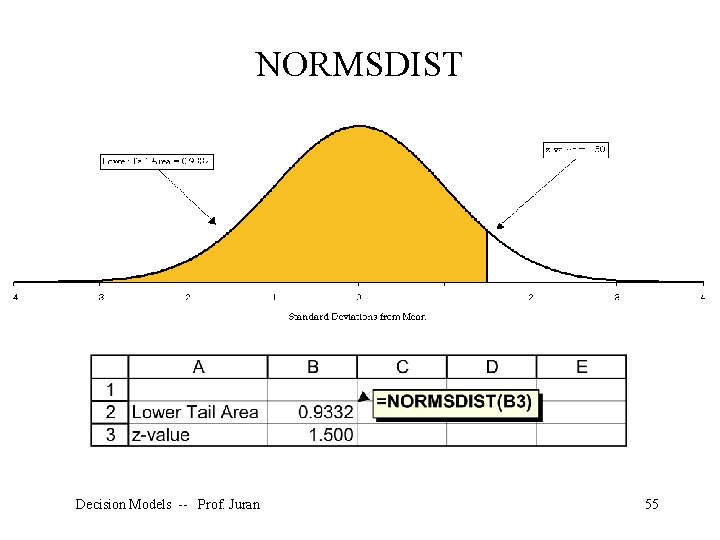
NORMSDIST Decision Models -- Prof. Juran 55
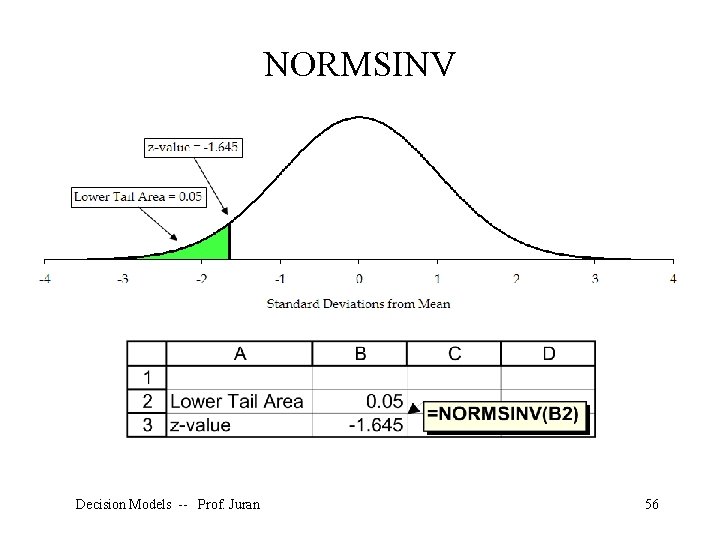
NORMSINV Decision Models -- Prof. Juran 56
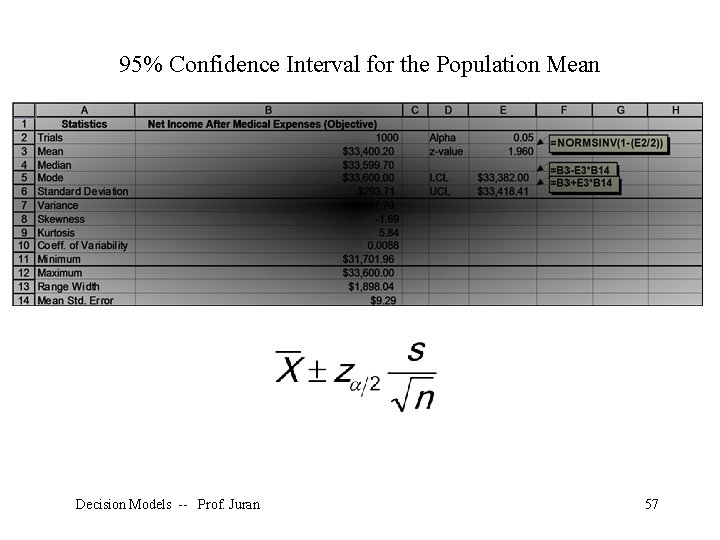
95% Confidence Interval for the Population Mean Decision Models -- Prof. Juran 57
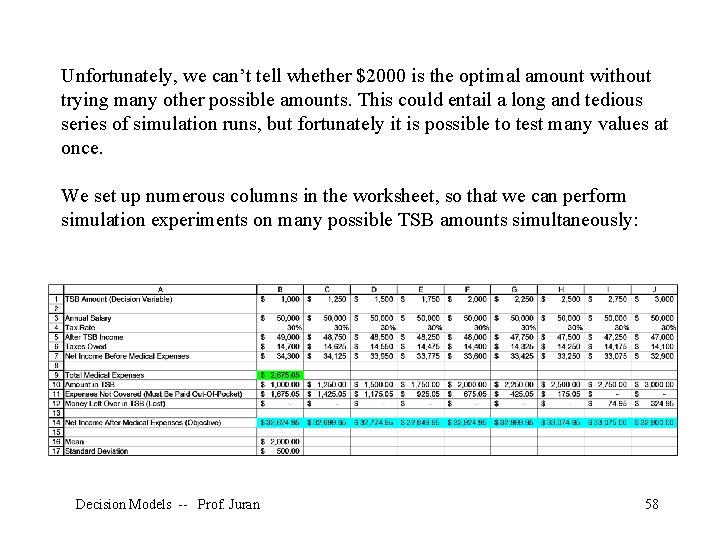
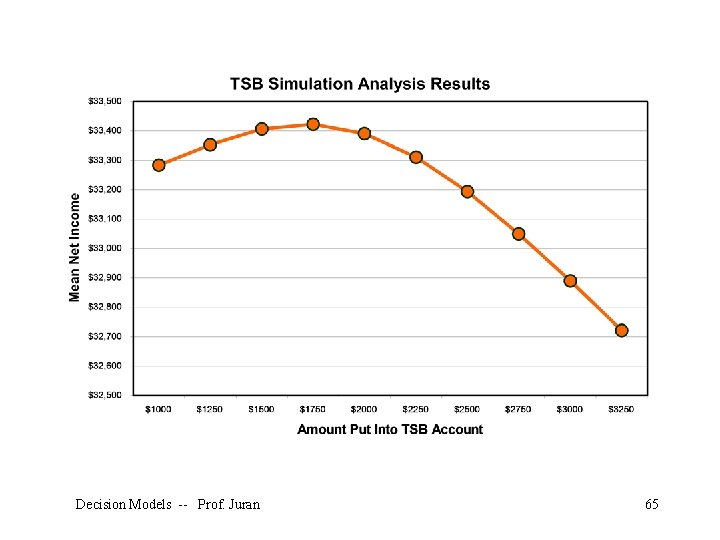
Unfortunately, we can’t tell whether $2000 is the optimal amount without trying many other possible amounts. This could entail a long and tedious series of simulation runs, but fortunately it is possible to test many values at once. We set up numerous columns in the worksheet, so that we can perform simulation experiments on many possible TSB amounts simultaneously: Decision Models -- Prof. Juran 58
Here we have set up different columns, each with its own possible amount to be put into the TSB account in row 1. In row 14 we have the net income forecast for each possible value of the decision variable. To make the output easy to interpret, we had to select each forecast cell, click on the “define forecast” button, and give each of them a logical name. This is a pain, but it pays off later. Decision Models -- Prof. Juran 59
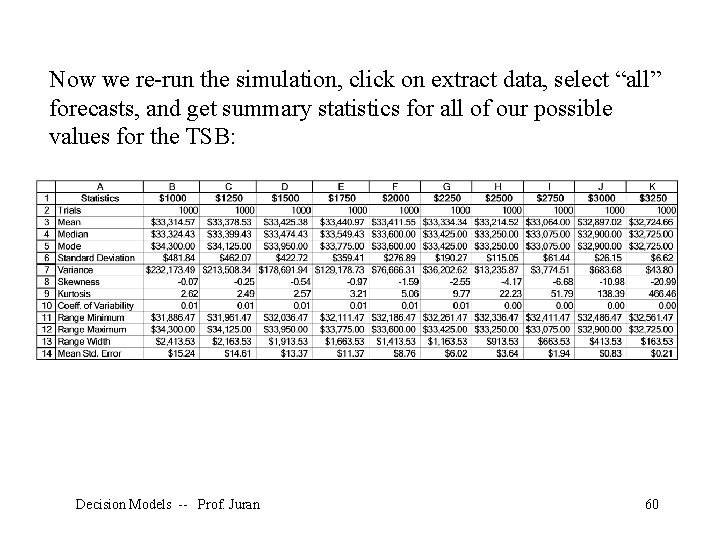
Now we re-run the simulation, click on extract data, select “all” forecasts, and get summary statistics for all of our possible values for the TSB: Decision Models -- Prof. Juran 60
Decision Models -- Prof. Juran 61
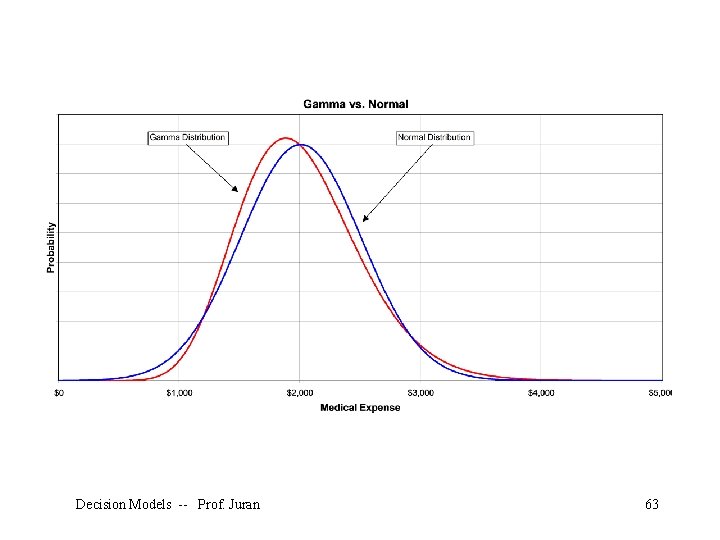
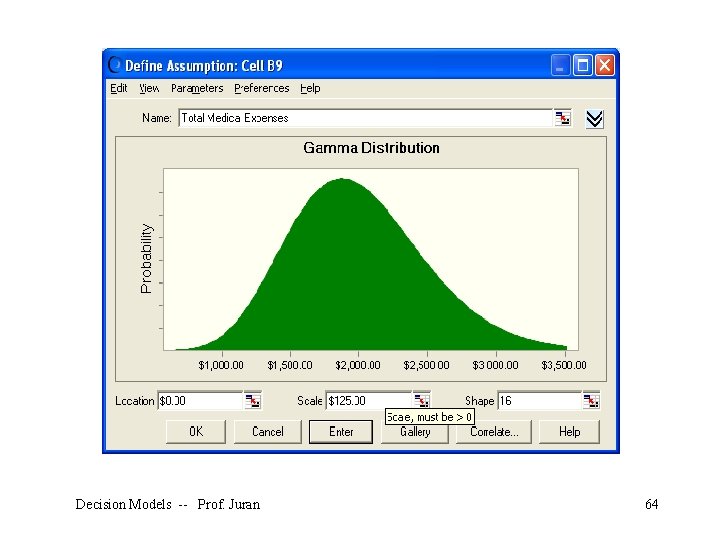
What if we assume that annual medical expenses follow a gamma distribution? To have the same mean and standard deviation as our normal distribution, we would use $0 for the location parameter, $125 for the scale parameter (sometimes symbolized with β), and 16 for the shape parameter (sometimes symbolized with ). Decision Models -- Prof. Juran 62
Decision Models -- Prof. Juran 63
Decision Models -- Prof. Juran 64
Decision Models -- Prof. Juran 65
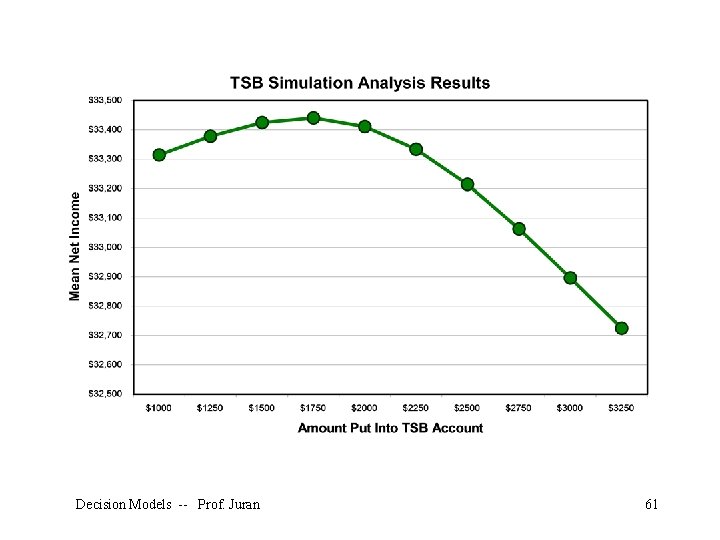
Conclusions • The best amount to put into the TSB is apparently about $1, 750 per year. • This result is robust over different distributions of medical costs. • This result is based on sample statistics, not known population parameters. • We have confidence in these sample statistics because of the large sample size (1, 000). Decision Models -- Prof. Juran 66
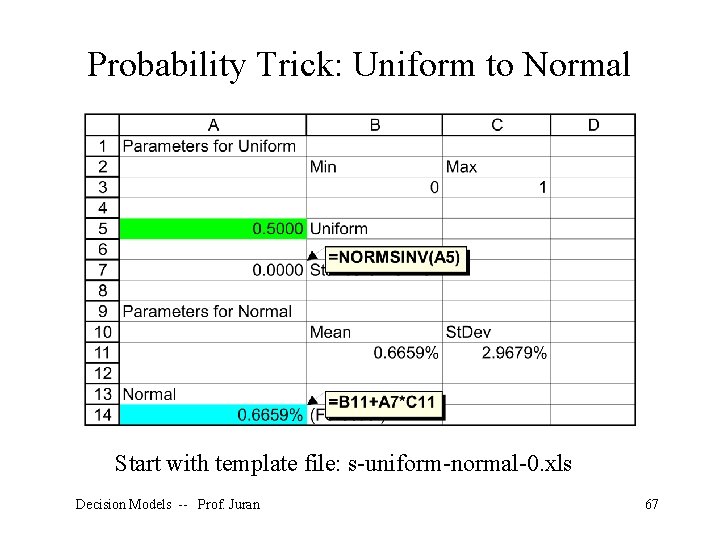
Probability Trick: Uniform to Normal Start with template file: s-uniform-normal-0. xls Decision Models -- Prof. Juran 67
- Slides: 67