
Session 3 2 CAPS Approach to Programming Part






- Slides: 44
Session 3. 2 CAPS Approach to Programming Part 2 1
Approach to Software Development • Overview (Part 1) • IDE, EDP • Database manipulation • Design tools: –TOE charts, –IPO-diagrams, UML 2
IDE and EDP Examples Approach 3
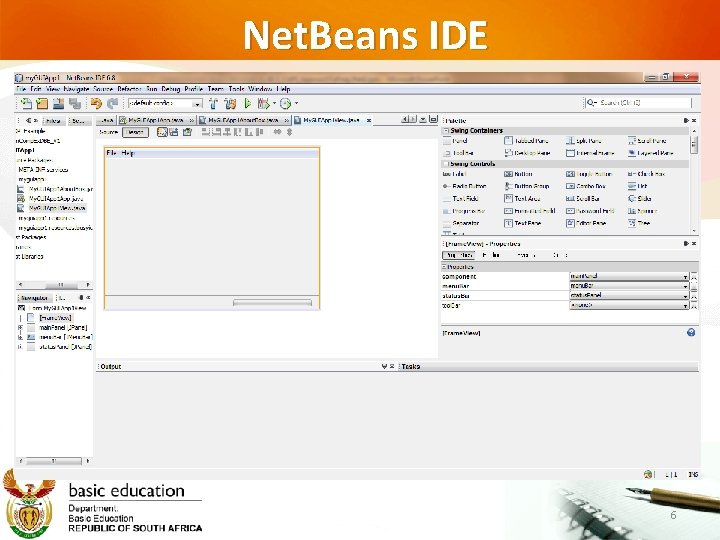
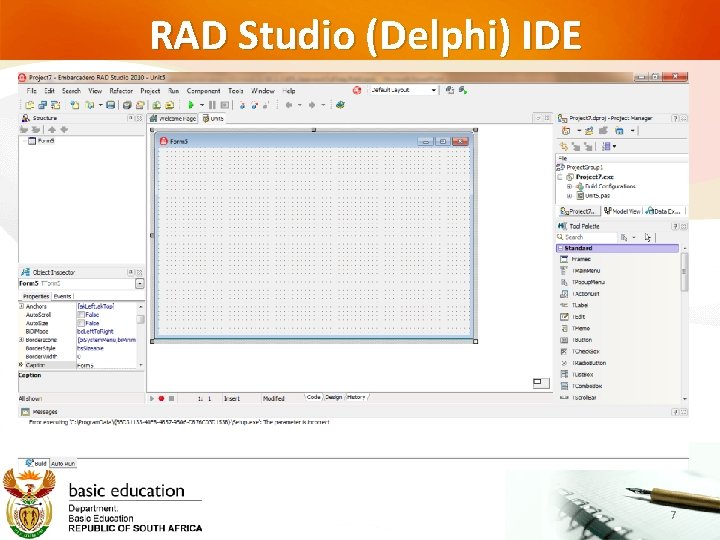
Understanding the IDE (Defined) An integrated development environment (IDE) (also known as integrated design environment, integrated debugging environment or interactive development environment) is a software application that provides comprehensive facilities to computer programmers for software development. An IDE normally consists of: • a source code editor • a compiler and/or an interpreter • build automation tools • a debugger (wikipedia) 4
Examples of IDEs Source – Draft Notes from a publisher © 5
Net. Beans IDE 6
RAD Studio (Delphi) IDE 7
Understanding the IDE Event Driven Programming (EDP) In computer programming, event-driven programming or event-based programming is a programming paradigm in which the flow of the program is determined by events—i. e. , sensor outputs or user actions (mouse clicks, key presses) or messages from other programs or threads. Event-driven programs can be written in any language, although the task is easier in languages that provide highlevel abstractions, such as closures. Some integrated development environments provide code generation assistants that automate the most repetitive tasks required for event handling. (Wikipedia) 8
9
Database Manipulation Use programming language constructs (Delphi/Java) 10
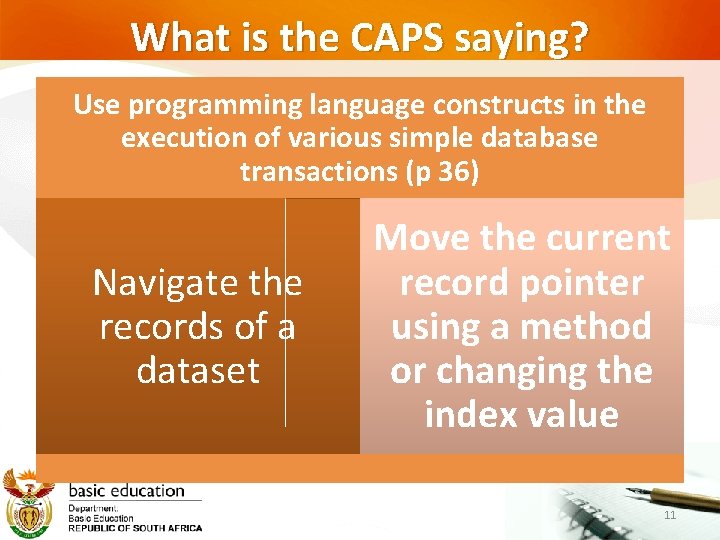
What is the CAPS saying? Use programming language constructs in the execution of various simple database transactions (p 36) Navigate the records of a dataset Move the current record pointer using a method or changing the index value 11
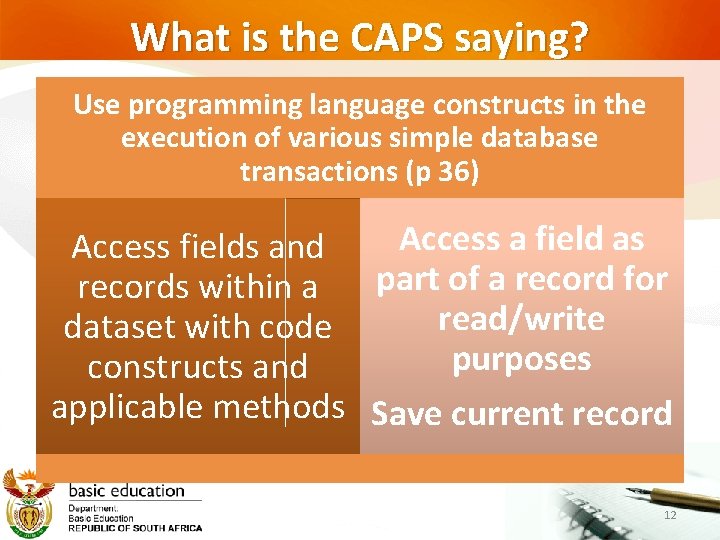
What is the CAPS saying? Use programming language constructs in the execution of various simple database transactions (p 36) Access a field as Access fields and part of a record for records within a read/write dataset with code purposes constructs and applicable methods Save current record 12
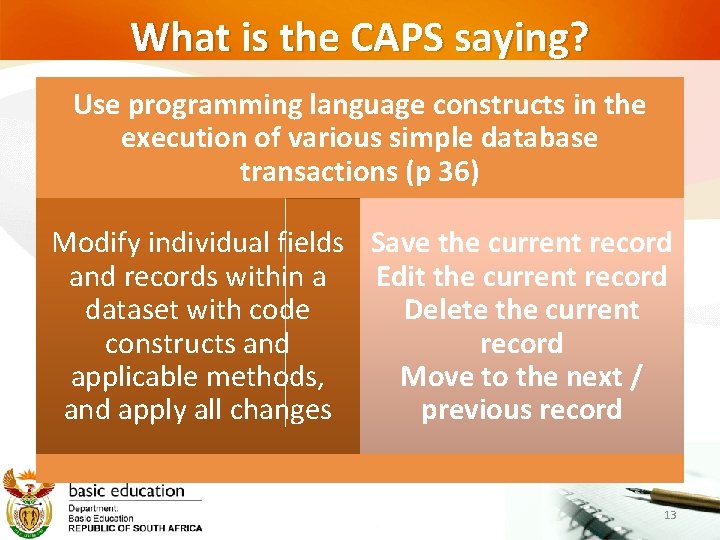
What is the CAPS saying? Use programming language constructs in the execution of various simple database transactions (p 36) Modify individual fields Save the current record and records within a Edit the current record dataset with code Delete the current constructs and record applicable methods, Move to the next / and apply all changes previous record 13
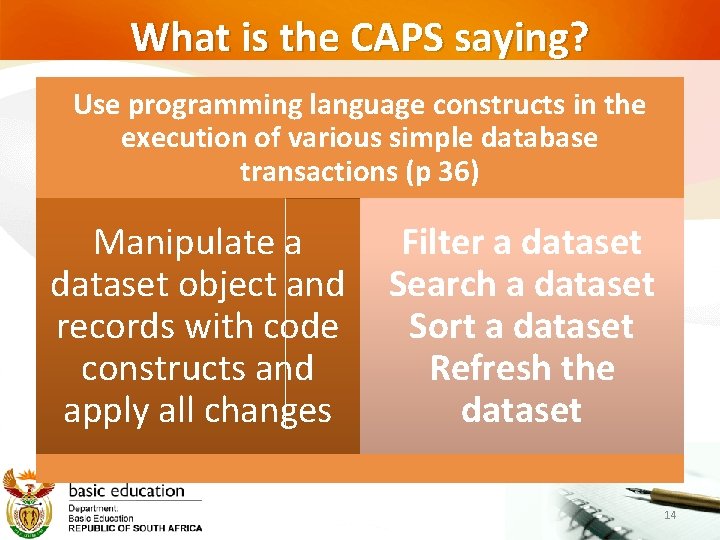
What is the CAPS saying? Use programming language constructs in the execution of various simple database transactions (p 36) Manipulate a dataset object and records with code constructs and apply all changes Filter a dataset Search a dataset Sort a dataset Refresh the dataset 14
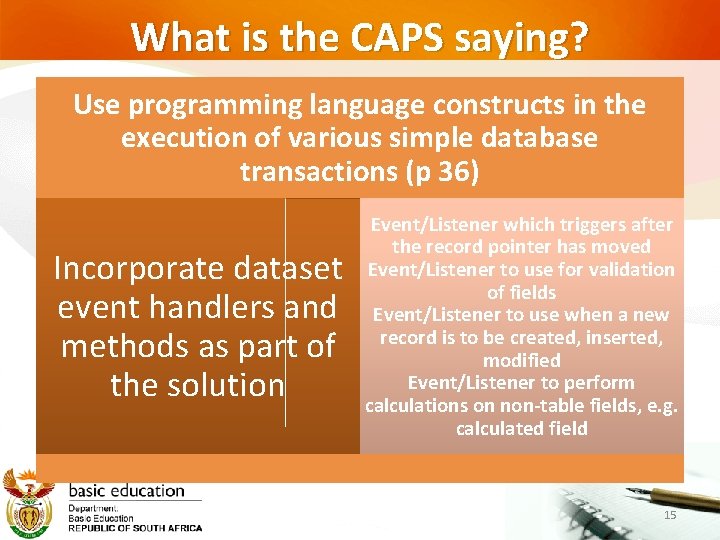
What is the CAPS saying? Use programming language constructs in the execution of various simple database transactions (p 36) Incorporate dataset event handlers and methods as part of the solution Event/Listener which triggers after the record pointer has moved Event/Listener to use for validation of fields Event/Listener to use when a new record is to be created, inserted, modified Event/Listener to perform calculations on non-table fields, e. g. calculated field 15
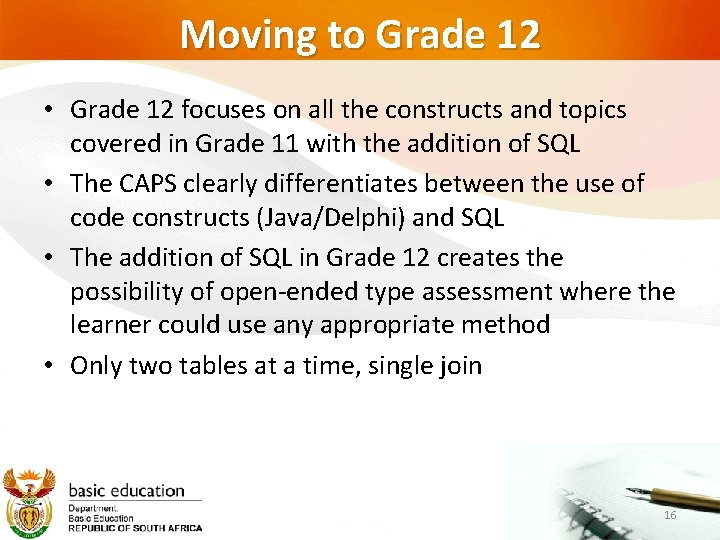
Moving to Grade 12 • Grade 12 focuses on all the constructs and topics covered in Grade 11 with the addition of SQL • The CAPS clearly differentiates between the use of code constructs (Java/Delphi) and SQL • The addition of SQL in Grade 12 creates the possibility of open-ended type assessment where the learner could use any appropriate method • Only two tables at a time, single join 16
Software Engineering Tools Design/Planning Tools 17
Design Tools “A problem well stated is a problem half solved. ” Dale Carnegie “Get the facts. Letʼs not even attempt to solve our problems without first collecting all the facts in an impartial manner. ” Charles F. Kettering 18
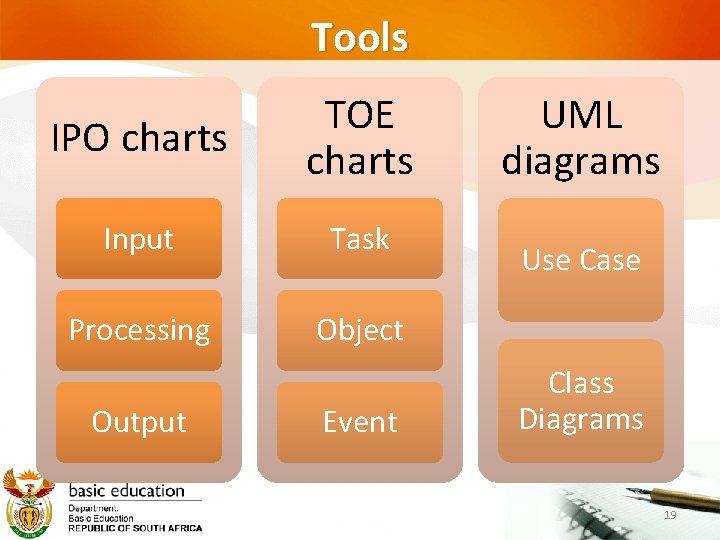
Tools IPO charts TOE charts Input Task Processing Object Output Event UML diagrams Use Case Class Diagrams 19
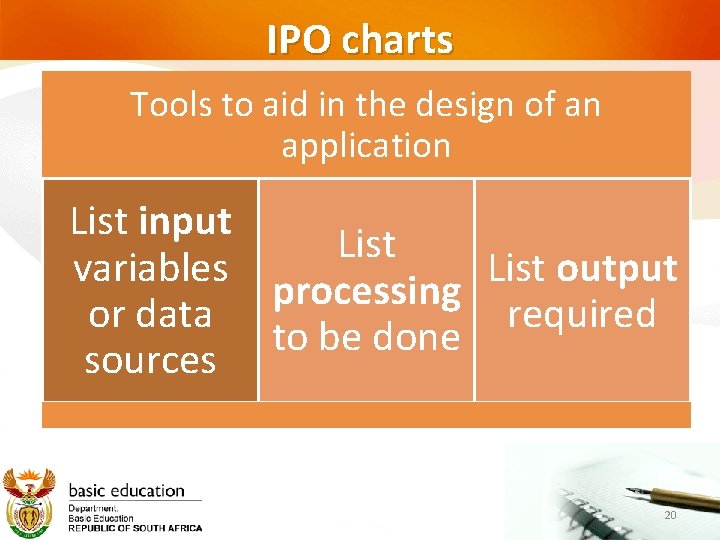
IPO charts Tools to aid in the design of an application List input List variables List output processing or data required to be done sources 20
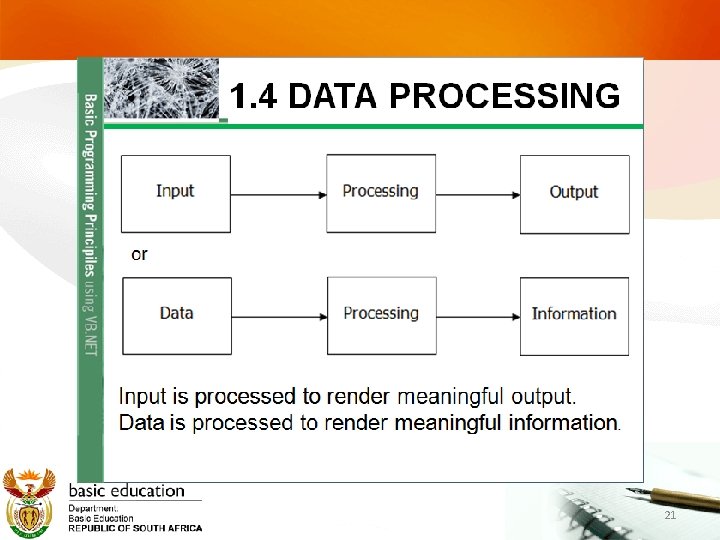
21
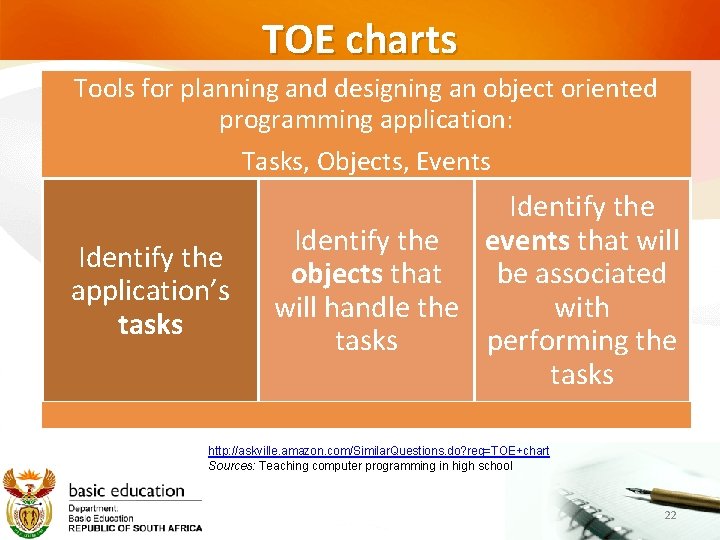
TOE charts Tools for planning and designing an object oriented programming application: Tasks, Objects, Events Identify the application’s tasks Identify the events that will objects that be associated will handle the with tasks performing the tasks http: //askville. amazon. com/Similar. Questions. do? req=TOE+chart Sources: Teaching computer programming in high school 22
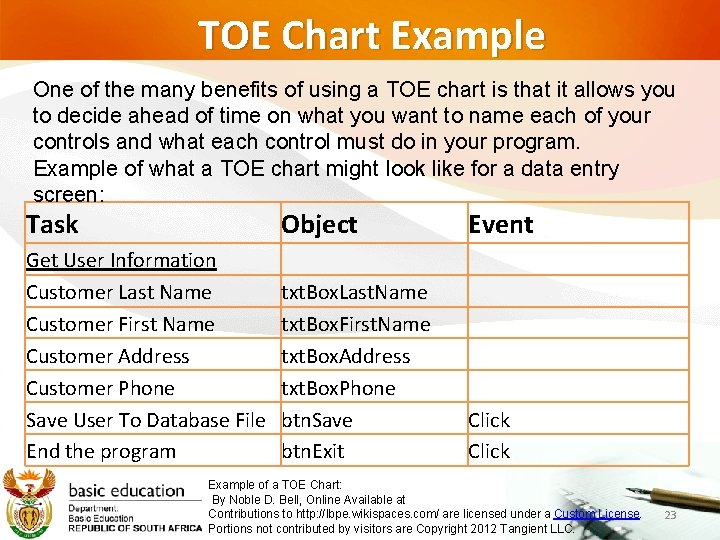
TOE Chart Example One of the many benefits of using a TOE chart is that it allows you to decide ahead of time on what you want to name each of your controls and what each control must do in your program. Example of what a TOE chart might look like for a data entry screen: Task Object Event Get User Information Customer Last Name Customer First Name Customer Address Customer Phone Save User To Database File End the program txt. Box. Last. Name txt. Box. First. Name txt. Box. Address txt. Box. Phone btn. Save btn. Exit Click Example of a TOE Chart: By Noble D. Bell, Online Available at Contributions to http: //lbpe. wikispaces. com/ are licensed under a Custom License. Portions not contributed by visitors are Copyright 2012 Tangient LLC. 23
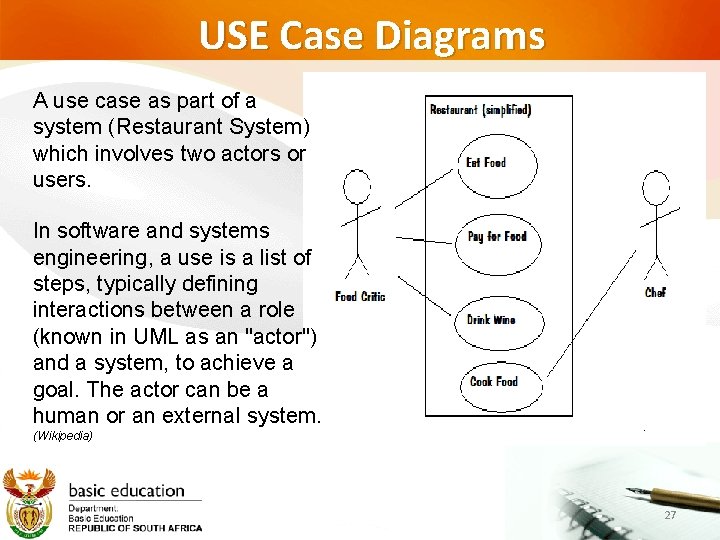
USE Case diagrams • Use case diagrams forms part of the Unified Modelling Language (UML). 24
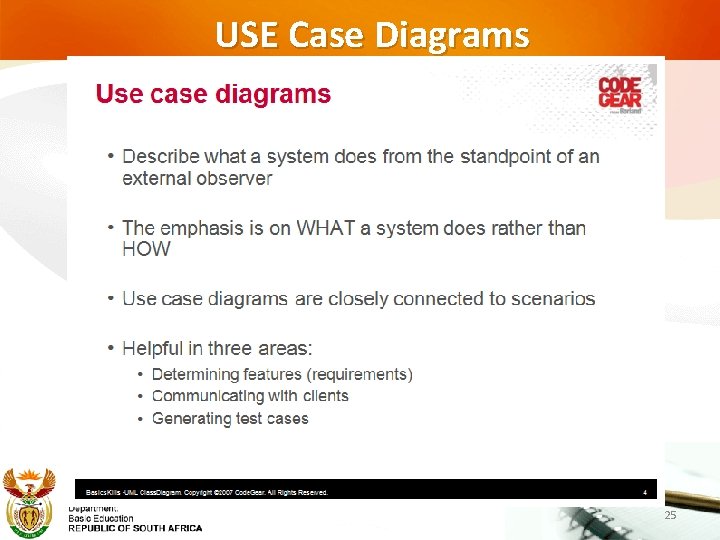
USE Case Diagrams 25
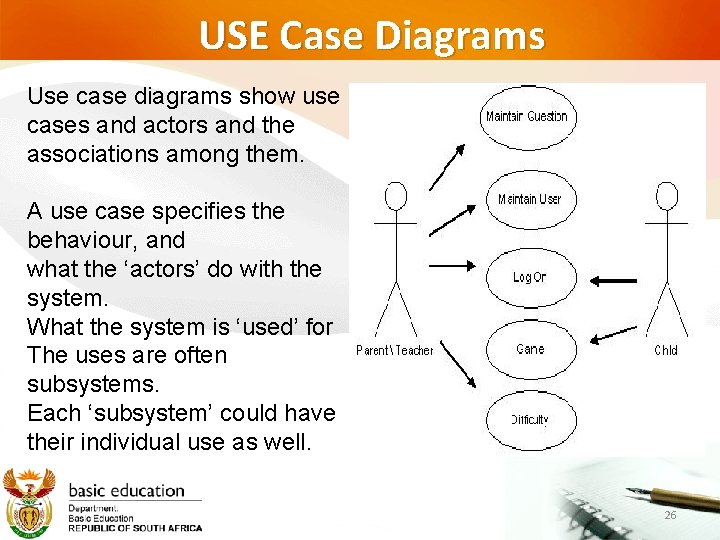
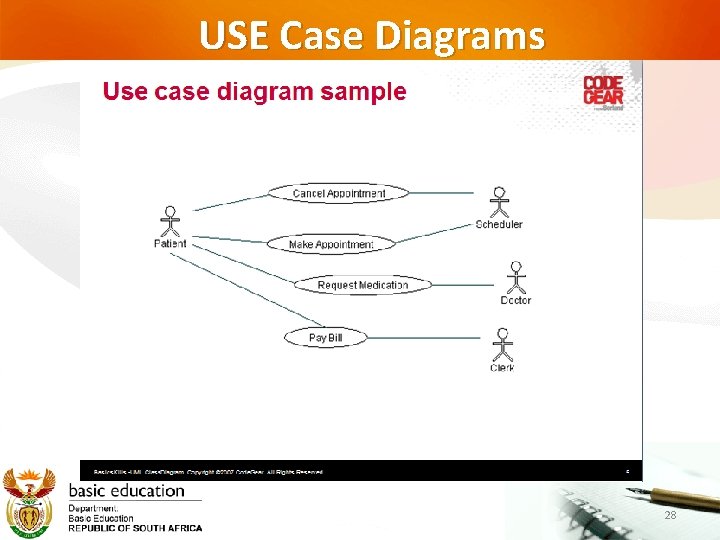
USE Case Diagrams Use case diagrams show use cases and actors and the associations among them. A use case specifies the behaviour, and what the ‘actors’ do with the system. What the system is ‘used’ for The uses are often subsystems. Each ‘subsystem’ could have their individual use as well. 26
USE Case Diagrams A use case as part of a system (Restaurant System) which involves two actors or users. In software and systems engineering, a use is a list of steps, typically defining interactions between a role (known in UML as an "actor") and a system, to achieve a goal. The actor can be a human or an external system. (Wikipedia) 27
USE Case Diagrams 28
Example of IPO diagram, TOE Chart and Use Case 29
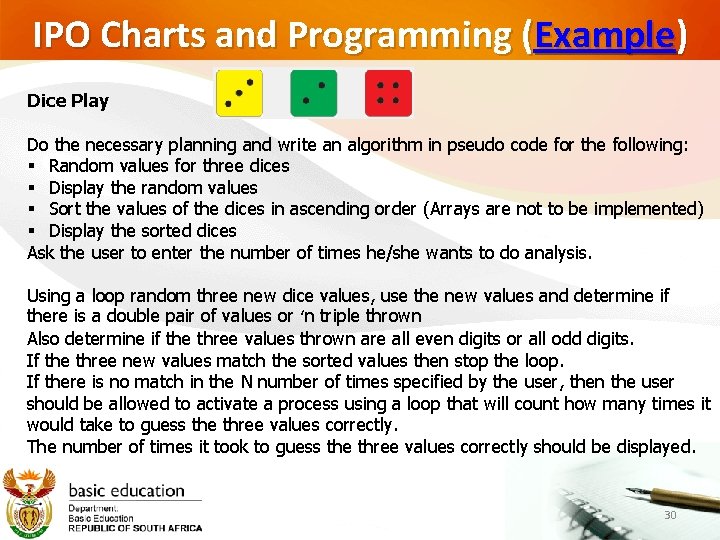
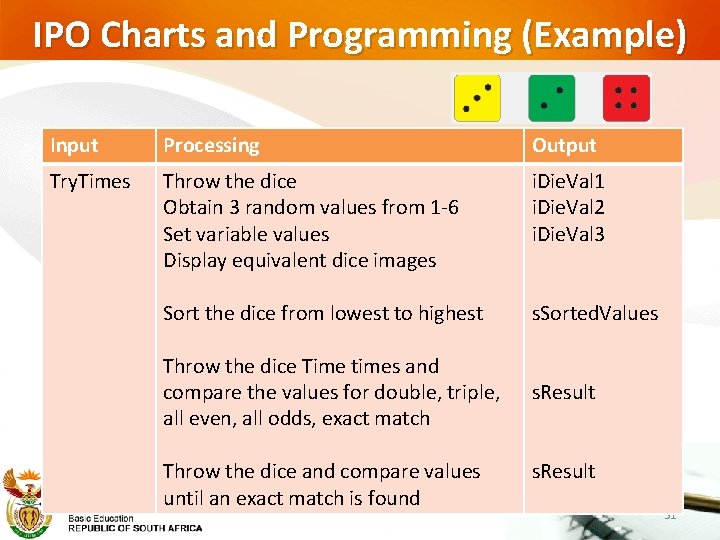
IPO Charts and Programming (Example) Dice Play Do the necessary planning and write an algorithm in pseudo code for the following: § Random values for three dices § Display the random values § Sort the values of the dices in ascending order (Arrays are not to be implemented) § Display the sorted dices Ask the user to enter the number of times he/she wants to do analysis. Using a loop random three new dice values, use the new values and determine if there is a double pair of values or ‘n triple thrown Also determine if the three values thrown are all even digits or all odd digits. If the three new values match the sorted values then stop the loop. If there is no match in the N number of times specified by the user, then the user should be allowed to activate a process using a loop that will count how many times it would take to guess the three values correctly. The number of times it took to guess the three values correctly should be displayed. 30
IPO Charts and Programming (Example) Input Processing Output Try. Times Throw the dice Obtain 3 random values from 1 -6 Set variable values Display equivalent dice images i. Die. Val 1 i. Die. Val 2 i. Die. Val 3 Sort the dice from lowest to highest s. Sorted. Values Throw the dice Time times and compare the values for double, triple, all even, all odds, exact match s. Result Throw the dice and compare values until an exact match is found s. Result 31
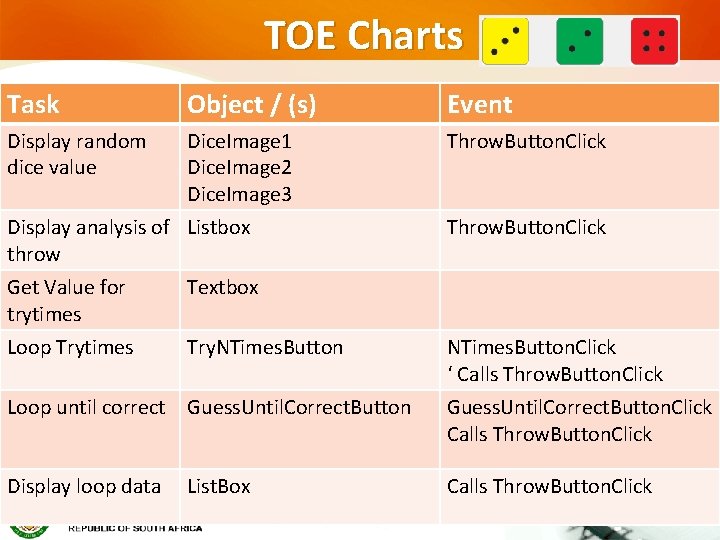
TOE Charts Task Object / (s) Event Display random dice value Dice. Image 1 Dice. Image 2 Dice. Image 3 Throw. Button. Click Display analysis of Listbox throw Get Value for trytimes Textbox Loop Trytimes Try. NTimes. Button Throw. Button. Click NTimes. Button. Click ‘ Calls Throw. Button. Click Loop until correct Guess. Until. Correct. Button. Click Calls Throw. Button. Click Display loop data Calls Throw. Button. Click List. Box 32
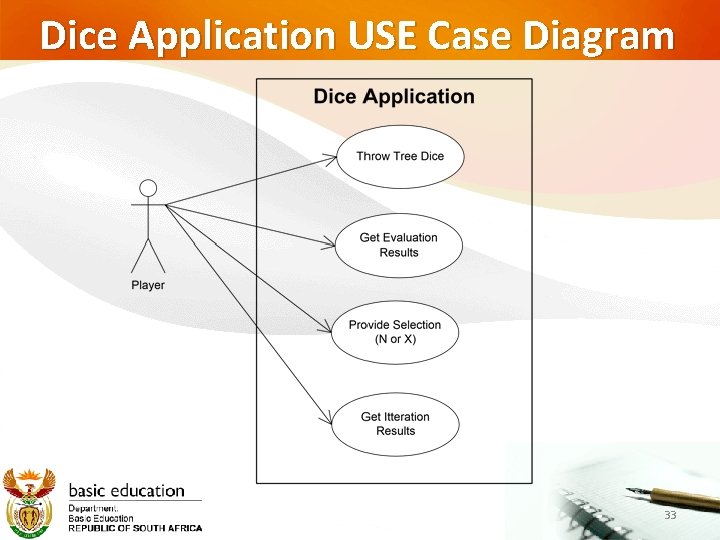
Dice Application USE Case Diagram 33
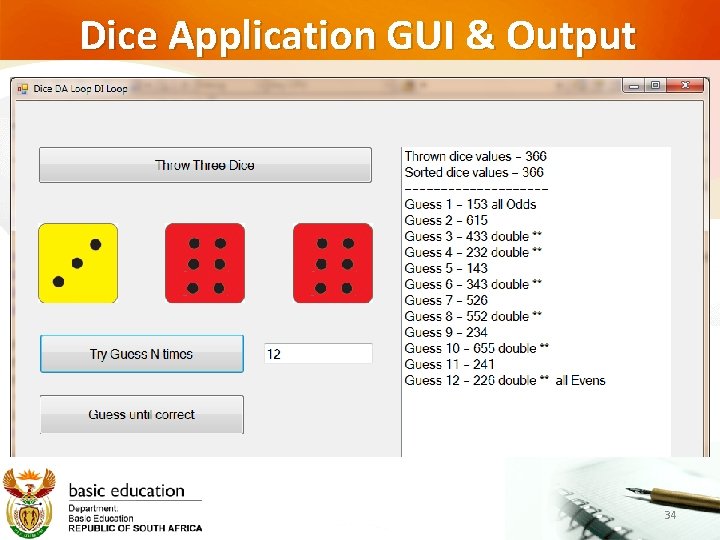
Dice Application GUI & Output 34
Example of IPO and TOE Chart Draft Notes from a publisher © Used with permission 35
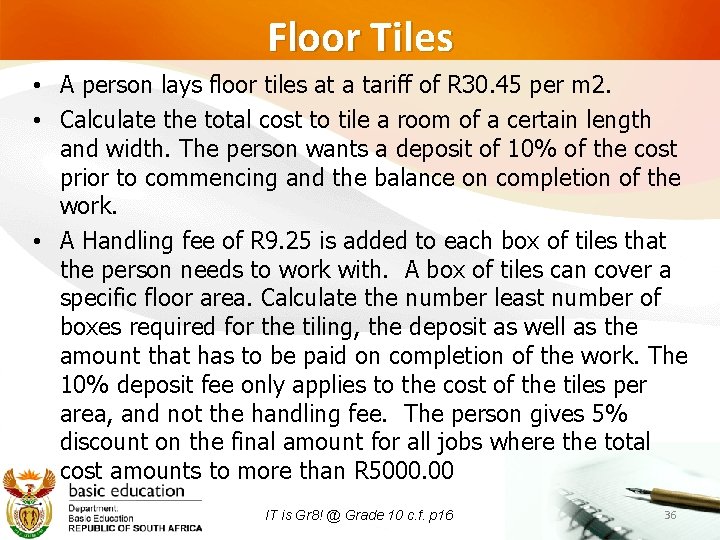
Floor Tiles • A person lays floor tiles at a tariff of R 30. 45 per m 2. • Calculate the total cost to tile a room of a certain length and width. The person wants a deposit of 10% of the cost prior to commencing and the balance on completion of the work. • A Handling fee of R 9. 25 is added to each box of tiles that the person needs to work with. A box of tiles can cover a specific floor area. Calculate the number least number of boxes required for the tiling, the deposit as well as the amount that has to be paid on completion of the work. The 10% deposit fee only applies to the cost of the tiles per area, and not the handling fee. The person gives 5% discount on the final amount for all jobs where the total cost amounts to more than R 5000. 00 IT is Gr 8! @ Grade 10 c. f. p 16 36
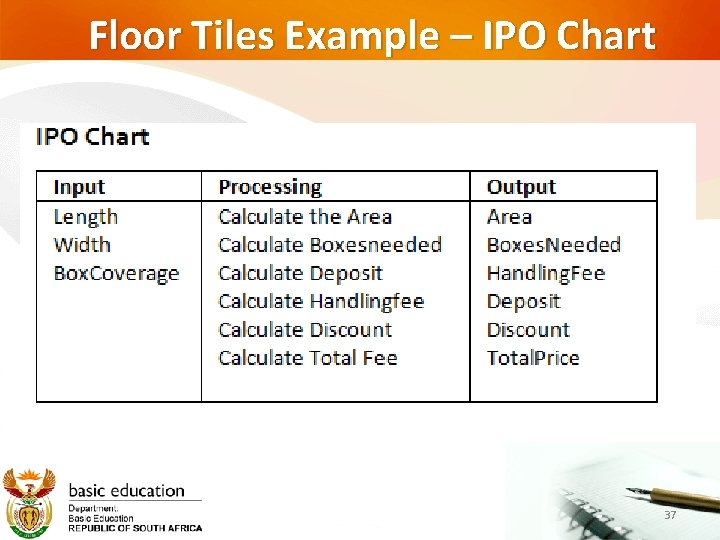
Floor Tiles Example – IPO Chart 37
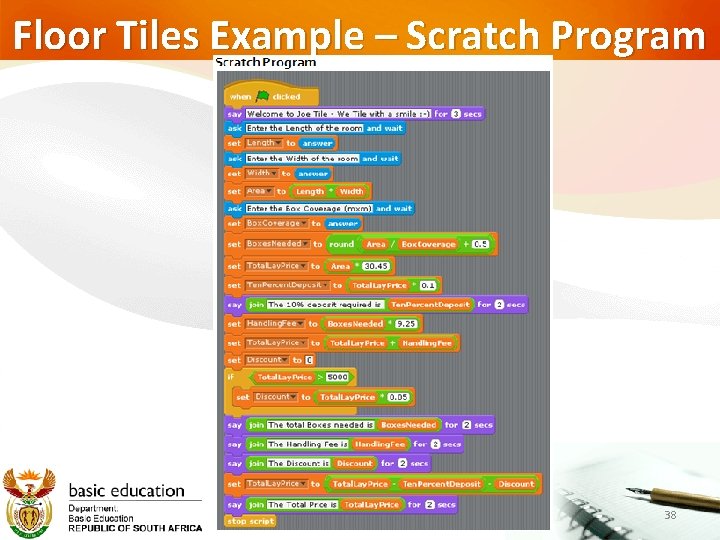
Floor Tiles Example – Scratch Program 38
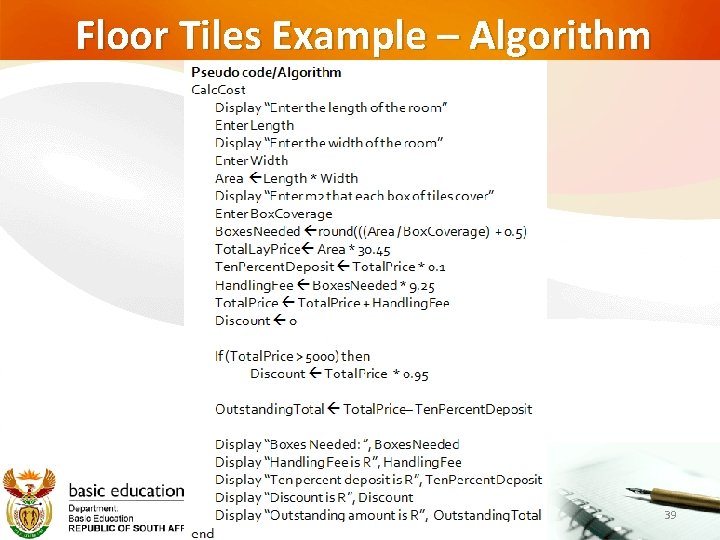
Floor Tiles Example – Algorithm 39
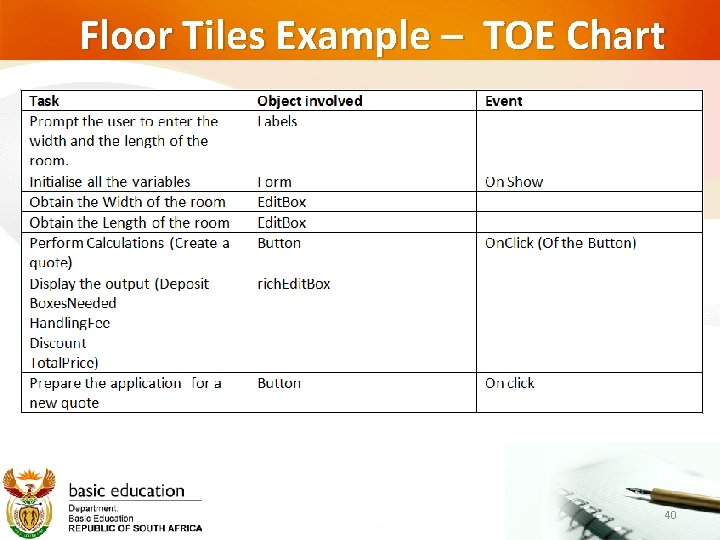
Floor Tiles Example – TOE Chart 40
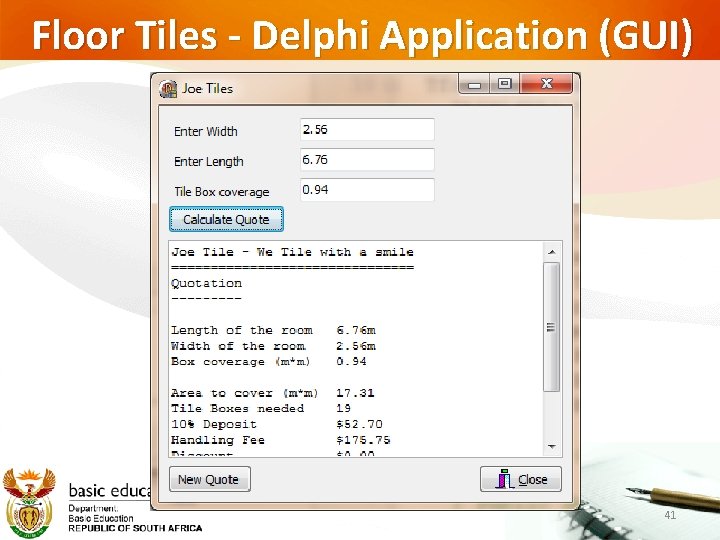
Floor Tiles - Delphi Application (GUI) 41
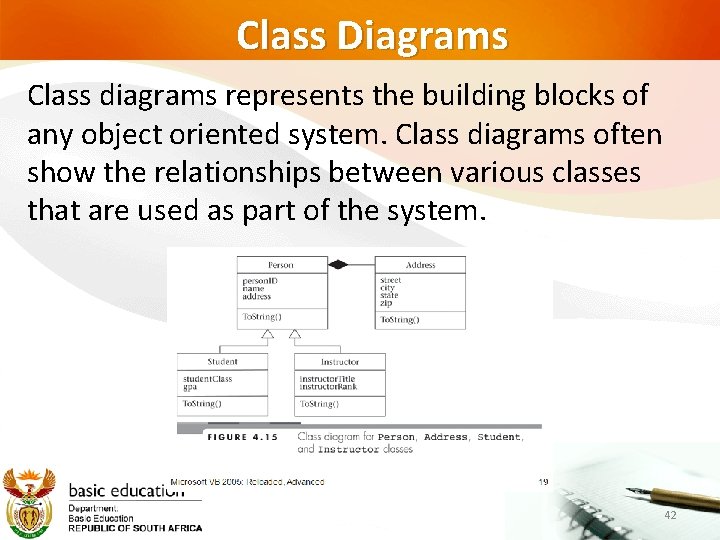
Class Diagrams Class diagrams represents the building blocks of any object oriented system. Class diagrams often show the relationships between various classes that are used as part of the system. 42
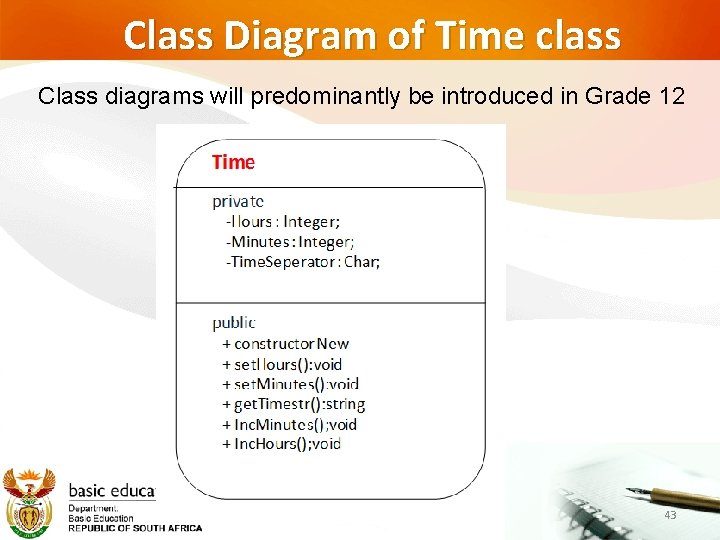
Class Diagram of Time class Class diagrams will predominantly be introduced in Grade 12 43
Questions?