
Session 3 1 CAPS Approach to Programming Part
- Slides: 66
Session 3. 1 CAPS Approach to Programming Part 1 1
Information Technology CAPS 2
Requirements – Grade 11 High-level software development tool that includes an integrated development environment (IDE) which: • supports both structured and object oriented methodologies; • uses a visual development environment with a graphical user interface builder; and • allows for event-driven programming. 3
Requirements – Grade 11 (cont) • The GUI builder should allow for – component based development with a WYSIWYG (what you see is what you get) editor – utilising an event-driven architecture. • The development tool could also include – software design utilities to facilitate the application of software engineering practices. 4
Solution Development The software is developed using appropriate problemsolving techniques, tools and methodologies. Software solution development is achieved through computer programming which could be based on a single or combination of development paradigms such as: event-driven programming (EDP), object-oriented programming (OOP) and sequential programming. 6
Programming - Approach 7
Event Driven Programming • Event-driven/Event-based programming is a programming paradigm in which the flow of the program is determined by events— – i. e. sensor outputs or user actions (mouse clicks, key presses) or messages from other programs or threads. • Event-driven programs can be written in any language, although the task is easier in languages that provide high-level abstractions, such as closures. • Some IDEs provide code generation assistants that automate the most repetitive tasks required for event handling. (Wikipedia) 8
OOP & EDP OOP allows programmers to reuse and modify existing objects resulting in faster program creation. OOP languages are normally event driven, where events are actions to which a program responds, such as pressing a key on a keyboard, typing a value in a text box etc. (Shelly, et al. 2005, I. 17) 9
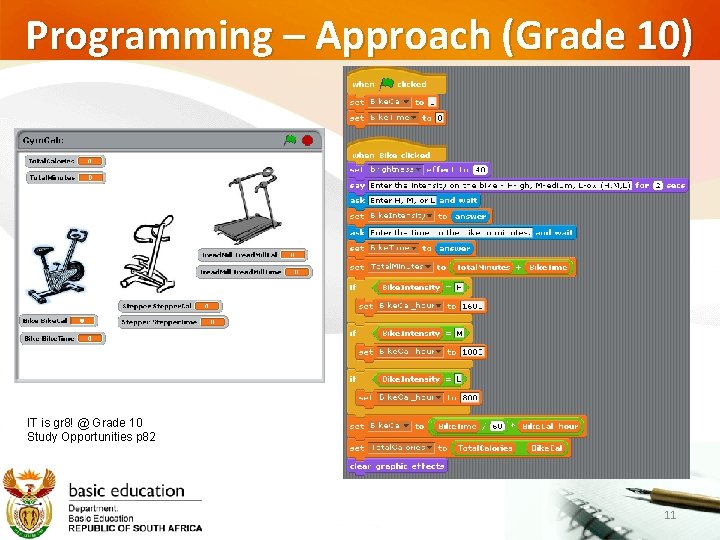
Programming – Approach (Grade 10) Grade 10 Grade 11 (Approach) Basic programming principles and constructs are introduced in Grade 10 through an easy-to-learn, fun tool. An introductory graphical programming teaching tool such as Scratch/BYOB Scratch is used to introduce learners to important computational skills and concepts, algorithm development, problem solving and programming. 10
Programming – Approach (Grade 10) IT is gr 8! @ Grade 10 Study Opportunities p 82 11
Programming - Approach Grade 10 Grade 11 (Approach) The concepts covered/mastered in Gr 10 are reintroduced in Gr 11, but now utilising a High Level Programming Language. Basic programming terminology e. g. Sequential constructs, Conditional constructs, Iteration constructs and Code blocks were introduced and mastered. 12
Programming - Approach Grade 10 Grade 11 (Approach) In Grade 11, learners build on the principles and concepts learned in Grade 10 using a high-level programming language that uses an IDE with a GUI builder i. e. RAD tool. Learners are introduced to controls and code and basic object oriented programming (OOP). Event handling principles are reinforced using the form class, attributes, methods and controls, i. e. EDP 13
Programming - Approach New concepts in Gr. 11 Database concepts Skills to manipulate a database through code constructs are also introduced in Grade 11. Object Orientation Through the use of objects, i. e. from a user first perspective. Using components and existing class libraries. 14
Programming - Approach Pedagogical Difference. NB Previous LPG OO from a bottom up approach (i. e. ‘design’ class first approach) CAPS OO top down approach (i. e. object use approach) 15
Programming - Approach Pedagogical approach of CAPS Visualisation Developing visual (GUI) applications using an IDE which supports EDP based on OOP principles. IDE’s allow for the development of GUI’s which represents interfaces that resemble that of the Operating System. 16
Programming - Approach Pedagogical approach of CAPS Visualisation Using visual constructs to promote learning of abstract concepts e. g. § A List as an Array Learners could visually see manipulation § Components represents objects Association of methods and properties § A DB grid as a ‘fileʼ Visually see fields and records 17
Programming - Approach Grade 11 & Grade 12 (Approach) In Grade 12, the principles and constructs are further emphasised through more advanced concepts and problems and learners should be ready to engage with basic structured query language (SQL) code and manipulating a relational database. 18
Programming - Approach Grade 11 & Grade 12 (Approach) The development of: computational thinking practices of algorithm development, problem solving and programming underpin solution development and should be emphasised from Grade 10 to Grade 12. 19
Solution Development
Programming - Approach GENERAL MISCONCEPTION Visual programming does not promote computational thinking and problem solving. Visual programming adds new dimensions and possibilities. All ‘previous types of questions’ could still be done using a visual approach 21
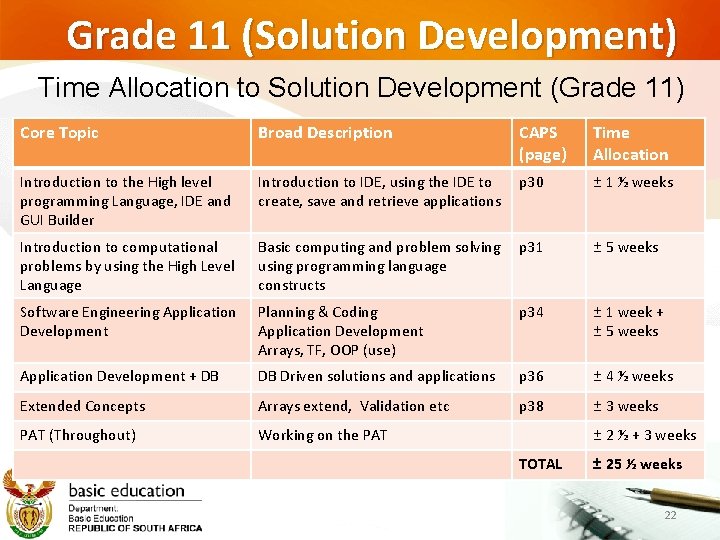
Grade 11 (Solution Development) Time Allocation to Solution Development (Grade 11) Core Topic Broad Description CAPS (page) Time Allocation Introduction to the High level programming Language, IDE and GUI Builder Introduction to IDE, using the IDE to create, save and retrieve applications p 30 ± 1 ½ weeks Introduction to computational problems by using the High Level Language Basic computing and problem solving using programming language constructs p 31 ± 5 weeks Software Engineering Application Development Planning & Coding Application Development Arrays, TF, OOP (use) p 34 ± 1 week + ± 5 weeks Application Development + DB DB Driven solutions and applications p 36 ± 4 ½ weeks Extended Concepts Arrays extend, Validation etc p 38 ± 3 weeks PAT (Throughout) Working on the PAT ± 2 ½ + 3 weeks TOTAL ± 25 ½ weeks 22
Examples of GUIs representing possible solutions to problem descriptions. Typical GUI based applications 23
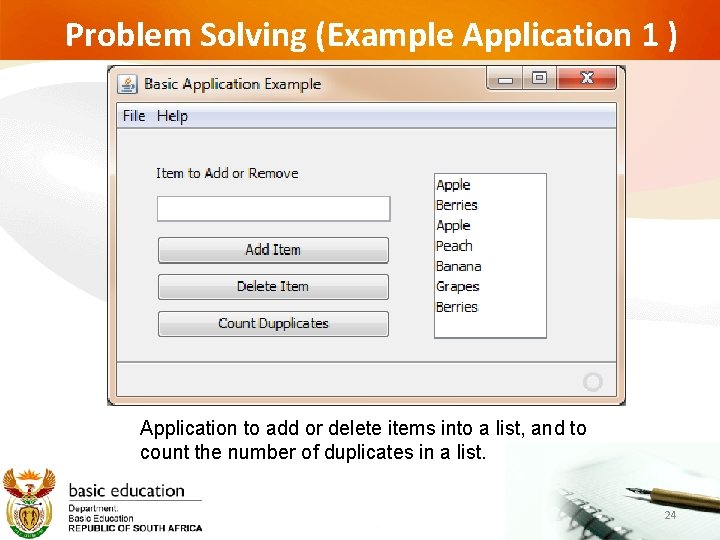
Problem Solving (Example Application 1 ) Application to add or delete items into a list, and to count the number of duplicates in a list. 24
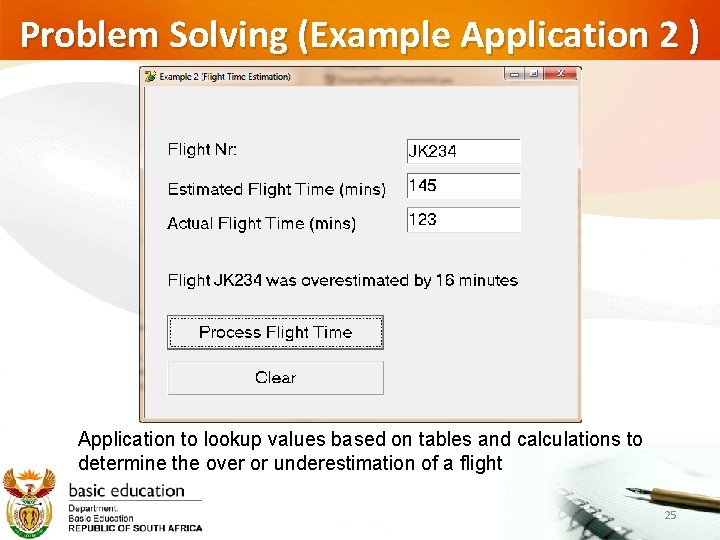
Problem Solving (Example Application 2 ) Application to lookup values based on tables and calculations to determine the over or underestimation of a flight 25
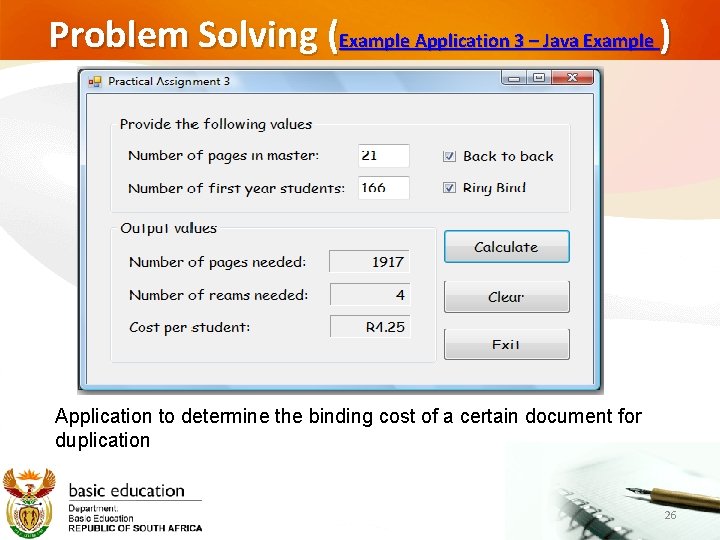
Problem Solving (Example Application 3 – Java Example ) Application to determine the binding cost of a certain document for duplication 26
= Important Consideration = http: //www. iitt-international. com 27
Typical GUI based ‘Game applications’ examples 28
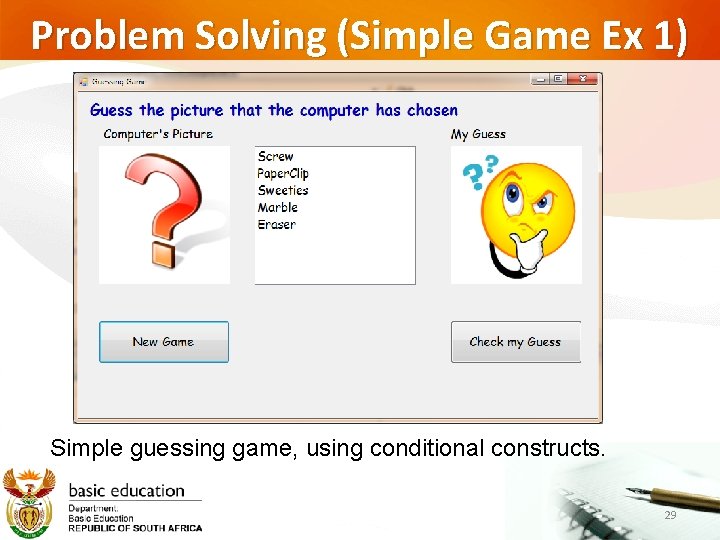
Problem Solving (Simple Game Ex 1) Simple guessing game, using conditional constructs. 29
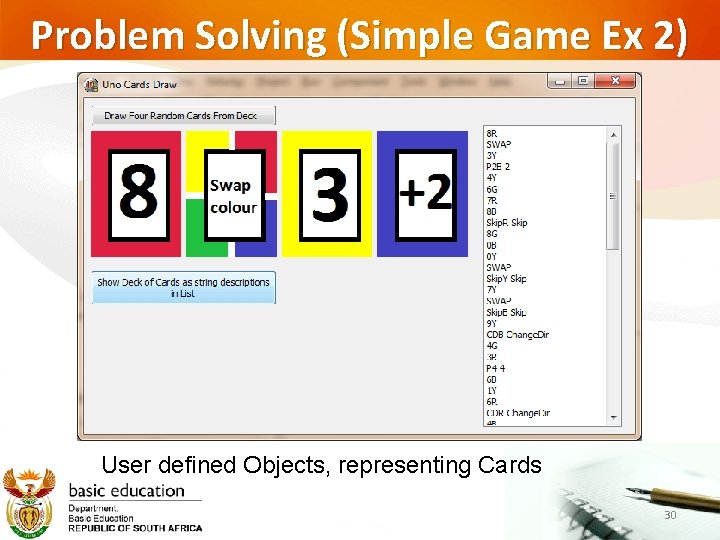
Problem Solving (Simple Game Ex 2) User defined Objects, representing Cards 30
Event Driven Programming (EDP) and Scratch toward a High Level Programming Approach. An Example 31
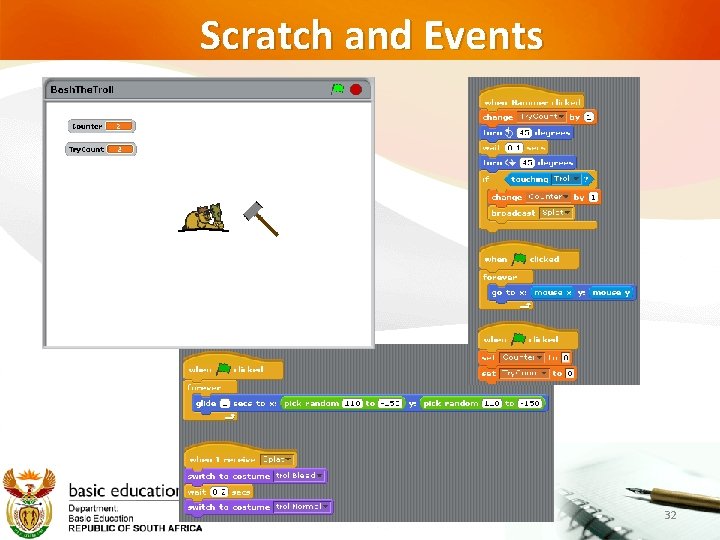
Scratch and Events 32
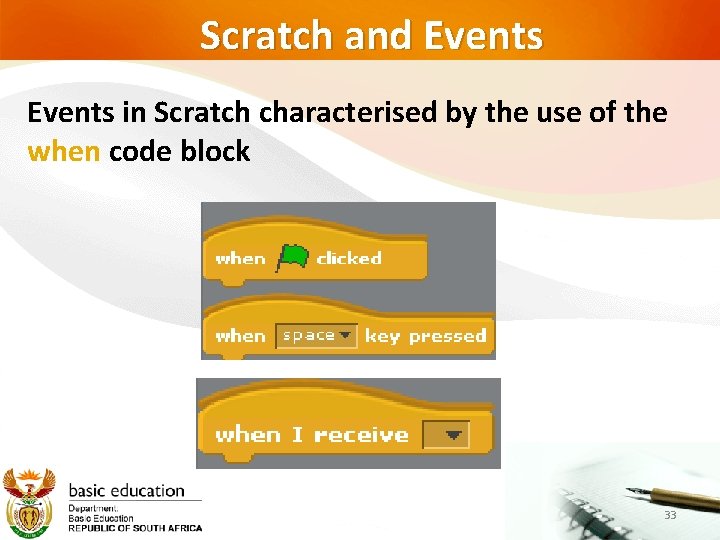
Scratch and Events in Scratch characterised by the use of the when code block 33
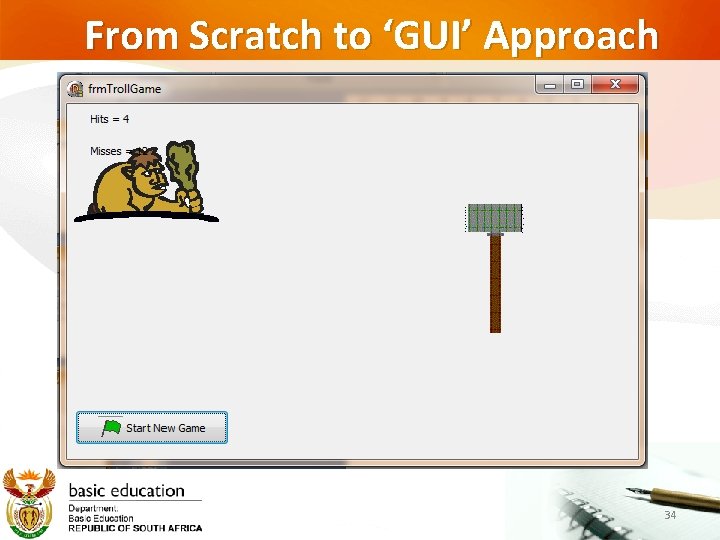
From Scratch to ‘GUI’ Approach 34
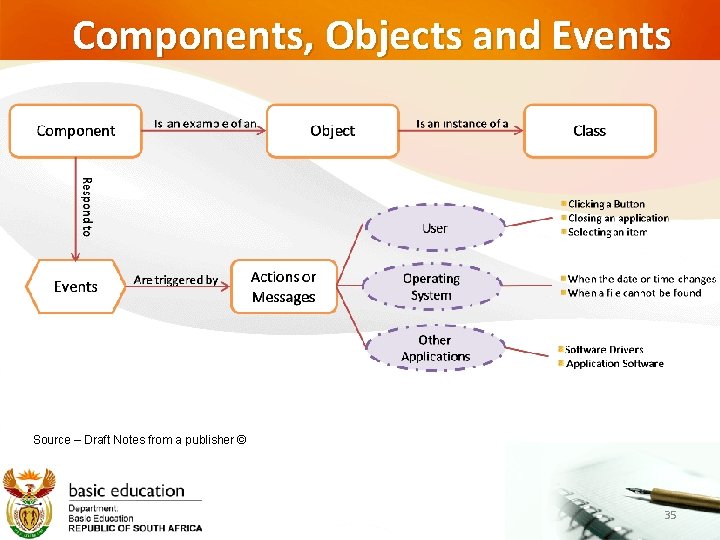
Components, Objects and Events Source – Draft Notes from a publisher © 35
Components, Objects and Events Components are the building blocks for your application. RAD tools have pre-designed components that we will use in the development of applications. Examples of components are Buttons, Labels, Textboxes, Menus, etc. All visual components have properties. In many instances the programmer will utilise the various events associated to the components to write code to respond to the various possible actions. Source – Draft Notes from a publisher © 36
Object Orientation Foundations through the utilisation of Graphical Components An Overview 37
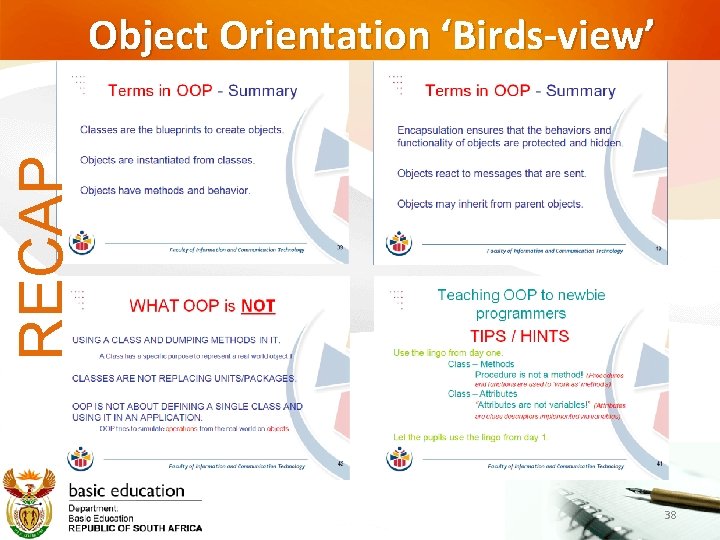
RECAP Object Orientation ‘Birds-view’ 38
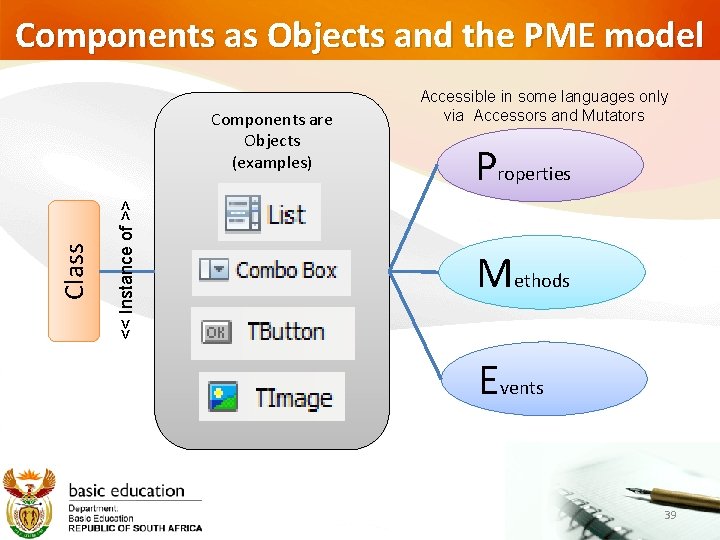
Components as Objects and the PME model << Instance of >> Class Components are Objects (examples) Accessible in some languages only via Accessors and Mutators Properties Methods Events 39
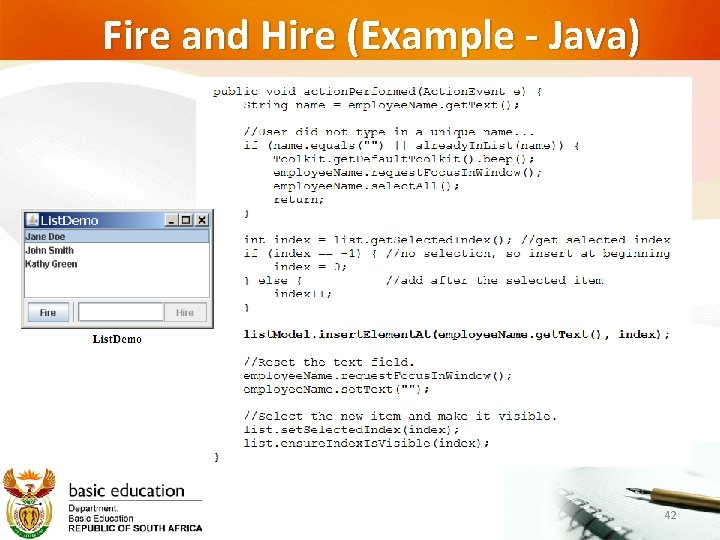
Java Example Using a List Adding and Deleting an Item Using Methods & Events 40
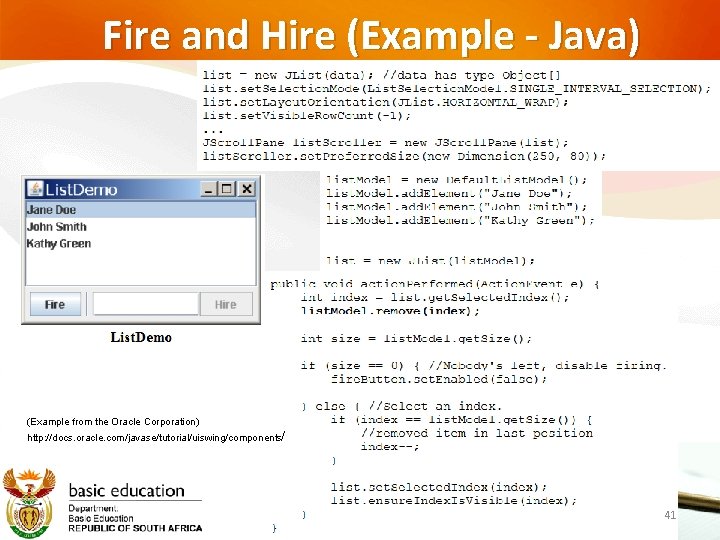
Fire and Hire (Example - Java) (Example from the Oracle Corporation) http: //docs. oracle. com/javase/tutorial/uiswing/components/ 41
Fire and Hire (Example - Java) 42
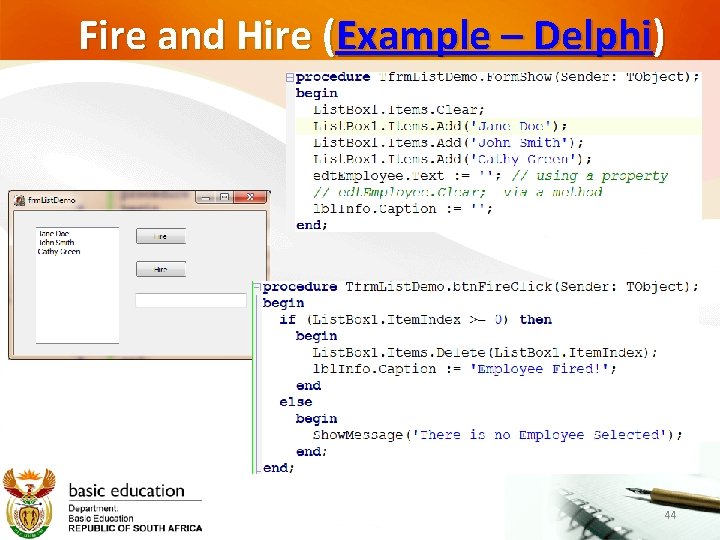
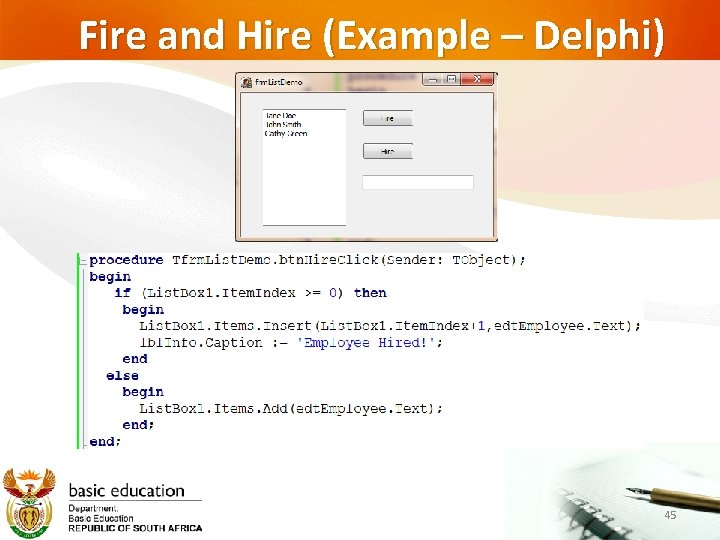
Delphi Example Using a List Adding and Deleting an Item Using ‘PME’ 43
Fire and Hire (Example – Delphi) 44
Fire and Hire (Example – Delphi) 45
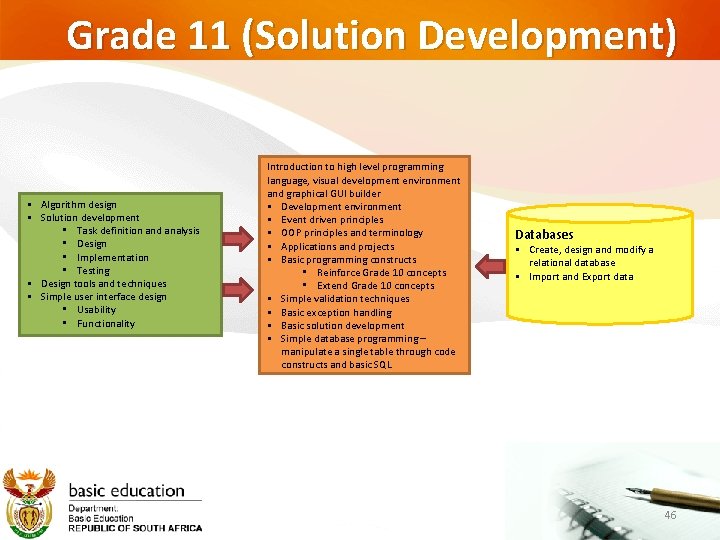
Grade 11 (Solution Development) § Algorithm design § Solution development • Task definition and analysis • Design • Implementation • Testing § Design tools and techniques § Simple user interface design • Usability • Functionality Introduction to high level programming language, visual development environment and graphical GUI builder § Development environment § Event driven principles § OOP principles and terminology § Applications and projects § Basic programming constructs • Reinforce Grade 10 concepts • Extend Grade 10 concepts § Simple validation techniques § Basic exception handling § Basic solution development § Simple database programming – manipulate a single table through code constructs and basic SQL Databases § Create, design and modify a relational database § Import and Export data 46
Solution Development and DB Driven Applications 47
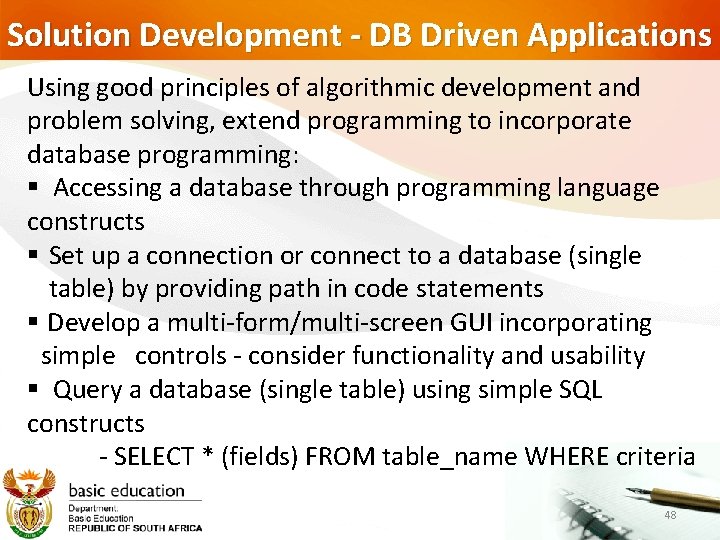
Solution Development - DB Driven Applications Using good principles of algorithmic development and problem solving, extend programming to incorporate database programming: § Accessing a database through programming language constructs § Set up a connection or connect to a database (single table) by providing path in code statements § Develop a multi-form/multi-screen GUI incorporating simple controls - consider functionality and usability § Query a database (single table) using simple SQL constructs - SELECT * (fields) FROM table_name WHERE criteria 48
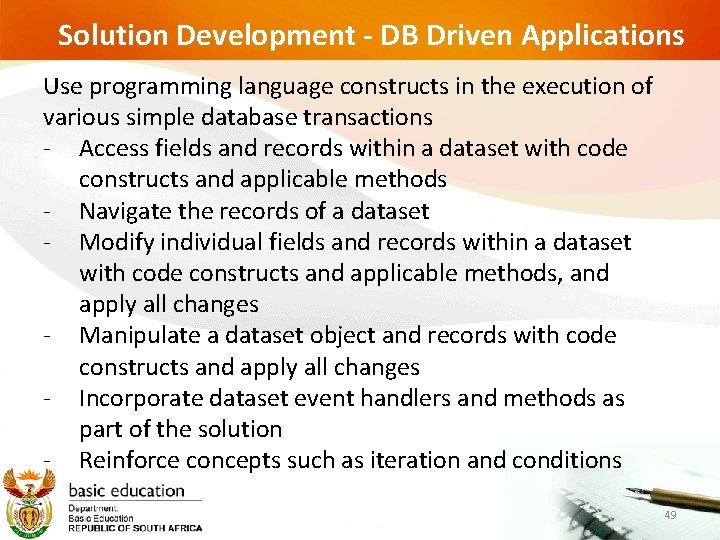
Solution Development - DB Driven Applications Use programming language constructs in the execution of various simple database transactions - Access fields and records within a dataset with code constructs and applicable methods - Navigate the records of a dataset - Modify individual fields and records within a dataset with code constructs and applicable methods, and apply all changes - Manipulate a dataset object and records with code constructs and apply all changes - Incorporate dataset event handlers and methods as part of the solution - Reinforce concepts such as iteration and conditions 49
Solution Development - DB Driven Applications Use common dataset event handlers in the development of a solution § Reinforce methods as part of a solution § Apply simple parameter passing and return values using class methods as part of the form class § Design and develop solutions for specific problems that include computational thinking and applying software engineering principles Apply generic algorithms as part of the solution Incorporating database transactions managed by methods or events 50
Solution Development - DB Driven Applications - - Apply generic algorithms as part of the solution Incorporating database transactions managed by methods or events Devise a specific algorithm where applicable to solve a problem utilising user-defined code constructs or built-in methods Motivate the use of a specific algorithm Validate the solution against a set of data using different techniques, e. g. trace tables, watches, manual output comparison 51
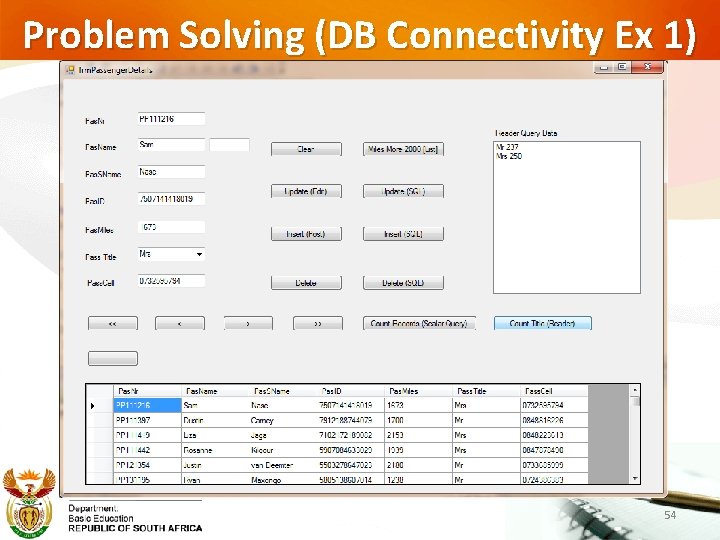
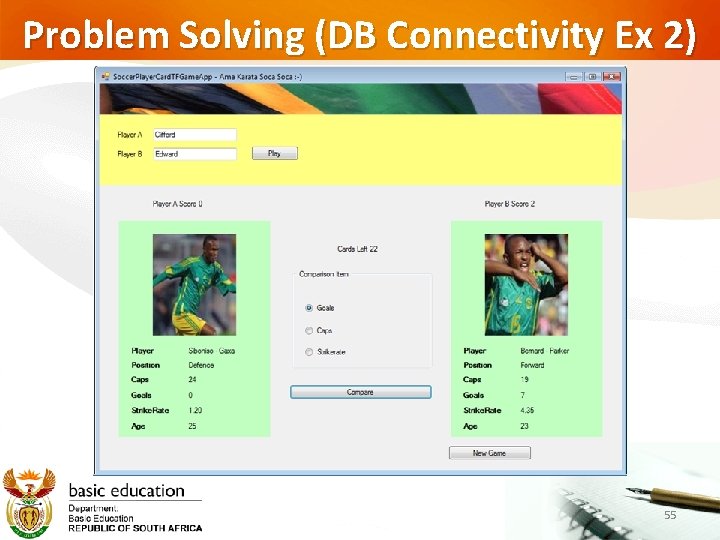
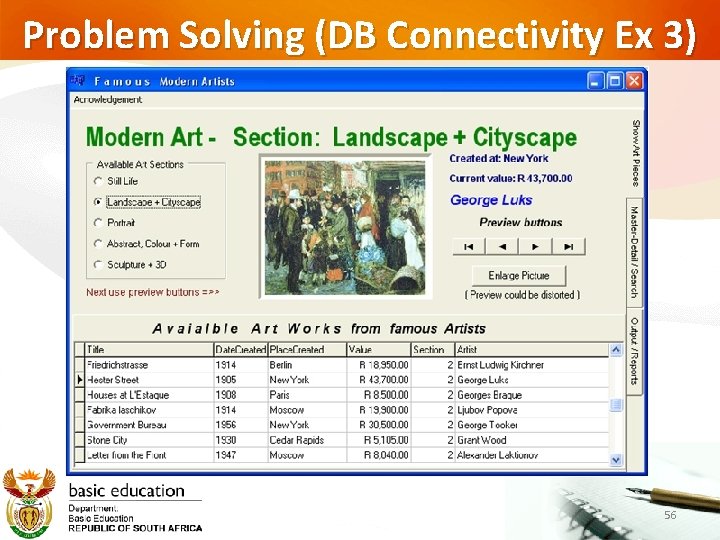
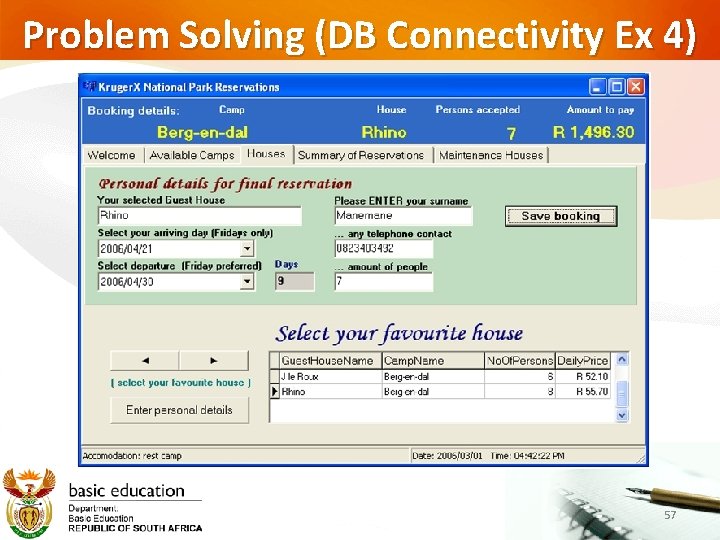
Solution Development - DB Driven Applications Design and develop solutions for specific problems that include • computational thinking and • applying software engineering principles • using event-driven programming • within the OOP paradigm • which may include database connectivity as part of the solution 52
Examples of DB driven Applications 53
Problem Solving (DB Connectivity Ex 1) 54
Problem Solving (DB Connectivity Ex 2) 55
Problem Solving (DB Connectivity Ex 3) 56
Problem Solving (DB Connectivity Ex 4) 57
DB Application (Delphi Example) 58
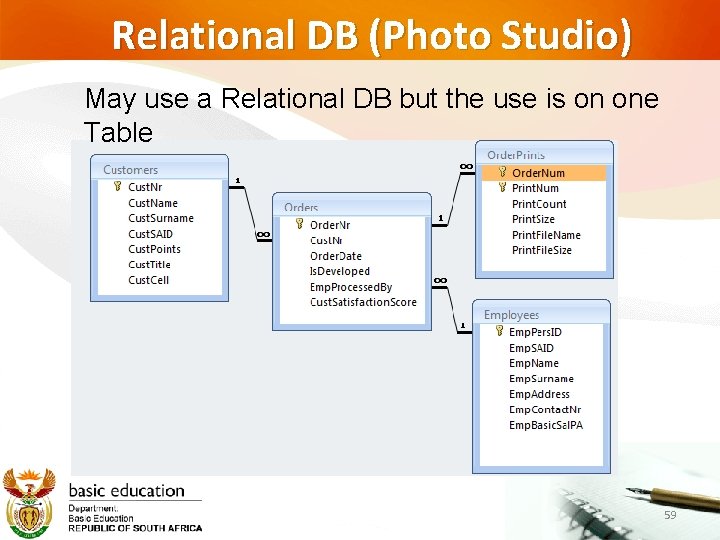
Relational DB (Photo Studio) May use a Relational DB but the use is on one Table 59
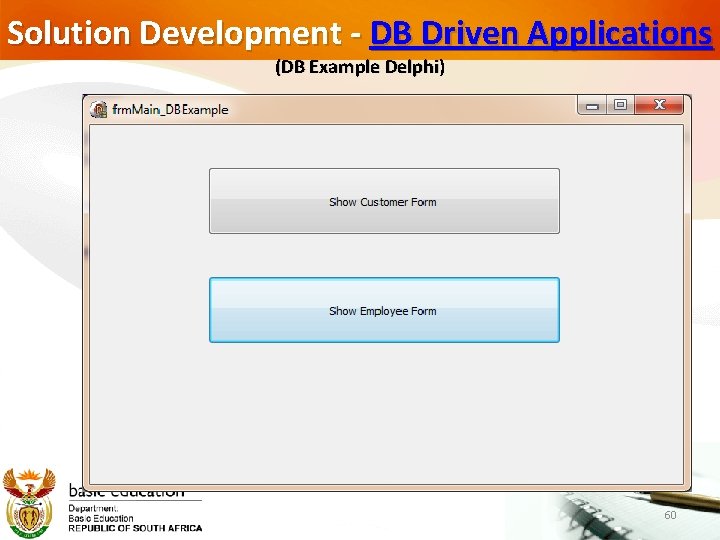
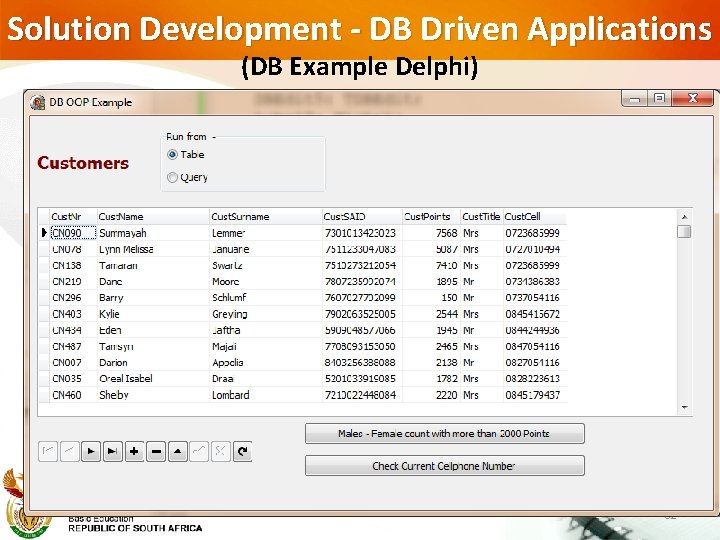
Solution Development - DB Driven Applications (DB Example Delphi) 60
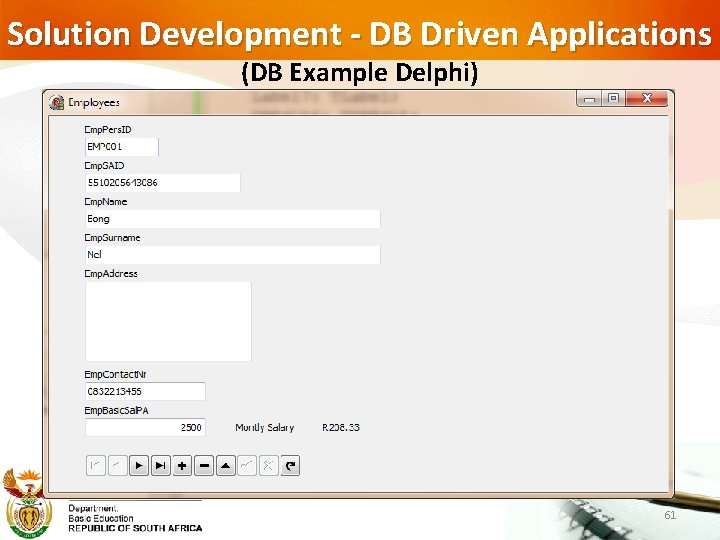
Solution Development - DB Driven Applications (DB Example Delphi) 61
Solution Development - DB Driven Applications (DB Example Delphi) 62
Delphi Application Code 63
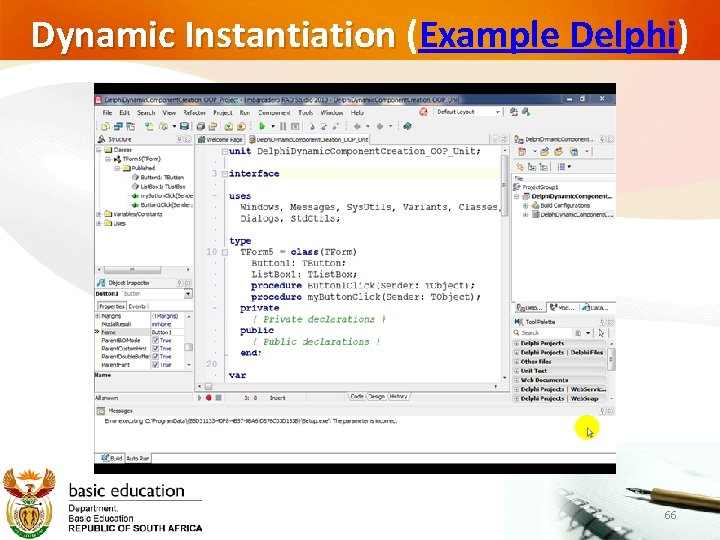
Instantiating Components using Code (Object Orientation) Dynamically instantiate simple objects from existing classes which supports the development of the solution, e. g. a list, image and relevant controls by invoking a constructor (CAPS p 31) Examples (video’s Java/Delphi) 64
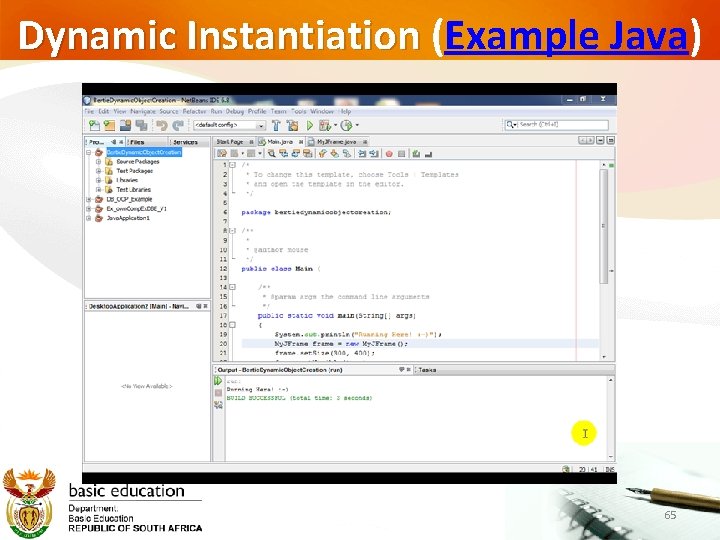
Dynamic Instantiation (Example Java) 65
Dynamic Instantiation (Example Delphi) 66
Questions? 67