
Session 29 Enterprise Identity Management Leveraging Participation Management
- Slides: 19
Session 29 Enterprise Identity Management – Leveraging Participation Management (PM) to Provide Single Sign-On for COD Bridget-Anne Hampden | Nov. 2012 U. S. Department of Education 2012 Fall Conference
Contents • • 2 Current State Objectives of the Enterprise Identity Management Service (EIMS) Project – Phases 1 and 2 Approach EIMS Target State Changes Important Dates Next Steps Questions
Current State: User Feedback We Heard You Loud and Clear: Multiple log-ins for COD are frustrating and inefficient. EIMS is a solution which allows a single user sign-on for COD and other FSA systems. 3
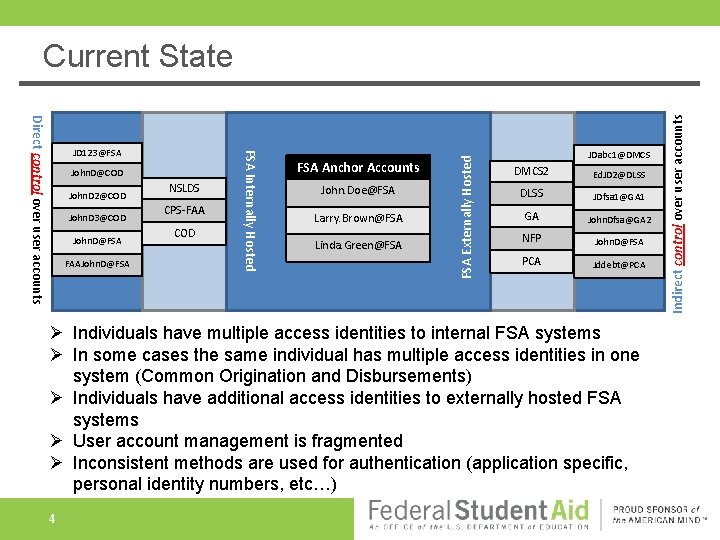
John. D 2@COD John. D 3@COD John. D@FSA FAAJohn. D@FSA NSLDS CPS-FAA COD FSA Anchor Accounts John. Doe@FSA Larry. Brown@FSA Linda. Green@FSA JDabc 1@DMCS 2 Ed. JD 2@DLSS JDfsa 1@GA 1 GA John. Dfsa@GA 2 NFP John. D@FSA PCA Jddebt@PCA Ø Individuals have multiple access identities to internal FSA systems Ø In some cases the same individual has multiple access identities in one system (Common Origination and Disbursements) Ø Individuals have additional access identities to externally hosted FSA systems Ø User account management is fragmented Ø Inconsistent methods are used for authentication (application specific, personal identity numbers, etc…) 4 Indirect control over user accounts John. D@COD FSA Internally Hosted Direct control over user accounts JD 123@FSA Externally Hosted Current State
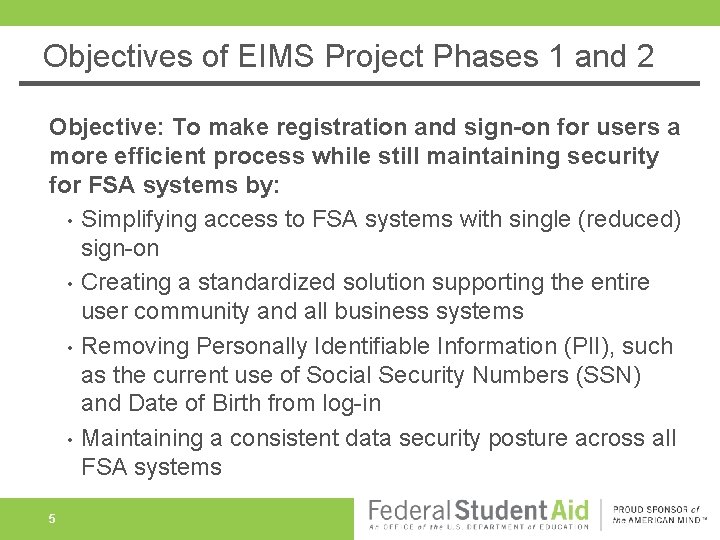
Objectives of EIMS Project Phases 1 and 2 Objective: To make registration and sign-on for users a more efficient process while still maintaining security for FSA systems by: • Simplifying access to FSA systems with single (reduced) sign-on • Creating a standardized solution supporting the entire user community and all business systems • Removing Personally Identifiable Information (PII), such as the current use of Social Security Numbers (SSN) and Date of Birth from log-in • Maintaining a consistent data security posture across all FSA systems 5
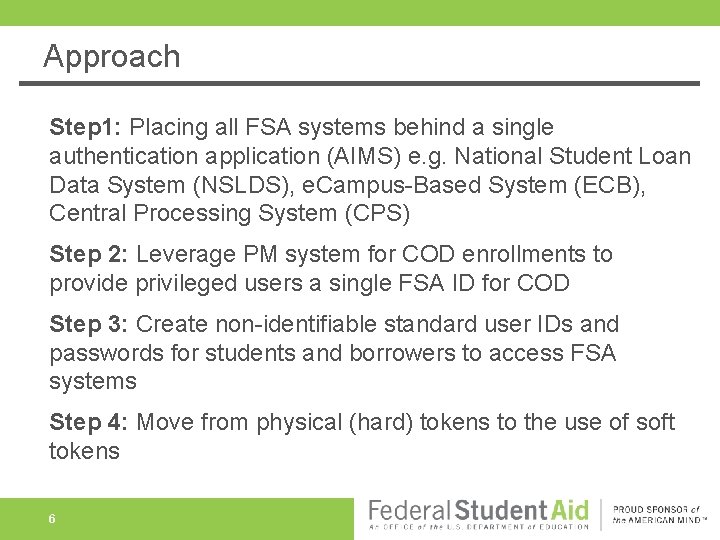
Approach Step 1: Placing all FSA systems behind a single authentication application (AIMS) e. g. National Student Loan Data System (NSLDS), e. Campus-Based System (ECB), Central Processing System (CPS) Step 2: Leverage PM system for COD enrollments to provide privileged users a single FSA ID for COD Step 3: Create non-identifiable standard user IDs and passwords for students and borrowers to access FSA systems Step 4: Move from physical (hard) tokens to the use of soft tokens 6
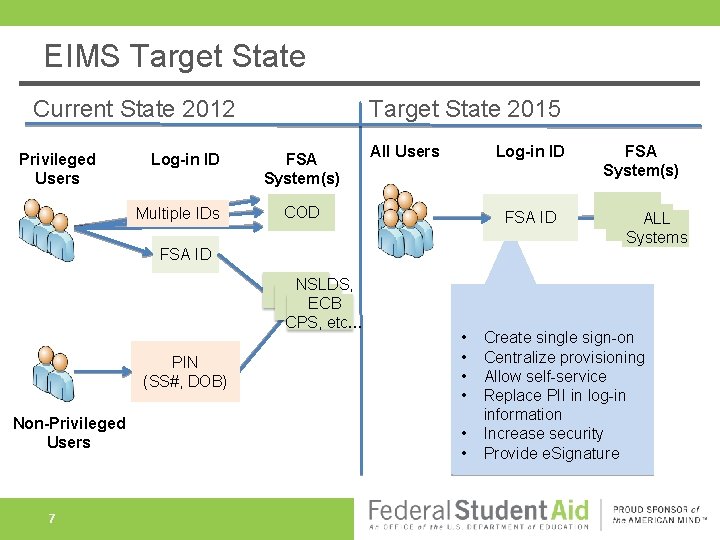
EIMS Target State Current State 2012 Privileged Users Log-in ID Multiple IDs Target State 2015 FSA System(s) All Users Log-in ID COD FSA ID NSLDS, ECB CPS, etc… PIN (SS#, DOB) Non-Privileged Users 7 • • • FSA System(s) CODALL COD Systems Create single sign-on Centralize provisioning Allow self-service Replace PII in log-in information Increase security Provide e. Signature
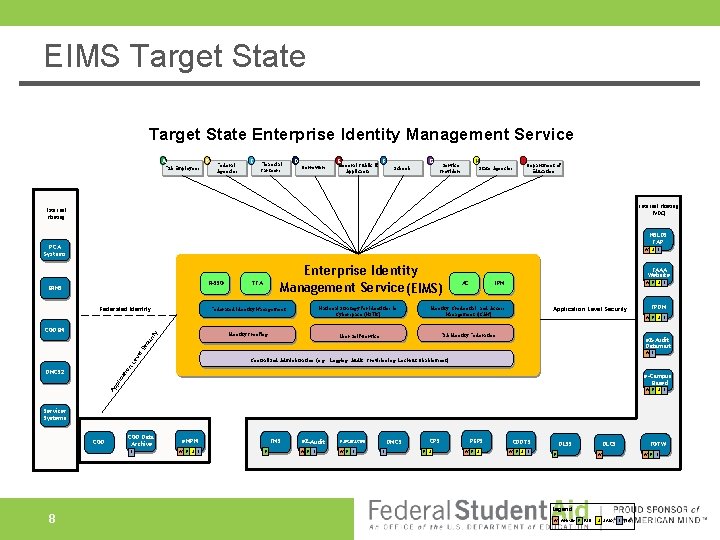
EIMS Target State Enterprise Identity Management Service A B FSA Employees Federal Agencies C Financial Partners D E Borrowers General Public & Applicants F G Schools H Service Providers I State Agencies Department of Education Internal Hosting (VDC) External Hosting NSLDS FAP PCA Systems W S I R-SSO ERMS Federated Identity TFA Federated Identity Management FAAA Website AC IPM National Strategy for Identities in Cyberspace (NSTIC) Identity, Credential, and Access Management (ICAM) User Self-Service FSA Identity Federation Identity Proofing W E S I Application Level Security FPDM W E S I e. Z-Audit Datamart l. S ec ur ity CODEN Enterprise Identity Management Service (EIMS) Le ve W I n Centralized Administration (e. g. , Logging, Audit, Provisioning, Lockout Disablement) io DMCS 2 Ap pl ic at e-Campus Based W E S I Application Specific Security Servicer Systems COD Data Archive I 8 e. MPN W E S I FMS E e. Z -Audit FAFSA 4 CASTER W E I DMCS I CPS E S PEPS W E S CDDTS W E S I DLSS E DLCS FOTW W W E I Legend W Website E ESB S SAIG I ITA
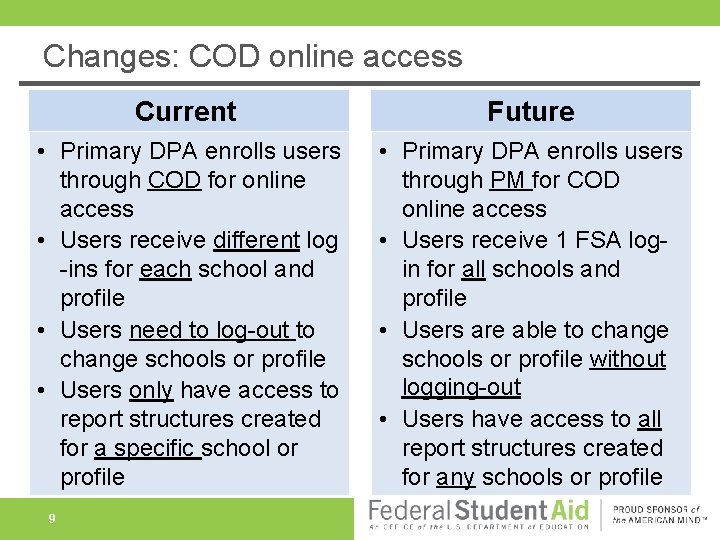
Changes: COD online access Current Future • Primary DPA enrolls users through COD for online access • Users receive different log -ins for each school and profile • Users need to log-out to change schools or profile • Users only have access to report structures created for a specific school or profile • Primary DPA enrolls users through PM for COD online access • Users receive 1 FSA login for all schools and profile • Users are able to change schools or profile without logging-out • Users have access to all report structures created for any schools or profile 9
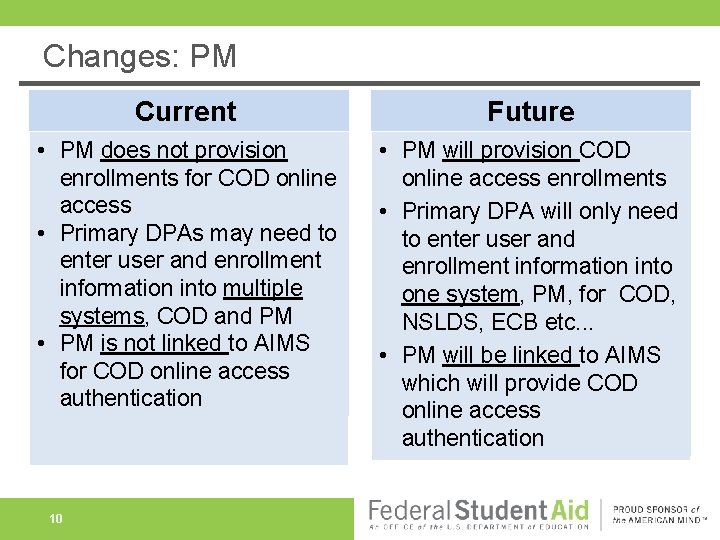
Changes: PM Current Future • PM does not provision enrollments for COD online access • Primary DPAs may need to enter user and enrollment information into multiple systems, COD and PM • PM is not linked to AIMS for COD online access authentication • PM will provision COD online access enrollments • Primary DPA will only need to enter user and enrollment information into one system, PM, for COD, NSLDS, ECB etc. . . • PM will be linked to AIMS which will provide COD online access authentication 10
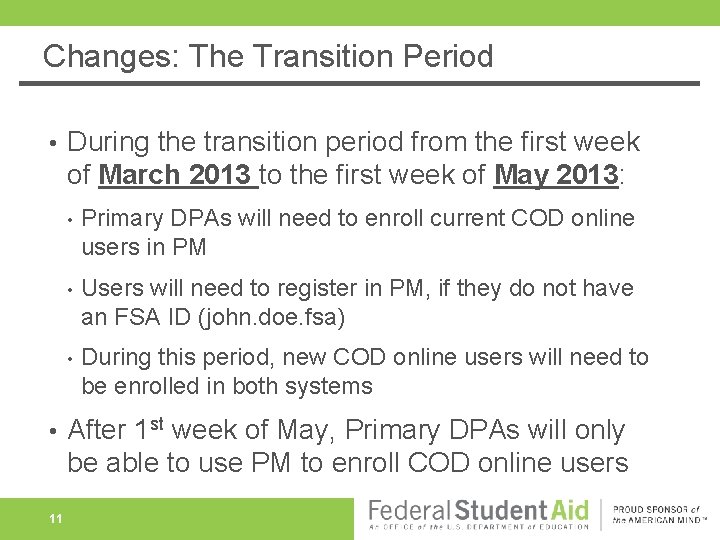
Changes: The Transition Period • • 11 During the transition period from the first week of March 2013 to the first week of May 2013: • Primary DPAs will need to enroll current COD online users in PM • Users will need to register in PM, if they do not have an FSA ID (john. doe. fsa) • During this period, new COD online users will need to be enrolled in both systems After 1 st week of May, Primary DPAs will only be able to use PM to enroll COD online users
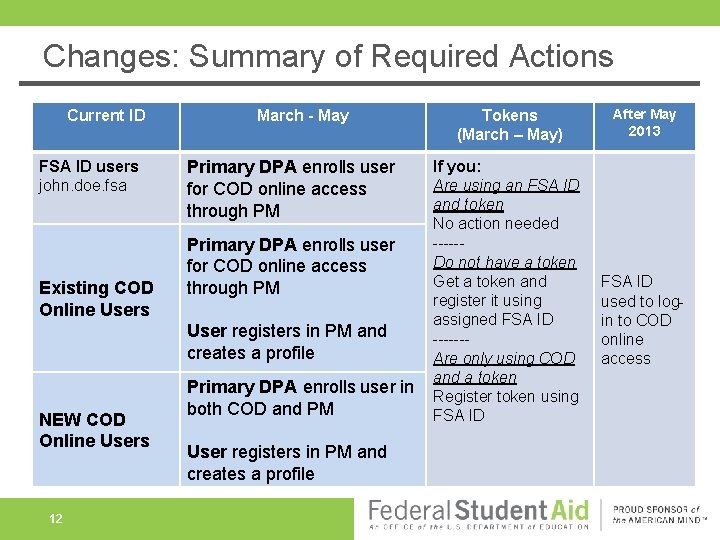
Changes: Summary of Required Actions Current ID FSA ID users john. doe. fsa Existing COD Online Users March - May Primary DPA enrolls user for COD online access through PM User registers in PM and creates a profile NEW COD Online Users 12 Primary DPA enrolls user in both COD and PM User registers in PM and creates a profile Tokens (March – May) If you: Are using an FSA ID and token No action needed -----Do not have a token Get a token and register it using assigned FSA ID ------Are only using COD and a token Register token using FSA ID After May 2013 FSA ID used to login to COD online access
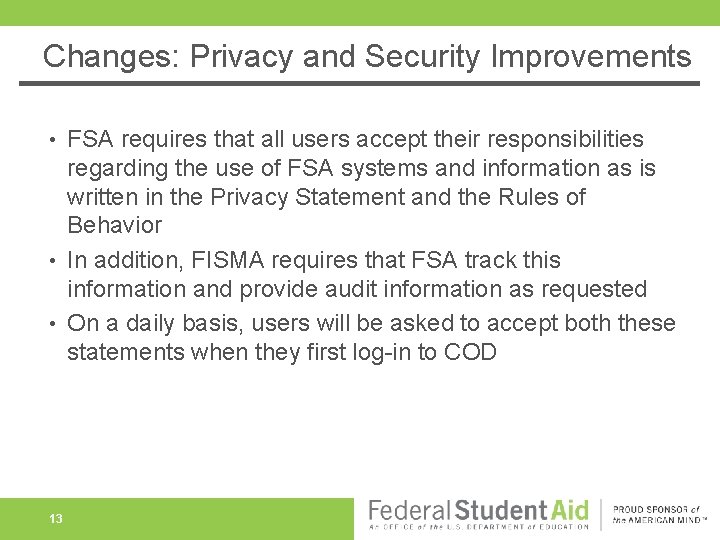
Changes: Privacy and Security Improvements FSA requires that all users accept their responsibilities regarding the use of FSA systems and information as is written in the Privacy Statement and the Rules of Behavior • In addition, FISMA requires that FSA track this information and provide audit information as requested • On a daily basis, users will be asked to accept both these statements when they first log-in to COD • 13
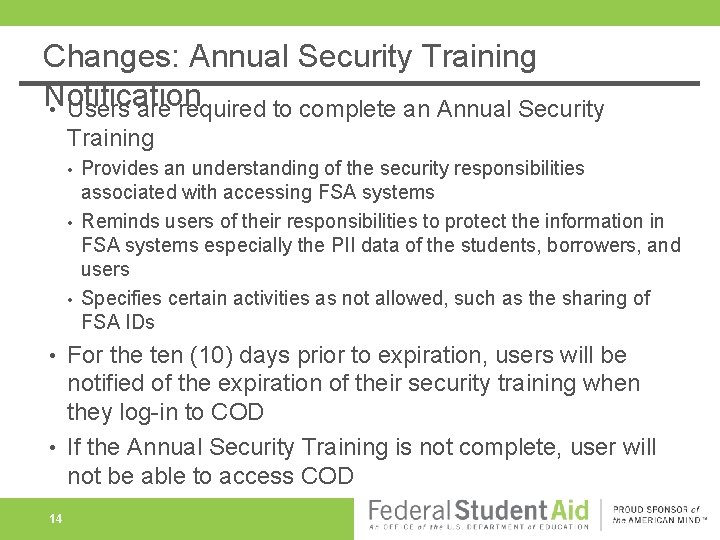
Changes: Annual Security Training Notification • Users are required to complete an Annual Security Training • • • Provides an understanding of the security responsibilities associated with accessing FSA systems Reminds users of their responsibilities to protect the information in FSA systems especially the PII data of the students, borrowers, and users Specifies certain activities as not allowed, such as the sharing of FSA IDs For the ten (10) days prior to expiration, users will be notified of the expiration of their security training when they log-in to COD • If the Annual Security Training is not complete, user will not be able to access COD • 14
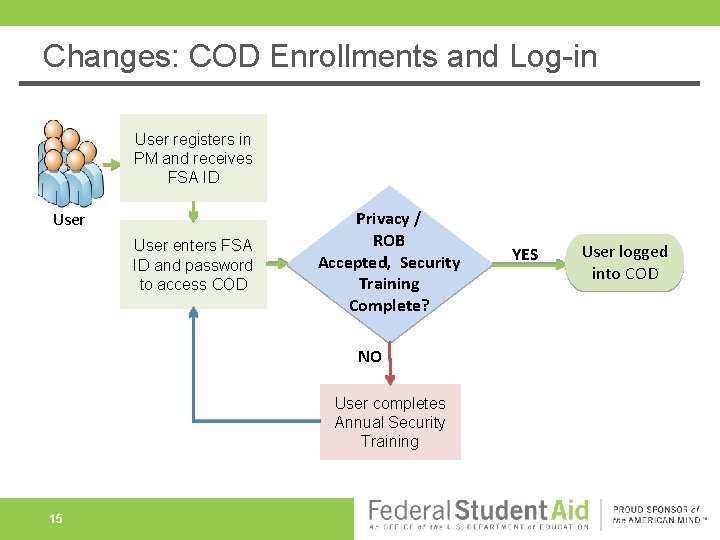
Changes: COD Enrollments and Log-in User registers in PM and receives FSA ID User enters FSA ID and password to access COD Privacy / ROB Accepted, Security Training Complete? NO User completes Annual Security Training 15 YES User logged into COD
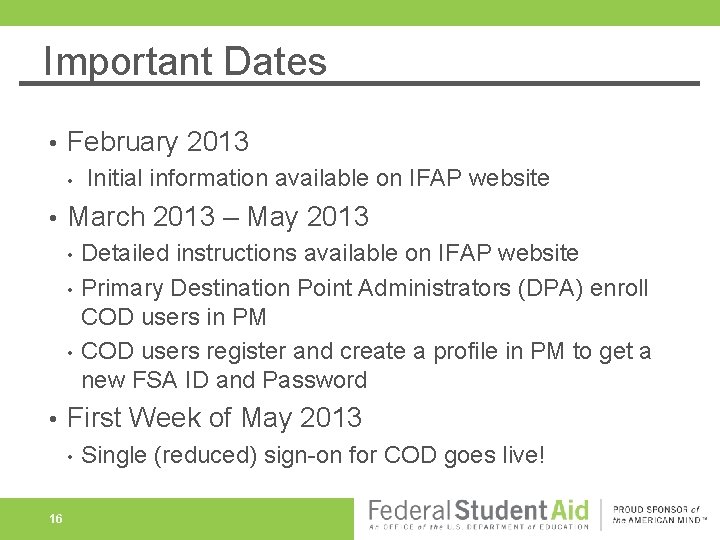
Important Dates • February 2013 • • March 2013 – May 2013 • • Detailed instructions available on IFAP website Primary Destination Point Administrators (DPA) enroll COD users in PM COD users register and create a profile in PM to get a new FSA ID and Password First Week of May 2013 • 16 Initial information available on IFAP website Single (reduced) sign-on for COD goes live!
Next Steps for EIMS • • • 17 Complete enhancements to PM Send out communications through IFAP (Feb/March/May) Implement new COD single (reduced) sign-on – COD Release 12. 1, first week of May 2013 Begin work on removing PII for non-privileged users – Late Fall 2014 Perform feasibility testing with In. Common Federation Provide ongoing progress information through IFAP
QUESTIONS? 18
Contact Info • Bridget-Anne Hampden • • 19 E-mail: bridget-anne. hampden@ed. gov Phone: 202 -377 -3508