
SES Software Delivery Team Process Overview Spring 2007
- Slides: 4
SES Software Delivery Team Process Overview Spring 2007 Slide 1 of 4
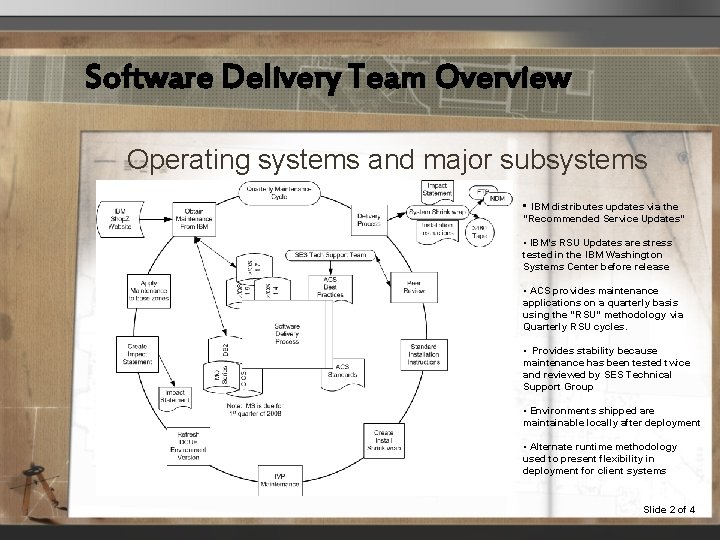
Software Delivery Team Overview Operating systems and major subsystems • IBM distributes updates via the “Recommended Service Updates” • IBM’s RSU Updates are stress tested in the IBM Washington Systems Center before release • ACS provides maintenance applications on a quarterly basis using the “RSU” methodology via Quarterly RSU cycles. • Provides stability because maintenance has been tested twice and reviewed by SES Technical Support Group • Environments shipped are maintainable locally after deployment • Alternate runtime methodology used to present flexibility in deployment for client systems Slide 2 of 4
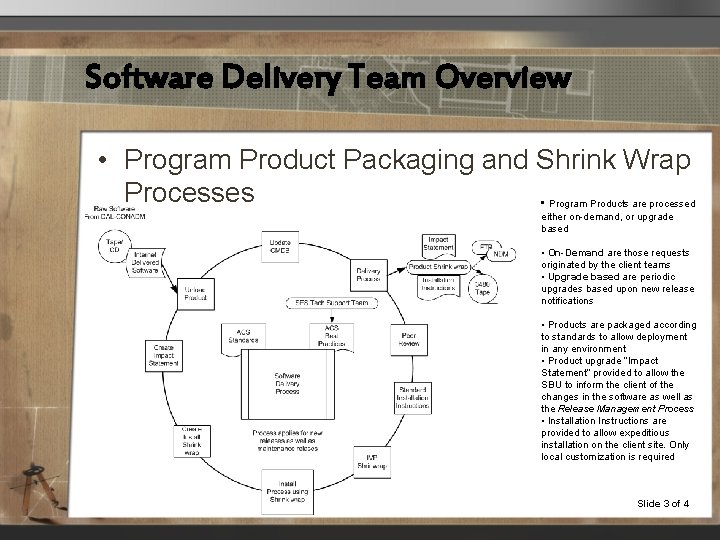
Software Delivery Team Overview • Program Product Packaging and Shrink Wrap Processes • Program Products are processed either on-demand, or upgrade based • On-Demand are those requests originated by the client teams • Upgrade based are periodic upgrades based upon new release notifications • Products are packaged according to standards to allow deployment in any environment • Product upgrade “Impact Statement” provided to allow the SBU to inform the client of the changes in the software as well as the Release Management Process • Installation Instructions are provided to allow expeditious installation on the client site. Only local customization is required Slide 3 of 4
Software Delivery Team Overview • Program Product Compatibility Matrix – Excel Spread sheet in Team Doc (CS/ASD/SE/ZSERIES/SOFTWARE DELIVERY) • Content – Covers all mainframe Vendor products – Contains the Latest release information, and system requirements (z/OS levels) – Contains sunset dates for service • • Updated Quarterly How to view this documentation? – Open your browser and go to www. acsonline. com – Click on the TOOLS drop-down box and select TEAM DOCUMENTATION (about halfway down) Note: If you get a pop-up regarding an invalid certificate, select the option to continue anyway. – Enter your COM 1 TSO User ID and password – When you get the "Sign on was successful" message, click on HERE to continue – Click on CS/ASD/SE/ZSERIES/SOFTWARE DELIVERY – Select Vendor Documentation – Select z/OS 1. 7 OEM Product Compatibility Slide 4 of 4