
Service Now Assessments Prepared by Rose Harris SurveyAssessment
Service. Now Assessments Prepared by Rose Harris
Survey/Assessment Topics • Importance of Customer Feedback • Assessment Reporting /Scorecards • Assignment Group Manager Responsibilities 2
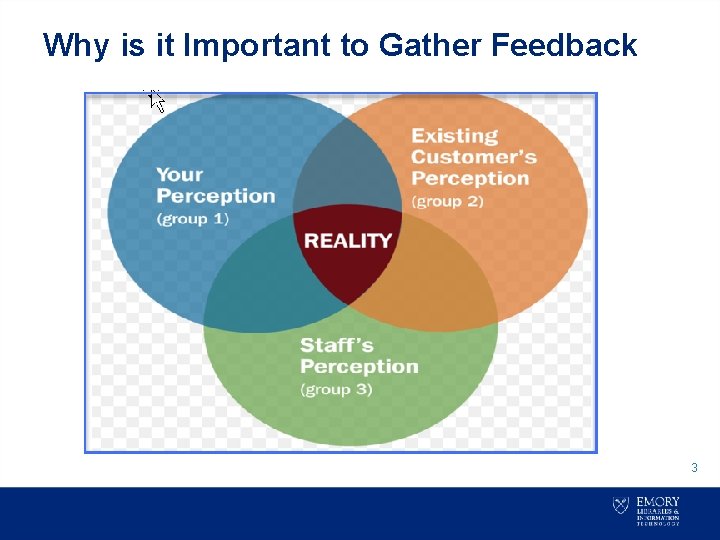
Why is it Important to Gather Feedback 3
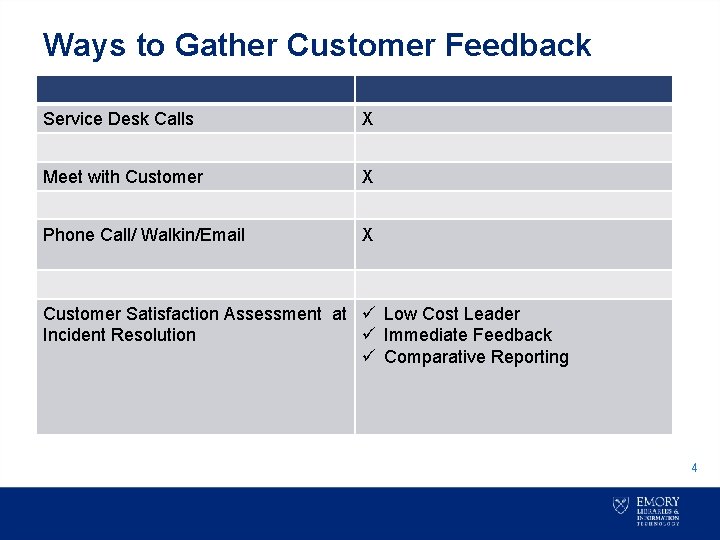
Ways to Gather Customer Feedback Service Desk Calls X Meet with Customer X Phone Call/ Walkin/Email X Customer Satisfaction Assessment at ü Low Cost Leader Incident Resolution ü Immediate Feedback ü Comparative Reporting 4
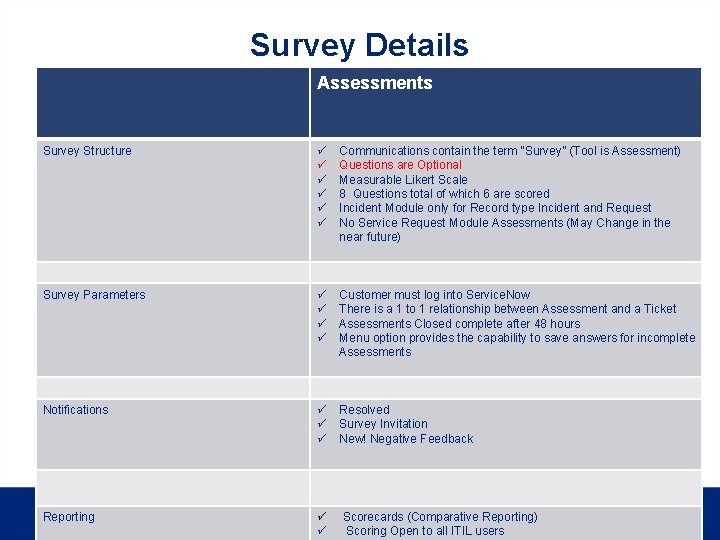
Survey Details Assessments Survey Structure ü ü ü Communications contain the term “Survey” (Tool is Assessment) Questions are Optional Measurable Likert Scale 8 Questions total of which 6 are scored Incident Module only for Record type Incident and Request No Service Request Module Assessments (May Change in the near future) Survey Parameters ü ü Customer must log into Service. Now There is a 1 to 1 relationship between Assessment and a Ticket Assessments Closed complete after 48 hours Menu option provides the capability to save answers for incomplete Assessments Notifications ü ü ü Resolved Survey Invitation New! Negative Feedback 5 Reporting ü ü Scorecards (Comparative Reporting) Scoring Open to all ITIL users
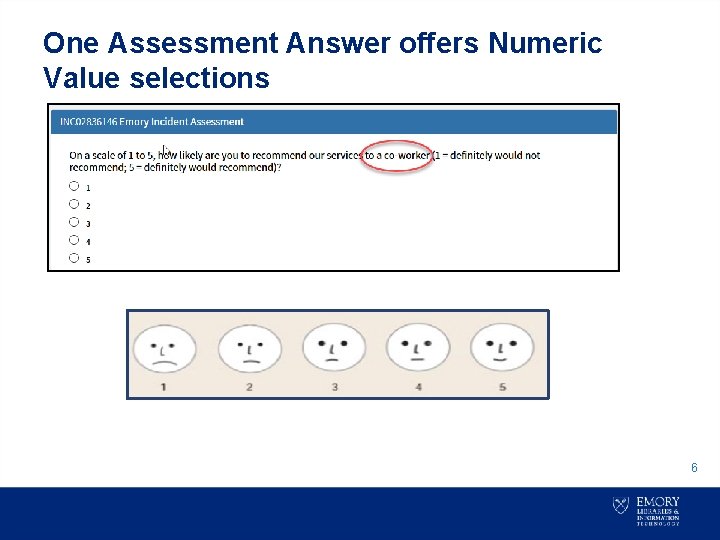
One Assessment Answer offers Numeric Value selections 6
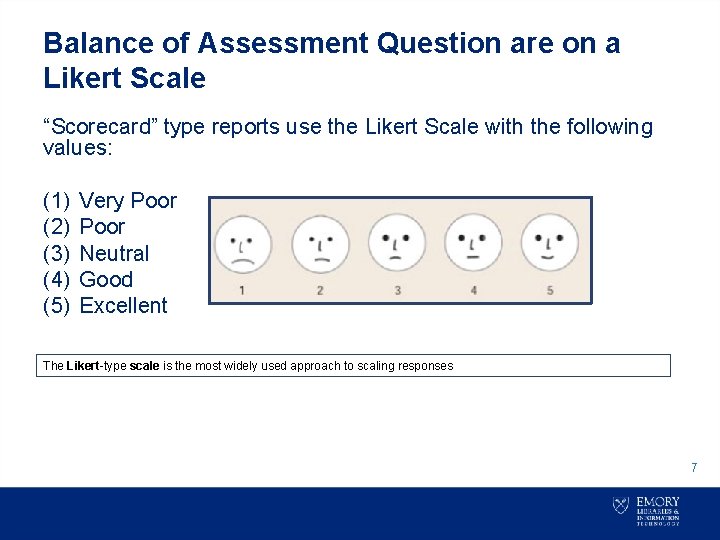
Balance of Assessment Question are on a Likert Scale “Scorecard” type reports use the Likert Scale with the following values: (1) (2) (3) (4) (5) Very Poor Neutral Good Excellent The Likert-type scale is the most widely used approach to scaling responses 7
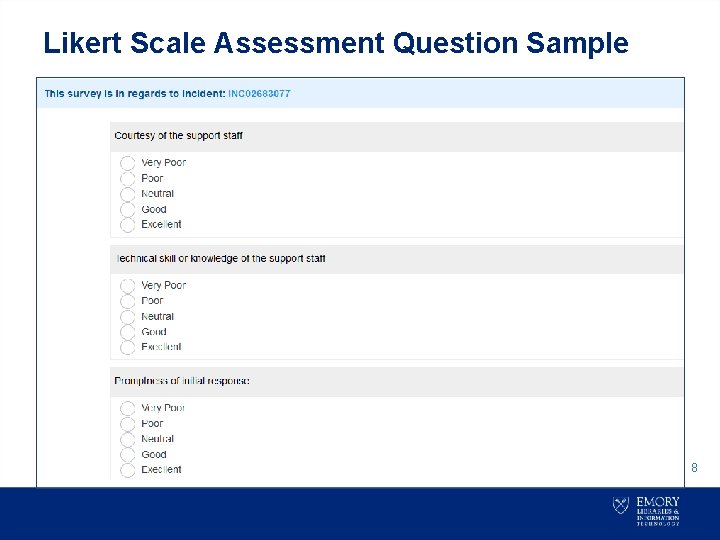
Likert Scale Assessment Question Sample 8
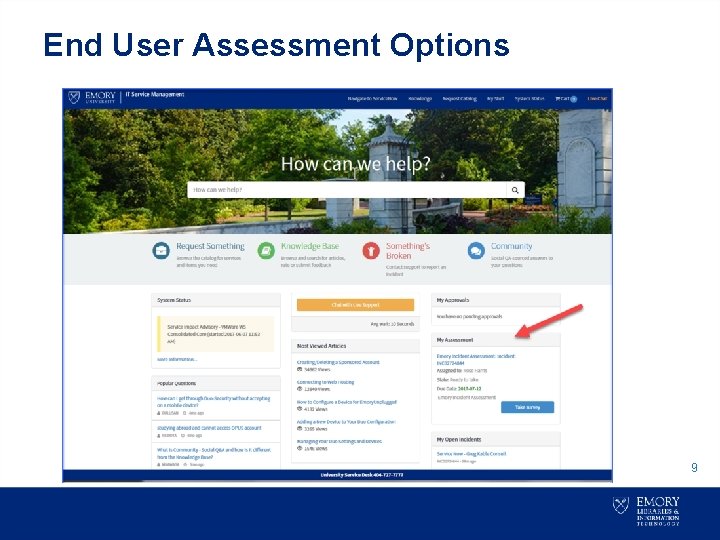
End User Assessment Options 9
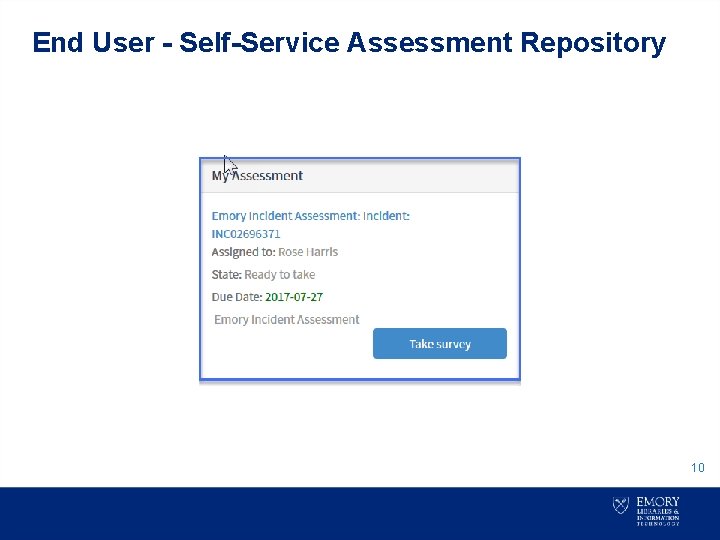
End User - Self-Service Assessment Repository 10
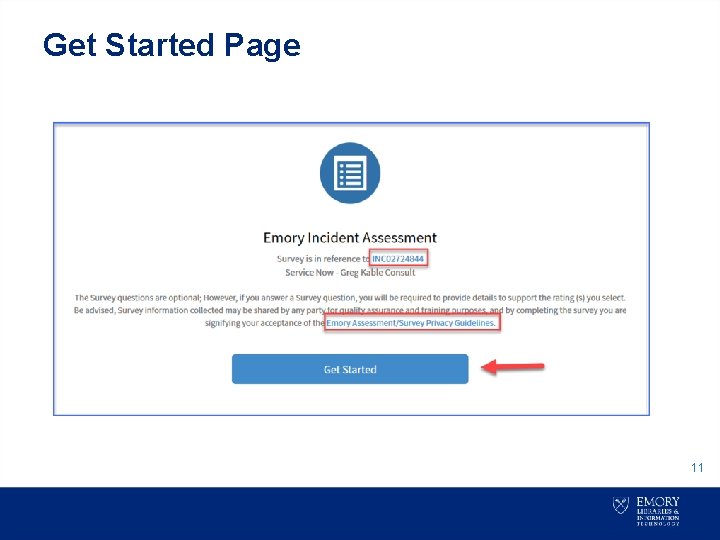
Get Started Page 11
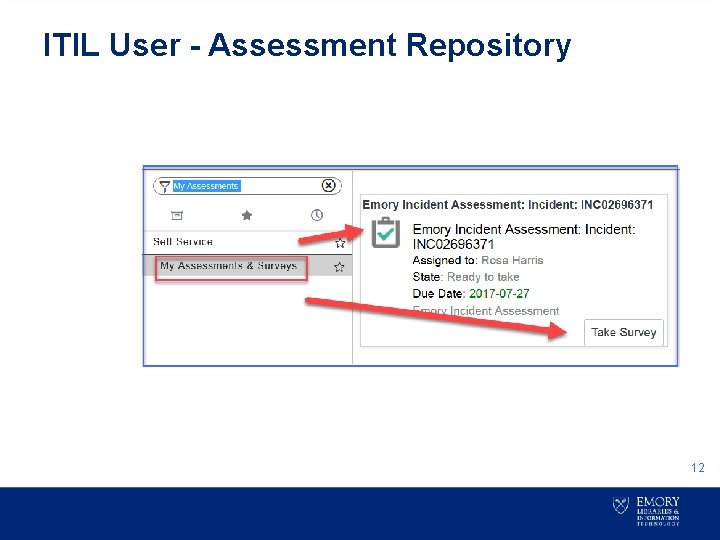
ITIL User - Assessment Repository 12
![Resolved Notification Subject: RESOLVED: Incident NC 02824675 [QUOTED] Order - (6) Corded Apple Mouse](http://slidetodoc.com/presentation_image_h2/b740894d9b60d68d80b0061f5b557044/image-13.jpg "Resolved Notification Subject: RESOLVED: Incident NC 02824675 [QUOTED] Order - (6) Corded Apple Mouse")
Resolved Notification Subject: RESOLVED: Incident NC 02824675 [QUOTED] Order - (6) Corded Apple Mouse has been resolved Dear Sharon P, Your Incident INC 02824675 has been resolved by LITS: Client Services- Tier 2 with the following resolution notes. Resolution notes: The issue with the batteries have been removed, I am closing this Incident, Detailed description: Batteries for Wireless mouse die too quickly. It would be more cost effective to purchase (6) corded mice than to continue purchasing batteries. Important Note: You have (5) days to verify your Incident has been resolved to your satisfaction. If you are NOT satisfied with the resolution of your Incident click here to additional work details and reopen this Incident. After (5) days, you will not be able to reopen this Incident. However, you can access the Something Broken option to create a new ticket or contact the University Service Desk at 404. 727. 7777 for further assistance. Sincerely, Incident Management 13
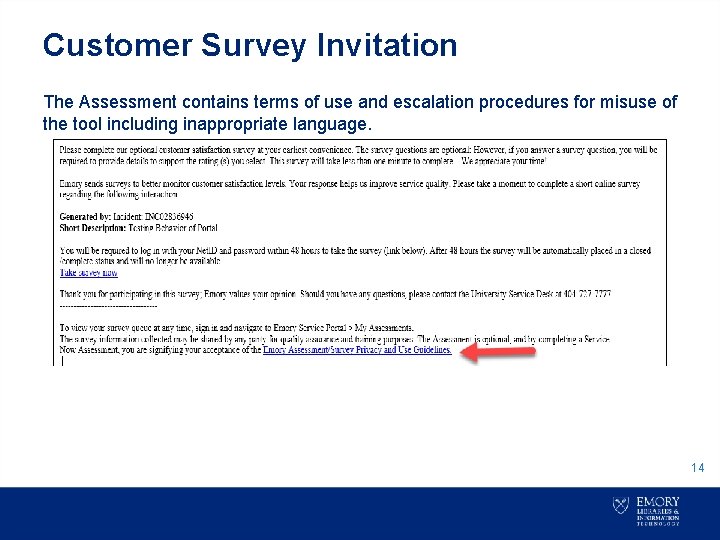
Customer Survey Invitation The Assessment contains terms of use and escalation procedures for misuse of the tool including inappropriate language. 14
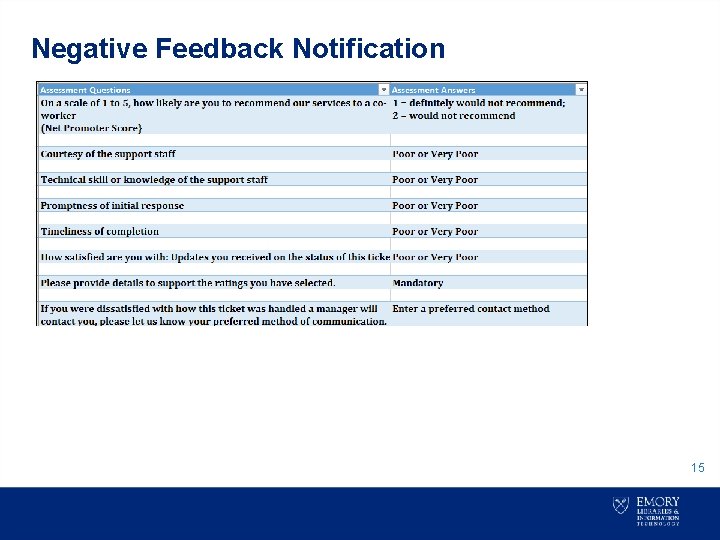
Negative Feedback Notification 15
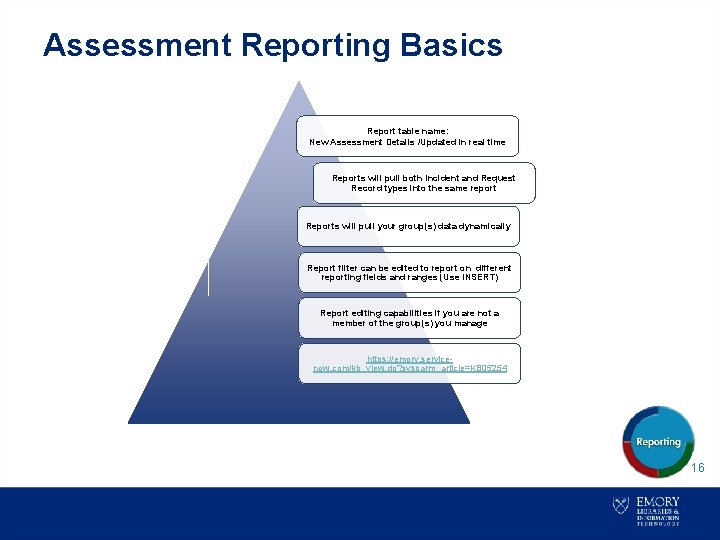
Assessment Reporting Basics Report table name: New Assessment Details /Updated in real time Reports will pull both Incident and Request Record types into the same report Reports will pull your group(s) data dynamically Report filter can be edited to report on different reporting fields and ranges (Use INSERT) Report editing capabilities if you are not a member of the group(s) you manage https: //emory. servicenow. com/kb_view. do? sysparm_article=KB 05254 16
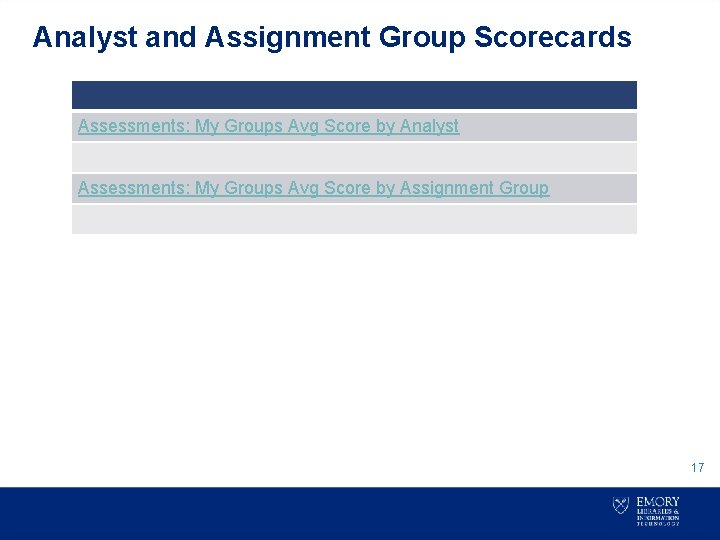
Analyst and Assignment Group Scorecards Assessments: My Groups Avg Score by Analyst Assessments: My Groups Avg Score by Assignment Group 17
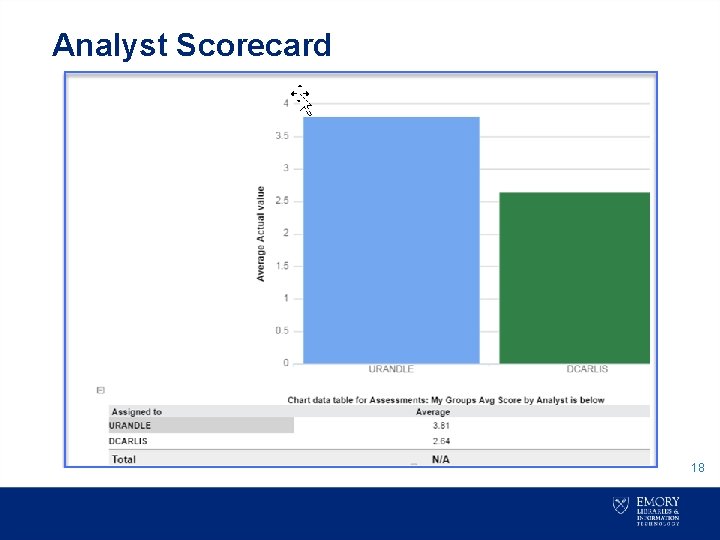
Analyst Scorecard 18
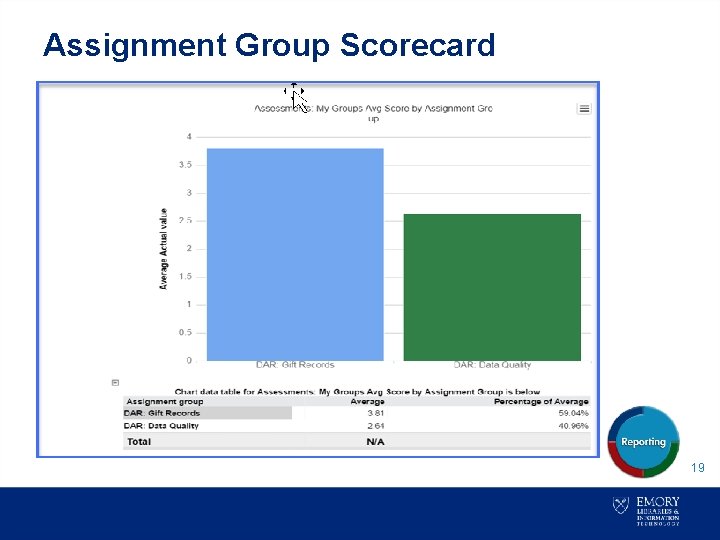
Assignment Group Scorecard 19
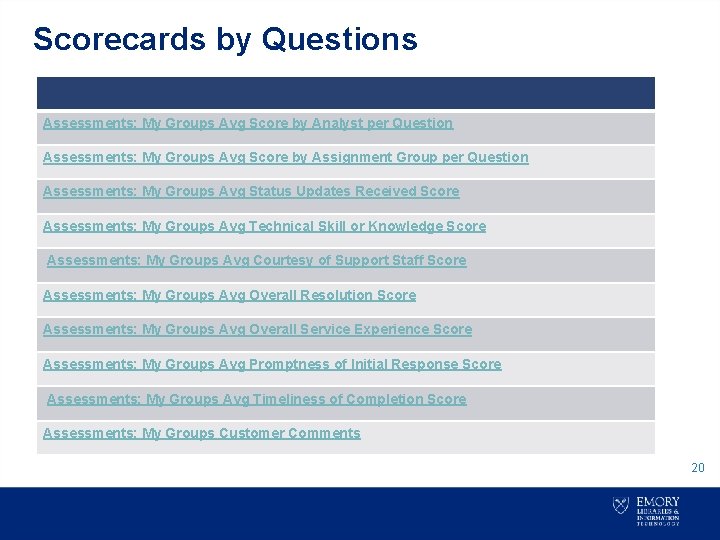
Scorecards by Questions Assessments: My Groups Avg Score by Analyst per Question Assessments: My Groups Avg Score by Assignment Group per Question Assessments: My Groups Avg Status Updates Received Score Assessments: My Groups Avg Technical Skill or Knowledge Score Assessments: My Groups Avg Courtesy of Support Staff Score Assessments: My Groups Avg Overall Resolution Score Assessments: My Groups Avg Overall Service Experience Score Assessments: My Groups Avg Promptness of Initial Response Score Assessments: My Groups Avg Timeliness of Completion Score Assessments: My Groups Customer Comments 20
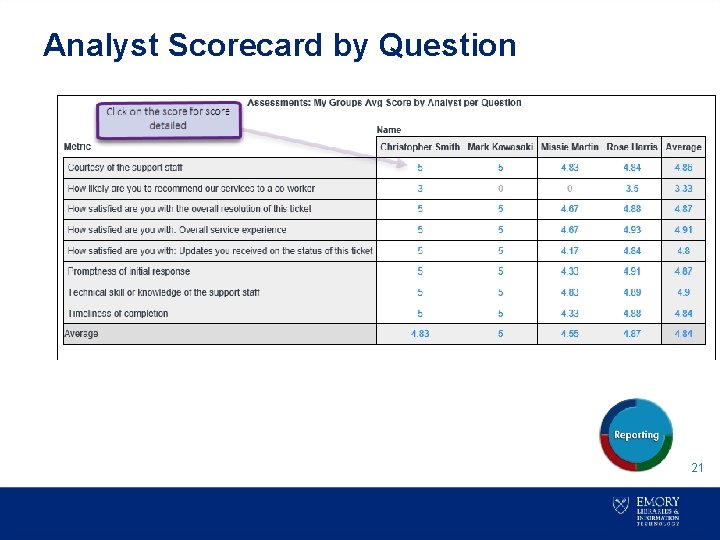
Analyst Scorecard by Question 21
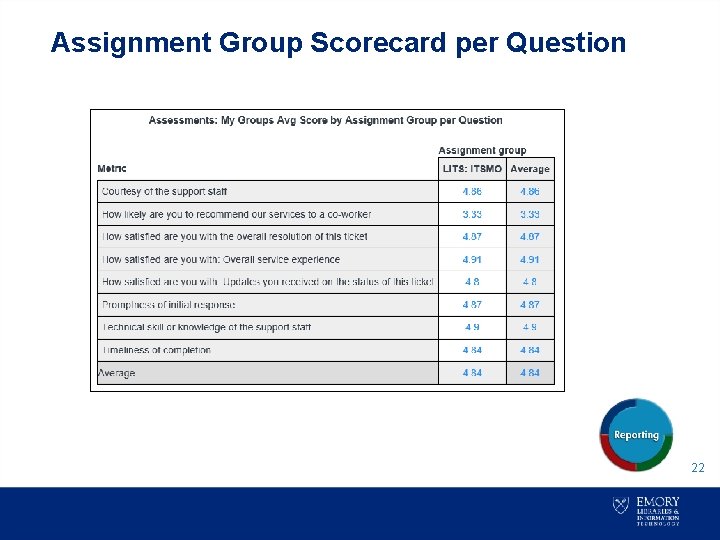
Assignment Group Scorecard per Question 22
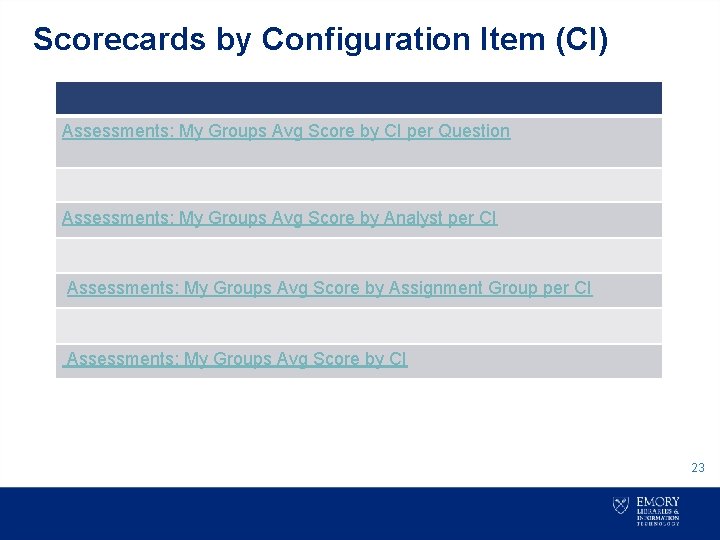
Scorecards by Configuration Item (CI) Assessments: My Groups Avg Score by CI per Question Assessments: My Groups Avg Score by Analyst per CI Assessments: My Groups Avg Score by Assignment Group per CI Assessments: My Groups Avg Score by CI 23
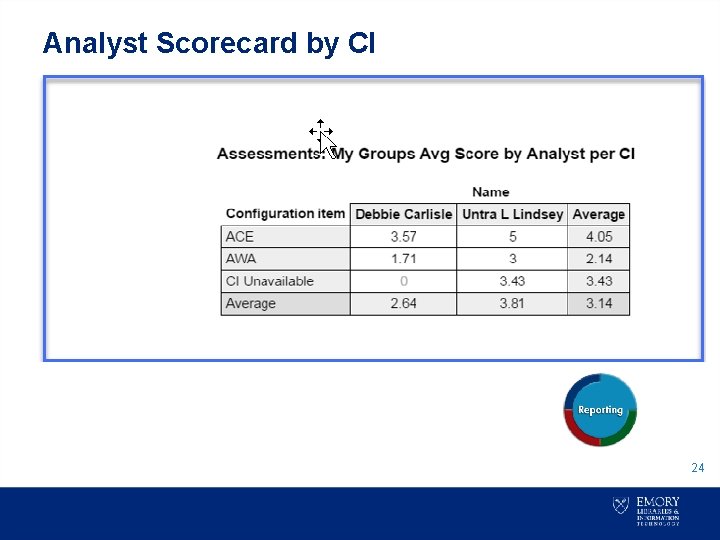
Analyst Scorecard by CI • 24
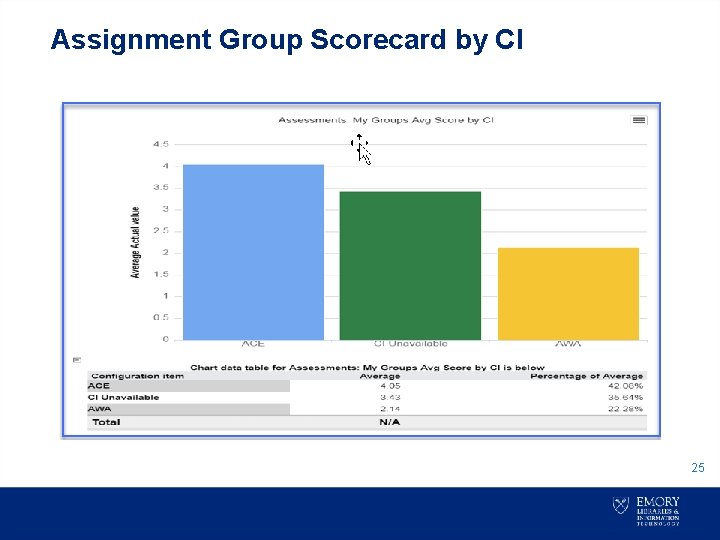
Assignment Group Scorecard by CI 25
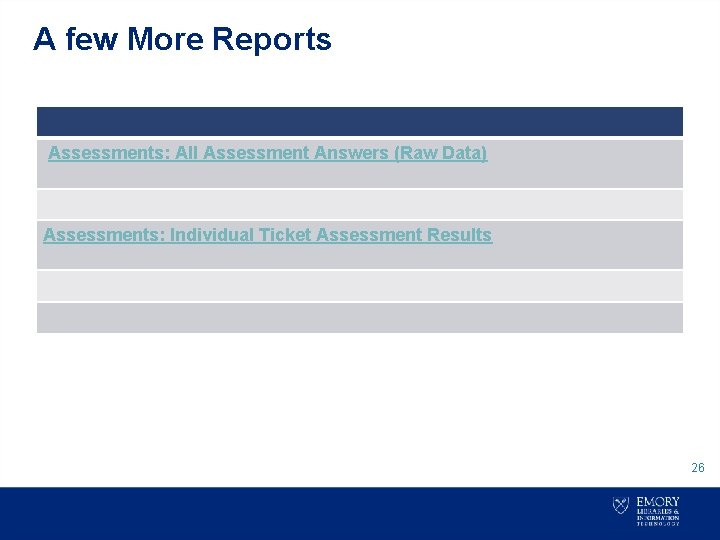
A few More Reports Assessments: All Assessment Answers (Raw Data) Assessments: Individual Ticket Assessment Results 26
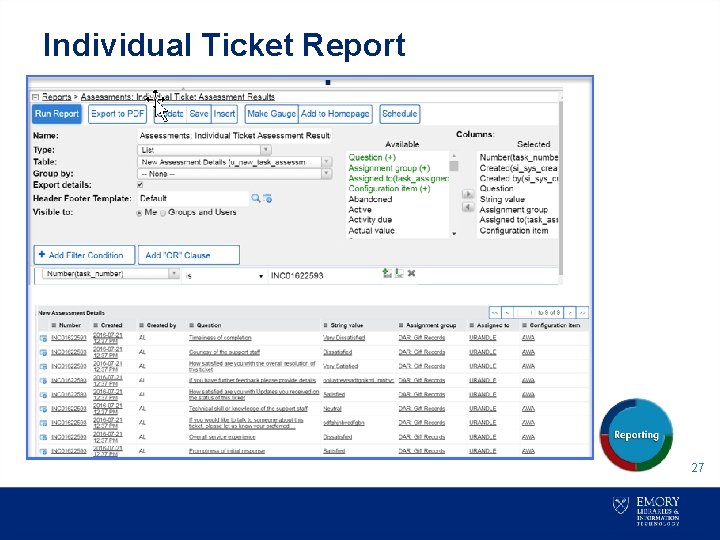
Individual Ticket Report 27
Scorecard Averages 28
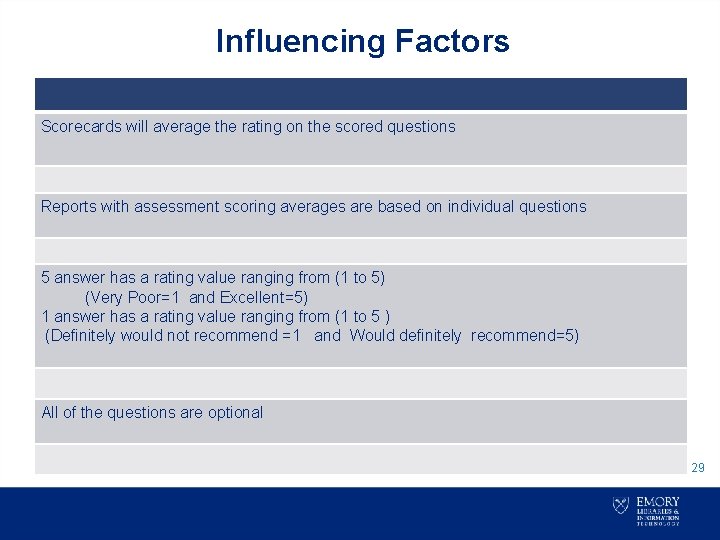
Influencing Factors Scorecards will average the rating on the scored questions Reports with assessment scoring averages are based on individual questions 5 answer has a rating value ranging from (1 to 5) (Very Poor=1 and Excellent=5) 1 answer has a rating value ranging from (1 to 5 ) (Definitely would not recommend =1 and Would definitely recommend=5) All of the questions are optional 29
Scorecard 101 If there are two questions scored on two surveys for an Analyst The analyst score a (3) on both surveys What is this Analyst Average? 30
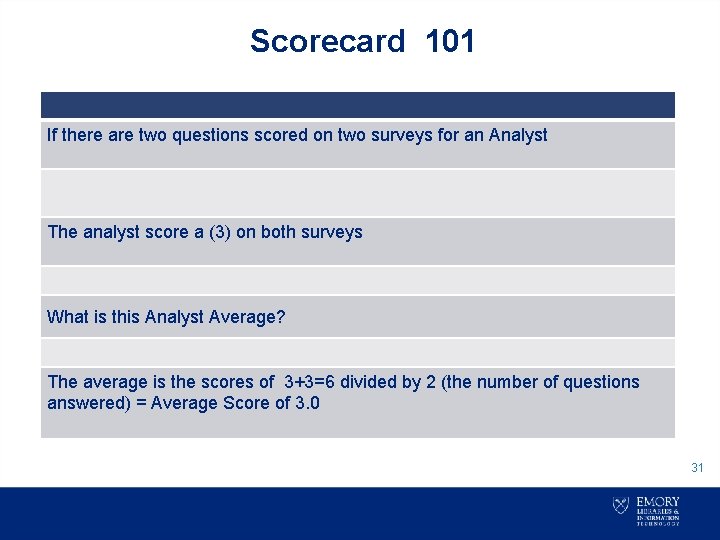
Scorecard 101 If there are two questions scored on two surveys for an Analyst The analyst score a (3) on both surveys What is this Analyst Average? The average is the scores of 3+3=6 divided by 2 (the number of questions answered) = Average Score of 3. 0 31
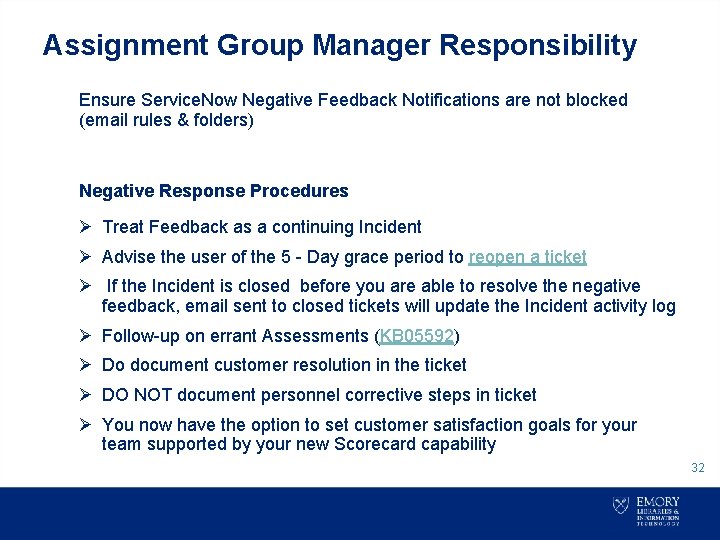
Assignment Group Manager Responsibility Ensure Service. Now Negative Feedback Notifications are not blocked (email rules & folders) Negative Response Procedures Ø Treat Feedback as a continuing Incident Ø Advise the user of the 5 - Day grace period to reopen a ticket Ø If the Incident is closed before you are able to resolve the negative feedback, email sent to closed tickets will update the Incident activity log Ø Follow-up on errant Assessments (KB 05592) Ø Do document customer resolution in the ticket Ø DO NOT document personnel corrective steps in ticket Ø You now have the option to set customer satisfaction goals for your team supported by your new Scorecard capability 32
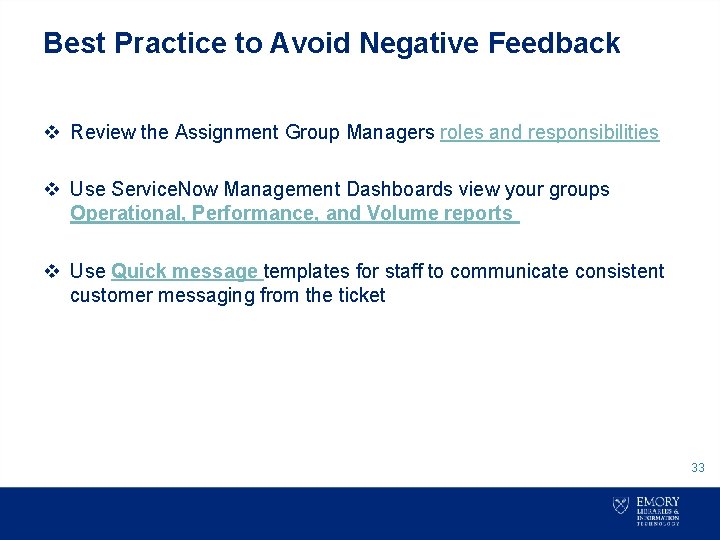
Best Practice to Avoid Negative Feedback v Review the Assignment Group Managers roles and responsibilities v Use Service. Now Management Dashboards view your groups Operational, Performance, and Volume reports v Use Quick message templates for staff to communicate consistent customer messaging from the ticket 33
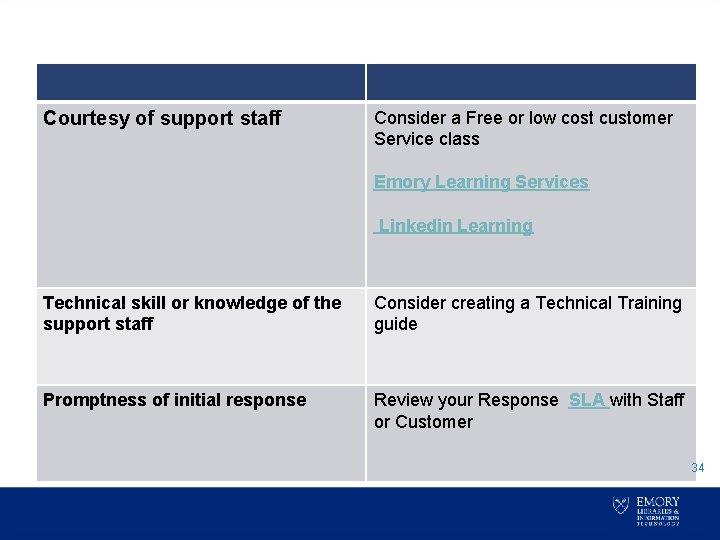
Courtesy of support staff Consider a Free or low cost customer Service class Emory Learning Services Linkedin Learning Technical skill or knowledge of the support staff Consider creating a Technical Training guide Promptness of initial response Review your Response SLA with Staff or Customer 34
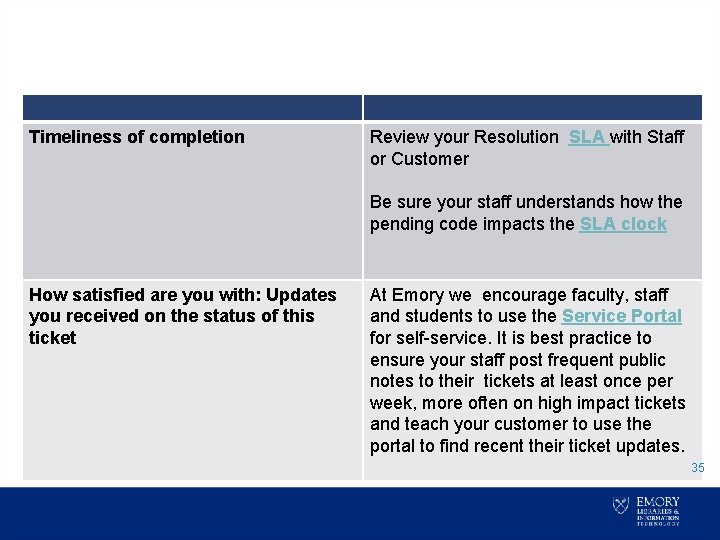
Timeliness of completion Review your Resolution SLA with Staff or Customer Be sure your staff understands how the pending code impacts the SLA clock How satisfied are you with: Updates you received on the status of this ticket At Emory we encourage faculty, staff and students to use the Service Portal for self-service. It is best practice to ensure your staff post frequent public notes to their tickets at least once per week, more often on high impact tickets and teach your customer to use the portal to find recent their ticket updates. 35
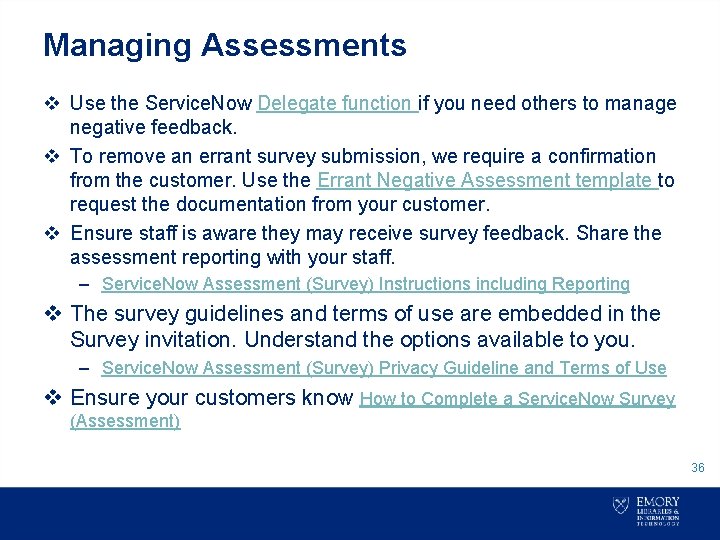
Managing Assessments v Use the Service. Now Delegate function if you need others to manage negative feedback. v To remove an errant survey submission, we require a confirmation from the customer. Use the Errant Negative Assessment template to request the documentation from your customer. v Ensure staff is aware they may receive survey feedback. Share the assessment reporting with your staff. – Service. Now Assessment (Survey) Instructions including Reporting v The survey guidelines and terms of use are embedded in the Survey invitation. Understand the options available to you. – Service. Now Assessment (Survey) Privacy Guideline and Terms of Use v Ensure your customers know How to Complete a Service. Now Survey (Assessment) 36
• Contact rdharr 4@emory. edu you need assistance to reconcile negative assessment across multiple support groups. 37
- Slides: 37