
Service Connect Training Session 2 Report Functionality Board
Service Connect Training Session 2 - Report Functionality Board of Regents, University System of GA Prepared by Aon Hewitt
Meeting Housekeeping/Highlights • Introduction of Facilitators – Jennifer Kennington, Theresa Wood and Maritza Almodovar • Please place all phones on Mute to avoid feedback and background noise • The webinar is being recorded and the recorded file will be stored and available on the ‘One. USG Connect Smart Sheet’ • We have blocked 2 Hours for this session. We will try to answer all of your questions as we go along. If we do not get to your question, feel free to email me after. A copy of this deck has been included in the meeting invite. My email address is: theresa. wood@aonhewitt. com • Although we are showing you how to access the Service Connect Tool using e. CS, you all will have access from your own personal Connect-Benefits portal through Single Sign On (SSO) by navigating to the ‘contact us’ • The webinar will train new users on how to access the tool, view and download the available reports Aon Hewitt | Proprietary & Confidential 2
Agenda § § § Service Connect Overview Demo/Hands On Practice: – Common Scenario 1 – Available Reports – Executing and Exporting Data Discussion and Questions Aon Hewitt | Proprietary & Confidential 3
Common Scenario 1: Available Reports – Reports Tab – Type of Reports, i. e. By Request , activities, etc. Aon Hewitt | Proprietary & Confidential 4
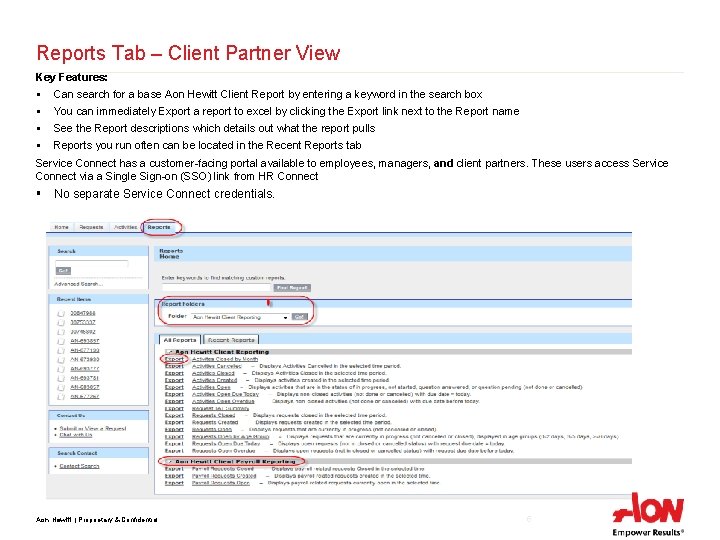
Reports Tab – Client Partner View Key Features: § Can search for a base Aon Hewitt Client Report by entering a keyword in the search box § You can immediately Export a report to excel by clicking the Export link next to the Report name § See the Report descriptions which details out what the report pulls § Reports you run often can be located in the Recent Reports tab Service Connect has a customer-facing portal available to employees, managers, and client partners. These users access Service Connect via a Single Sign-on (SSO) link from HR Connect § No separate Service Connect credentials. Aon Hewitt | Proprietary & Confidential 5
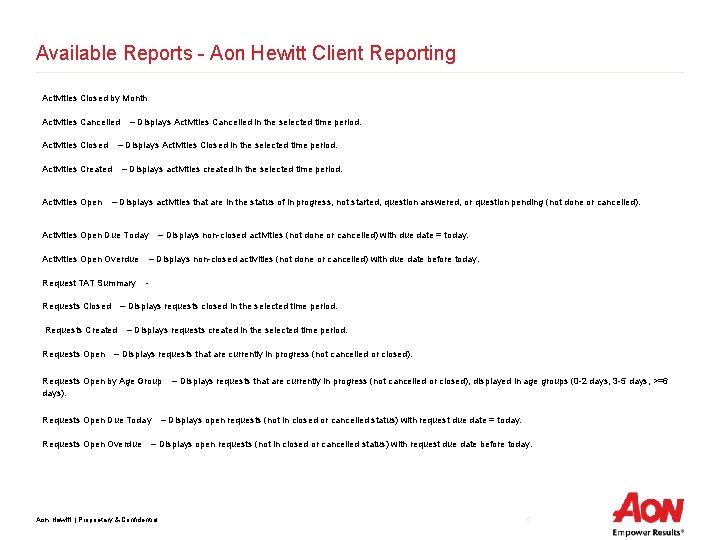
Available Reports - Aon Hewitt Client Reporting Activities Closed by Month Activities Cancelled Activities Closed – Displays Activities Closed in the selected time period. Activities Created Activities Open – Displays Activities Cancelled in the selected time period. – Displays activities created in the selected time period. – Displays activities that are in the status of in progress, not started, question answered, or question pending (not done or cancelled). Activities Open Due Today Activities Open Overdue Request TAT Summary Requests Closed – Displays non-closed activities (not done or cancelled) with due date before today. - – Displays requests closed in the selected time period. Requests Created Requests Open – Displays non-closed activities (not done or cancelled) with due date = today. – Displays requests created in the selected time period. – Displays requests that are currently in progress (not cancelled or closed). Requests Open by Age Group days). Requests Open Due Today Requests Open Overdue – Displays requests that are currently in progress (not cancelled or closed), displayed in age groups (0 -2 days, 3 -5 days, >=6 – Displays open requests (not in closed or cancelled status) with request due date = today. – Displays open requests (not in closed or cancelled status) with request due date before today. Aon Hewitt | Proprietary & Confidential 6
Common Scenario 2: Export data into excel – How to export – Saving report- (Real time data) Aon Hewitt | Proprietary & Confidential 7
Demonstration Aon Hewitt | Proprietary & Confidential 8
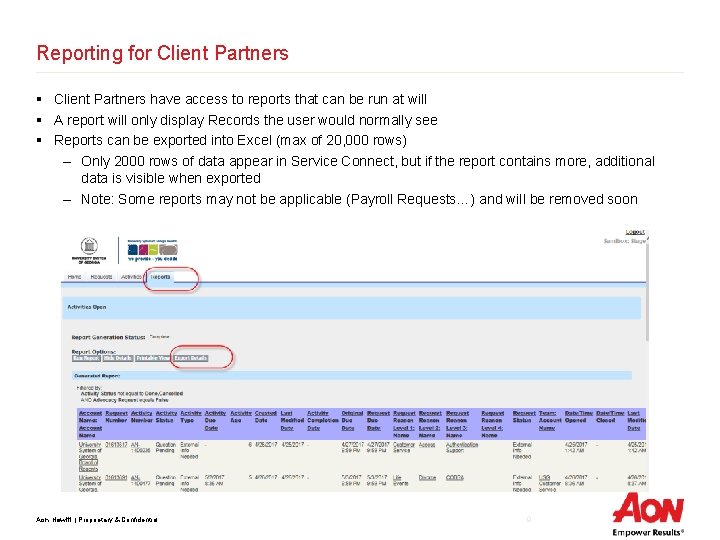
Reporting for Client Partners § Client Partners have access to reports that can be run at will § A report will only display Records the user would normally see § Reports can be exported into Excel (max of 20, 000 rows) – Only 2000 rows of data appear in Service Connect, but if the report contains more, additional data is visible when exported – Note: Some reports may not be applicable (Payroll Requests…) and will be removed soon Aon Hewitt | Proprietary & Confidential 9
Reports - Troubleshooting § If you get a blank report: 1. Open Excel 2. Click on File > Options 3. Select Trust Center > Trust center settings 4. Select Protected view 5. Uncheck all the options under Protected View > OK 6. Restart Excel and try to Export again Aon Hewitt | Proprietary & Confidential 10

Discussion and Questions Aon Hewitt | Proprietary & Confidential 11
- Slides: 11