
Server Side Development ITM 602 Java Server Pages
- Slides: 38
Server Side Development ITM 602 Java Server Pages
Topics • • • JSP Fundamentals JSP Scripting Elements JSP Implicit Objects JSP Directives JSP Actions JSP Example (Loan Calculator) Servlets & JSPs together Tag Libraries Deploying and Running a JSP Application
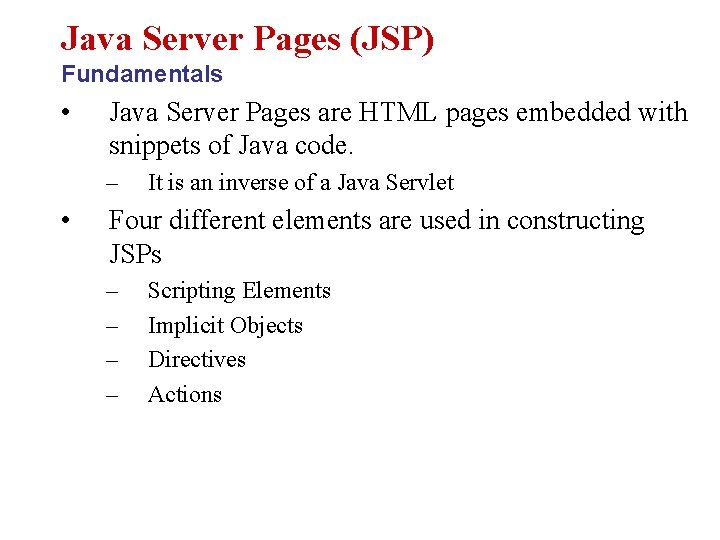
Java Server Pages (JSP) Fundamentals • Java Server Pages are HTML pages embedded with snippets of Java code. – • It is an inverse of a Java Servlet Four different elements are used in constructing JSPs – – Scripting Elements Implicit Objects Directives Actions
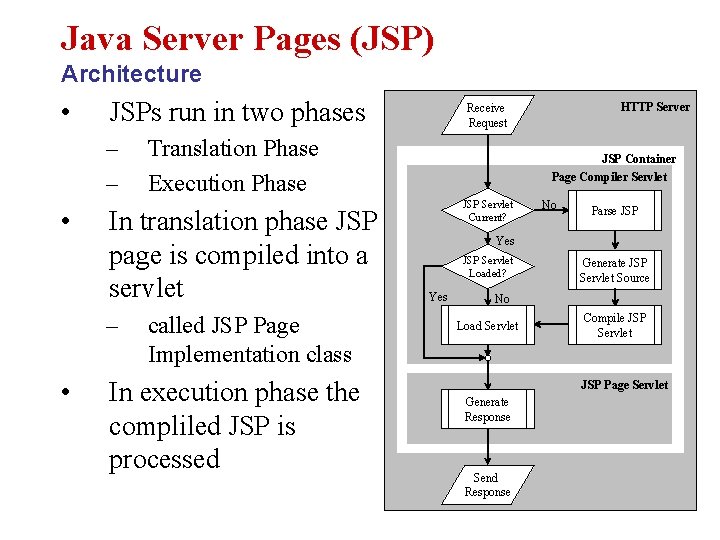
Java Server Pages (JSP) Architecture • JSPs run in two phases – – • Translation Phase Execution Phase In translation phase JSP page is compiled into a servlet called JSP Page Implementation class In execution phase the compliled JSP is processed HTTP Server Receive Request JSP Container Page Compiler Servlet JSP Servlet Current? No Parse JSP Yes JSP Servlet Loaded? Yes Generate JSP Servlet Source No Load Servlet Compile JSP Servlet JSP Page Servlet Generate Response Send Response
Scripting Elements Types • There are three kinds of scripting elements – – – Declarations Scriptlets Expressions
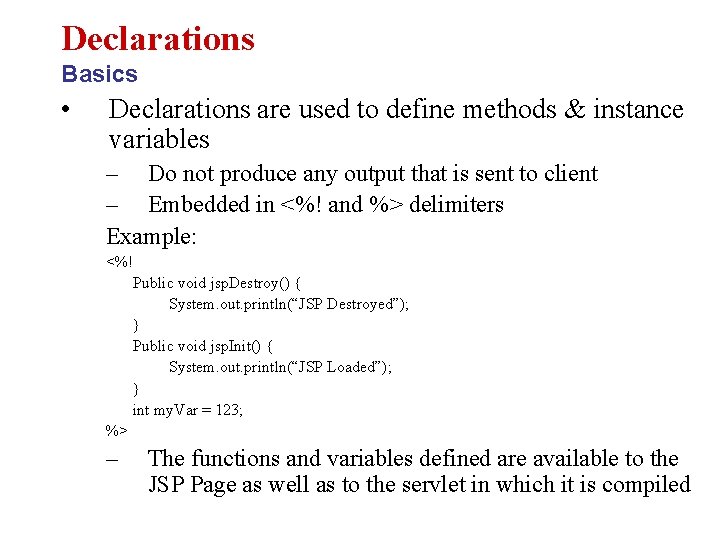
Declarations Basics • Declarations are used to define methods & instance variables – Do not produce any output that is sent to client – Embedded in <%! and %> delimiters Example: <%! Public void jsp. Destroy() { System. out. println(“JSP Destroyed”); } Public void jsp. Init() { System. out. println(“JSP Loaded”); } int my. Var = 123; %> – The functions and variables defined are available to the JSP Page as well as to the servlet in which it is compiled
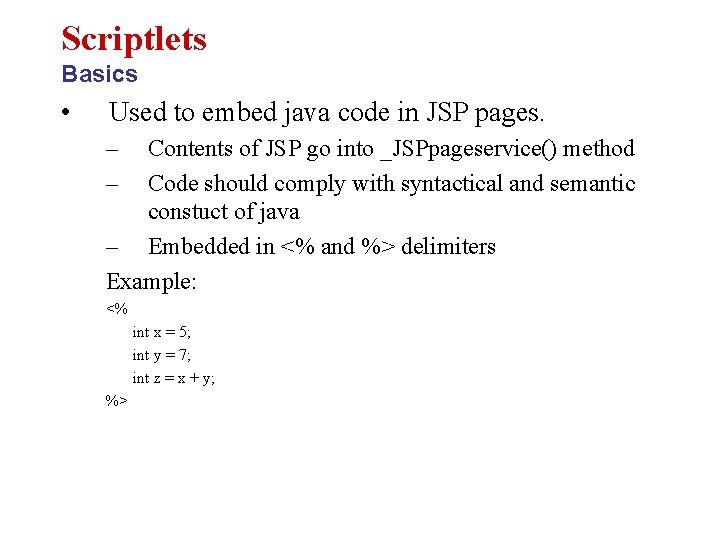
Scriptlets Basics • Used to embed java code in JSP pages. – – Contents of JSP go into _JSPpageservice() method Code should comply with syntactical and semantic constuct of java – Embedded in <% and %> delimiters Example: <% int x = 5; int y = 7; int z = x + y; %>
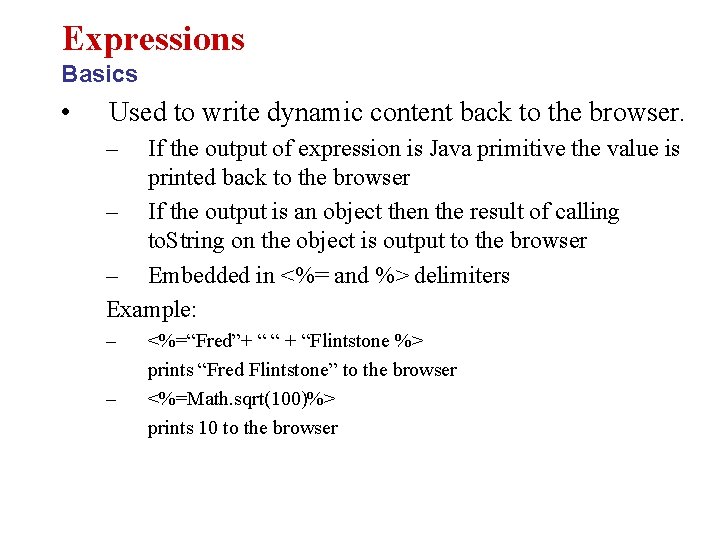
Expressions Basics • Used to write dynamic content back to the browser. – If the output of expression is Java primitive the value is printed back to the browser – If the output is an object then the result of calling to. String on the object is output to the browser – Embedded in <%= and %> delimiters Example: – – <%=“Fred”+ “ “ + “Flintstone %> prints “Fred Flintstone” to the browser <%=Math. sqrt(100)%> prints 10 to the browser
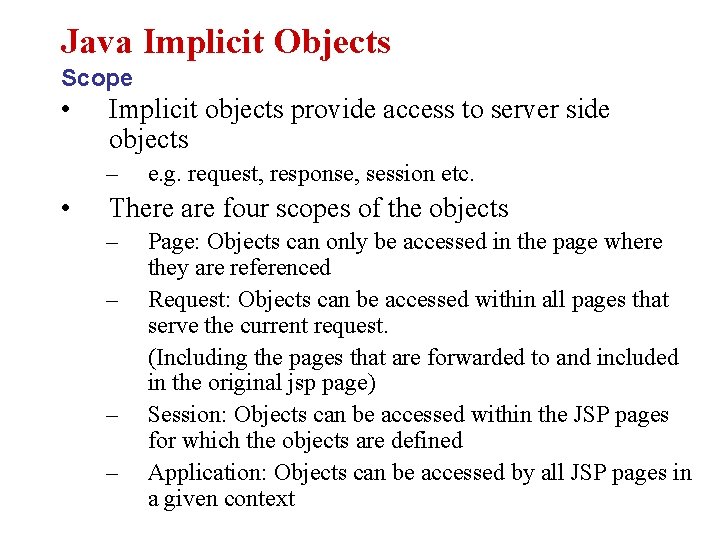
Java Implicit Objects Scope • Implicit objects provide access to server side objects – • e. g. request, response, session etc. There are four scopes of the objects – – Page: Objects can only be accessed in the page where they are referenced Request: Objects can be accessed within all pages that serve the current request. (Including the pages that are forwarded to and included in the original jsp page) Session: Objects can be accessed within the JSP pages for which the objects are defined Application: Objects can be accessed by all JSP pages in a given context
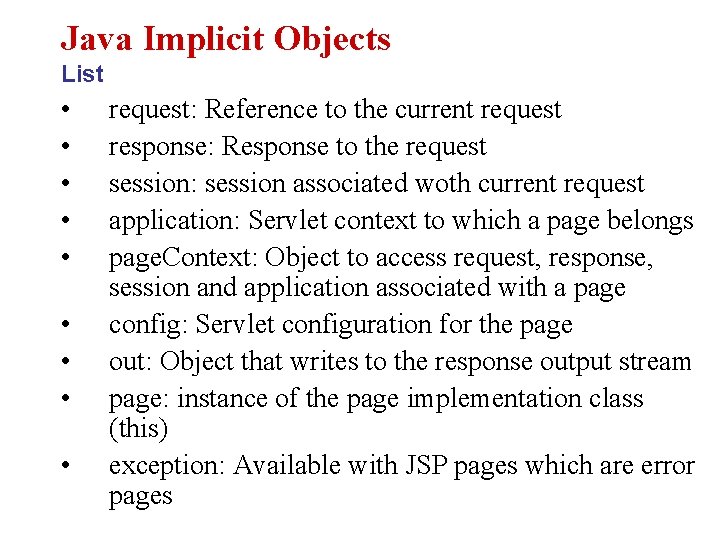
Java Implicit Objects List • • • request: Reference to the current request response: Response to the request session: session associated woth current request application: Servlet context to which a page belongs page. Context: Object to access request, response, session and application associated with a page config: Servlet configuration for the page out: Object that writes to the response output stream page: instance of the page implementation class (this) exception: Available with JSP pages which are error pages
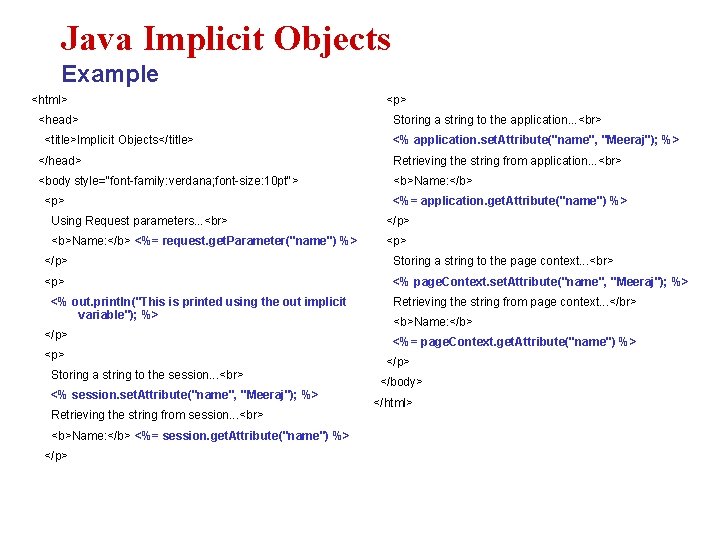
Java Implicit Objects Example <html> <head> <title>Implicit Objects</title> <p> Storing a string to the application. . . <% application. set. Attribute("name", "Meeraj"); %> </head> Retrieving the string from application. . . <body style="font-family: verdana; font-size: 10 pt"> <b>Name: </b> <p> <%= application. get. Attribute("name") %> Using Request parameters. . . </p> <b>Name: </b> <%= request. get. Parameter("name") %> <p> </p> Storing a string to the page context. . . <p> <% page. Context. set. Attribute("name", "Meeraj"); %> <% out. println("This is printed using the out implicit variable"); %> </p> <p> Storing a string to the session. . . <% session. set. Attribute("name", "Meeraj"); %> Retrieving the string from session. . . <b>Name: </b> <%= session. get. Attribute("name") %> </p> Retrieving the string from page context. . . </br> <b>Name: </b> <%= page. Context. get. Attribute("name") %> </p> </body> </html>
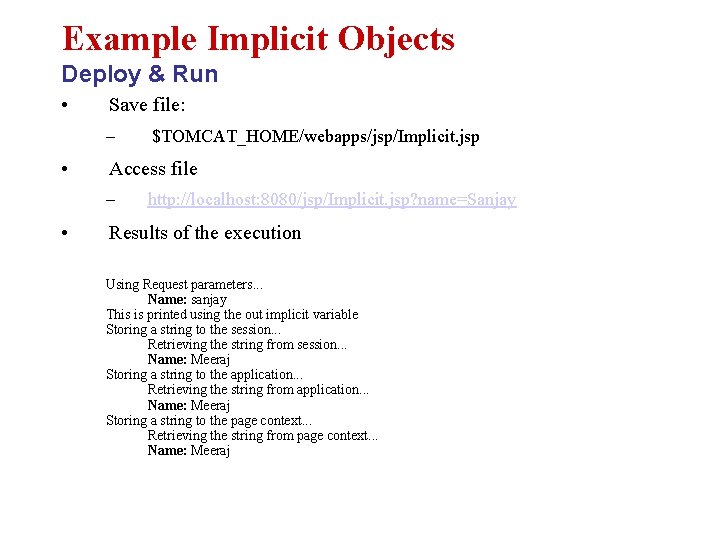
Example Implicit Objects Deploy & Run • Save file: – • Access file – • $TOMCAT_HOME/webapps/jsp/Implicit. jsp http: //localhost: 8080/jsp/Implicit. jsp? name=Sanjay Results of the execution Using Request parameters. . . Name: sanjay This is printed using the out implicit variable Storing a string to the session. . . Retrieving the string from session. . . Name: Meeraj Storing a string to the application. . . Retrieving the string from application. . . Name: Meeraj Storing a string to the page context. . . Retrieving the string from page context. . . Name: Meeraj
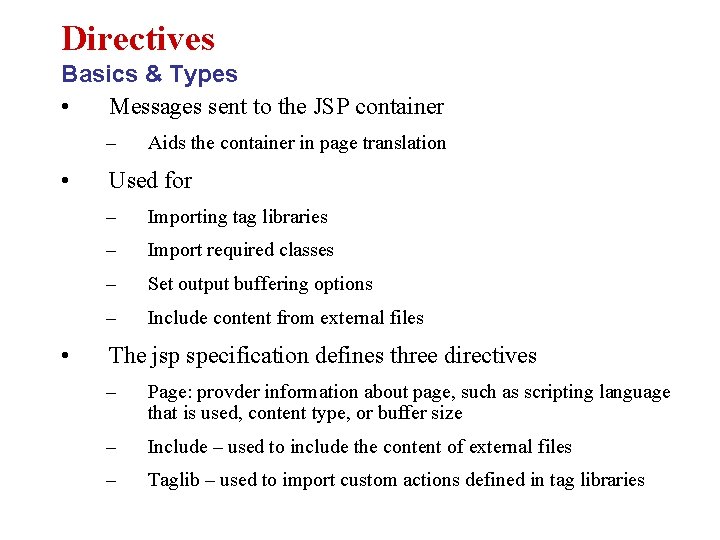
Directives Basics & Types • Messages sent to the JSP container – • • Aids the container in page translation Used for – Importing tag libraries – Import required classes – Set output buffering options – Include content from external files The jsp specification defines three directives – Page: provder information about page, such as scripting language that is used, content type, or buffer size – Include – used to include the content of external files – Taglib – used to import custom actions defined in tag libraries
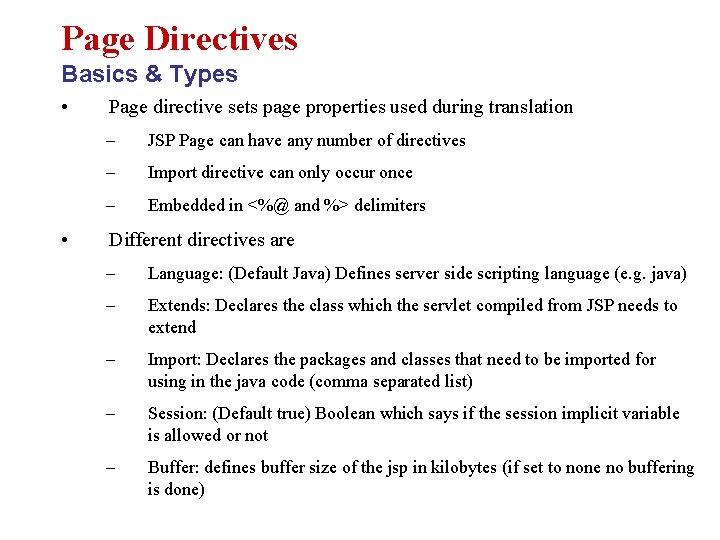
Page Directives Basics & Types • • Page directive sets page properties used during translation – JSP Page can have any number of directives – Import directive can only occur once – Embedded in <%@ and %> delimiters Different directives are – Language: (Default Java) Defines server side scripting language (e. g. java) – Extends: Declares the class which the servlet compiled from JSP needs to extend – Import: Declares the packages and classes that need to be imported for using in the java code (comma separated list) – Session: (Default true) Boolean which says if the session implicit variable is allowed or not – Buffer: defines buffer size of the jsp in kilobytes (if set to none no buffering is done)
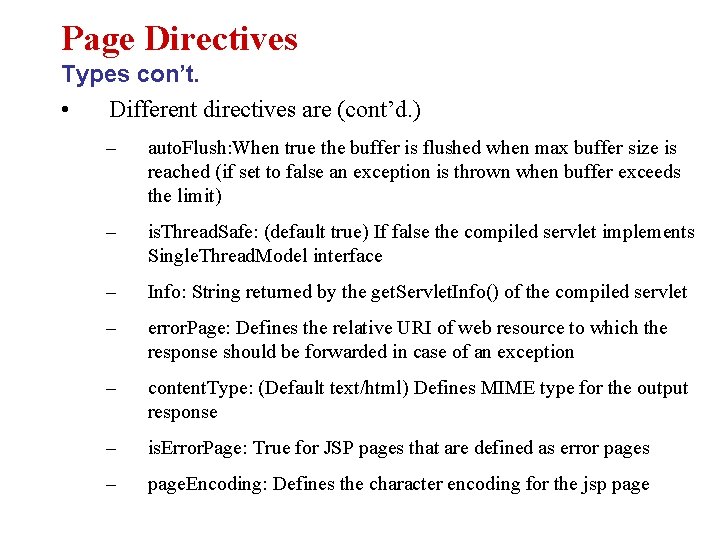
Page Directives Types con’t. • Different directives are (cont’d. ) – auto. Flush: When true the buffer is flushed when max buffer size is reached (if set to false an exception is thrown when buffer exceeds the limit) – is. Thread. Safe: (default true) If false the compiled servlet implements Single. Thread. Model interface – Info: String returned by the get. Servlet. Info() of the compiled servlet – error. Page: Defines the relative URI of web resource to which the response should be forwarded in case of an exception – content. Type: (Default text/html) Defines MIME type for the output response – is. Error. Page: True for JSP pages that are defined as error pages – page. Encoding: Defines the character encoding for the jsp page
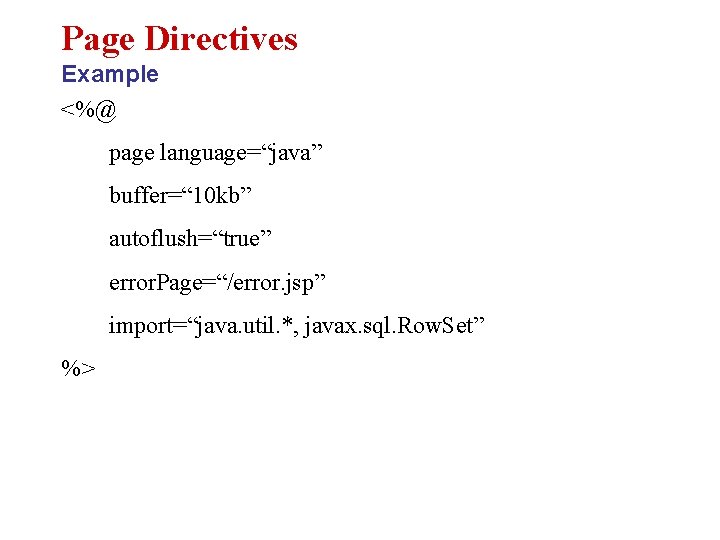
Page Directives Example <%@ page language=“java” buffer=“ 10 kb” autoflush=“true” error. Page=“/error. jsp” import=“java. util. *, javax. sql. Row. Set” %>
Include Directive Basics • Used to insert template text and JSP code during the translation phase. – • The content of the included file specified by the directive is included in the including JSP page Example – <%@ include file=“included. jsp” %>
JSP Actions Basics & Types • Processed during the request processing phase. – As opposed to JSP directives which are processed during translation • Standard actions should be supported by J 2 EE compliant web servers • Custom actions can be created using tag libraries • The different actions are – Include action – Forward action – Param action – use. Bean action – get. Property action – set. Property action – plug. In action
JSP Actions Include • Include action used for including resources in a JSP page • – Include directive includes resources in a JSP page at translation time – Include action includes response of a resource into the response of the JSP page – Same as including resources using Request. Dispatcher interface – Changes in the included resource reflected while accessing the page. – Normally used for including dynamic resources Example – <jsp: include page=“inlcuded. Page. jsp”> – Includes the output of included. Page. jsp into the page where this is included.
JSP Actions Forward • Forwards the response to other web specification resources – • • Same as forwarding to resources using Request. Dispatcher interface Forwarded only when content is not committed to other web application resources – Otherwise an Illegal. State. Exception is thrown – Can be avoided by setting a high buffer size for the forwarding jsp page Example – <jsp: forward page=“Forwarded. html”> – Forwards the request to Forwarded. html
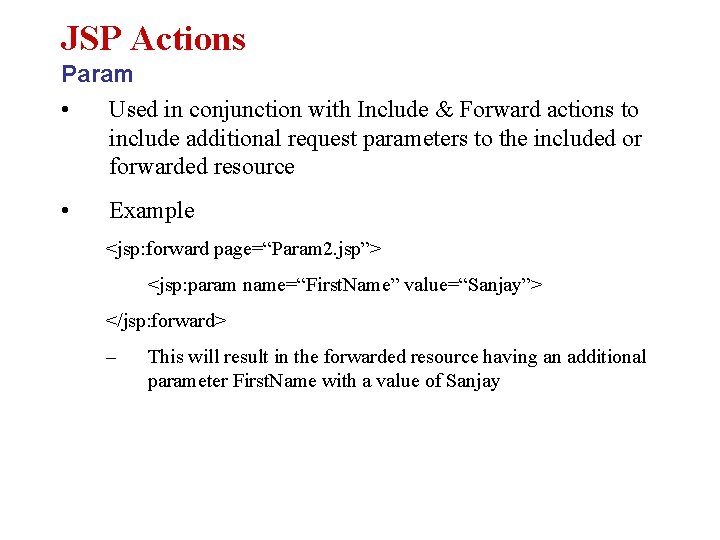
JSP Actions Param • Used in conjunction with Include & Forward actions to include additional request parameters to the included or forwarded resource • Example <jsp: forward page=“Param 2. jsp”> <jsp: param name=“First. Name” value=“Sanjay”> </jsp: forward> – This will result in the forwarded resource having an additional parameter First. Name with a value of Sanjay
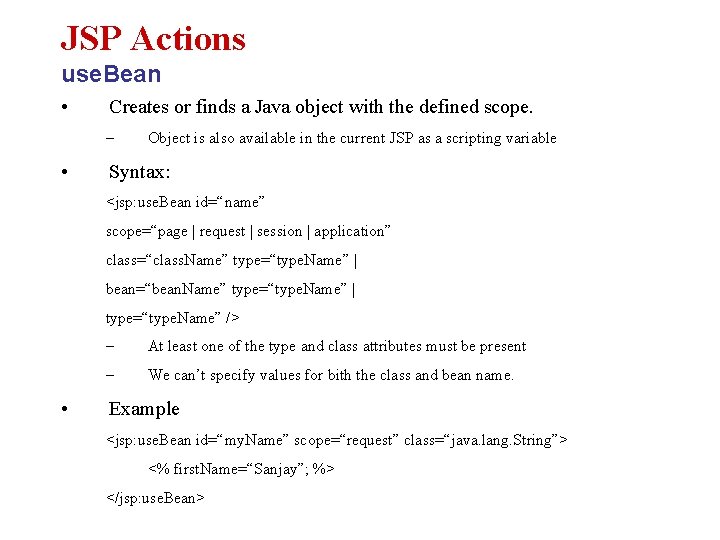
JSP Actions use. Bean • Creates or finds a Java object with the defined scope. – • Object is also available in the current JSP as a scripting variable Syntax: <jsp: use. Bean id=“name” scope=“page | request | session | application” class=“class. Name” type=“type. Name” | bean=“bean. Name” type=“type. Name” | type=“type. Name” /> • – At least one of the type and class attributes must be present – We can’t specify values for bith the class and bean name. Example <jsp: use. Bean id=“my. Name” scope=“request” class=“java. lang. String”> <% first. Name=“Sanjay”; %> </jsp: use. Bean>
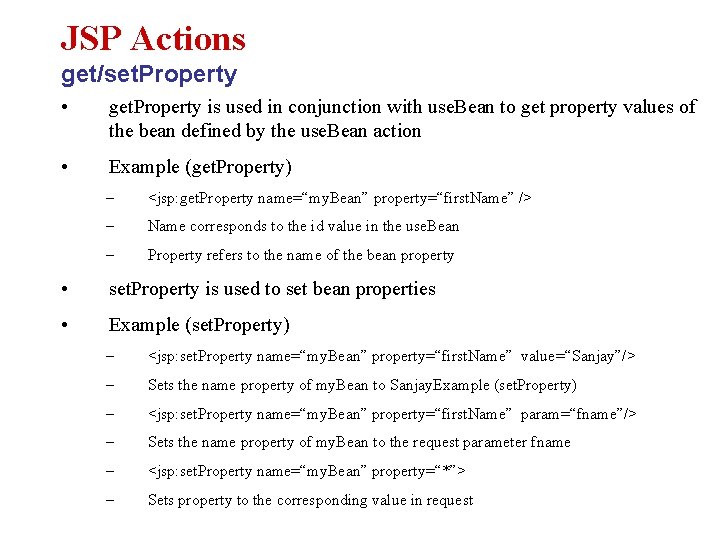
JSP Actions get/set. Property • get. Property is used in conjunction with use. Bean to get property values of the bean defined by the use. Bean action • Example (get. Property) – <jsp: get. Property name=“my. Bean” property=“first. Name” /> – Name corresponds to the id value in the use. Bean – Property refers to the name of the bean property • set. Property is used to set bean properties • Example (set. Property) – <jsp: set. Property name=“my. Bean” property=“first. Name” value=“Sanjay”/> – Sets the name property of my. Bean to Sanjay. Example (set. Property) – <jsp: set. Property name=“my. Bean” property=“first. Name” param=“fname”/> – Sets the name property of my. Bean to the request parameter fname – <jsp: set. Property name=“my. Bean” property=“*”> – Sets property to the corresponding value in request
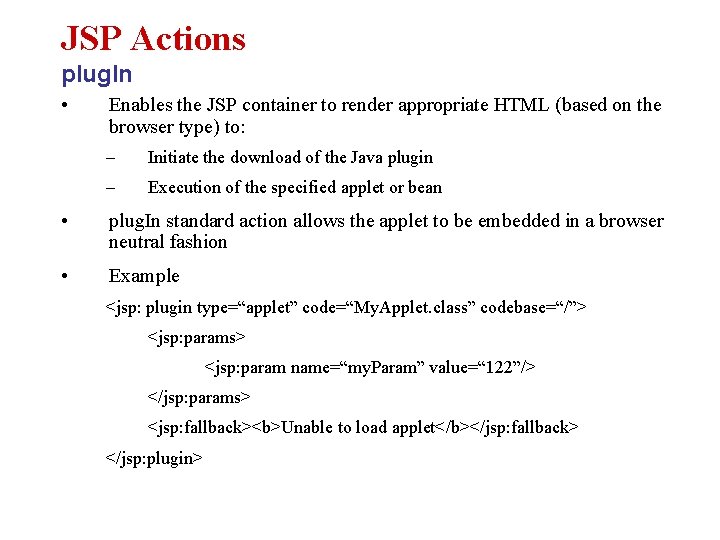
JSP Actions plug. In • Enables the JSP container to render appropriate HTML (based on the browser type) to: – Initiate the download of the Java plugin – Execution of the specified applet or bean • plug. In standard action allows the applet to be embedded in a browser neutral fashion • Example <jsp: plugin type=“applet” code=“My. Applet. class” codebase=“/”> <jsp: params> <jsp: param name=“my. Param” value=“ 122”/> </jsp: params> <jsp: fallback><b>Unable to load applet</b></jsp: fallback> </jsp: plugin>
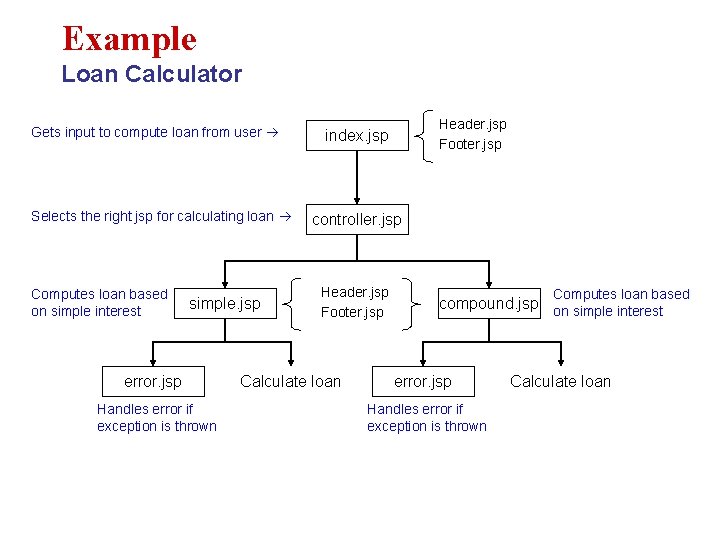
Example Loan Calculator Gets input to compute loan from user Selects the right jsp for calculating loan Computes loan based on simple interest simple. jsp error. jsp Handles error if exception is thrown Header. jsp Footer. jsp index. jsp controller. jsp Header. jsp Footer. jsp Calculate loan Computes loan based compound. jsp on simple interest error. jsp Handles error if exception is thrown Calculate loan
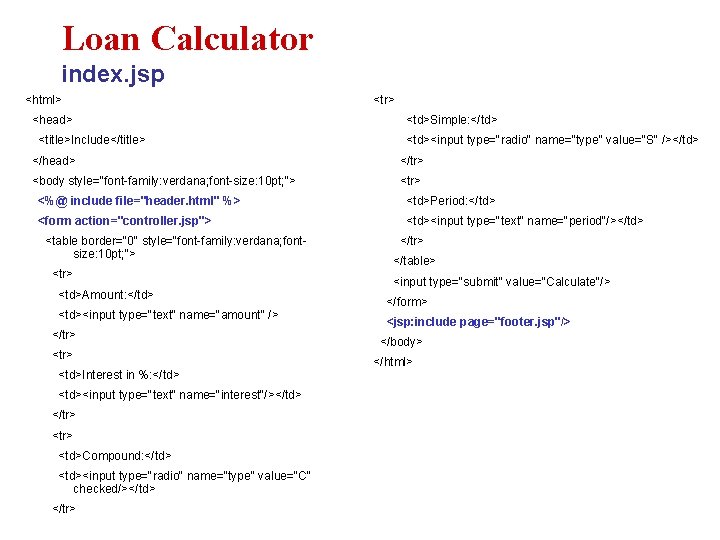
Loan Calculator index. jsp <html> <head> <title>Include</title> <tr> <td>Simple: </td> <td><input type="radio" name="type" value="S" /></td> </head> </tr> <body style="font-family: verdana; font-size: 10 pt; "> <tr> <%@ include file="header. html" %> <td>Period: </td> <form action="controller. jsp"> <td><input type="text" name="period"/></td> <table border="0" style="font-family: verdana; fontsize: 10 pt; "> <tr> <td>Amount: </td> <td><input type="text" name="amount" /> </tr> <td>Interest in %: </td> <td><input type="text" name="interest"/></td> </tr> <td>Compound: </td> <td><input type="radio" name="type" value="C" checked/></td> </tr> </table> <input type="submit" value="Calculate"/> </form> <jsp: include page="footer. jsp"/> </body> </html>
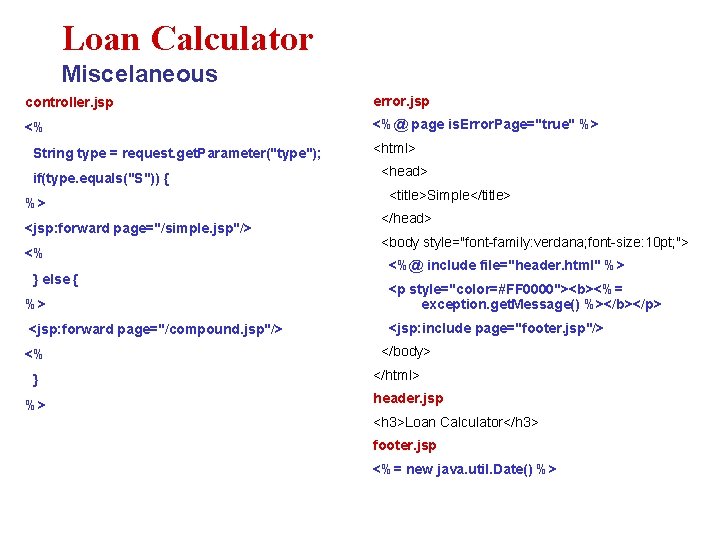
Loan Calculator Miscelaneous controller. jsp error. jsp <% <%@ page is. Error. Page="true" %> String type = request. get. Parameter("type"); if(type. equals("S")) { %> <jsp: forward page="/simple. jsp"/> <% } else { <html> <head> <title>Simple</title> </head> <body style="font-family: verdana; font-size: 10 pt; "> <%@ include file="header. html" %> %> <p style="color=#FF 0000"><b><%= exception. get. Message() %></b></p> <jsp: forward page="/compound. jsp"/> <jsp: include page="footer. jsp"/> <% } %> </body> </html> header. jsp <h 3>Loan Calculator</h 3> footer. jsp <%= new java. util. Date() %>
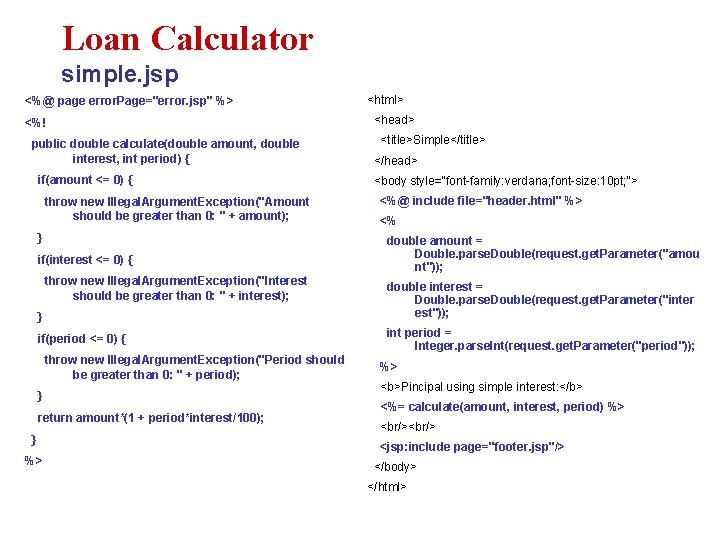
Loan Calculator simple. jsp <%@ page error. Page="error. jsp" %> <%! public double calculate(double amount, double interest, int period) { if(amount <= 0) { throw new Illegal. Argument. Exception("Amount should be greater than 0: " + amount); } if(interest <= 0) { throw new Illegal. Argument. Exception("Interest should be greater than 0: " + interest); } if(period <= 0) { throw new Illegal. Argument. Exception("Period should be greater than 0: " + period); } return amount*(1 + period*interest/100); } %> <html> <head> <title>Simple</title> </head> <body style="font-family: verdana; font-size: 10 pt; "> <%@ include file="header. html" %> <% double amount = Double. parse. Double(request. get. Parameter("amou nt")); double interest = Double. parse. Double(request. get. Parameter("inter est")); int period = Integer. parse. Int(request. get. Parameter("period")); %> <b>Pincipal using simple interest: </b> <%= calculate(amount, interest, period) %> <br/> <jsp: include page="footer. jsp"/> </body> </html>
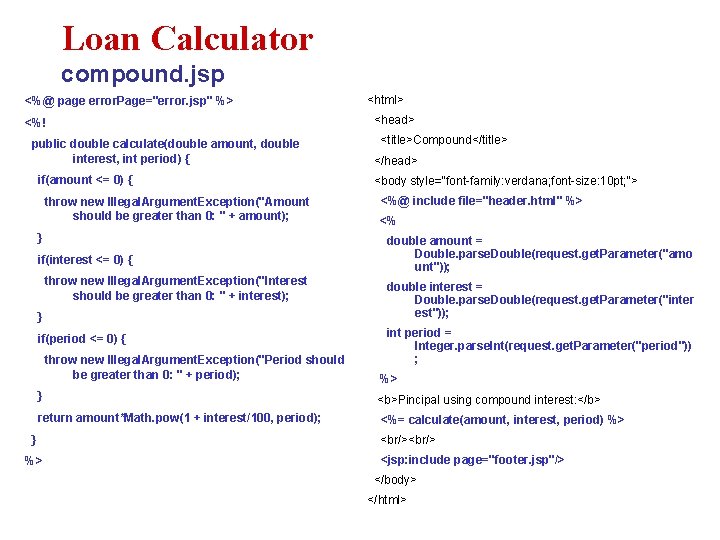
Loan Calculator compound. jsp <%@ page error. Page="error. jsp" %> <%! public double calculate(double amount, double interest, int period) { if(amount <= 0) { throw new Illegal. Argument. Exception("Amount should be greater than 0: " + amount); } if(interest <= 0) { throw new Illegal. Argument. Exception("Interest should be greater than 0: " + interest); } if(period <= 0) { throw new Illegal. Argument. Exception("Period should be greater than 0: " + period); <html> <head> <title>Compound</title> </head> <body style="font-family: verdana; font-size: 10 pt; "> <%@ include file="header. html" %> <% double amount = Double. parse. Double(request. get. Parameter("amo unt")); double interest = Double. parse. Double(request. get. Parameter("inter est")); int period = Integer. parse. Int(request. get. Parameter("period")) ; %> } <b>Pincipal using compound interest: </b> return amount*Math. pow(1 + interest/100, period); <%= calculate(amount, interest, period) %> } %> <br/> <jsp: include page="footer. jsp"/> </body> </html>
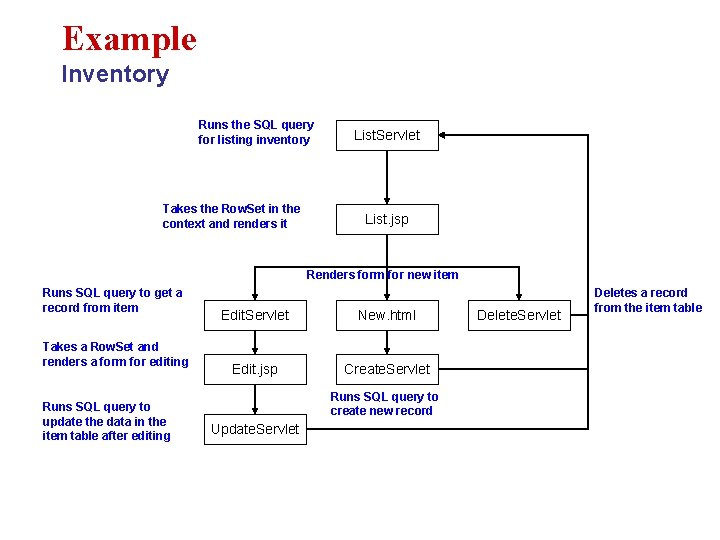
Example Inventory Runs the SQL query for listing inventory Takes the Row. Set in the context and renders it List. Servlet List. jsp Renders form for new item Runs SQL query to get a record from item Takes a Row. Set and renders a form for editing Runs SQL query to update the data in the item table after editing Edit. Servlet New. html Edit. jsp Create. Servlet Runs SQL query to create new record Update. Servlet Deletes a record from the item table
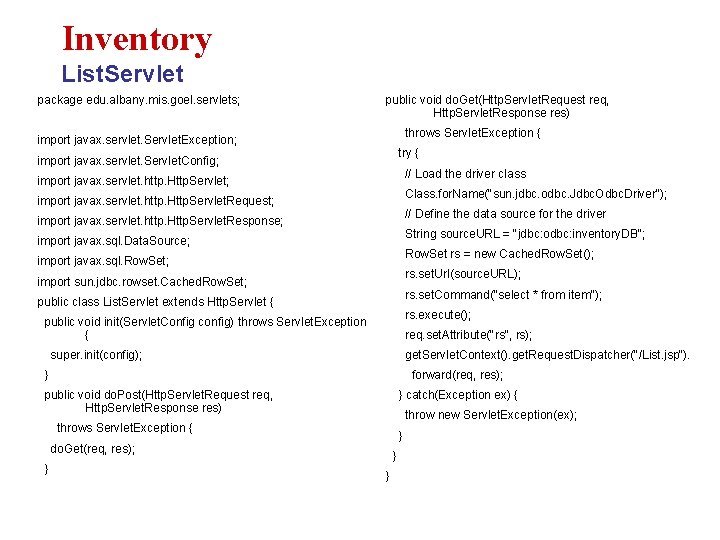
Inventory List. Servlet package edu. albany. mis. goel. servlets; public void do. Get(Http. Servlet. Request req, Http. Servlet. Response res) throws Servlet. Exception { import javax. servlet. Servlet. Exception; try { import javax. servlet. Servlet. Config; // Load the driver class import javax. servlet. http. Http. Servlet; Class. for. Name("sun. jdbc. odbc. Jdbc. Odbc. Driver"); import javax. servlet. http. Http. Servlet. Request; // Define the data source for the driver import javax. servlet. http. Http. Servlet. Response; String source. URL = "jdbc: odbc: inventory. DB"; import javax. sql. Data. Source; Row. Set rs = new Cached. Row. Set(); import javax. sql. Row. Set; rs. set. Url(source. URL); import sun. jdbc. rowset. Cached. Row. Set; rs. set. Command("select * from item"); public class List. Servlet extends Http. Servlet { rs. execute(); public void init(Servlet. Config config) throws Servlet. Exception { req. set. Attribute("rs", rs); get. Servlet. Context(). get. Request. Dispatcher("/List. jsp"). super. init(config); forward(req, res); } } catch(Exception ex) { public void do. Post(Http. Servlet. Request req, Http. Servlet. Response res) throw new Servlet. Exception(ex); throws Servlet. Exception { } do. Get(req, res); } } }
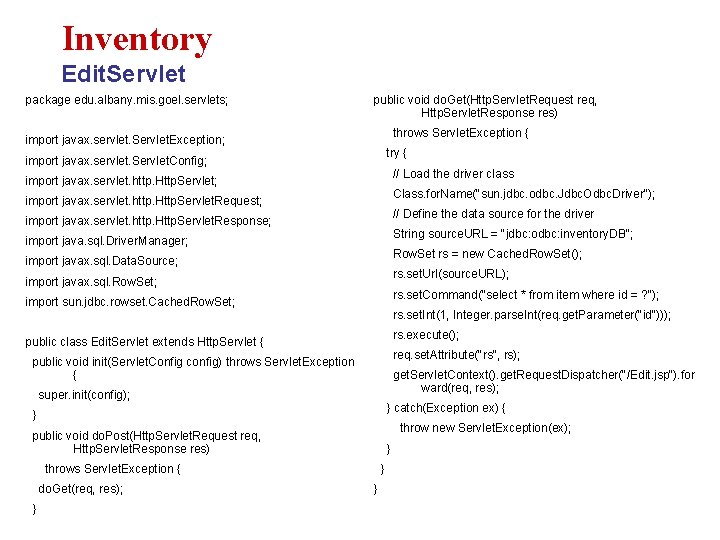
Inventory Edit. Servlet package edu. albany. mis. goel. servlets; public void do. Get(Http. Servlet. Request req, Http. Servlet. Response res) throws Servlet. Exception { import javax. servlet. Servlet. Exception; try { import javax. servlet. Servlet. Config; // Load the driver class import javax. servlet. http. Http. Servlet; Class. for. Name("sun. jdbc. odbc. Jdbc. Odbc. Driver"); import javax. servlet. http. Http. Servlet. Request; // Define the data source for the driver import javax. servlet. http. Http. Servlet. Response; String source. URL = "jdbc: odbc: inventory. DB"; import java. sql. Driver. Manager; Row. Set rs = new Cached. Row. Set(); import javax. sql. Data. Source; rs. set. Url(source. URL); import javax. sql. Row. Set; rs. set. Command("select * from item where id = ? "); import sun. jdbc. rowset. Cached. Row. Set; rs. set. Int(1, Integer. parse. Int(req. get. Parameter("id"))); rs. execute(); public class Edit. Servlet extends Http. Servlet { req. set. Attribute("rs", rs); public void init(Servlet. Config config) throws Servlet. Exception { get. Servlet. Context(). get. Request. Dispatcher("/Edit. jsp"). for ward(req, res); super. init(config); } catch(Exception ex) { } throw new Servlet. Exception(ex); public void do. Post(Http. Servlet. Request req, Http. Servlet. Response res) } throws Servlet. Exception { do. Get(req, res); } } }
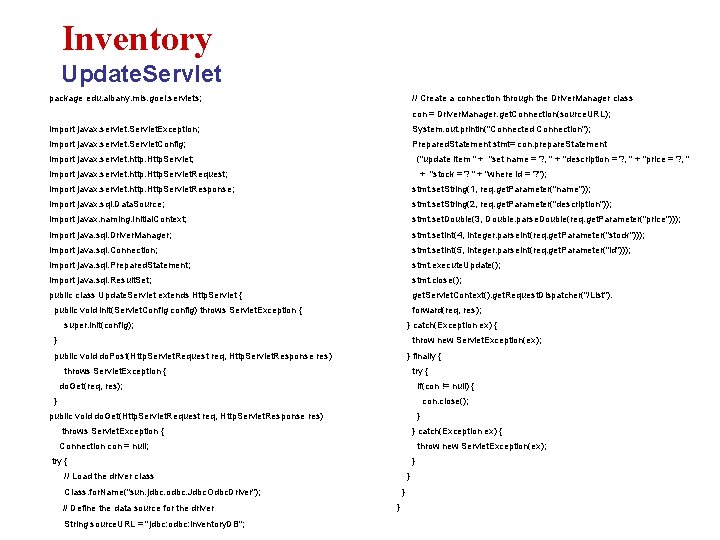
Inventory Update. Servlet package edu. albany. mis. goel. servlets; // Create a connection through the Driver. Manager class con = Driver. Manager. get. Connection(source. URL); import javax. servlet. Servlet. Exception; System. out. println("Connected Connection"); import javax. servlet. Servlet. Config; Prepared. Statement stmt= con. prepare. Statement import javax. servlet. http. Http. Servlet; ("update item " + "set name = ? , " + "description = ? , " + "price = ? , " import javax. servlet. http. Http. Servlet. Request; + "stock = ? " + "where id = ? "); import javax. servlet. http. Http. Servlet. Response; stmt. set. String(1, req. get. Parameter("name")); import javax. sql. Data. Source; stmt. set. String(2, req. get. Parameter("description")); import javax. naming. Initial. Context; stmt. set. Double(3, Double. parse. Double(req. get. Parameter("price"))); import java. sql. Driver. Manager; stmt. set. Int(4, Integer. parse. Int(req. get. Parameter("stock"))); import java. sql. Connection; stmt. set. Int(5, Integer. parse. Int(req. get. Parameter("id"))); import java. sql. Prepared. Statement; stmt. execute. Update(); import java. sql. Result. Set; stmt. close(); public class Update. Servlet extends Http. Servlet { get. Servlet. Context(). get. Request. Dispatcher("/List"). public void init(Servlet. Config config) throws Servlet. Exception { forward(req, res); super. init(config); } catch(Exception ex) { } throw new Servlet. Exception(ex); public void do. Post(Http. Servlet. Request req, Http. Servlet. Response res) } finally { throws Servlet. Exception { try { do. Get(req, res); if(con != null) { } con. close(); public void do. Get(Http. Servlet. Request req, Http. Servlet. Response res) } throws Servlet. Exception { } catch(Exception ex) { Connection con = null; throw new Servlet. Exception(ex); try { } // Load the driver class } Class. for. Name("sun. jdbc. odbc. Jdbc. Odbc. Driver"); // Define the data source for the driver String source. URL = "jdbc: odbc: inventory. DB"; } }
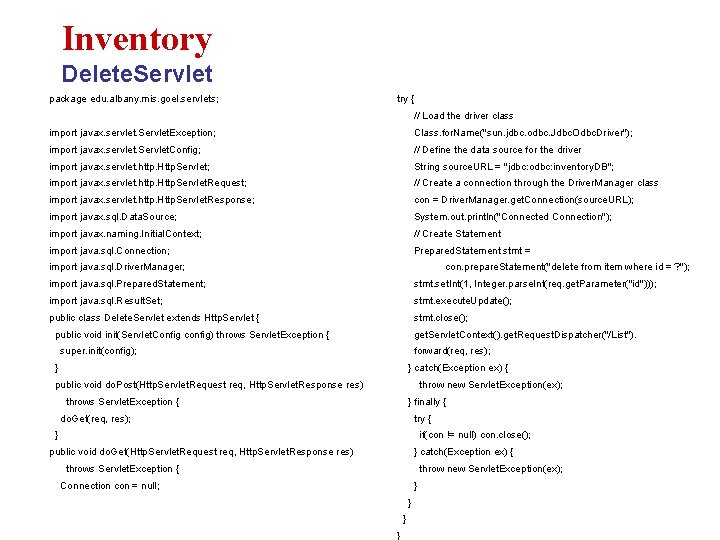
Inventory Delete. Servlet package edu. albany. mis. goel. servlets; try { // Load the driver class import javax. servlet. Servlet. Exception; Class. for. Name("sun. jdbc. odbc. Jdbc. Odbc. Driver"); import javax. servlet. Servlet. Config; // Define the data source for the driver import javax. servlet. http. Http. Servlet; String source. URL = "jdbc: odbc: inventory. DB"; import javax. servlet. http. Http. Servlet. Request; // Create a connection through the Driver. Manager class import javax. servlet. http. Http. Servlet. Response; con = Driver. Manager. get. Connection(source. URL); import javax. sql. Data. Source; System. out. println("Connected Connection"); import javax. naming. Initial. Context; // Create Statement import java. sql. Connection; Prepared. Statement stmt = import java. sql. Driver. Manager; con. prepare. Statement("delete from item where id = ? "); import java. sql. Prepared. Statement; stmt. set. Int(1, Integer. parse. Int(req. get. Parameter("id"))); import java. sql. Result. Set; stmt. execute. Update(); public class Delete. Servlet extends Http. Servlet { stmt. close(); public void init(Servlet. Config config) throws Servlet. Exception { get. Servlet. Context(). get. Request. Dispatcher("/List"). super. init(config); forward(req, res); } } catch(Exception ex) { public void do. Post(Http. Servlet. Request req, Http. Servlet. Response res) throw new Servlet. Exception(ex); throws Servlet. Exception { } finally { do. Get(req, res); try { } if(con != null) con. close(); public void do. Get(Http. Servlet. Request req, Http. Servlet. Response res) } catch(Exception ex) { throws Servlet. Exception { throw new Servlet. Exception(ex); Connection con = null; } }
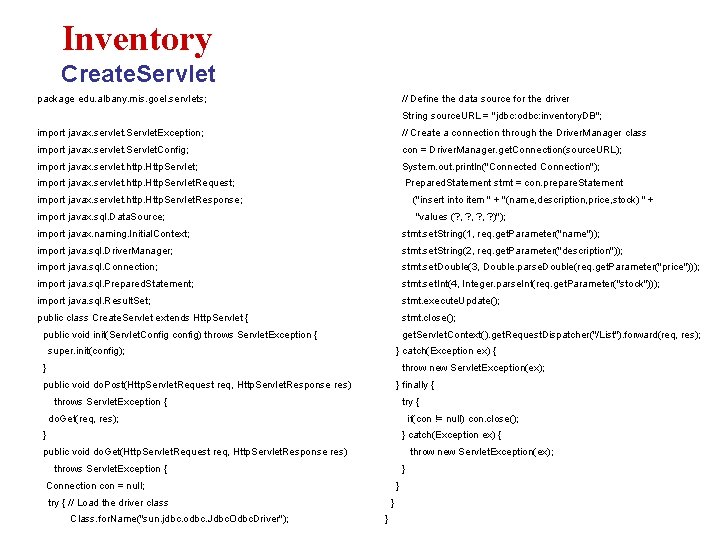
Inventory Create. Servlet package edu. albany. mis. goel. servlets; // Define the data source for the driver String source. URL = "jdbc: odbc: inventory. DB"; import javax. servlet. Servlet. Exception; // Create a connection through the Driver. Manager class import javax. servlet. Servlet. Config; con = Driver. Manager. get. Connection(source. URL); import javax. servlet. http. Http. Servlet; System. out. println("Connected Connection"); import javax. servlet. http. Http. Servlet. Request; Prepared. Statement stmt = con. prepare. Statement import javax. servlet. http. Http. Servlet. Response; ("insert into item " + "(name, description, price, stock) " + import javax. sql. Data. Source; "values (? , ? , ? )"); import javax. naming. Initial. Context; stmt. set. String(1, req. get. Parameter("name")); import java. sql. Driver. Manager; stmt. set. String(2, req. get. Parameter("description")); import java. sql. Connection; stmt. set. Double(3, Double. parse. Double(req. get. Parameter("price"))); import java. sql. Prepared. Statement; stmt. set. Int(4, Integer. parse. Int(req. get. Parameter("stock"))); import java. sql. Result. Set; stmt. execute. Update(); public class Create. Servlet extends Http. Servlet { stmt. close(); public void init(Servlet. Config config) throws Servlet. Exception { get. Servlet. Context(). get. Request. Dispatcher("/List"). forward(req, res); super. init(config); } catch(Exception ex) { } throw new Servlet. Exception(ex); public void do. Post(Http. Servlet. Request req, Http. Servlet. Response res) } finally { throws Servlet. Exception { try { do. Get(req, res); if(con != null) con. close(); } } catch(Exception ex) { public void do. Get(Http. Servlet. Request req, Http. Servlet. Response res) throw new Servlet. Exception(ex); throws Servlet. Exception { } Connection con = null; } try { // Load the driver class Class. for. Name("sun. jdbc. odbc. Jdbc. Odbc. Driver"); } }
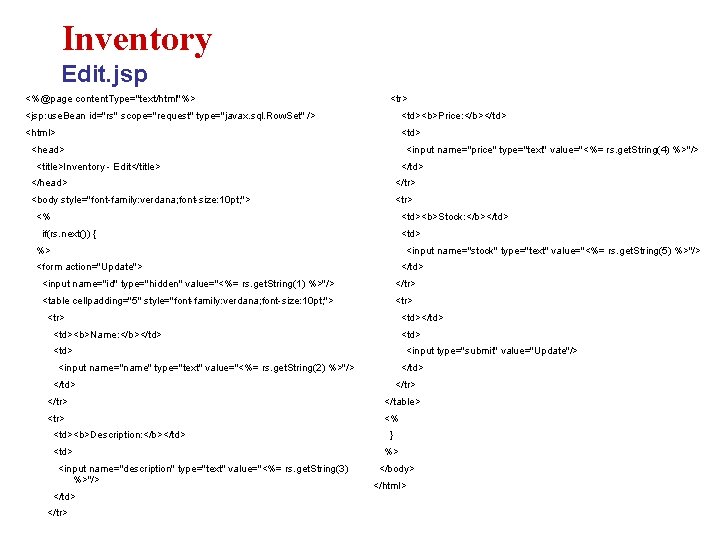
Inventory Edit. jsp <%@page content. Type="text/html"%> <tr> <jsp: use. Bean id="rs" scope="request" type="javax. sql. Row. Set" /> <td><b>Price: </b></td> <html> <td> <head> <input name="price" type="text" value="<%= rs. get. String(4) %>"/> <title>Inventory - Edit</title> </td> </head> </tr> <body style="font-family: verdana; font-size: 10 pt; "> <tr> <% <td><b>Stock: </b></td> if(rs. next()) { <td> %> <input name="stock" type="text" value="<%= rs. get. String(5) %>"/> <form action="Update"> </td> <input name="id" type="hidden" value="<%= rs. get. String(1) %>"/> </tr> <table cellpadding="5" style="font-family: verdana; font-size: 10 pt; "> <tr> <td></td> <td><b>Name: </b></td> <td> <input type="submit" value="Update"/> <input name="name" type="text" value="<%= rs. get. String(2) %>"/> </td> </tr> </table> <tr> <% <td><b>Description: </b></td> <input name="description" type="text" value="<%= rs. get. String(3) %>"/> </td> </tr> } %> </body> </html>
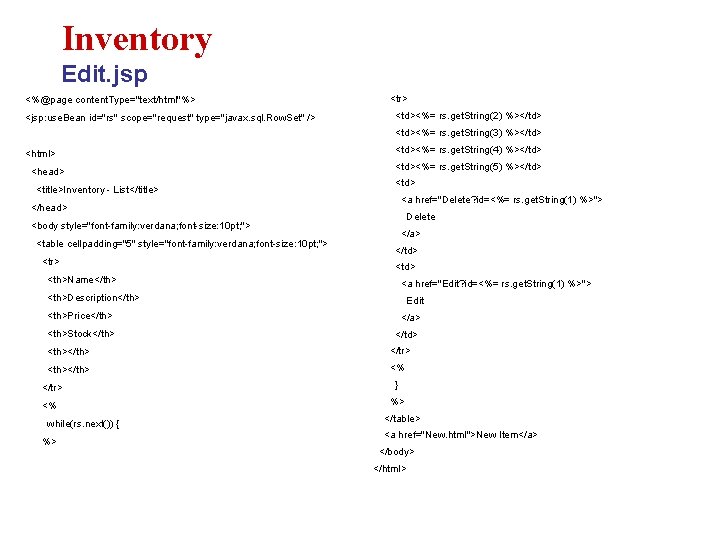
Inventory Edit. jsp <%@page content. Type="text/html"%> <jsp: use. Bean id="rs" scope="request" type="javax. sql. Row. Set" /> <tr> <td><%= rs. get. String(2) %></td> <td><%= rs. get. String(3) %></td> <html> <head> <title>Inventory - List</title> <td><%= rs. get. String(4) %></td> <td><%= rs. get. String(5) %></td> <a href="Delete? id=<%= rs. get. String(1) %>"> </head> Delete <body style="font-family: verdana; font-size: 10 pt; "> <table cellpadding="5" style="font-family: verdana; font-size: 10 pt; "> <tr> </a> </td> <th>Name</th> <a href="Edit? id=<%= rs. get. String(1) %>"> <th>Description</th> Edit <th>Price</th> </a> <th>Stock</th> </td> <th></th> </tr> <th></th> <% </tr> } <% %> while(rs. next()) { %> </table> <a href="New. html">New Item</a> </body> </html>
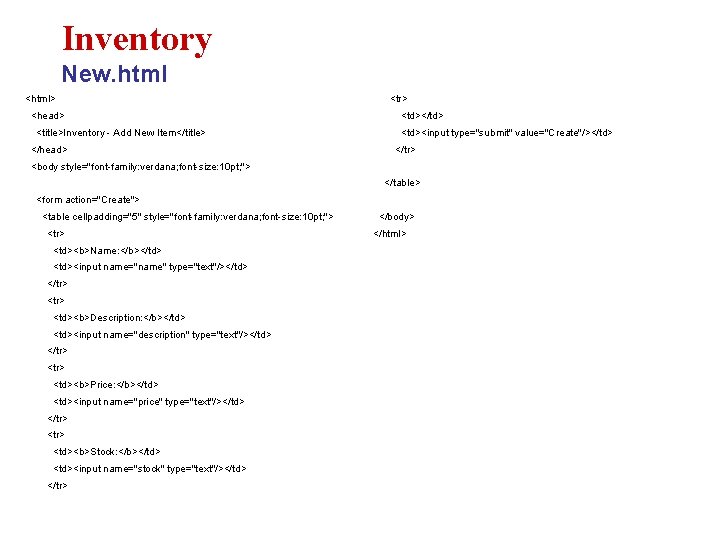
Inventory New. html <html> <head> <title>Inventory - Add New Item</title> </head> <tr> <td></td> <td><input type="submit" value="Create"/></td> </tr> <body style="font-family: verdana; font-size: 10 pt; "> </table> <form action="Create"> <table cellpadding="5" style="font-family: verdana; font-size: 10 pt; "> <tr> <td><b>Name: </b></td> <td><input name="name" type="text"/></td> </tr> <td><b>Description: </b></td> <td><input name="description" type="text"/></td> </tr> <td><b>Price: </b></td> <td><input name="price" type="text"/></td> </tr> <td><b>Stock: </b></td> <td><input name="stock" type="text"/></td> </tr> </body> </html>