
Serialization CSCI 201 Principles of Software Development Jeffrey
![Saving Object Example 1 public class Test { 2 public static void main(String []](https://slidetodoc.com/presentation_image_h2/3cd99bf981d4a3ab1615de257e019342/image-4.jpg "Saving Object Example 1 public class Test { 2 public static void main(String []")
![Saving Object Example 1 public class Test { 2 public static void main(String []](https://slidetodoc.com/presentation_image_h2/3cd99bf981d4a3ab1615de257e019342/image-5.jpg "Saving Object Example 1 public class Test { 2 public static void main(String []")
![Saving Object Example 1 public class Test { 2 public static void main(String []](https://slidetodoc.com/presentation_image_h2/3cd99bf981d4a3ab1615de257e019342/image-6.jpg "Saving Object Example 1 public class Test { 2 public static void main(String []")
- Slides: 13
Serialization CSCI 201 Principles of Software Development Jeffrey Miller, Ph. D. jeffrey. miller@usc. edu
Outline • Serialization and File I/O • Program USC CSCI 201 L
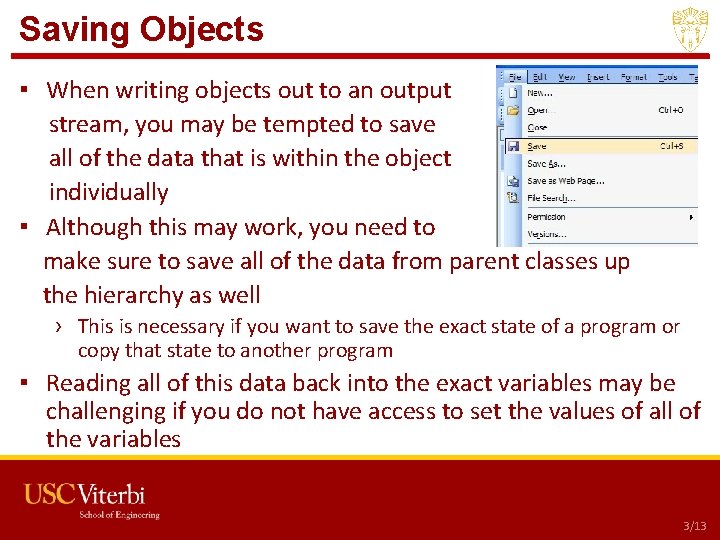
Saving Objects ▪ When writing objects out to an output stream, you may be tempted to save all of the data that is within the object individually ▪ Although this may work, you need to make sure to save all of the data from parent classes up the hierarchy as well › This is necessary if you want to save the exact state of a program or copy that state to another program ▪ Reading all of this data back into the exact variables may be challenging if you do not have access to set the values of all of the variables • Serialization USC CSCI 201 L 3/13
Saving Object Example 1 public class Test { 2 public static void main(String [] args) { 3 Employee emp = new Employee(“donald trump”, 2_000); 4 Print. Writer pw; 5 try { 6 pw = new Print. Writer(new File. Writer(“emp. txt”)); 7 emp. save. Data(pw); 8 } catch (IOException ioe) { 9 System. out. println(ioe. get. Message()); 21 class Employee { 22 private String name; 10 } finally { 23 private int salary; 11 if (pw != null) { 24 Employee(String name, int sal) { 12 try { 25 this. name = name; 13 pw. close(); 26 this. salary = sal; 14 } catch (IOException ioe) { } 15 System. out. print(ioe. get. Message()); 27 28 void save. Data(Print. Writer pw) { 16 } 29 pw. println(name + “, ” + salary); 17 } 30 pw. flush(); 18 } 31 } 19 } 32 } 20 } • Serialization USC CSCI 201 L 4/13
Saving Object Example 1 public class Test { 2 public static void main(String [] args) { 3 Employee emp = new Employee(“donald trump”, 2_000); 4 Print. Writer pw; 5 try { 6 pw = new Print. Writer(new File. Writer(“emp. txt”)); 7 emp. save. Data(pw); 8 } catch (IOException ioe) { 9 System. out. println(ioe. get. Message()); 21 class Employee extends Person { 22 // private String name; 10 } finally { 23 private int salary; 11 if (pw != null) { 24 Employee(String name, int sal) { 12 try { 25 super. name = name; 13 pw. close(); 26 this. salary = sal; 14 } catch (IOException ioe) { } 15 System. out. print(ioe. get. Message()); 27 28 void save. Data(Print. Writer pw) { 16 } 29 pw. println(name + “, ” + salary); 33 class Person { 17 } 30 pw. flush(); 34 protected String name; 18 } 31 } 35 Person(String name) { 19 } 36 this. name = name; 32 } 20 } 37 38 • Serialization } } USC CSCI 201 L 5/13
Saving Object Example 1 public class Test { 2 public static void main(String [] args) { 3 Employee emp = new Employee(“donald trump”, 2_000); 4 Print. Writer pw; Will line 29 compile? 5 try { 6 pw = new Print. Writer(new File. Writer(“emp. txt”)); 7 emp. save. Data(pw); 8 } catch (IOException ioe) { 9 System. out. println(ioe. get. Message()); 21 class Employee extends Person { 22 // private String name; 10 } finally { 23 private int salary; 11 if (pw != null) { 24 Employee(String name, int sal) { 12 try { 25 super(name); 13 pw. close(); 26 this. salary = sal; 14 } catch (IOException ioe) { } 15 System. out. print(ioe. get. Message()); 27 28 void save. Data(Print. Writer pw) { 16 } 29 pw. println(name + “, ” + salary); 33 class Person { 17 } 30 pw. flush(); 34 private String name; 18 } 31 } 35 Person(String name) { 19 } 36 this. name = name; 32 } 20 } 37 38 • Serialization } } USC CSCI 201 L 6/13
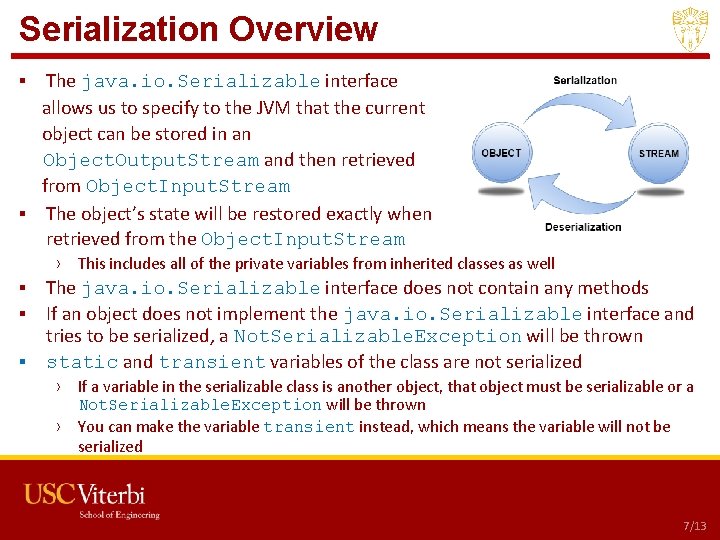
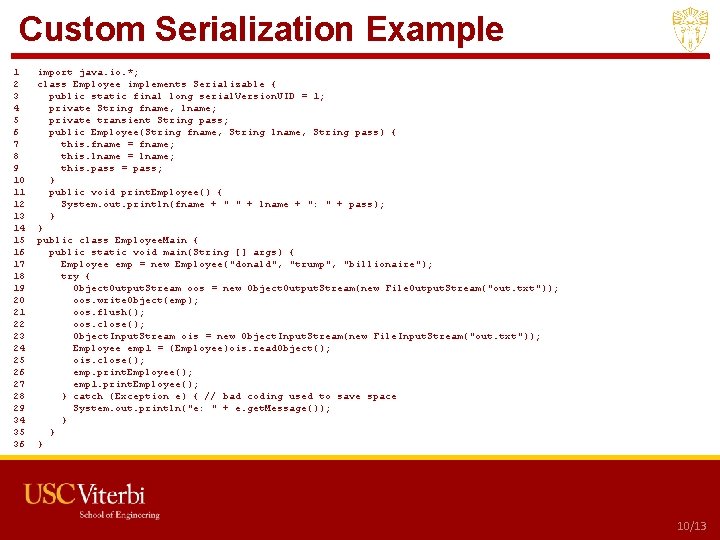
Serialization Overview ▪ The java. io. Serializable interface allows us to specify to the JVM that the current object can be stored in an Object. Output. Stream and then retrieved from Object. Input. Stream ▪ The object’s state will be restored exactly when retrieved from the Object. Input. Stream › This includes all of the private variables from inherited classes as well ▪ The java. io. Serializable interface does not contain any methods ▪ If an object does not implement the java. io. Serializable interface and tries to be serialized, a Not. Serializable. Exception will be thrown ▪ static and transient variables of the class are not serialized › If a variable in the serializable class is another object, that object must be serializable or a Not. Serializable. Exception will be thrown › You can make the variable transient instead, which means the variable will not be serialized • Serialization USC CSCI 201 L 7/13
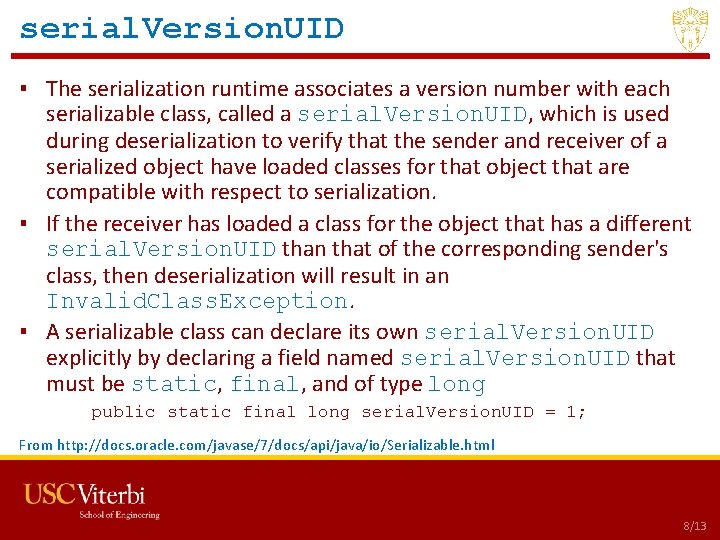
serial. Version. UID ▪ The serialization runtime associates a version number with each serializable class, called a serial. Version. UID, which is used during deserialization to verify that the sender and receiver of a serialized object have loaded classes for that object that are compatible with respect to serialization. ▪ If the receiver has loaded a class for the object that has a different serial. Version. UID than that of the corresponding sender's class, then deserialization will result in an Invalid. Class. Exception. ▪ A serializable class can declare its own serial. Version. UID explicitly by declaring a field named serial. Version. UID that must be static, final, and of type long public static final long serial. Version. UID = 1; From http: //docs. oracle. com/javase/7/docs/api/java/io/Serializable. html • Serialization USC CSCI 201 L 8/13
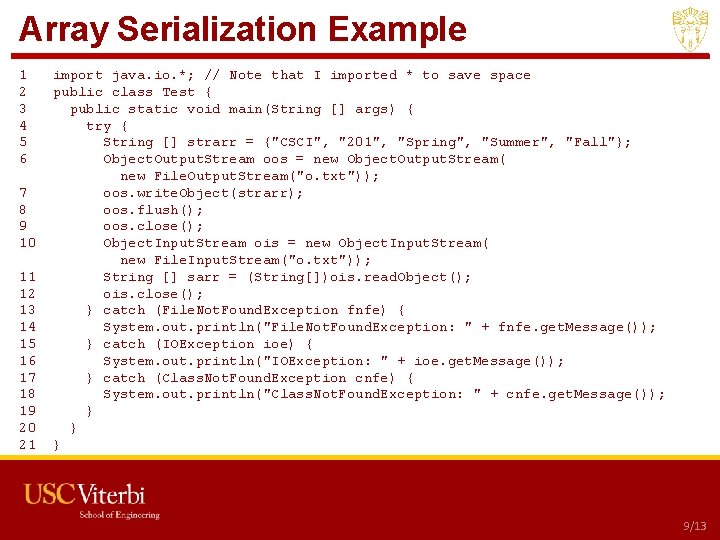
Array Serialization Example 1 2 3 4 5 6 7 8 9 10 11 12 13 14 15 16 17 18 19 20 21 import java. io. *; // Note that I imported * to save space public class Test { public static void main(String [] args) { try { String [] strarr = {"CSCI", "201", "Spring", "Summer", "Fall"}; Object. Output. Stream oos = new Object. Output. Stream( new File. Output. Stream("o. txt")); oos. write. Object(strarr); oos. flush(); oos. close(); Object. Input. Stream ois = new Object. Input. Stream( new File. Input. Stream("o. txt")); String [] sarr = (String[])ois. read. Object(); ois. close(); } catch (File. Not. Found. Exception fnfe) { System. out. println("File. Not. Found. Exception: " + fnfe. get. Message()); } catch (IOException ioe) { System. out. println("IOException: " + ioe. get. Message()); } catch (Class. Not. Found. Exception cnfe) { System. out. println("Class. Not. Found. Exception: " + cnfe. get. Message()); } } } • Serialization USC CSCI 201 L 9/13
Custom Serialization Example 1 2 3 4 5 6 7 8 9 10 11 12 13 14 15 16 17 18 19 20 21 22 23 24 25 26 27 28 29 34 35 36 import java. io. *; class Employee implements Serializable { public static final long serial. Version. UID = 1; private String fname, lname; private transient String pass; public Employee(String fname, String lname, String pass) { this. fname = fname; this. lname = lname; this. pass = pass; } public void print. Employee() { System. out. println(fname + " " + lname + ": " + pass); } } public class Employee. Main { public static void main(String [] args) { Employee emp = new Employee("donald", "trump", "billionaire"); try { Object. Output. Stream oos = new Object. Output. Stream(new File. Output. Stream("out. txt")); oos. write. Object(emp); oos. flush(); oos. close(); Object. Input. Stream ois = new Object. Input. Stream(new File. Input. Stream("out. txt")); Employee emp 1 = (Employee)ois. read. Object(); ois. close(); emp. print. Employee(); emp 1. print. Employee(); } catch (Exception e) { // bad coding used to save space System. out. println("e: " + e. get. Message()); } } } • Serialization USC CSCI 201 L 10/13
Networking Serialization ▪ Just as we have written out to a file and read it back into objects, we can do the same with transmitting data over a network to another program ▪ We will see this when we talk about networking later in the semester • Serialization and Networking USC CSCI 201 L 11/13
Outline • Serialization and File I/O • Program USC CSCI 201 L
Program ▪ Create a class that contains information about an employee, including name, address, and social security number. For the address, create another class with number, street, city, state, and zip in it. ▪ All of the data except social security number should be saved to a file and be read back into the same objects. • Serialization USC CSCI 201 L 13/13