
Sequential Input and Output using Text Files TEXT
- Slides: 25
Sequential Input and Output using Text Files TEXT FILE I/O
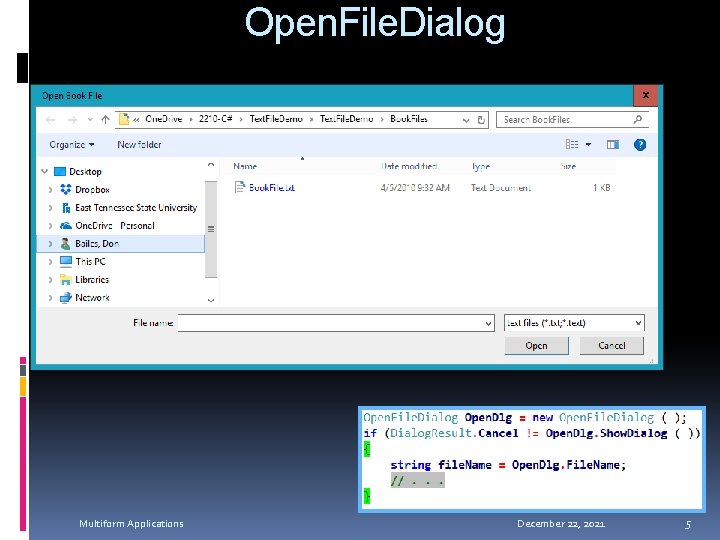
Open and Save File Dialogs Using pre-built standard dialogs to select files to be opened and saved
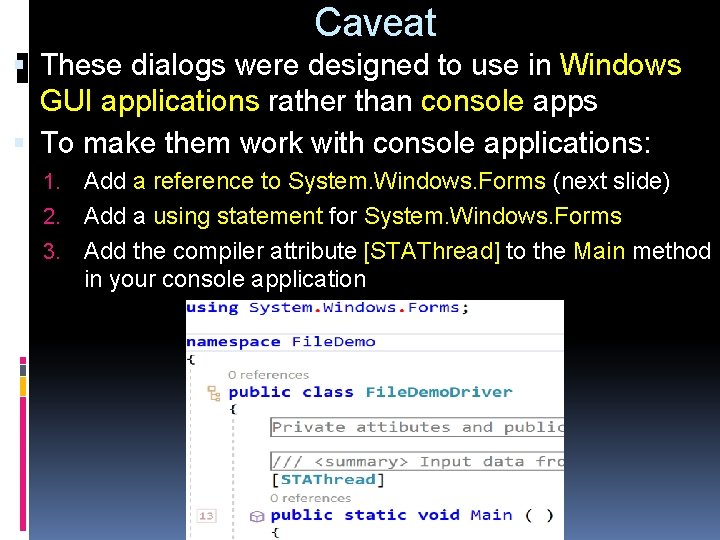
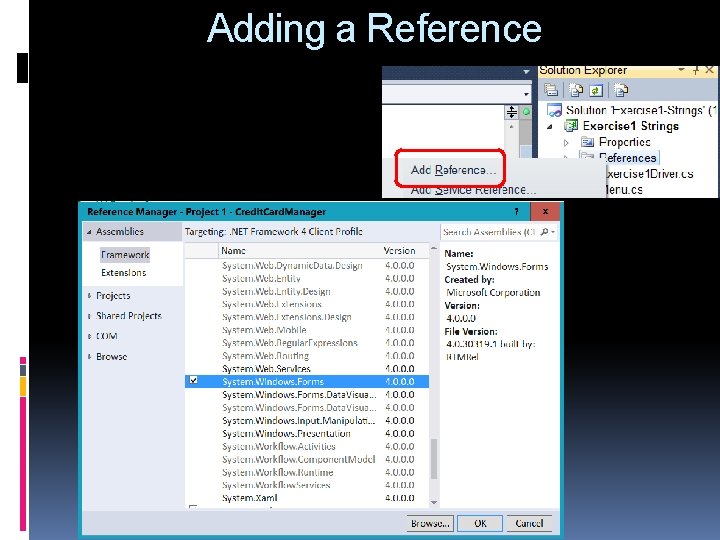
Caveat These dialogs were designed to use in Windows GUI applications rather than console apps To make them work with console applications: 1. Add a reference to System. Windows. Forms (next slide) 2. Add a using statement for System. Windows. Forms 3. Add the compiler attribute [STAThread] to the Main method in your console application
Adding a Reference
Open. File. Dialog Multiform Applications December 22, 2021 5
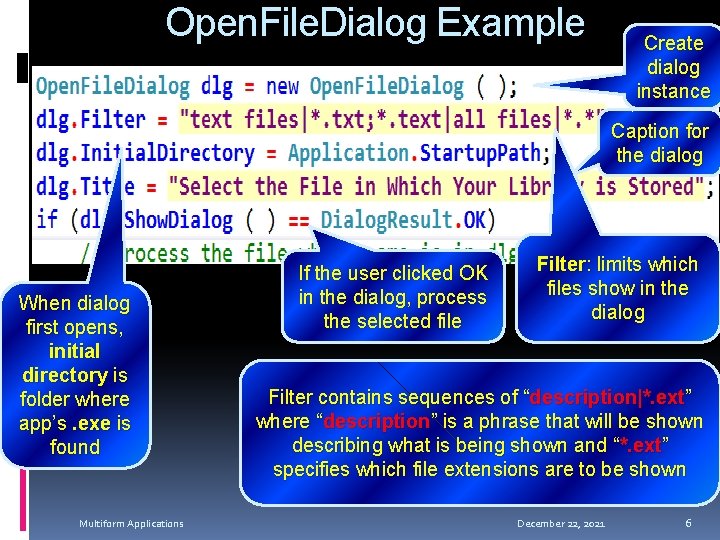
Open. File. Dialog Example Create dialog instance Caption for the dialog When dialog first opens, initial directory is folder where app’s. exe is found Multiform Applications If the user clicked OK in the dialog, process the selected file Filter: limits which files show in the dialog Filter contains sequences of “description|*. ext” where “description” is a phrase that will be shown describing what is being shown and “*. ext” specifies which file extensions are to be shown December 22, 2021 6
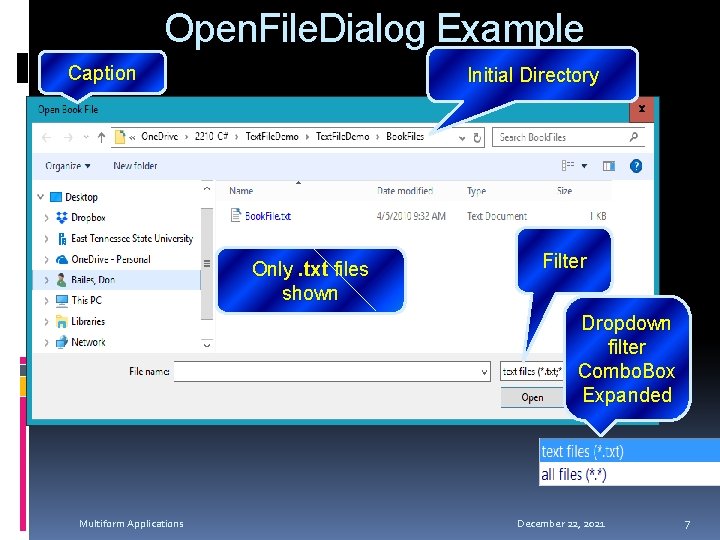
Open. File. Dialog Example Caption Initial Directory Only. txt files shown Filter Dropdown filter Combo. Box Expanded Multiform Applications December 22, 2021 7
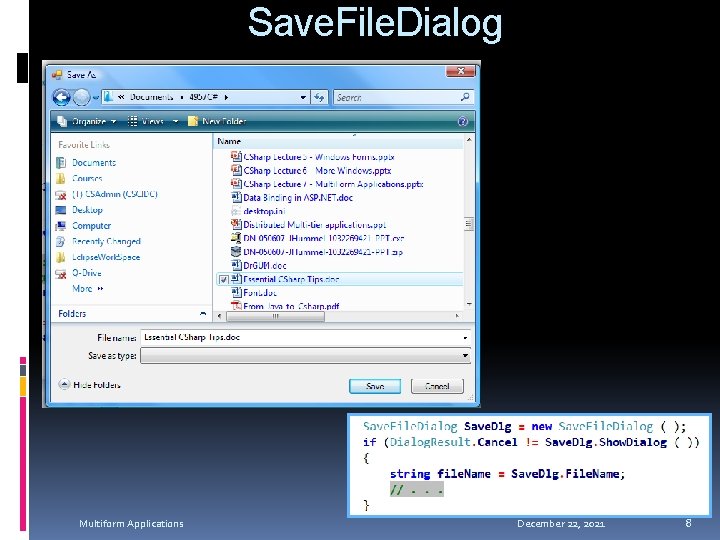
Save. File. Dialog Multiform Applications December 22, 2021 8
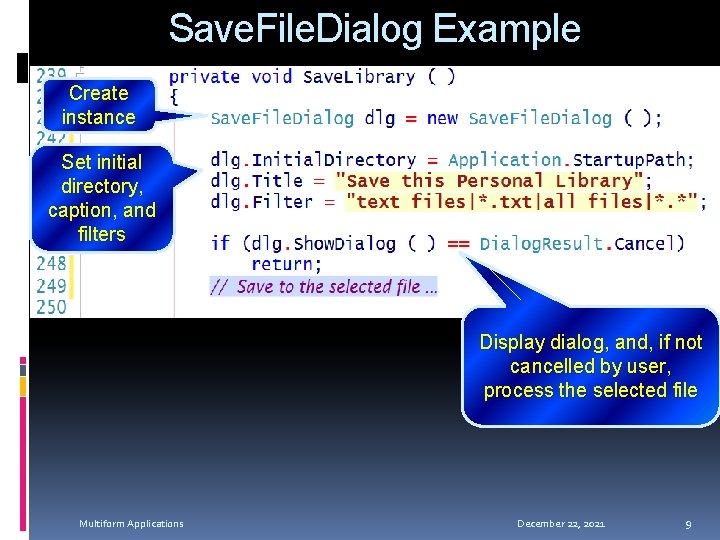
Save. File. Dialog Example Create instance Set initial directory, caption, and filters Display dialog, and, if not cancelled by user, process the selected file Multiform Applications December 22, 2021 9
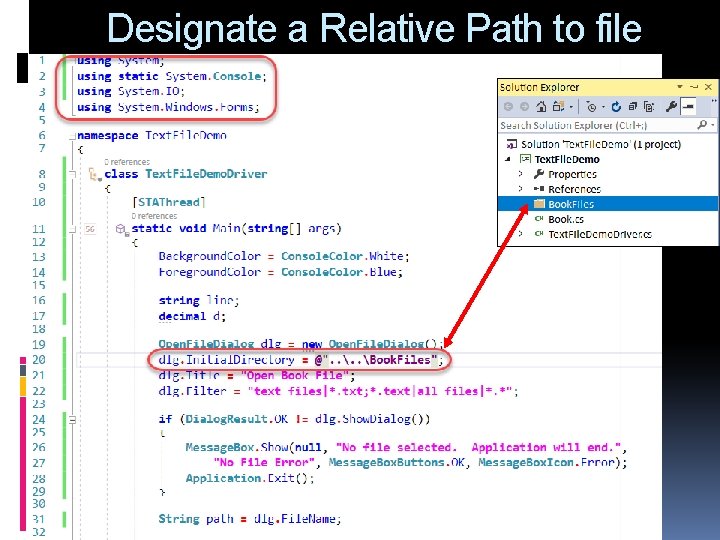
Designate a Relative Path to file
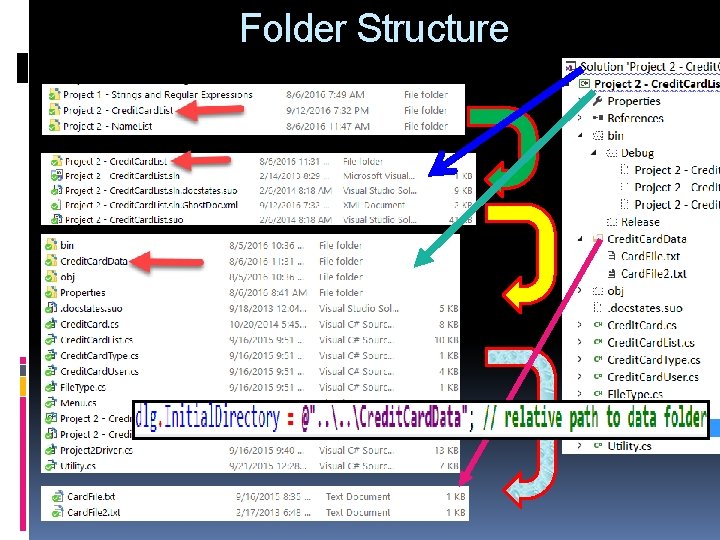
Folder Structure
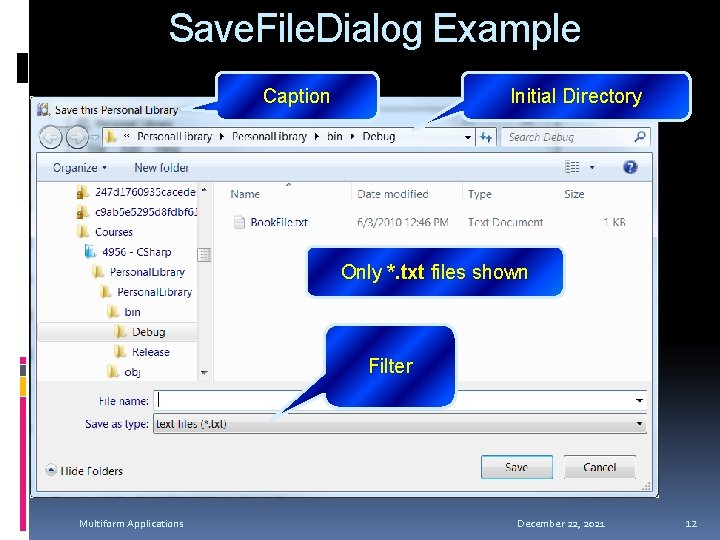
Save. File. Dialog Example Caption Initial Directory Only *. txt files shown Filter Multiform Applications December 22, 2021 12
Simple Text File I/O Simple reading and writing from/to a Text File Multiform Applications December 22, 2021 13
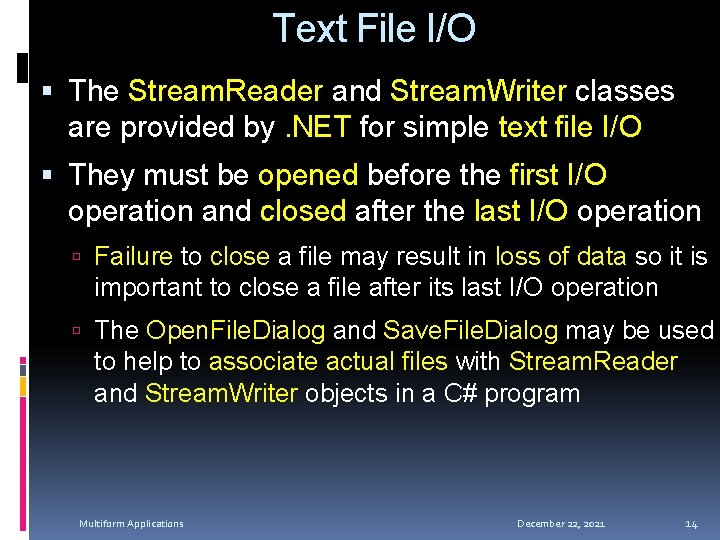
Text File I/O The Stream. Reader and Stream. Writer classes are provided by. NET for simple text file I/O They must be opened before the first I/O operation and closed after the last I/O operation Failure to close a file may result in loss of data so it is important to close a file after its last I/O operation The Open. File. Dialog and Save. File. Dialog may be used to help to associate actual files with Stream. Reader and Stream. Writer objects in a C# program Multiform Applications December 22, 2021 14
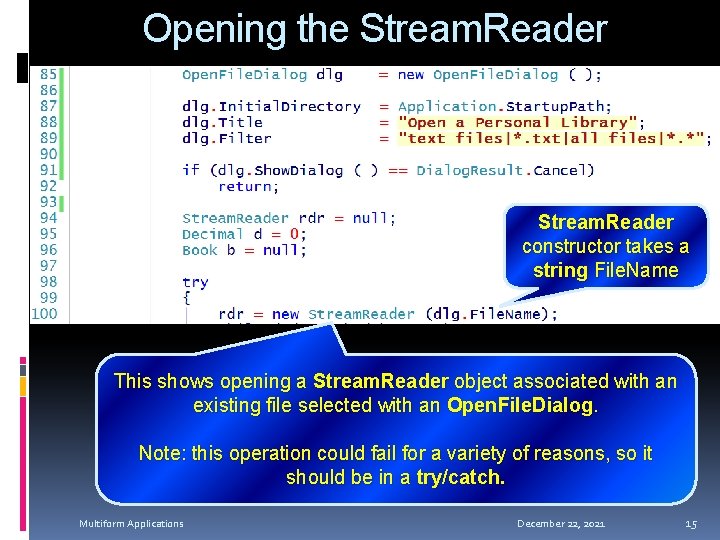
Opening the Stream. Reader constructor takes a string File. Name This shows opening a Stream. Reader object associated with an existing file selected with an Open. File. Dialog. Note: this operation could fail for a variety of reasons, so it should be in a try/catch. Multiform Applications December 22, 2021 15
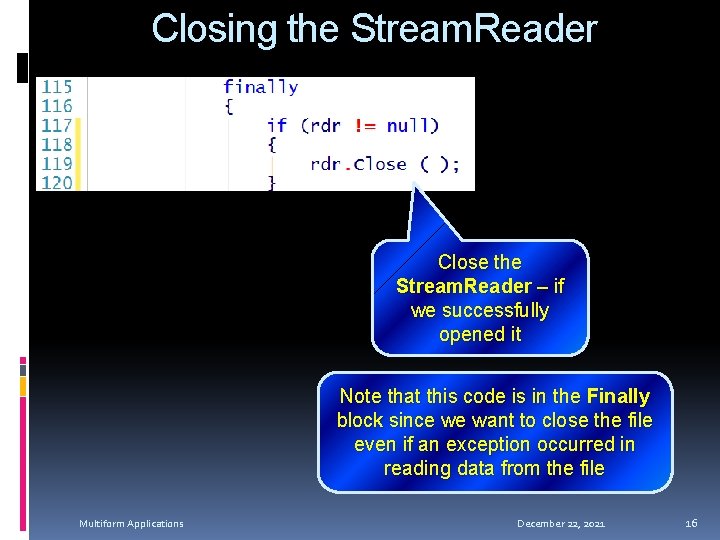
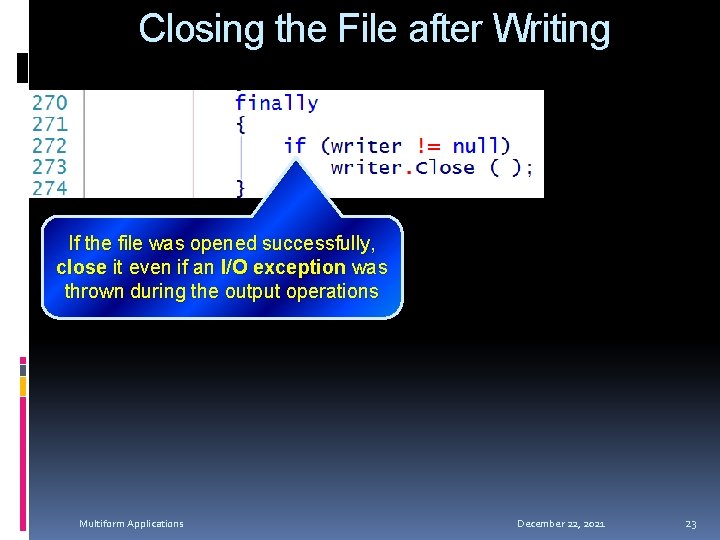
Closing the Stream. Reader Close the Stream. Reader – if we successfully opened it Note that this code is in the Finally block since we want to close the file even if an exception occurred in reading data from the file Multiform Applications December 22, 2021 16
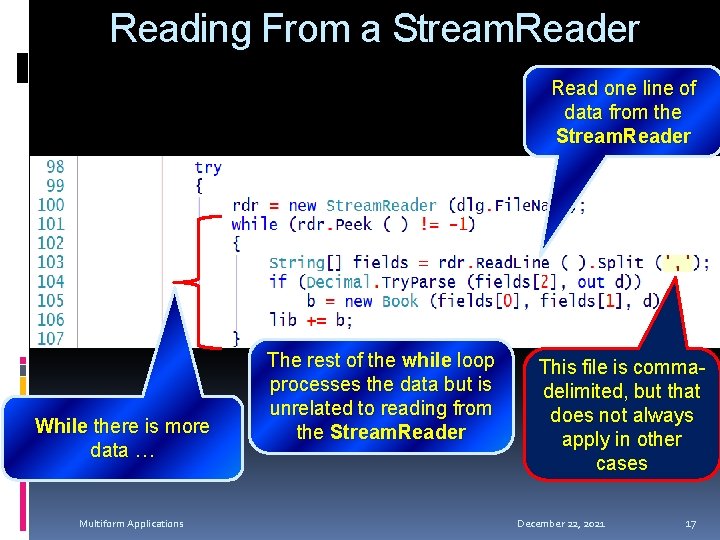
Reading From a Stream. Reader Read one line of data from the Stream. Reader While there is more data … Multiform Applications The rest of the while loop processes the data but is unrelated to reading from the Stream. Reader This file is commadelimited, but that does not always apply in other cases December 22, 2021 17
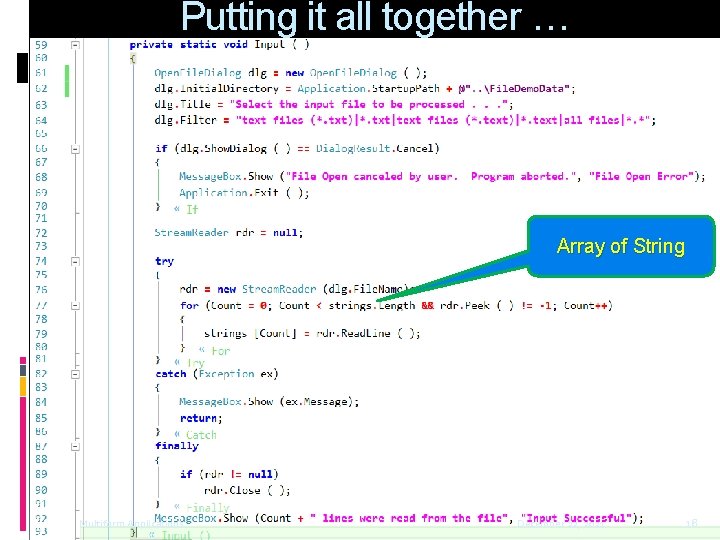
Putting it all together … Array of String Multiform Applications December 22, 2021 18
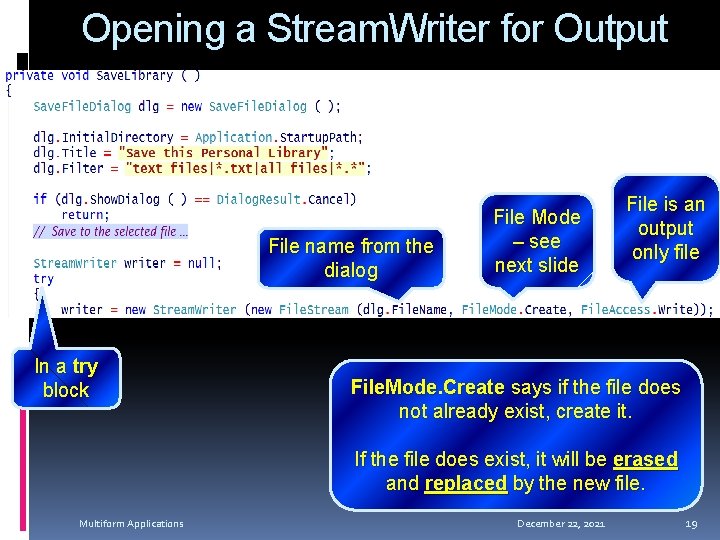
Opening a Stream. Writer for Output File name from the dialog In a try block File Mode – see next slide File is an output only file File. Mode. Create says if the file does not already exist, create it. If the file does exist, it will be erased and replaced by the new file. Multiform Applications December 22, 2021 19
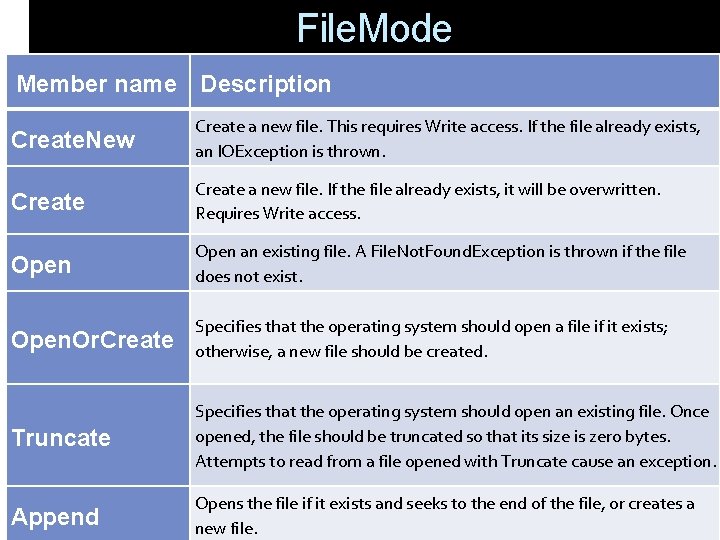
File. Mode Member name Description Create. New Create a new file. This requires Write access. If the file already exists, an IOException is thrown. Create a new file. If the file already exists, it will be overwritten. Requires Write access. Open an existing file. A File. Not. Found. Exception is thrown if the file does not exist. Open. Or. Create Specifies that the operating system should open a file if it exists; otherwise, a new file should be created. Truncate Specifies that the operating system should open an existing file. Once opened, the file should be truncated so that its size is zero bytes. Attempts to read from a file opened with Truncate cause an exception. Append Opens the file if it exists and seeks to the end of the file, or creates a new file.
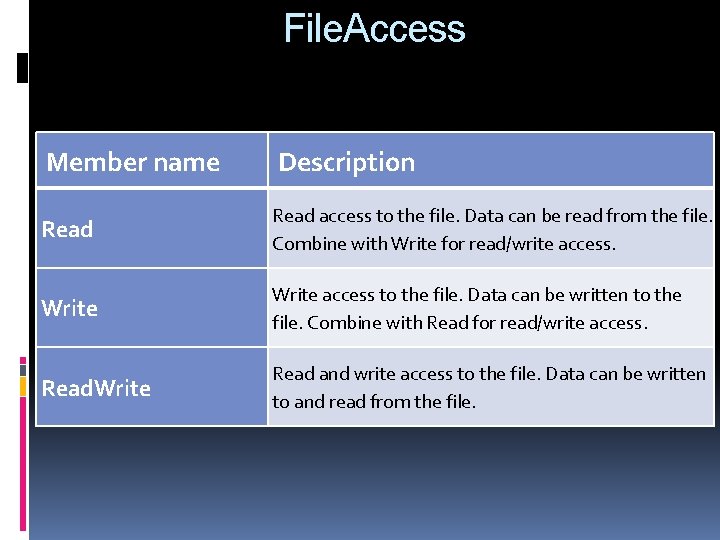
File. Access Member name Description Read access to the file. Data can be read from the file. Combine with Write for read/write access. Write access to the file. Data can be written to the file. Combine with Read for read/write access. Read. Write Read and write access to the file. Data can be written to and read from the file.
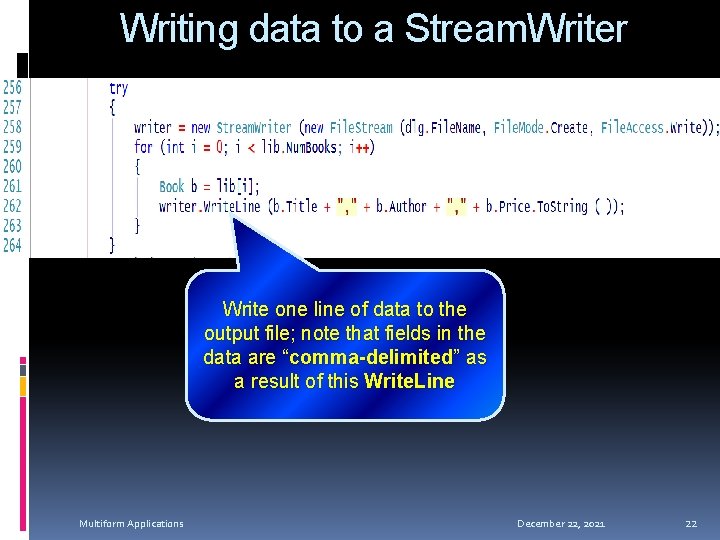
Writing data to a Stream. Writer Write one line of data to the output file; note that fields in the data are “comma-delimited” as a result of this Write. Line Multiform Applications December 22, 2021 22
Closing the File after Writing If the file was opened successfully, close it even if an I/O exception was thrown during the output operations Multiform Applications December 22, 2021 23
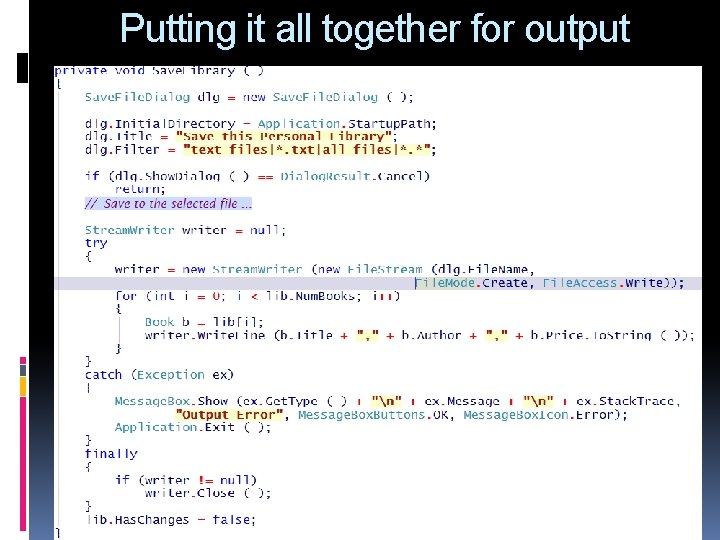
Putting it all together for output Multiform Applications December 22, 2021 24
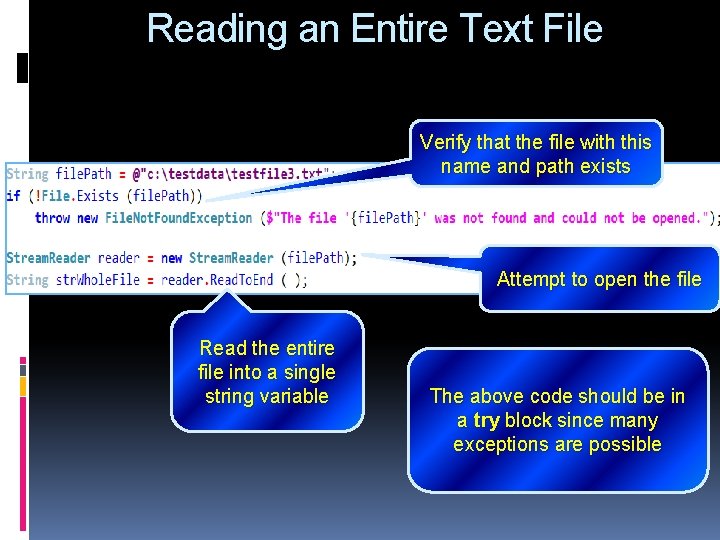
Reading an Entire Text File Verify that the file with this name and path exists Attempt to open the file Read the entire file into a single string variable The above code should be in a try block since many exceptions are possible