
Sequence Diagram PROF DR ANGELINA NJEGU Models Overview
![“opt” Combined Fragment • The if-then Statement -> (opt) [condition] void apply. Brakes() {](https://slidetodoc.com/presentation_image_h/1ff574b3dfd45e8e30b78dd7898d6fc4/image-22.jpg "“opt” Combined Fragment • The if-then Statement -> (opt) [condition] void apply. Brakes() {")
![“alt” Combined Fragment • The if-then-else Statement -> (alt) [condition] - separated by horizontal](https://slidetodoc.com/presentation_image_h/1ff574b3dfd45e8e30b78dd7898d6fc4/image-23.jpg "“alt” Combined Fragment • The if-then-else Statement -> (alt) [condition] - separated by horizontal")
![“loop” Combined Fragment • While -> (loop) [condition or items to loop over] while](https://slidetodoc.com/presentation_image_h/1ff574b3dfd45e8e30b78dd7898d6fc4/image-25.jpg "“loop” Combined Fragment • While -> (loop) [condition or items to loop over] while")
- Slides: 46
Sequence Diagram PROF. DR ANGELINA NJEGUŠ
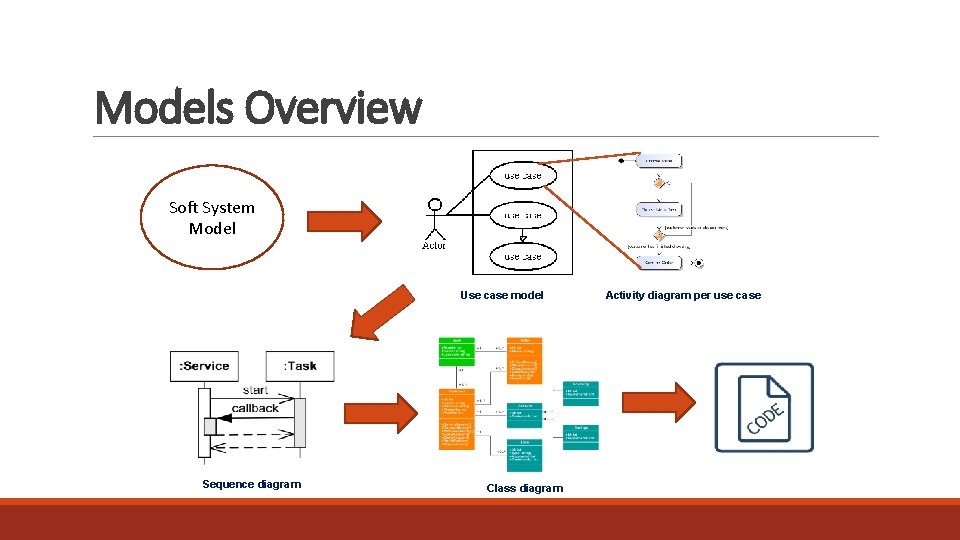
Models Overview Soft System Model Use case model Sequence diagram Class diagram Activity diagram per use case
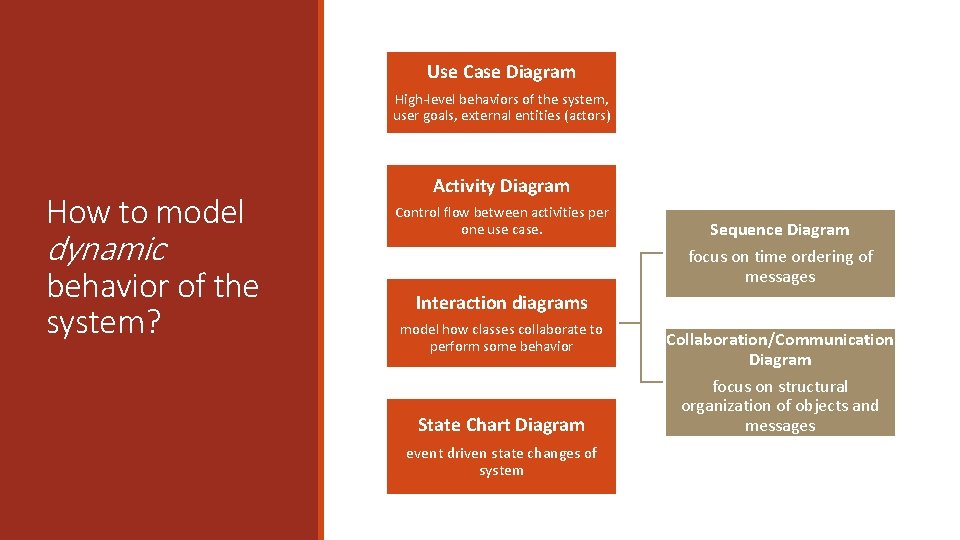
Use Case Diagram High-level behaviors of the system, user goals, external entities (actors) How to model dynamic behavior of the system? Activity Diagram Control flow between activities per one use case. Sequence Diagram focus on time ordering of messages Interaction diagrams model how classes collaborate to perform some behavior State Chart Diagram event driven state changes of system Collaboration/Communication Diagram focus on structural organization of objects and messages
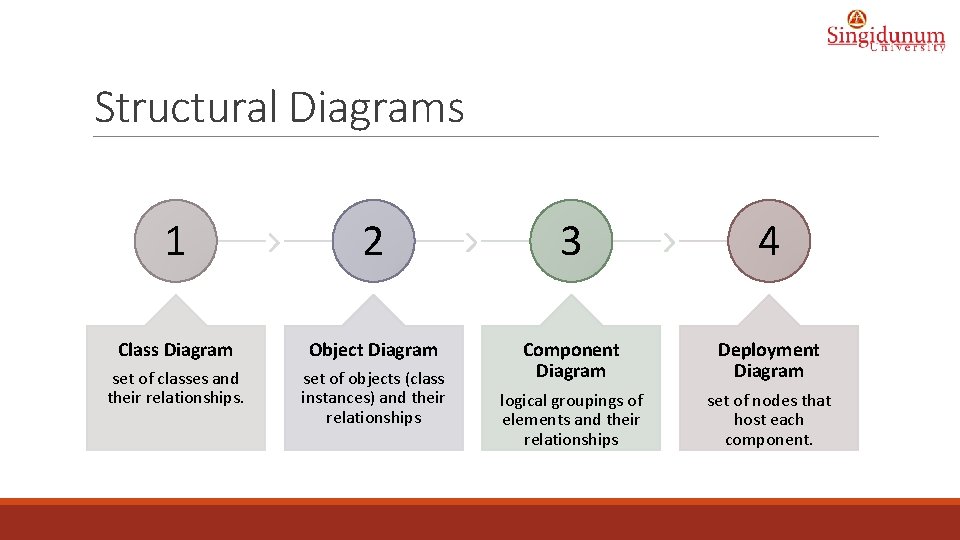
Structural Diagrams 1 2 3 4 Class Diagram Object Diagram set of classes and their relationships. set of objects (class instances) and their relationships Component Diagram Deployment Diagram logical groupings of elements and their relationships set of nodes that host each component.
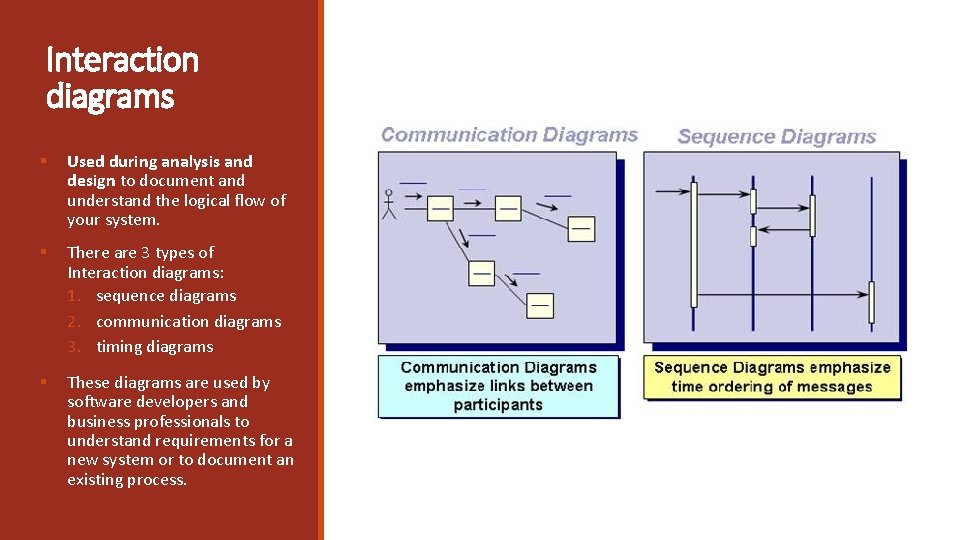
Interaction diagrams § Used during analysis and design to document and understand the logical flow of your system. § There are 3 types of Interaction diagrams: 1. sequence diagrams 2. communication diagrams 3. timing diagrams § These diagrams are used by software developers and business professionals to understand requirements for a new system or to document an existing process.
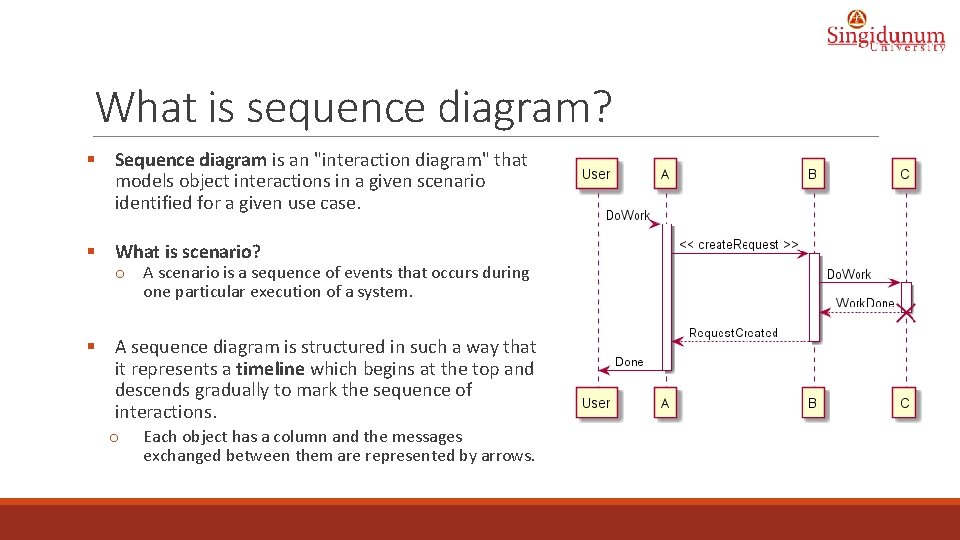
What is sequence diagram? § Sequence diagram is an "interaction diagram" that models object interactions in a given scenario identified for a given use case. § What is scenario? o A scenario is a sequence of events that occurs during one particular execution of a system. § A sequence diagram is structured in such a way that it represents a timeline which begins at the top and descends gradually to mark the sequence of interactions. o Each object has a column and the messages exchanged between them are represented by arrows.
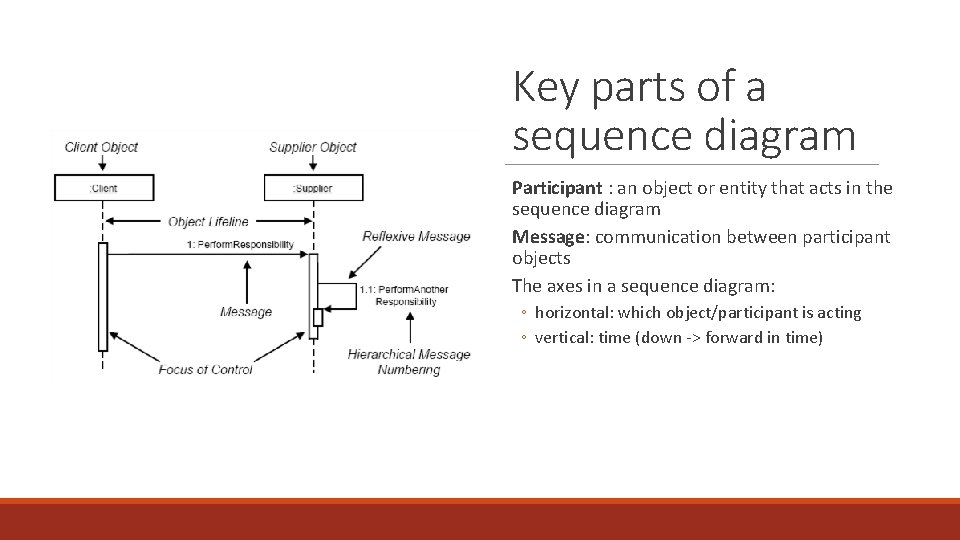
Key parts of a sequence diagram Participant : an object or entity that acts in the sequence diagram Message: communication between participant objects The axes in a sequence diagram: ◦ horizontal: which object/participant is acting ◦ vertical: time (down -> forward in time)
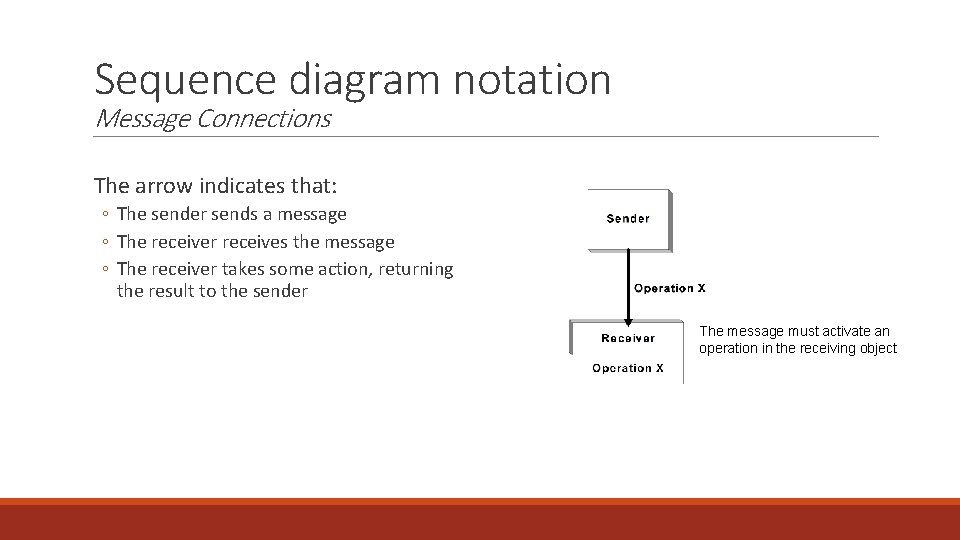
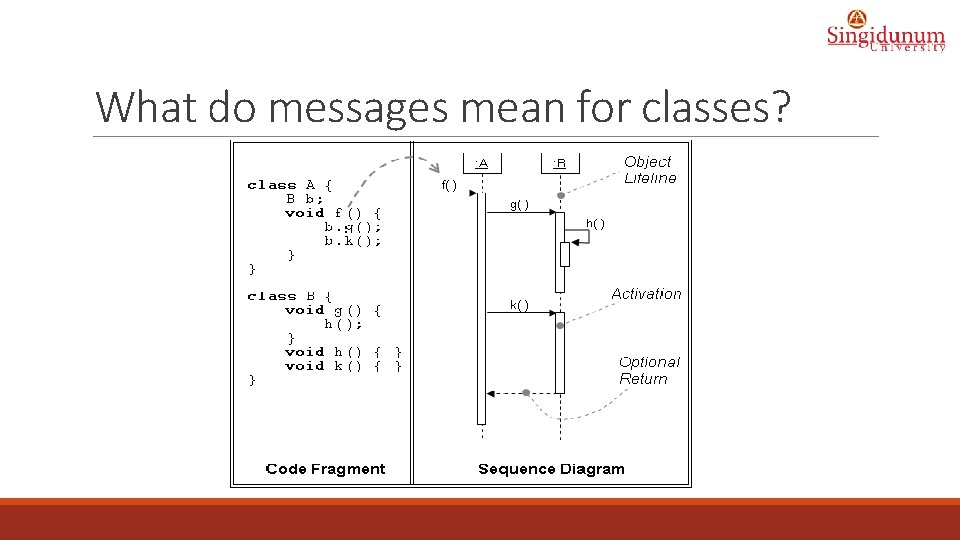
Sequence diagram notation Message Connections The arrow indicates that: ◦ The sender sends a message ◦ The receiver receives the message ◦ The receiver takes some action, returning the result to the sender The message must activate an operation in the receiving object
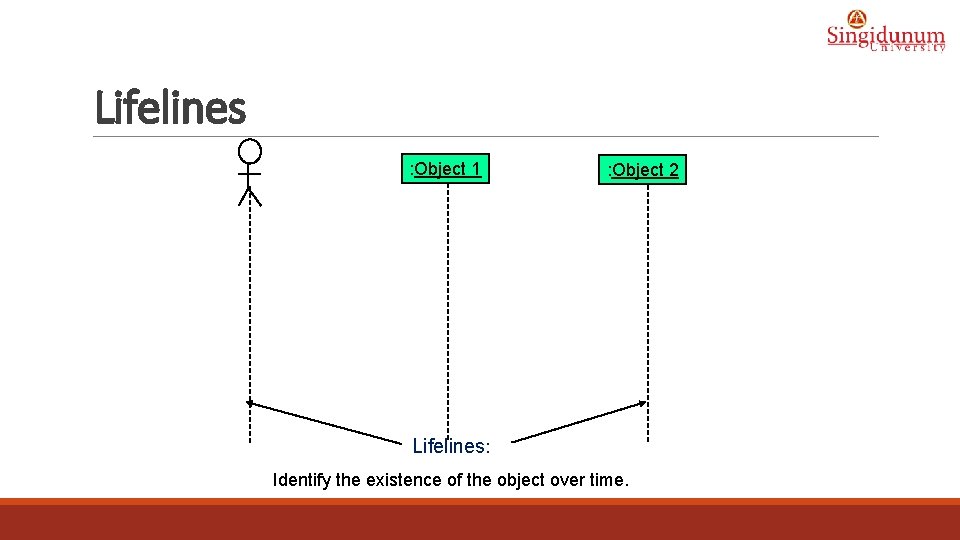
Lifelines : Object 1 : Object 2 Lifelines: Identify the existence of the object over time.
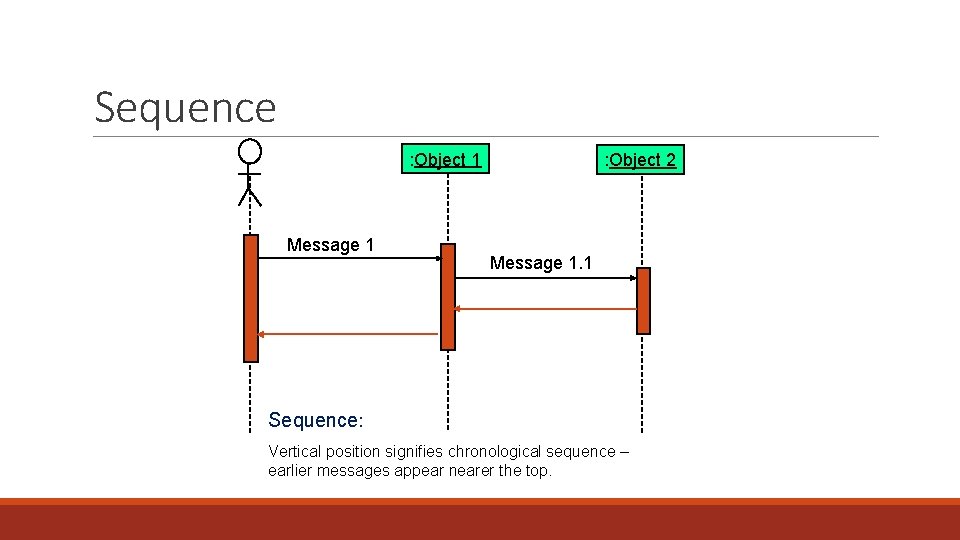
Sequence : Object 1 Message 1 : Object 2 Message 1. 1 Sequence: Vertical position signifies chronological sequence – earlier messages appear nearer the top.
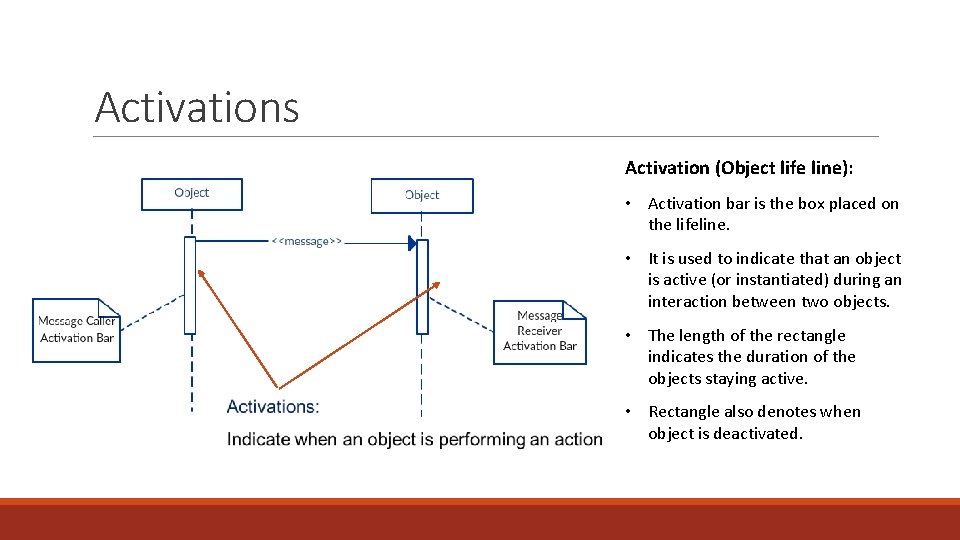
Activations Activation (Object life line): • Activation bar is the box placed on the lifeline. • It is used to indicate that an object is active (or instantiated) during an interaction between two objects. • The length of the rectangle indicates the duration of the objects staying active. • Rectangle also denotes when object is deactivated.
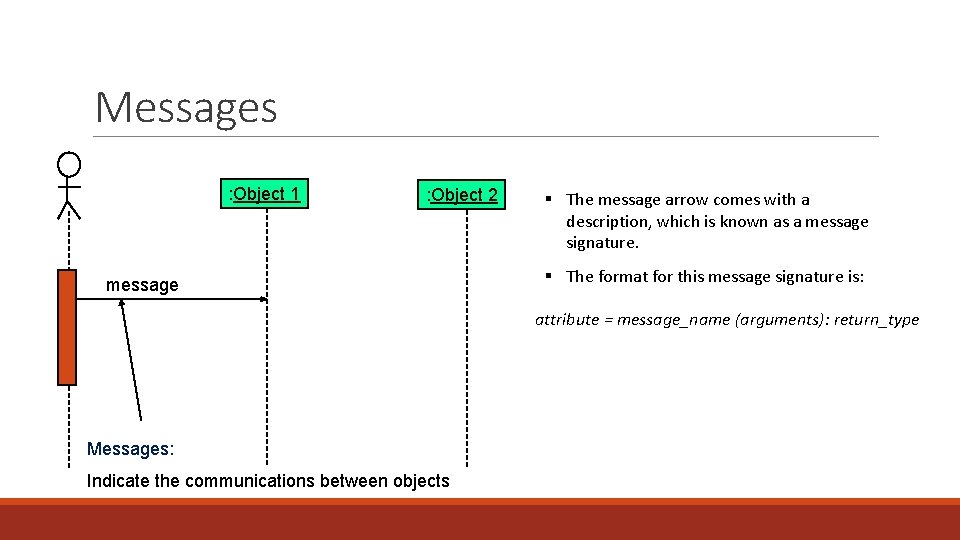
Messages : Object 1 : Object 2 message § The message arrow comes with a description, which is known as a message signature. § The format for this message signature is: attribute = message_name (arguments): return_type Messages: Indicate the communications between objects
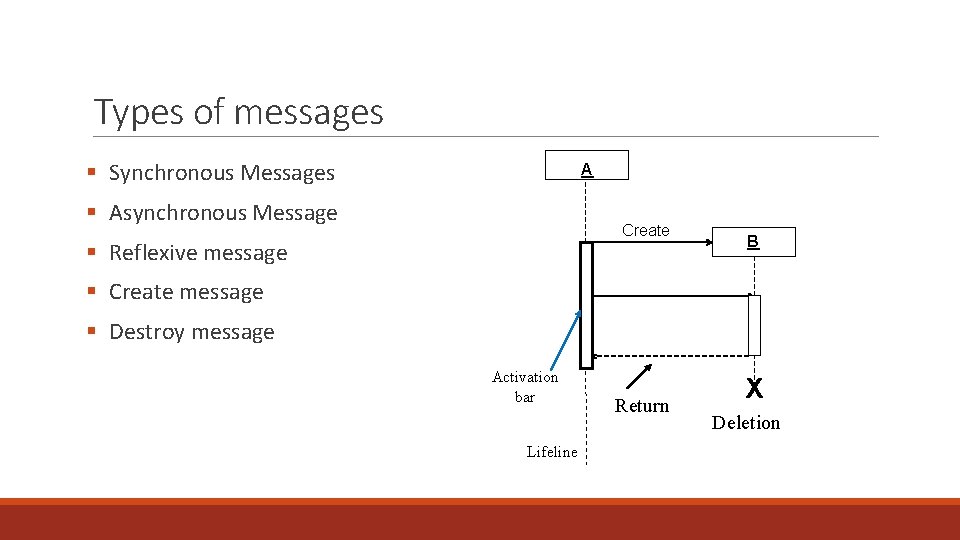
Types of messages § Synchronous Messages A § Asynchronous Message Create § Reflexive message B § Create message § Destroy message Activation bar Lifeline Return X Deletion
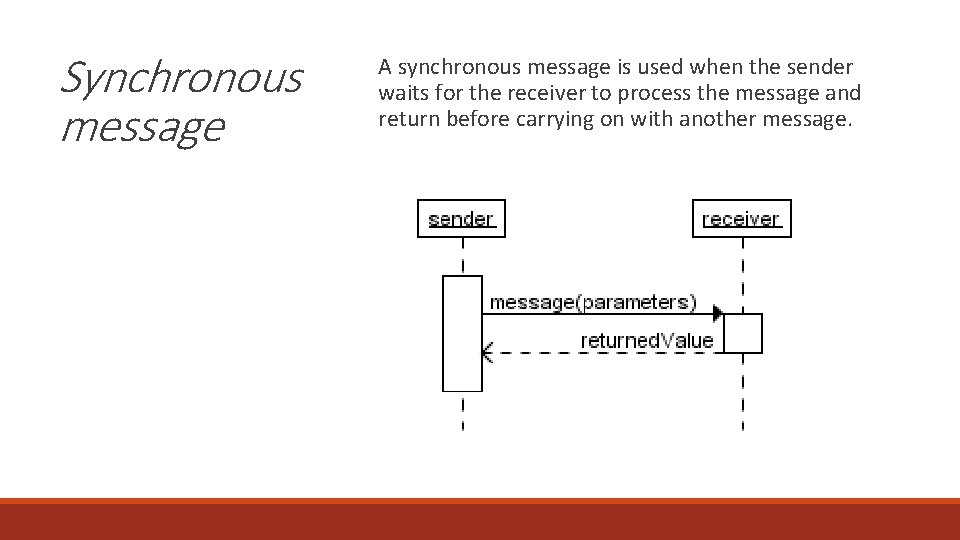
Synchronous message A synchronous message is used when the sender waits for the receiver to process the message and return before carrying on with another message.
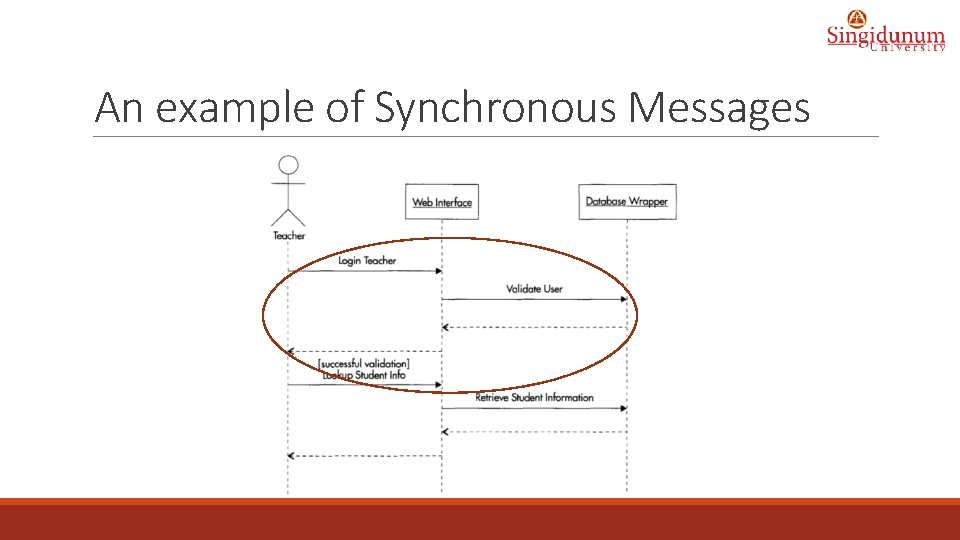
An example of Synchronous Messages
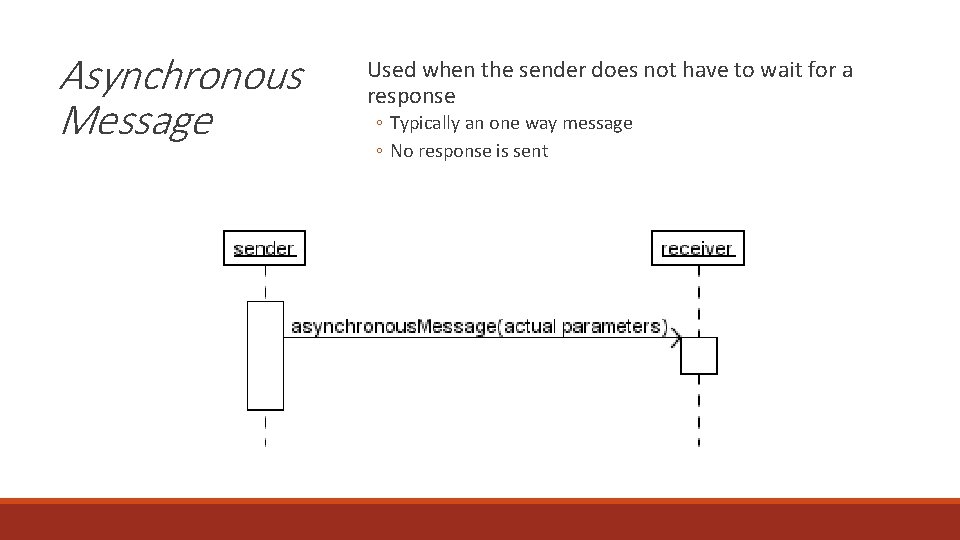
Asynchronous Message Used when the sender does not have to wait for a response ◦ Typically an one way message ◦ No response is sent
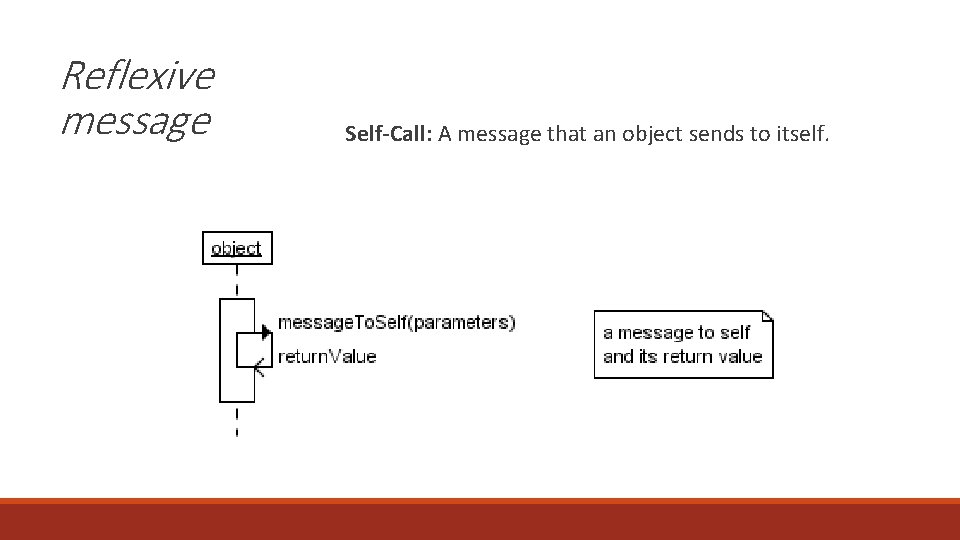
Reflexive message Self-Call: A message that an object sends to itself.
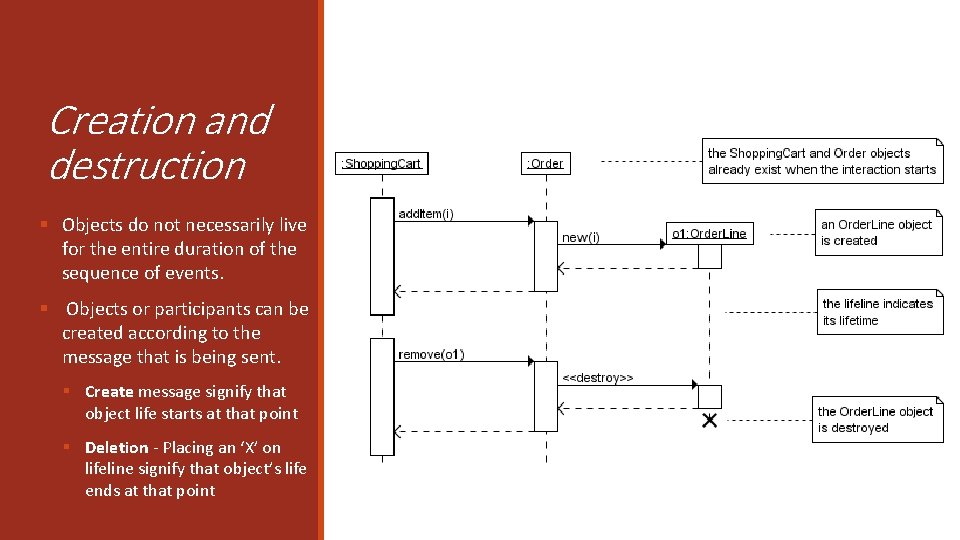
Creation and destruction § Objects do not necessarily live for the entire duration of the sequence of events. § Objects or participants can be created according to the message that is being sent. § Create message signify that object life starts at that point § Deletion - Placing an ‘X’ on lifeline signify that object’s life ends at that point
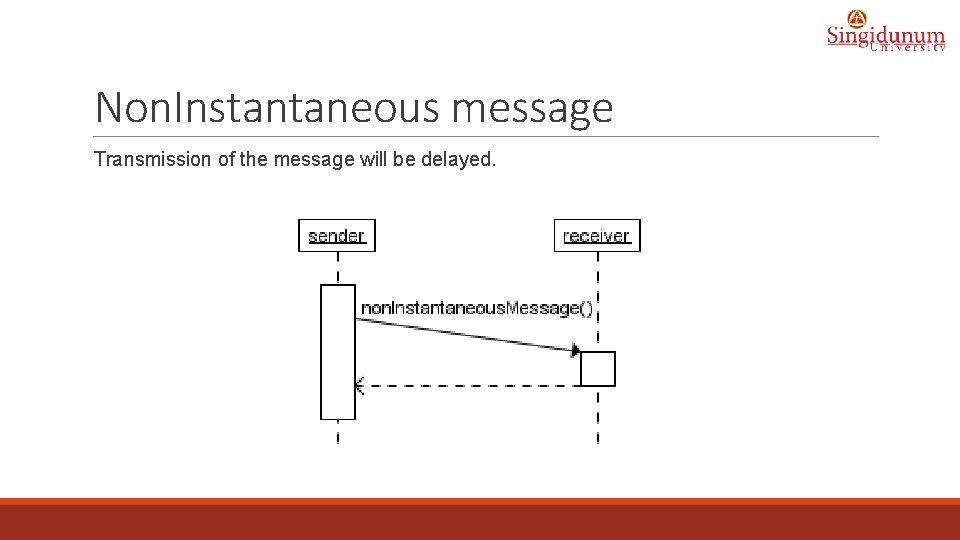
Non. Instantaneous message Transmission of the message will be delayed.
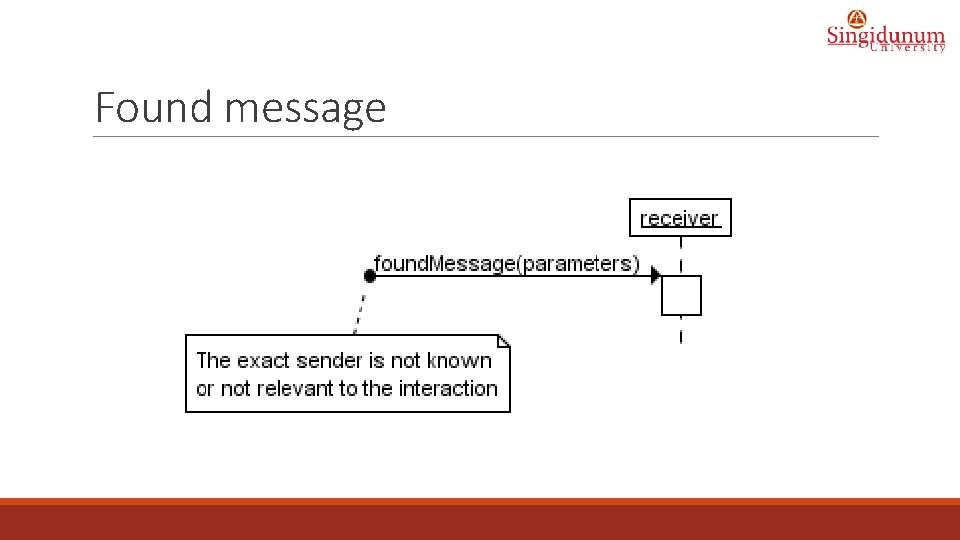
Found message
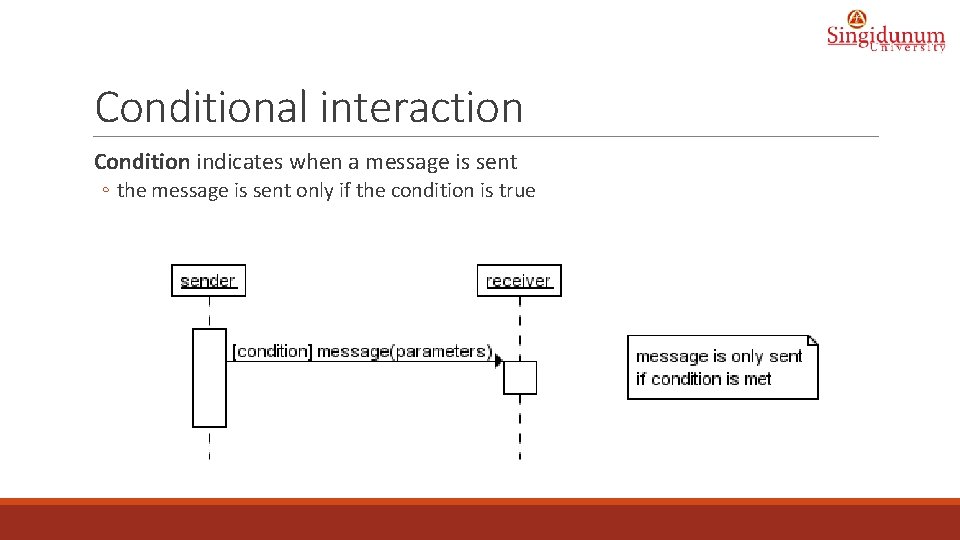
Conditional interaction Condition indicates when a message is sent ◦ the message is sent only if the condition is true
“opt” Combined Fragment • The if-then Statement -> (opt) [condition] void apply. Brakes() { // the "if" clause: bicycle must be moving if (is. Moving){ // the "then" clause: decrease current speed current. Speed--; } }
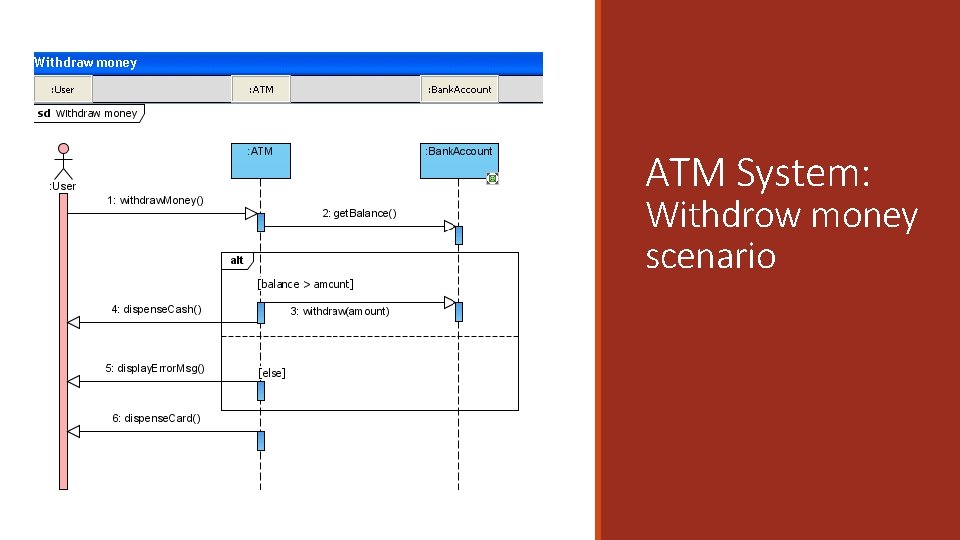
“alt” Combined Fragment • The if-then-else Statement -> (alt) [condition] - separated by horizontal dashed line class If. Else. Demo { public static void main(String[] args) { int testscore = 76; char grade; if (testscore >= 91) { grade = 'A'; } else if (testscore >= 81) { grade = 'B'; } else if (testscore >= 71) { grade = 'C'; } else if (testscore >= 61) { grade = 'D'; } else { grade = 'F'; } System. out. println("Grade = " + grade); } }
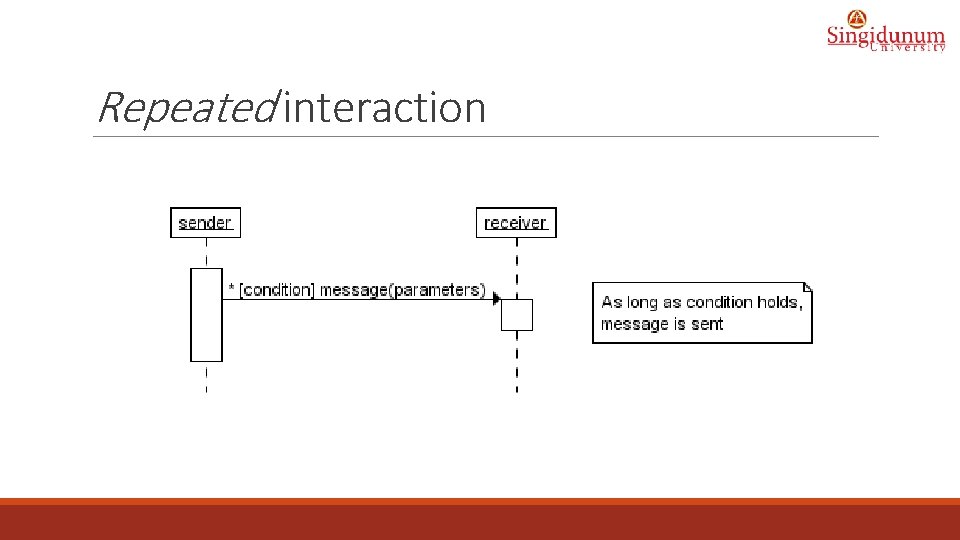
Repeated interaction
“loop” Combined Fragment • While -> (loop) [condition or items to loop over] while (true) { // your code goes here }
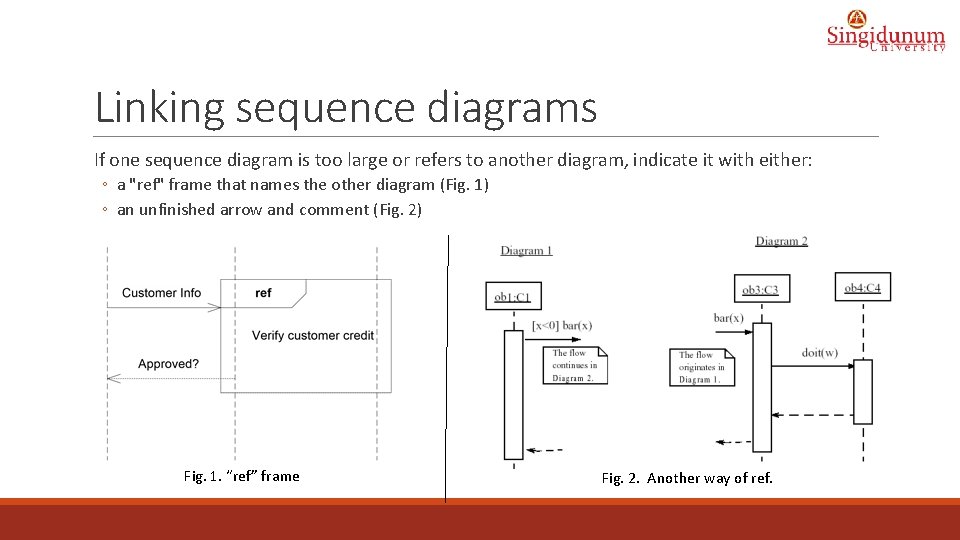
Linking sequence diagrams If one sequence diagram is too large or refers to another diagram, indicate it with either: ◦ a "ref" frame that names the other diagram (Fig. 1) ◦ an unfinished arrow and comment (Fig. 2) Fig. 1. “ref” frame Fig. 2. Another way of ref.
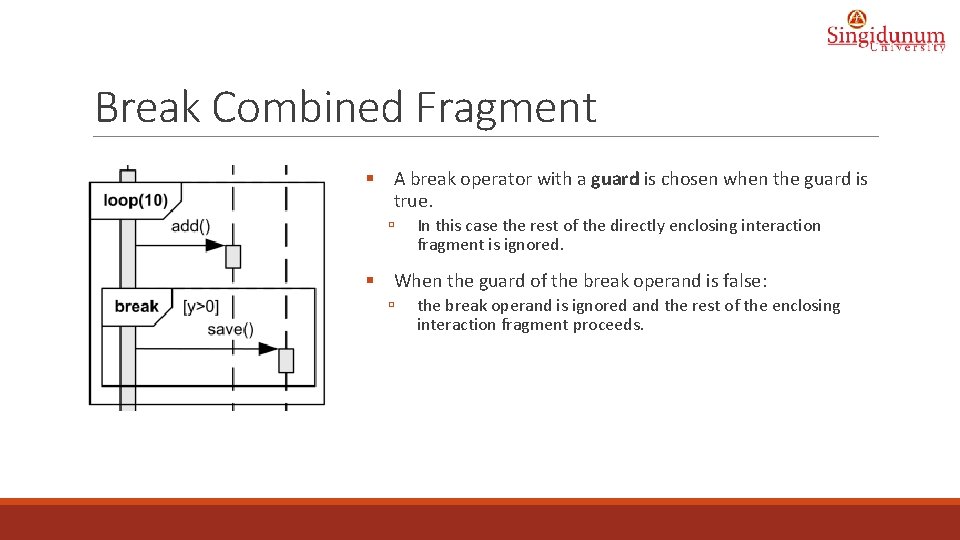
Break Combined Fragment § A break operator with a guard is chosen when the guard is true. ú In this case the rest of the directly enclosing interaction fragment is ignored. § When the guard of the break operand is false: ú the break operand is ignored and the rest of the enclosing interaction fragment proceeds.
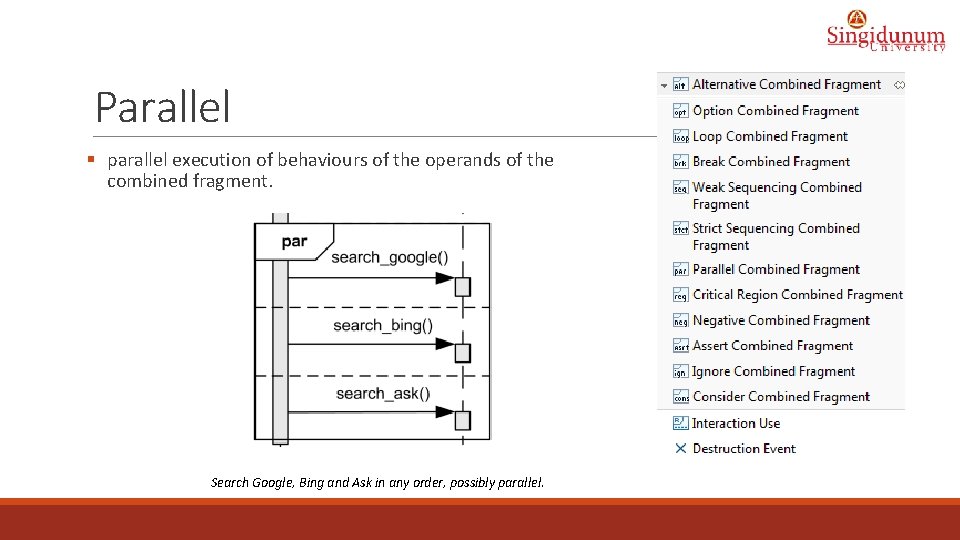
Parallel § parallel execution of behaviours of the operands of the combined fragment. Search Google, Bing and Ask in any order, possibly parallel.
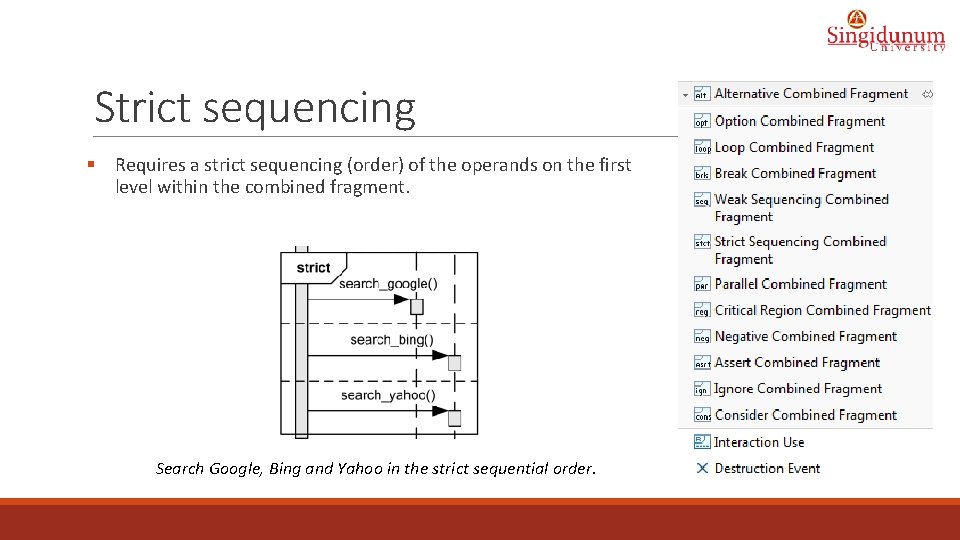
Strict sequencing § Requires a strict sequencing (order) of the operands on the first level within the combined fragment. Search Google, Bing and Yahoo in the strict sequential order.
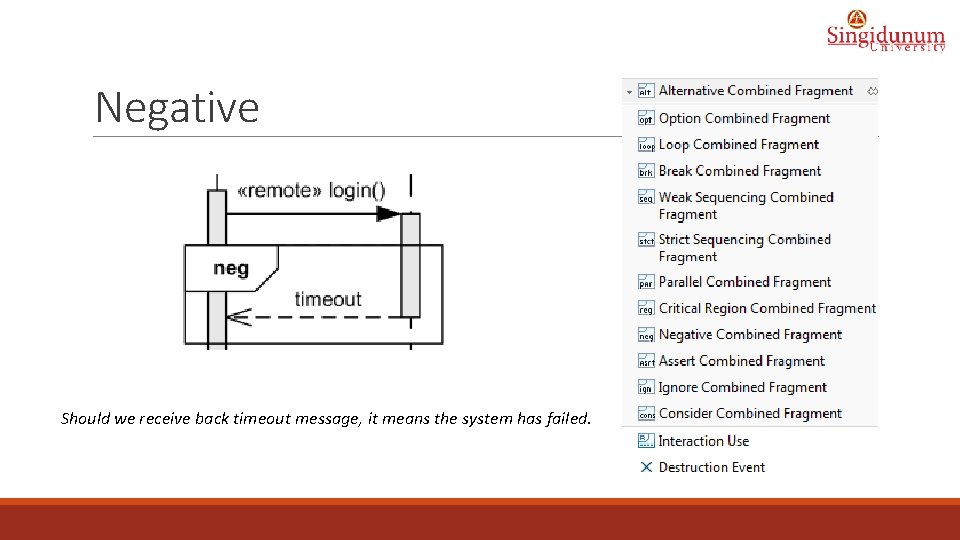
Negative Should we receive back timeout message, it means the system has failed.
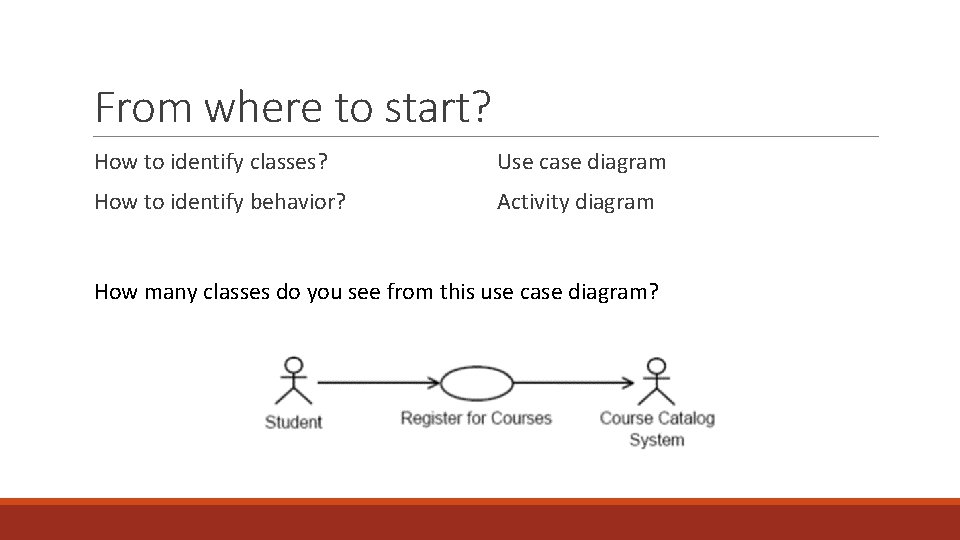
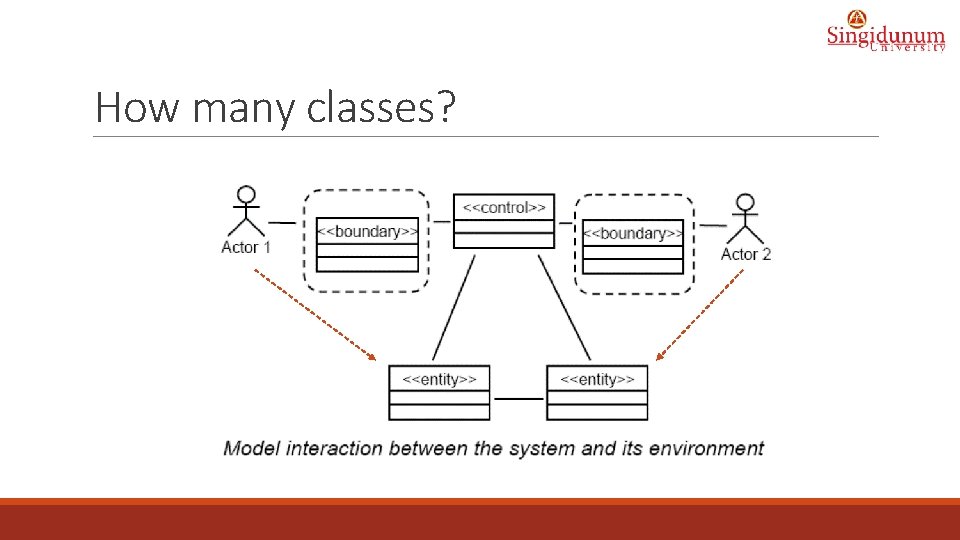
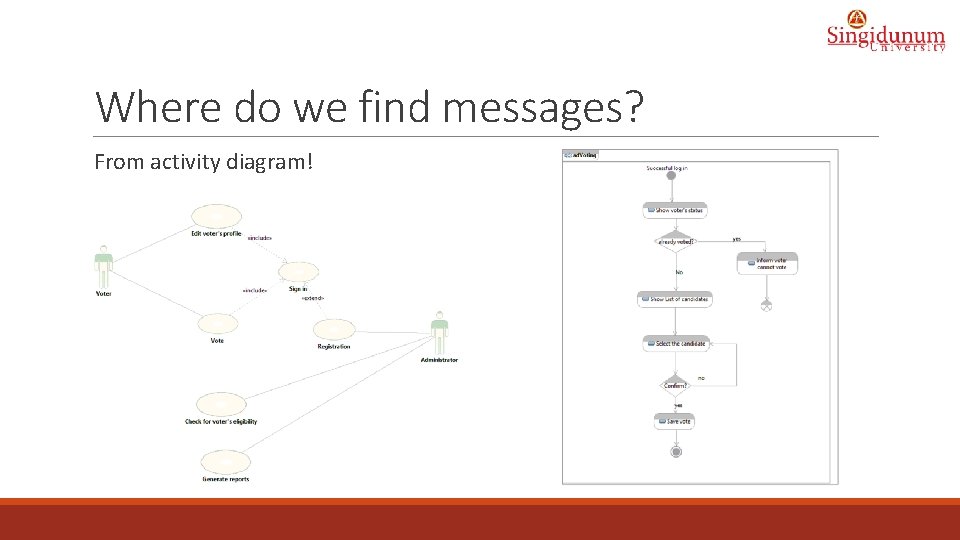
From where to start? How to identify classes? Use case diagram How to identify behavior? Activity diagram How many classes do you see from this use case diagram?
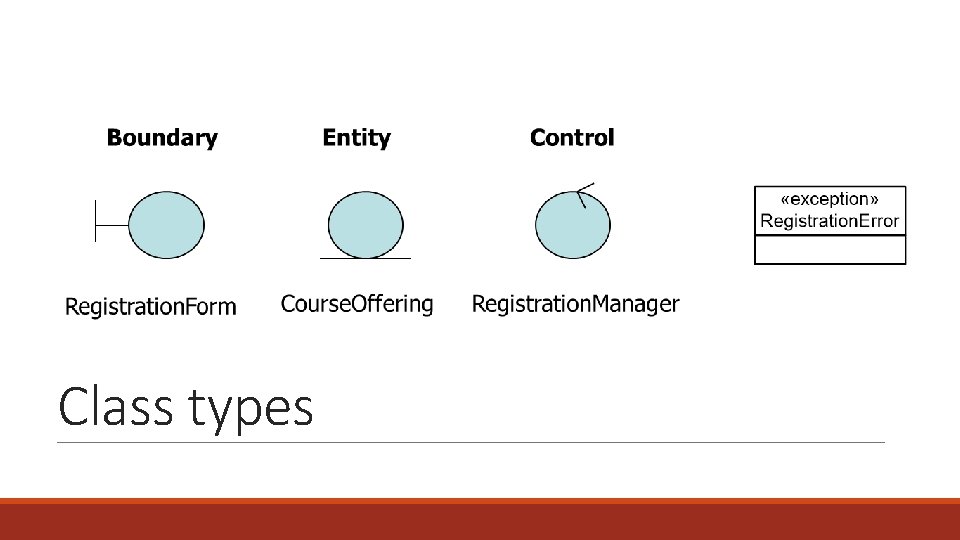
Class types
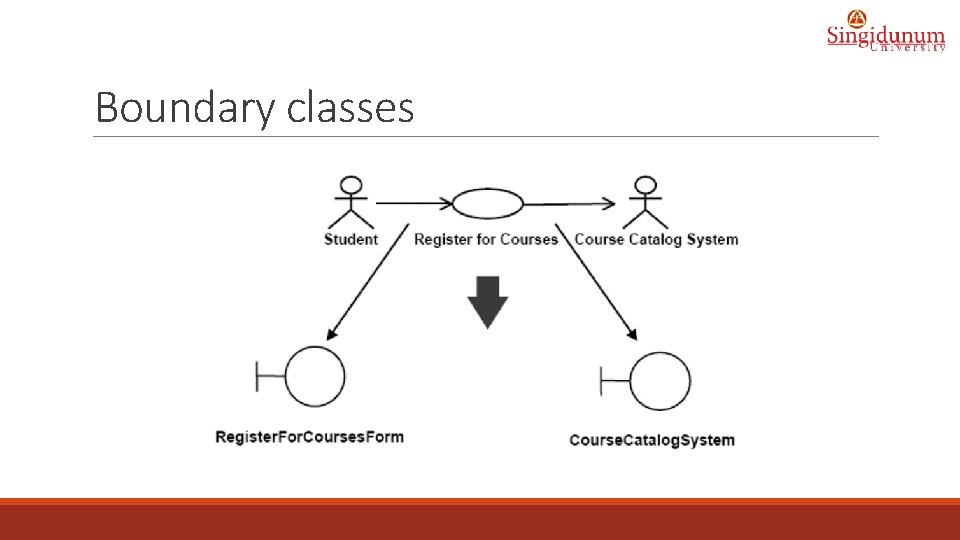
Boundary classes
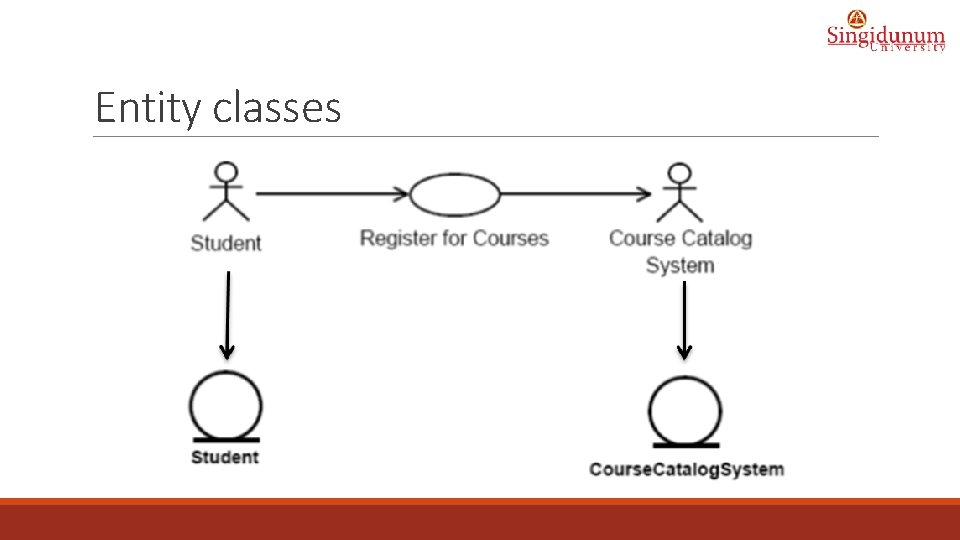
Entity classes
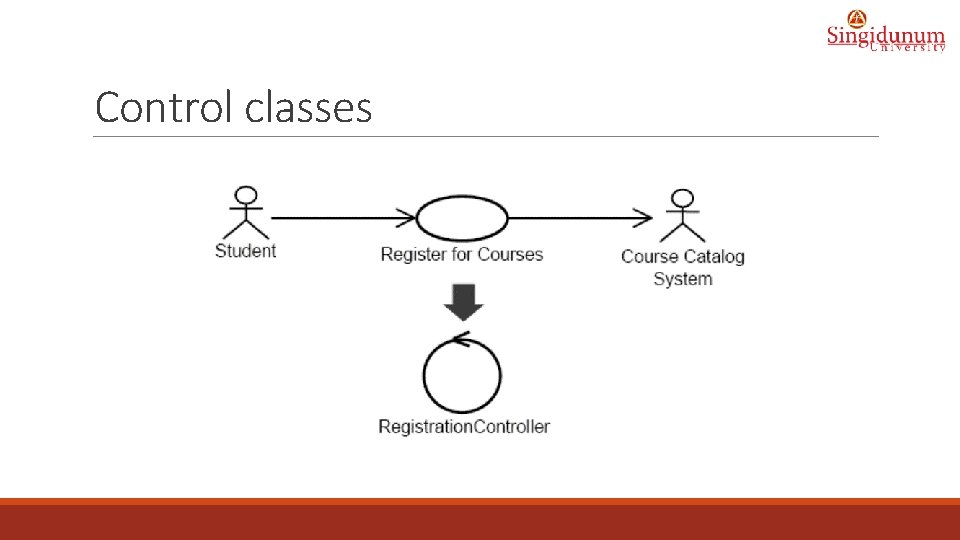
Control classes
How many classes?
What do messages mean for classes?
Where do we find messages? From activity diagram!
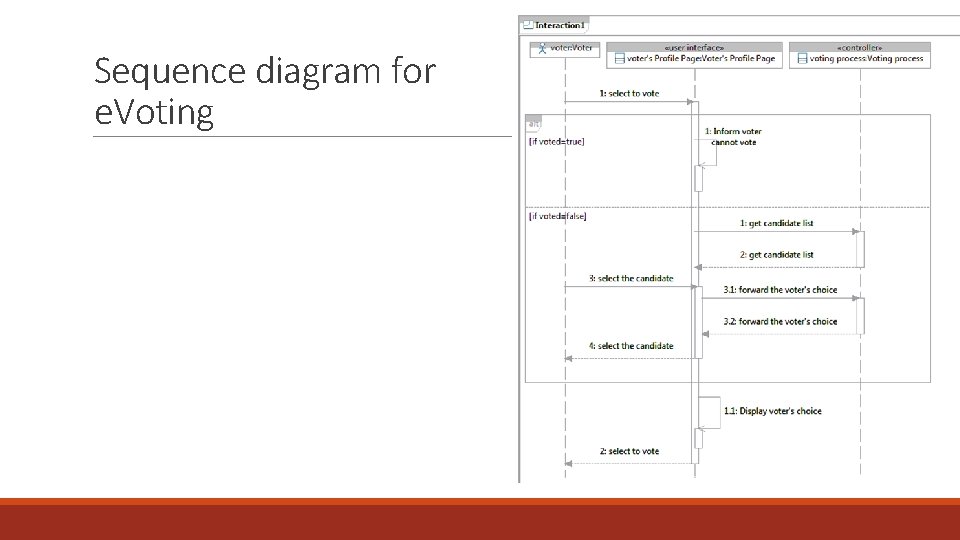
Sequence diagram for e. Voting
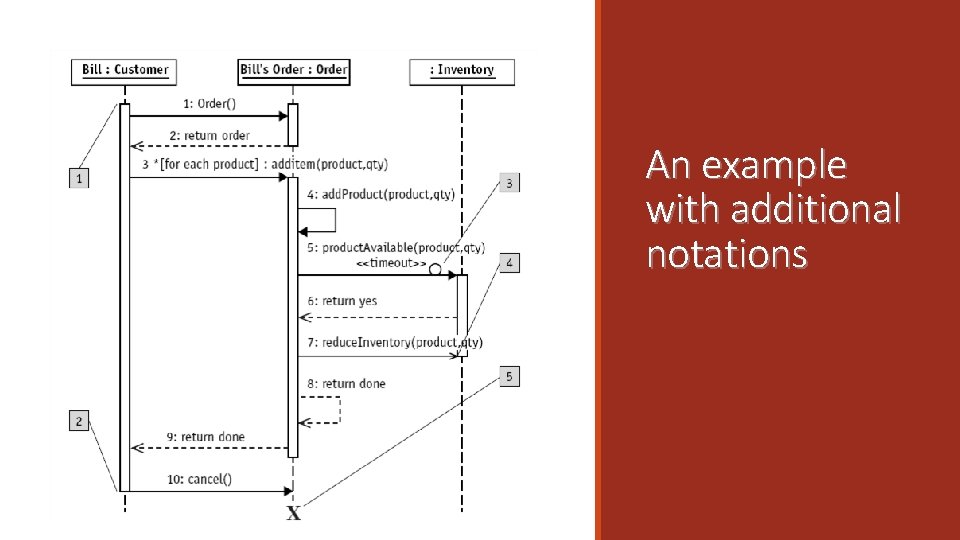
An example with additional notations
ATM System: Withdrow money scenario
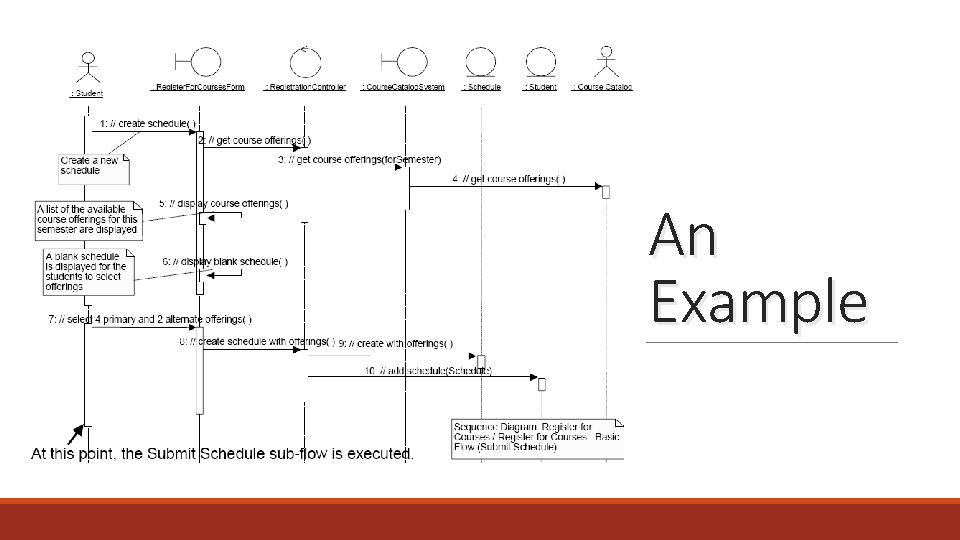
An Example
Exercise 1 Create a sequence diagram for the use case "Processing Requests" that follows the following scenario: § The client (as an actor) types the initial location in the user form UBER_Request_User_Form << user interface, UI >>. § The user form sends the received request to the server application UBER_Request_App << controller >>. § The UBER_Request_App requires the following: • • From the table Client << table >> the client rating; From the table Driver << table >> the list of registered drivers and their current locations. § The application then passes the request to the nearest drivers. • • If there are no drivers available, the server application notify the user. If a driver accept the request, the system notifies the user about the car model and the driver information.
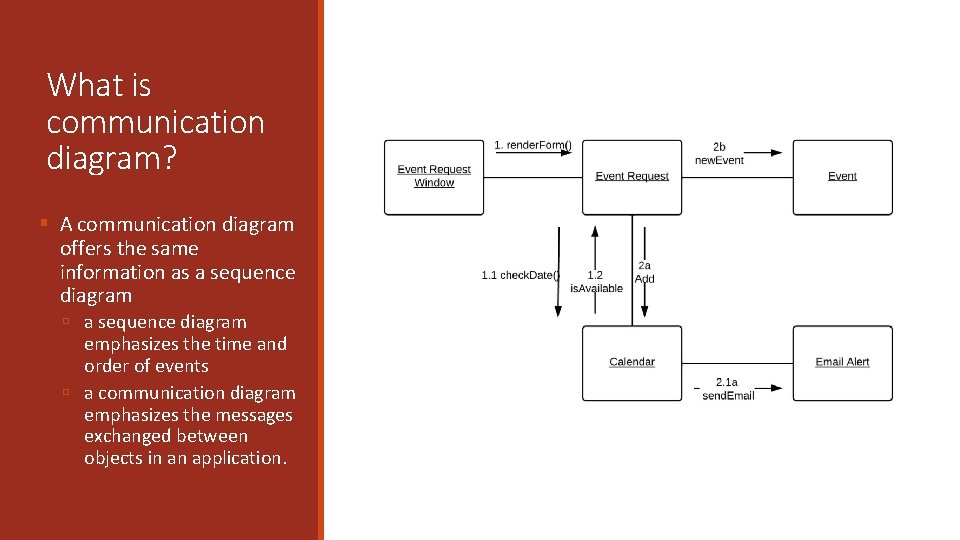
What is communication diagram? § A communication diagram offers the same information as a sequence diagram ú a sequence diagram emphasizes the time and order of events ú a communication diagram emphasizes the messages exchanged between objects in an application.
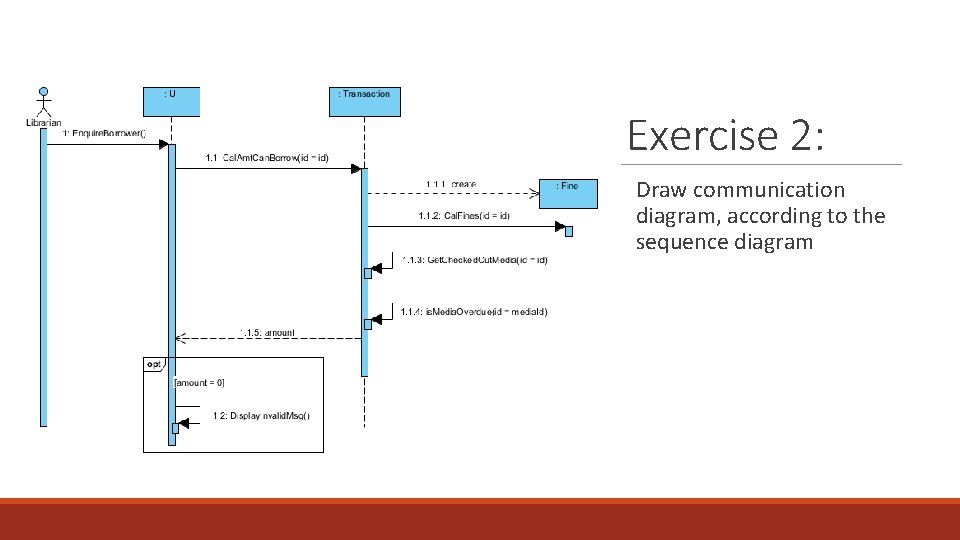
Exercise 2: Draw communication diagram, according to the sequence diagram
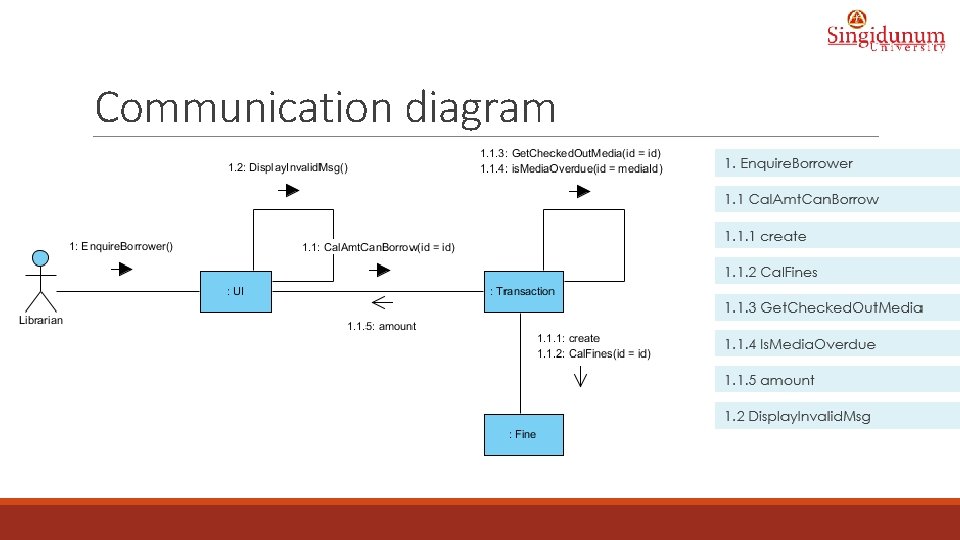
Communication diagram