
Sensors with Arduino A MICROCONTROLLER Exercise 22 Temperature


- Slides: 11
Sensors with Arduino A MICROCONTROLLER
Exercise 22 – Temperature sensor • The SIK kit has 2 sensors that look the same, the tmp 36 and the 222 • Use the tmp 36 • If you use the 222 then when you look at the serial monitor it will have negative numbers displayed (for project 7)
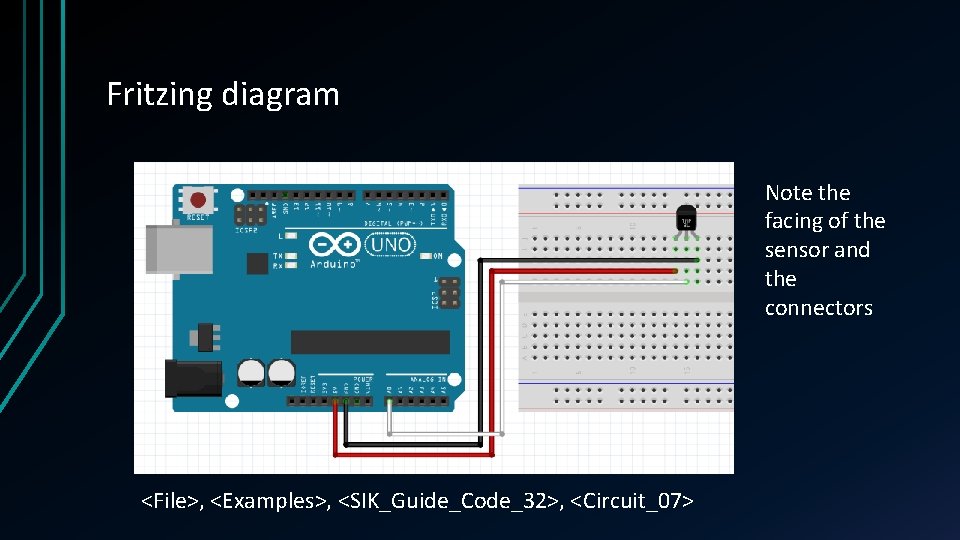
Fritzing diagram Note the facing of the sensor and the connectors <File>, <Examples>, <SIK_Guide_Code_32>, <Circuit_07>
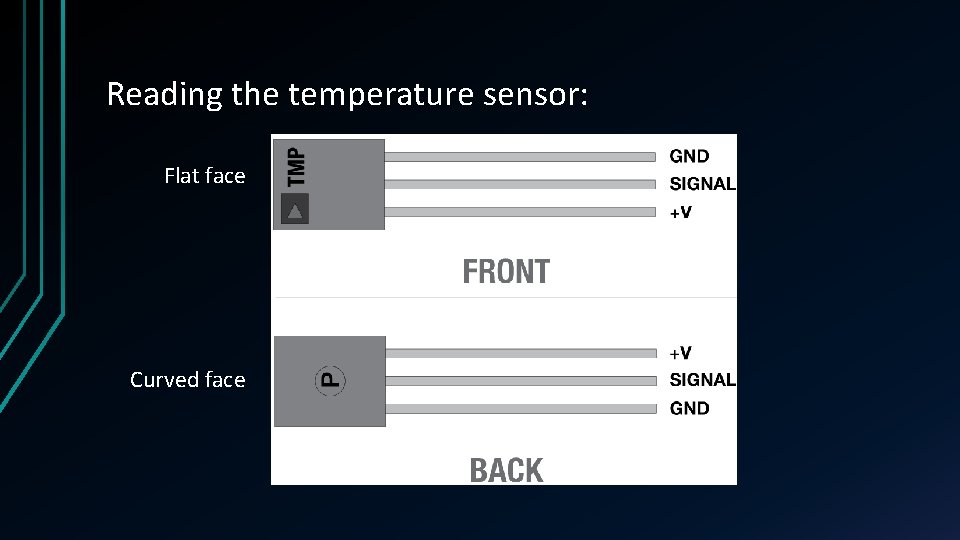
Reading the temperature sensor: Flat face Curved face
Notes on the code • Should be familiar by now • The conversion from an analog reading to temperature is the most interesting part: • Analog reads 0 -1023 (LOW – 0 v, to HIGH, 5 v) • Convert this reading to a percentage (relating the range 0 -1023 to 0 -5 v) • Using a datasheet specific to each temperature sensor type convert the reading to temperature
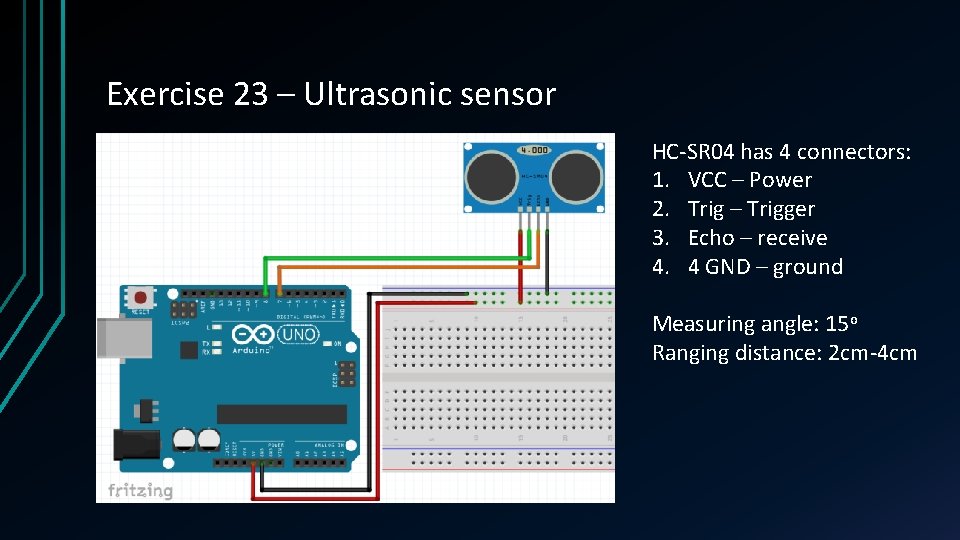
Exercise 23 – Ultrasonic sensor HC-SR 04 has 4 connectors: 1. VCC – Power 2. Trig – Trigger 3. Echo – receive 4. 4 GND – ground Measuring angle: 15 o Ranging distance: 2 cm-4 cm
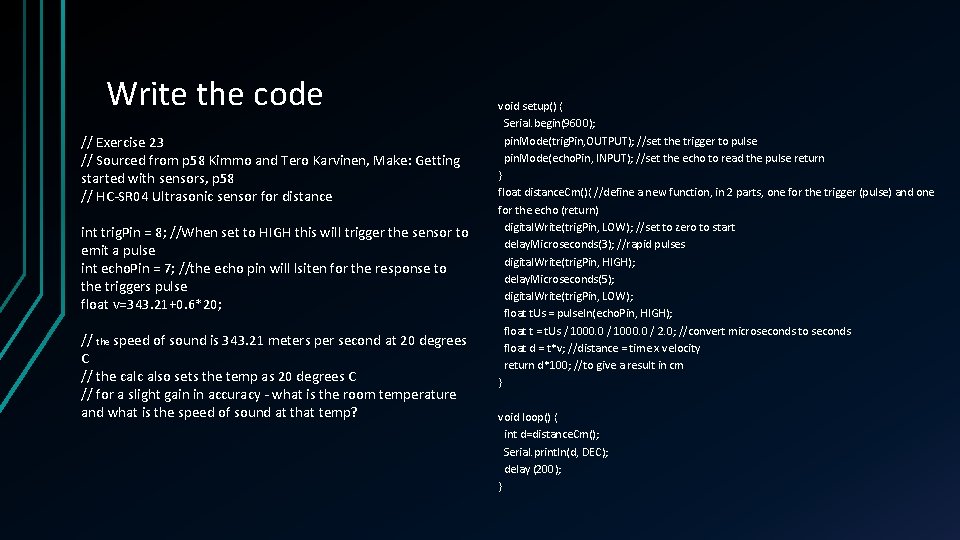
Write the code // Exercise 23 // Sourced from p 58 Kimmo and Tero Karvinen, Make: Getting started with sensors, p 58 // HC-SR 04 Ultrasonic sensor for distance int trig. Pin = 8; //When set to HIGH this will trigger the sensor to emit a pulse int echo. Pin = 7; //the echo pin will lsiten for the response to the triggers pulse float v=343. 21+0. 6*20; // the speed of sound is 343. 21 meters per second at 20 degrees C // the calc also sets the temp as 20 degrees C // for a slight gain in accuracy - what is the room temperature and what is the speed of sound at that temp? void setup() { Serial. begin(9600); pin. Mode(trig. Pin, OUTPUT); //set the trigger to pulse pin. Mode(echo. Pin, INPUT); //set the echo to read the pulse return } float distance. Cm(){ //define a new function, in 2 parts, one for the trigger (pulse) and one for the echo (return) digital. Write(trig. Pin, LOW); //set to zero to start delay. Microseconds(3); //rapid pulses digital. Write(trig. Pin, HIGH); delay. Microseconds(5); digital. Write(trig. Pin, LOW); float t. Us = pulse. In(echo. Pin, HIGH); float t = t. Us / 1000. 0 / 2. 0; //convert microseconds to seconds float d = t*v; //distance = time x velocity return d*100; //to give a result in cm } void loop() { int d=distance. Cm(); Serial. println(d, DEC); delay (200); }
Running the code • Teacher can email the code to you • USB key • Copy from screen… • Write, compile, upload… • Open the serial monitor and wave your hand over the sensor • Test it, explore
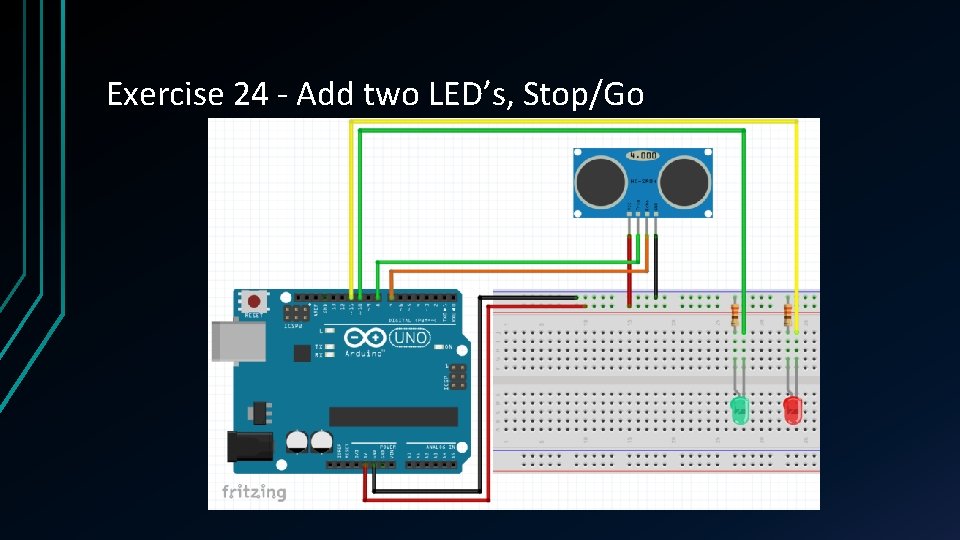
Exercise 24 - Add two LED’s, Stop/Go
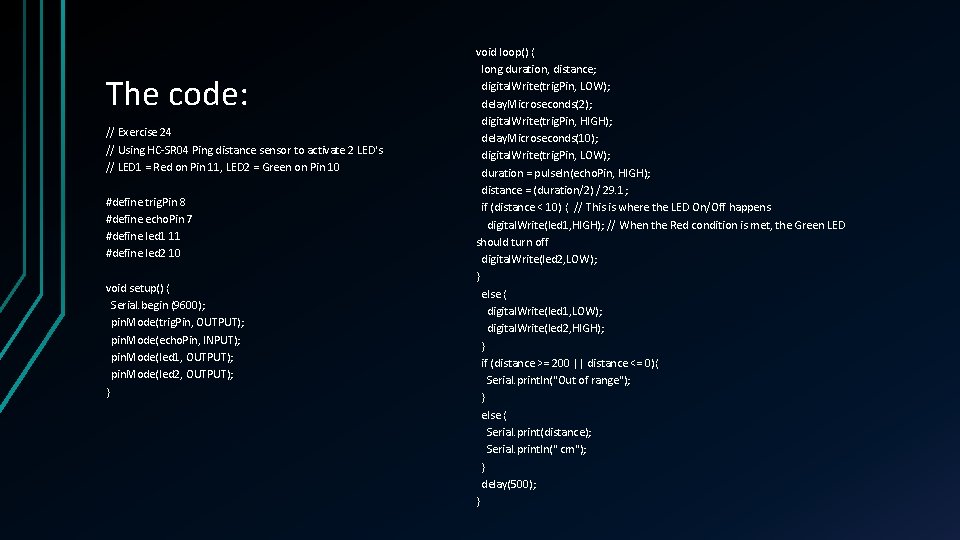
The code: // Exercise 24 // Using HC-SR 04 Ping distance sensor to activate 2 LED's // LED 1 = Red on Pin 11, LED 2 = Green on Pin 10 #define trig. Pin 8 #define echo. Pin 7 #define led 1 11 #define led 2 10 void setup() { Serial. begin (9600); pin. Mode(trig. Pin, OUTPUT); pin. Mode(echo. Pin, INPUT); pin. Mode(led 1, OUTPUT); pin. Mode(led 2, OUTPUT); } void loop() { long duration, distance; digital. Write(trig. Pin, LOW); delay. Microseconds(2); digital. Write(trig. Pin, HIGH); delay. Microseconds(10); digital. Write(trig. Pin, LOW); duration = pulse. In(echo. Pin, HIGH); distance = (duration/2) / 29. 1; if (distance < 10) { // This is where the LED On/Off happens digital. Write(led 1, HIGH); // When the Red condition is met, the Green LED should turn off digital. Write(led 2, LOW); } else { digital. Write(led 1, LOW); digital. Write(led 2, HIGH); } if (distance >= 200 || distance <= 0){ Serial. println("Out of range"); } else { Serial. print(distance); Serial. println(" cm"); } delay(500); }
Notes on the code • What's different? • What does that mena? • Why?