
Sending Your Records to PARC A STEPBYSTEP GUIDE
Sending Your Records to PARC A STEP-BY-STEP GUIDE FOR PACKING AND SHIPPING BOXES
What This Guide Will Cover ØThings to know before you start ØPreparing files ØPacking files into a box ØWhat to do with non-standard files/materials ØBox labeling guidelines ØGetting a confirmation number ØScheduling box pickup for delivery to PARC ØWhat happens after boxes are received at PARC

So You Want To Send Records To PARC THINGS TO KNOW BEFORE YOU START
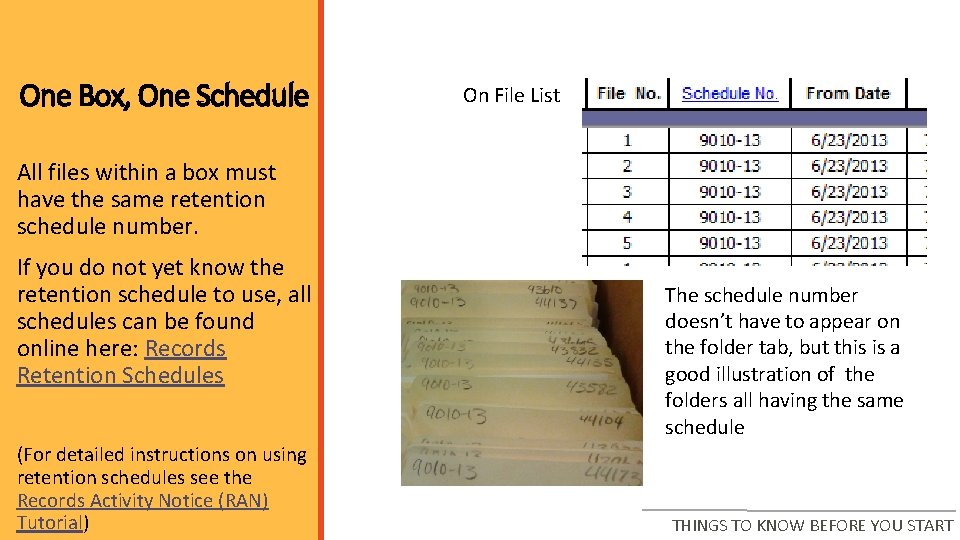
One Box, One Schedule On File List All files within a box must have the same retention schedule number. If you do not yet know the retention schedule to use, all schedules can be found online here: Records Retention Schedules (For detailed instructions on using retention schedules see the Records Activity Notice (RAN) Tutorial) The schedule number doesn’t have to appear on the folder tab, but this is a good illustration of the folders all having the same schedule THINGS TO KNOW BEFORE YOU START
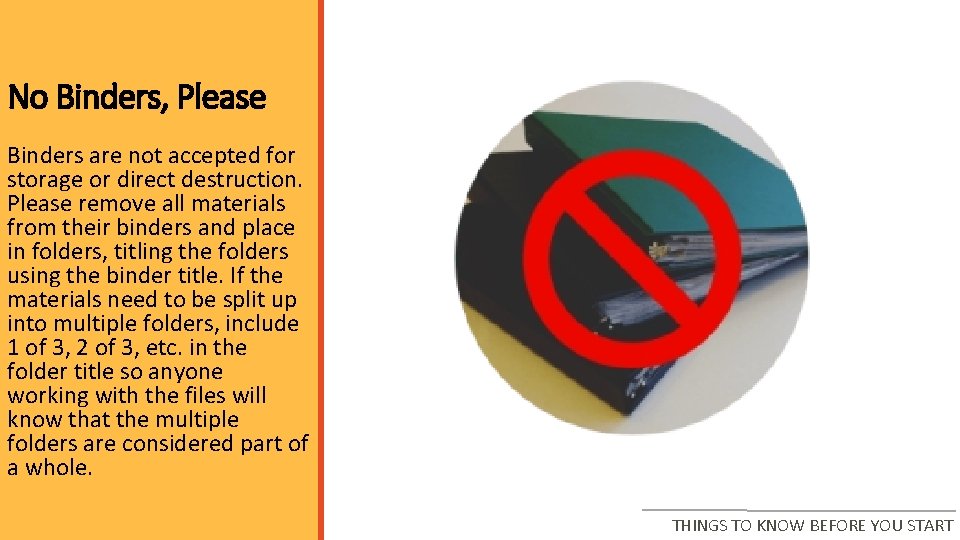
No Binders, Please Binders are not accepted for storage or direct destruction. Please remove all materials from their binders and place in folders, titling the folders using the binder title. If the materials need to be split up into multiple folders, include 1 of 3, 2 of 3, etc. in the folder title so anyone working with the files will know that the multiple folders are considered part of a whole. THINGS TO KNOW BEFORE YOU START
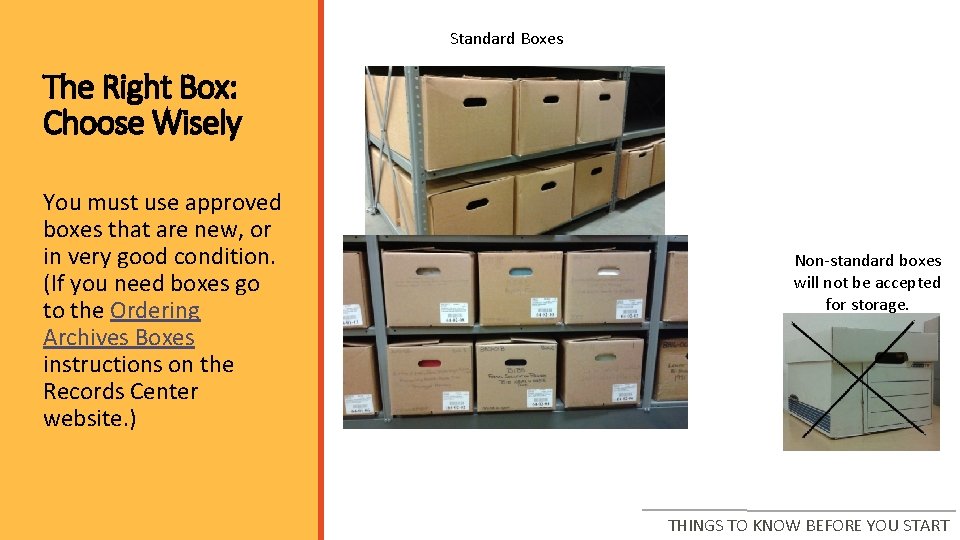
Standard Boxes The Right Box: Choose Wisely You must use approved boxes that are new, or in very good condition. (If you need boxes go to the Ordering Archives Boxes instructions on the Records Center website. ) Non-standard boxes will not be accepted for storage. THINGS TO KNOW BEFORE YOU START
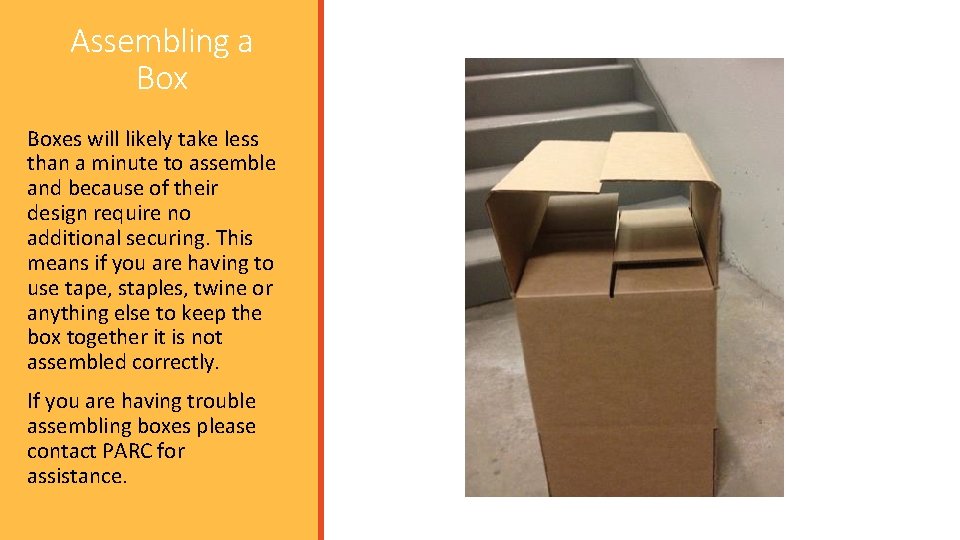
Assembling a Boxes will likely take less than a minute to assemble and because of their design require no additional securing. This means if you are having to use tape, staples, twine or anything else to keep the box together it is not assembled correctly. If you are having trouble assembling boxes please contact PARC for assistance.

Preparing Files LABELING AND TIPS
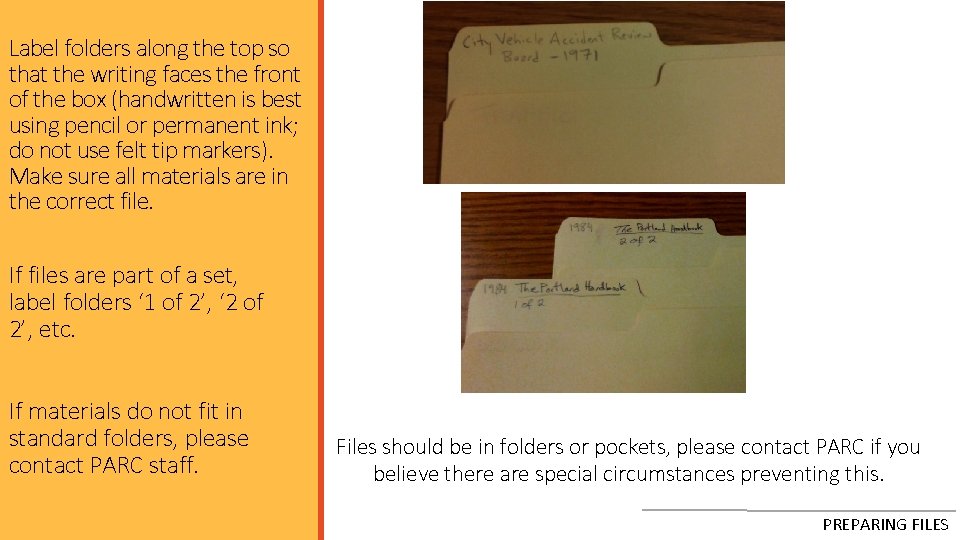
Label folders along the top so that the writing faces the front of the box (handwritten is best using pencil or permanent ink; do not use felt tip markers). Make sure all materials are in the correct file. If files are part of a set, label folders ‘ 1 of 2’, ‘ 2 of 2’, etc. If materials do not fit in standard folders, please contact PARC staff. Files should be in folders or pockets, please contact PARC if you believe there are special circumstances preventing this. PREPARING FILES
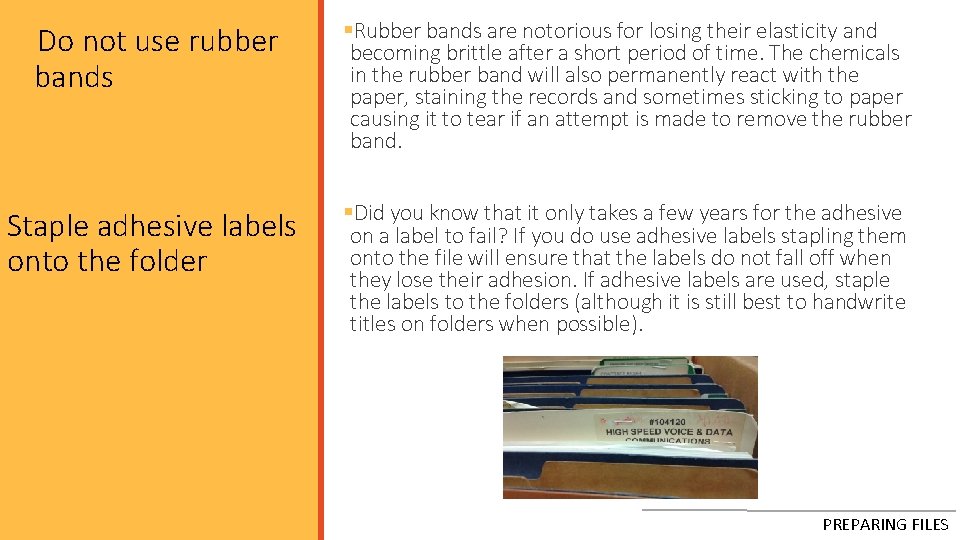
q. Do not use rubber bands §Rubber bands are notorious for losing their elasticity and becoming brittle after a short period of time. The chemicals in the rubber band will also permanently react with the paper, staining the records and sometimes sticking to paper causing it to tear if. Tips an attempt is made to remove the rubber Additional band. Staple adhesive labels onto the folder §Did you know that it only takes a few years for the adhesive on a label to fail? If you do use adhesive labels stapling them onto the file will ensure that the labels do not fall off when they lose their adhesion. If adhesive labels are used, staple the labels to the folders (although it is still best to handwrite titles on folders when possible). PREPARING FILES

Packing Files into a Box WHAT TO KNOW
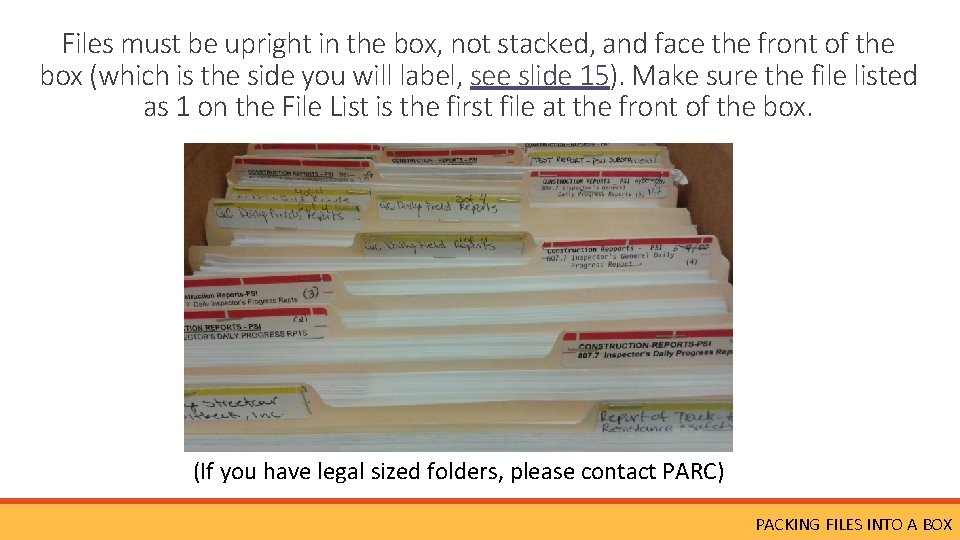
Files must be upright in the box, not stacked, and face the front of the box (which is the side you will label, see slide 15). Make sure the file listed as 1 on the File List is the first file at the front of the box. (If you have legal sized folders, please contact PARC) PACKING FILES INTO A BOX
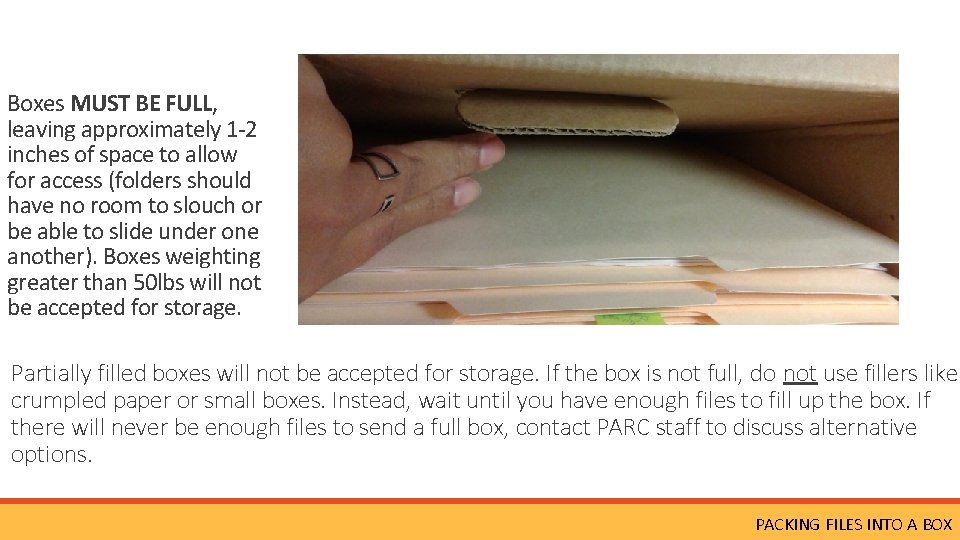
Boxes MUST BE FULL, leaving approximately 1 -2 inches of space to allow for access (folders should have no room to slouch or be able to slide under one another). Boxes weighting greater than 50 lbs will not be accepted for storage. Partially filled boxes will not be accepted for storage. If the box is not full, do not use fillers like crumpled paper or small boxes. Instead, wait until you have enough files to fill up the box. If there will never be enough files to send a full box, contact PARC staff to discuss alternative options. PACKING FILES INTO A BOX
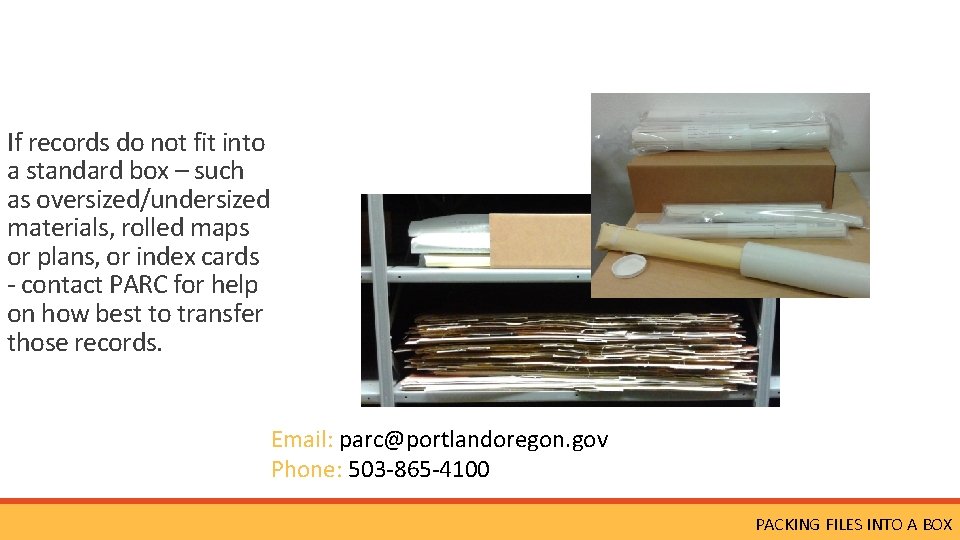
If records do not fit into a standard box – such as oversized/undersized materials, rolled maps or plans, or index cards - contact PARC for help on how best to transfer those records. Email: parc@portlandoregon. gov Phone: 503 -865 -4100 PACKING FILES INTO A BOX
Once A Box Is Full Once a box is full, you can fill out a File List for the box. If you need help filling out the File List, see the following section in the Records Activity Notebook [RAN] Tutorial. If you have multiple boxes you can wait to fill out the entire RAN (including the File List) once all boxes are packed and labeled. PACKING FILES INTO A BOX
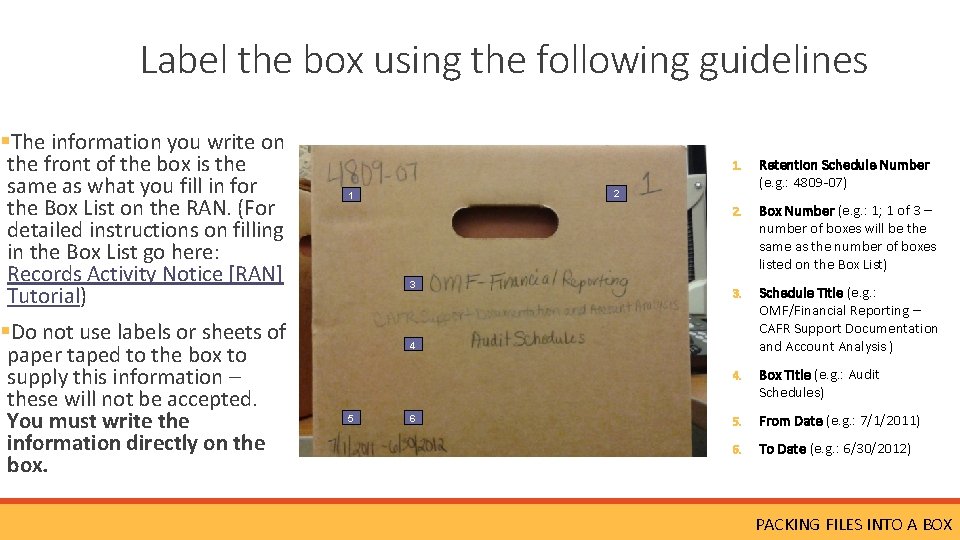
Label the box using the following guidelines §The information you write on the front of the box is the same as what you fill in for the Box List on the RAN. (For detailed instructions on filling in the Box List go here: Records Activity Notice [RAN] Tutorial) §Do not use labels or sheets of paper taped to the box to supply this information – these will not be accepted. You must write the information directly on the box. 1. Retention Schedule Number (e. g. : 4809 -07) 2. Box Number (e. g. : 1; 1 of 3 – number of boxes will be the same as the number of boxes listed on the Box List) 3. Schedule Title (e. g. : OMF/Financial Reporting – CAFR Support Documentation and Account Analysis ) 4. Box Title (e. g. : Audit Schedules) 5. From Date (e. g. : 7/1/2011) 6. To Date (e. g. : 6/30/2012) 2 1 3 4 5 6 PACKING FILES INTO A BOX

Next Steps AFTER THE BOX IS PACKED
Now It’s Time To Make Your RAN! With the box(es) packed, you can go to the Records Activity Notice (RAN) Workbook and fill-in the File List (if you haven’t already), Box List, and Transfer Sheet. If you need help filling out the RAN, there is a step-by-step tutorial available here: Records Activity Notice (RAN) Tutorial. Before emailing the RAN to PARC for approval, double check that the order of the folders in the box matches the File List order. When the RAN is approved you will receive a confirmation number, which allows you to send the boxes to PARC. NEXT STEPS
You’re Almost Finished! After the RAN is approved and you have a confirmation number, print the Transfer Sheet from the approved RAN (that is where the confirmation number is given) and tape it to the top of the first box. Contact Printing & Distribution to schedule a pickup for delivery to PARC by going to P&D Online Service Request If you have any questions about filling out the request, please contact P&D's Customer Service (Heather. Saby@portlandoregon. gov or 503 -823 -4448) NEXT STEPS
What Happens Next? Once boxes arrive at PARC they are reviewed by staff. If there any issues with the boxes or files, the employee whose name is listed as the ‘Preparer’ on the RAN’s Transfer Sheet will receive an email with instructions to correct the issues. The review includes: § Boxes are packed properly for storage (looking to see if boxes are under or over packed; folders are positioned correctly within the box) § Boxes are properly labeled § Dates match between those on the RAN and those on boxes § The files in the box match the File List § Folders are labeled correctly Although boxes are reviewed by PARC staff, it is the person preparing the materials for storage who is ultimately responsible for the accuracy of all information pertaining to those materials. Essentially the review is a last spotcheck of records before they are imported into TRIM and should not be relied on as a way to catch all issues. Always double check your boxes and folders before sending them to PARC! NEXT STEPS
You’re Finished! If there are no issues with the shipment, files will be entered into TRIM/HPRM within a few days (depending on the size of the shipment) and be ready for requesting. If you have any questions please contact PARC
ADDITIONAL TRAINING If additional training is needed, please contact PARC at 503 -865 -4100 or parc@portlandoregon. gov. Trainings for temporary employees MUST also be attended by a full-time/permanent employee. Please contact PARC with any questions.
- Slides: 22