
SENA OneStop Solution in Device Networking VTS Series
- Slides: 32
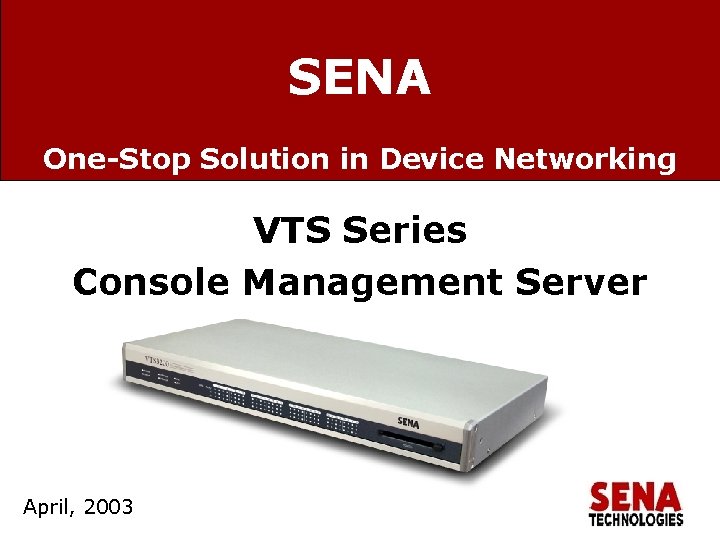
SENA One-Stop Solution in Device Networking VTS Series Console Management Server April, 2003 www. sena. com March, 2002
Table of contents q Console Server § § § § Backgrounds Effects of network-down Factors and solutions of network-down Necessity of out-of-band management Out-of-band management solutions Serial Console Port Console Server q VTS § § § VTS VTS VTS www. sena. com Overview Features Benefits Applications Review
Backgrounds Today’s network environment q Current environment § § Clustering / downsizing / Server farm Small decentralized system Daily-growing Internet infrastructure Complex systems § Various passages to Internet such as wired, wireless, mobile and fiber § Various equipments in network infra such as UPS, Environmental controllers q On-going trend § § Scalability – Adding additional nodes High Availability – Maximizing network up-time Flexibility – Integrating heterogeneous equipments Lower Costs q Problems § Increasing number of nodes to be managed § Numerous types of the equipments § Frequent network-down problems www. sena. com
Effects of network-down q Damages of network downtime – Employees • IT related tasks are not executed. – Users • User related actions cannot be taken. • complaints • migration to an other competitor company – Revenue • no on-line transaction • revenue reduction Frequent service downs and no immediate action in major domestic portal sites increase customers’ dissatisfaction. Electronic Times 2003/3/4 www. sena. com
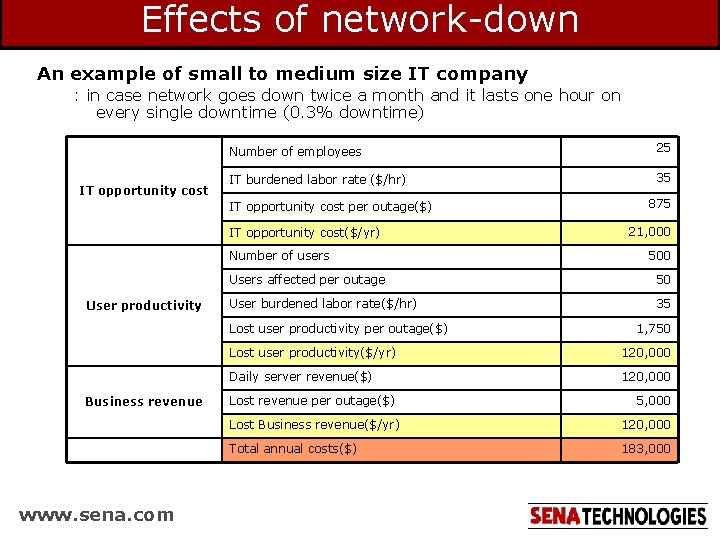
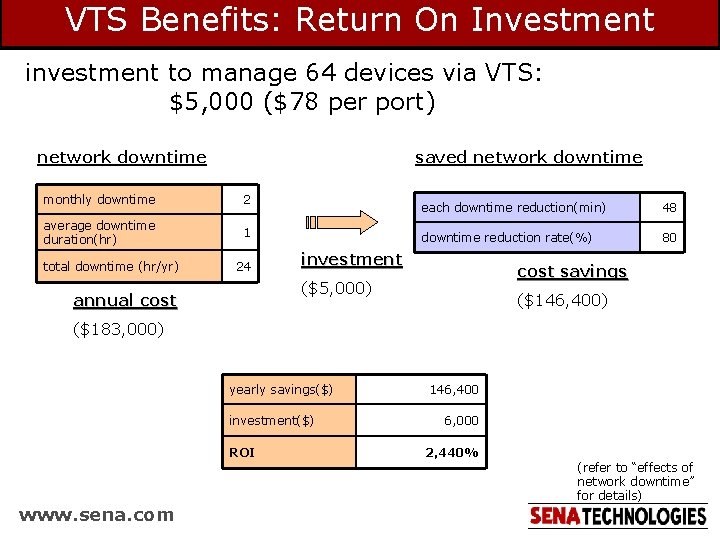
Effects of network-down An example of small to medium size IT company : in case network goes down twice a month and it lasts one hour on every single downtime (0. 3% downtime) IT opportunity cost Number of employees 25 IT burdened labor rate ($/hr) 35 IT opportunity cost per outage($) IT opportunity cost($/yr) Number of users User productivity www. sena. com 21, 000 500 Users affected per outage 50 User burdened labor rate($/hr) 35 Lost user productivity per outage($) Business revenue 875 1, 750 Lost user productivity($/yr) 120, 000 Daily server revenue($) 120, 000 Lost revenue per outage($) 5, 000 Lost Business revenue($/yr) 120, 000 Total annual costs($) 183, 000
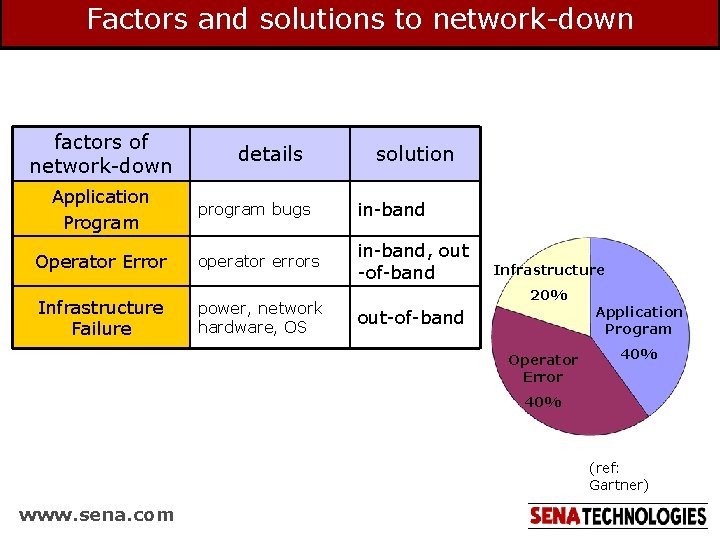
Factors and solutions to network-down factors of network-down Application Program details solution program bugs in-band Operator Error operator errors in-band, out -of-band Infrastructure Failure power, network hardware, OS Infrastructure 20% out-of-band Operator Error Application Program 40% (ref: Gartner) www. sena. com
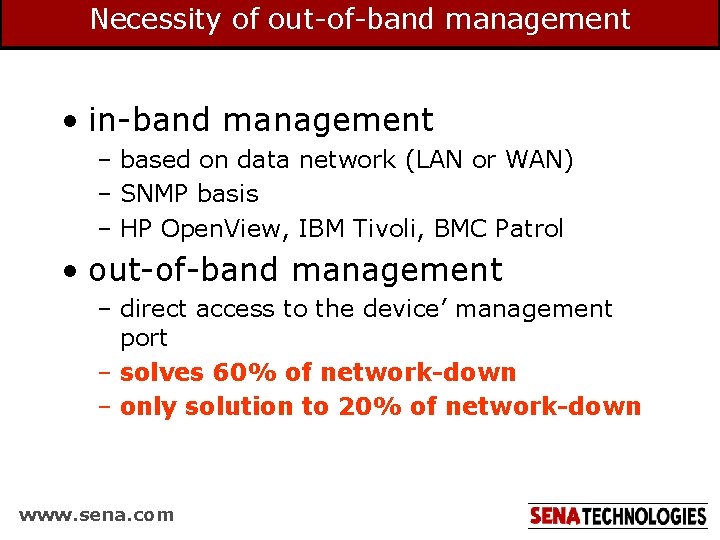
Necessity of out-of-band management • in-band management – based on data network (LAN or WAN) – SNMP basis – HP Open. View, IBM Tivoli, BMC Patrol • out-of-band management – direct access to the device’ management port – solves 60% of network-down – only solution to 20% of network-down www. sena. com
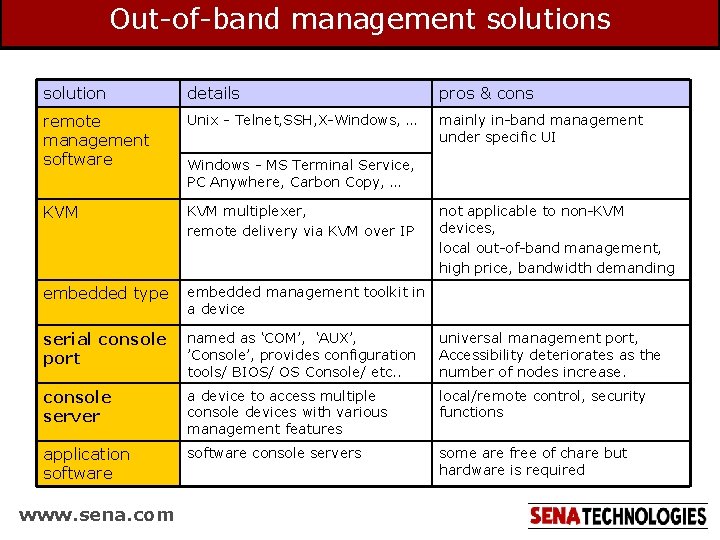
Out-of-band management solutions solution details pros & cons remote management software Unix - Telnet, SSH, X-Windows, … mainly in-band management under specific UI KVM multiplexer, remote delivery via KVM over IP embedded type embedded management toolkit in a device serial console port named as ‘COM’, ‘AUX’, ’Console’, provides configuration tools/ BIOS/ OS Console/ etc. . universal management port, Accessibility deteriorates as the number of nodes increase. console server a device to access multiple console devices with various management features local/remote control, security functions application software console servers some are free of chare but hardware is required www. sena. com Windows - MS Terminal Service, PC Anywhere, Carbon Copy, … not applicable to non-KVM devices, local out-of-band management, high price, bandwidth demanding
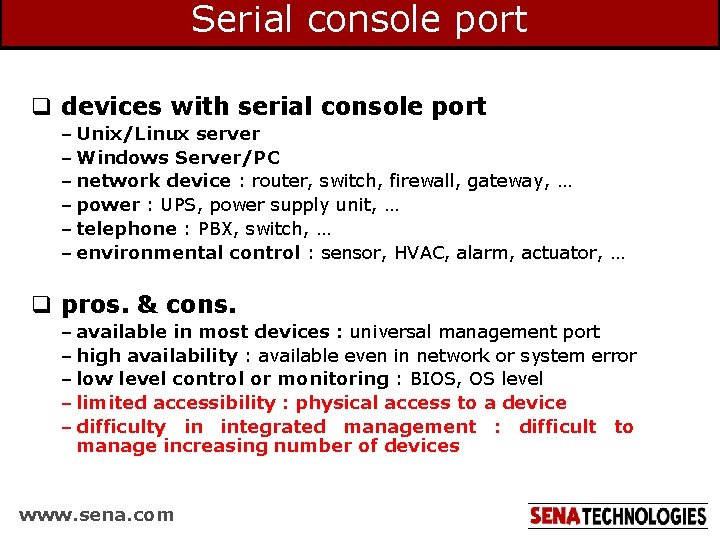
Serial console port q devices with serial console port – Unix/Linux server – Windows Server/PC – network device : router, switch, firewall, gateway, … – power : UPS, power supply unit, … – telephone : PBX, switch, … – environmental control : sensor, HVAC, alarm, actuator, … q pros. & cons. – available in most devices : universal management port – high availability : available even in network or system error – low level control or monitoring : BIOS, OS level – limited accessibility : physical access to a device – difficulty in integrated management : difficult to manage increasing number of devices www. sena. com
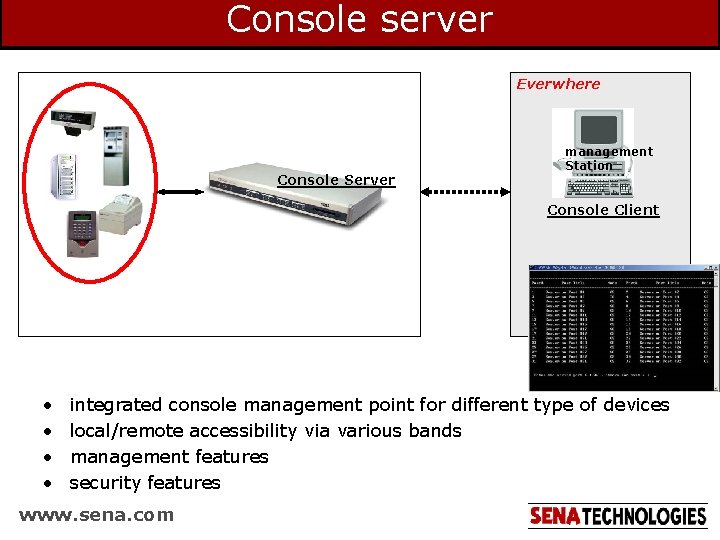
Console server Everwhere Console Server management Station Console Client • • integrated console management point for different type of devices local/remote accessibility via various bands management features security features www. sena. com
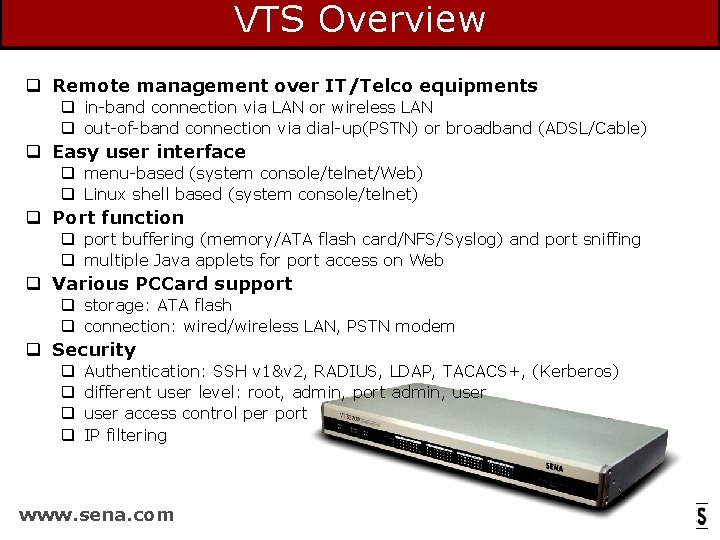
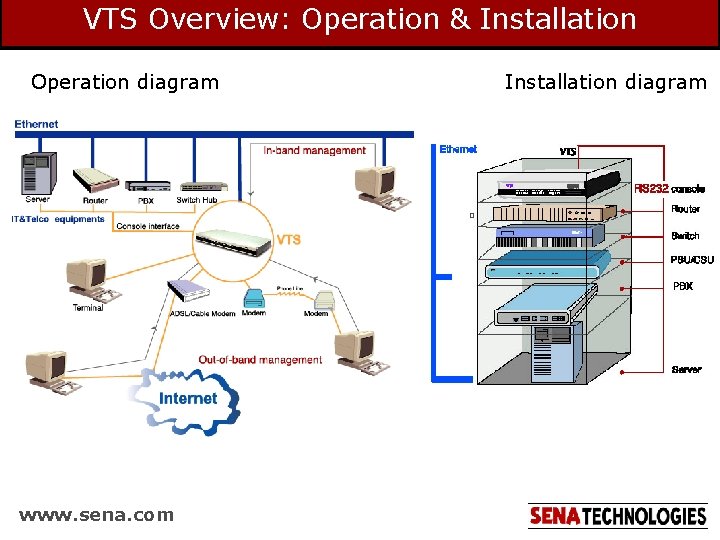
VTS Overview q Remote management over IT/Telco equipments q in-band connection via LAN or wireless LAN q out-of-band connection via dial-up(PSTN) or broadband (ADSL/Cable) q Easy user interface q menu-based (system console/telnet/Web) q Linux shell based (system console/telnet) q Port function q port buffering (memory/ATA flash card/NFS/Syslog) and port sniffing q multiple Java applets for port access on Web q Various PCCard support q storage: ATA flash q connection: wired/wireless LAN, PSTN modem q Security q q Authentication: SSH v 1&v 2, RADIUS, LDAP, TACACS+, (Kerberos) different user level: root, admin, port admin, user access control per port IP filtering www. sena. com
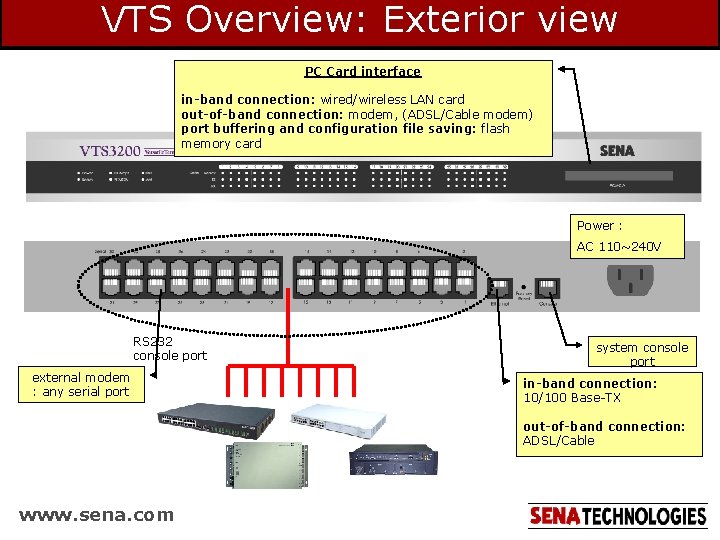
VTS Overview: Exterior view PC Card interface in-band connection: wired/wireless LAN card out-of-band connection: modem, (ADSL/Cable modem) port buffering and configuration file saving: flash memory card Power : AC 110~240 V RS 232 console port external modem : any serial port system console port in-band connection: 10/100 Base-TX out-of-band connection: ADSL/Cable www. sena. com
VTS Overview: Operation & Installation Operation diagram www. sena. com Installation diagram
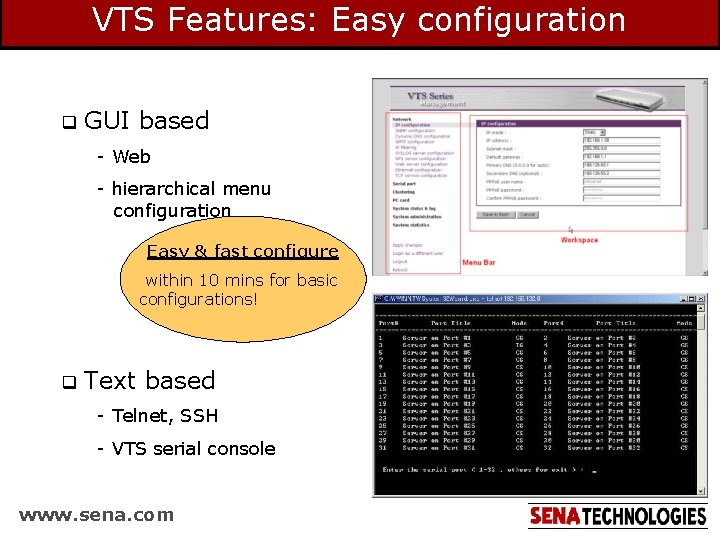
VTS Features: Easy configuration q GUI based - Web - hierarchical menu configuration Easy & fast configure within 10 mins for basic configurations! q Text based - Telnet, SSH - VTS serial console www. sena. com
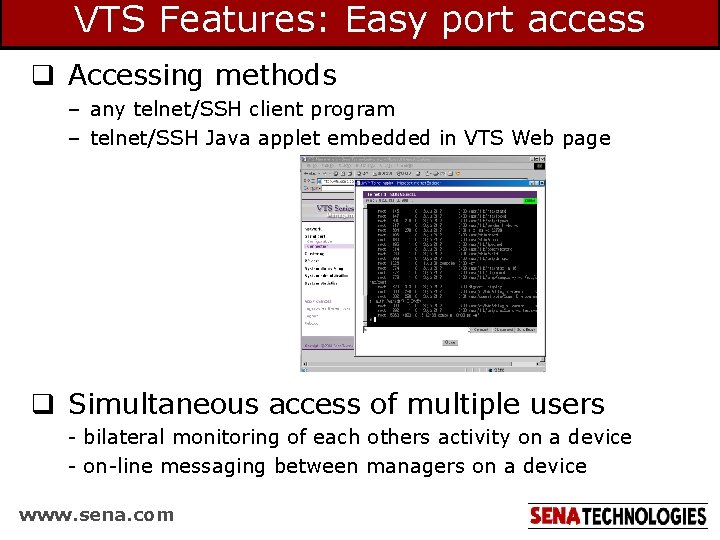
VTS Features: Easy port access q Accessing methods – any telnet/SSH client program – telnet/SSH Java applet embedded in VTS Web page q Simultaneous access of multiple users - bilateral monitoring of each others activity on a device - on-line messaging between managers on a device www. sena. com
VTS Features: Easy & direct cabling q Cisco devices and Sun Netra server are connected using standard Ethernet straight cable! www. sena. com
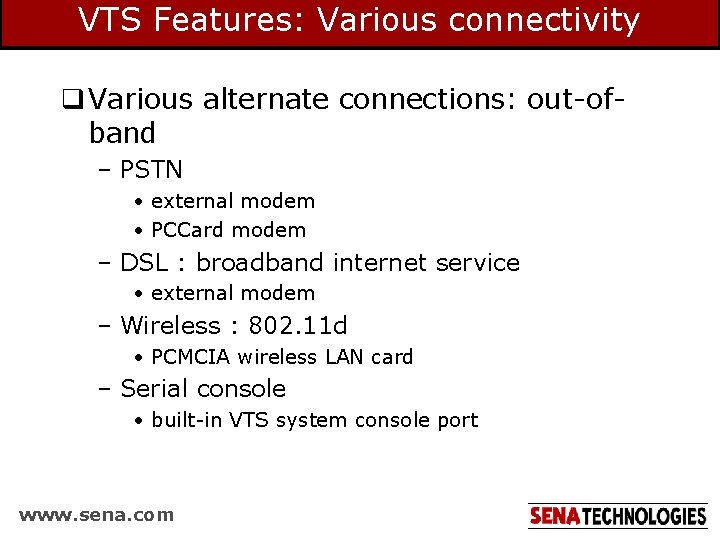
VTS Features: Various connectivity q Various alternate connections: out-ofband – PSTN • external modem • PCCard modem – DSL : broadband internet service • external modem – Wireless : 802. 11 d • PCMCIA wireless LAN card – Serial console • built-in VTS system console port www. sena. com
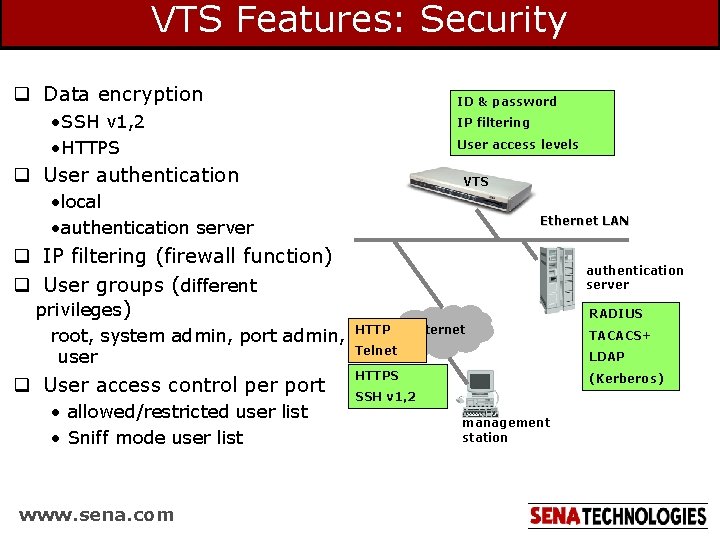
VTS Features: Security q Data encryption ID & password • SSH v 1, 2 • HTTPS IP filtering User access levels q User authentication VTS • local • authentication server Ethernet LAN q IP filtering (firewall function) q User groups (different privileges) root, system admin, port admin, user q User access control per port • allowed/restricted user list • Sniff mode user list www. sena. com authentication server RADIUS HTTP Internet Telnet TACACS+ LDAP HTTPS (Kerberos) SSH v 1, 2 management station
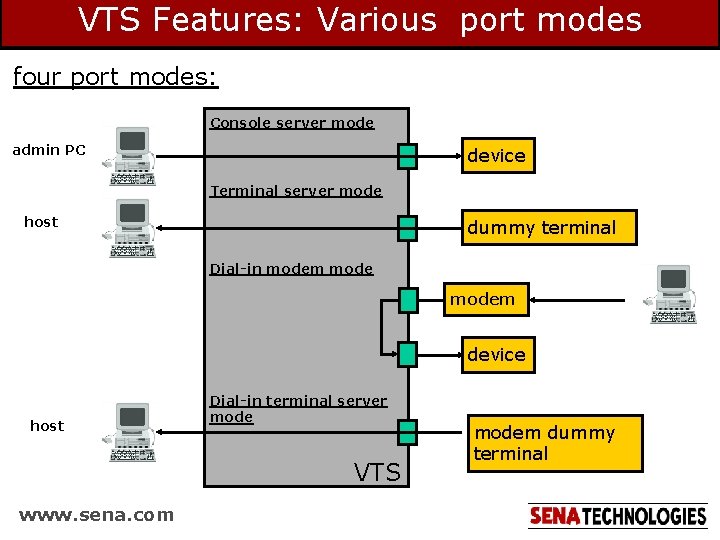
VTS Features: Various port modes four port modes: Console server mode admin PC device Terminal server mode host dummy terminal Dial-in modem device host Dial-in terminal server mode VTS www. sena. com modem dummy terminal
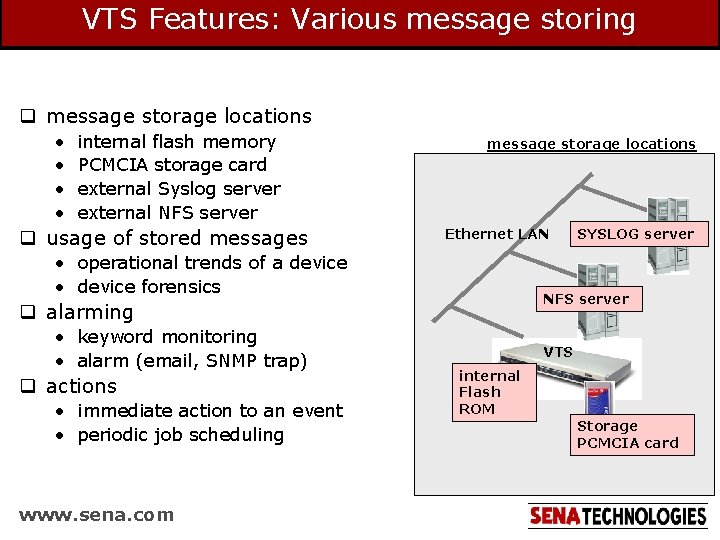
VTS Features: Various message storing q message storage locations • • internal flash memory PCMCIA storage card external Syslog server external NFS server q usage of stored messages message storage locations Ethernet LAN • operational trends of a device • device forensics NFS server q alarming • keyword monitoring • alarm (email, SNMP trap) q actions • immediate action to an event • periodic job scheduling www. sena. com SYSLOG server VTS internal Flash ROM Storage PCMCIA card
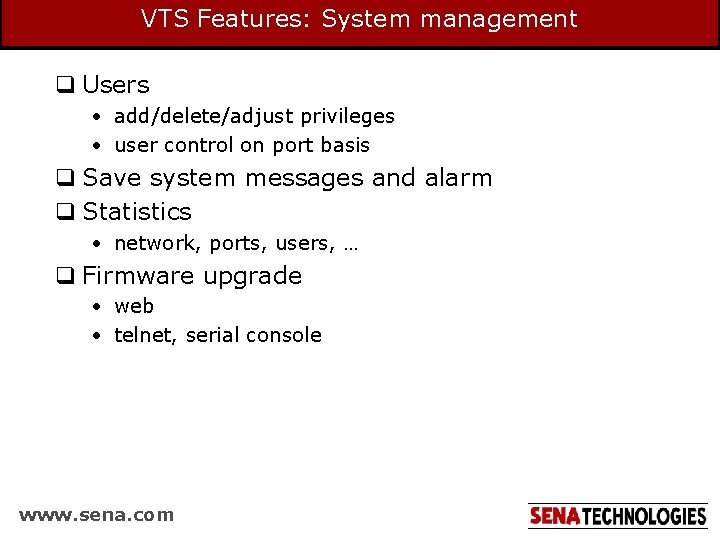
VTS Features: System management q Users • add/delete/adjust privileges • user control on port basis q Save system messages and alarm q Statistics • network, ports, users, … q Firmware upgrade • web • telnet, serial console www. sena. com
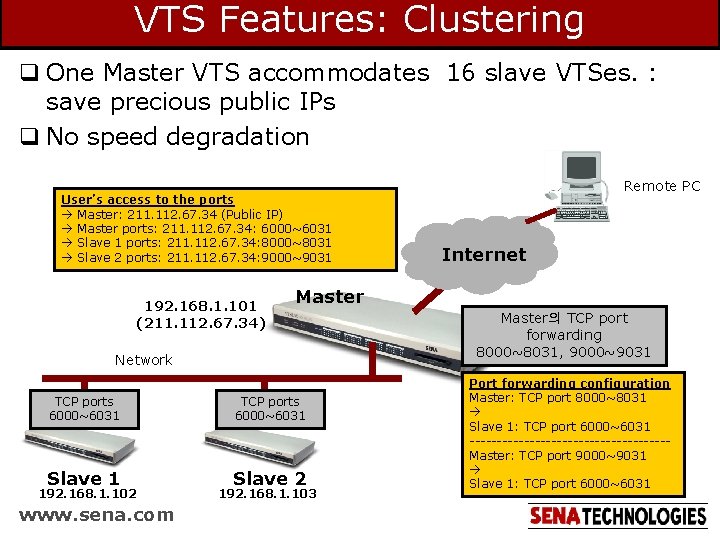
VTS Features: Clustering q One Master VTS accommodates 16 slave VTSes. : save precious public IPs q No speed degradation User’s access to the ports Master: 211. 112. 67. 34 (Public IP) Master ports: 211. 112. 67. 34: 6000~6031 Slave 1 ports: 211. 112. 67. 34: 8000~8031 Slave 2 ports: 211. 112. 67. 34: 9000~9031 192. 168. 1. 101 (211. 112. 67. 34) Slave 1 192. 168. 1. 102 www. sena. com Internet Master Network TCP ports 6000~6031 Remote PC TCP ports 6000~6031 Slave 2 192. 168. 1. 103 Master의 TCP port forwarding 8000~8031, 9000~9031 Port forwarding configuration Master: TCP port 8000~8031 Slave 1: TCP port 6000~6031 ------------------Master: TCP port 9000~9031 Slave 1: TCP port 6000~6031
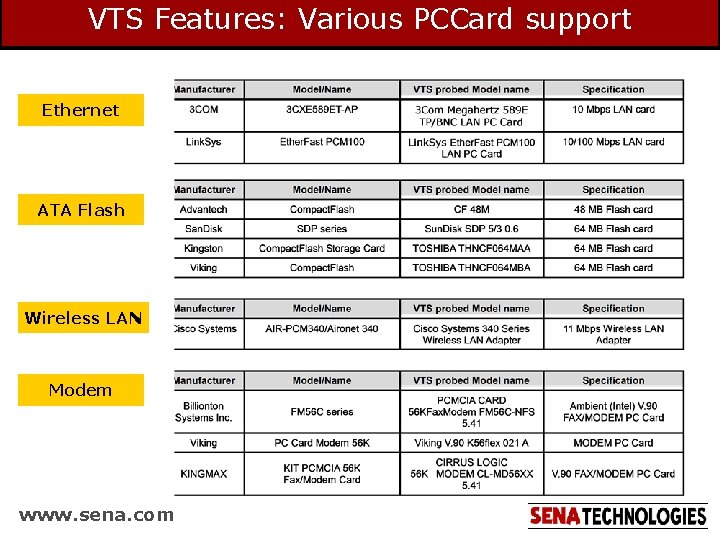
VTS Features: Various PCCard support Ethernet ATA Flash Wireless LAN Modem www. sena. com
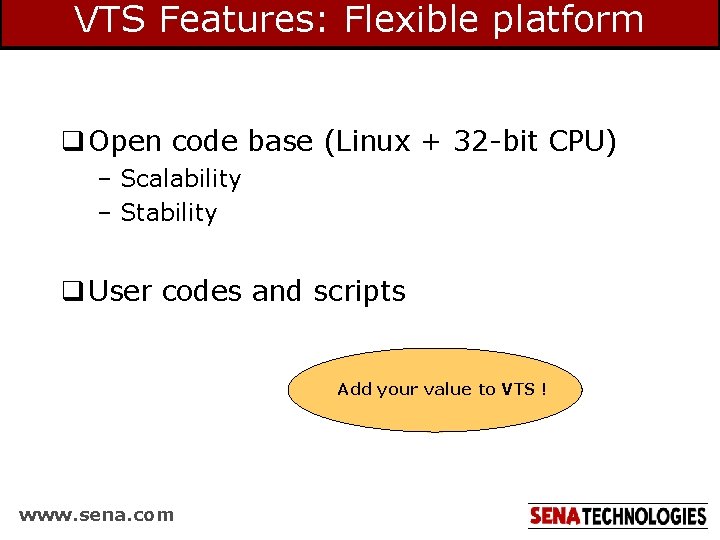
VTS Features: Flexible platform q Open code base (Linux + 32 -bit CPU) – Scalability – Stability q User codes and scripts Add your value to VTS ! www. sena. com
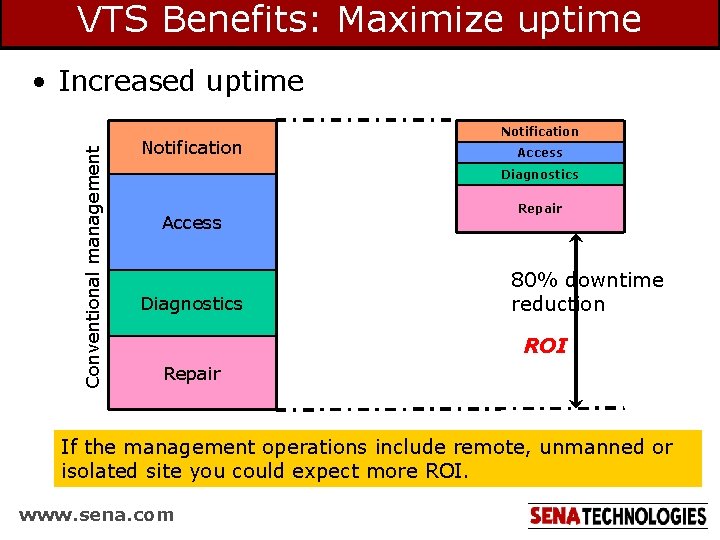
VTS Benefits: Maximize uptime Conventional management • Increased uptime Notification Access Diagnostics Repair 80% downtime reduction ROI Repair If the management operations include remote, unmanned or isolated site you could expect more ROI. www. sena. com
VTS Benefits: Return On Investment investment to manage 64 devices via VTS: $5, 000 ($78 per port) network downtime saved network downtime monthly downtime 2 average downtime duration(hr) 1 total downtime (hr/yr) 24 each downtime reduction(min) 48 downtime reduction rate(%) 80 investment cost savings ($5, 000) annual cost ($146, 400) ($183, 000) yearly savings($) investment($) ROI www. sena. com 146, 400 6, 000 2, 440% (refer to “effects of network downtime” for details)
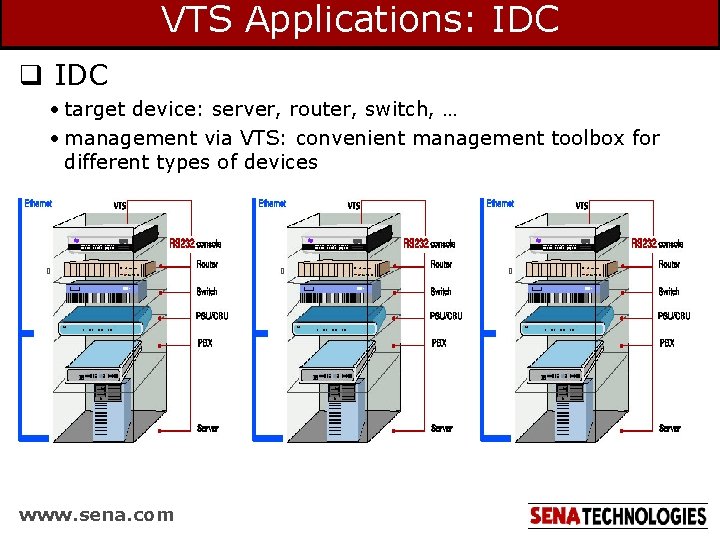
VTS Applications: IDC q IDC • target device: server, router, switch, … • management via VTS: convenient management toolbox for different types of devices www. sena. com
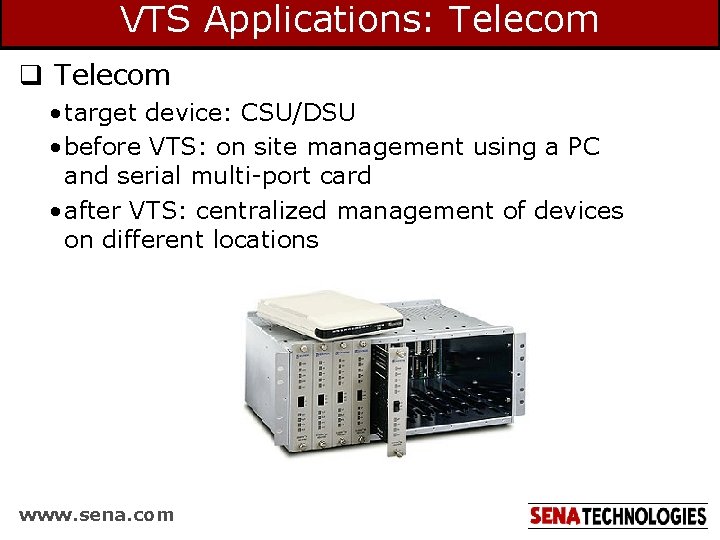
VTS Applications: Telecom q Telecom • target device: CSU/DSU • before VTS: on site management using a PC and serial multi-port card • after VTS: centralized management of devices on different locations www. sena. com
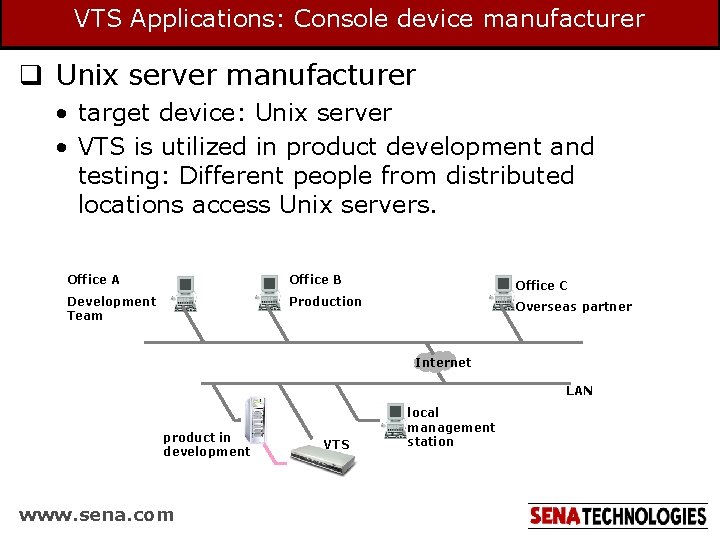
VTS Applications: Console device manufacturer q Unix server manufacturer • target device: Unix server • VTS is utilized in product development and testing: Different people from distributed locations access Unix servers. Office A Office B Office C Development Team Production Overseas partner Internet LAN product in development www. sena. com VTS local management station
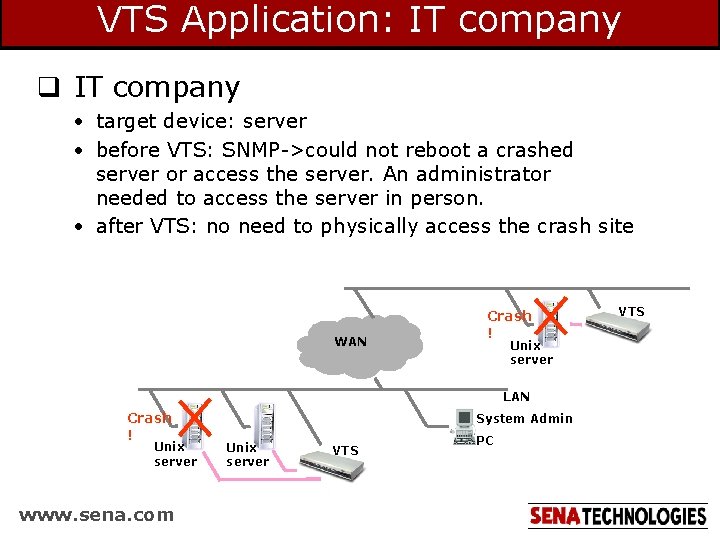
VTS Application: IT company q IT company • target device: server • before VTS: SNMP->could not reboot a crashed server or access the server. An administrator needed to access the server in person. • after VTS: no need to physically access the crash site WAN Crash ! Unix server LAN Crash ! Unix server www. sena. com System Admin Unix server VTS PC VTS
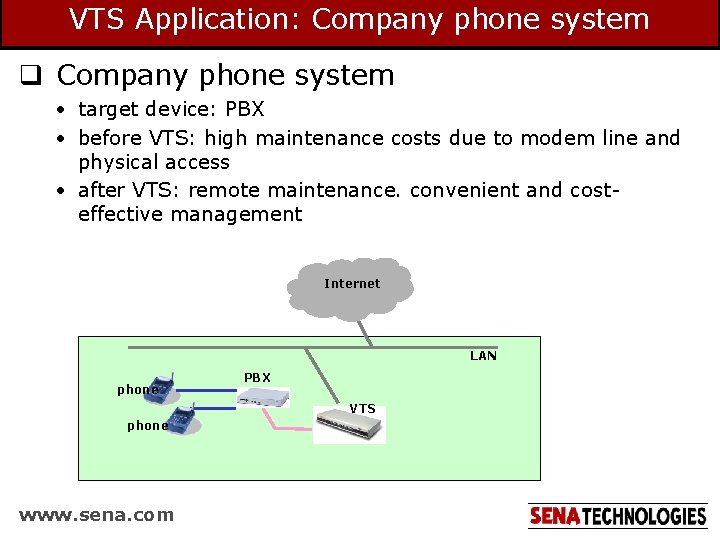
VTS Application: Company phone system q Company phone system • target device: PBX • before VTS: high maintenance costs due to modem line and physical access • after VTS: remote maintenance. convenient and costeffective management Internet LAN phone PBX VTS phone www. sena. com
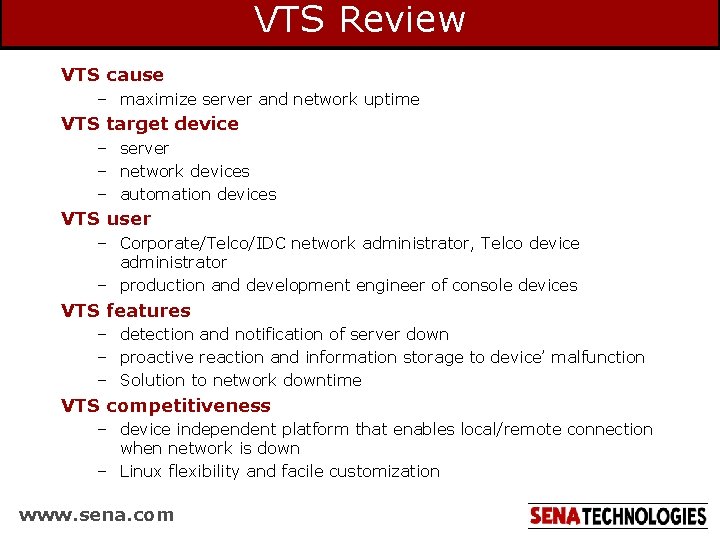
VTS Review VTS cause – maximize server and network uptime VTS target device – server – network devices – automation devices VTS user – Corporate/Telco/IDC network administrator, Telco device administrator – production and development engineer of console devices VTS features – detection and notification of server down – proactive reaction and information storage to device’ malfunction – Solution to network downtime VTS competitiveness – device independent platform that enables local/remote connection when network is down – Linux flexibility and facile customization www. sena. com