
Selection Statements Overview l Relational and Logical Operations
- Slides: 14
Selection Statements Overview l Relational and Logical Operations l Selection structures » if statement » if-else statement l Preview: More on Selection Statements 1
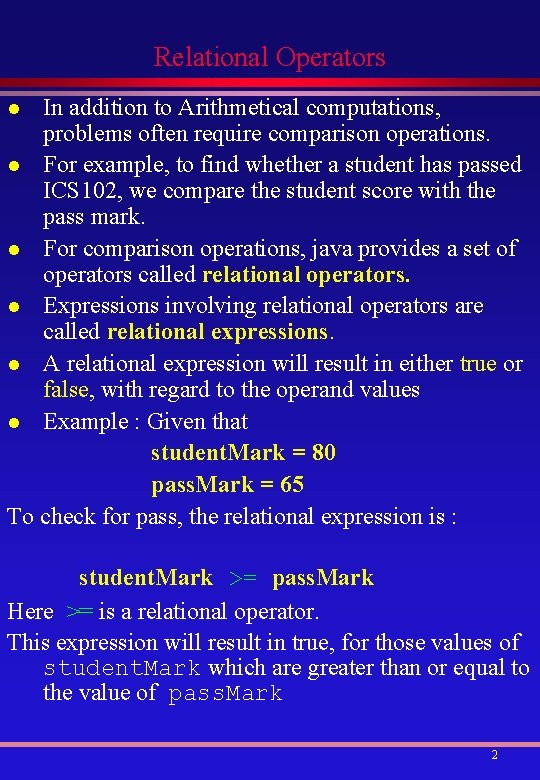
Relational Operators In addition to Arithmetical computations, problems often require comparison operations. l For example, to find whether a student has passed ICS 102, we compare the student score with the pass mark. l For comparison operations, java provides a set of operators called relational operators. l Expressions involving relational operators are called relational expressions. l A relational expression will result in either true or false, with regard to the operand values l Example : Given that student. Mark = 80 pass. Mark = 65 To check for pass, the relational expression is : l student. Mark >= pass. Mark Here >= is a relational operator. This expression will result in true, for those values of student. Mark which are greater than or equal to the value of pass. Mark 2
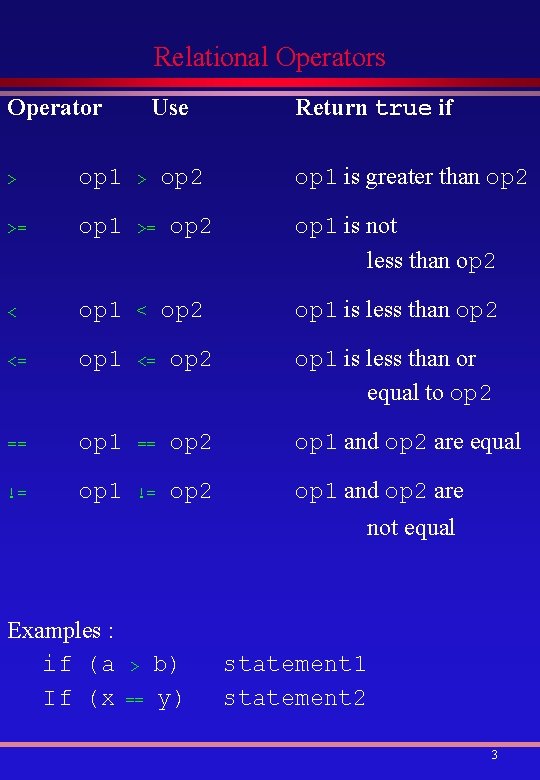
Relational Operators Operator Use op 2 Return true if op 1 is greater than op 2 > op 1 > >= op 1 >= < op 1 < <= op 1 <= op 2 op 1 is less than or equal to op 2 == op 1 == op 2 op 1 and op 2 are equal != op 1 != op 2 op 1 and op 2 are op 2 op 1 is not less than op 2 op 1 is less than op 2 not equal Examples : if (a If (x > == b) y) statement 1 statement 2 3
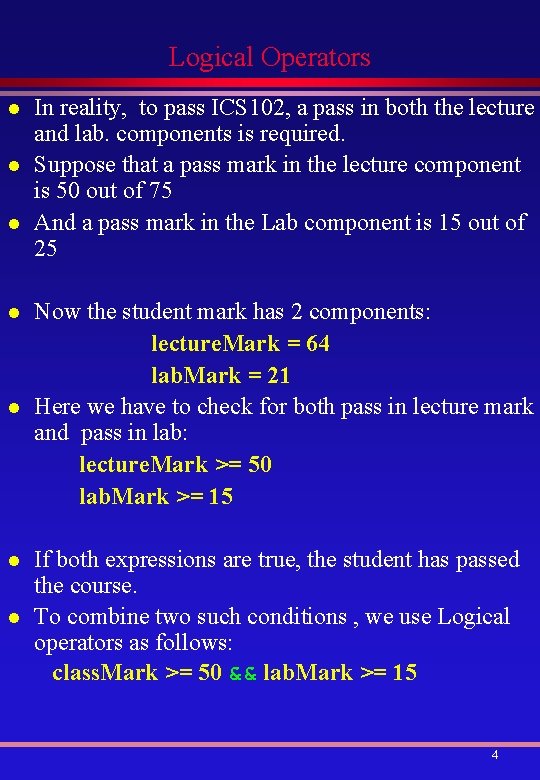
Logical Operators l l l l In reality, to pass ICS 102, a pass in both the lecture and lab. components is required. Suppose that a pass mark in the lecture component is 50 out of 75 And a pass mark in the Lab component is 15 out of 25 Now the student mark has 2 components: lecture. Mark = 64 lab. Mark = 21 Here we have to check for both pass in lecture mark and pass in lab: lecture. Mark >= 50 lab. Mark >= 15 If both expressions are true, the student has passed the course. To combine two such conditions , we use Logical operators as follows: class. Mark >= 50 && lab. Mark >= 15 4
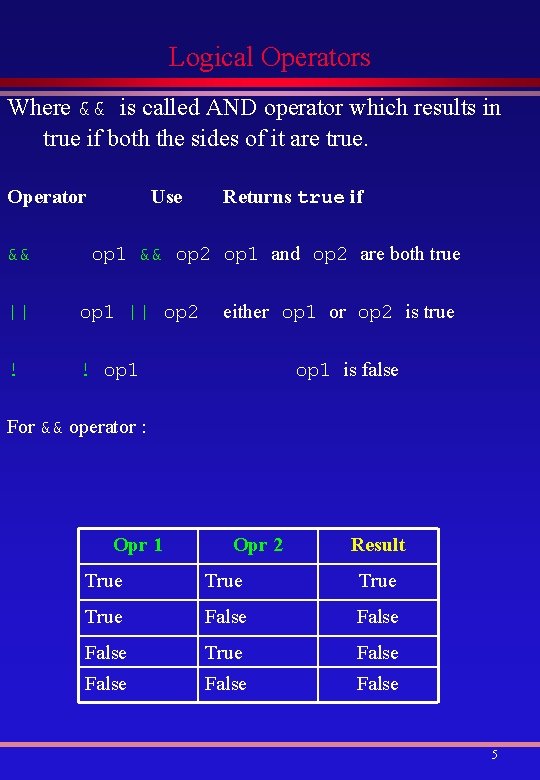
Logical Operators Where && is called AND operator which results in true if both the sides of it are true. Operator && Use Returns true if op 1 && op 2 op 1 and op 2 are both true || op 1 || op 2 ! ! op 1 either op 1 or op 2 is true op 1 is false For && operator : Opr 1 Opr 2 Result True False True False 5
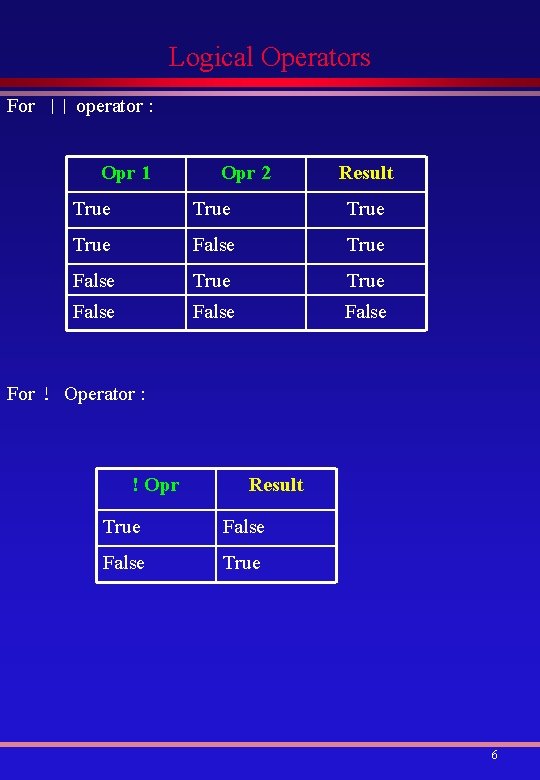
Logical Operators For || operator : Opr 1 Opr 2 Result True True False False For ! Operator : ! Opr Result True False True 6
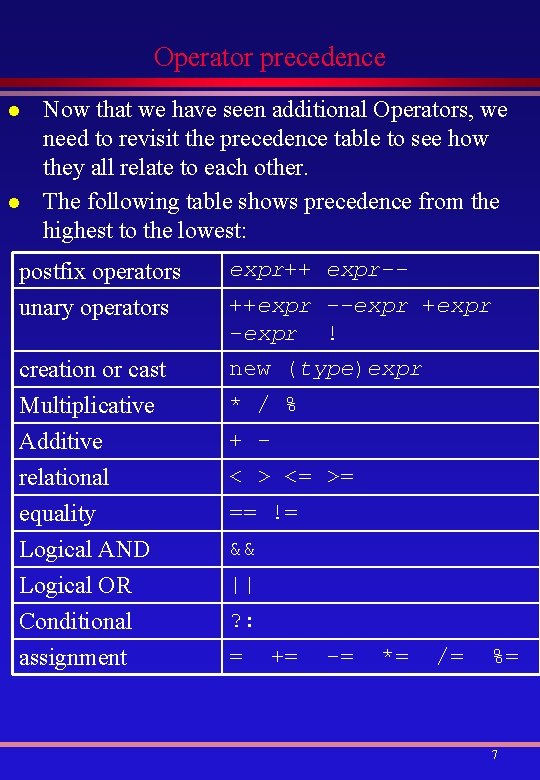
Operator precedence l l Now that we have seen additional Operators, we need to revisit the precedence table to see how they all relate to each other. The following table shows precedence from the highest to the lowest: postfix operators unary operators expr++ expr-- creation or cast Multiplicative Additive relational new (type)expr equality Logical AND Logical OR Conditional assignment == != ++expr --expr +expr -expr ! * / % + < > <= >= && || ? : = += -= *= /= %= 7
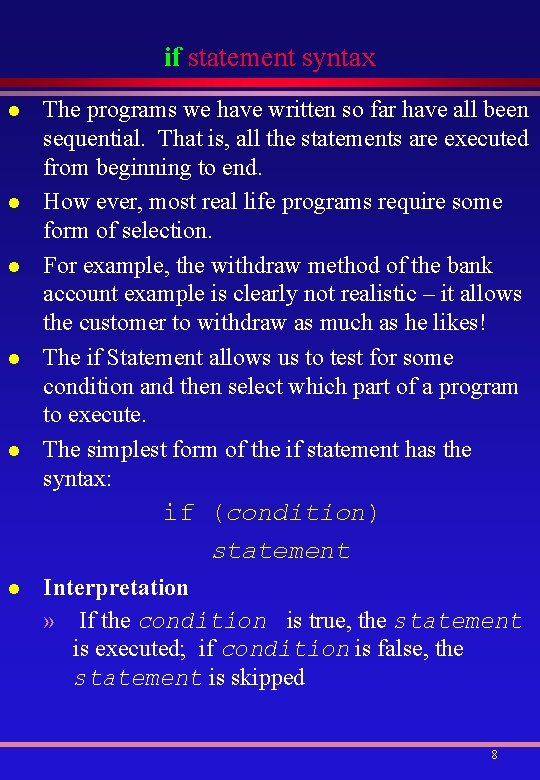
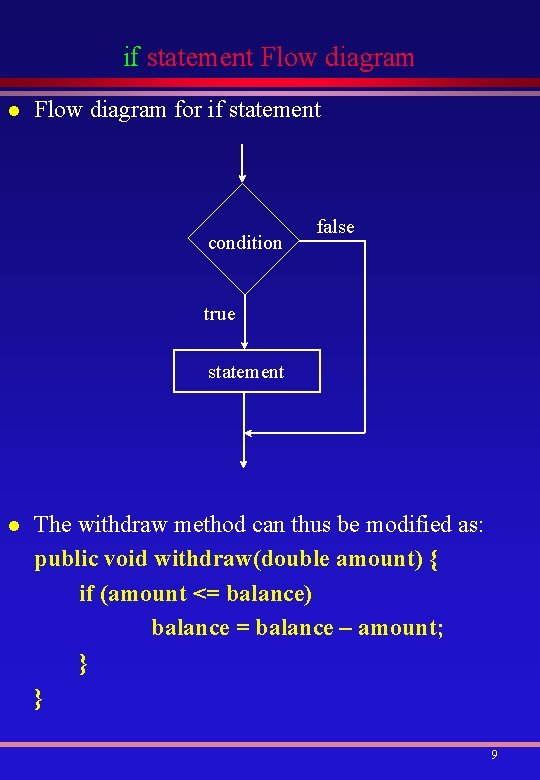
if statement syntax l l l The programs we have written so far have all been sequential. That is, all the statements are executed from beginning to end. How ever, most real life programs require some form of selection. For example, the withdraw method of the bank account example is clearly not realistic – it allows the customer to withdraw as much as he likes! The if Statement allows us to test for some condition and then select which part of a program to execute. The simplest form of the if statement has the syntax: if (condition) statement l Interpretation » If the condition is true, the statement is executed; if condition is false, the statement is skipped 8
if statement Flow diagram l Flow diagram for if statement condition false true statement l The withdraw method can thus be modified as: public void withdraw(double amount) { if (amount <= balance) balance = balance – amount; } } 9
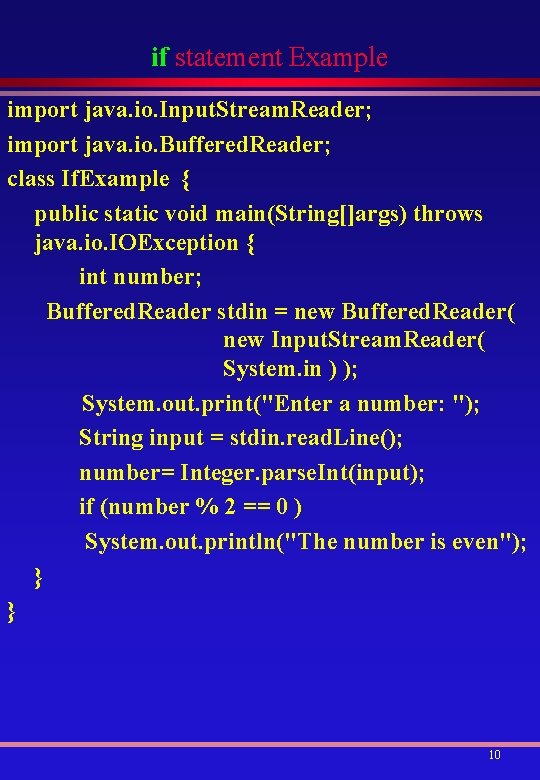
if statement Example import java. io. Input. Stream. Reader; import java. io. Buffered. Reader; class If. Example { public static void main(String[]args) throws java. io. IOException { int number; Buffered. Reader stdin = new Buffered. Reader( new Input. Stream. Reader( System. in ) ); System. out. print("Enter a number: "); String input = stdin. read. Line(); number= Integer. parse. Int(input); if (number % 2 == 0 ) System. out. println("The number is even"); } } 10
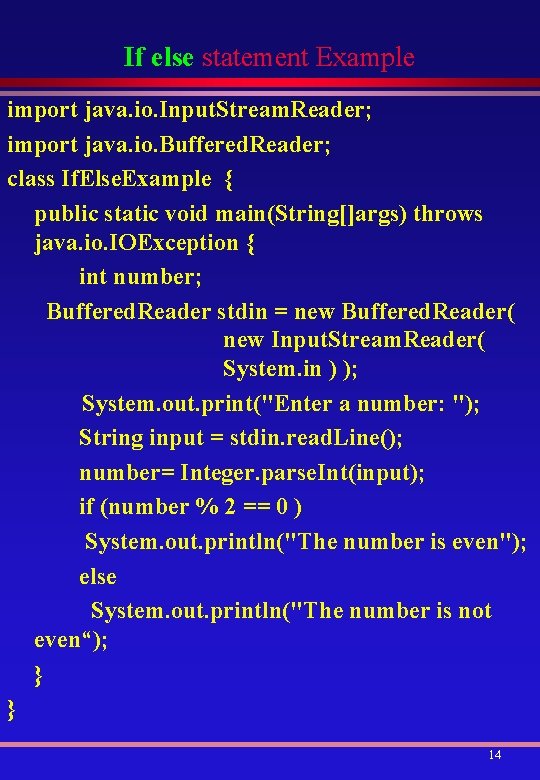
if statement Example In the previous example, what will happen if the given number is not an even number? The answer is , the message will not be printed. But it would be nice to print, The Number is not an Even To have this alternate decision, Java has another type of if statement with else clause. 11
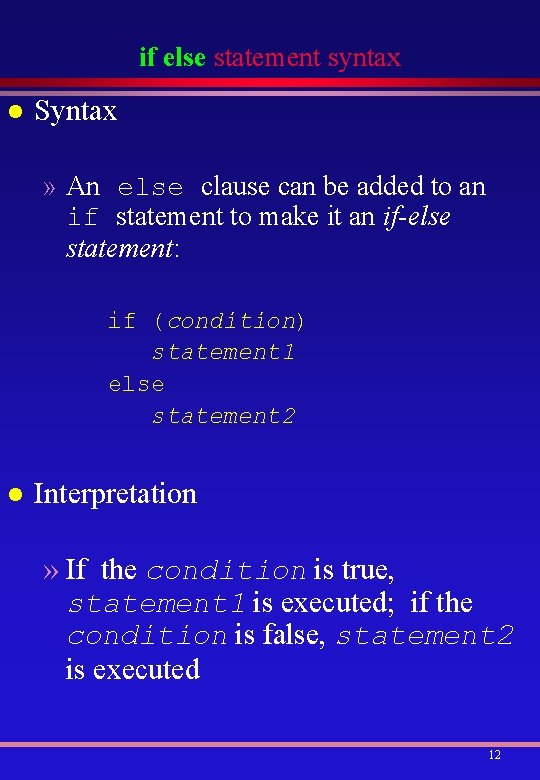
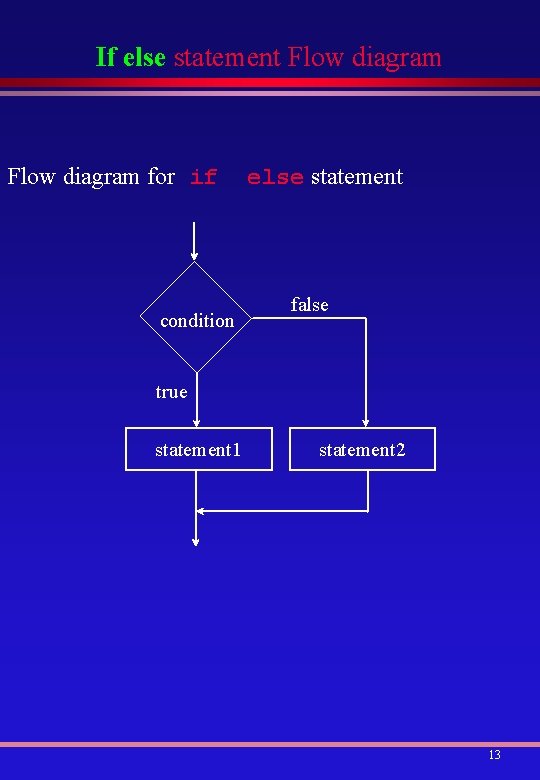
if else statement syntax l Syntax » An else clause can be added to an if statement to make it an if-else statement: if (condition) statement 1 else statement 2 l Interpretation » If the condition is true, statement 1 is executed; if the condition is false, statement 2 is executed 12
If else statement Flow diagram for if condition else statement false true statement 1 statement 2 13
If else statement Example import java. io. Input. Stream. Reader; import java. io. Buffered. Reader; class If. Else. Example { public static void main(String[]args) throws java. io. IOException { int number; Buffered. Reader stdin = new Buffered. Reader( new Input. Stream. Reader( System. in ) ); System. out. print("Enter a number: "); String input = stdin. read. Line(); number= Integer. parse. Int(input); if (number % 2 == 0 ) System. out. println("The number is even"); else System. out. println("The number is not even“); } } 14