
Security HSM Backup Replication Archive Encryption Expiration Need

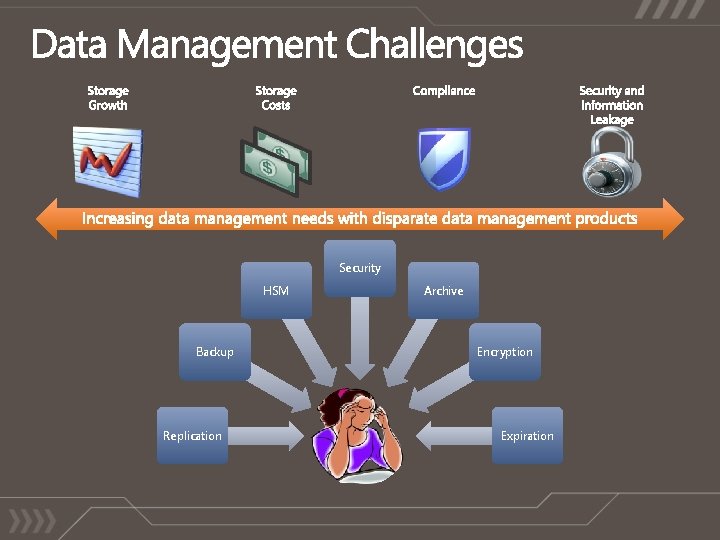
Security HSM Backup Replication Archive Encryption Expiration
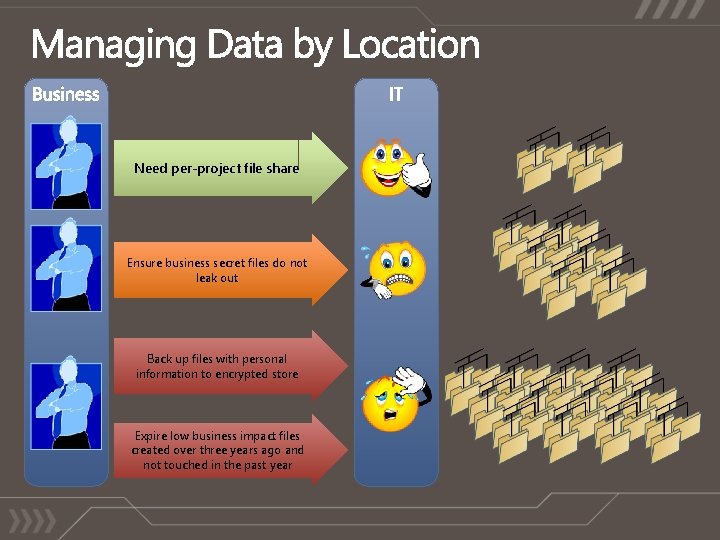
Need per-project file share Ensure business secret files do not leak out Back up files with personal information to encrypted store Expire low business impact files created over three years ago and not touched in the past year
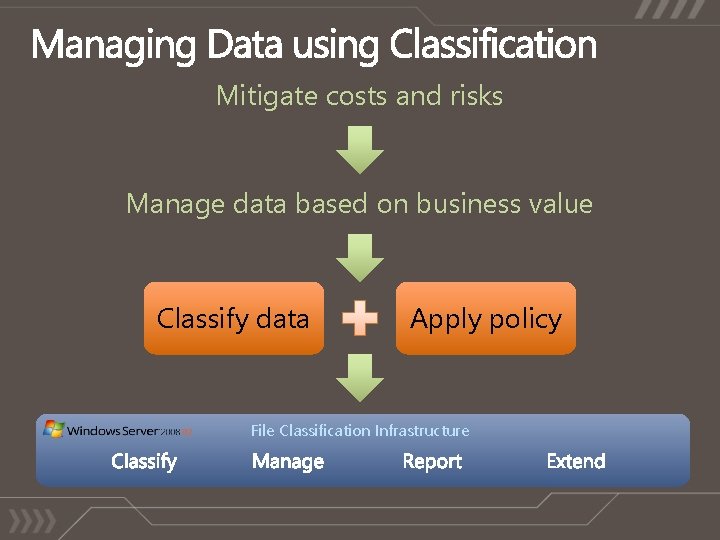
Mitigate costs and risks Manage data based on business value Classify data Apply policy File Classification Infrastructure

demo
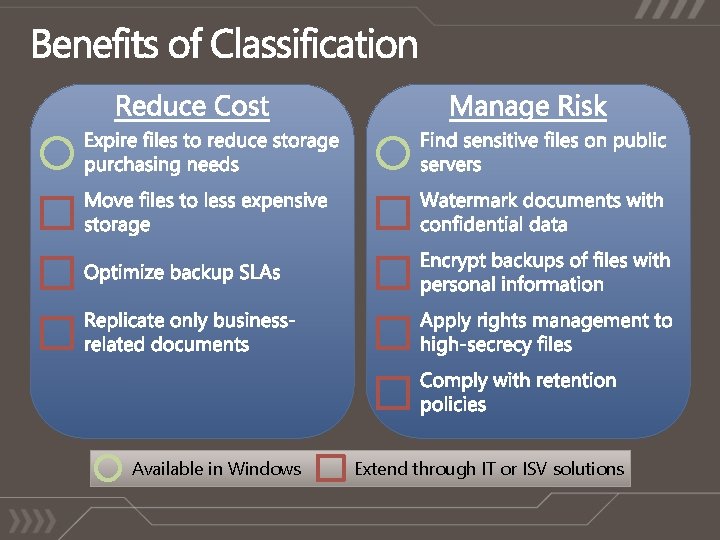
Available in Windows Extend through IT or ISV solutions
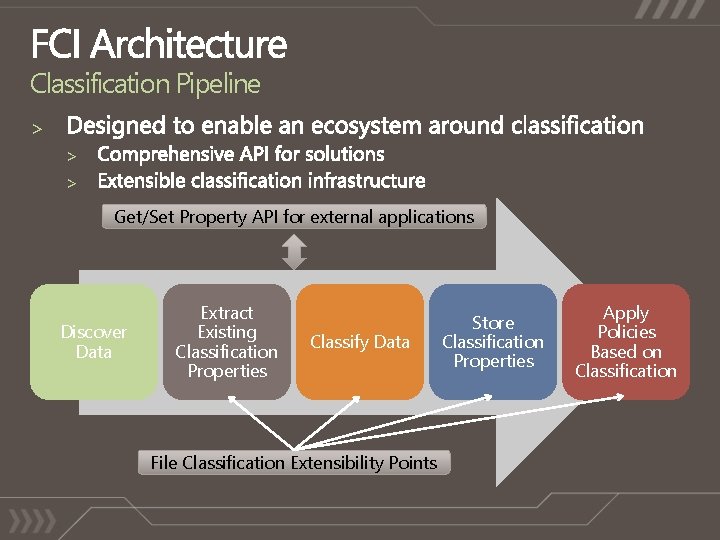
Classification Pipeline > > > Get/Set Property API for external applications Discover Data Extract Existing Classification Properties Classify Data File Classification Extensibility Points Store Classification Properties Apply Policies Based on Classification
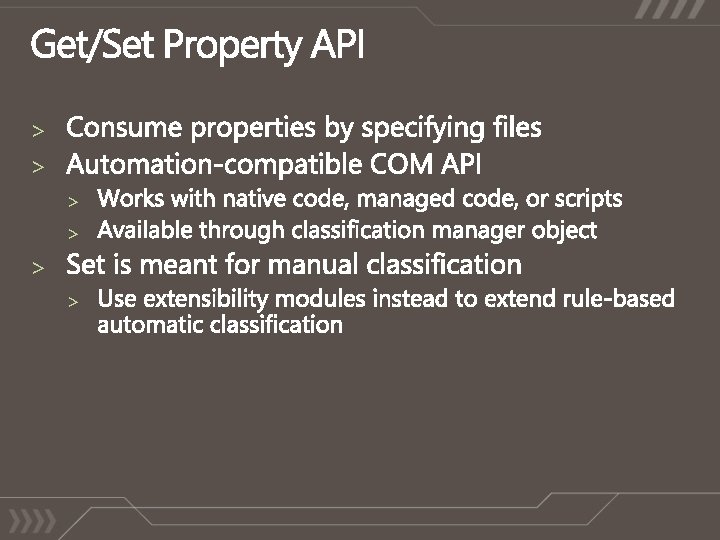
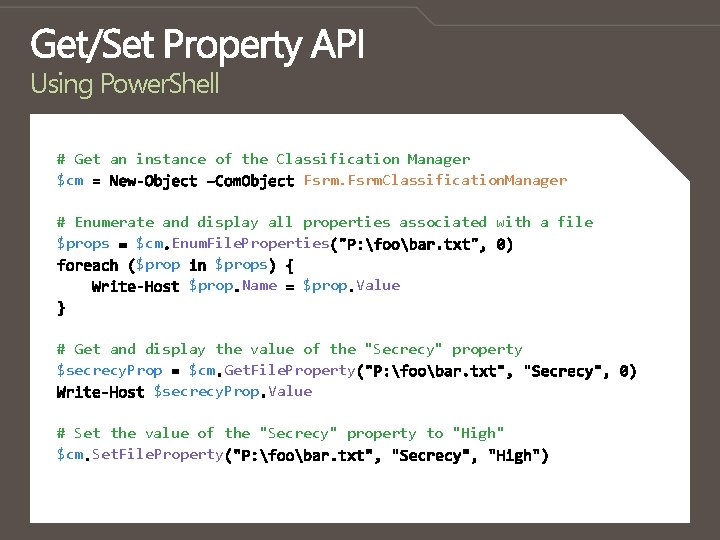
Using Power. Shell # Get an instance of the Classification Manager $cm Fsrm. Classification. Manager # Enumerate and display all properties associated with a file $props $cm Enum. File. Properties $props $prop Name $prop Value # Get and display the value of the "Secrecy" property $secrecy. Prop $cm Get. File. Property $secrecy. Prop Value # Set the value of the "Secrecy" property to "High" $cm Set. File. Property
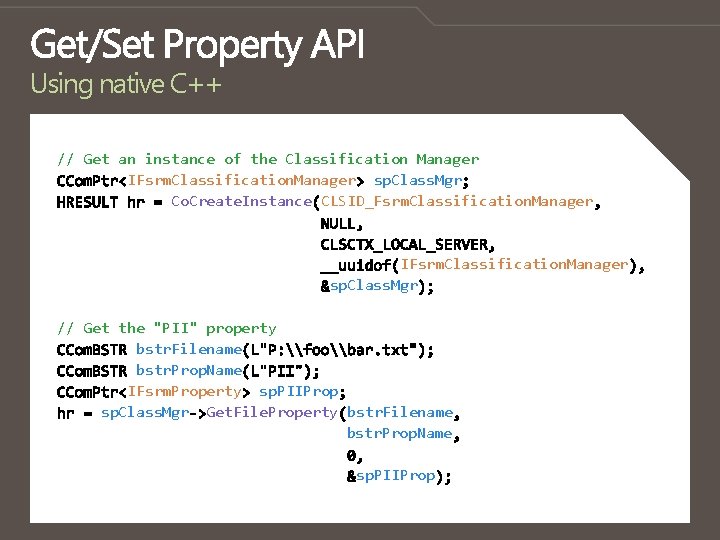
Using native C++ // Get an instance of the Classification Manager IFsrm. Classification. Manager sp. Class. Mgr Co. Create. Instance CLSID_Fsrm. Classification. Manager IFsrm. Classification. Manager sp. Class. Mgr // Get the "PII" property bstr. Filename bstr. Prop. Name IFsrm. Property sp. PIIProp sp. Class. Mgr Get. File. Property bstr. Filename bstr. Prop. Name sp. PIIProp
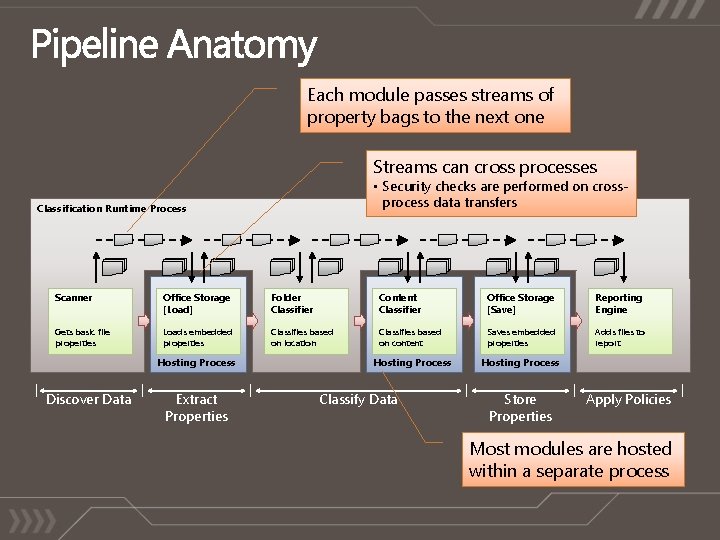
Each module passes streams of property bags to the next one Streams can cross processes • Security checks are performed on crossprocess data transfers Classification Runtime Process Scanner Office Storage [Load] Folder Classifier Content Classifier Office Storage [Save] Reporting Engine Gets basic file properties Loads embedded properties Classifies based on location Classifies based on content Saves embedded properties Adds files to report Hosting Process Discover Data Extract Properties Classify Data Store Properties Apply Policies Most modules are hosted within a separate process
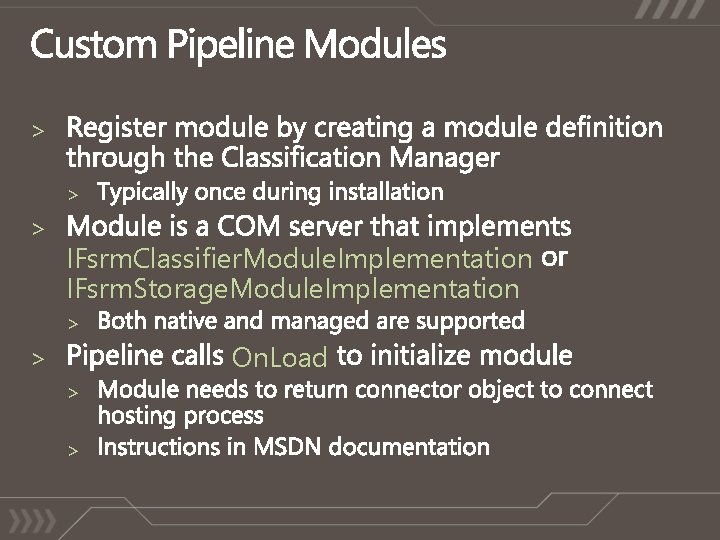
> > > IFsrm. Classifier. Module. Implementation IFsrm. Storage. Module. Implementation > On. Load > > >
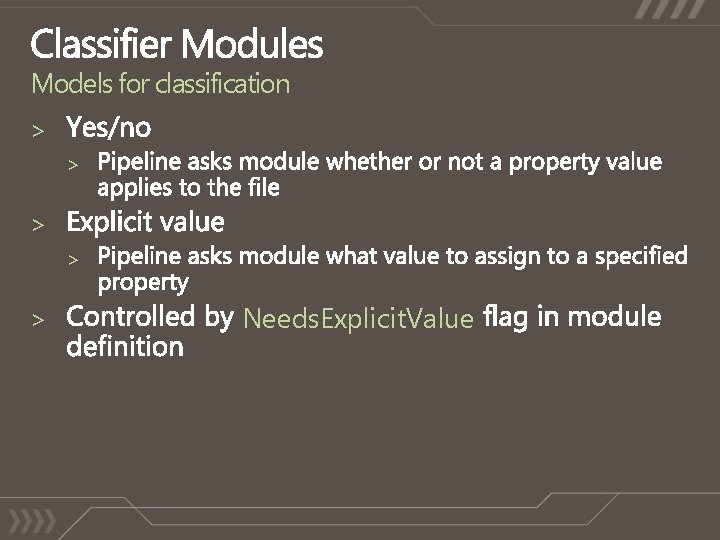
Models for classification > > > Needs. Explicit. Value
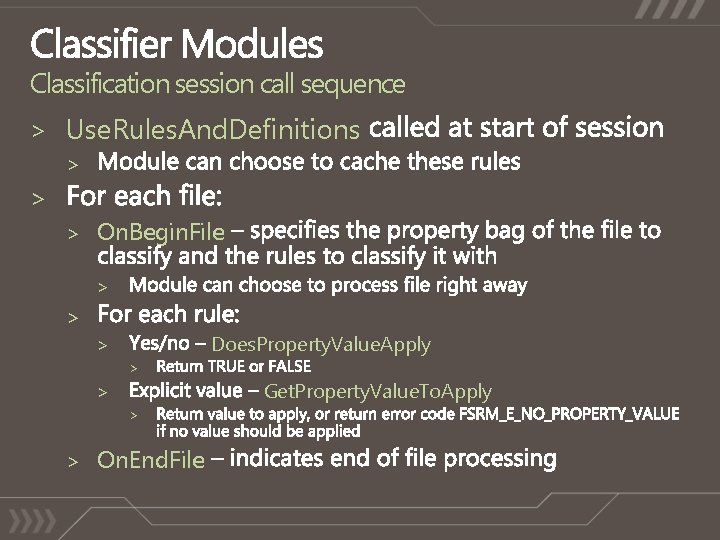
Classification session call sequence > Use. Rules. And. Definitions > > > On. Begin. File > > Does. Property. Value. Apply > > Get. Property. Value. To. Apply > > > On. End. File
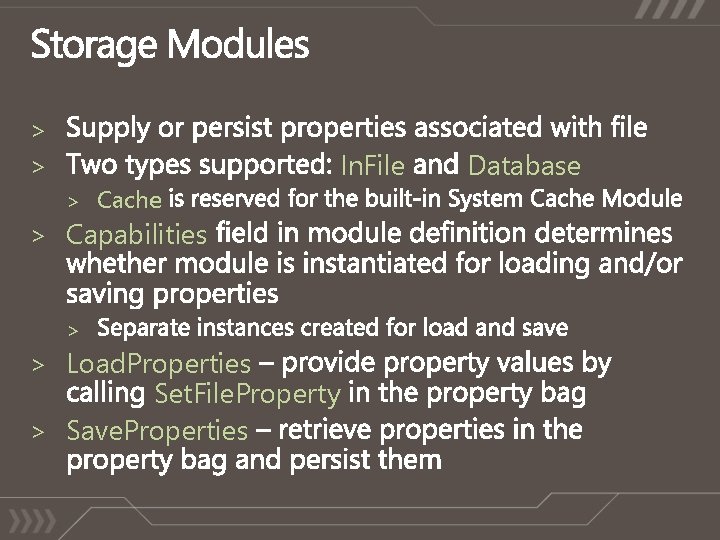
> > > Cache In. File > Capabilities > > Load. Properties Set. File. Property > Save. Properties Database
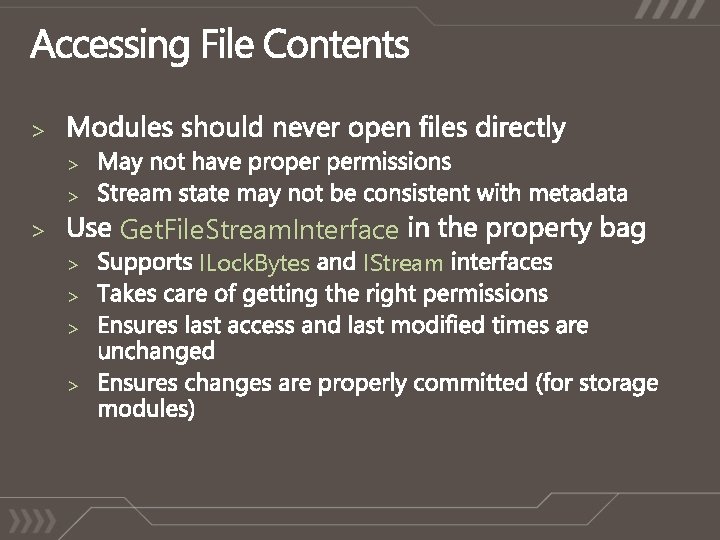
> > > Get. File. Stream. Interface > > > ILock. Bytes IStream
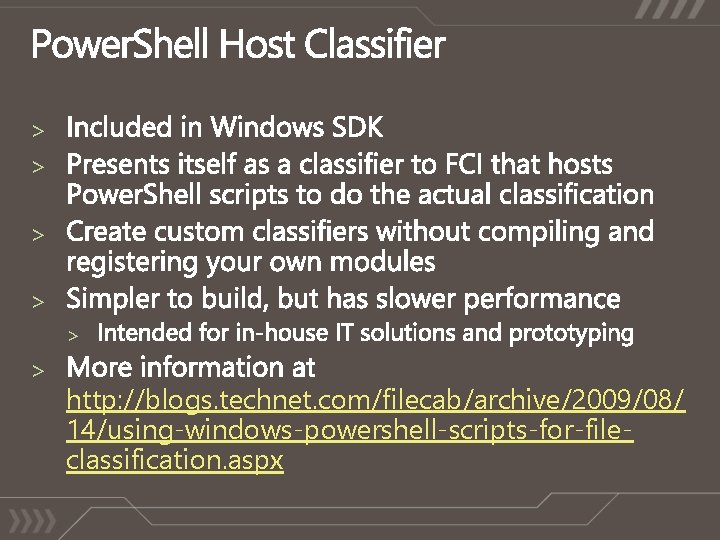
> > > http: //blogs. technet. com/filecab/archive/2009/08/ 14/using-windows-powershell-scripts-for-fileclassification. aspx

demo
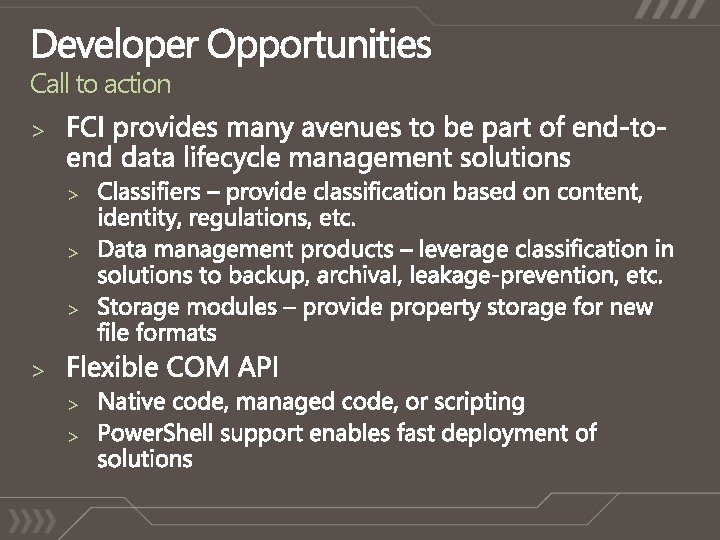
Call to action > > > >
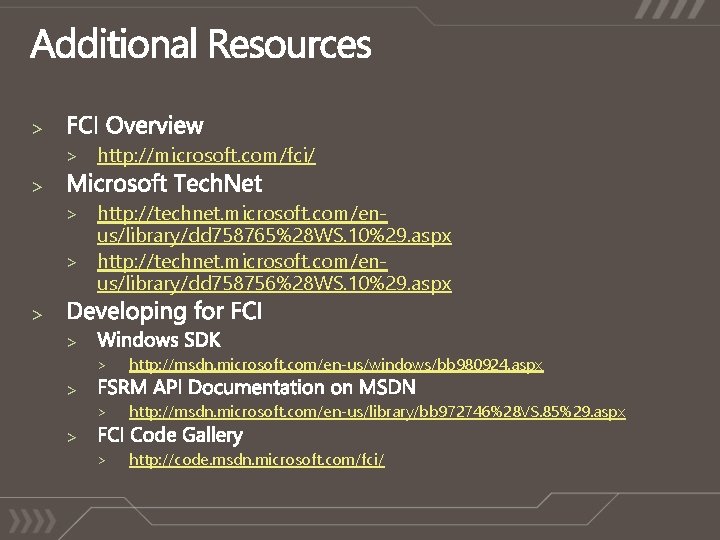
> > http: //microsoft. com/fci/ > > http: //technet. microsoft. com/en- us/library/dd 758765%28 WS. 10%29. aspx > http: //technet. microsoft. com/enus/library/dd 758756%28 WS. 10%29. aspx > > > http: //msdn. microsoft. com/en-us/windows/bb 980924. aspx > http: //msdn. microsoft. com/en-us/library/bb 972746%28 VS. 85%29. aspx > http: //code. msdn. microsoft. com/fci/ > >
> > http: //blogs. technet. com/filecab/default. aspx > > > fciext@microsoft. com > claw@microsoft. com > mwollnik@microsoft. com > >

YOUR FEEDBACK IS IMPORTANT TO US! Please fill out session evaluation forms online at Microsoft. PDC. com

> > channel 9. msdn. com/learn Built by Developers for Developers….

© 2009 Microsoft Corporation. All rights reserved. Microsoft, Windows Vista and other product names are or may be registered trademarks and/or trademarks in the U. S. and/or other countries. The information herein is for informational purposes only and represents the current view of Microsoft Corporation as of the date of this presentation. Because Microsoft must respond to changing market conditions, it should not be interpreted to be a commitment on the part of Microsoft, and Microsoft cannot guarantee the accuracy of any information provided after the date of this presentation. MICROSOFT MAKES NO WARRANTIES, EXPRESS, IMPLIED OR STATUTORY, AS TO THE INFORMATION IN THIS PRESENTATION.
![Property aggregation and conflict resolution [Default] Apply only if there is no value stored](http://slidetodoc.com/presentation_image_h2/562bc8f2e60c434877579a32cf3ca520/image-28.jpg "Property aggregation and conflict resolution [Default] Apply only if there is no value stored")
Property aggregation and conflict resolution [Default] Apply only if there is no value stored in the file [Ignore Existing] Apply and ignore (replace) values from Storage and Default rules [Consider Existing] Apply but aggregate with values from Storage and Default rules > > >
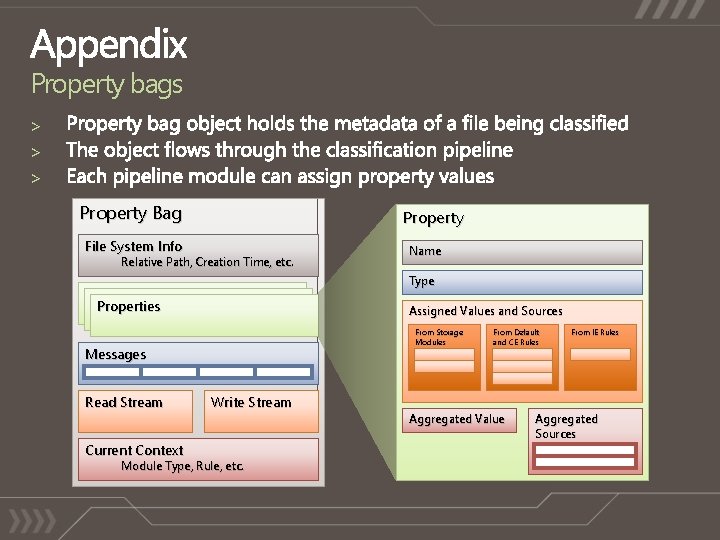
Property bags > > > Property Bag Property File System Info Relative Path, Creation Time, etc. Name Type Properties Assigned Values and Sources From Storage Modules Messages Read Stream Current Context Write Stream Module Type, Rule, etc. From Default and CE Rules Aggregated Value From IE Rules Aggregated Sources
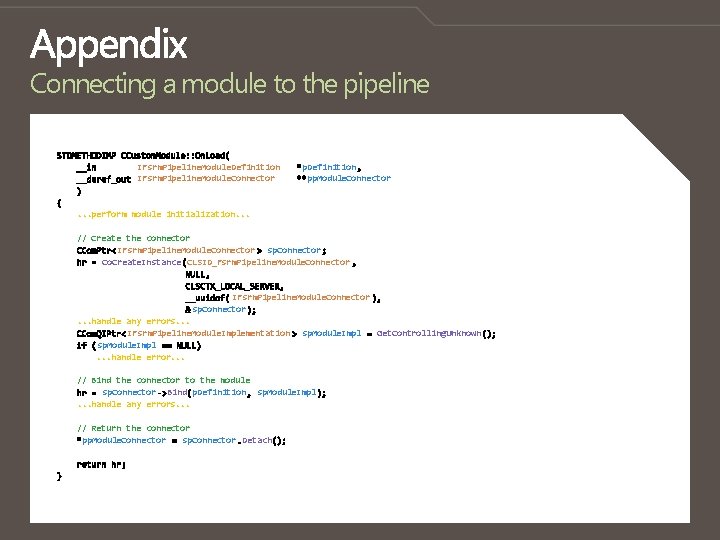
Connecting a module to the pipeline IFsrm. Pipeline. Module. Definition IFsrm. Pipeline. Module. Connector p. Definition pp. Module. Connector . . . perform module initialization. . . // Create the connector IFsrm. Pipeline. Module. Connector sp. Connector Co. Create. Instance CLSID_Fsrm. Pipeline. Module. Connector IFsrm. Pipeline. Module. Connector sp. Connector. . . handle any errors. . . IFsrm. Pipeline. Module. Implementation sp. Module. Impl. . . handle error. . . sp. Module. Impl // Bind the connector to the module sp. Connector Bind p. Definition sp. Module. Impl. . . handle any errors. . . // Return the connector pp. Module. Connector sp. Connector Detach Get. Controlling. Unknown

- Slides: 31