
Securing a Database Based on notes by Fei
Securing a Database Based on notes by Fei Li and Hong Li 6/11/2021 1
Topics ¨ Securing the connections to the database: 1. SSL-tunneling between client machine and database machine 2. A secure JDBC driver ¨ Securing the data within a database ¨ Secure Thin JDBC Connection Sample 6/11/2021 2
JDBC Basics ¨ JDBC is a Java API for executing SQL statements ¨ JDBC makes it possible to do three things: 1. establish a connection with a database 2. send SQL statements 3. process the results. 6/11/2021 3
Securing a database ¨ Two points of attack against a database – The connection between clients and database – The data in the database 6/11/2021 4
Securing the JDBC driver transmission ¨ Approach 1: SSL-tunneling – Running a daemon on the client machine – Advantage: simplicity and performance – Disadvantage: not enough of authentication, esp. if the client machine is a shared or multi-user environment. ¨ Approach 2: Proxy to JDBC drivers – developing a JDBC driver proxy – Advantage: provide more security – Disadvantage: much more complex 6/11/2021 5
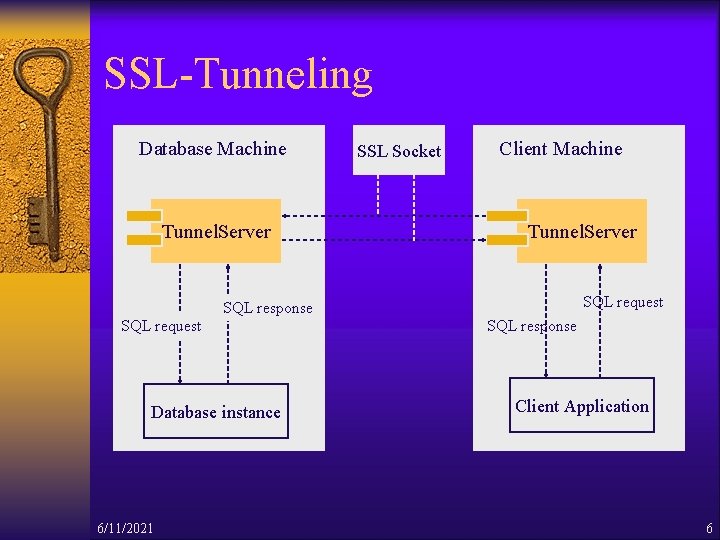
SSL-Tunneling Database Machine Tunnel. Server SSL Socket Client Machine Tunnel. Server SQL request SQL response SQL request Database instance 6/11/2021 SQL response Client Application 6
The SSL-Tunneling Approach ¨ Two instances of the tunnel server, one on the client machine and the other on the database server machine ¨ Each instance serves as a proxy. ¨ Simplicity of encrypting the database connection by SSL-tunneling between the client application and the DBMS 6/11/2021 7
Query processing Client Machine • Client application The JDBC client • Client-side tunnel server Reads unencrypted data from the JDBC client; Write it to the database machine over SSL Database Machine • Server-side tunnel server Reads the encrypted data from the client-side tunnel server; Sends it unencrypted to the DBMS over localhost • Database server 6/11/2021 8
Response processing Database Machine • Database server Sends query result to the tunnel server • Server-side tunnel server Reads the query result from the DBMS over localhost; Sends it encrypted to the client-side tunnel server; Client Machine • Client-side tunnel server Reads encrypted data from the server-side tunnel server; Write it to the JDBC client; • Client application 6/11/2021 9
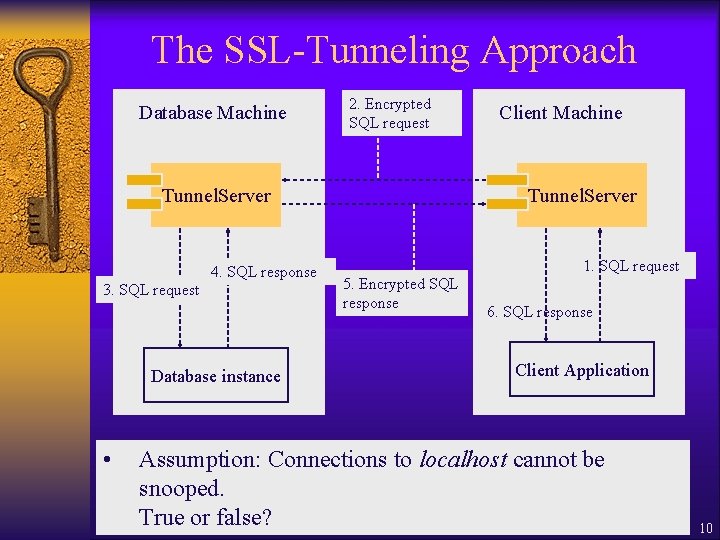
The SSL-Tunneling Approach Database Machine 2. Encrypted SQL request Tunnel. Server 4. SQL response 3. SQL request Database instance Client Machine Tunnel. Server 1. SQL request 5. Encrypted SQL response 6. SQL response Client Application • Assumption: Connections to localhost cannot be snooped. True or false? 6/11/2021 10
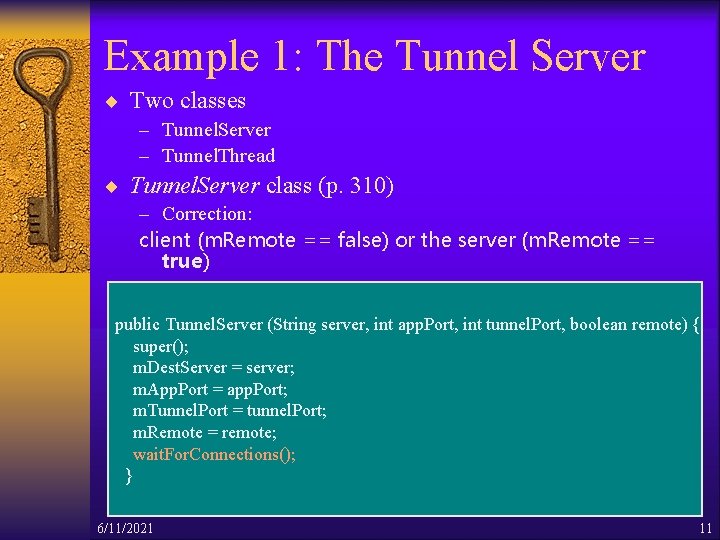
Example 1: The Tunnel Server ¨ Two classes – Tunnel. Server – Tunnel. Thread ¨ Tunnel. Server class (p. 310) – Correction: client (m. Remote == false) or the server (m. Remote == true) public Tunnel. Server (String server, int app. Port, int tunnel. Port, boolean remote) { super(); m. Dest. Server = server; m. App. Port = app. Port; m. Tunnel. Port = tunnel. Port; m. Remote = remote; wait. For. Connections(); } 6/11/2021 11
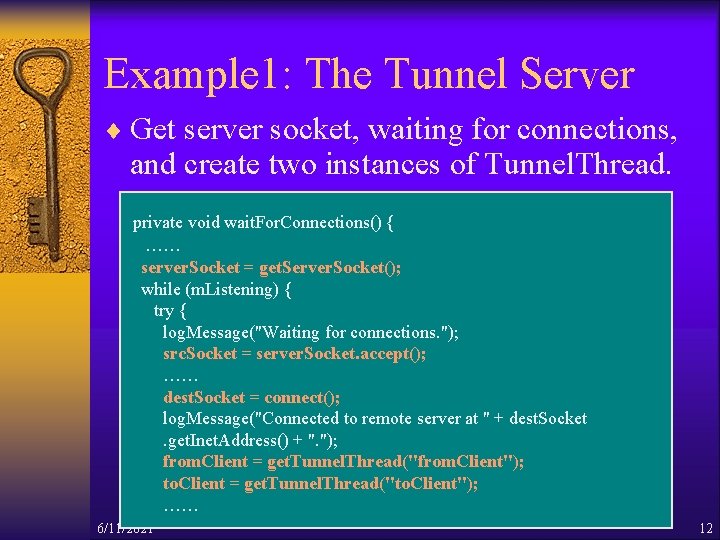
Example 1: The Tunnel Server ¨ Get server socket, waiting for connections, and create two instances of Tunnel. Thread. private void wait. For. Connections() { …… server. Socket = get. Server. Socket(); while (m. Listening) { try { log. Message("Waiting for connections. "); src. Socket = server. Socket. accept(); …… dest. Socket = connect(); log. Message("Connected to remote server at " + dest. Socket. get. Inet. Address() + ". "); from. Client = get. Tunnel. Thread("from. Client"); to. Client = get. Tunnel. Thread("to. Client"); …… 6/11/2021 12
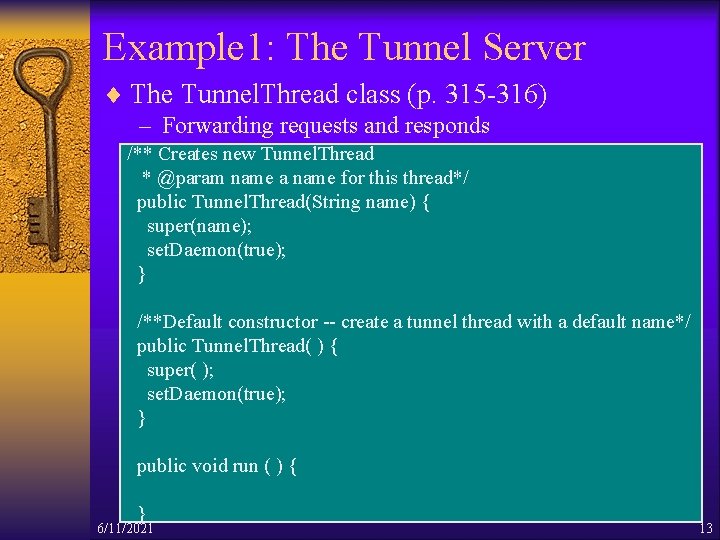
Example 1: The Tunnel Server ¨ The Tunnel. Thread class (p. 315 -316) – Forwarding requests and responds /** Creates new Tunnel. Thread * @param name a name for this thread*/ public Tunnel. Thread(String name) { super(name); set. Daemon(true); } /**Default constructor -- create a tunnel thread with a default name*/ public Tunnel. Thread( ) { super( ); set. Daemon(true); } public void run ( ) { } 6/11/2021 13
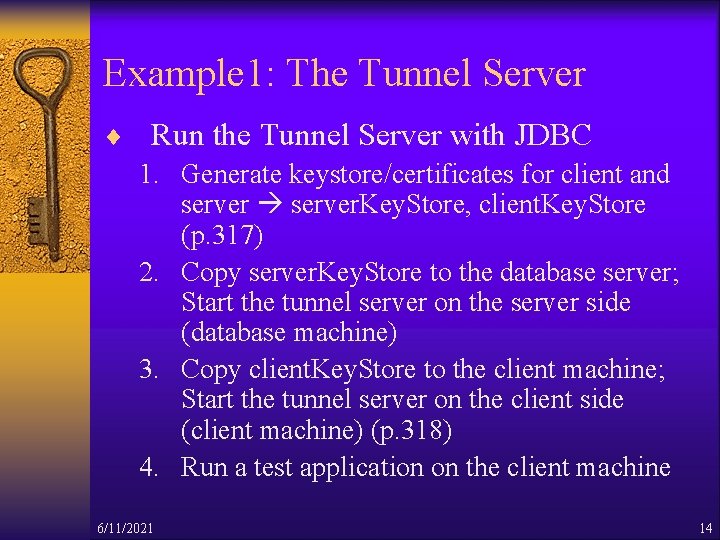
Example 1: The Tunnel Server ¨ Run the Tunnel Server with JDBC 1. Generate keystore/certificates for client and server. Key. Store, client. Key. Store (p. 317) 2. Copy server. Key. Store to the database server; Start the tunnel server on the server side (database machine) 3. Copy client. Key. Store to the client machine; Start the tunnel server on the client side (client machine) (p. 318) 4. Run a test application on the client machine 6/11/2021 14
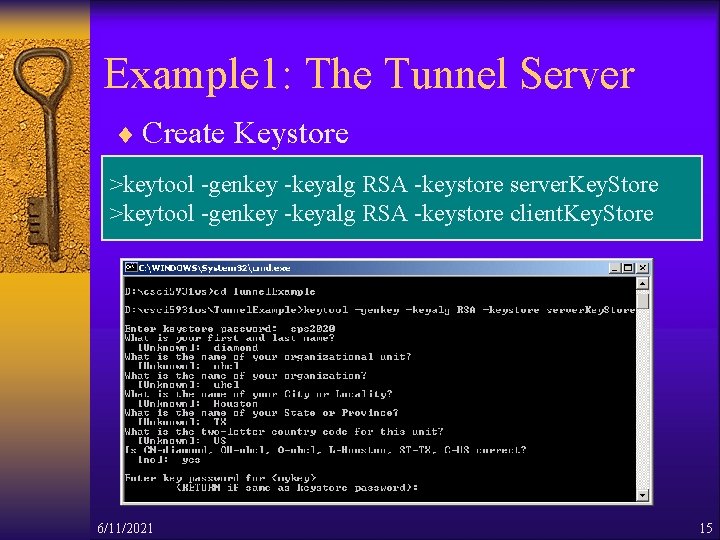
Example 1: The Tunnel Server ¨ Create Keystore >keytool -genkey -keyalg RSA -keystore server. Key. Store >keytool -genkey -keyalg RSA -keystore client. Key. Store 6/11/2021 15
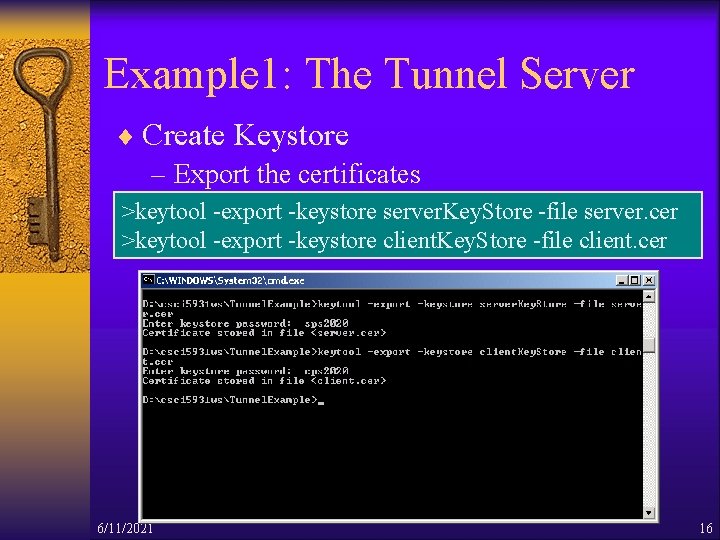
Example 1: The Tunnel Server ¨ Create Keystore – Export the certificates >keytool -export -keystore server. Key. Store -file server. cer >keytool -export -keystore client. Key. Store -file client. cer 6/11/2021 16
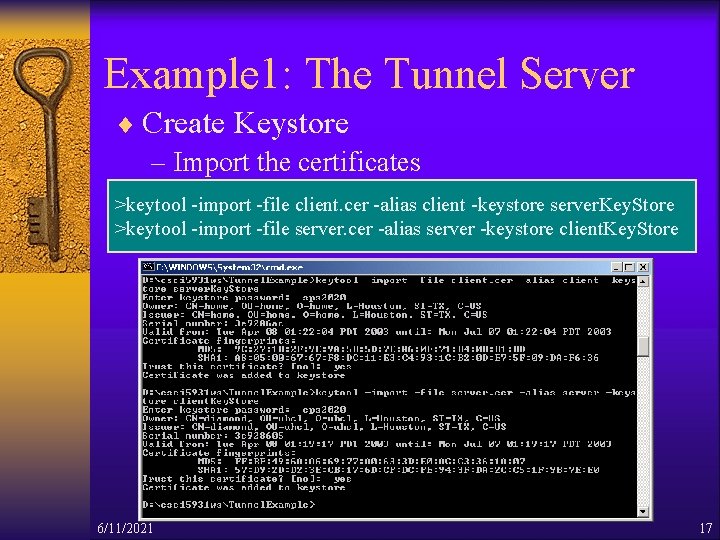
Example 1: The Tunnel Server ¨ Create Keystore – Import the certificates >keytool -import -file client. cer -alias client -keystore server. Key. Store >keytool -import -file server. cer -alias server -keystore client. Key. Store 6/11/2021 17
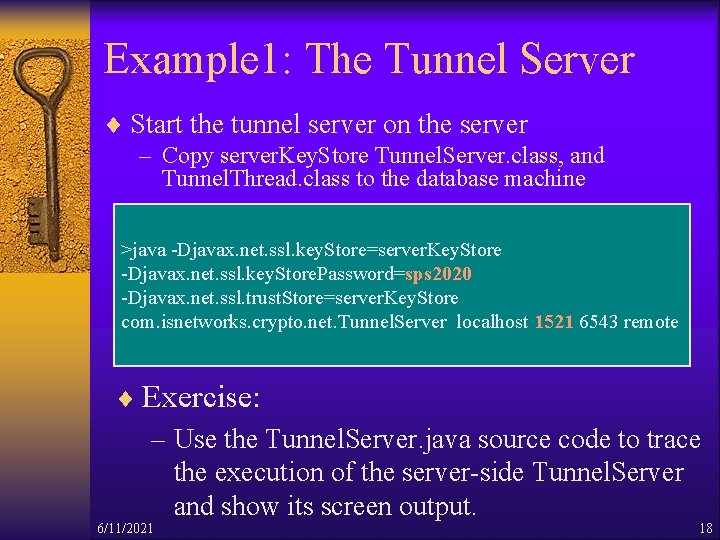
Example 1: The Tunnel Server ¨ Start the tunnel server on the server – Copy server. Key. Store Tunnel. Server. class, and Tunnel. Thread. class to the database machine >java -Djavax. net. ssl. key. Store=server. Key. Store -Djavax. net. ssl. key. Store. Password=sps 2020 -Djavax. net. ssl. trust. Store=server. Key. Store com. isnetworks. crypto. net. Tunnel. Server localhost 1521 6543 remote ¨ Exercise: – Use the Tunnel. Server. java source code to trace the execution of the server-side Tunnel. Server and show its screen output. 6/11/2021 18
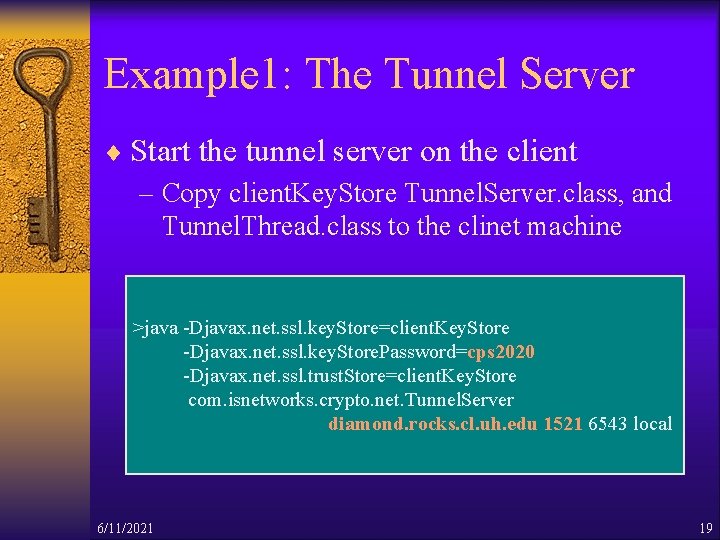
Example 1: The Tunnel Server ¨ Start the tunnel server on the client – Copy client. Key. Store Tunnel. Server. class, and Tunnel. Thread. class to the clinet machine >java -Djavax. net. ssl. key. Store=client. Key. Store -Djavax. net. ssl. key. Store. Password=cps 2020 -Djavax. net. ssl. trust. Store=client. Key. Store com. isnetworks. crypto. net. Tunnel. Server diamond. rocks. cl. uh. edu 1521 6543 local 6/11/2021 19
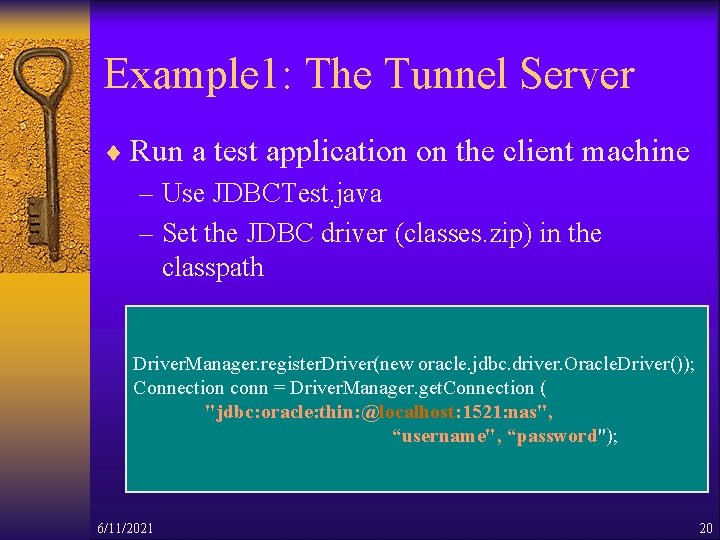
Example 1: The Tunnel Server ¨ Run a test application on the client machine – Use JDBCTest. java – Set the JDBC driver (classes. zip) in the classpath Driver. Manager. register. Driver(new oracle. jdbc. driver. Oracle. Driver()); Connection conn = Driver. Manager. get. Connection ( "jdbc: oracle: thin: @localhost: 1521: nas", “username", “password"); 6/11/2021 20
Example 1: The Tunnel Server ¨ Source codes and detailed instructions available on the syllabus page: – Sample programs for running Tunnel Server on dcm. cl. uh. edu (the client application) and diamond. rocks. cl. uh. edu (the DBMS server): – Tunnel. Server. java – Tunnel. Thread. java – JDBCTest. java – Detailed instructions – Supplementary note 6/11/2021 21
Securing the JDBC Driver Transmission ¨ Approach 2: Proxy to JDBC drivers – developing a JDBC driver proxy – Advantage: provide more security – Disadvantage: much more complex 6/11/2021 22
The JDBC Driver Proxy ¨ Provide the encryption and authentication for many applications – Delegate all the calls to dynamically bound driver ¨ Provide proxies to JDBC driver classes – Proxy design pattern in distributed computing ¨ Use SSL for the connection – Encryption – Authentication later on 6/11/2021 23
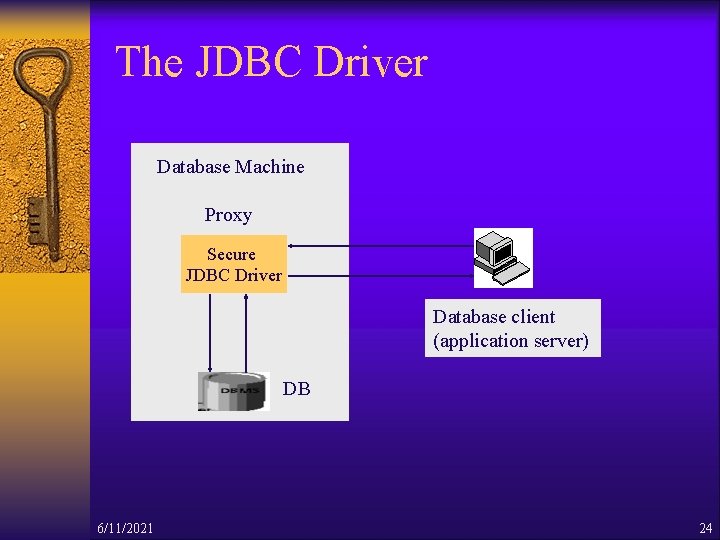
The JDBC Driver Database Machine Proxy Secure JDBC Driver Database client (application server) DB 6/11/2021 24
The JDBC Driver ¨ Client-Server communication – Server handles configuration, connections to the DB, and delegation of the JDBC calls – Client delegates all the connections to the server ¨ Choose RMI as a network transport for communication – Have to add one more layer to the remote call – The diagram on p. 321. 6/11/2021 25
The JDBC Driver ¨ Implementation – Delegate the common operations to an abstract super class. – Use a single remote class to pass any method call instead of creating an RMI proxy for each JDBC interface – Is a complex solution to a simple problem – Proxy pattern enables developer to add service 6/11/2021 26
The JDBC Driver ¨ Using the secure JDBC driver Detailed instructions for running the sample application: Secure. Driver. rtf ¨ Steps of Configuring the driver: 1. Generate the keys and certificates 2. Edit the Secure. Driver_config. xml file 3. Create policy files for the server and client 6/11/2021 27
The JDBC Driver ¨ Edit the Secure. Driver_config. xml file – Defines JDBC connection directly to the database from the secure driver ¨ Create policy files – RMI requires that code run with a security manager – Add some special permissions to policy files – Server policy file • The ability to connect to the database • The ability to talk to the RMI registry • The ability to receive a connection from a remote client 6/11/2021 28
The JDBC Driver ¨ Connecting to the RMI server process: – The connect( ) method is called by Driver. Manager and connects to the RMI server process, which is where the actual JDBC connections reside. 6/11/2021 29
The JDBC Driver ¨ Discussion: Can the application be modified to run without RMI? How? 6/11/2021 30
Securing Data in the Database ¨ Protect the data in database – Database permission • Should be set properly by the administrator – Read- or write-only database • If it is well protected, highly controlled, and not often accessed • Large online retailers use write-only database 6/11/2021 31
Securing data in the database ¨ Protect the data in databases – Symmetric encryption • Applications storing a secret key need to be completely safe – Asymmetric encryption • Public key is used for encrypting the data in the DB • Private key must be stored somewhere safe. ¨ Disadvantage of encrypting data – Expensive – Remove some of the value of using a database 6/11/2021 32
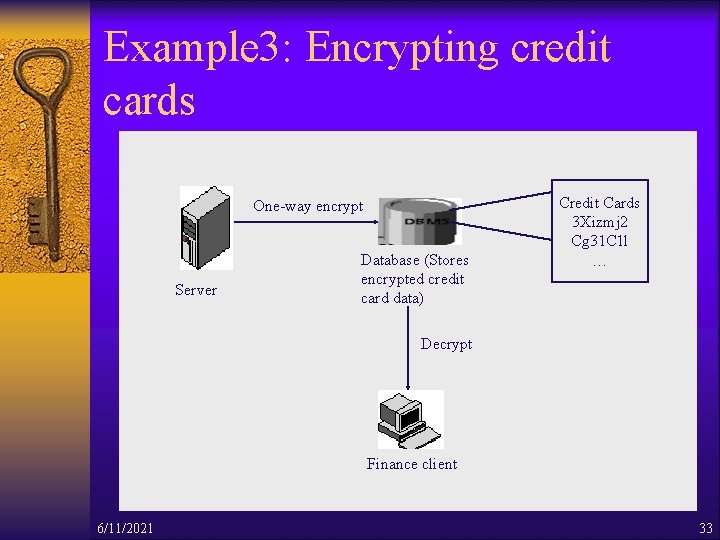
Example 3: Encrypting credit cards One-way encrypt Server Database (Stores encrypted credit card data) Credit Cards 3 Xizmj 2 Cg 31 C 1 l … Decrypt Finance client 6/11/2021 33
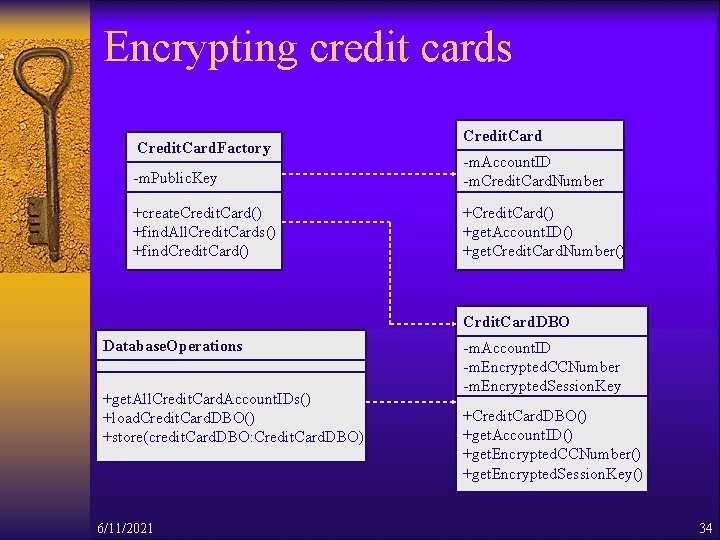
Encrypting credit cards Credit. Card. Factory Credit. Card -m. Public. Key -m. Account. ID -m. Credit. Card. Number +create. Credit. Card() +find. All. Credit. Cards() +find. Credit. Card() +get. Account. ID() +get. Credit. Card. Number() Crdit. Card. DBO Database. Operations +get. All. Credit. Card. Account. IDs() +load. Credit. Card. DBO() +store(credit. Card. DBO: Credit. Card. DBO) 6/11/2021 -m. Account. ID -m. Encrypted. CCNumber -m. Encrypted. Session. Key +Credit. Card. DBO() +get. Account. ID() +get. Encrypted. CCNumber() +get. Encrypted. Session. Key() 34
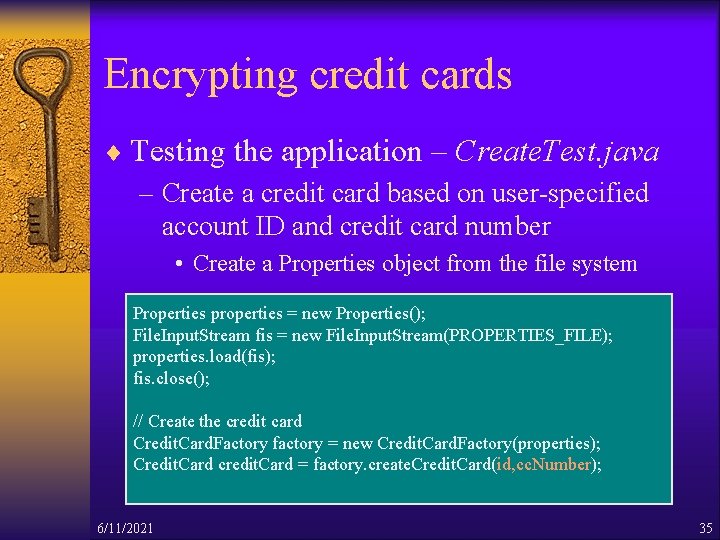
Encrypting credit cards ¨ Testing the application – Create. Test. java – Create a credit card based on user-specified account ID and credit card number • Create a Properties object from the file system Properties properties = new Properties(); File. Input. Stream fis = new File. Input. Stream(PROPERTIES_FILE); properties. load(fis); fis. close(); // Create the credit card Credit. Card. Factory factory = new Credit. Card. Factory(properties); Credit. Card credit. Card = factory. create. Credit. Card(id, cc. Number); 6/11/2021 35
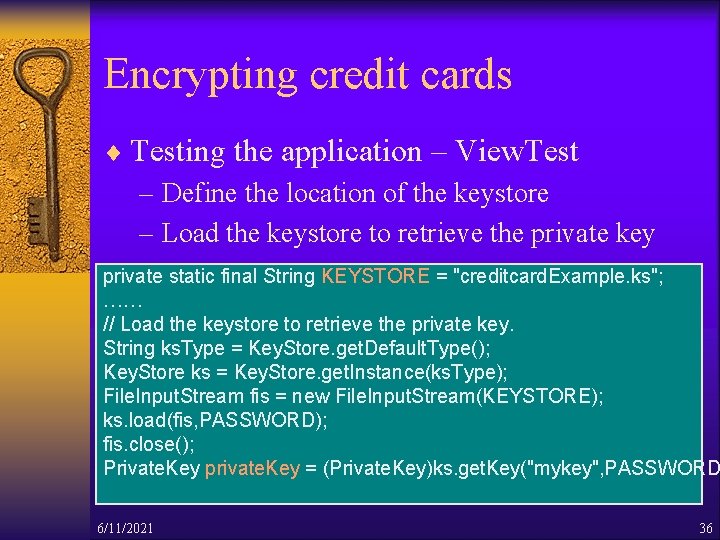
Encrypting credit cards ¨ Testing the application – View. Test – Define the location of the keystore – Load the keystore to retrieve the private key private static final String KEYSTORE = "creditcard. Example. ks"; …… // Load the keystore to retrieve the private key. String ks. Type = Key. Store. get. Default. Type(); Key. Store ks = Key. Store. get. Instance(ks. Type); File. Input. Stream fis = new File. Input. Stream(KEYSTORE); ks. load(fis, PASSWORD); fis. close(); Private. Key private. Key = (Private. Key)ks. get. Key("mykey", PASSWORD 6/11/2021 36
Secure Thin JDBC Connection ¨ Oracle JDBC Thin Driver – The Oracle JDBC Thin driver is a 'Type IV' (native protocol, 100% Pure Java) implementation that complies with the JDBC 1. 22 standard. – The JDBC Thin driver uses Java Sockets to connect directly to the Oracle Server – The JDBC Thin driver does not require Oracle software on the client side 6/11/2021 37
Secure Thin JDBC Connection ¨ Encryption and integrity support – use Oracle Advanced Security data encryption and integrity features in your Java database applications – When using the Thin driver, the parameters are set through a Java properties file – Encryption is enabled or disabled based on a combination of the client-side encryption-level setting and the server-side encryption-level setting 6/11/2021 38
Secure Thin JDBC Connection ¨ Get Secure. Thin. Driver. jar to run the sample – Configuring Encryption Parameter Using Oracle Net Manager – Run the Application using JDeveloper Environment – Run the Application from JDK Environment 6/11/2021 39
![Reference [1] JDBC Introduction http: //java. sun. com/docs/books/jdbc/intro. html [2] J. Garms and D.](http://slidetodoc.com/presentation_image_h2/6742eafda439d067a71e317e736b6312/image-40.jpg "Reference [1] JDBC Introduction http: //java. sun. com/docs/books/jdbc/intro. html [2] J. Garms and D.")
Reference [1] JDBC Introduction http: //java. sun. com/docs/books/jdbc/intro. html [2] J. Garms and D. Somerfield. Professional Java Security [3] Secure Thin JDBC Connection http: //otn. oracle. com/sample_code/deploy/security/files/secure_thin_dr iver/Readme. html [4] The status of HIPNS http: //nfdfn. jinr. ru/~litvin/nobugs 2000_litvin_hipns_proce eding. htm [5] Improving Database Performance with Oracle 8‚ http: //otn. oracle. com/products/oracle 8/htdocs/xo 8 p 3 twp. htm 6/11/2021 40
- Slides: 40