
Sections 1 2 4 Classes Objects and Applications
Sections 1. 2 -4 Classes, Objects, and Applications
1. 2 Object Orientation • Objects represent – information: we say the objects have attributes – behavior: we say the objects have responsibilities • Objects can represent “real-world” entities such as bank accounts • Objects are self-contained and therefore easy to implement, modify, and test for correctness • Object-oriented classes, when designed properly, are very easy to reuse
1. 3 Classes, Objects, and Applications • An object is an instantiation of a class • Alternately, a class defines the structure of its objects. • A class definition includes variables (data) and methods (actions) that determine the behavior of an object. • Example: the Date class (next slide)
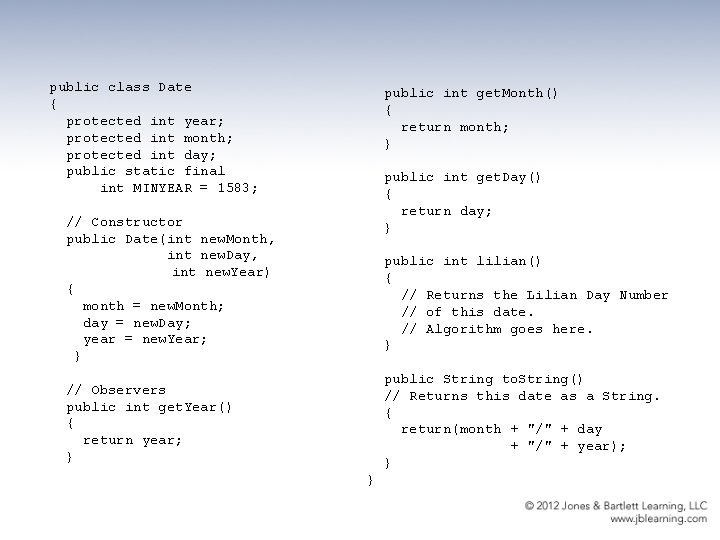
public class Date { protected int year; protected int month; protected int day; public static final int MINYEAR = 1583; public int get. Month() { return month; } public int get. Day() { return day; } // Constructor public Date(int new. Month, int new. Day, int new. Year) { month = new. Month; day = new. Day; year = new. Year; } public int lilian() { // Returns the Lilian Day Number // of this date. // Algorithm goes here. } public String to. String() // Returns this date as a String. { return(month + "/" + day + "/" + year); } // Observers public int get. Year() { return year; } }
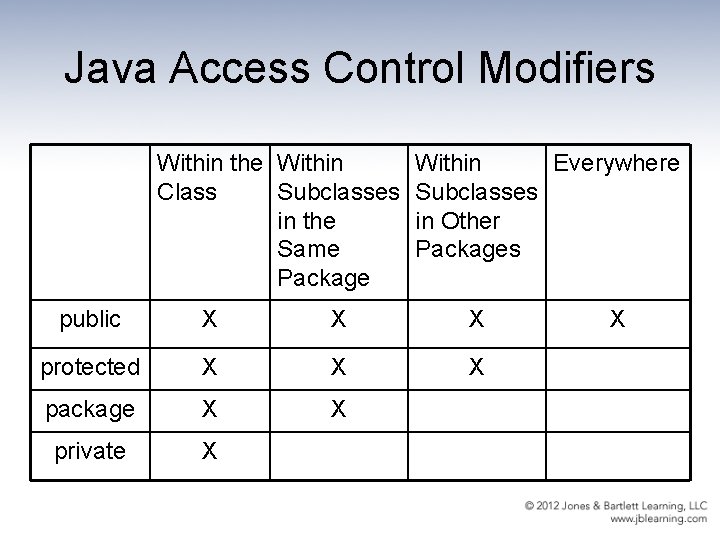
Java Access Control Modifiers Within the Within Class Subclasses in the Same Package Within Everywhere Subclasses in Other Packages public X X X protected X X X package X X private X X
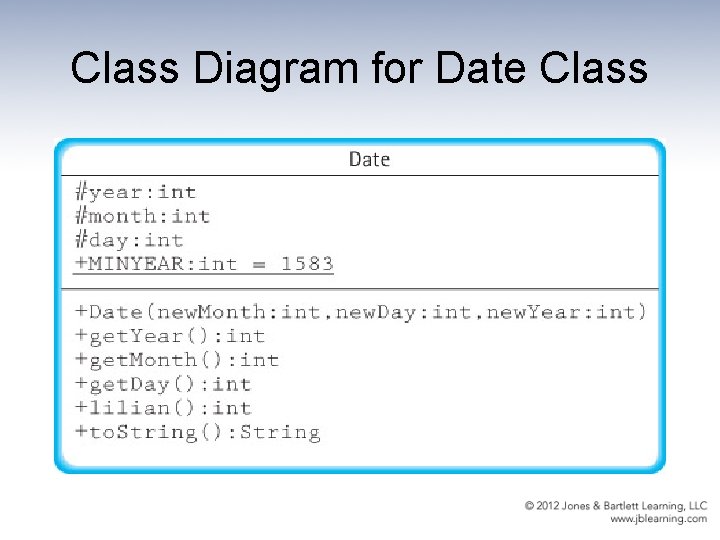
Class Diagram for Date Class
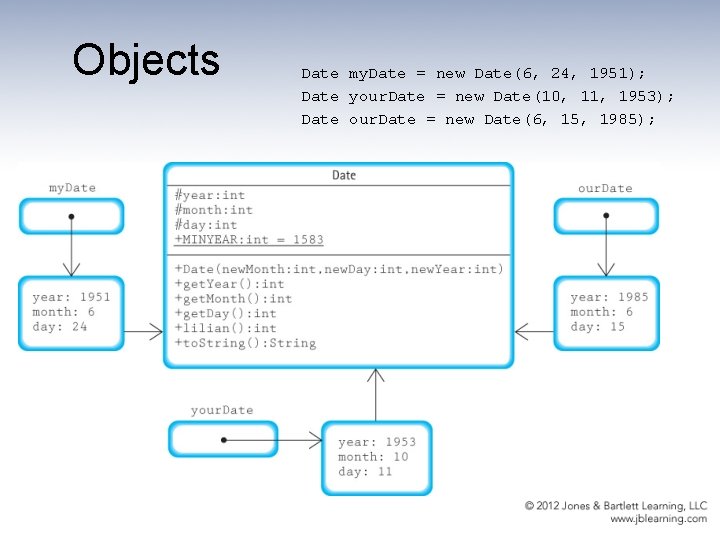
Objects Date my. Date = new Date(6, 24, 1951); Date your. Date = new Date(10, 11, 1953); Date our. Date = new Date(6, 15, 1985);
Applications • An object-oriented application is a set of objects working together, by sending each other messages, to solve a problem. • In object-oriented programming a key step is identifying classes that can be used to help solve a problem. • An example – using our Date class to solve the problem of calculating the number of days between two dates (next 3 slides)
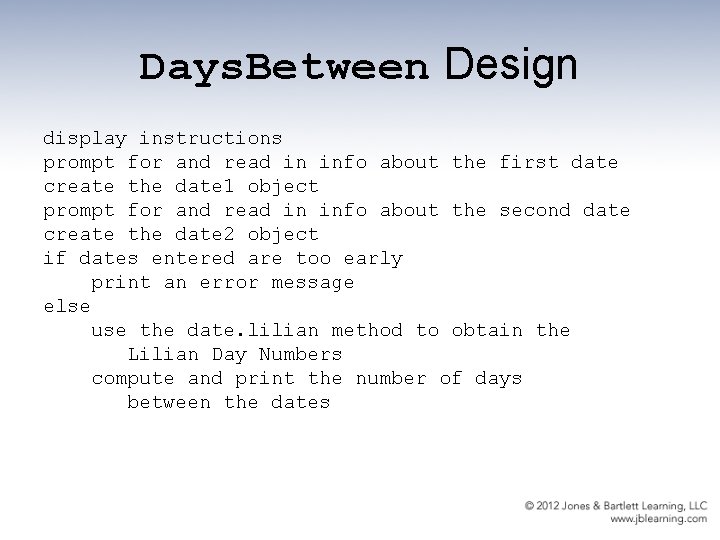
Days. Between Design display instructions prompt for and read in info about the first date create the date 1 object prompt for and read in info about the second date create the date 2 object if dates entered are too early print an error message else use the date. lilian method to obtain the Lilian Day Numbers compute and print the number of days between the dates
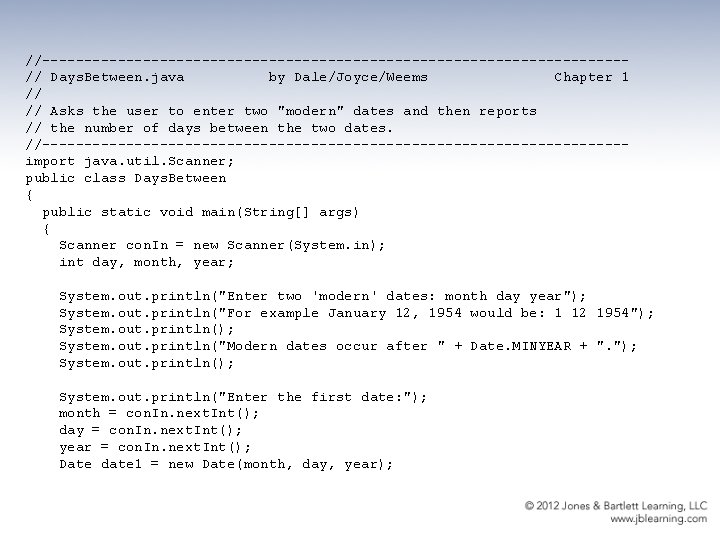
//-----------------------------------// Days. Between. java by Dale/Joyce/Weems Chapter 1 // // Asks the user to enter two "modern" dates and then reports // the number of days between the two dates. //-----------------------------------import java. util. Scanner; public class Days. Between { public static void main(String[] args) { Scanner con. In = new Scanner(System. in); int day, month, year; System. out. println("Enter two 'modern' dates: month day year"); System. out. println("For example January 12, 1954 would be: 1 12 1954"); System. out. println("Modern dates occur after " + Date. MINYEAR + ". "); System. out. println("Enter the first date: "); month = con. In. next. Int(); day = con. In. next. Int(); year = con. In. next. Int(); Date date 1 = new Date(month, day, year);
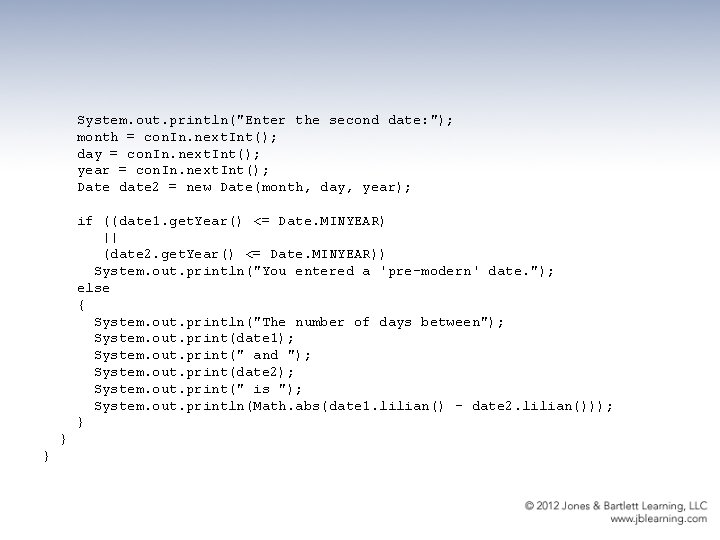
System. out. println("Enter the second date: "); month = con. In. next. Int(); day = con. In. next. Int(); year = con. In. next. Int(); Date date 2 = new Date(month, day, year); if ((date 1. get. Year() <= Date. MINYEAR) || (date 2. get. Year() <= Date. MINYEAR)) System. out. println("You entered a 'pre-modern' date. "); else { System. out. println("The number of days between"); System. out. print(date 1); System. out. print(" and "); System. out. print(date 2); System. out. print(" is "); System. out. println(Math. abs(date 1. lilian() - date 2. lilian())); } } }
1. 4 Organizing Classes • During object-oriented development hundreds of classes can be generated or reused to help build a system. • The task of keeping track of these classes would be impossible without organizational structure. • Two of the most important ways of organizing Java classes are – inheritance: classes are organized in an “is-a” hierarchy – packages: let us group related classes together into a single named unit
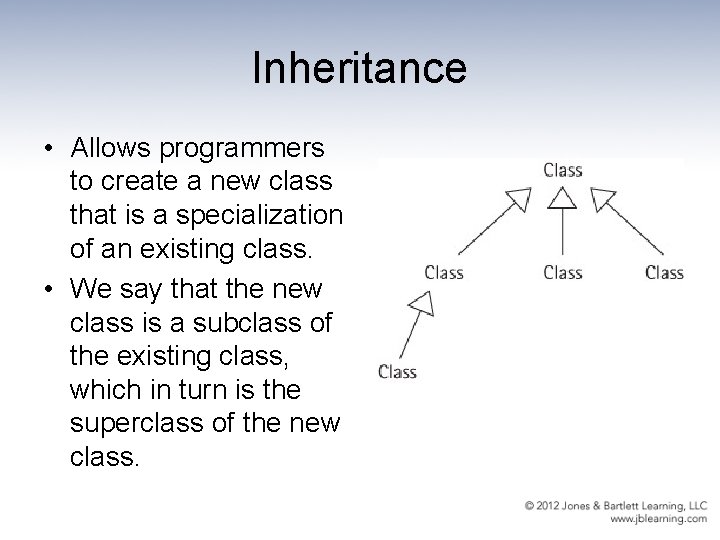
Inheritance • Allows programmers to create a new class that is a specialization of an existing class. • We say that the new class is a subclass of the existing class, which in turn is the superclass of the new class.
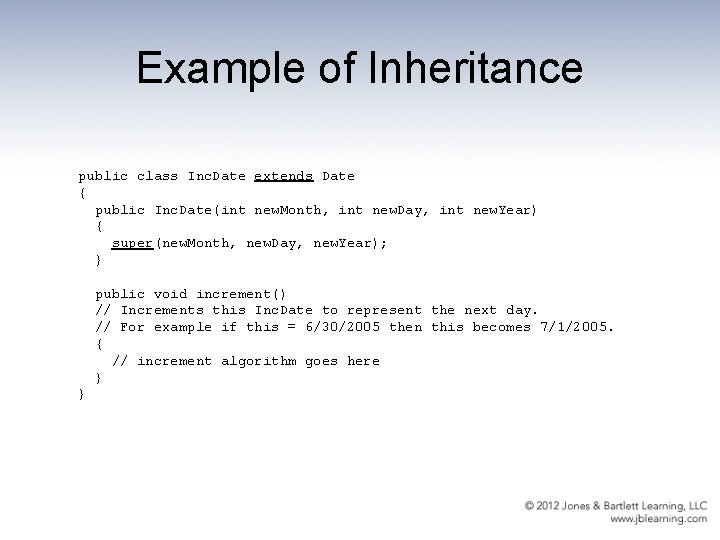
Example of Inheritance public class Inc. Date extends Date { public Inc. Date(int new. Month, int new. Day, int new. Year) { super(new. Month, new. Day, new. Year); } public void increment() // Increments this Inc. Date to represent the next day. // For example if this = 6/30/2005 then this becomes 7/1/2005. { // increment algorithm goes here } }
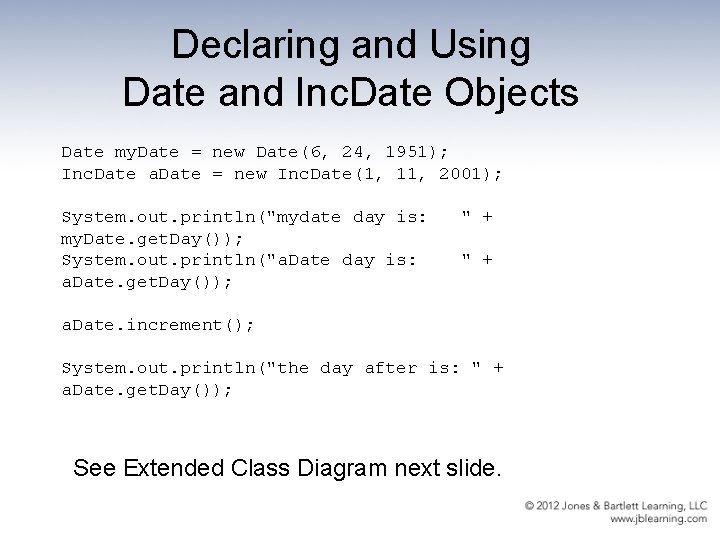
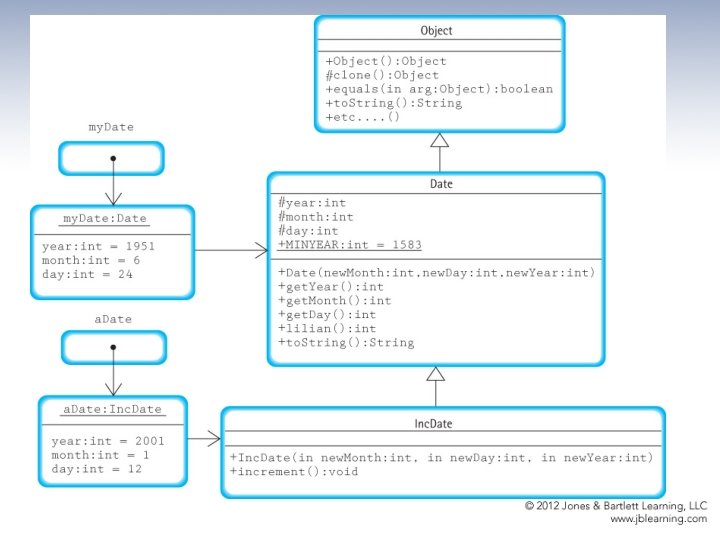
Declaring and Using Date and Inc. Date Objects Date my. Date = new Date(6, 24, 1951); Inc. Date a. Date = new Inc. Date(1, 11, 2001); System. out. println("mydate day is: my. Date. get. Day()); System. out. println("a. Date day is: a. Date. get. Day()); " + a. Date. increment(); System. out. println("the day after is: " + a. Date. get. Day()); See Extended Class Diagram next slide.
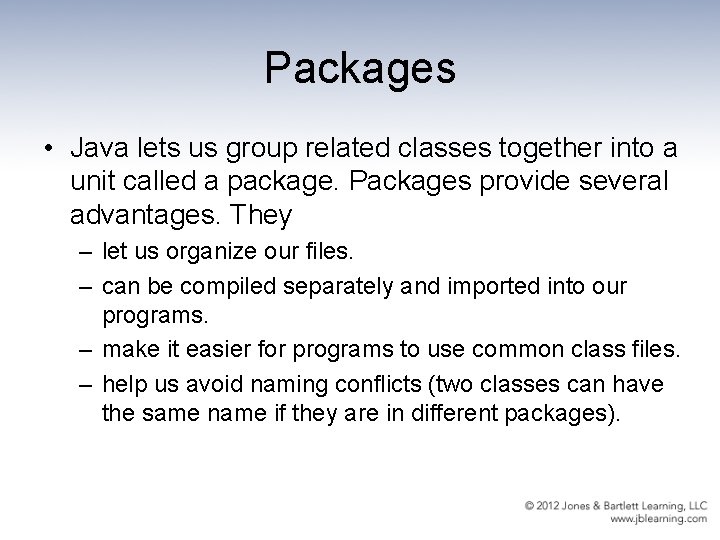
Packages • Java lets us group related classes together into a unit called a package. Packages provide several advantages. They – let us organize our files. – can be compiled separately and imported into our programs. – make it easier for programs to use common class files. – help us avoid naming conflicts (two classes can have the same name if they are in different packages).
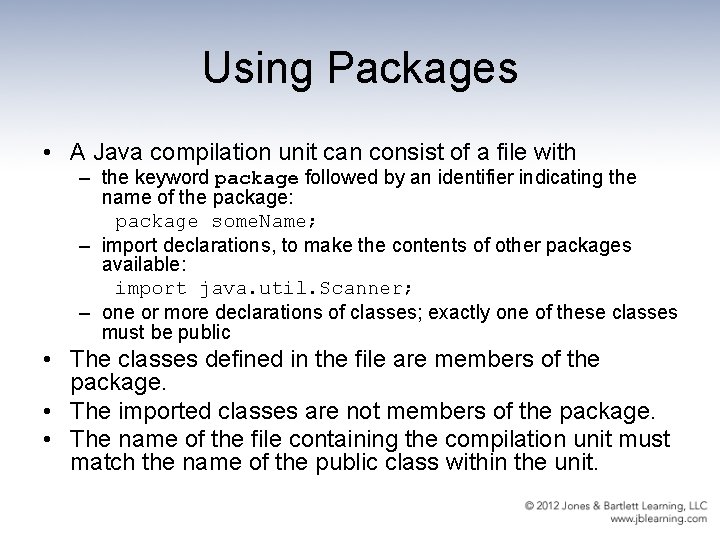
Using Packages • A Java compilation unit can consist of a file with – the keyword package followed by an identifier indicating the name of the package: package some. Name; – import declarations, to make the contents of other packages available: import java. util. Scanner; – one or more declarations of classes; exactly one of these classes must be public • The classes defined in the file are members of the package. • The imported classes are not members of the package. • The name of the file containing the compilation unit must match the name of the public class within the unit.
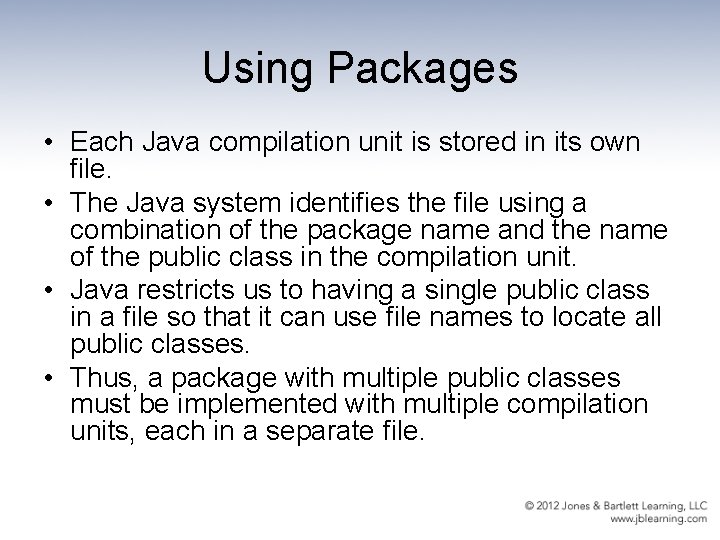
Using Packages • Each Java compilation unit is stored in its own file. • The Java system identifies the file using a combination of the package name and the name of the public class in the compilation unit. • Java restricts us to having a single public class in a file so that it can use file names to locate all public classes. • Thus, a package with multiple public classes must be implemented with multiple compilation units, each in a separate file.
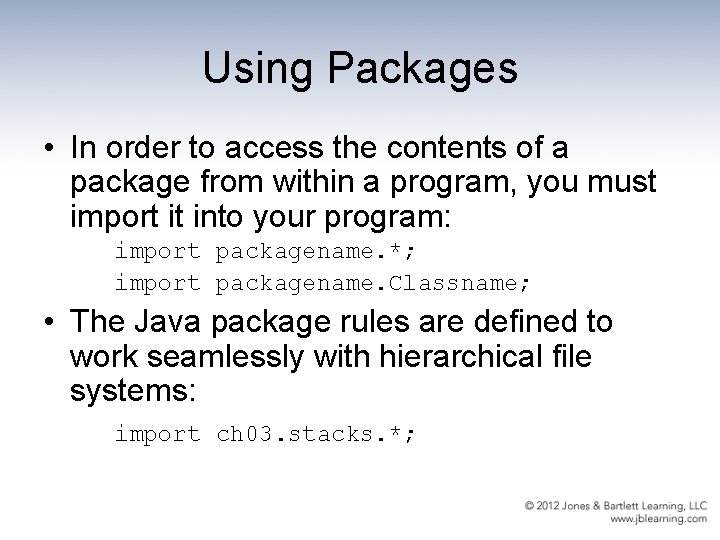
Using Packages • In order to access the contents of a package from within a program, you must import it into your program: import packagename. *; import packagename. Classname; • The Java package rules are defined to work seamlessly with hierarchical file systems: import ch 03. stacks. *;

- Slides: 21