
Section 7 Global Documents Introduction 1 2 3
Section 7 Global Documents
Introduction 1. 2. 3. 4. 5. Collaborative hypertext: Web pages should be editable as well as browsed. The WWW Consortium (W 3 C) An organization set up to bring some order and standards in the production of the Web. XML The successor to HTML, how it differs and extends HTML. Organizing Chaos How search engines and web directories work and how best to use them? P 2 P Allows people to utilize the power of their own PCs to work collaboratively across the Net.
Collaborative Hypertext ¡ It is the process by which people are allowed to add their links to a hypertext document and help each other in producing such a document. ¡ Documents should be viewable and editable by its readers ¡ Tim Berners-Leein CERN originally imagined that web pages would be editable as well as browsed. He saw the Web as a true group-working environment.

Collaborative Hypertext Benefits 1. 2. Interactive Learning Computer-Supported Collaborative Work (CSCW).
Collaborative Hypertext Benefits (cont. ) Interactive Learning it would be great if you could simply add notes and highlights as you were browsing a page and they would always come up whenever you viewed that page again. Problem: l You don’t have access to the server were the page is located so, your notes can not be saved to the server. l If this process is allowed for everybody, notes will be mixed together in the page and you will see everyone notes. Solution ‘ Web Augmentation Process’: l The browser could be made up to keep a record of the notes and their location in the web page. l But store the notes with their associated links on your hard drive.
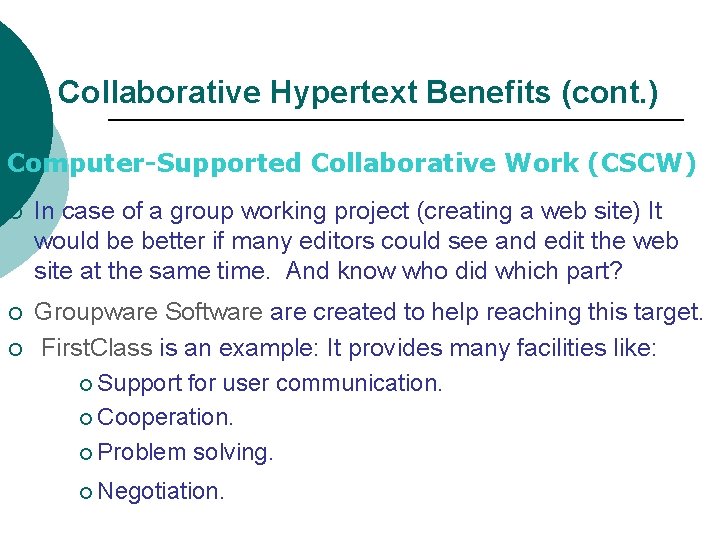
Collaborative Hypertext Benefits (cont. ) Computer-Supported Collaborative Work (CSCW) ¡ In case of a group working project (creating a web site) It would be better if many editors could see and edit the web site at the same time. And know who did which part? ¡ Groupware Software created to help reaching this target. First. Class is an example: It provides many facilities like: ¡ Support for user communication. ¡ Cooperation. ¡ Problem solving. ¡ ¡ Negotiation .
Open Hypermedia Standards & Protocols ¡ Different Hypertext Systems couldn’t read each others’ files. ¡ This led to the evolution of world-wide unified hypermedia environment: l This required the adoption of open hypermedia standards and protocols to allow interoperability between different hypermedia applications.
The World Wide Web Consortium (W 3 C) ¡ A group of Organizations formed in 1994. Now it has more than 510 member organizations and 70 employees ¡ Its objective is to lead the WWW to its full potential. By developing common protocols that promote its evolution. ¡ It is Led by Tim Berners-Lee.
Areas Where W 3 C Operates: ¡ ¡ Universal Access: which allow web to be available for all people regardless of the software, hardware, network, language and culture. Semantic Web: The sharing of knowledge and information in a form that computers can interpret and exchange ¡ Trust: The building of trust as the first step towards using the Web as a truly collaborative medium ¡ ¡ Interoperability: which allow web products to communicate and work together by adopting common open protocols. Evolvable Design: The principles of simplicity, modularity, compatibility and extensibility guide all of our designs.
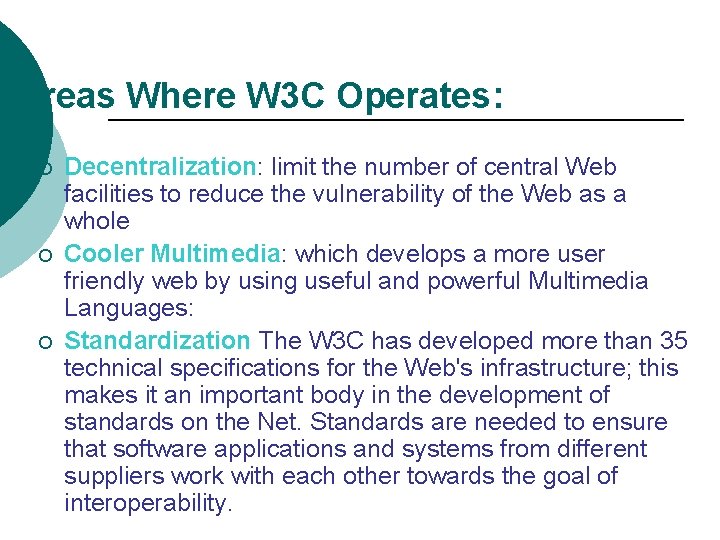
Areas Where W 3 C Operates: ¡ ¡ ¡ Decentralization: limit the number of central Web facilities to reduce the vulnerability of the Web as a whole Cooler Multimedia: which develops a more user friendly web by using useful and powerful Multimedia Languages: Standardization The W 3 C has developed more than 35 technical specifications for the Web's infrastructure; this makes it an important body in the development of standards on the Net. Standards are needed to ensure that software applications and systems from different suppliers work with each other towards the goal of interoperability.
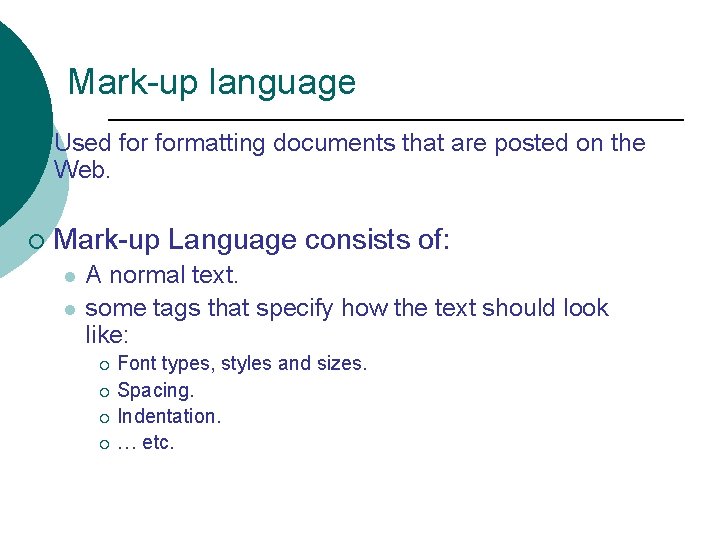
Mark-up language ¡ Used formatting documents that are posted on the Web. ¡ Mark-up Language consists of: l l A normal text. some tags that specify how the text should look like: Font types, styles and sizes. ¡ Spacing. ¡ Indentation. ¡ … etc. ¡
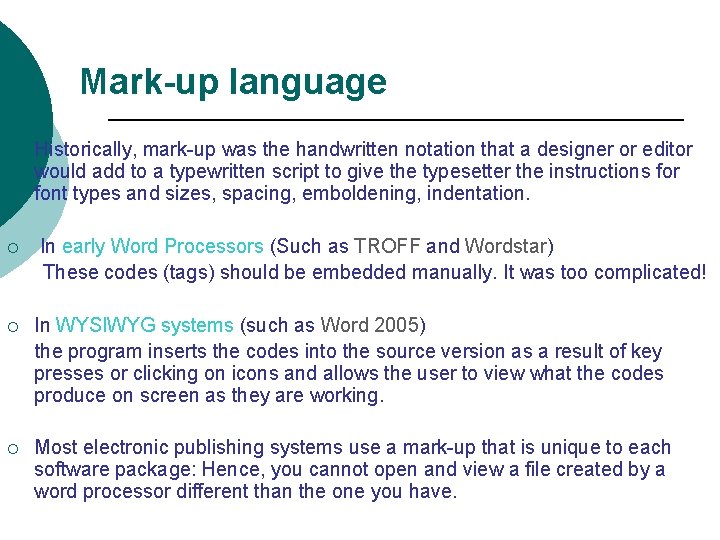
Mark-up language Historically, mark-up was the handwritten notation that a designer or editor would add to a typewritten script to give the typesetter the instructions for font types and sizes, spacing, emboldening, indentation. ¡ In early Word Processors (Such as TROFF and Wordstar) These codes (tags) should be embedded manually. It was too complicated! ¡ In WYSIWYG systems (such as Word 2005) the program inserts the codes into the source version as a result of key presses or clicking on icons and allows the user to view what the codes produce on screen as they are working. ¡ Most electronic publishing systems use a mark-up that is unique to each software package: Hence, you cannot open and view a file created by a word processor different than the one you have.
Mark-up Languages ¡ There are two types of mark-up language: Procedural Mark-up Language ¡ Descriptive Mark-up Language ¡ ¡ The difference between the two types is mainly in how the tags are used.
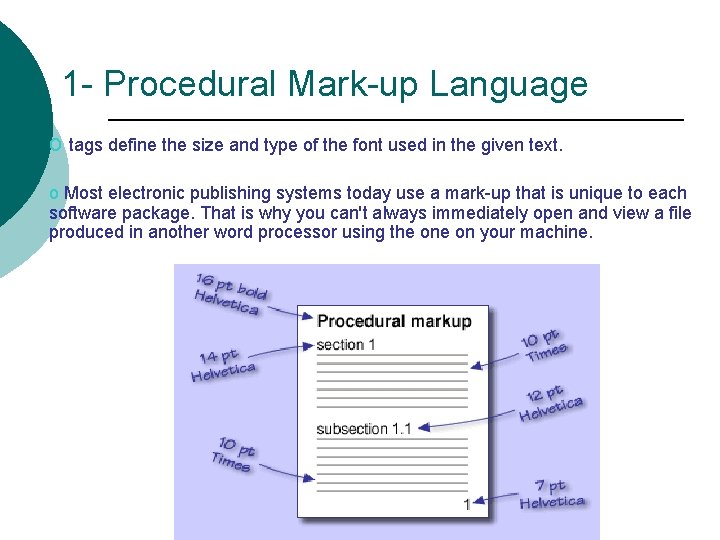
1 - Procedural Mark-up Language o tags define the size and type of the font used in the given text. o Most electronic publishing systems today use a mark-up that is unique to each software package. That is why you can't always immediately open and view a file produced in another word processor using the on your machine.
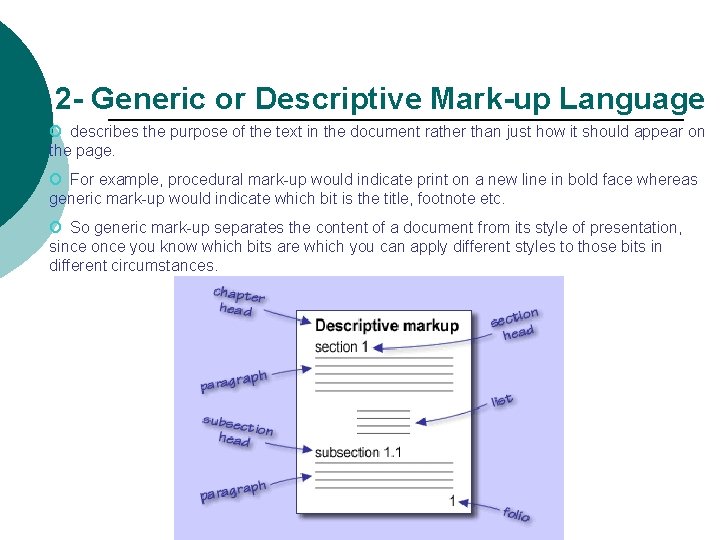
2 - Generic or Descriptive Mark-up Language o describes the purpose of the text in the document rather than just how it should appear on the page. o For example, procedural mark-up would indicate print on a new line in bold face whereas generic mark-up would indicate which bit is the title, footnote etc. o So generic mark-up separates the content of a document from its style of presentation, since once you know which bits are which you can apply different styles to those bits in different circumstances.
Mark-up Languages ¡ there are many mark-up languages, each with its own set of tags. ¡ Standard Generalized Mark-up Language (SGML) was created as: l l l ¡ An attempt to deal with different mark-up languages. An international standard (ISO 8879). A standard format for embedding descriptive mark-up tags in a document for describing the document structure Hypertext Mark-up Language (HTML): l l Was based on (SGML). The most popular language of the Web documents.
HTML ¡ HTML has predefined and fixed set of tags ¡ HTML utilizes a (SGML) powerful concept called Document Type Definition or DTD: l DTD Describes the structure of a document and the relationship between its different elements such as: ¡ The title should be the first element appeared. ¡ How each element should be displayed? ¡ Headings should be bold and centered. ¡ Subheadings should be in italic and leftjustified …. Etc.
XML ¡ e. Xtensible Mark-up Language (XML): l Is a special form of SGML (Standard General Markup Language. l Extension & Successor of HTML. l Appeared in 1998 at W 3 C (as project). l Supports highly structured documents over the Internet: XML uses SGML’s structure-defining power and combines it with HTML popular features to describe text and graphics in the Internet. l Became the de-facto standard for the support of ebusiness applications
Differences between HTML and XML l HTML has predefined and fixed set of tags; while XML allows new tags to be defined while creating the document. l In HTML, you cannot create your own DTDs. In XML you can create a DTD. l Another advantage of XML: It has RDF (Resource Definition Framework). It provides a means for programs to interchange information about web resources. And this introduces another concept, that of metadata or 'data about data'. l This makes XML more like a programming language than simply a way to mark-up pages - and means it is much more flexible and powerful.
Meta-Data ¡ ¡ Descriptive information about an item or computer file a book, a paper, a web page, or any other object is called Metadata. ¡ It had been used in the form of library and museum catalog records. ¡ Metadata about a book might include: l Who is the author. l Who is the publisher. l What is the title of the book. l When was it published. ¡ In the Web, it is the data about web documents: data about data!
Meta-Data ¡ This idea is significant for the Web. ¡ Each web resource should have some predefined metadata specified by certain standards. ¡ These types of information help the search engines to distinguish between web resources found: l l Is this an informative page or an ad. ? Identify pages published after certain date.
Information retrieval on the Web ¡ Retrieving information form the Web is not that easy: ¡ ¡ Web directories: l l ¡ It is an art, which needs many skills and talents. A technique used by some web sites, like Yahoo. Sorting information into sections, based on some subjects: Arts, business, economy, computer, entertainment… etc. Search engines: l l l Programs that contain search algorithm. Locate web pages that contain a keyword and the pages that are linked to those pages by hypertext links. Examples are: Alta. Vista and Google.
Peer-to-peer (P 2 P) networking ¡ ¡ P 2 P is one of the new, active areas in the Internet world. In P 2 P computers are communicating with each others, through the Internet, and utilizing each other’s resources. ¡ Different than the client-server model where clients receive directions from servers. ¡ The importance of P 2 P is: l l l Peers can connect to each other directly across the Net, without going through a server. It allows normal PCs, with no extra power and sophisticated software, to communicate via the Internet: to download information or to run programs on each other machines. It allows peers to work collaboratively across the net.
¡ ¡ P 2 P Areas of Applications Collaborative or group working l e. g. First Class: when you create secure shared spaces where you make instant and direct online connections with others to share information and get things done. Distributed computing l The search for extraterrestrial intelligence. SETI@home is a scientific experiment that uses Internet-connected computers in the Search for Extra Terrestrial Intelligence (SETI). You can participate by running a free program that downloads and analyses radio telescope data Distributed Search Engines l The Music. Brainz Metadata initiative is a content description model for audio and video tracks on the Internet Instant Messaging l The first application of Jabber technology is an instant messaging system focused on privacy, security, ease of use, access from anywhere using any device, and interoperability with Instant Messaging, phone and web-based services
Section 8 The Future of the NET!
The future of the Internet ¡ The author of the Book: “A Brief History”, John Naughton has written an elegant paper about the Internet named: “Contested Space: The Internet and Society” ¡ He distinguishes in his paper between the World Wide Web and the Internet
The future of the Internet ¡ Some of the points discussed in the paper were: l The Internet is still in its early days: it is impossible to predict where it will lead us next l The Internet is not the web: Internet is like a railway network and the Web is just one of the applications that use the network l The history of the network: started in 1972 with the US Dept of Defense's ARPANET l The web impact on the Internet: The Web brought millions of new users to the Internet and altered the structure of the network
The future of the Internet l The architecture of the Internet: an open, permissive architecture with no central control l Anonymity and its implications: there is no way to link individual IP addresses to known users l Scale of the Internet: There are currently 400 million users but these are unevenly distributed across the world with most in USA and Canada and least in Africa. l The Internet as a communication medium: Access to published data, Information and knowledge. Making it harder to keep secrets l The digital divide: Only 2%-6% of world population has Internet access, and the Digital Divide follows other socio economic inequalities. The divide is between rich and poor countries as well as between people within countries.
The future of the Internet l Control of the Internet: Governments see the Net as a potential tool for economic growth but at the same time feel threatened by it! l e-commerce: The Internet changes some aspects of doing business but others are not affected l Intellectual Property Rights: Publishers have responded to the Internet with legislation, lobbying and technological solutions to prevent piracy l Security in a digital age: Internet is open and therefore insecure. The growth of the Internet will mean we are living in an increasingly defenseless world l Encryption: Encryption can guarantee privacy
- Slides: 29