
Section 6 Dimensioning q Dimension types and symbols
Section 6 Dimensioning q Dimension types and symbols q Dimension placement and other rules q How to dimension various features
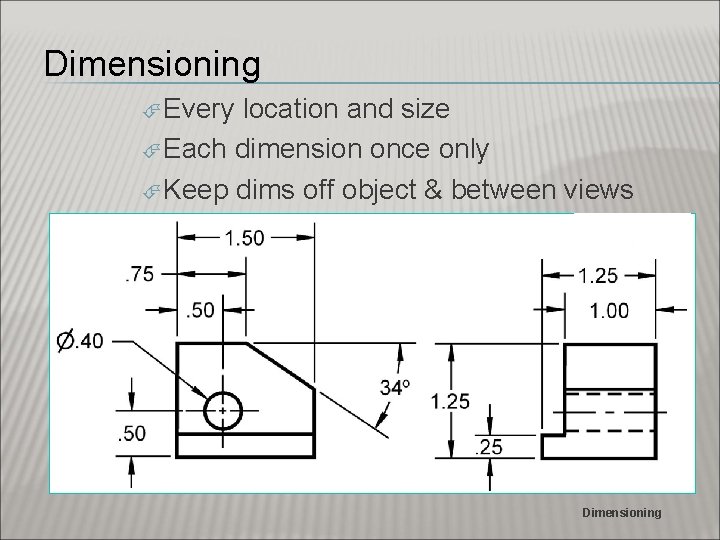
Dimensioning Every location and size Each dimension once only Keep dims off object & between views Dimensioning
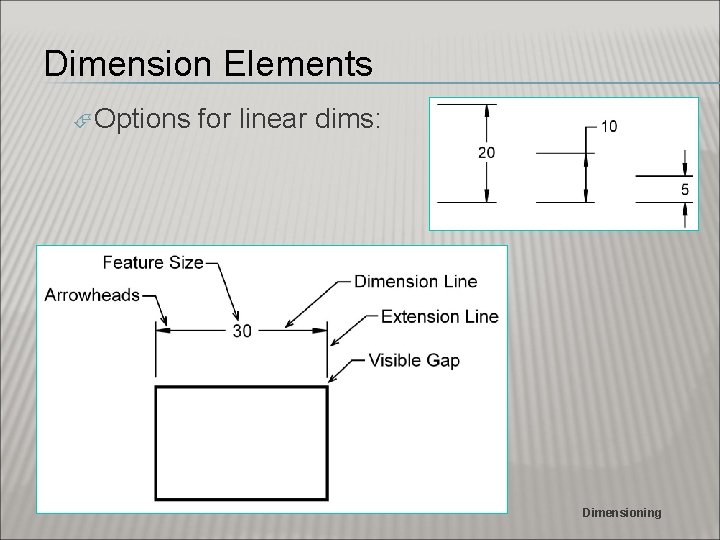
Dimension Elements Options for linear dims: Dimensioning
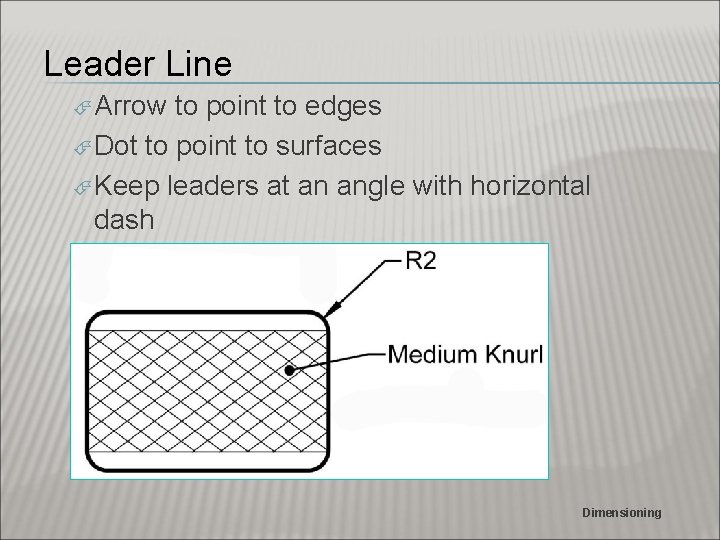
Leader Line Arrow to point to edges Dot to point to surfaces Keep leaders at an angle with horizontal dash Dimensioning
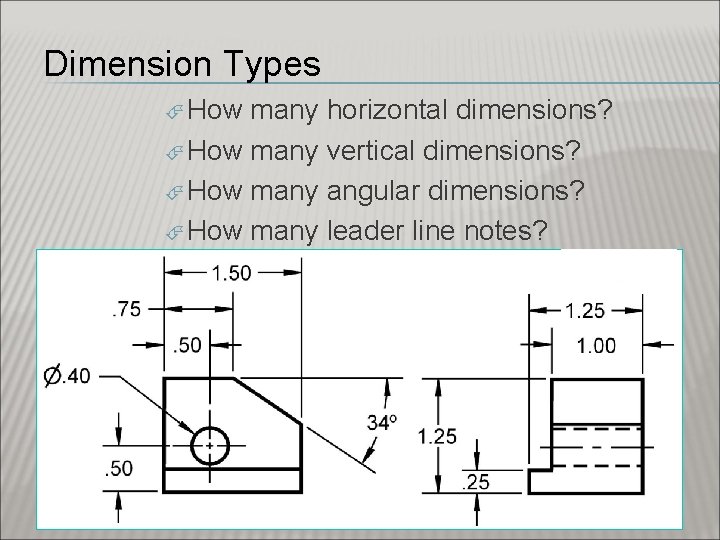
Dimension Types How many horizontal dimensions? How many vertical dimensions? How many angular dimensions? How many leader line notes? Dimensioning
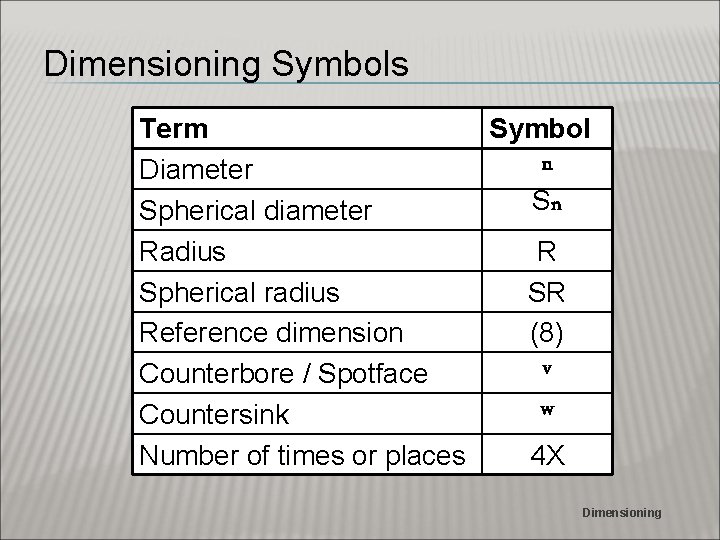
Dimensioning Symbols Term Symbol n Diameter Sn Spherical diameter Radius R Spherical radius SR Reference dimension (8) v Counterbore / Spotface w Countersink Number of times or places 4 X Dimensioning
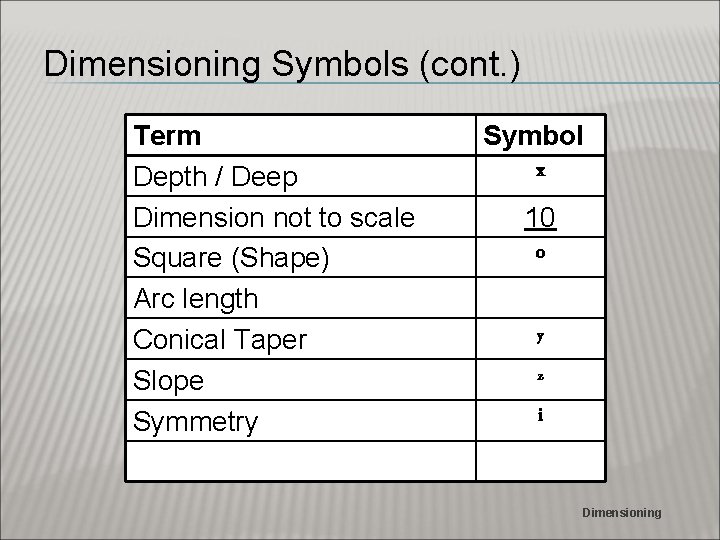
Dimensioning Symbols (cont. ) Term Depth / Deep Dimension not to scale Square (Shape) Arc length Conical Taper Slope Symmetry Symbol x 10 o y z i Dimensioning
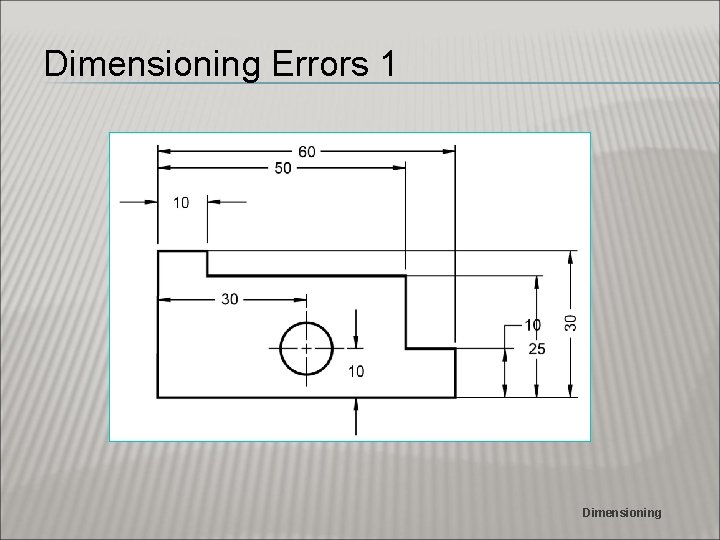
Dimensioning Errors 1 Dimensioning
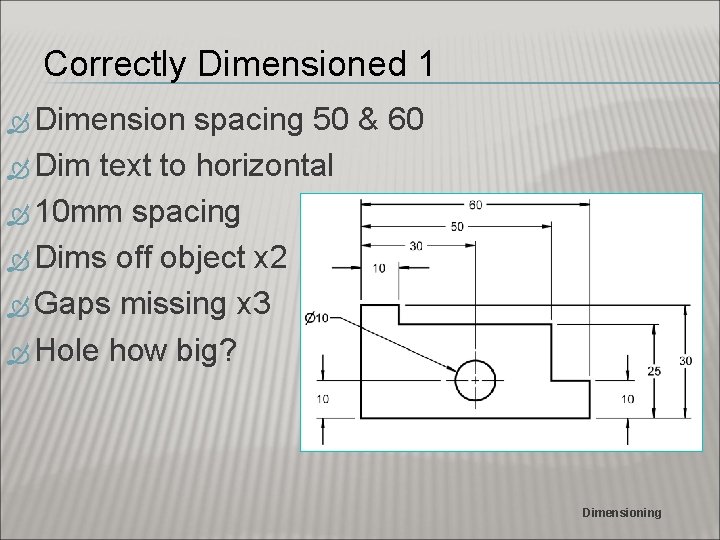
Correctly Dimensioned 1 Dimension spacing 50 & 60 Dim text to horizontal 10 mm spacing Dims off object x 2 Gaps missing x 3 Hole how big? Dimensioning
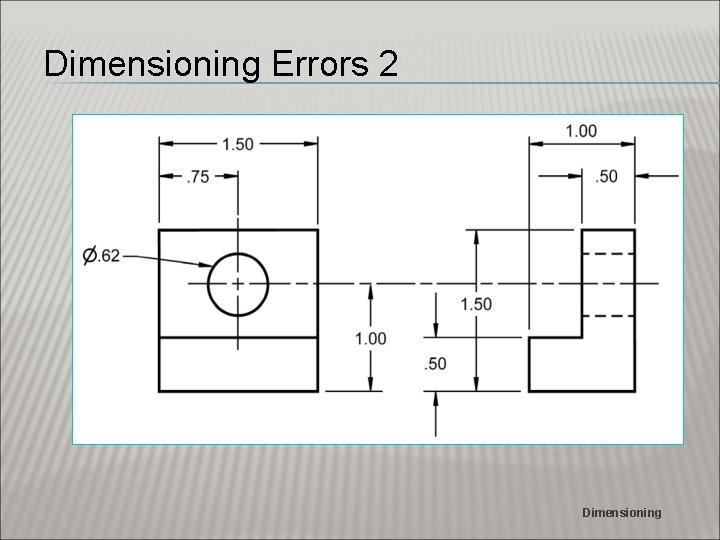
Dimensioning Errors 2 Dimensioning
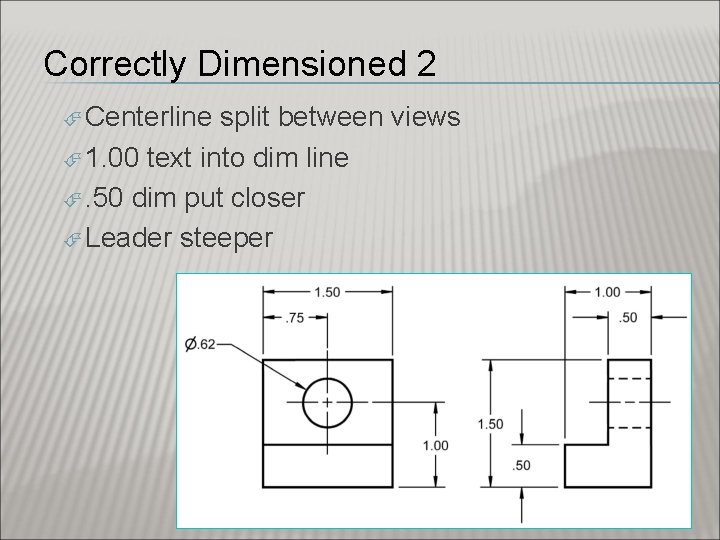
Correctly Dimensioned 2 Centerline split between views 1. 00 text into dim line . 50 dim put closer Leader steeper Dimensioning
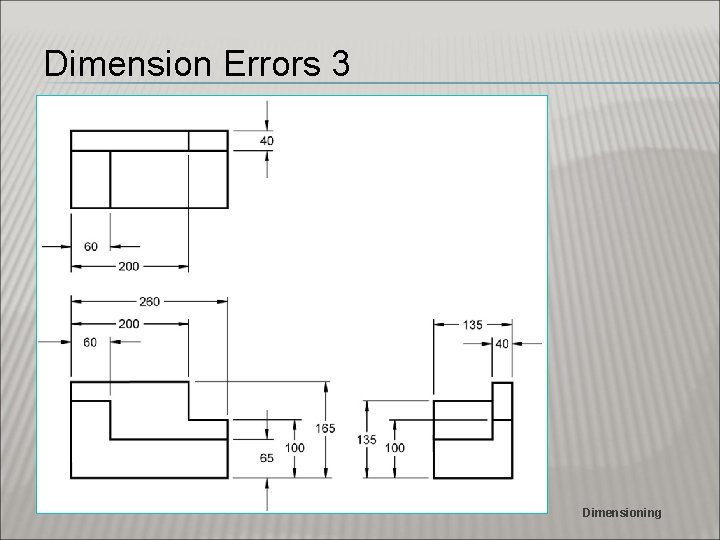
Dimension Errors 3 Dimensioning
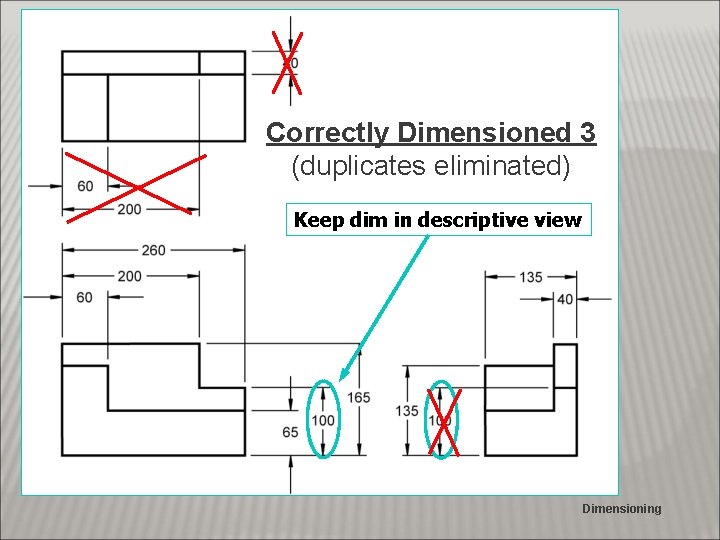
Correctly Dimensioned 3 (duplicates eliminated) Keep dim in descriptive view Dimensioning
Dimension Errors 4 Dimensioning
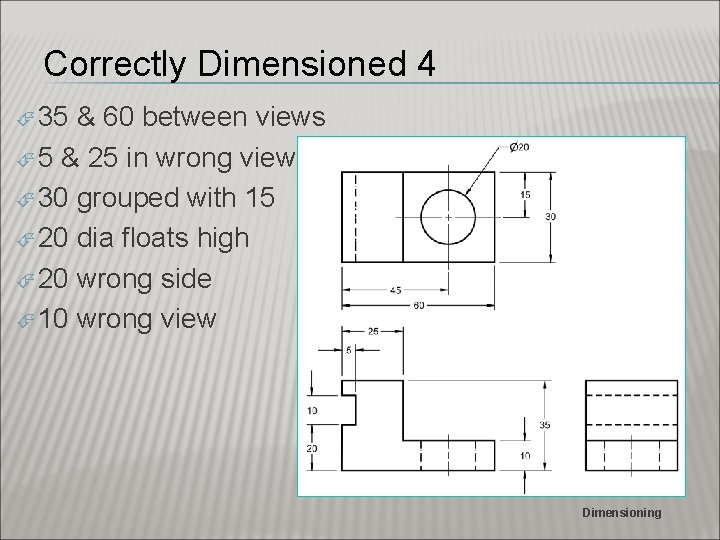
Correctly Dimensioned 4 35 & 60 between views 5 & 25 in wrong view 30 grouped with 15 20 dia floats high 20 wrong side 10 wrong view Dimensioning
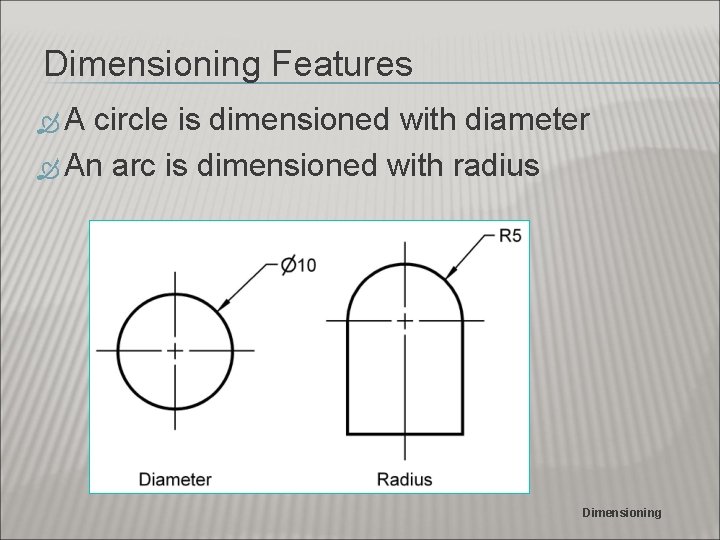
Dimensioning Features A circle is dimensioned with diameter An arc is dimensioned with radius Dimensioning
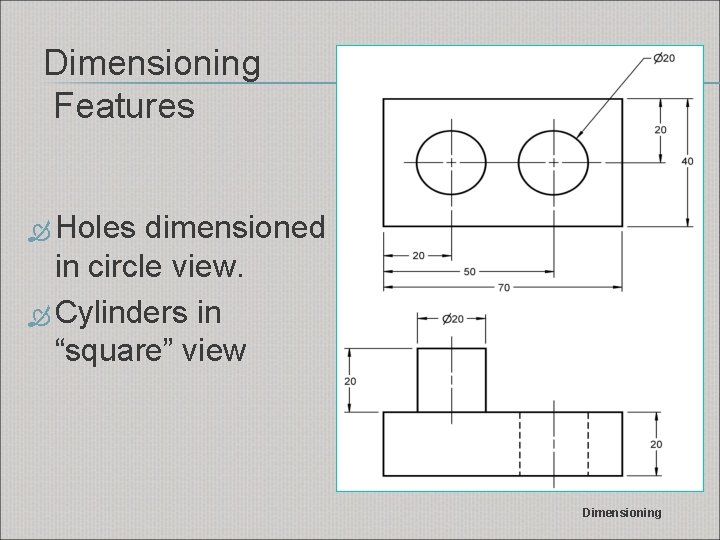
Dimensioning Features Holes dimensioned in circle view. Cylinders in “square” view Dimensioning
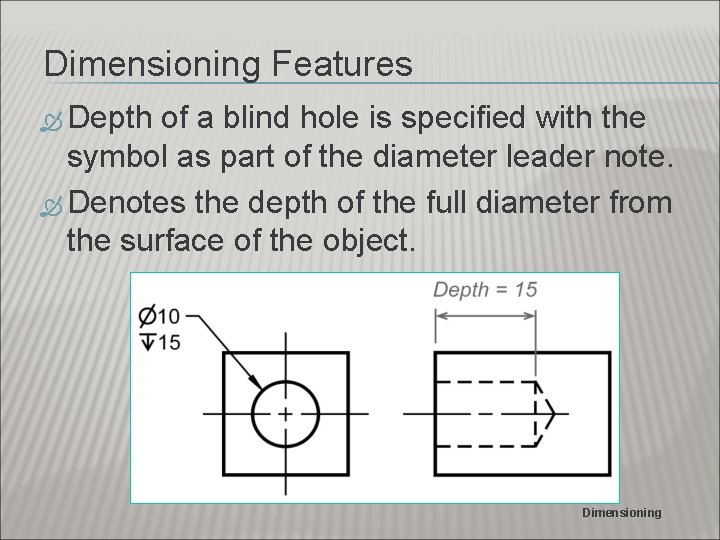
Dimensioning Features Depth of a blind hole is specified with the symbol as part of the diameter leader note. Denotes the depth of the full diameter from the surface of the object. Dimensioning
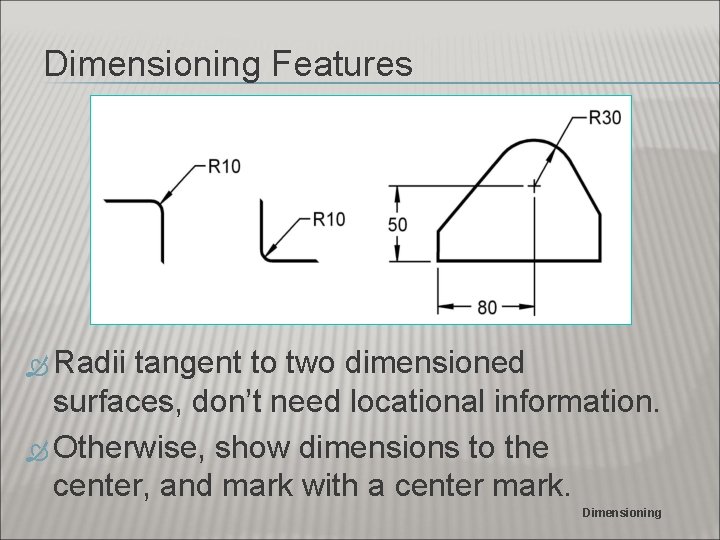
Dimensioning Features Radii tangent to two dimensioned surfaces, don’t need locational information. Otherwise, show dimensions to the center, and mark with a center mark. Dimensioning
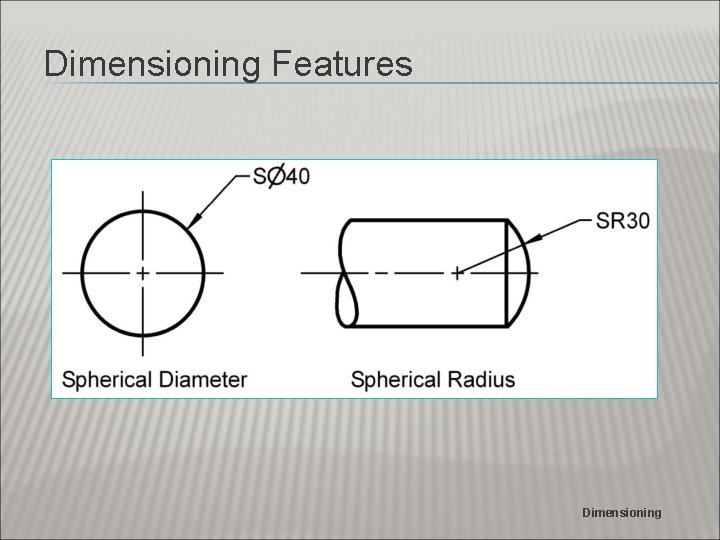
Dimensioning Features Dimensioning
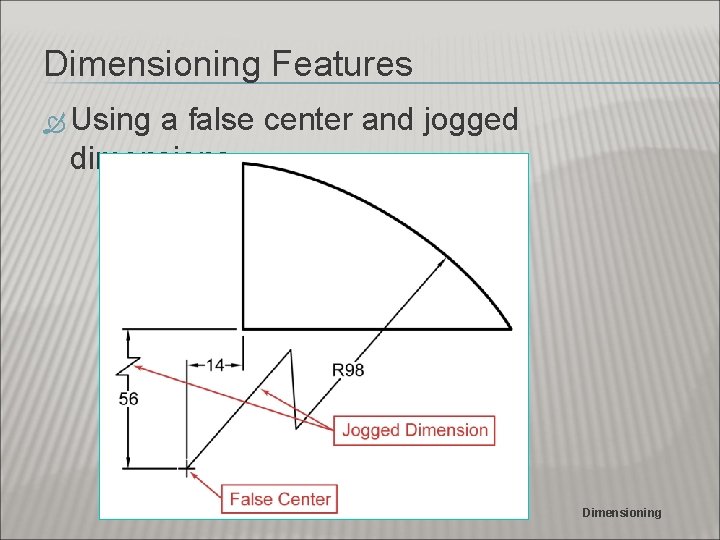
Dimensioning Features Using a false center and jogged dimensions Dimensioning
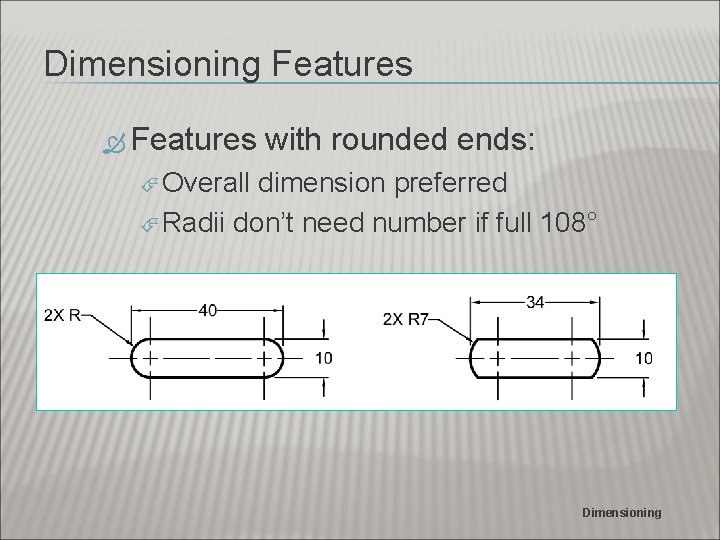
Dimensioning Features with rounded ends: Overall dimension preferred Radii don’t need number if full 108° Dimensioning
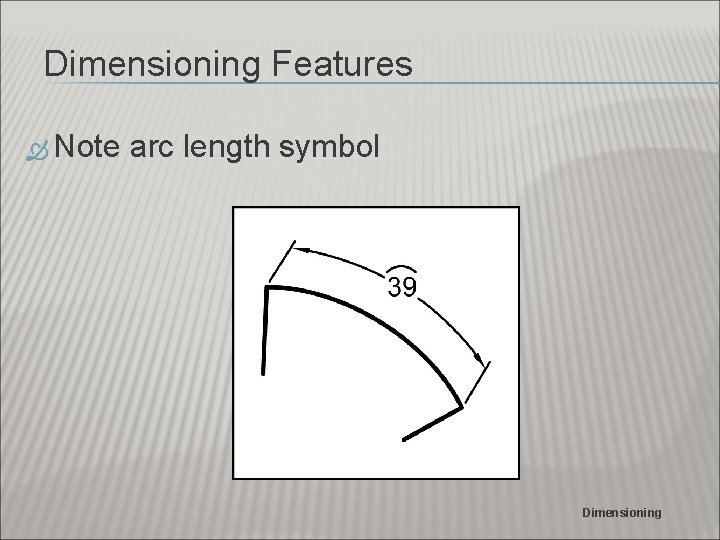
Dimensioning Features Note arc length symbol Dimensioning
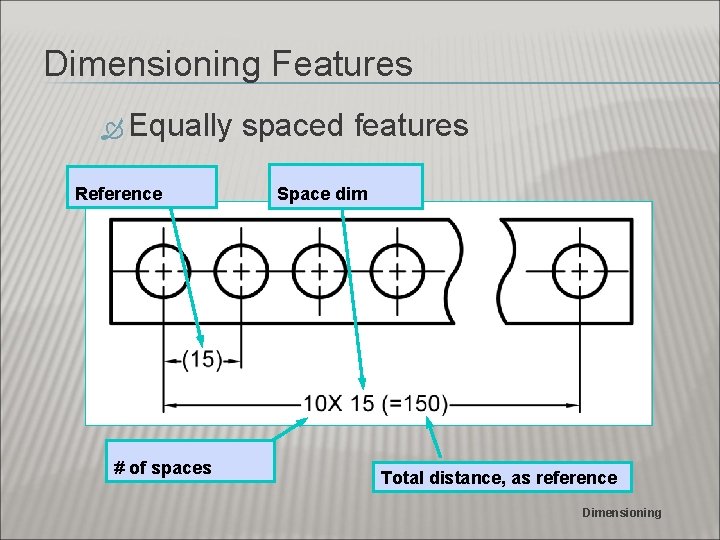
Dimensioning Features Equally Reference # of spaces spaced features Space dim Total distance, as reference Dimensioning
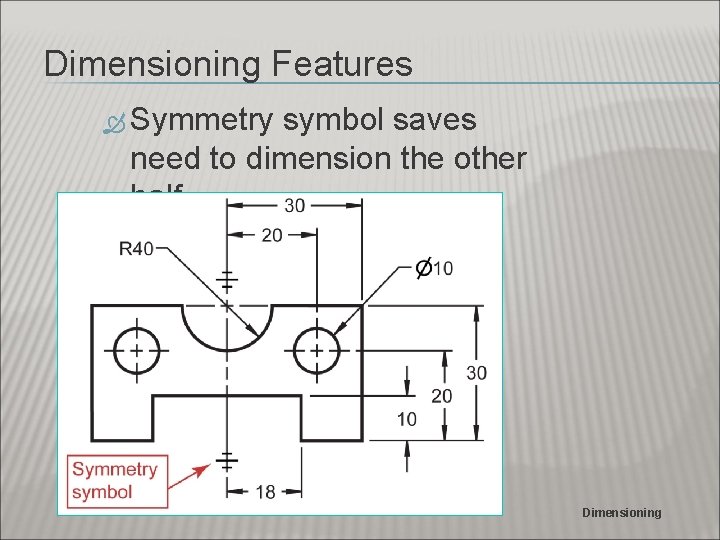
Dimensioning Features Symmetry symbol saves need to dimension the other half Dimensioning
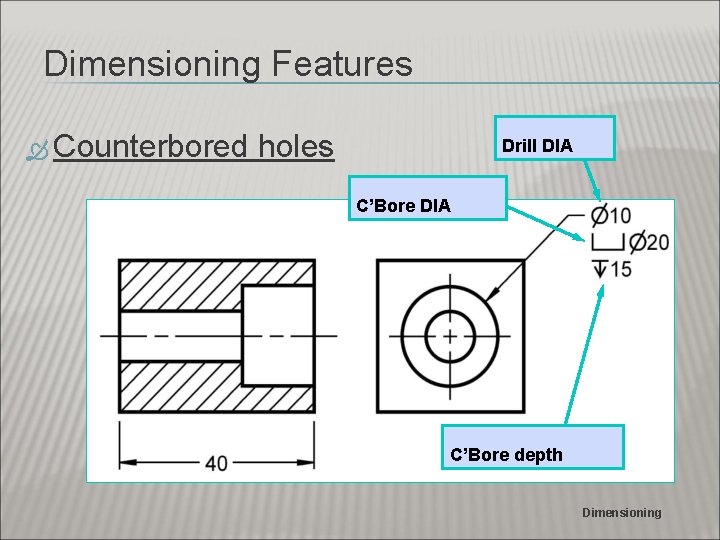
Dimensioning Features Counterbored holes Drill DIA C’Bore depth Dimensioning
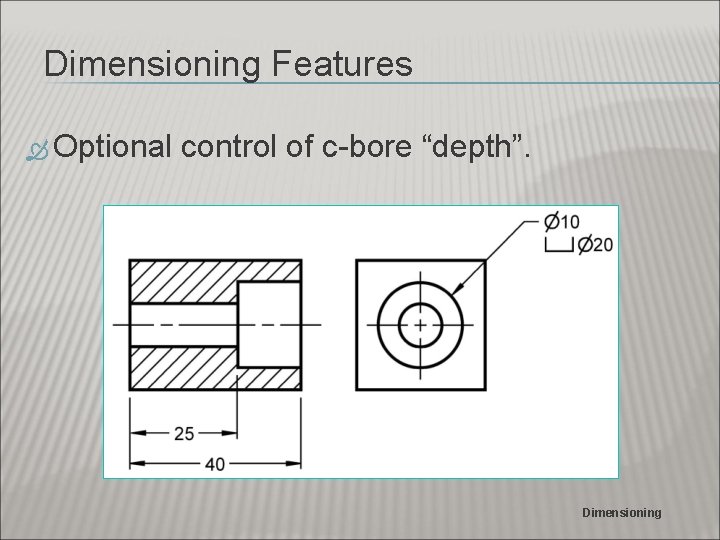
Dimensioning Features Optional control of c-bore “depth”. Dimensioning
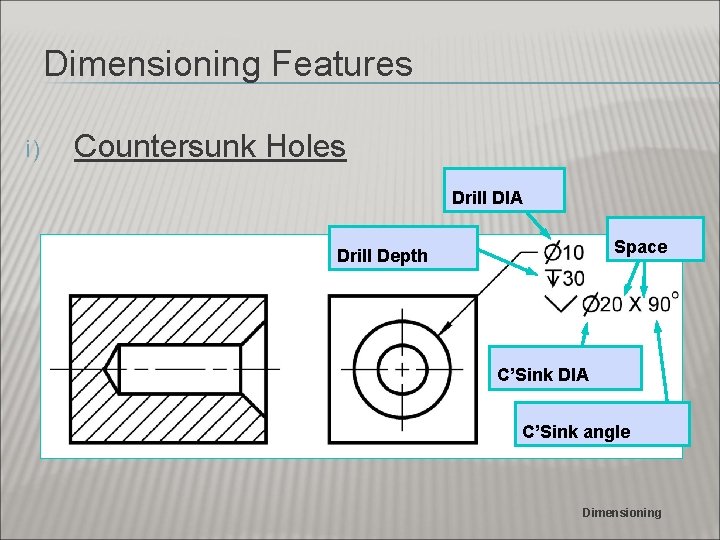
Dimensioning Features i) Countersunk Holes Drill DIA Space Drill Depth C’Sink DIA C’Sink angle Dimensioning
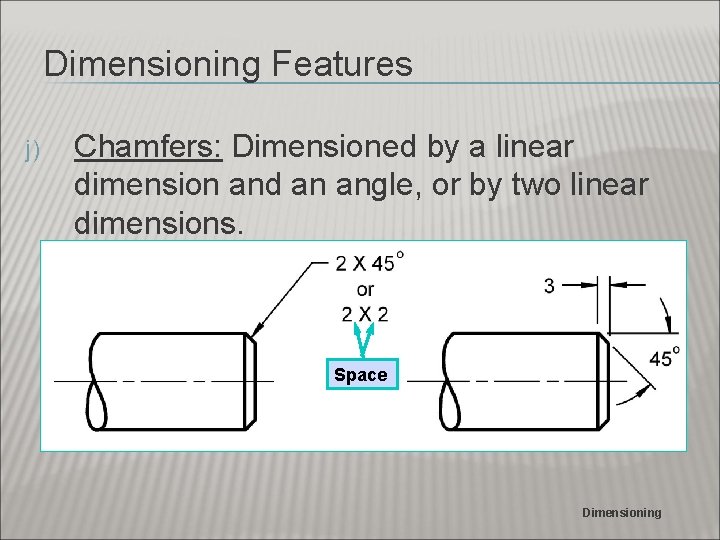
Dimensioning Features j) Chamfers: Dimensioned by a linear dimension and an angle, or by two linear dimensions. Space Dimensioning
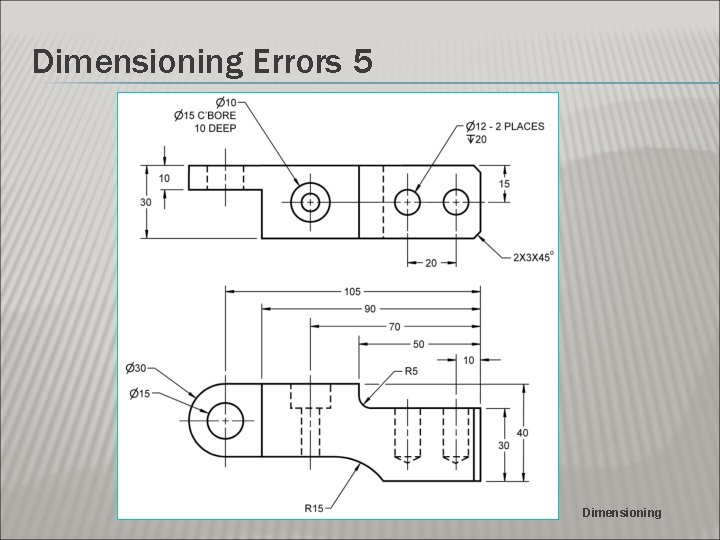
Dimensioning Errors 5 Dimensioning
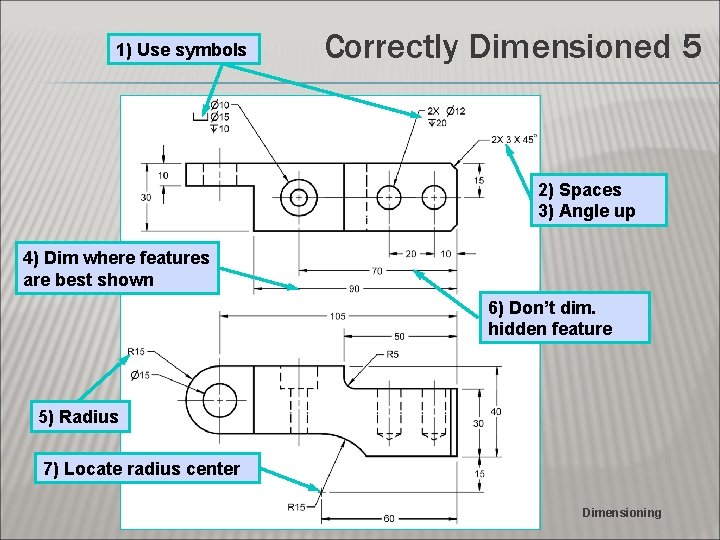
1) Use symbols Correctly Dimensioned 5 2) Spaces 3) Angle up 4) Dim where features are best shown 6) Don’t dim. hidden feature 5) Radius 7) Locate radius center Dimensioning
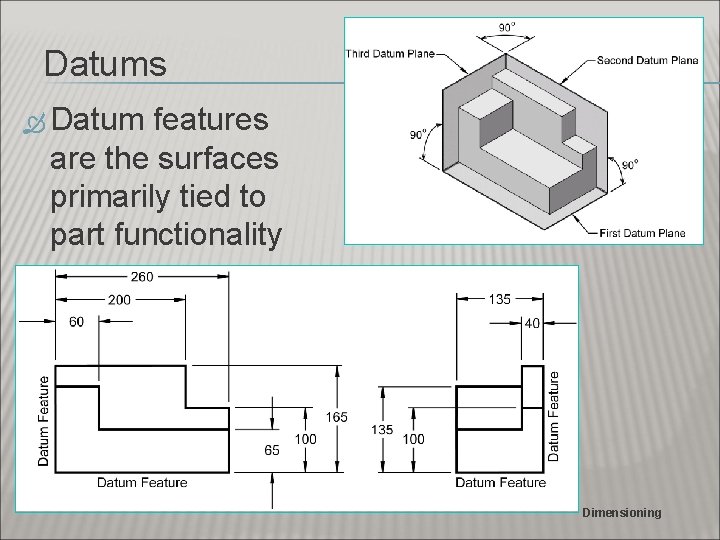
Datums Datum features are the surfaces primarily tied to part functionality Dimensioning
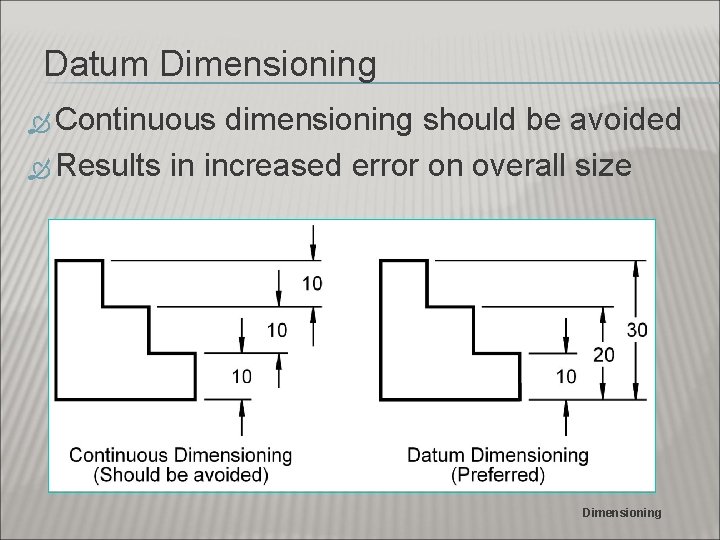
Datum Dimensioning Continuous dimensioning should be avoided Results in increased error on overall size Dimensioning
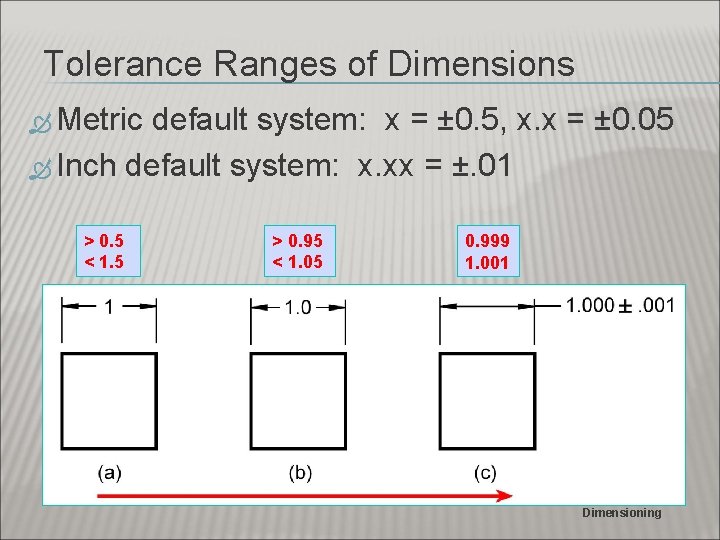
Tolerance Ranges of Dimensions Metric default system: x = ± 0. 5, x. x = ± 0. 05 Inch default system: x. xx = ±. 01 > 0. 5 < 1. 5 > 0. 95 < 1. 05 0. 999 1. 001 Dimensioning
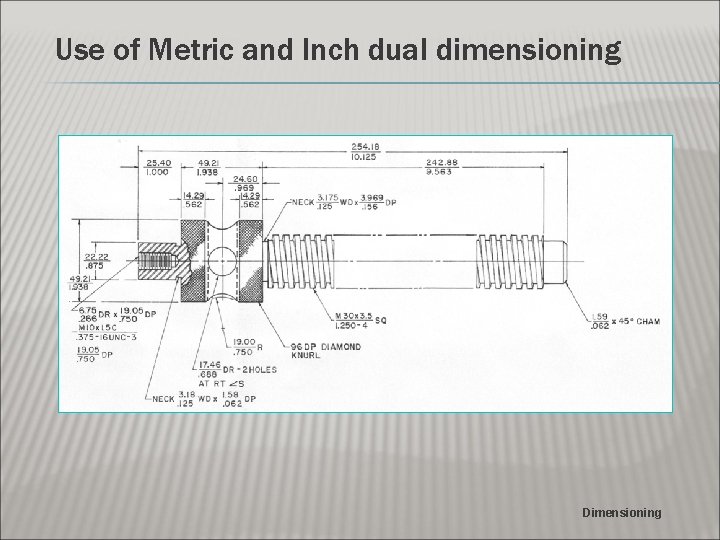
Use of Metric and Inch dual dimensioning Dimensioning
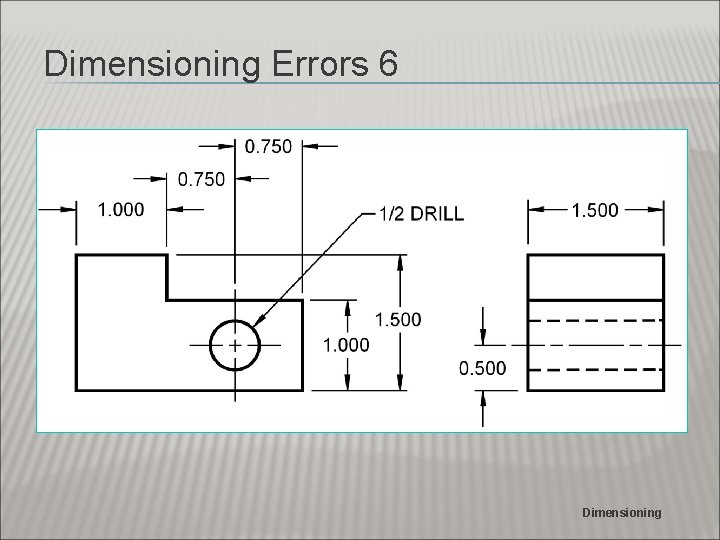
Dimensioning Errors 6 Dimensioning
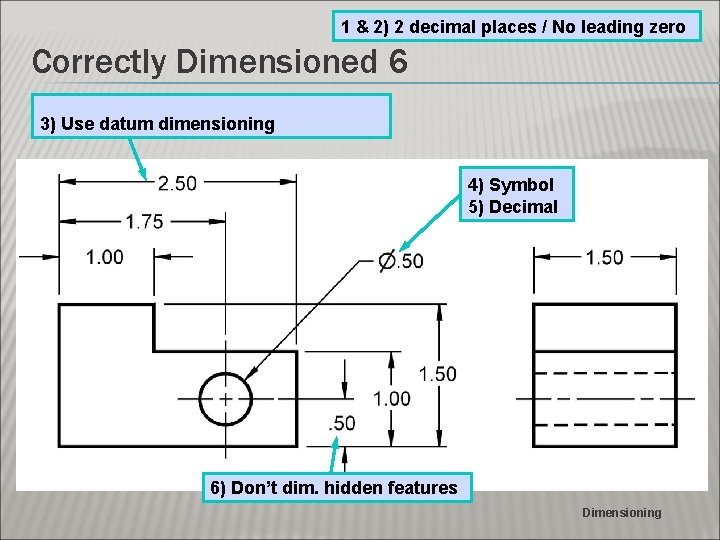
1 & 2) 2 decimal places / No leading zero Correctly Dimensioned 6 3) Use datum dimensioning 4) Symbol 5) Decimal 6) Don’t dim. hidden features Dimensioning
- Slides: 37